Boost Your Small Business: A Practical Guide to the Virtual Receptionist for Small Business

Ever found yourself stuck on the phone when you should be running your business? That's a classic small business dilemma. A virtual receptionist is your answer—a service that handles your calls, appointments, and customer questions from a remote location. Think of it as your digital front desk, blending real, live agents with smart technology to make sure you never miss a lead or leave a caller hanging.
It’s the secret to having a professional, 24/7 presence without the hefty price tag of a full-time, in-house employee.
What a Virtual Receptionist Actually Is

Imagine a virtual receptionist as your company's air traffic controller for all incoming communications. It's so much more than a basic answering service that just jots down messages. Instead, this is a sophisticated system built to manage the entire journey of a customer interaction, from the moment they call to the final booked appointment or answered question.
For any small business, an incoming call isn't just a ring—it's a potential opportunity knocking. But get this: a staggering 67% of customers will hang up in frustration if they can't speak to a real person, and most of them won't bother calling back. A virtual receptionist stops that from ever happening by providing a friendly, professional response, every single time.
Going Beyond a Simple Answering Service
The best virtual receptionist services act as a true extension of your team, actively managing the tasks that keep your front desk humming.
They're not just passive message-takers. They’re problem-solvers who can:
- Handle Intelligent Call Routing: Got a hot sales lead on the line? They’ll patch it straight to your top salesperson's cell. For example, a caller who says "I need a quote for a new roof" can be automatically transferred to your lead estimator, while someone asking "Do you service furnaces?" can be routed to your HVAC booking system.
- Manage Appointment Scheduling: By integrating directly with your calendar, they can book, confirm, and even reschedule appointments without you ever having to lift a finger. A client can call and say, "I'd like to book a haircut with Sarah next Tuesday afternoon," and the system will find an open slot and confirm it via text.
- Capture and Qualify Leads: They can ask the crucial screening questions you need answered, ensuring new leads are a good fit before they land in your CRM. For a marketing agency, this could mean asking, "What is your monthly marketing budget?" to filter for serious inquiries.
- Offer 24/7 Availability: This is a game-changer. They’re on the clock after hours, on weekends, and during holidays, capturing the business your competitors are missing while they sleep.
It’s no surprise that more businesses are catching on. The global virtual receptionist market, already valued at $1.5 billion, is on track to more than double to $3.2 billion by 2033. This boom shows a clear shift in how businesses approach customer service—they want solutions that are both scalable and efficient. You can explore more details on the virtual receptionist market growth here.
A virtual receptionist turns your business phone from a constant interruption into an automated growth engine. It ensures every caller feels valued and every opportunity is captured, allowing you to focus on running your business instead of just answering it.
In-House Receptionist vs. Virtual Receptionist at a Glance
When you look at the numbers and the day-to-day reality, the differences between hiring a traditional receptionist and using a virtual one are impossible to ignore. For a small business, where every dollar and every minute counts, the choice often comes down to maximizing your impact while keeping overhead low.
This side-by-side table makes it clear why the virtual model is so compelling for businesses ready to grow.
Ultimately, the table shows a clear contrast. One path involves high fixed costs and limited availability, while the other offers round-the-clock coverage, advanced capabilities, and a predictable, budget-friendly price.
The Real-World Benefits of a Virtual Receptionist
So, we've talked about what a virtual receptionist is. But where the rubber really meets the road is in the tangible impact it can have on your business. For owners laser-focused on growth, this isn't just about convenience—it's about real, measurable returns that hit your bottom line.
The benefits really boil down to three things every small business owner obsesses over: cutting costs, capturing more revenue, and looking like a total pro.
The most obvious win is how much money you can save. Let's be honest, hiring a full-time, in-house receptionist is a huge expense. When you add up an average salary, benefits, payroll taxes, and paid time off, you're easily looking at over $45,000 a year. And that's before you even think about the cost of a desk, a computer, and training.
A virtual receptionist service flips that model on its head. Instead of a massive fixed cost, you get a predictable monthly subscription that scales with your needs. You're getting enterprise-level phone support for a tiny fraction of the price.
Dramatically Reduce Your Operational Costs
This isn't just trimming the fat; it’s a financial game-changer. You’re turning a major personnel expense into a flexible operational tool. This frees up a serious amount of cash—capital you can plow back into marketing, new equipment, or hiring your next technician.
Here's a practical example: a small plumbing business paying an in-house receptionist $3,500/month switches to a virtual service for $300/month. The $3,200 in monthly savings is enough to lease a new, fully-equipped service van, allowing them to take on more jobs and grow the business faster.
By eliminating the need for a full-time salary and benefits package, a virtual receptionist can reduce front-desk operational costs by up to 80%. This isn't a minor tweak; it's a fundamental shift in how small businesses can afford to operate professionally.
Capture Revenue You Are Currently Missing
Beyond just saving money, a virtual receptionist actively helps you make more of it. Every call you miss is a potential customer—and they're probably just going to call your competitor next.
With 24/7 availability, you finally start catching all those leads that come in after 5 PM, on weekends, or during holidays. You’re ready to do business the exact moment a customer needs you, which is often when your competition is closed.
- Practical Example (Emergency Service): An HVAC company gets a call at 10 PM. A frantic homeowner's furnace is out. Instead of going to a cold voicemail, a live receptionist qualifies the emergency ("Is there a strange smell?" "Is the pilot light out?") and dispatches the on-call tech with detailed notes. That’s a high-value job you just landed.
- Practical Example (Weekend Inquiry): Someone is researching law firms on a Saturday and decides to call. Your virtual service answers, runs through a quick intake ("What type of legal help do you need?" "Have you been served with any papers?"), and schedules them for a consultation on Monday morning. You've hooked a valuable client before they even had a chance to look elsewhere.
These aren't hypotheticals; this happens every day. A virtual receptionist isn't just a defensive move to stop losing calls. It’s an offensive strategy to win the business your competitors are letting slip right through their fingers.
Elevate Your Professional Image Instantly
First impressions are everything, and often, that first impression happens over the phone. A call that rings and rings before hitting voicemail—or worse, is answered by a distracted owner out in the field—sends a clear message, and it's not a good one.
Contrast that with a prompt, friendly, and professional greeting every single time: "Thank you for calling Precision Painters. How can I help you today?" Suddenly, your small operation sounds like an established, trustworthy leader in your field. This polish builds instant credibility and confidence with callers.
When every customer is treated with the same high level of courtesy, it reflects on your entire brand. That consistency builds the kind of trust that earns you loyal customers and glowing referrals, turning a simple phone call into one of your most powerful marketing tools.
How a Virtual Receptionist Works for Your Industry
Think of a virtual receptionist less as a generic answering service and more as a specialist you've trained for your specific field. A great service isn't one-size-fits-all. It understands that what a busy plumber needs is completely different from what a boutique law firm or a healthcare clinic requires.
The real magic happens when the service adapts to your world. It needs to speak the language of your customers, understand your priorities, and anticipate what callers need. It gets the urgency of a burst pipe, the privacy required for a patient's call, and the critical importance of capturing that one high-value legal lead.
Home Services: Taming the Chaos
If you run a home services business—plumbing, HVAC, electrical—you know that chaos is the enemy. Your best technicians are out in the field, not answering phones. Meanwhile, the office line is ringing off the hook with everything from simple questions to full-blown emergencies. A virtual receptionist brings calm and order.
Picture this practical scenario: it’s 8 PM on a Friday, and a frantic homeowner calls about a flooded basement. Instead of hitting voicemail, they’re greeted by a calm, professional voice that instantly flags the call as an emergency. The system then automatically dispatches the job to the on-call plumber's phone, complete with the customer's name, address, and notes.
- Emergency Dispatching: It turns after-hours emergencies into profitable jobs instead of lost opportunities.
- Automated Updates: For a scheduled job, the system can send an automated text to the customer: "Hi, this is David from Apex Electric. I'm on my way and will be there in about 20 minutes." This drastically cuts down on "where are you?" follow-up calls.
- Smart Scheduling: For non-urgent jobs, it books appointments directly into your company’s calendar, preventing double-bookings and keeping the next day’s schedule tight.
Suddenly, your phone line transforms from a constant source of stress into a 24/7 dispatch center that practically runs itself.
Healthcare Clinics: Putting Patients First
In any healthcare setting, from a dental office to a therapy practice, every single interaction matters. Your front desk staff is often pulled in a dozen different directions at once—checking patients in, handling paperwork, and trying to answer a constantly ringing phone. Patients on hold get frustrated, and the quality of care for those in the office can suffer.
A HIPAA-compliant virtual receptionist lifts that burden. For example, a new patient can call, get guided through the initial intake questions ("What is the reason for your visit?" "Who is your insurance provider?"), provide their information, and book their first appointment without a staff member ever having to pick up the phone.
By taking over routine tasks like appointment reminders ("This is a courtesy call to confirm your appointment with Dr. Smith tomorrow at 10 AM.") and prescription refill requests, a virtual receptionist frees your on-site team to give their full, undivided attention to the patients standing right in front of them.
This isn't just about efficiency; it's about building trust and improving the patient experience from the very first call.
Professional Services: Protecting Billable Hours
For lawyers, accountants, and consultants, time is literally money. Every minute spent on a spam call or scheduling a routine meeting is a minute you can't bill to a client. A virtual receptionist acts as an expert gatekeeper.
Imagine a potential client calling your law firm. The virtual receptionist performs an initial screening with a custom script: "Are you a new or existing client? What area of law does your query concern—family, estate, or business?" Qualified, high-value leads get scheduled for a consultation directly on an attorney’s calendar. Everyone else is politely handled without ever interrupting your workflow.
This simple process ensures that your most valuable team members are only pulled away for opportunities that are already vetted and worth their time. It protects their focus, maximizes billable hours, and directly impacts the firm's bottom line.
To see more examples of how this works, you can dig into the specific applications of a virtual receptionist across several key industries. This customized approach is precisely what makes it such a powerful tool for small businesses.
How Does a Virtual Receptionist Actually Work?
It can feel a little like magic the first time you see it in action. A call comes in, gets answered instantly, and a new appointment just pops up on your calendar. A new lead is logged in your CRM, complete with notes, and you haven't lifted a finger. But it's not magic—it's just a really smart combination of technology working behind the scenes.
At its core, a modern virtual receptionist service is built on a partnership between artificial intelligence and a team of real, professional humans. The AI is the first line of defense, acting as an incredibly efficient filter. Its job is to handle the high volume of routine calls—often up to 90% of them—with speed and precision.
This isn't your typical "press 1 for sales" automated menu. We're talking about conversational AI that understands what a caller is asking for, can answer common questions ("What are your business hours?"), and even book appointments directly into your schedule. Crucially, it also knows when to step aside.
The AI and Human Handoff
The real genius of this model is knowing when a human touch is required. The AI is trained to listen for keywords, tones of frustration or urgency, or complex problems that need a real person to solve. The second it detects one of these triggers, it makes a seamless handoff.
Here's a practical example: A customer calls their local garage and says, "Your mechanic fixed my brakes yesterday, but now my car is making a horrible grinding noise and I'm really upset!" The AI detects the keywords "horrible noise" and the sentiment "upset," and immediately transfers the call to the shop manager, providing a screen-pop with the customer's service history. No more forcing frustrated customers to repeat themselves.
This hybrid approach gives a small business the best of both worlds: the lightning-fast efficiency and cost savings of AI for the simple stuff, and the irreplaceable expertise of a human for the moments that count.
This chart gives you a clear picture of how a call flows through the system, whether you run a home service company, a medical practice, or a law firm.
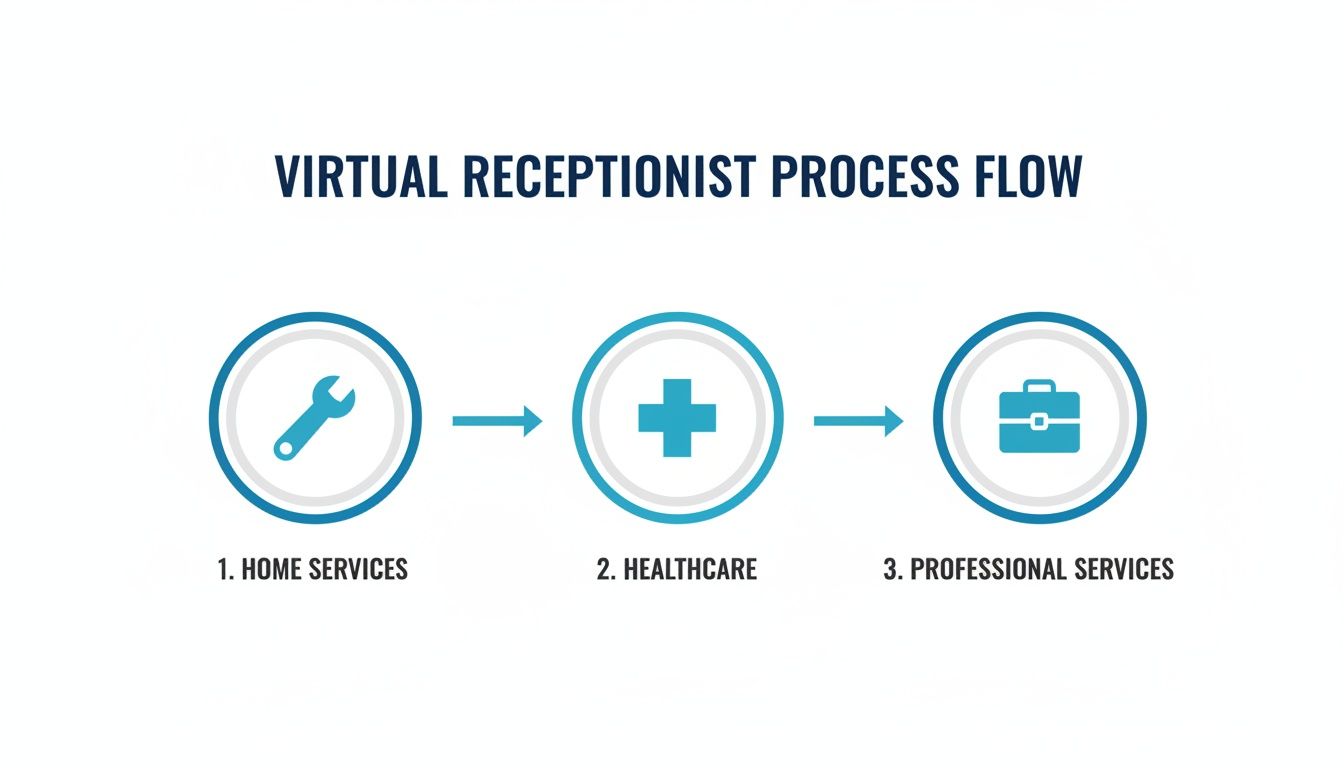
As you can see, the system is designed to intelligently route every call to the right place—AI or human—to get the job done right, whether it’s an emergency repair request or a sensitive patient question.
Connecting to Your Everyday Tools
The other piece of the puzzle is integrations. A virtual receptionist doesn't just sit on an island by itself. It plugs directly into the software you already rely on every single day, turning it from a simple answering service into a true operational hub for your business.
When your receptionist service talks to your other software, you create an automated workflow that eliminates hours of mind-numbing data entry and prevents things from falling through the cracks.
- Practical Example (Calendar): A client calls to book a consultation. The virtual receptionist checks your Google Calendar, offers available slots ("I have 2 PM or 4 PM available on Wednesday"), books the appointment, and sends a calendar invite to both you and the client automatically.
- Practical Example (CRM): A new sales lead calls inquiring about your services. Their contact info and the reason for calling ("interested in commercial landscaping") are automatically used to create a new lead record in your CRM, like HubSpot or Salesforce, and a task is assigned to a salesperson to follow up.
- Practical Example (Industry Software): For a law firm, a new client intake call can automatically create a new matter in their practice management software like Clio, keeping all client data organized and secure from the first interaction.
These connections are what make a virtual receptionist feel like a genuine extension of your team. To get a better sense of how this works, you can read more about a modern AI receptionist integration with CRM systems. It all comes together to create a reliable, automated system that captures every opportunity and keeps your business running like a well-oiled machine, 24/7.
Choosing the Right Virtual Receptionist Service
Picking the right virtual receptionist can feel a bit overwhelming. You're flooded with options, and every single one promises to change the way you do business. It's easy to get bogged down in the marketing noise.
The secret is to tune out the hype and zero in on what actually matters for your day-to-day operations. You aren't just buying software; you're looking for a partner. That means finding a service that gets your business, plays nice with the tools you already use, and is ready to scale with you when you hit that next growth spurt.
Core Features to Evaluate
Before you even glance at a price tag, make a list of your must-haves. A cheap service that can’t handle the basics is just money down the drain.
Here’s where to start with practical checks:
- Conversational AI Quality: Ask for a live demo or call their example number. Does it sound like you're talking to a helpful assistant or a clunky phone tree from the 90s? Test it with a real-world query for your business, like, "Do you have any availability for a deep tissue massage this Friday?" to see how it responds.
- Human Agent Expertise: When a call needs a human touch, you have to trust the person on the other end. Ask them: "What specific training do your agents receive for a business like mine?" For a medical office, that means understanding HIPAA; for a law firm, it means knowing how to handle a new client intake.
- Integration Capabilities: Don't just take their word for it. Ask, "Can you show me exactly how the integration with my scheduling software, Acuity, works?" Make sure it can sync with your calendar (Google, Outlook), talk to your CRM (HubSpot, Salesforce), and connect with any specialized tools you depend on.
Understanding the Pricing Models
Virtual receptionist pricing has really evolved, especially with AI-driven options shaking things up and offering some seriously competitive rates. You can find entry-level AI receptionists starting from $0-$65 per month, while traditional human-agent services can run you around $385 monthly for 100 minutes.
It’s this gap in cost that explains why small and medium-sized businesses now make up 44.4% of the virtual assistant market—affordability is a huge piece of the puzzle. If you want to dig deeper into the numbers, WellnessLiving.com has a great breakdown of virtual receptionist pricing models.
To help you figure out what makes sense for your budget, most services fall into one of these buckets.
Virtual Receptionist Pricing Models Compared
This table breaks down the common pricing structures to help you find the most cost-effective fit for your business.
Choosing the right model really comes down to your call volume and how predictable it is. A flat-rate plan offers peace of mind, while a per-minute plan can be more economical if your phone isn't ringing off the hook.
Critical Questions for Your Free Trial
A demo is one thing, but a free trial is where the rubber meets the road. This is your chance to put the service to the test with your actual customers and see how it performs under pressure.
Don’t just set it and forget it. Be proactive and get answers to these actionable questions:
- Setup Speed: How fast can I get this running? Action: Time yourself. Can you set up call forwarding and a basic script ("Thanks for calling, how can I help?") in under an hour?
- Data Clarity: What kind of data can I see? Action: Check the dashboard daily. Does it clearly show call volume, peak hours, and how many appointments were booked? Is the information easy to understand?
- Stress Test: What happens when a caller gets frustrated or asks something the AI can’t answer? Action: Call in yourself and pretend to be an angry customer. Test the handoff to a human agent. Is it smooth?
- Customization: Can I easily tweak the scripts? Action: Try changing a lead qualification question from "What's your budget?" to "What's your project's estimated budget range?" to fit your business voice.
Finding the right service is a big decision. By taking the time to evaluate the features, understand the pricing, and really kick the tires during a trial, you can find a virtual receptionist that feels like a true extension of your team. Once you’re ready, you can explore the different virtual receptionist services out there to find a perfect match for your business.
Measuring the ROI of Your Virtual Receptionist
Bringing on a new tool is easy. Proving it actually pays for itself? That’s the real test. A virtual receptionist shouldn't just be another line item on your monthly expenses—it needs to be a growth engine for your small business. By tracking a few key numbers, you can see the financial impact in black and white and calculate a clear return on your investment.
Getting started is usually a quick process, often taking less than an hour. You’ll forward your main business number and provide some basic instructions on how you want calls handled. Once you're up and running, the real work begins: turning those abstract benefits into hard data that proves the service's worth.
Key Metrics That Prove the Value
To figure out if your investment is paying off, you need to look at the data that connects directly to your bottom line and operational efficiency. We’re not talking about complicated analytics here, just simple calculations that show real growth and savings.
Start by zeroing in on these three critical KPIs:
- Lead Capture Rate: This tells you exactly how many more potential customers you're actually connecting with. Actionable Step: Check your phone logs for "missed calls" for the week before you start. Compare that number to the number of after-hours and missed calls handled by the service in the first week. The difference is pure opportunity.
- Cost Per Appointment: Are you getting new customers more efficiently? Actionable Step: Divide your monthly marketing spend by the number of appointments booked before the service. Do the same math after a month with the service. A lower cost means your marketing dollars are working harder.
- Abandoned Call Rate: This is the percentage of people who give up and hang up before ever talking to a human. Actionable Step: Your service dashboard should show this metric. If it drops from 15% to 2%, that's a direct sign of a better customer experience.
The point isn't just to answer more calls. It's to turn those calls into measurable results for your business. Tracking these KPIs gives you undeniable proof that your virtual receptionist is bringing in more money than it costs.
Calculating Your Tangible Returns
So, let's put some real dollars and cents to these metrics. It’s no surprise that small and medium-sized businesses are flocking to these services. Reports show they can see up to a 30% jump in qualified leads and achieve 80% in cost savings compared to hiring in-house staff. Those aren't just fancy statistics; they translate directly into a powerful ROI. You can find more details in these virtual assistant industry trends.
Here’s a simple, real-world example for a home service company:
- New Leads Captured: Before the service, your call logs show you missed about 10 calls a week after hours. With your virtual receptionist, you now capture 8 of them. That’s 32 new qualified leads every single month.
- Conversion to Jobs: If your team typically converts 25% of qualified leads into jobs, you’ve landed 8 new paying jobs that would have otherwise gone to a competitor.
- Calculating ROI: With an average job value of $400, those 8 new jobs bring in $3,200 in fresh monthly revenue.
Now, subtract the cost of your virtual receptionist plan—say, $300 a month. You’re left with a net gain of $2,900. This simple math turns a monthly subscription into one of your best-performing investments. It's easy to find a plan that makes sense for your budget by looking at different virtual receptionist pricing options.
When you consistently track these numbers, you can say with total confidence that your virtual receptionist isn't just a service—it's a core part of your growth strategy.
Frequently Asked Questions
Even when you see the benefits laid out, it's smart to have a few questions. As a business owner, you need to be sure before you make a move. Let's tackle some of the most common things people ask when they're thinking about a virtual receptionist.
Will It Sound Robotic to My Customers?
This is probably the biggest concern, and it's a valid one. The short answer is no, not with the good ones. Modern systems are a blend of smart AI and real people.
The AI is sophisticated enough to handle routine stuff—like booking appointments or answering basic questions—with a surprisingly natural, conversational tone. But the magic is in the handoff. For example, the moment a conversation gets complex, sensitive, or the caller says, "I'd like to speak to a person," the call is instantly and smoothly transferred to a professional human agent. You get the efficiency of automation without ever losing that crucial personal touch.
How Long Does It Take to Get Started?
You're probably thinking this will be a long, drawn-out process. It's actually the opposite. Most top-tier services are built for speed and can have you up and running in less than an hour.
Getting started is a simple, actionable process:
- Forward your number: You log into your phone provider's portal and set your main business number to forward to the number provided by the service.
- Provide basic info: You fill out a short form with your business hours, address, and a brief description of what you do.
- Link your calendar: You grant permission for the service to access your Google Calendar or Outlook to see your availability and book appointments.
You can literally go from signing up to capturing leads the very same day.
The real beauty of a virtual receptionist for a small business is how little downtime there is. You can go live almost immediately, meaning you stop missing calls and opportunities from that moment on.
Can It Handle Calls for Different Departments?
Absolutely. This is a core function, not just an add-on. A quality virtual receptionist uses what's called intelligent call routing, and you get to set the rules.
Think of it like a smart traffic cop for your calls. For instance, a caller who says "I need a quote for a new project" can be routed straight to your sales lead's cell phone. Meanwhile, a caller asking, "What's the status of my order?" could trigger a new ticket in your customer support software and send them a text update. It ensures every single call lands in exactly the right place without you having to lift a finger.
Is My Customer Data Secure?
Any provider worth their salt puts security first. When you're vetting options, look for explicit mentions of compliance standards like HIPAA if you're in healthcare, or other strict data protection protocols like SOC 2 certification. Your customer information should always be encrypted and managed within secure, professional systems—the same level of protection you'd expect from your accounting or CRM software.
Ready to see how an AI-powered receptionist can actually work for your business? Recepta.ai offers a 30-day risk-free trial so you can experience 24/7 call handling, seamless integrations, and professional service firsthand. Start your free trial today and never miss another lead.