The 12 Best CRM Software for Law Firms in 2026: A Practical Guide

A modern law firm juggles more than just cases. It manages relationships, marketing efforts, and a constant stream of potential new clients. The old system of spreadsheets, sticky notes, and overflowing inboxes is no longer sustainable for growth-minded practices. This is where the best CRM software for law firms becomes a critical asset, acting as a strategic engine for client acquisition and operational control.
A legal CRM solves a core challenge: how to capture every lead, provide a seamless intake experience, and convert prospects into profitable clients without letting anyone fall through the cracks. It moves your firm beyond simple contact storage to a system of intelligent automation, detailed reporting, and structured client communication. This guide provides a practical, no-fluff comparison of the top platforms available today, helping you find the right fit for your firm's specific needs.
Throughout this listicle, you will find a detailed analysis of each CRM, complete with screenshots, direct links, and honest assessments of their strengths and limitations. We will focus on real-world applications for intake efficiency, matter management, and reporting. We’ll also show how integrating your CRM with an AI-powered receptionist, like Recepta.ai, can create a fully automated, 24/7 client acquisition machine. Beyond client relationship management, modern law firms are also exploring other forms of AI legal software to enhance their operations. This article is your starting point for building a more efficient and profitable practice.
1. Clio Grow (by Clio)
Clio Grow is a client intake and legal customer relationship management (CRM) platform built specifically for law firms. Its primary function is to organize the crucial first steps of the client journey, taking a potential new client from initial contact to a signed retainer. This makes it a strong contender for the best crm software for law firms focused on growth and intake efficiency.
The platform stands out due to its native, one-click integration with Clio Manage, the company's flagship practice management software. This connection creates a seamless workflow where lead data captured in Grow—such as contact details from a custom intake form—is instantly converted into a new matter in Manage, eliminating duplicate data entry and reducing administrative errors. For example, a family law firm can create a specific intake form for divorce cases that, once submitted, automatically generates a task list for the paralegal and schedules an initial consultation.
Key Features & Implementation
- Custom Intake Forms: Design and embed web forms on your site to capture lead information consistently. For instance, a real estate law firm can create a form with fields for "Property Address," "Closing Date," and "Agent Information" to gather all necessary data upfront.
- Automated Workflows: Create email and task sequences to nurture leads, send reminders, and follow up without manual effort. A practical example: set up a workflow that sends an automated email 24 hours after a consultation, followed by a task for a paralegal to call if there's no response within three days.
- Appointment Scheduler: Syncs with your calendar to allow prospects to book consultations directly, reducing back-and-forth scheduling emails.
- E-Signature: Built-in functionality allows for secure signing of engagement letters and fee agreements directly from the intake dashboard.
Practical Tip: To maximize efficiency, integrate Clio Grow with an answering service. This ensures every call is captured as a lead in the CRM, even after hours. You can learn more about how an answering service for law firms can feed leads directly into your intake system, creating a powerful, automated client acquisition machine.
Pricing, Pros & Cons
Clio’s pricing can be opaque, as Grow is often bundled with Clio Manage. You typically need to purchase a Clio Suite plan (EasyStart, Essentials, Advanced, or Complete) to get full access, which positions it as a premium option.
Website: https://www.clio.com/grow/
| Pros | Cons |
|---|---|
| Deep, native integration with Clio Manage | Less compelling as a standalone CRM without Clio Manage |
| Legal-specific templates and UX | Granular pricing for Grow alone can be difficult to find |
| Large user community and excellent training | Best for firms already committed to the Clio ecosystem |
2. Lawmatics
Lawmatics is a legal CRM built around marketing automation and client intake workflows. It is designed to help firms manage the entire client lifecycle, from initial lead capture through nurturing, conversion, and beyond. This makes it an excellent choice for firms looking for the best crm software for law firms with a focus on powerful, automated marketing.

The platform’s strength lies in its visual automation builder, which allows firms to create complex, no-code workflows without technical expertise. A personal injury firm, for example, could create an automation that triggers when a web form is submitted: it sends a confirmation text, assigns a paralegal to review the case, and adds the lead to a 30-day email drip campaign. If the lead doesn’t book a meeting within 72 hours, a new task is created for a manual follow-up call.
Key Features & Implementation
- Visual Automation Builder: Design custom intake, marketing, and client service workflows using a drag-and-drop interface. For example, you can create a workflow where a lead tagged as "Unqualified" automatically receives a polite rejection email with a referral to the local bar association.
- Email & Text Marketing: Use templates and analytics to run drip campaigns and send targeted communications. Actionable use: create a 3-part email series for new estate planning leads that explains the process, introduces the team, and highlights client testimonials.
- E-Signature & Document Generation: Automate the creation and signing of engagement letters and other documents from templates.
- Pipelines & Reporting: Track lead status, conversion rates, and marketing ROI with customizable dashboards.
Practical Tip: Use the automation builder to create a robust appointment confirmation and reminder sequence. You can find proven ideas in this guide on appointment reminder email templates to reduce no-shows and keep your calendar full.
Pricing, Pros & Cons
Lawmatics uses a quote-based pricing model, which can vary depending on the features and number of users. It is generally considered a mid-to-high-tier solution, often working best when integrated with a separate law practice management system for billing and case management.
Website: https://www.lawmatics.com/
| Pros | Cons |
|---|---|
| Powerful marketing and intake automation | Quote-based pricing can make budget planning difficult |
| Marketing-centric features beyond basic intake | Works best when paired with a practice management system |
| Praised as easy to deploy for SMB firms | May be overly complex for firms needing only simple intake |
3. Litify (Salesforce-based)
Litify is an enterprise-grade legal operating platform built on the Salesforce ecosystem, combining intake, CRM, matter management, and powerful automations. It is designed for firms that require significant scale, deep customization, and robust analytics. This makes it an exceptional choice as the best crm software for law firms with complex workflows or multi-office operations looking for a single source of truth.
The platform's strength is its foundation on Salesforce, giving it best-in-class security, reliability, and nearly limitless configuration options. A high-volume personal injury firm, for example, can build intricate intake processes that automatically route leads based on injury type, estimated case value, and geographic location. The case can then progress through custom matter stages with automated task assignments for different roles, all while tracking referral sources and marketing ROI with precision.

Key Features & Implementation
- Intake and Referral Management: Sophisticated tools for managing leads and tracking referral partner performance. Actionable example: create a referral portal where partner attorneys can submit leads and track their status, automating commission calculations upon case resolution.
- Customizable Workflows & Dashboards: Tailor every aspect of the platform, from matter stages to user permissions and reporting dashboards. For instance, build a dashboard that shows your intake team's response time to new leads in real-time.
- Strong Reporting and Scalability: Leverage Salesforce's reporting engine for deep insights into firm performance.
- Extensive Integrations: Connects to thousands of apps on the Salesforce AppExchange.
Practical Tip: The true power of Litify is unlocked through its reporting. Set up dashboards to track key performance indicators (KPIs) like cost-per-lead, conversion rate by referral source, and average case lifecycle. Understanding how CRM integration works is key to pulling data from all your marketing channels into these reports.
Pricing, Pros & Cons
Litify’s pricing reflects its enterprise nature. It requires separate Salesforce licensing, and implementation is often managed by certified partners, contributing to a higher total cost of ownership compared to out-of-the-box solutions.
Website: https://www.litify.com/
| Pros | Cons |
|---|---|
| Highly configurable for complex or multi-office practices | Requires Salesforce licensing, adding to the cost |
| Security and reliability benefits of the Salesforce platform | Implementation can be intensive and requires expertise |
| Broad partner ecosystem for implementation and support | Total cost is typically higher than SMB-oriented tools |
4. Filevine
Filevine is a comprehensive legal case management platform that includes robust client relationship management features. While often viewed as a full practice management system, its powerful intake and lead tracking capabilities position it as a strong choice for the best crm software for law firms that need a single, customizable system to manage a client's entire lifecycle, from initial contact through case resolution.
The platform's core strength is its extreme customizability. Law firms can build unique data models and workflows that precisely match their practice area's needs, rather than adapting their processes to rigid software. For example, a personal injury firm can design a custom "case phase" pipeline that tracks a lead from initial call to investigation, demand letter, settlement negotiation, and litigation, with automated tasks and document templates triggering at each stage. This level of granular control is a key differentiator.

Key Features & Implementation
- Lead Capture & Routing: Collect leads via web forms, email, and calls, with rules to automatically qualify and assign them to the right team member. Practical action: set up a rule that any lead mentioning "truck accident" is automatically assigned to your firm's most senior trucking litigation paralegal.
- Customizable Workflows: Build intricate, automated task and communication sequences for different case types and lead sources. For example, create a "Statute of Limitations" workflow that automatically generates reminder tasks for the assigned attorney at 90, 60, and 30 days before the deadline.
- Native E-Signature & Document Tools: Manage document generation, storage, and signing directly within the platform.
- Broad Integrations: Connects with a wide range of third-party tools through its open API and growing partner network.
Practical Tip: Use Filevine's reporting to identify your most profitable lead sources. By tagging every new lead by its origin (e.g., Google Ads, referral, website), you can generate reports that show which channels produce the highest value cases, allowing you to optimize your marketing budget effectively.
Pricing, Pros & Cons
Filevine’s pricing is entirely quote-based and depends on user count, desired features, and implementation needs. Optional add-ons like the dedicated intake module, Lead Docket, can significantly increase the total cost of ownership, making it a considerable investment.
Website: https://www.filevine.com/
| Pros | Cons |
|---|---|
| Highly flexible, customizable data model and pipelines | Pricing is quote-based; add-ons increase total cost of ownership |
| Scales from simple intake to complex case management | Customization depth can require admin time or professional services |
| Mature ecosystem with many add-ons, partners, and training | May be too complex for firms needing a simple, out-of-the-box CRM |
5. Lead Docket (by Filevine)
Lead Docket is a specialized legal intake and lead management CRM designed to optimize the very beginning of the client lifecycle. It excels at tracking marketing source effectiveness, speeding up follow-ups, and creating a standardized qualification process for new leads. This focus makes it a top choice for the best crm software for law firms that are high-volume and data-driven, particularly in practice areas like personal injury.

The system’s strength lies in its ability to connect marketing spend directly to signed cases, providing clear ROI analytics. Like Clio Grow, it offers deep integration with its parent practice management software, Filevine. With one click, an approved lead in Lead Docket becomes an active case file in Filevine, transferring all intake data instantly. For example, a mass tort firm can track which advertising channel brings in the most qualified claimants and use automated text and email sequences to ensure no lead goes cold.
Key Features & Implementation
- Source Tracking & ROI Analytics: Connect marketing campaigns to signed cases to measure performance. Actionable example: create unique tracking phone numbers for your TV, radio, and billboard ads to see which one generates the most calls that convert to clients.
- Automated Follow-ups: Build workflows with tasks, text messages, and emails to nurture leads. Practical use: set an automation to send a follow-up text 5 minutes after a missed call from a new number, saying "We saw we missed your call. Can we help?"
- Intake Scripts: Guide intake staff through a consistent set of questions for better qualification. For example, a script for a car accident lead can ensure staff always ask "Was an ambulance called to the scene?" and "Did you speak to the police?"
- One-Click Convert to Case: Seamlessly push qualified lead data into Filevine to open a new matter.
Practical Tip: Use the intake scripts feature to A/B test different qualification questions. By tracking which scripts lead to higher conversion rates, you can refine your intake process based on data, not just intuition. This is especially powerful for firms scaling their marketing efforts.
Pricing, Pros & Cons
Lead Docket’s pricing is not publicly listed and typically requires a custom quote, often positioning it as a premium tool for firms that can justify the investment with high case volume. It is frequently bundled with Filevine for optimal performance.
Website: https://www.leaddocket.com/
| Pros | Cons |
|---|---|
| Purpose-built for high-volume legal intake | Best fit when paired with Filevine, adding vendor complexity |
| Strong marketing attribution and conversion tracking | Pricing is not publicly listed and requires a custom quote |
| Proven with PI and mass tort practices | May be overly specialized for firms with low lead volume |
6. Law Ruler
Law Ruler is a legal CRM and intake software platform that places a strong emphasis on marketing automation and client conversion. It is designed for growth-focused firms that want to manage the entire lead lifecycle, from initial ad click to signed contract, within a single system. This makes it a powerful choice for the best crm software for law firms that run significant marketing campaigns and need to track ROI precisely.
The platform distinguishes itself with built-in communication tools, including SMS, email, and a softphone with call tracking. This combination allows firms to engage with prospects immediately and through their preferred channels. For instance, a personal injury firm can set up an automation where a new web lead instantly receives a welcome text message, an introductory email, and a task for an intake specialist to call them, all triggered from one form submission.

Key Features & Implementation
- Marketing Automation: Create nurture campaigns using SMS, email, and automated voice drops to keep leads warm. Practical example: If a lead hasn't opened your last two emails, trigger an automated SMS that says, "Hi [FirstName], just checking in. Is now a better time to talk?"
- Built-in Calling & Call Tracking: Make and receive calls directly within the CRM, with features for recording and source tracking. Use this to review intake call recordings for quality assurance and training.
- Conditional Intake & E-Signature: Build dynamic intake forms that adapt based on user answers and send contracts for e-signature. For example, if a user selects "Yes" to "Were you injured?", the form can automatically show new fields for "Type of Injury" and "Hospital Visited."
- Performance Dashboards: Analyze marketing campaign effectiveness, intake specialist performance, and conversion rates.
Practical Tip: Use Law Ruler’s call tracking numbers on different marketing materials (e.g., billboards, Google Ads, social media) to see exactly which campaigns are generating the most valuable calls. This data is critical for optimizing your marketing spend.
Pricing, Pros & Cons
Law Ruler offers several tiers, including Pro, Premier, and Enterprise, with pricing based on user count and feature sets. You will typically need to schedule a demo for a custom quote, as pricing is not publicly listed in detail.
Website: https://www.lawruler.com/
| Pros | Cons |
|---|---|
| All-in-one intake and marketing automation | Some features might be redundant if you use other marketing tools |
| Native SMS and calling features are robust | Pricing transparency can be limited without a direct quote |
| Excellent for high-volume, marketing-driven firms | Can be complex to set up without dedicated time |
7. Captorra
Captorra is a long-standing intake and lead management platform designed for high-volume, plaintiff-side law firms, particularly in personal injury and mass tort. Its main purpose is to structure and accelerate the client intake process where speed and process adherence are critical for signing cases. This makes it a top choice for firms that treat client acquisition like a high-performance sales operation.

The platform’s strength is its process-driven nature. For a mass tort practice, Captorra can manage intake for multiple campaigns simultaneously, tracking lead sources from TV ads to social media and providing intake agents with specific scripts for each case type. This ensures every potential client receives a consistent, compliant, and rapid response, maximizing the firm's return on its marketing spend.
Key Features & Implementation
- High-Volume Intake: Workflows are built for call center environments to process hundreds of leads per day. A practical use case is its "lead rotation" feature, which automatically assigns incoming calls to the next available intake specialist to ensure immediate response.
- Campaign/Source Tracking: Advanced reporting to measure the ROI of specific marketing campaigns and lead sources. For example, track not just the number of leads from a TV ad, but how many of those leads result in a signed retainer agreement.
- E-Signature: Integrated electronic signature capabilities for quick and secure signing of retainer agreements, often sent via text message for faster turnaround.
- Standardized Scripts: Ensures intake specialists follow a consistent, best-practice process for qualifying leads. For instance, a script can prompt the agent to confirm the date of injury to screen for statute of limitations issues immediately.
Practical Tip: Use Captorra's campaign tracking to A/B test different marketing messages or channels. For example, run two different Facebook ad campaigns for a car accident case type and use Captorra's reporting to determine which one generates more qualified, signed clients.
Pricing, Pros & Cons
Captorra's pricing is entirely quote-based and tailored to the firm's size, volume, and specific needs. This places it in the premium category, intended for firms making a serious investment in a process-oriented intake department.
Website: https://www.captorra.com/
| Pros | Cons |
|---|---|
| Built for fast-response, high-intake environments | Legacy UI in places; modernization varies by module |
| Proven in PI and mass tort workflows | Pricing is entirely quote-based and can be a high investment |
| Robust, process-driven configuration | Can be overly complex for small firms with low lead volume |
8. MyCase (with built-in Legal CRM)
MyCase is an all-in-one practice management platform designed for small to mid-sized firms that includes lead intake and a built-in legal CRM module. It bundles client relationship management with core practice tools like a client portal, billing, and e-payments. This integrated approach makes it an attractive choice for firms wanting to consolidate their technology stack and avoid managing multiple vendors.

Unlike standalone CRMs, MyCase's strength lies in its unified environment. A potential client can fill out an intake form, and that data flows directly into the system, ready to become a case with associated documents, billing information, and communication history. For instance, a small estate planning firm can use a MyCase intake form for new will inquiries, then manage the entire client lifecycle, from initial contact to final payment, within the same interface. This makes it one of the best crm software for law firms seeking simplicity and affordability.
Key Features & Implementation
- Lead/Contact Management: Track potential clients with customizable intake forms and a central dashboard. A practical action is to set up a "Lead" pipeline to visually track prospects from "New Inquiry" to "Consultation Scheduled" to "Retained."
- Client Portal & Communication: Offers secure client texting, a client portal for sharing documents, and e-signature capabilities. Actionable use: upload a draft of a motion to the client portal and send a notification asking the client to review it, keeping all communication in one place.
- Integrated Billing: Includes timekeeping, invoicing, and online payment processing directly within the platform.
- MyCase Family Integrations: Connects with other MyCase products like LawPay for payments and CasePeer for litigation management.
Practical Tip: Use MyCase's client portal to create a premium, transparent experience. Instead of emailing updates, post them directly to the portal. This trains clients to check one secure place for information, reducing back-and-forth emails and calls. You can also explore how a virtual receptionist for law firms can handle initial call screening and input lead data directly into MyCase, further automating your intake process.
Pricing, Pros & Cons
MyCase offers tiered pricing (Basic, Pro, Advanced), with the more advanced CRM and intake features included in the Pro and Advanced plans. This positions it as an affordable, all-in-one solution where the CRM is part of a larger package rather than a standalone expense.
Website: https://www.mycase.com/
| Pros | Cons |
|---|---|
| Simple, affordable entry point with CRM included | CRM/intake depth is lighter than dedicated CRM tools |
| Good one-vendor experience for small firms | Advanced automation is more limited than specialist tools |
| Quick to deploy with a familiar user interface | Best for firms that need practice management and CRM |
9. PracticePanther
PracticePanther is a legal practice management platform that combines CRM features with core case management tools, making it a strong choice for solo attorneys and small firms. It focuses on centralizing client communications and firm operations, from initial contact to final payment. This integrated approach earns it a spot as one of the best crm software for law firms seeking an all-in-one, user-friendly solution.
What makes PracticePanther distinct is its approachable setup and emphasis on client communication features like business texting. A personal injury firm, for example, can use a custom intake form to capture new lead details and then use built-in automations to send clients text message reminders for upcoming appointments or document requests. This direct line of communication can improve client satisfaction and reduce no-shows, all within a single system that also handles billing and document management.
Key Features & Implementation
- Custom Intake Forms: Create and embed intake forms on your website to standardize lead capture. Practical tip: Make certain fields mandatory, such as "Phone Number" and "How Did You Hear About Us?", to ensure you capture critical data.
- Text Reminders & Business Texting: Communicate with clients directly via SMS for updates and reminders. A great example is setting up an automated text 24 hours before a court date to remind the client of the time and location.
- Document Automation & E-sign: Generate documents from templates and collect legally binding electronic signatures. For instance, create a retainer agreement template that auto-populates the client's name and case details from the CRM.
- Time, Billing, and Payments: Integrated tools for tracking billable hours and managing client invoices.
Practical Tip: Use the "Client Updates" feature to proactively inform clients about case progress. You can schedule automated updates or send manual ones through the client portal, which helps manage expectations and reduces inbound status-check calls.
Pricing, Pros & Cons
PracticePanther offers several tiers (Solo, Essential, Business) with clear, per-user pricing, making it accessible for firms with varying budgets. The Business plan unlocks the most advanced automation and reporting features.
Website: https://www.practicepanther.com/
| Pros | Cons |
|---|---|
| Competitive pricing and approachable setup | CRM and marketing automation are not as deep as dedicated CRMs |
| Useful texting and notification features | Reporting depth varies significantly by pricing tier |
| Good general-purpose practice management with light CRM | Best for firms that do not need advanced marketing funnel analytics |
10. CASEpeer (by 8am)
CASEpeer is a case management platform with built-in client relationship management (CRM) tools designed from the ground up for personal injury law firms. Its primary function is to shepherd a case from initial intake through litigation and settlement, with a workflow entirely optimized for plaintiff PI practices. This specialization makes it a leading choice for the best crm software for law firms that exclusively handle personal injury matters.
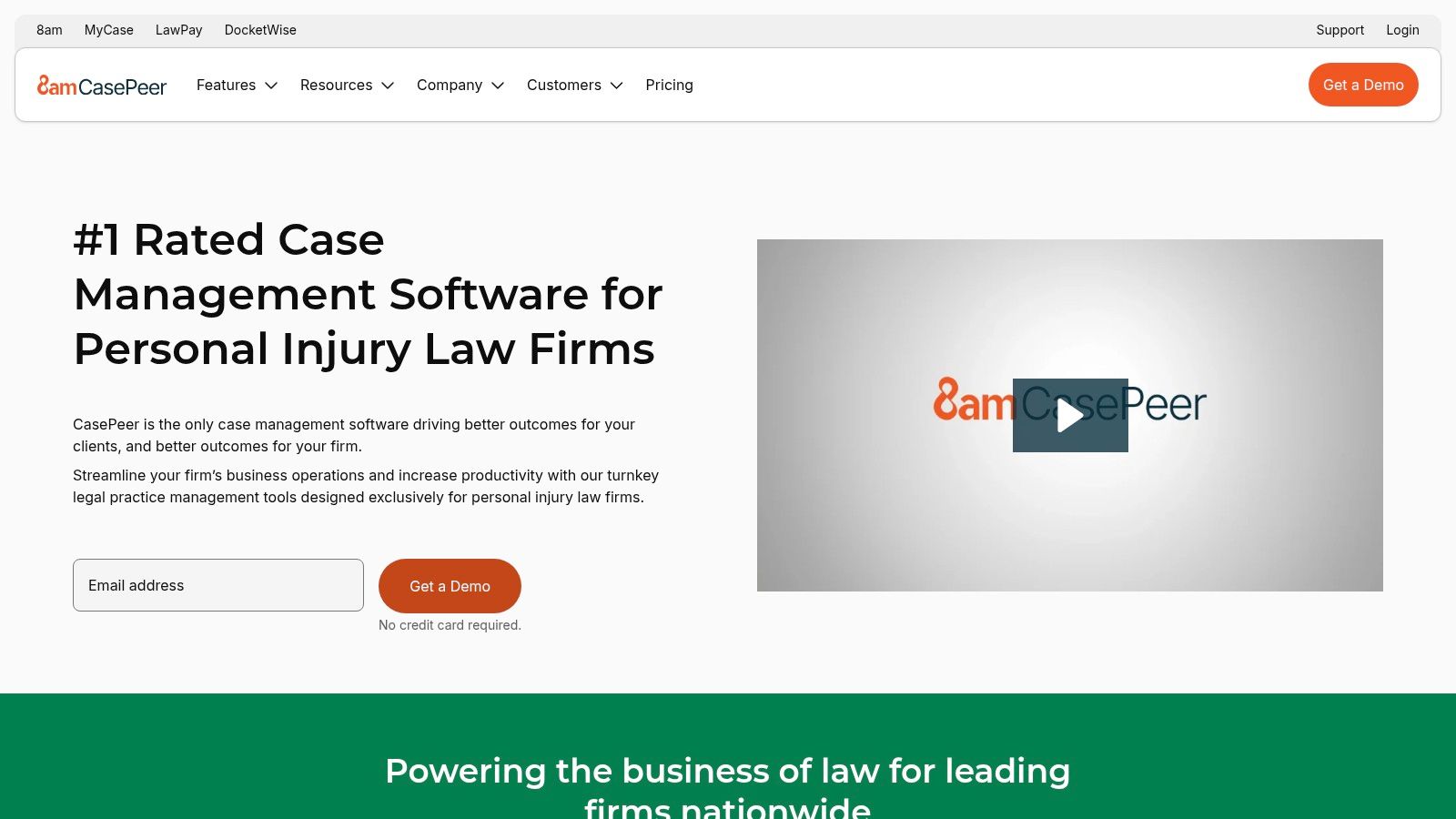
The platform’s strength lies in its out-of-the-box configuration. Unlike general-purpose CRMs, CASEpeer comes pre-loaded with PI-specific stages, fields, and dashboards, minimizing setup time. For example, when a new lead for a car accident case comes in, the intake pipeline is already structured to prompt for police report details, insurance adjuster information, and medical treatment status, ensuring no critical data point is missed before the case is accepted.
Key Features & Implementation
- Intake Portal & CRM Pipeline: Track potential clients from lead to signed retainer with a visual, PI-focused workflow. A practical step is to train your intake team on the specific criteria for moving a lead from "Investigation" to "Awaiting Retainer."
- PI-Specific Stages & Metrics: Manage cases through distinct phases like "Investigation," "Treatment," and "Demand," with dashboards tracking key metrics like settlement amounts. Actionable use: create a report that shows the average time a case spends in the "Demand" stage to identify process bottlenecks.
- Texting & Communication Tracking: Send and receive text messages with clients directly from the case file, creating a complete communication record. For instance, text a client a picture of a recently received settlement check to share good news instantly.
- Marketing & Intake Integrations: Connect with lead sources and intake services to automatically populate the CRM.
Practical Tip: Use CASEpeer’s built-in reporting to identify your most valuable referral sources. By tracking which marketing channels generate the highest-value settlements, you can make data-driven decisions on where to allocate your advertising budget for maximum ROI.
Pricing, Pros & Cons
CASEpeer operates on a by-quote pricing model, which means you need to contact their sales team for specific costs. This approach is common for specialized legal software but makes direct price comparisons difficult.
Website: https://www.casepeer.com/
| Pros | Cons |
|---|---|
| Purpose-built for PI with strong out-of-the-box fit | Narrower focus is not ideal for multi-practice firms |
| Clear intake-to-case handoff | Pricing is by quote with fewer public details |
| Frequently cited for ease of adoption and use | Less customizable than a general-purpose CRM |
11. Neos (by Assembly)
Neos, developed by Assembly as the modern successor to the long-standing Needles platform, is a cloud-based system with a robust Intake CRM. It is designed for high-volume practices, particularly in personal injury, that require sophisticated tools to manage the entire client lifecycle from first call to case resolution. Its focus on automated communications and data-driven insights makes it a top choice for firms looking for the best crm software for law firms that can scale with a growing caseload.
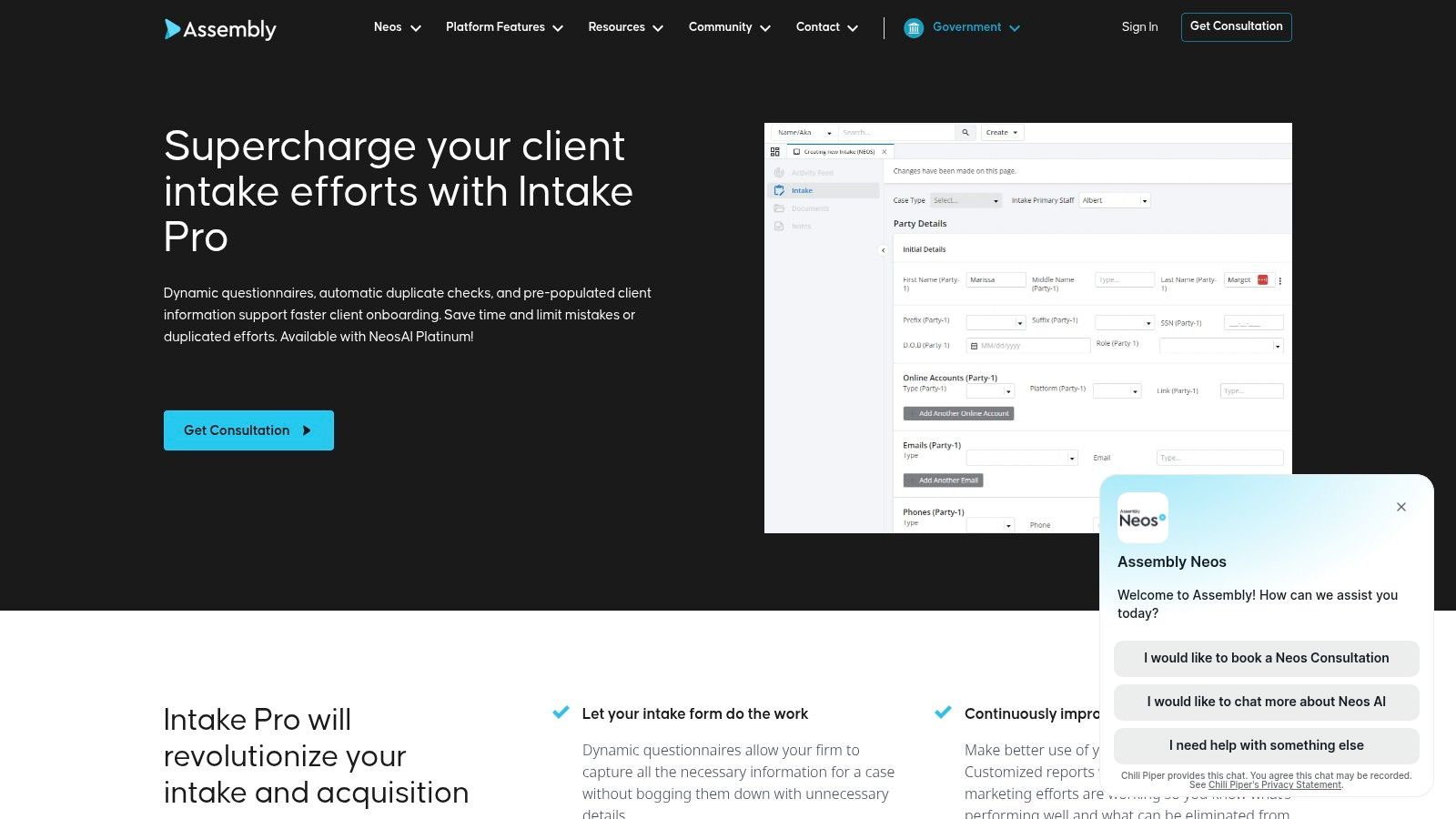
The platform distinguishes itself with an optional Intake Pro module that enables dynamic questionnaires, which adapt in real-time based on a prospect's answers. For instance, a PI firm's intake form can ask different follow-up questions if a potential client indicates the accident involved a commercial vehicle versus a personal car. This level of detail ensures all necessary information is captured upfront, reducing follow-up calls and streamlining the evaluation process.
Key Features & Implementation
- Intake CRM: Customize intake stages and statuses to mirror your firm's exact workflow. A practical action is to create a "Referred Out" status with an automated email that provides the contact information for the referred firm.
- Automated Communications: Set up automatic SMS and email sequences for sending retainer agreements, welcome packets, or polite rejection notices. Example: an automation that sends a "Welcome to the Firm" email and a link to the client portal 10 minutes after an e-signature is completed.
- ROI Dashboards: Track the performance and return on investment of your paid marketing campaigns directly within the CRM.
- Advanced Integrations: Built-in DocuSign functionality for e-signatures and emerging NeosAI features for document analysis and summarization.
Practical Tip: Use the ROI dashboard to A/B test different ad campaigns or referral sources. By tracking which channels deliver the most valuable cases, you can allocate your marketing budget more effectively and stop spending on underperforming efforts.
Pricing, Pros & Cons
Neos is positioned as a comprehensive practice management solution, and its advanced intake and AI features are often included in higher-tier plans. Firms should anticipate that full access to tools like Intake Pro and NeosAI Platinum will require a significant investment and commitment to implementation.
Website: https://www.assemblysoftware.com/neos/intake
| Pros | Cons |
|---|---|
| Intake Pro adds depth for complex intakes | Advanced features are locked behind higher-priced tiers |
| PI-friendly workflows with document/checklist tools | Requires dedicated implementation for best results |
| Strong pace of new feature development | Can be more than a small, general practice firm needs |
12. Lawcus
Lawcus is an all-in-one law practice management platform that bundles a robust CRM into its core offering. It appeals to modern, small to mid-sized firms looking for a single system to manage the entire client lifecycle, from initial lead capture to final payment. Its visual, Kanban-style workflow pipelines make it a standout contender for the best crm software for law firms that prioritize intuitive task and matter management.

The platform’s strength lies in its unified approach. Unlike systems that bolt on a CRM, Lawcus builds it in, allowing for seamless automation. For instance, a personal injury firm can set up an automation where filling out a specific web intake form automatically creates a new lead card in their "New Inquiry" pipeline, assigns a follow-up task to a paralegal, and sends a welcome email to the potential client, all without manual intervention. This consolidates tools and reduces friction between intake and case management.
Key Features & Implementation
- Client Intake + CRM: Manage leads visually with drag-and-drop Kanban boards, tasks, and automated reminders. A simple action: drag a lead's card from the "Consult Scheduled" column to "Retainer Sent" to trigger an automated email with the e-signature link.
- Workflow Automations: Build custom workflows with triggers and actions to standardize processes for different case types. For example, create a workflow for your bankruptcy practice that automatically generates a checklist of required financial documents for the client.
- Document Management & Client Portal: Securely store documents and communicate with clients through a dedicated portal. Use it to share discovery documents with clients for their review and approval.
- Time, Billing, and Payments: Integrated tools for time tracking, invoicing, and accepting online payments.
Practical Tip: Use the Kanban board not just for leads but also for different stages of active matters. Create columns like "Discovery," "Motion Filed," and "Pre-Trial" to get a quick visual overview of your firm’s entire caseload and identify bottlenecks instantly.
Pricing, Pros & Cons
Lawcus's pricing is primarily quote-based, and while it offers transparent starting points, you often need to contact sales for a precise figure tailored to your firm's size and needs. This approach positions it as a good value option for small teams that require an all-in-one solution without the complexity of larger enterprise systems.
Website: https://lawcus.com/
| Pros | Cons |
|---|---|
| Unified toolset (practice management + CRM) in a clean UI | Integrations and analytics are lighter than larger platforms |
| Quick to get started with templates and helpful guides | Pricing is quote-based with fewer public rate details |
| Good value for small teams seeking an all-in-one solution | May not be as feature-rich for highly specialized practice areas |
Top 12 Law Firm CRM Comparison
| Solution | Core features | UX & automation | Pricing & value | Best for | Standout |
|---|---|---|---|---|---|
| Clio Grow (by Clio) | ✨ Intake forms, e-sign, scheduling, one-click lead→matter | ★★★★☆ Legal-tailored UX & templates | 💰 Best value inside Clio stack; pricing varies | 👥 Firms using Clio Manage | 🏆 Native Clio Manage integration |
| Lawmatics | ✨ Visual automation, email/SMS, e-sign, pipelines | ★★★★☆ Strong no-code automations | 💰 Quote-based; marketing ROI focus | 👥 SMB firms prioritizing marketing | 🏆 Marketing-centric automations |
| Litify (Salesforce-based) | ✨ Salesforce-powered intake, workflows, analytics | ★★★★☆ Enterprise-grade, highly configurable | 💰 High total cost; needs Salesforce license | 👥 Large/multi-office & enterprise firms | 🏆 Scale, security, deep customization |
| Filevine | ✨ Case mgmt + intake, custom data models, AI | ★★★★☆ Flexible pipelines; growing AI | 💰 Quote-based; add-ons raise TCO | 👥 Firms needing customizable workflows | 🏆 Flexible data model & ecosystem |
| Lead Docket (by Filevine) | ✨ Lead capture, source tracking, automated follow-ups | ★★★★☆ Purpose-built intake at scale | 💰 Quote-based; best paired with Filevine | 👥 High-volume plaintiff practices | 🏆 Marketing attribution & conversion |
| Law Ruler | ✨ Lead capture, SMS/email/voice marketing, call tracking | ★★★★☆ All-in-one intake + native calling/text | 💰 Mid-tier; pricing varies by plan | 👥 Growth-oriented small/mid firms | 🏆 Built-in calling & texting stack |
| Captorra | ✨ High-volume intake, campaign tracking, scripts | ★★★☆☆ Process-driven; some legacy UI | 💰 Quote-based; optimized for volume ROI | 👥 PI & mass-tort call centers | 🏆 Fast-response, high-intake workflows |
| MyCase (with CRM) | ✨ Intake + client portal, billing, e-payments | ★★★☆☆ Simple, quick deployment | 💰 Affordable tiers; unified vendor value | 👥 Small/mid firms wanting one vendor | 🏆 Ease-of-use & cost-effective bundle |
| PracticePanther | ✨ Custom intake, business texting, billing | ★★★☆☆ Approachable setup; competitive price | 💰 Competitive pricing; tiered features | 👥 Solos & small practices | ✨ Good texting/notifications |
| CASEpeer (by 8am) | ✨ PI-focused intake CRM, PI metrics, texting | ★★★★☆ Out-of-the-box PI workflows | 💰 Quote-based; PI-tailored ROI | 👥 Personal injury firms | 🏆 Intake→settlement workflow fit |
| Neos (by Assembly) | ✨ Modern intake CRM, automated communications, NeosAI | ★★★★☆ Modern UI; ongoing feature velocity | 💰 Tiered pricing; advanced features higher | 👥 Volume & PI practices seeking modern tools | ✨ NeosAI + ROI dashboards |
| Lawcus | ✨ CRM + practice mgmt, Kanban pipelines, automations | ★★★★☆ Clean UI; quick templates & start | 💰 Good value for small teams; quote-based | 👥 Small firms wanting unified tool | 🏆 Simplicity with workflow automation |
Your CRM Is Only as Good as the Leads You Feed It
Choosing the right legal CRM is a critical decision, but it's only one piece of a much larger puzzle. Throughout this guide, we've dissected the capabilities of top contenders like Clio Grow, Lawmatics, and Litify, evaluating them on everything from matter management to security protocols. We've explored how specialized tools like CASEpeer cater to personal injury firms, while platforms such as PracticePanther and MyCase offer robust, all-in-one practice management solutions.
The fundamental takeaway is clear: the best crm software for law firms is the one that aligns with your specific practice area, firm size, and growth ambitions. A high-volume personal injury firm has different needs than a boutique estate planning practice. Your selection process should be a deliberate exercise in matching features to your actual, day-to-day operational needs, not just chasing the most advanced or popular option.
However, the most sophisticated automation workflows and detailed client dashboards are rendered ineffective without a consistent stream of potential clients to populate them. A CRM is a powerful engine, but it requires fuel. This is where the client acquisition process comes into focus. Your firm's success depends not just on how you manage leads, but on how you capture them in the first place.
The Missing Piece: Optimizing Lead Capture
Consider this common scenario: A potential client, distressed after a car accident, finds your firm's website at 10 PM. They fill out your contact form, but your CRM's intake workflow won't be seen by a human until the next morning. In that 10-hour window, they could have already contacted and spoken with a competitor who offered an immediate response. This is the gap where revenue is lost.
To truly get the most out of your technology investment, you must ensure every potential lead is captured and engaged instantly, 24/7. This is where the synergy between lead capture and lead management becomes vital. The goal is to create a seamless handoff from the first point of contact directly into your CRM's automated follow-up sequences. To ensure your CRM system is effective and that leads are properly managed, it's crucial to understand its CRM lead capture capabilities. This ensures that every inquiry, whether from a phone call, web form, or live chat, is immediately logged and processed.
This is precisely why a service like Recepta.ai can be a game-changer. It acts as the front line, ensuring no opportunity slips through the cracks. By using an AI-powered and human-backed receptionist service, your firm guarantees that every call, web form, or chat is answered professionally and instantly. More importantly, the information is captured and fed directly into your chosen CRM, like Lawmatics or Lead Docket, triggering the exact intake workflows and nurturing sequences you've so carefully built. This completes the client acquisition cycle.
Final Thoughts: From System to Strategy
Selecting one of the best crm software for law firms is not the final step; it is the first step in building a more efficient, client-centric, and profitable practice. It's about transforming a tool into a core part of your business strategy.
Your action plan is twofold:
- Evaluate and Implement: Use the detailed comparisons in this article to shortlist 2-3 CRMs that fit your firm's profile. Sign up for demos and free trials. Involve your team in the decision, as their adoption is crucial for success.
- Optimize the Funnel: Simultaneously, audit your lead capture process. Are you missing calls after hours? Are web forms creating a lag in response time? Consider how a solution like an AI-powered receptionist service can plug these leaks and maximize the ROI of your new CRM from day one.
By pairing a powerful CRM with an infallible lead capture system, you don't just organize your practice, you create a scalable engine for growth. You ensure that every marketing dollar spent and every potential client inquiry is given the best possible chance to become a lifelong client.
Your CRM is only half the equation. To ensure you never miss a lead and fully maximize your software investment, let Recepta.ai act as your 24/7 front desk, capturing and qualifying every opportunity. Learn how our AI-powered receptionists can integrate seamlessly with your new CRM by visiting Recepta.ai and starting your 30-day risk-free trial.