

Phone System for Business: Types, Costs and Setup
Your front desk is on break, two technicians are in the field, and the main line rings for the fourth time before rolling to a voicemail box nobody checks until Monday. The caller needs a burst pipe fixed, a toothache seen, or a consultation booked, and they don't wait. They call the next business on the list. If that sounds familiar, your problem isn't just missing a call. It's that you can't prove how many you're missing, what those calls were worth, or what a better phone system for business should do differently.
Buying one isn't mainly a feature decision. It's a measurement and governance decision. Baseline your own calls first, decide what automation may never do, and document 911 and consent rules before go-live. Do that work up front, and the vendor comparison gets much simpler.
Business Phone System Types Compared
For most small and midsize teams, I would start with three options. A hosted cloud system if you have more than one location or remote staff, a softphone or app-based line if you're small and mobile, or a hybrid AI receptionist if you're losing calls after hours. A traditional PBX still suits a large single-site operation with stable staffing. A legacy analog landline only fits a site with no migration plans yet, and even then it's a short-term answer.
The market has already moved. The FCC fixed voice data for December 2023 counted about 64 million interconnected VoIP subscriptions against about 21 million end-user switched-access lines in the United States, and about 62% of fixed retail voice subscriptions were business connections. IP-based voice is the mainstream choice, not the experiment.
Business Phone System Types and Their Main Trade-Offs
| System type | Where it runs | Best for | Main trade-off |
|---|---|---|---|
| Traditional PBX | On-site hardware in your office | Large single-site operations with stable staffing | High upfront hardware and maintenance cost |
| Hosted cloud PBX | Provider's data centre, managed online | Multi-location and growing teams | Call quality depends on internet performance |
| Softphone and app-based line | Laptop or mobile app | Small teams, field crews and home-based staff | Fewer desk-phone features; needs a data connection |
| Hybrid AI receptionist | Cloud platform with AI answering and human backup | Service businesses that lose calls after hours | Needs scripts, routing rules and escalation setup |
| Legacy analog landline | Copper line from the carrier | Sites with no migration plans yet | Few features and no remote access |
Say a five-person plumbing office runs two vans. The owner answers from the shop in the morning, then dispatches from his truck. A hosted cloud system with a mobile app lets the same number ring his desk phone, his mobile, and the office manager's laptop, and after hours it hands off to a receptionist layer instead of voicemail. He doesn't need a closet full of hardware for that.
Contrast that with a 30-seat dental group on one site, with a working on-premises PBX, wired handsets at every chair, and a maintenance contract already paid. Ripping that out this quarter buys little. That group can reasonably keep the PBX another year, add better after-hours handling on top, and plan the cloud move around its lease or hardware end-of-life.
If you're weighing a larger hosted deployment, this overview of hosted phone systems for contact centres from GoSafe Dark Web monitoring is a useful reference for how hosted models differ from on-site hardware at scale.
Three Questions Before You Shortlist
Answer these in writing before you talk to vendors. They point you to a row in the table.
- How many locations do you run? Two or more sites pushes you toward cloud, because per-site hardware multiplies cost and admin.
- How many staff work remotely or in the field? A high number favours softphones and apps over desk hardware.
- How many calls arrive after hours? If you can't answer this, log it for two weeks before you buy anything.
Must-Have Features and Integrations to Check
Don't let a demo wander. Take this checklist in, tick each item only when you see it work with your own scenario, and note who administers it after go-live.
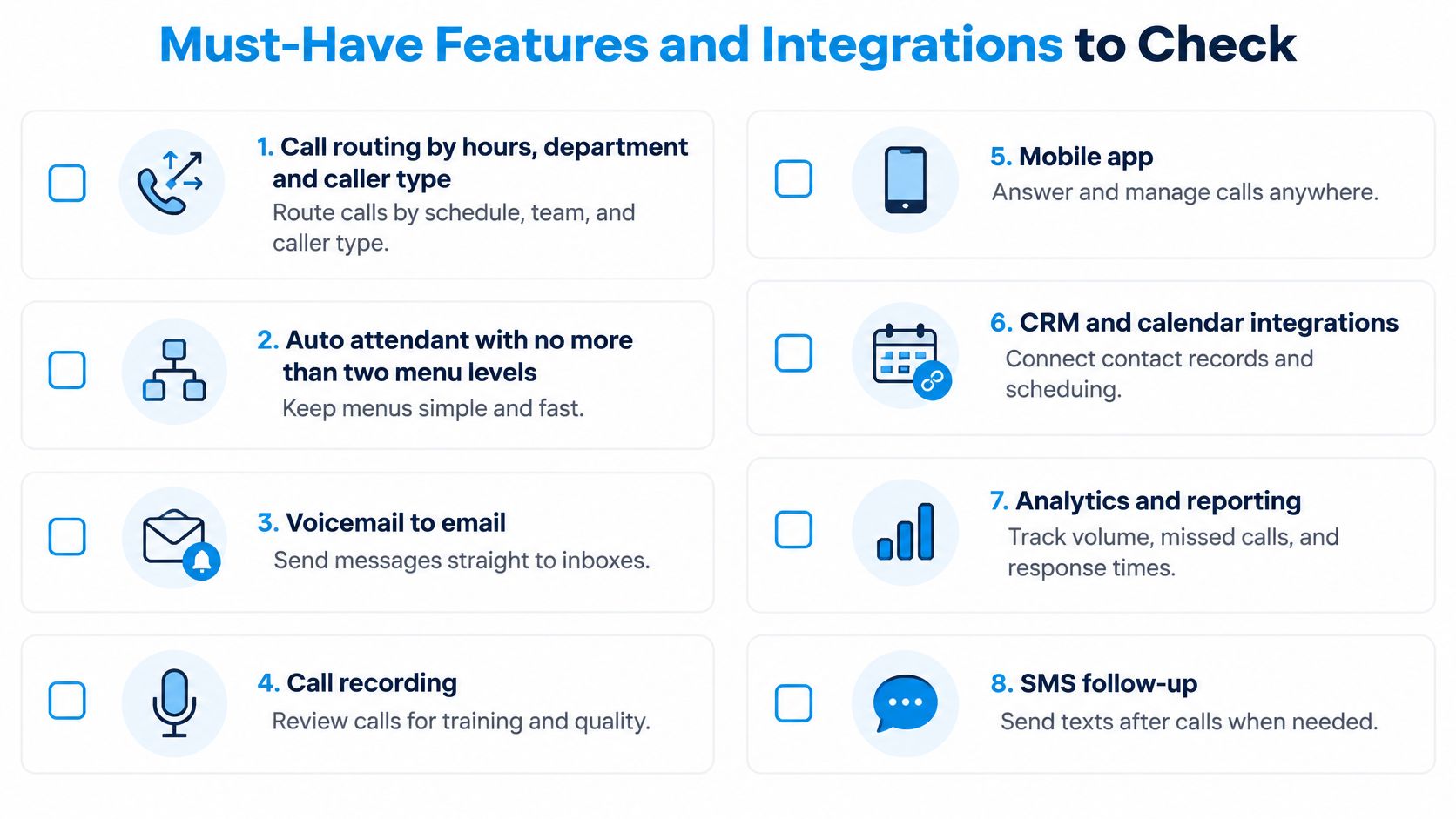
- Call routing by hours, department and caller type. New leads, existing customers, and suppliers shouldn't land in the same queue. After hours, the route should change automatically, not rely on someone remembering to forward a handset.
- An auto attendant with no more than two menu levels. A caller who has pressed three options and still hasn't reached a human will hang up. Test it as a first-time caller, not as staff who know the shortcuts.
- Voicemail transcription delivered to email. A transcript your team can scan, forward, and search beats an audio file sitting on one phone. Check accuracy on names and numbers, because that's where errors cost you.
- Call recording with consent prompts. Recordings help training and dispute resolution, but only if the prompt plays at the right point and recordings are stored where you can retrieve them quickly.
- CRM and calendar sync. Each call should create or update a record, and a booking made on the call should land on the right calendar without retyping. This guide to connecting your CRM to your phone system shows what that sync should cover.
- SMS for confirmations and reminders. A text confirming tomorrow's arrival window prevents the "are you still coming" call. Confirm texts go from your business number, not a staff mobile.
- Spam and robocall filtering. Unfiltered lines waste the exact staff time you're trying to protect. Ask how legitimate callers get through when a filter misfires.
- Real-time reporting on answered rate, average wait time and after-hours volume. If you can't see these numbers daily, you can't manage the system or prove it pays for itself.
- Location-aware 911 support for every extension. Each desk, softphone, and remote worker needs its own correct address on file. This is a safety requirement, not an add-on.
The One Test Features Cannot Replace
A long feature list won't fix bad audio. The NIST guide on VoIP security and quality sets end-to-end voice delay below 150 milliseconds as the target for emulating conventional telephone quality, and warns that VoIP security mechanisms can consume part of the available latency budget. Past that point, speakers start interrupting each other because each hears the other too late.
Measure round-trip latency between each office, your remote workers, and the provider during peak internet use, not on an idle connection at 10 a.m. Prioritise voice traffic with quality-of-service settings so a large file upload doesn't crowd out a live call. Watch jitter too, because variable delivery times create audible gaps even when average latency looks fine.
Practical rule: Test your busiest line at your busiest hour, with your normal uploads running. Say a home-services company tests its dispatch line during the evening peak, when crews send job photos back to the office. That's the number that matters, not a quiet-network demo.
Apply a clear go or no-go rule at the end of every demo. If the provider can't show your own call logs and a live CRM sync working in the room, don't buy. Screenshots of someone else's dashboard tell you nothing about your records.
What Costs and Returns to Measure
Split any quote into four lines before you compare it to another vendor. If a provider bundles everything into one number, ask them to unbundle it.
- Monthly service charged per user or per line. This is the recurring base. Confirm what happens to the price when you add a location or seasonal staff.
- Hardware or softphone licences. Desk phones, headsets, and app licences for each person who answers. Softphones cut hardware cost, but budget for decent headsets.
- One-time setup and porting effort, including staff training time. Your team's hours count as a cost, even if no invoice shows them.
- Add-ons such as AI answering, call recording and integrations. Price these separately so you know what you'd lose if you dropped them later.
Two hidden costs catch businesses out. The first is a number you forgot to move, a fax line or an old direct dial still routing to a desk nobody sits at. The second is after-hours demand falling into voicemail, where a share of callers call a competitor instead of leaving a message.
Baseline Your Own Calls First
Don't buy against a published missed-call rate. Those rates use different definitions, and the Redial BPO overview of missed calls and after-hours handling notes a call may be classified as missed when it is unanswered, routed to voicemail, abandoned in a queue, or received outside business hours. A national percentage blends all four. Your operation needs them separated.
Log the metrics below for at least two weeks before comparing vendors. This breakdown of call detail reporting for small businesses explains how to pull these figures from raw logs.
Baseline Metrics to Log Before Comparing Systems
| Metric | How to log it | Law firm example (weekly) |
|---|---|---|
| Inbound calls | All calls received, including voicemail and abandoned calls | 120 |
| Unanswered calls | Calls not picked up, tracked separately from after-hours calls | 18 |
| After-hours calls | Calls received outside opening hours | 9 |
| Consultations booked from callbacks | Bookings traced to a return call | 4 |
| Recovered revenue | Booked consultations multiplied by the average matter value | 4 x set value |
Take that worked example of a law firm logging 120 inbound calls a week, with 18 unanswered, 9 after hours, and 4 consultations booked from callbacks. Multiply those four bookings by whatever an average consultation is worth to that firm. That weekly figure, scaled to a month, is what you compare against the monthly service cost. It's your number, from your funnel, not a vendor's average.
Treat vendor savings claims the same way. Our own stats show an 80% cost saving when switching to virtual receptionists, and you should still test that claim against your baseline before relying on it. Our pricing process starts with a 15-minute call in which you describe your call volume, hours, and what a great customer experience looks like, and hear the AI live on the call. That conversation works best when you bring your two-week log with you.
Emergency Calling and Consent Rules to Document
Most buyers treat 911 as a checkbox on a spec sheet. That's the wrong assumption. On an internet-based system, emergency calling works only if every extension is mapped to the right physical address, and that mapping is your job to keep current.
How 911 Works on an Interconnected VoIP System
In the United States, an interconnected VoIP business phone system must support 911 as a mandatory service. The FCC 911 and outages guidance requires interconnected VoIP providers to transmit 911 calls, the caller's automatic number identification, and location information to the appropriate public-safety answering point or emergency authority. Providers must also clearly advise subscribers when VoIP E911 may be unavailable or limited compared with traditional service.
The operational consequences are concrete. Your provider obtains your physical location before activation and gives you a way to update it. A remote worker who moves house, or a softphone user working from a different site, needs an address update at that moment, not at the next quarterly review. Multi-location operators must check that each caller's physical location matches the address on file. Your billing address is not a substitute.
Say a plumbing company runs a main office, a warehouse, and dispatchers working from home. Each site needs an accurate dispatchable address tied to its calling numbers. Test the procedure with your provider during onboarding, train staff to state their physical location when they call, and keep a backup calling method for power or internet outages. A charged mobile at each site covers most cases.
Confirm your provider's classification too, because non-interconnected services may fall under different rules. Get the answer in writing. If you're documenting recording practices alongside this, our notes on call recording compliance basics cover the consent prompts side.
Outbound Calls and Consent
Separate telemarketing from service communications, because the consent rules differ. The FCC call blocking and consent guidance requires prior written consent before making prerecorded telemarketing calls to landlines or autodialed or prerecorded telemarketing calls to wireless numbers, while oral or written consent is generally required for non-telemarketing autodialed or prerecorded calls to wireless numbers. Holding a customer's number isn't consent to call it automatically.
Make it practical. Say an HVAC company collects consent through an online estimate form, stores the timestamp and phone number, and checks that record before sending an automated appointment reminder or a promotional call. That's a workflow your office manager can run, and an auditor can follow.
A consent record you can't retrieve in two minutes doesn't protect you. Store the timestamp, the number, and the exact wording the customer agreed to.
Keep a simple operating log. Name one owner for consent records, maintain an internal suppression list so stop requests take effect immediately, and run a quarterly review of consent records against your active campaign lists. That's the whole system, and it fits on one page.
How to Set Up Your Phone System Step by Step
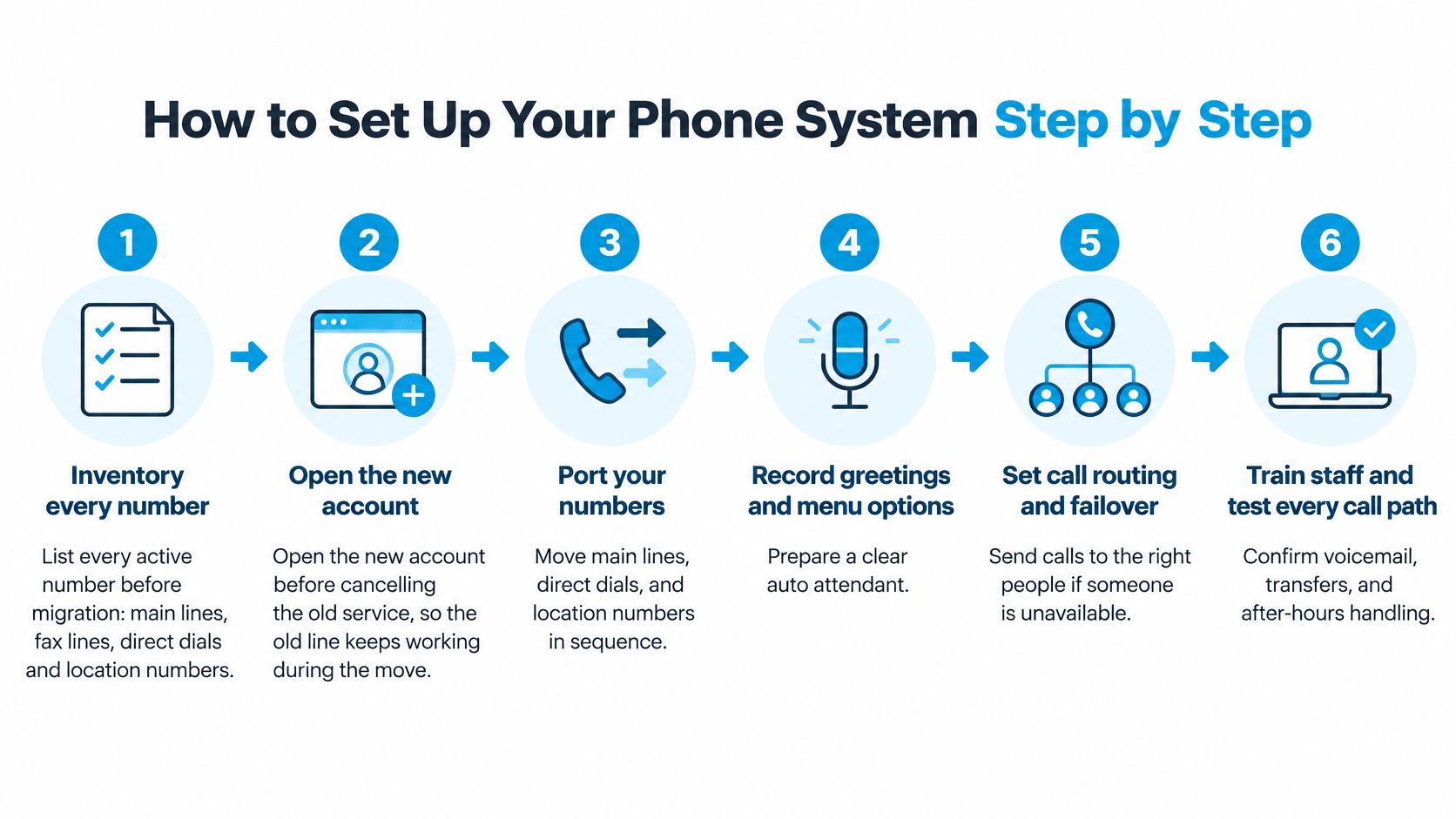
Setup failures are rarely technical. They're sequencing failures. Numbers get cancelled before they're ported, addresses get mapped after go-live, and call flows get improvised on launch morning. Work through these steps in order.
Steps 1 to 3 Cover Your Numbers
- Inventory every number. List main lines, fax lines, direct dials, and location numbers, including any printed on vans, signage, and old invoices. A missed number keeps routing to the old system or gets disconnected.
- Open the new account before cancelling the old service. The old line keeps working during the move. Cancelling first is the single most common way businesses lose a published number.
- Submit each number for porting through the new provider. The FCC guide to keeping your number when you change providers advises supplying the 10-digit number and any additional account information requested, and notes that simple ports are generally required to be completed within one business day. Complex ports take longer, so sequence them instead of moving everything at once.
Say a three-location HVAC company ports its main line first and its dispatch line second. The number crews and customers use for live dispatch never goes dark while the office line is in transit. A dental practice changing providers can do the same thing. It opens the new account first, submits its published number for porting, and keeps the legacy line active until the transfer is confirmed.
Steps 4 to 7 Cover People and Routing
- Map every extension to its emergency address. Cover each office, warehouse, and remote worker before the first live call. Don't copy the head office address across all extensions.
- Build the call flow. Our onboarding flow has four steps. You tell us about your business, upload or build your scripts, set routing rules, and connect your calendar. With us, a receptionist is created in 15 minutes, and calls can be received immediately after setup, but your script and routing decisions still need thought before that clock starts.
- Test every number and every path. Place a call from each site. Trigger the after-hours route, transfer to a human, confirm voicemail arrives by email, and run a 911 test with your provider. Log anything that fails and retest it.
- Train staff, then go live on a quiet day. Walk your team through the scripts and handoff rules in a short session. Avoid launching on your busiest morning, when nobody has time to report a problem properly.
Go-live check: Stand at each location, call your main number from a mobile, and confirm the right person answers with the right greeting. If any site fails that test, you're not live yet.
Keep the old service running until every ported number is confirmed on the new system. An overlap of a few days costs little. A lost number costs you every customer who saved it.
Where an AI Receptionist Fits and When Humans Take Over
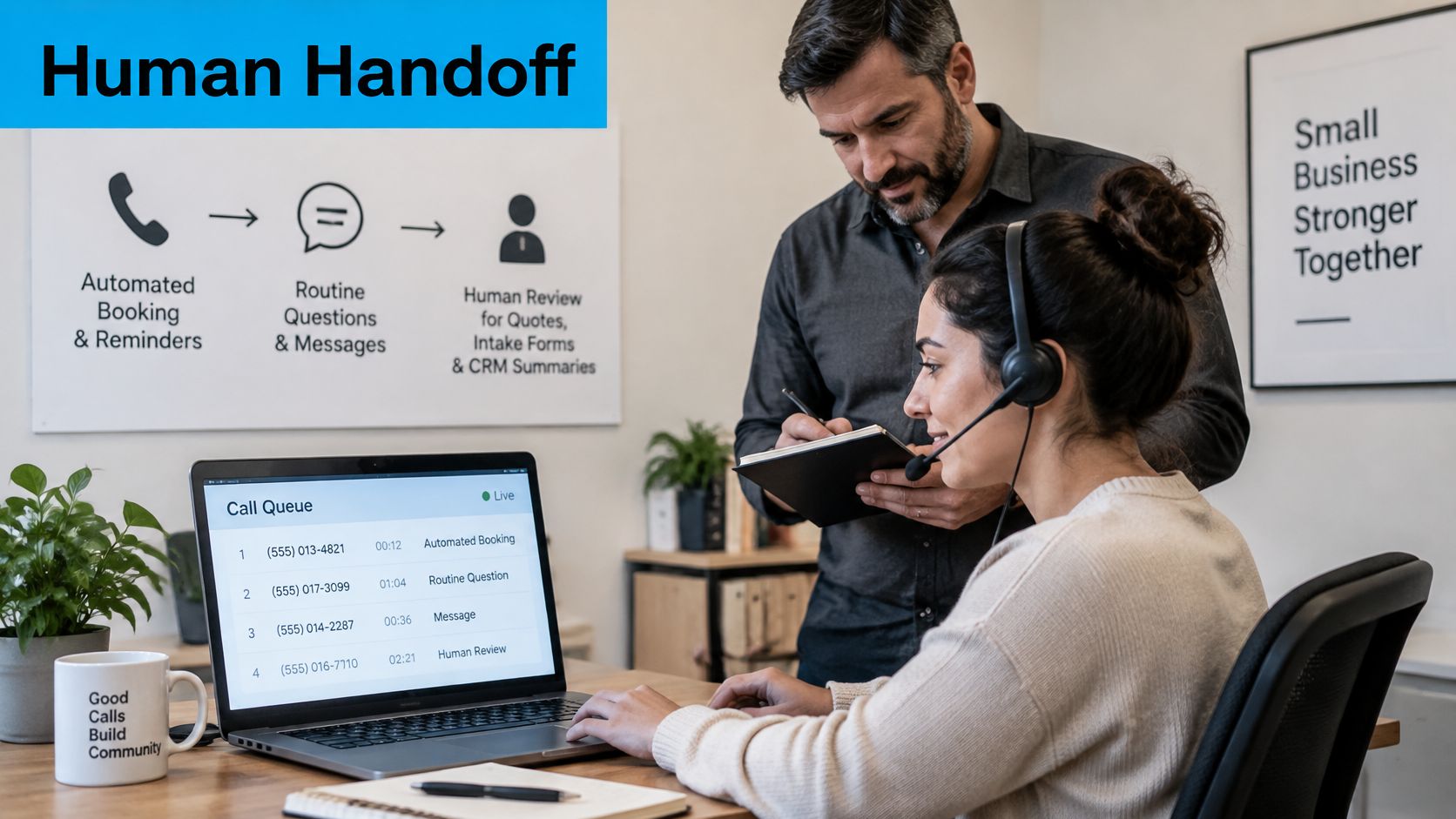
The wrong question is whether to automate calls. The right question is where automation stops. Sort every call type you receive into three paths, and write the sort down where your team can see it.
The Three Paths
- Automate fully. Booking appointments, sending reminders, answering routine questions like hours and directions, and taking simple messages. These calls are high volume and low risk.
- Automate with human review. Quotes, intake forms, and call summaries that feed your CRM. The AI drafts, a person spot-checks before anything reaches the customer or the file.
- Transfer immediately. Emergencies, clinical or legal nuance, complaints, identity checks, and upset callers. Speed matters here, but judgment matters more.
The hybrid model suits most service businesses. AI handles the high-volume routine conversations, and trained agents take the complex ones. When our AI detects a caller needs something more nuanced, it hands off to a human receptionist following your playbook. If an issue requires your internal team, we route the call, schedule a follow-up, or take a detailed message based on your rules.
This short video shows what a clean handoff looks like in practice, including what the human receives when the call transfers.
Write the Never-Do List
Document what the AI must never do before it answers a single call. For most businesses that list includes giving legal, medical, or financial advice, promising prices, and collecting payment details outside your approved process. Add sector-specific items. A clinic adds symptom assessment. A law firm adds anything that sounds like a legal opinion.
Say a dental office gets two calls at 6 p.m. The first caller wants a cleaning next week. The AI books it, confirms by text, and logs it. The second caller reports facial swelling. That call transfers immediately to on-call staff, because swelling can signal something serious and the AI's job is to recognise the boundary, not to assess it.
Audit the boundary weekly. Sample about 20 calls each week, read the summaries against the recordings, and fix one script or routing rule based on what you find. For a deeper look at how this model runs day to day, see our guide to an AI phone receptionist for business call handling.
Franchise operators face the same sorting problem at the recruitment end, where routine enquiries and serious candidates need different handling. This piece from Franchise Foundry on AI candidate screening is a useful parallel for setting qualification thresholds before a human gets involved.
Our AI receptionist can operate 24/7, with human support layered in where appropriate. That coverage only helps if the escalation rules are yours, written down, and tested with real scenarios before go-live.
Use Cases for Home Services, Healthcare, Legal and Franchises
Every sector below buys the same core system and configures it differently. Find your row, copy the example setup, and track the one metric named for your industry.
Home Services
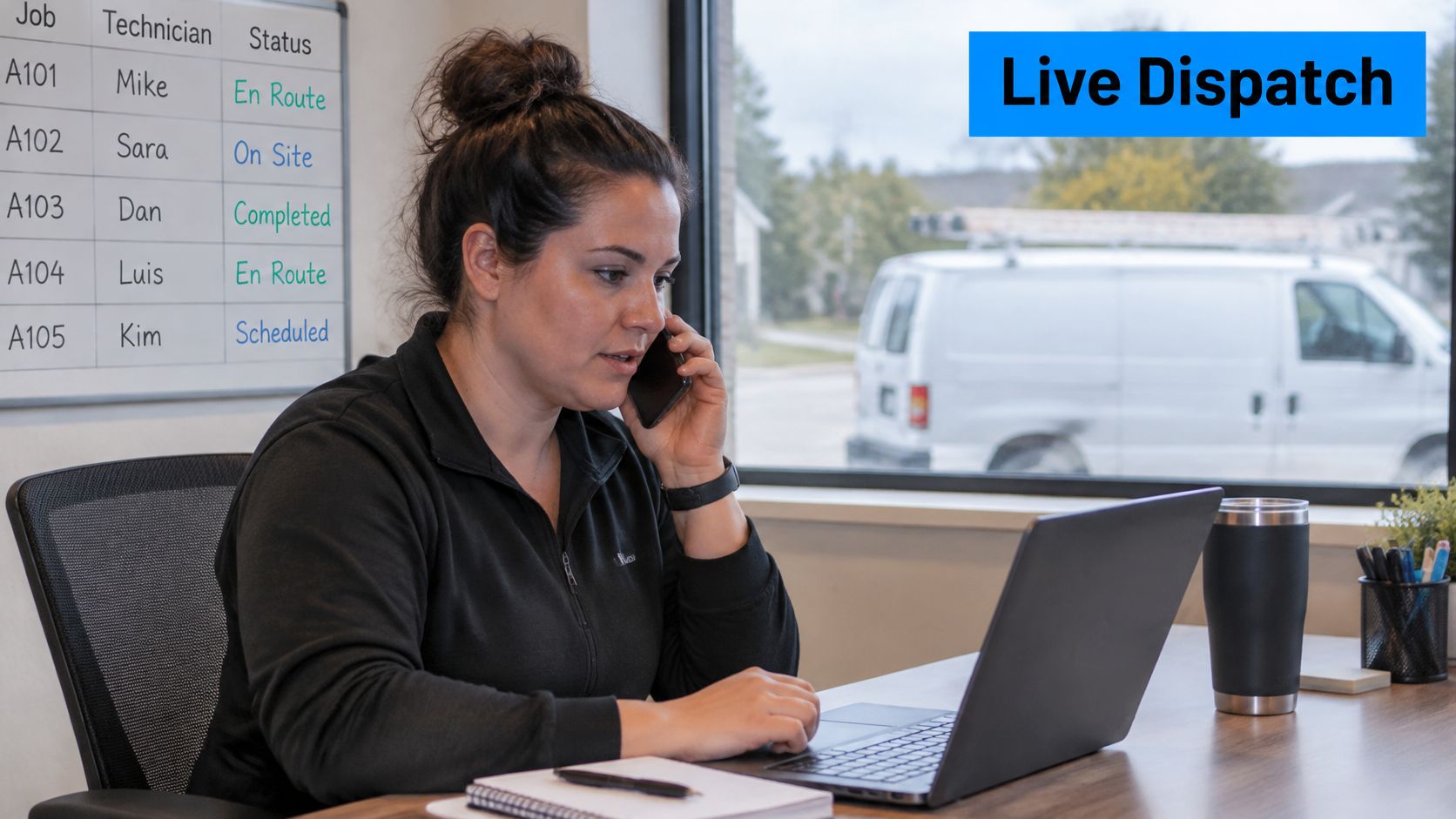
HVAC, plumbing, pest control, cleaning, and construction businesses live on dispatch and after-hours emergencies. Say a plumber runs four vans. He needs a live dispatch line that reaches whoever is on call, SMS confirmations sent to crews with the job address, and overflow answering when all four vans are out. His metric is the share of emergency calls answered within a minute, because a flooded kitchen doesn't wait for a callback. We provide inbound and outbound call handling, scheduling, and customer support for home service businesses, built around exactly that dispatch pattern.
Healthcare and Wellness
Dental and medical offices prioritise scheduling, reminders, and triage boundaries. Say a dental practice ports its published number so patients notice no change, automates hygiene appointment booking and reminders, and hands any symptom call straight to clinical staff. Nothing clinical gets summarised into a chart without a person reviewing it. Track booked appointments from after-hours calls first. It's the clearest return you'll see.
Law Firms and Professional Services
Firms need structured intake, consultation booking, and confidentiality prompts at the start of a call. A caller describing a dispute shouldn't be asked for detail an unsecure summary doesn't need. Route urgent matters, such as a client with a court date tomorrow, to a fast callback from a named person. Track consultations booked from callbacks, because that's where intake quality shows up as revenue.
Insurance, Finance and Real Estate
These teams buy for lead capture and qualification. Disclosure language needs to be in the script, call recording with consent needs to be on, and every qualified lead should land in the CRM with its source attached. Say an insurance agency runs a quote line. Routine quote requests get captured and booked for an agent, while anything involving advice on coverage goes to a licensed person. Track follow-ups completed within one business day.
Franchises and Multi-Location Operators
Franchises need central answering with local routing. Scripts stay consistent across sites, each location carries its own emergency address, and head office gets one reporting view instead of a dozen spreadsheets. We provide centralized inbound and outbound call handling, scheduling, and messaging support for franchises and multi-location businesses.
Say a 12-location franchise routes each store's calls to local staff during local hours and uses central AI answering for overflow and evenings. Head office compares booked appointments by location each month and spots the two stores whose daytime answer rate lags the network. That's a staffing fix, found from phone data.
Before any industry goes live, confirm in writing how your provider stores and shares call recordings and transcripts, especially for patient and client information, and whether it will sign the data terms your sector requires.
Pick Your Phone System and Run a Two-Week Pilot
Use the type comparison and feature checklist to settle on a system type, then shortlist two or three providers. Don't demo six. You'll remember none of them clearly.
What to Demand in the Demo
Ask each provider for a live demo run on your own call flow, not their sample script. Watch a real CRM sync create a record. Check how 911 addresses are entered and updated per extension. Ask for a latency test at your peak hours, from your actual office connection. Then ask how pricing scales with call volume, opening hours, and users, and get the answers in writing.
Bring three artifacts with you. Your two-week call logs, your numbers inventory, and your emergency address list. A provider who works from those documents in the demo will work from them at go-live. A provider who waves them away is telling you something.
On structure, every one of our plans includes the complete AI Receptionist with no feature tiers, and only the volume is adjusted for each business. Each customer gets a dedicated local or toll-free number. You can forward existing calls to that dedicated number, or have your current business number ported to us completely free of charge. Judge us on the same demo criteria as anyone else on your shortlist.
Run the Pilot on One Number
Pilot for two weeks on a single number, using call forwarding if you aren't ready to port. Forwarding lets you test with a clean exit. If the pilot fails, you remove the forward and nothing has moved.
Compare three numbers against your baseline each week.
- Answered calls. Did the answered rate rise, especially in the hours you were missing calls?
- After-hours coverage. How many evening and weekend calls reached a resolution instead of voicemail?
- Booked jobs or appointments. Did bookings traced to phone calls increase by enough to cover the monthly cost?
Apply one decision rule at the end. Switch fully only if the pilot beats your baseline on answered calls and bookings, and no compliance gap remains open. That means 911 addresses confirmed for every extension, consent records stored and retrievable, and the AI never-do list documented and tested.
If any gap remains, fix that specific gap and repeat the pilot on the next number. Don't roll out to every location hoping the problem averages out. It won't. A phone system for business that passes a disciplined two-week pilot on your own data will keep performing. One bought on a feature list and a promise usually doesn't.
Your callers don't care which system you bought, only whether someone competent answers and books them in. Recepta.ai pairs a 24/7 AI receptionist with trained human receptionists, follows your custom scripts and escalation playbook, and can be answering on a dedicated number within minutes of setup. Bring your two-week call log, run the pilot described above on one number, and judge us against your own baseline before you commit.