
Lead Generation with AI: A Practical Guide for 2026

Organizations that invest in AI have seen a 3% to 15% revenue uplift and a 10% to 20% improvement in sales ROI, according to a May 2023 McKinsey analysis of marketing and sales. Those ranges aren't a promise that a chatbot will print money. They describe what happens when AI sits inside the acquisition system: finding likely buyers, shaping the message, and cutting the manual work between an inquiry and a booked job.
Lead generation with AI fails when a team counts form fills and stops. A captured phone number isn't a job you can price, staff, or collect on. I would judge any new workflow by three outcomes only: a qualified conversation, a booked appointment, and paid work. Everything else is activity.
What follows is the operating view a revenue lead needs. Stages, written definitions, response time, scoring rules, and the fields that send a booked job back to the ad account.
What AI Lead Generation Does at Each Stage
In 2025, 42% of organizations reported regular generative-AI use in marketing and sales, according to McKinsey survey data summarized by BlueTree Digital. That share is large enough that AI is now an operating tool, not a side experiment. The useful question is which stage of the funnel it owns, and which metric tells you that stage is healthy.
Treat lead generation as five links in one chain: capture, qualification, scoring and routing, follow-up, and measurement. Automating the last link while the first one drops calls just hides the leak.
Say a homeowner's furnace dies at 11 p.m. Nobody in the office is awake. The AI answers the missed call, takes the address, and asks for the ZIP code and whether the property is a house or a rental. The ZIP is inside the service area, so the lead is fit. Urgency language ("no heat, kids in the house") plus an open morning slot pushes the score up, and a technician gets a live handoff while a booking link also goes out by text. Two days later, if the slot was never confirmed, a short reactivation call and email go out. When the job is booked, that outcome, not the midnight call itself, returns to the CRM and the ad account.
| Stage | What AI handles | Example | Metric to track |
|---|---|---|---|
| Capture | Web chat, form replies, missed-call answering | Missed after-hours furnace call answered and address captured | Captured contacts per week |
| Qualification | Custom intake questions and fit screening | HVAC caller gives ZIP code and property type | Qualified-lead rate |
| Scoring and routing | Ranks leads and selects the next action | High-propensity lead escalated to a person immediately | Speed to first human contact |
| Follow-up | Reactivation calls, texts and emails | Quote requested two days ago gets a call and booking link | Reply rate and booking rate |
| Measurement | Sends outcomes to CRM and ad platforms | Booked job returned to the ad account as a conversion | Revenue per lead |
Fix the stall, not the whole funnel
Read the table as a chain, not a menu. If captured contacts are high and the qualified-lead rate is weak, more chat widgets won't help. The intake questions are wrong, or nobody owns the next step. If qualification is fine and speed to first human contact is slow, routing is the break.
Trades businesses also have to decide what the assistant may hear. A caller may share a gate code, a medical detail about a family member, or a dispute with a landlord. AI privacy considerations for trades businesses from Growth 4 Trades is a useful companion when you write those boundaries before the first live call.
Capture is the cheapest place to start when nights and weekends already leak. A worked setup for forms, chat, and missed calls sits in this guide to lead capture automation. Pick the stage where leads stall, instrument that metric, and leave the other four alone until the number moves.
Raw, Qualified and Converted Leads, Defined
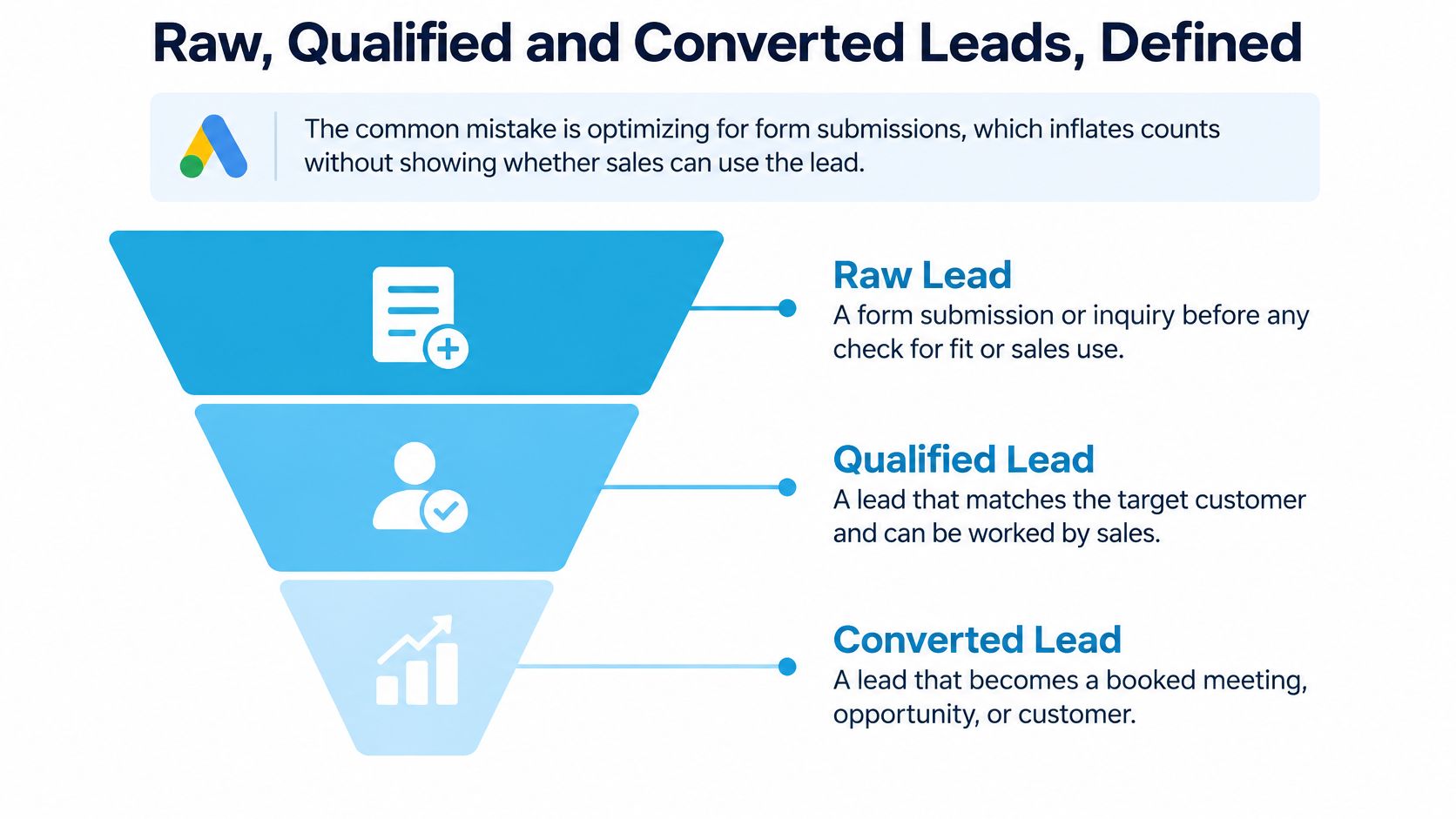
Optimizing for form submissions inflates the count without showing whether sales can use the lead. A dental form that asks only for a name will look busy on Monday and empty on the schedule by Friday.
Google Ads draws a clean line. A qualified lead is a prospect that has been further assessed offline in a CRM or internal lead system. A converted lead has completed a chosen downstream step, such as a sale or another business-defined milestone. I treat the inquiry itself, before that offline check, as the raw lead: a form, a call, or a chat, and nothing more.
One furnace call, three decisions
Walk the same HVAC caller through the CRM, in order.
- Raw. The assistant has the service need ("no heat") and the ZIP code. The record exists. Sales hasn't judged it.
- Qualified. The caller confirms a single-family house, and the ZIP is inside the service area. The lead matches who you can serve. Roofers and HVAC companies can borrow a tighter checklist from this note on qualifying prospects for roofers and HVAC companies from Digital Skyrocket.
- Converted. Someone enters the booked appointment, or the completed repair, in the CRM. Not when the caller says "maybe Thursday."
Write the definitions before the assistant records them. The words you choose become every report, every routing rule, and every bid that reads those fields.
Those three counts separate inquiry volume, sales readiness, and revenue. You can train follow-up against the stage that matters. A clinic might convert on a kept new-patient visit. A law firm might convert on a paid consult. An insurance desk might convert on a submitted application. Same skeleton, different milestone. If you skip the written definition, the model will learn whatever the last person typed, and next month's "qualified" won't match this month's.
Why Response Speed Decides Which Leads Book
A Harvard Business Review audit of 2,241 U.S. companies found that firms contacting an online lead within one hour were nearly seven times more likely to qualify it than firms waiting another hour, and more than 60 times more likely than those waiting at least 24 hours. The audit measured qualification, not closed revenue. Speed still decides who even gets a chance to book.
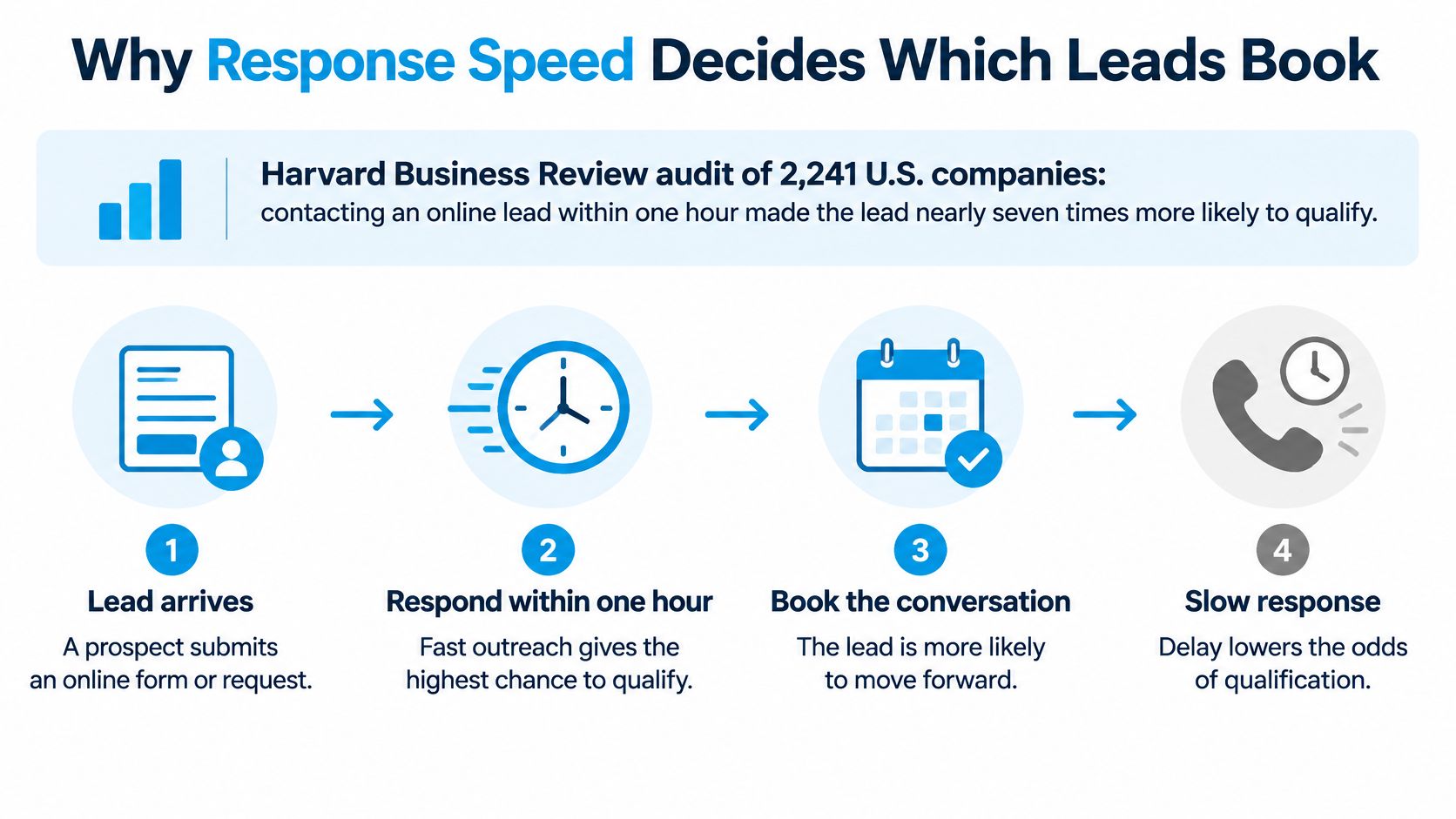
Prospects are reachable near the moment they asked. An hour later they've called a second plumber, or they've gone back to work and stopped answering. Paid traffic makes the waste sharper. If you buy the click and then sit on the form, you're paying for a conversation your competitor finishes. Paid advertising strategies from Wojo Media is worth reading beside your own speed report, because media and response time are one system.
Six steps, each with a reason
- Trigger on the event. A form submit, a missed call, a chat message, or an ad click starts the clock. Waiting for a person to notice the inbox is how the hour disappears.
- Enrich and dedupe against the CRM. Match phone and email before you dial. A second "new lead" call to someone you quoted yesterday feels careless and burns the rep's time.
- Classify intent from the first answer. "Burst pipe" is not "annual tune-up." The first message should pick the path, not a generic thank-you.
- Start a call, text, or email within minutes. Don't park the lead in a human queue. A five-minute contact target during staffed hours is tight enough to manage and honest enough to hit.
- Escalate when value or complexity shows up. High-ticket jobs, complaints, and anything the script can't answer go to a trained person. Automation that traps those callers costs the booking.
- Stamp every handoff. Write timestamps for lead creation, first automated attempt, human escalation, qualification, and booking.
What the timestamps are for
Those fields let you cut response time by channel. Google calls, website chat, and after-hours voicemail rarely share the same delay. A single blended average hides the channel that is late.
Hold out a slice of leads and compare them with the sped-up group on qualified-lead rate, appointment rate, show rate, and revenue per lead. If only the first metric moves, you bought faster conversations, not better jobs.
A durable lead follow-up system is what keeps step 4 from depending on who is at the desk.
Scoring Leads Without Trusting Accuracy Alone
A score is a sorting rule, not a verdict. It estimates conversion probability from attributes and behavior you already store, then it decides who gets a person first.

A Springer-published case reports a logistic-regression model with accuracy above 80% and an area under the ROC curve of 0.89. The design identified 13 influential features and found that targeting roughly 50% of the client base could capture about 80% of conversions. That concentration is the point. You stop treating every inquiry as equal.
A working model can combine lead source, service requested, geographic fit, urgency language, prior interactions, appointment availability, call outcome, and response behavior. For a clinic, "tooth pain today" plus an open hygiene slot outranks a general cleaning request with no date. For a law firm, a case number and a deadline outrank a vague "I have a question."
Tiers as a decision rule
| Score tier | Typical signals | Action |
|---|---|---|
| High propensity | Urgent wording, service in area, appointment slot available, prior call with intent | Immediate human escalation |
| Medium propensity | Service requested in area, no urgency, first contact only | Automated qualification and booking within the hour |
| Low propensity | Out-of-area request, vague need, no response to first attempt | Lower-cost nurture sequence and periodic review |
High propensity spends a person's time because the expected job can carry it. Medium propensity gets a scripted qualify-and-book path so the hour doesn't slip. Low propensity stays cheap, but it doesn't vanish. A periodic review catches the out-of-area caller who was a property manager with ten units.
Accuracy is the wrong yardstick
Conversions are rare, so a model can look "accurate" by calling almost everyone a non-buyer. Judge it on calibration (does a 70% score convert about 70% of the time), precision at the sales-capacity cutoff (of the leads you can realistically work, how many were worth it), recall of eventual converters, lift versus random selection, and revenue-weighted performance. A model that finds cheap tune-ups and misses emergency replacements can win on count and lose on margin.
Three maintenance habits keep the score honest. Retrain when channel mix, pricing, or seasonality shifts, because last winter's furnace model will misread a mild spring. Watch proxy discrimination and missing-data effects. A blank ZIP isn't the same as a bad ZIP. And remember the feedback loop: if low-scored leads get less follow-up, they convert less, and the model looks right for the wrong reason.
I would A/B test score-based routing against the rules you already use, on incremental qualified leads and return on the automation, before you retire the old queue. The field list and the handoff rules belong in a documented lead qualification process, so a new coordinator doesn't invent a fourth tier on a Friday.
Sending Booked Jobs Back to Ad Platforms
A click that never reports its job teaches the ad account to buy more clicks like it. Close the loop with a specific outcome.
A prospect clicks a paid-search ad for emergency plumbing. The landing page stores the Google Click ID (GCLID) next to the caller's phone number. The assistant marks the call qualified, booked, or sold. The CRM imports the matching conversion into Google Ads. You then judge the campaign on booked jobs or sales, not on calls and forms. Google's offline conversion guidance requires the click ID stored with the prospect, then a later import of the offline conversion. The API fields are the click ID, conversion date and time with timezone, conversion action, conversion value, and currency.
| Field | What it holds | Example |
|---|---|---|
| Google Click ID | Click identifier saved when the prospect arrived from the ad | GCLID stored with the caller's phone number |
| Conversion date and time | When the outcome happened, including timezone | 2026-03-14 19:42 America/New_York |
| Conversion action | The named outcome the account counts | Booked appointment |
| Conversion value | Estimated or actual value of the outcome | 450 for the booked diagnostic |
| Currency | Currency code for the value | USD |
Don't import every inquiry
The common error is sending the raw call as a conversion. Bidding then optimizes for people who picked up the phone, including wrong numbers and out-of-area requests. Pick one meaningful event. For plumbing, "booked appointment" is enough to steer spend. "Sold job" is better once the CRM records the invoice reliably.
Enhanced conversions for leads add a second match key. Google says advertisers who used first-party data such as email addresses and phone numbers alongside imported GCLIDs saw a median 10% increase in conversions compared with standard offline imports. A dental practice can store a consented phone number and email, normalize them, and import "new-patient appointment booked" as the qualified event and "treatment accepted" as the converted event. Send the outcome that changes the business, not every chat.
Setup checks before you trust the report
- Click identifier on the landing page. If the GCLID never lands in the CRM, the import has nothing to match.
- Timezone on every timestamp. A time with no zone lands on the wrong day and breaks daypart reporting.
- Same conversion names across channels. "Booked" in Google and "appointment set" in the CRM will split one outcome into two.
- Weekly sample of imports. Pull ten rows and look for blank values, duplicate click IDs, and values of zero on jobs you know were sold.
Telephony has to write those fields without a coordinator retyping them. A clean CRM and telephony integration is what keeps the click ID attached to the call recording and the booked slot.
Automating First Contact Without Losing Trust
Faster contact doesn't automatically earn the booking. Among small businesses not using AI, 23% cited security concerns and 21% said they didn't trust AI to be accurate, while cost was cited by 61%, according to a new American Express small-business study. Callers in a clinic, a law office, or a lender's queue feel the same hesitation. They want to know who they're talking to, and they want a person when the question gets sharp.
Transparent beats fully autonomous
The stronger pattern for healthcare, legal, finance, insurance, and home services is AI with a visible boundary and a fast human handoff. A handoff isn't a failure of the system. It's how you keep the conversion and contain the risk. An assistant that won't release a caller who's in pain, or who's asking about a statute, will lose the lead and may create a complaint.
- Say it's an assistant at the start. Callers who discover the automation halfway through the intake feel misled, and they hang up.
- Collect only routing fields. Name, callback number, and service need are enough to place the call. Case facts, account numbers, and diagnoses can wait for the person who is allowed to hear them.
- Escalate on a short trigger list. Emergencies, complaints, pricing disputes, legal or medical questions, and any request for a named person go to a human immediately.
- Keep an audit log. Every captured field and every handoff should be recoverable. You'll need it for a quality review and for a dispute.
- Set retention for recordings and transcripts. Write the period down. "We keep everything" isn't a policy a clinic or a firm can defend.
- Review a sample every month. Listen for wrong answers, missed escalations, and callers who asked for a person and didn't get one.
A dental office can let the assistant book a routine new-patient visit after it captures the reason for the visit. The moment the caller says "pain" or "swelling," the call transfers to a receptionist. That rule protects the patient and the practice.
Before you record a call or send a text, say that the conversation is recorded or automated, and get consent where local law requires it. Put an opt-out in every SMS and email, and store the consent record next to the contact so you can show what the caller agreed to.
A documented handoff protects both sides. The caller reaches someone who can help. The business can show what was said, what was stored, and who took over.
Pick One Lead Workflow to Automate First
Start where leads die fastest. For most home-service shops and clinics, that's missed calls or a slow first reply, not a full rebuild of the funnel.
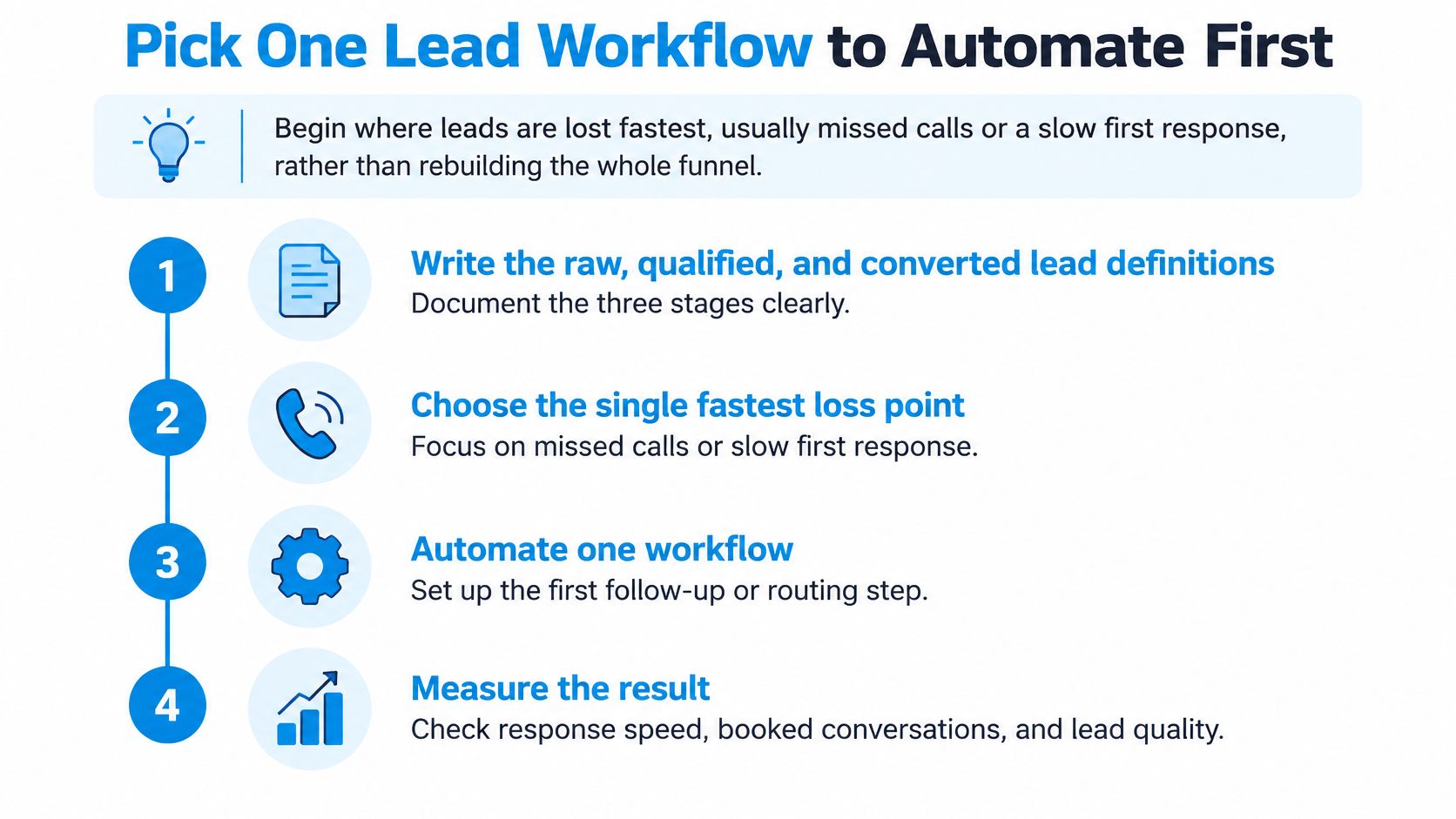
- Write the three definitions in a shared doc before anything goes live. Raw, qualified, and converted have to mean the same thing to marketing, the coordinator, and the ad account.
- Set a first-contact target the team can see. Five minutes during business hours is a clear bar. Post it where the queue is managed.
- Log every outcome with a timestamp and a source. We send call details automatically to a customer's CRM or Zapier, and we support HubSpot, Salesforce, Clio, and many more. Confirm the CRM you already run is on that list before you build rules around it.
- Return one booked-outcome event with its click identifier. Open the ad account and confirm the conversion appears. If it doesn't, stop and fix the import.
Before go-live, push one test lead through each door: a call, a web chat, a form, and an ad click. Each one should create a record, fire the first attempt, and land on the calendar when a slot is booked. We integrate with Calendly or other tools so the appointment is written to the calendar live on the call, and a tool such as Zapier can carry that booking without a second manual entry.
The decision sits at 30 days. Compare response time, qualified-lead rate, booking rate, and revenue per lead with the period before automation, and keep a holdout where you can. If response time and booking rate improve without a drop in revenue per lead, extend the workflow one stage. If they don't, fix the stall before you add another. Pricing starts with a 15-minute call where you describe call volume, hours, and what a good customer experience sounds like, and you hear the AI live.
Recepta.ai answers inbound calls, web chat, and follow-up with conversational AI and a human handoff when the conversation needs one, so a lead is captured, qualified, and booked instead of sitting in voicemail. If you want that first workflow on missed calls or slow replies, visit Recepta.ai and book the 15-minute call to hear it on your own volume.