AI Call Answering Service: Your 2026 Business Growth Guide
A prospect calls at 8:47 PM. Your office is closed, your tech is still on a job, and the phone rolls to voicemail.
The caller doesn't leave a message. They call the next company on Google instead.
That pattern hurts more businesses than owners realize. In service businesses, healthcare practices, law firms, and multi-location operators, the phone is still the fastest path to revenue. An ai call answering service fixes the part that breaks most often: someone wants help now, and nobody picks up.
The useful question isn't whether AI can answer a phone. It can. A more important question is whether it can answer calls in a way that protects revenue, keeps records clean, and hands off sensitive situations to a person before trust is damaged.
The High Cost of a Missed Call in 2026
A missed call isn't just a missed conversation. It's a missed decision.
A homeowner with a leaking pipe won't wait until morning. A legal prospect who's finally ready to talk after work won't leave a detailed voicemail. A parent calling a pediatric office wants direction, not a beep.
For small and medium-sized businesses, 62% of calls go unanswered according to this industry report on AI answering adoption. That's a front-desk problem, a staffing problem, and a revenue problem rolled into one.
The damage starts upstream. If you're investing in local search, ads, reviews, or Google Business Profile activity, calls are often the conversion event. If you want a practical breakdown of what drives calls, clicks, and bookings in local marketing, that guide is worth reading because it shows why phone readiness matters as much as lead generation.
What missed calls look like in real life
A few examples make this concrete:
- Home services: An emergency call comes in after hours. Voicemail answers. The caller hires the next plumber.
- Medical practices: A patient wants to reschedule, ask about availability, or clarify intake details. If no one responds quickly, frustration builds fast.
- Law firms: A prospect with a time-sensitive issue calls two firms. The firm that responds first gets the intake.
If your phone process still depends on voicemail and callbacks, you're asking buyers to stay patient while your competitor answers live.
That's why many businesses are replacing passive answering with a workflow-driven approach. An ai call answering service can answer immediately, collect the right intake details, and route the call based on urgency instead of dumping everything into a voicemail inbox.
If after-hours demand is where your calls leak most often, this overview of after-hours answering services is a useful place to compare the operational options.
What Is an AI Call Answering Service Really
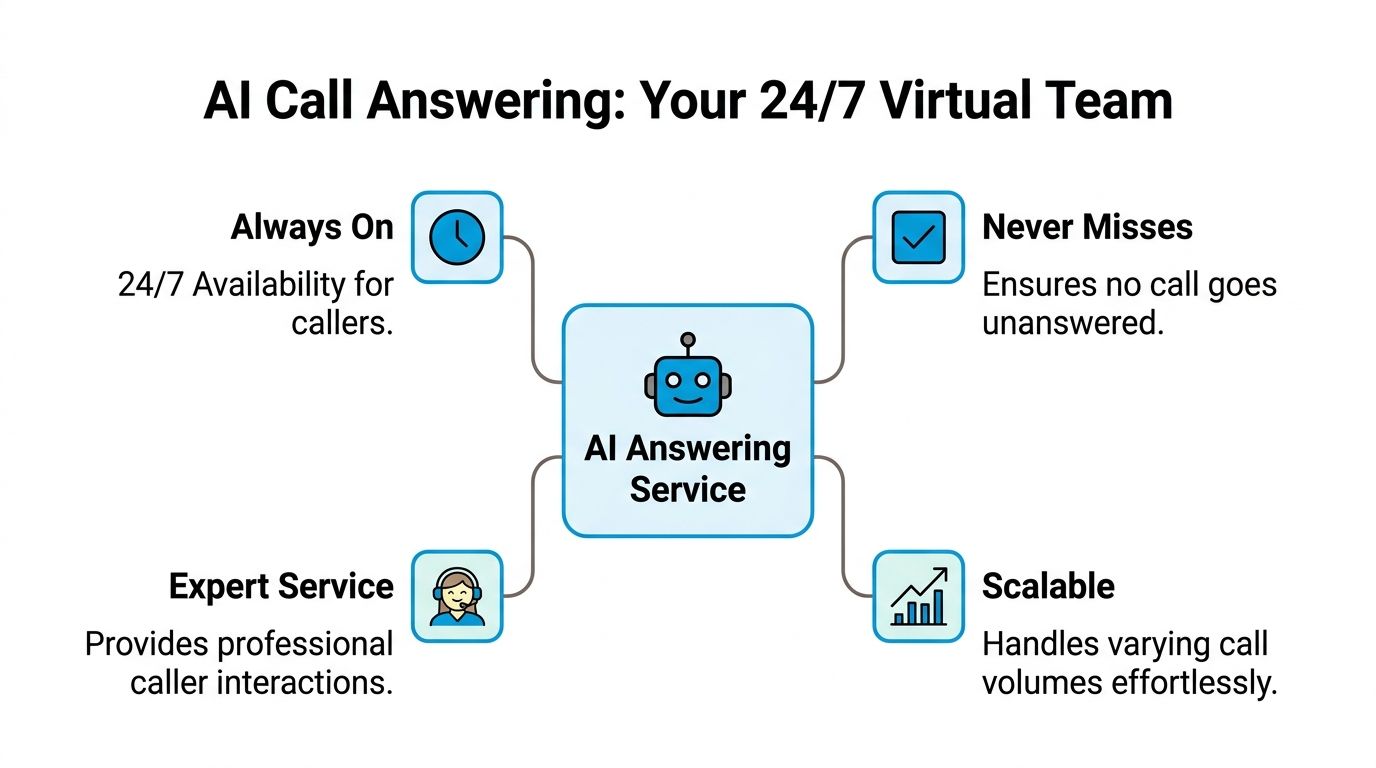
An ai call answering service is a front-desk workflow that answers calls, holds a natural conversation, captures the right details, and starts the next step without waiting for someone on your staff to pick up.
For a small business owner, the simplest way to view it is this. It works like a tireless receptionist who never misses a ring, follows the script every time, and knows when to bring in a human. That last part matters more than the sales demos usually admit.
Modern systems differ from old IVR
Owners usually hear "automated answering" and think of clunky phone trees that make callers mash buttons and repeat themselves.
Current systems are built for conversation. A caller states the problem in plain language, and the system identifies intent, urgency, and the right route in real time. Instead of forcing every caller through the same menu, it can ask follow-up questions, collect appointment or intake details, and send the call or transcript to the right person with context attached.
That changes the experience fast. The caller feels heard instead of processed.
If you already track call sources and outcomes, pairing AI answering with call tracking software that ties calls back to marketing channels makes the workflow much more useful because you can see which campaigns produce calls worth escalating.
Pure AI has limits in high-stakes environments
Pure AI handles repeatable work well. It can answer hours, pricing basics, location questions, service-area checks, appointment availability, and simple intake without much trouble.
The problem shows up when the call stops being routine.
A patient may describe symptoms poorly. A legal prospect may mention a deadline or conflict halfway through the conversation. A frustrated billing caller may need calm judgment more than speed. In those moments, a fully automated system can sound competent right up until it makes the wrong call.
A hybrid model performs better in these situations because it treats AI as the first layer, not the only layer.
Why hybrid beats pure automation in regulated work
In healthcare, legal, and other regulated fields, the handoff matters as much as the initial answer. A useful system does not just collect information. It also recognizes when the risk of a wrong answer is too high and gets a person involved quickly, with notes intact.
A strong hybrid setup usually does three jobs well:
- Automates routine calls: hours, directions, appointment requests, basic intake, service availability.
- Escalates judgment calls fast: urgent symptom descriptions, conflict-sensitive legal intake, distressed callers, payment disputes.
- Creates a clean record: what the caller said, what the AI captured, when the call was transferred, and what happened next.
Practical rule: If one bad phone interaction can create legal risk, patient risk, or lost revenue, use AI for triage and humans for judgment.
That constitutes the core value of an AI call answering service. It is not a robot replacing your staff. It is a system that takes repetitive call volume off your team, protects response times, and sends the hard conversations to a trained person before the situation goes sideways.
The Tangible ROI of an AI Answering Service
The market is growing because businesses aren't treating AI answering as a novelty anymore. They're treating it like revenue infrastructure.
The global call center AI market is projected to grow from USD 2.1 billion in 2024 to USD 11.3 billion by 2034, according to Global Market Insights. That projection lines up with what operators already know: if your business depends on inbound calls, response speed and consistency affect conversion.
Where the return shows up first
The fastest gains come from four areas:
- Lead capture after hours: calls get answered when staff is unavailable.
- Lower front-desk labor pressure: routine questions don't consume your team.
- Better qualification: the system gathers useful details before anyone follows up.
- Less admin drift: notes, callbacks, and appointment steps happen inside the workflow instead of on sticky notes or in memory.
An owner feels ROI in one of two ways. Either the phone stops interrupting the team all day, or the business stops losing leads at the exact moment interest is highest.
Industry-by-industry view
Home services tend to see the value fastest because urgency is built into the call. If someone needs HVAC repair, pest control, plumbing, or restoration help, speed matters more than polished branding. AI answering can qualify the issue, capture the service address, identify urgency, and route emergency jobs appropriately.
Legal intake is different. The value is in consistency. Firms lose opportunities when calls hit voicemail, when staff miss conflict-screening details, or when follow-up slips. AI can capture the basics immediately, but the best setups escalate nuanced matters to a trained person rather than trying to improvise.
Dental and medical offices benefit when the phone stops bottlenecking scheduling. Routine appointment requests, office hours, insurance basics, and reschedules can be handled automatically, while clinical or sensitive matters route to staff.
If you're tightening attribution as well as response handling, this guide to best call tracking software helps connect call volume to marketing channels and booking outcomes.
AI Answering Service ROI by Industry
| Industry | Primary Benefit | Reported Metric | Estimated ROI |
|---|---|---|---|
| Home services | Capturing urgent and after-hours calls | Businesses with significantly higher answer rates often see a notable increase in monthly earnings, as cited in verified industry data | High when calls are time-sensitive and local competition is strong |
| Home services | Preventing revenue leakage from missed calls | Missed calls can lead to substantial revenue loss in home services, based on verified industry data | High because each saved job can be meaningful |
| SMBs broadly | Reducing answering cost | AI can significantly reduce the cost per call compared to human staffing, based on verified industry data | Strong for teams that currently overstaff peaks or miss off-hours calls |
| SMBs broadly | Lowering front-desk overhead | Some providers report substantial cost savings versus in-house reception, based on verified industry data | Strong when reception workload is repetitive |
| Lead-driven businesses | Improving intake quality | AI systems can significantly increase qualified leads when every interaction is captured and routed, based on verified industry data | High when voicemail currently filters out prospects |
| Specialized verticals | Answering routine questions without staff | Domain-trained systems can resolve a substantial portion of routine inquiries independently, based on verified industry data | Moderate to high depending on call mix |
The trade-off owners should understand
Cheap automation can produce fake efficiency.
If a system answers every call but mishandles the hard ones, you may lower labor cost while increasing risk, refunds, bad reviews, or no-show follow-up work. That's not a good trade.
A better ROI model looks like this:
- AI handles repeatable calls immediately
- The system captures structured intake data
- Complex or sensitive situations move to a person
- Your CRM and calendar update without manual re-entry
That combination turns the front desk into a workflow engine instead of a message center.
The strongest ROI rarely comes from replacing every human touchpoint. It comes from removing delay, inconsistency, and admin waste from the calls that happen every day.
Core Features That Transform Your Front Desk
The most useful features aren't the flashy ones. They're the ones that remove friction your staff deals with every day.

Instant pickup and smart routing
Speed changes outcomes.
Modern AI answering systems can respond in under 2 seconds by using parallel processing for intent recognition, priority scoring, and routing, as explained in this technical breakdown of AI phone answering systems. In practice, that means the call doesn't sit ringing while a prospect decides to hang up.
For a plumbing company, that could mean identifying "burst pipe" as urgent and routing to the on-call technician. For a law office, it could mean recognizing a new intake call and collecting the matter type before transfer.
Appointment scheduling that doesn't create more work
Basic answering isn't enough. The system should complete the next step.
Good scheduling workflows can:
- Check real availability: no guessing, no callback needed.
- Book or route intelligently: routine visits can go straight onto the calendar, while complex appointments can be flagged for staff review.
- Confirm details immediately: callers leave the interaction knowing what happens next.
An AI call answering service then functions as an operations tool, not just a coverage tool.
CRM and calendar integrations
When call details live only in the conversation, staff still have to do the admin later.
The better setup is one where caller name, phone number, reason for the call, urgency, and appointment data move directly into the systems your team already uses. That removes retyping, reduces lost notes, and gives everyone the same record.
For owners comparing workflows, this overview of conversational AI for customer support is useful because it shows how call handling connects to support operations more broadly.
Call summaries and analytics
A front desk improves fastest when the data is visible.
You want to know:
- What callers ask most often
- Which calls need human rescue
- Where scheduling stalls
- Which after-hours periods generate real demand
Short summaries help staff pick up where the call left off. Analytics help you fix the patterns behind recurring friction.
A simple example: if most missed booking opportunities happen when callers ask about insurance or service area, your script and routing logic need adjustment. If emergency calls spike at certain times, your escalation policy may need tighter rules.
Here’s a quick explainer on how these systems fit into day-to-day operations:
Security and escalation discipline
This matters more than many vendors admit.
A healthcare or legal office shouldn't just ask whether the system can answer calls. It should ask whether the system can stop, transfer, log context, and preserve a clean handoff when the conversation becomes sensitive.
That isn't a side feature. It's part of the front desk itself.
Your Implementation and Workflow Playbook
Most businesses don't need a long rollout. They need a clean setup.
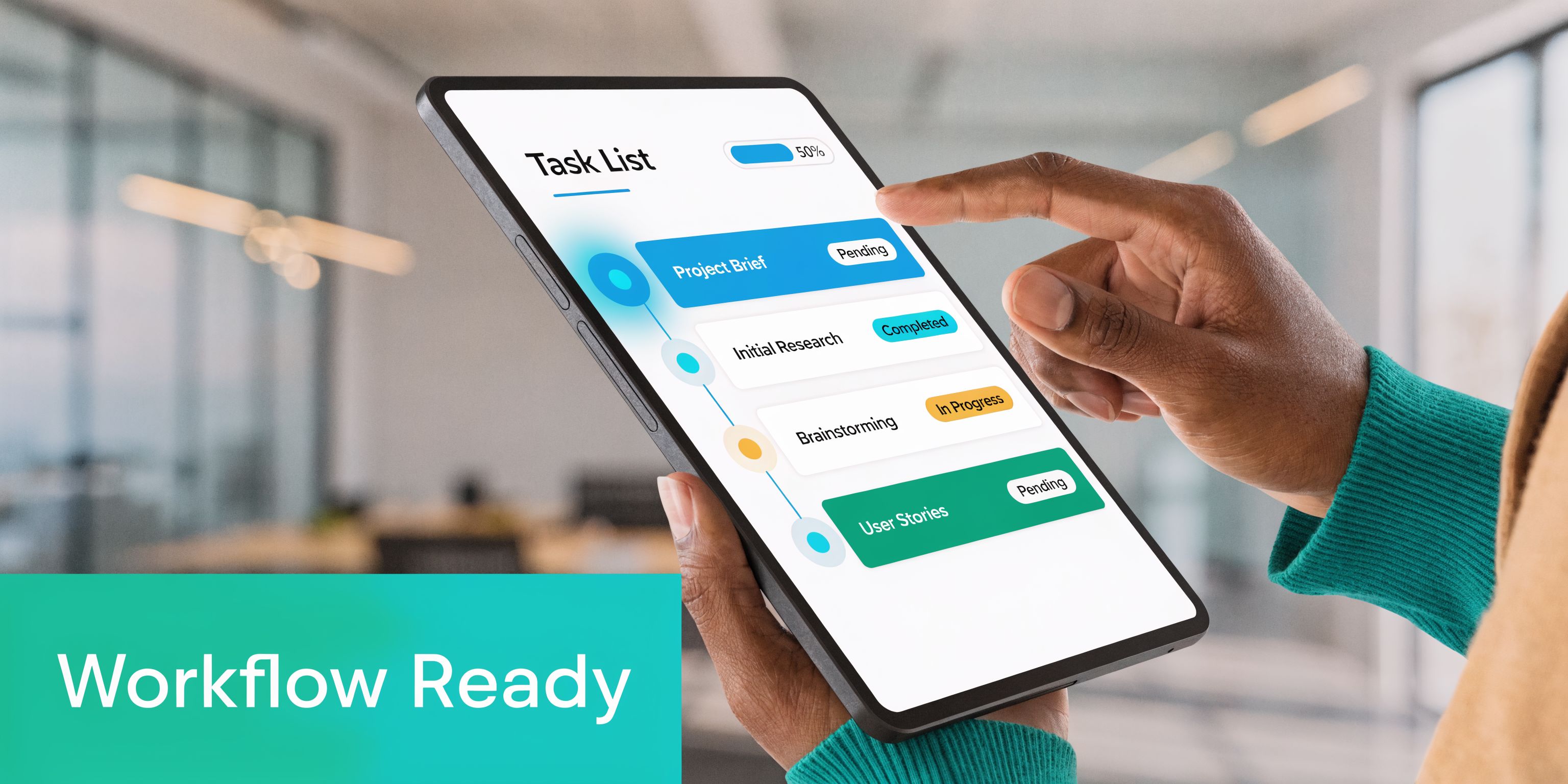
The underlying architecture matters here. AI systems built on microservices can scale by adding computing resources instead of adding staff, and they can connect through APIs to calendars, CRMs, and business tools in real time, as described in this overview of AI call center architecture. For an owner, the takeaway is simple: setup should support your workflow, not create another one.
The setup checklist
Start with five decisions.
Define the business goal
Pick one problem first. Missed after-hours leads, overloaded reception, scheduling friction, or poor intake quality.Map your call types
Separate routine calls from sensitive ones. Hours and appointment requests can be automated. Clinical judgment and legal nuance usually need human review.Connect the systems that matter
Calendar first. CRM second. Any quoting, ticketing, or intake platform after that. If you're evaluating the automation side of this more broadly, this guide on what is business process automation is a helpful reference.Write practical call scripts
Don't script for marketing language. Script for outcomes. What should happen when someone asks for pricing, books a visit, reports an emergency, or needs a transfer?Go live with a fallback path
Every workflow needs an escalation rule. If confidence is low, if urgency is high, or if the caller sounds distressed, move to a person.
Don't launch with every edge case solved. Launch with your highest-value call paths handled cleanly.
Workflow example for a dental clinic
A new patient calls after hours and says they need a cleaning and want to know whether the office takes their insurance.
A practical workflow looks like this:
- Step one: the system answers immediately and identifies this as a new patient scheduling call.
- Step two: it collects the patient's name, callback number, preferred appointment window, and insurance carrier.
- Step three: it offers available time slots or routes the insurance question for staff review if the office prefers verification before booking.
- Step four: the calendar updates, and the office receives a clean summary the next morning.
- Step five: if the caller mentions pain, swelling, or urgent symptoms, the workflow escalates instead of treating it as routine scheduling.
That setup keeps the easy calls off the staff queue and surfaces the calls that need attention.
Workflow example for an HVAC company
A homeowner calls on a cold night and says the heat stopped working.
A useful AI flow doesn't just take a message. It qualifies the job:
- Problem type: no heat, intermittent issue, or full outage
- Urgency: elderly resident, medical concern, severe weather, or standard service call
- Location: service address and ZIP
- Next action: route to on-call technician, schedule next available slot, or send a text confirmation
If the issue meets emergency criteria, the call goes to a person. If not, the system can place the customer into the right dispatch window and log the problem in the CRM.
Workflow example for a law office
A prospect calls after business hours about a potential matter.
The AI can collect core intake information, but the handoff logic matters more than the questions. If the caller sounds distressed, mentions deadlines, or raises facts that require careful handling, the workflow should stop trying to automate and route to the proper person.
That's the difference between coverage and judgment.
Real-World Results from Businesses Like Yours
Results show up fast when the phone stops becoming a cleanup project.
A busy office usually feels the change in two places first. Fewer missed opportunities after hours, and fewer messy handoffs the next morning. The businesses that get the best return are not the ones trying to automate every conversation. They are the ones using AI to handle the repeatable calls and routing the risky calls to a person before a mistake gets expensive.
A home services company can turn nights and weekends from dead time into booked work. Routine calls get scheduled or logged correctly. Emergency calls reach the on-call tech instead of sitting in voicemail until morning.
A dental practice can stop tying up front-desk staff with basic scheduling traffic. The team spends more time on patients in the office, while the system handles the repetitive requests and flags anything that sounds urgent for review.
A law firm can arrive each morning with clean intake summaries instead of a stack of partial messages. But the better result is risk control. If a caller mentions a filing deadline, an arrest, or obvious distress, the call should move to a human path immediately. In legal and healthcare settings, that handoff is where ROI gets protected. One bad automated interaction can cost far more than a month of software.
What separates strong deployments from weak ones
The strongest teams treat call handling like an operating process, not a one-time setup.
They start with routine work such as hours, availability, appointment requests, and basic intake. They define exactly which situations require a person. They connect the phone workflow to the calendar, CRM, dispatch board, or intake system so information does not have to be entered twice.
Then they review real calls.
One medical office found that callers asking about insurance were dropping off before booking. The transcript review showed the system was answering the question too broadly, then pushing callers straight to scheduling. Staff changed the script to ask for plan type first, explain that coverage would be verified before the visit, and send uncertain cases to a human review queue instead of forcing the booking flow. That small change reduced confusion and gave the front desk fewer callbacks to untangle.
Weak deployments usually fail for ordinary operational reasons. The script tries to cover too much. Escalation rules are vague. No one reviews transcripts. Pure-AI handling gets left in place even when situations demand human judgment due to their importance.
One product example in the market
One option in this category is Recepta.ai. It combines conversational AI with human escalation, supports inbound and outbound workflows, and syncs with business systems in real time. That hybrid model is often the safer fit for healthcare, legal, home services, and franchise operations because it handles routine volume without pretending every call should stay automated.
Good call handling feels organized to the caller. That is what produces the return.
Frequently Asked Questions About AI Answering Services
How does an ai call answering service handle accents and multilingual calls
When considering cents and multilingual calls, buyers should ask harder questions.
As call volumes globalize, sources note a 35% rise in non-English inbound calls for US franchises, and some pure-AI systems have shown a 22% accuracy drop on Spanish queries, according to this analysis of AI answering services and multilingual support. If you serve diverse markets, don't assume "multilingual support" on a feature list means reliable real-world performance.
Ask how the system handles accents, dialects, mixed-language calls, and what happens when confidence is low. In many operations, the safest answer is a hybrid workflow with multilingual human backup.
What does setup involve
At a practical level, setup usually means defining your call flows, deciding what should be automated, connecting your calendar and CRM, and giving the system approved answers for common questions.
The fastest implementations start with narrow use cases. Think new lead intake, after-hours answering, appointment scheduling, and FAQ handling. Once those work consistently, add more workflows.
How does pricing usually work
Pricing models vary by provider.
Some charge per minute. Some charge by usage tier. Others package integrations, call volume, and support together. The mistake is comparing only the monthly fee.
Look at the full operating picture: missed-call recovery, front-desk workload, response coverage, and whether the system reduces manual follow-up or creates a different kind of admin.
Can these systems make outbound calls too
Yes, many can handle outbound tasks such as reminders, follow-ups, confirmations, or lead re-engagement.
The important question is not whether outbound exists. It's whether the workflow is tied to your actual business process. A reminder call that doesn't sync to the appointment record creates confusion. A lead follow-up sequence that doesn't reflect intake details will sound generic.
What should healthcare and legal firms ask before buying
Ask about handoffs first.
A vendor should be able to explain how escalation works, how call context is passed to a person, how records are logged, and how sensitive situations are flagged. In regulated work, reliability isn't just about answering quickly. It's about knowing when not to let automation keep going.
Stop Losing Leads and Start Growing Today
If your phone still depends on staff availability, you're leaving too much to chance.
An ai call answering service solves a plain business problem. It answers when your team can't, captures the details your staff needs, and keeps routine calls from swallowing the day. The more important point is this: the highest-value setup isn't pure automation. It's automation with judgment built in through human escalation.
That's why hybrid models make more sense for healthcare, legal, finance, multi-location operators, and any business where one bad handoff can cost trust.
If you're also looking at the broader business side of AI, this guide on how AI is used in marketing campaigns is a useful complement because lead generation and lead response only work when they support each other.
The phone is still one of the fastest ways buyers choose a business. Answer it well, and growth gets easier.
If you want to see how a hybrid AI receptionist fits your workflow, explore Recepta.ai. It offers a 30-day risk-free trial, so you can test call handling, scheduling, lead capture, and human escalation in a live business setting without overhauling your front desk first.