AI Powered Customer Service: A 2026 Practical Guide
The missed call usually happens at the worst time. A new patient calls after your front desk has gone home. A homeowner needs urgent service on a weekend. A prospective client reaches out to your law firm after finally deciding to act, hears voicemail, and moves on.
That is the essential conversation around ai powered customer service in 2026. It isn't about adding a novelty chatbot to your website. It's about building a system that answers calls, texts, and chats when your staff can't, handles routine work cleanly, and brings in a person when the moment requires judgment, empathy, or compliance.
Introduction Beyond the Chatbot Hype
Small businesses used to treat after-hours coverage as a staffing problem. Now it's an operations problem. If your business depends on fast response, every missed interaction creates friction, lost revenue, and more work for your team the next morning.
The shift is happening because the economics are clear. The global AI customer service market is projected to reach approximately $15.12 billion by 2026, and AI-driven self-service interactions cost roughly $1.84 per contact versus about $13.50 for agent-assisted support, according to industry figures compiled by Lorikeet. That gap matters to a dental office, an HVAC company, or a solo legal practice just as much as it matters to an enterprise contact center.
The important nuance is that good AI service doesn't replace people. It changes what people spend time on. A business can let automation answer common questions, collect intake details, confirm appointments, and route the conversation, while staff focus on exceptions, sensitive cases, and revenue-producing work.
Practical rule: If a task follows a repeatable script, let AI handle it. If the situation needs trust, discretion, or negotiation, route it to a person.
That's why the old “chatbot” framing is too narrow. Modern systems work across voice, SMS, web chat, and scheduling tools. They don't just respond. They move work forward.
For owners trying to sort useful guidance from hype, a good place to start is with these automated customer help best practices, especially if you're deciding where automation should stop and human support should begin.
A practical setup looks simple from the customer side. They ask a question, get an answer fast, book a time slot, or reach the right person without repeating themselves. Under the hood, that requires clean workflows, clear escalation rules, and software that understands your business.
What AI Customer Service Actually Does
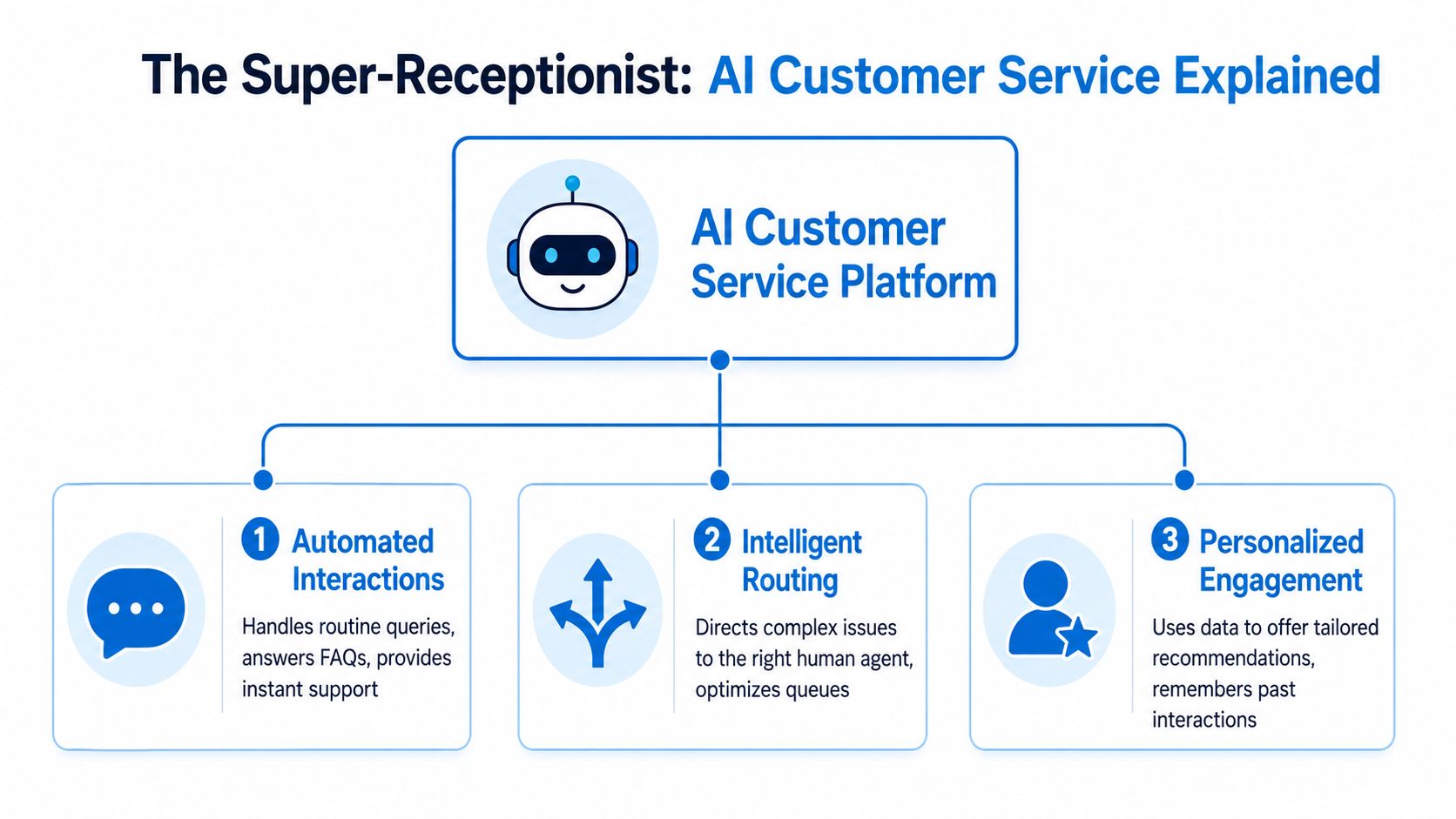
Think of modern AI service as a super-receptionist. It listens, understands what the customer wants, takes action in connected systems, and knows when to bring in a human.
That's very different from the old bot model that just threw canned answers into a chat window.
Conversational understanding
The first job is understanding intent. That means the system has to recognize whether someone wants to book, reschedule, ask a billing question, check availability, or report something urgent.
Natural language processing, or NLP, matters here. In specialized environments, accuracy isn't optional. Mediatel's voicebot achieved 78% first-contact resolution by directing callers to efficient paths, and one benchmark cited in the same analysis showed average handle time dropping from 11 minutes to 2 minutes through strong intent recognition and routing, as discussed in Helply's review of AI customer support KPIs.
For a deeper look at how these systems interpret real conversations, this piece on conversational AI for customer support is useful.
Workflow execution
Understanding a request is only half the job. The platform also has to do something with that information.
A capable system can check a Google Calendar or Outlook calendar, create or update a CRM contact, send a confirmation text, log the interaction, and pass structured notes to the next person. If a prospect calls a plumbing company, the AI can ask for service type, zip code, urgency, and preferred time, then place that lead into the right queue.
For a clinic, the same workflow might verify appointment type, collect callback details, and prepare the intake summary before staff see it. For a law office, it might identify the practice area and gather enough context to schedule the correct consultation.
Intelligent handoff
Many deployments fail at this point. They automate the easy part, then create a terrible handoff.
A strong system recognizes the limit of automation. If a patient mentions symptoms instead of scheduling. If a legal caller sounds distressed. If a homeowner reports a safety issue. The AI should escalate immediately and carry the context with it.
The handoff matters as much as the automation. Customers don't mind talking to AI. They mind repeating themselves after AI fails.
That's why the best setups treat AI and human support as one service model, not two separate tracks stitched together after the fact.
The Business Case for AI-Powered Support
Owners usually ask one practical question first. Will this save money and help us capture more business?
In most cases, yes, if the deployment is tied to real workflows instead of just answering FAQs. AI-powered support systems now resolve 60 to 80% of inquiries autonomously, with top deployments pushing first-contact resolution above 85% for AI-resolved tickets, and they can reduce average handle time by up to 40%, according to GetNextPhone's roundup of AI customer service statistics.
That doesn't mean every business should automate aggressively. It means routine work can be handled faster and more consistently, while staff spend their time where human judgment pays off.
Where the ROI shows up first
The first gain is coverage. If your phones roll to voicemail after hours, during lunch, or when the front desk is overloaded, AI can answer immediately and collect the next best action.
The second gain is calendar fill rate. A system that can book in real time converts interest into an appointment before the customer cools off. That matters for dental cleanings, consultations, estimate visits, and repeat service calls.
The third gain is less admin drag. Staff stop retyping contact details, listening to long voicemails, and cleaning up half-finished intake notes.
Traditional Reception vs. AI-Powered Service
| Metric | Traditional In-House Reception | AI-Powered Service |
|---|---|---|
| Availability | Limited to staff hours and queue capacity | Available around the clock across channels |
| Routine question handling | Depends on staff bandwidth and consistency | Handles repetitive questions instantly and consistently |
| Appointment booking | Manual, often delayed during busy periods | Can book directly into connected calendars |
| Lead qualification | Varies by team training | Uses consistent intake logic and routing rules |
| Escalation | Immediate if staff are present | Immediate when triggers and handoff rules are designed well |
| Administrative follow-through | Staff must log notes and update systems | Can sync records automatically with connected tools |
| Cost structure | Labor-heavy and linear with call volume | Better suited to scale routine interactions |
For operators comparing options, this overview of the benefits of AI in customer service is a practical companion to vendor demos.
A few concrete examples
A home service company can let AI answer an overnight call, ask about the problem, confirm the address, and reserve the first available dispatch window. Staff arrive in the morning with a qualified job instead of a vague voicemail.
A dental office can use AI to fill a cancellation opening by handling incoming booking requests the moment they arrive, instead of asking staff to call back everyone manually.
A law firm can use AI intake to sort a new matter by practice area, gather contact details, and schedule a consult, while pushing conflict-sensitive or emotionally complex cases to a human quickly.
Operational shortcut: Start with your busiest repeatable workflows. Appointment booking, status questions, intake, and routing usually create the fastest return.
AI Service in Action Across Industries
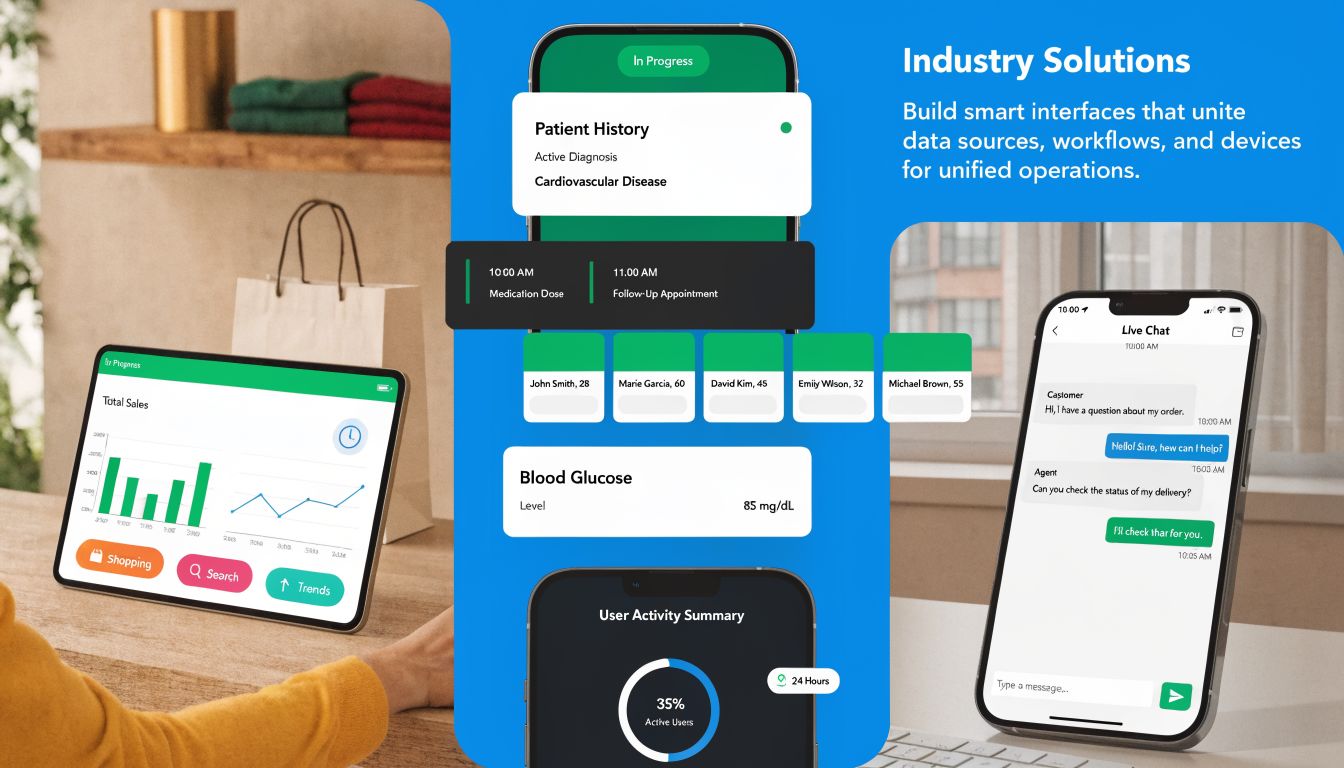
The value of ai powered customer service becomes obvious when you look at the daily friction inside specific businesses. The workflows differ, but the operating principle stays the same. Automate the predictable work. Escalate the sensitive work.
Home services
A homeowner calls an HVAC company after business hours because the system stopped working. They don't want a form. They want an answer and a next step.
A good AI receptionist can ask what happened, whether the property is residential or commercial, whether the system is fully down, and when the customer is available. If the business uses scheduling software, the system can suggest the next slot or flag the lead for priority review.
That's where owners usually see immediate value. The AI handles the repetitive intake and doesn't forget questions. The dispatcher or office manager starts the next day with organized leads instead of a stack of callbacks.
Healthcare practices
In healthcare, the upside is obvious, but so is the risk. A front desk can automate scheduling, location details, refill request routing, and insurance-related administrative questions. It should not improvise around clinical concerns.
For regulated industries like healthcare and legal, compliance remains a major barrier to adoption. A hybrid AI-human model can reduce breach risks by 40% through smooth escalation for sensitive interactions, according to Quirks on the challenges and benefits of AI in customer service.
That hybrid setup is the difference between useful automation and operational liability. If a caller mentions symptoms, medication concerns, or urgent distress, the system should stop trying to be clever and move the conversation to trained staff.
Law firms and professional services
Legal intake has a similar pattern. A caller may not know the exact practice area, but they usually know the event that prompted the call. The AI can collect the basic facts, identify whether the issue sounds like family law, estate work, personal injury, or business counsel, and route accordingly.
The useful part isn't that AI replaces intake staff. It standardizes the front door. Every caller gets a consistent set of screening questions, and every attorney receives cleaner context before the consult.
In high-stakes industries, the hybrid model isn't a compromise. It's the operating standard that keeps service responsive without pushing risk onto automation.
A small practice can also use the AI to handle lower-friction interactions such as office hours, consultation availability, document drop-off instructions, and follow-up scheduling. That frees staff to focus on active matters rather than phone triage all day.
Integrating AI into Your Business Workflow
Most implementation problems don't come from the AI itself. They come from weak process design. If the system isn't connected to the tools your team already uses, you'll create one more inbox instead of a better workflow.
The starting point is simple. Map what should happen when a customer calls, texts, or chats. Then connect that logic to your CRM, calendar, and internal handoff process.

Connect the systems your staff already lives in
A practical rollout usually starts with three integrations:
- CRM integration: The AI should create or update contact records, log summaries, and assign ownership so nobody has to re-enter data later.
- Calendar integration: Booking only works when the system can see real availability and apply your business rules.
- Communication sync: Text confirmations, reminders, and internal notifications should flow from the same interaction record.
Modern platforms are moving beyond single-step automations. Agentic AI can handle lead qualification, route prospects, and trigger real-time CRM updates and calendar integrations in the same workflow, helping teams achieve 44% faster issue resolution with a 35% improvement in support quality, according to IBM's work on AI for customer service.
For businesses serving customers across phone, text, and web channels, this overview of omnichannel customer service helps clarify how those touchpoints should work together.
Write escalation rules before you go live
This is the step owners often skip. They train the AI on FAQs but never define when the machine should stop.
Use plain-language triggers your team would recognize anyway:
- Urgent safety issue: Transfer immediately or flag for immediate callback.
- Complaint or cancellation request: Route to a manager or retention workflow.
- Clinical or legal sensitivity: Move to a trained human with the transcript or summary attached.
- High-value lead cues: Send to the right salesperson or specialist, not a generic queue.
A short demonstration can help teams visualize how these workflows fit together:
Start narrow, then expand
Don't begin with every scenario. Start with two or three repeatable flows that already consume time. Booking, lead intake, status questions, and routing are common starting points.
One example of this hybrid model is Recepta.ai, which combines conversational AI with human escalation, handles inbound and outbound interactions, and integrates with a large set of business tools. The practical question isn't which vendor has the longest feature list. It's whether the platform can follow your operating rules without creating extra cleanup work for staff.
Measuring Success and Troubleshooting Common Issues
Once the system is live, don't judge it by whether the AI sounds impressive. Judge it by whether the business runs better.
Most owners need a small scorecard, not a giant analytics dashboard. If your team can review performance weekly and spot problems quickly, that's enough to make good decisions.
The KPIs that matter
Track outcomes your staff already cares about:
- Containment rate: How often the AI finishes routine interactions without needing staff.
- Qualified lead rate: Whether incoming conversations are producing usable opportunities or just noisy records.
- Booking completion: How often the interaction ends with a scheduled appointment or confirmed next step.
- Cost per interaction: Whether routine service is getting cheaper without harming quality.
- Escalation quality: Whether the handoff includes enough context for the human to continue smoothly.
If you run multiple locations, review these by location as well as in aggregate. One clinic or branch may have stronger scripts, cleaner integration, or different call patterns that need separate tuning.
Watch for the handoff failure before you watch for the AI failure. Most customer frustration starts when context gets lost between automation and staff.
Three common problems after launch
The AI sounds stiff
This usually comes from scripts written like policy documents. Shorten the prompts. Use the language your receptionist or coordinator already uses on the phone. Keep questions sequential instead of dumping too many requests at once.
The AI escalates too much or too little
If it escalates too often, the system may lack enough approved paths for common intents. If it escalates too little, your confidence thresholds or trigger words may be too loose. Review a sample of transcripts with your frontline team and adjust the logic based on actual conversations, not guesswork.
Data isn't syncing correctly
This is rarely an AI issue. It's usually field mapping, naming conventions, or a workflow mismatch between systems. Check whether the booking reason, lead source, assigned owner, and notes fields are landing where your team expects them.
A practical review rhythm
Use a simple routine:
- Review missed or failed interactions weekly
- Listen for repeated customer confusion
- Refine scripts and routing rules
- Confirm CRM and calendar records match what happened
That cadence keeps the service grounded in operations. AI isn't set-and-forget. It performs best when someone owns the workflow.
Choosing Your AI Partner and Next Steps
The market is full of tools that can answer a question. Fewer can operate like part of your business.
When you evaluate vendors, start with the workflow, not the demo. You need to know whether the platform can book appointments, qualify leads, update your systems, and escalate gracefully in the moments that matter.
A practical shortlist for vendor review
- Hybrid support model: Ask whether the system supports real AI-to-human escalation with context preserved.
- Industry fit: Make sure the vendor understands healthcare, legal, finance, or field service requirements if you operate in a regulated or high-stakes environment.
- Integration depth: Confirm it connects to the CRM, calendar, and communication tools your team already uses.
- Operational visibility: You should be able to review summaries, outcomes, and handoff quality without digging through raw logs.
- Implementation support: Ask who helps define scripts, routing logic, and exception handling.
If you need help evaluating the people side of an AI rollout, not just the software, a specialist resource like an AI talent placement agency can be useful for businesses that want internal technical guidance.
For smaller operators building a more responsive front line, this guide to a small business contact center is also worth reviewing before you commit to a platform.
The practical standard in 2026 is no longer a standalone bot. It's a connected service model that automates the predictable work and routes the sensitive work to humans fast. That's the balance that protects customer experience, supports compliance, and keeps your staff focused on the conversations that need them.
If you want a hybrid system that handles calls, texts, appointment booking, lead capture, and human escalation in one workflow, take a look at Recepta.ai. It's built for businesses that can't afford missed interactions and need customer service to work like an extension of operations, not another tool to manage.