Small Business Contact Center: Your Ultimate Guide

The problem usually starts with a normal workday. A technician is on the road. The front desk is helping an in-person customer. A lawyer is in court. A clinic manager is checking patients in. The phone rings, then rolls to voicemail, and a ready-to-buy customer calls the next business.
That’s why a small business contact center matters. It isn’t just a bigger phone system. It’s the operating layer that makes sure inbound calls, texts, chats, and follow-ups get handled in a way your team can sustain.
The modern version isn’t purely human and it isn’t purely automated. The best setups use AI for speed and consistency, then hand off to people when context, judgment, or empathy matter. That hybrid model is what closes the gap between “we got the lead” and “we lost them while we were busy.”
Why Your Voicemail Is Costing You Customers
A voicemail box feels harmless because it sounds professional. In practice, it often acts like a polite rejection.
Small businesses lose more demand at the first point of contact than most owners realize. Only 38% of small businesses effectively answer their inbound phone calls, with 37.8% of calls going to voicemail and 24.3% receiving no response at all, which means nearly two-thirds of potential customers disconnect without speaking to a person, according to AMBS Call Center’s review of business phone stats.
That’s the leak. Not marketing. Not pricing. Not your service quality. The leak is that the customer never reached anyone.
What a missed call actually means
A missed call is rarely just a missed conversation. It’s usually one of these:
- A lost lead: Someone needs HVAC repair, a legal consult, a dental appointment, or a quote now.
- A lost schedule slot: Your team had availability, but nobody captured the booking.
- A damaged first impression: The caller assumes your operation is too busy, too disorganized, or too hard to reach.
- A future admin problem: Now someone has to chase voicemail, decode details, and re-enter information manually.
Practical rule: If your business depends on timely response, voicemail should be a backup, not the default front door.
A small business contact center changes the equation. Think of it as your digital front door with staff behind it, not just a phone number. Calls get answered, routed, logged, and followed up on. If the interaction is simple, automation can handle it. If it’s urgent or sensitive, a person steps in.
Even the basics matter. If your callers struggle to hear your team clearly, fix audio quality before you touch anything more advanced. A simple resource like this mic volume booster guide can help tighten up one of the easiest-to-overlook parts of customer communication.
If you’re still relying on a generic mailbox, it’s also worth rethinking the message itself. A better automated voicemail message strategy won’t solve missed-call volume on its own, but it can reduce the damage while you improve coverage.
What Is a Small Business Contact Center Really
A call center handles calls. A small business contact center handles customer communication wherever it shows up.

The simplest way to think about it is air traffic control for customer conversations. Phone calls, texts, web chat, email, and sometimes social messages all come into one organized system. Instead of five separate inboxes and a lot of guessing, your team works from one operating view.
That matters because small businesses don’t usually lose customers from one massive failure. They lose them from crossed wires. One person answered the phone but didn’t see the earlier website inquiry. A customer texted after hours and nobody followed up. A receptionist took down notes on paper, and the appointment never made it into the calendar.
What it looks like in real life
A prospect starts with web chat at lunch and asks whether your company serves their area. Later that afternoon, they call back from the same number asking for pricing. In a basic phone setup, your employee starts from zero and asks the customer to repeat everything.
In a real contact center, the person answering sees the prior interaction, knows the service area question was already handled, and can move straight to the estimate or booking. That saves time, lowers frustration, and makes your business sound coordinated.
A modern system also gives managers control. Routing rules decide who gets what. Basic questions can be handled automatically. Overflow can go somewhere useful instead of dying in a queue.
It’s not just a tech stack
The best contact centers are operating systems for response. They help your team answer three questions quickly:
- Who is this person
- What have they already asked
- What should happen next
When those answers are visible, your team stops improvising.
This short video gives a useful visual sense of how unified contact handling works in practice.
A good contact center doesn’t just reduce missed messages. It reduces repeated work.
That’s why I don’t recommend evaluating these systems as “phone software.” Evaluate them as customer flow control. The more channels you manage, the more important that becomes.
Core Capabilities That Drive Business Growth
Features don’t matter unless they change outcomes. For a small business contact center, the question is simple. Which capabilities help you capture more leads, resolve more requests, and reduce wasted labor?
Never miss the first interaction
The most valuable capability is reliable intake. That includes call answering, routing, message capture, after-hours handling, and escalation.
If you run a plumbing company, the system should tell the difference between “I need an estimate next week” and “my basement is flooding.” If you run a legal office, it should separate an existing client calling about a deadline from a new prospect asking whether you handle a case type.
Hybrid AI excels when automation can greet, collect details, answer routine questions, and route correctly. Human staff should take over when urgency, nuance, or reassurance matter.
Help each employee handle more without rushing
Omnichannel setup is where efficiency jumps from nice-to-have to operationally important. Organizations with integrated omnichannel systems can handle 30-40% higher customer interaction volumes per agent compared to siloed channel management, according to Nextiva’s guide on call center software for small business.
For a lean team, that changes staffing math. Instead of one employee bouncing between a desk phone, a shared inbox, text messages, and a CRM, they work from one dashboard with context already attached.
Here’s what that tends to improve:
- Fewer repeats: Agents don’t ask customers to explain the same issue twice.
- Faster routing: The right person gets the conversation earlier.
- Cleaner follow-up: Notes, tasks, and outcomes stay attached to the interaction.
- Better use of limited staff: One capable person can manage more conversations without creating chaos.
Connect the front desk to the rest of the business
A contact center shouldn’t end at “message taken.” It should trigger work.
For example, a roofing lead comes in through chat. The system captures the address, service type, and preferred appointment window. That creates a CRM record, alerts the estimator, and places the follow-up where the team already works.
If you need to train staff on handling these workflows, short internal video walkthroughs help a lot. A practical screen recording guide is useful when you want supervisors to explain routing steps, intake standards, or booking procedures without turning every question into a live meeting.
One option in this category is automated customer service solutions, which show how automation can sit in front of human support instead of replacing it.
What works and what doesn’t
What works:
- Unified inboxes and routing rules
- CRM and calendar visibility
- AI for repetitive intake
- Human takeover for edge cases
- Clear ownership after the interaction
What doesn’t work:
- A chatbot that can’t escalate
- A phone tree that hides your staff
- Separate tools with separate records
- After-hours coverage that only records messages
Field note: If your team still says, “Can you text me that info again?” your system isn’t integrated enough.
Choosing Your Contact Center Model
Most owners compare the wrong options. They ask whether to keep things in-house or outsource. That’s too narrow. The key decision is which model gives you enough coverage, enough control, and enough flexibility for the kinds of conversations your business handles.
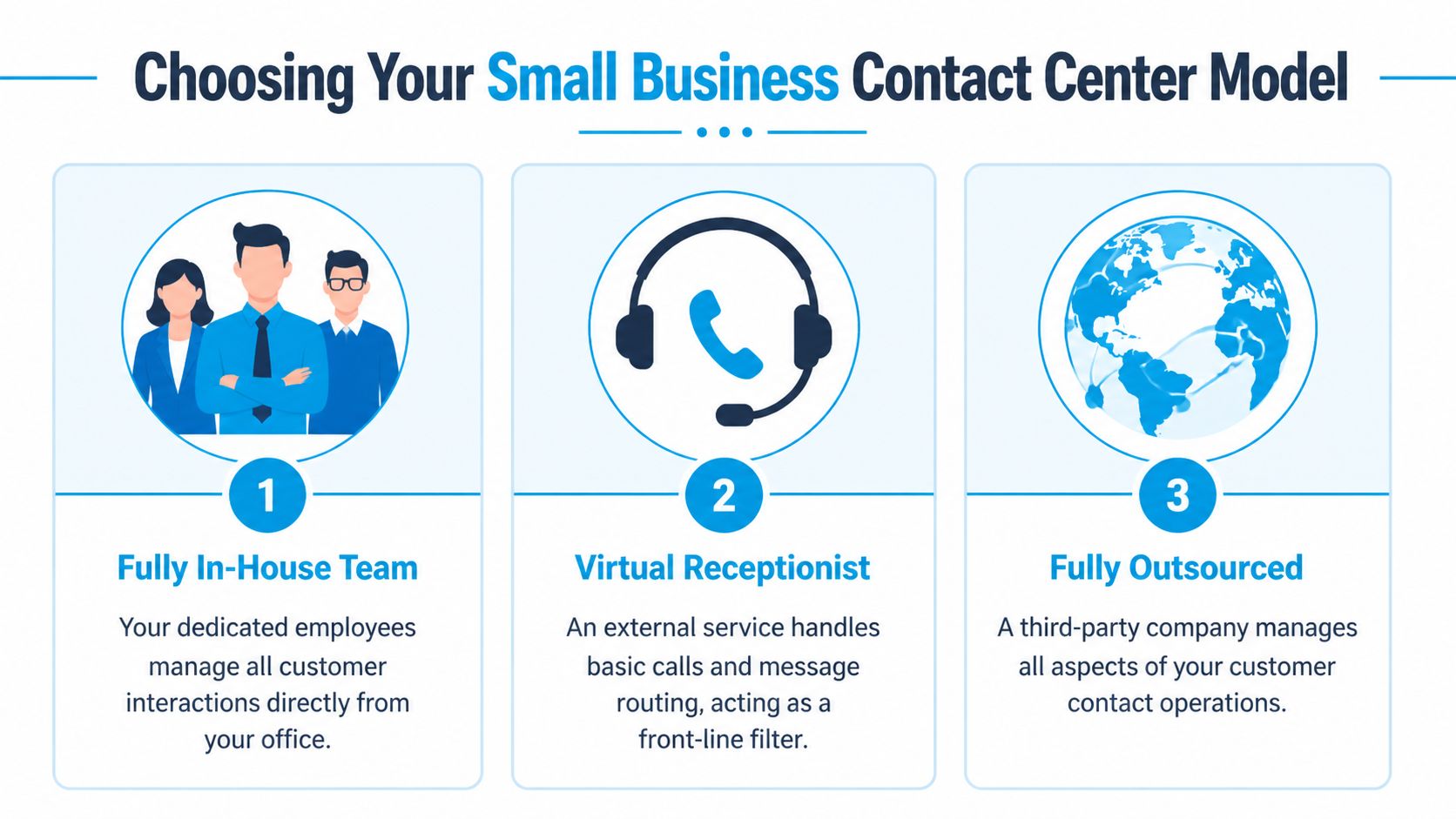
Four common models
Fully in-house team
This gives you the most direct control over tone, training, and process. It works well when your volume is predictable and your interactions are tightly tied to internal knowledge.
The trade-off is fragility. Coverage breaks when someone is at lunch, out sick, helping another customer, or off the clock. Small teams feel that fast.
Virtual receptionist
This is usually the simplest upgrade from a standard phone line. Someone external answers calls, takes basic information, and passes messages along.
It’s often enough for very small businesses with straightforward call flows. It usually falls short when callers need scheduling access, qualification, urgency handling, or continuity across text, phone, and chat.
Fully outsourced contact center
This model can extend hours and absorb volume quickly. It can make sense when you need broad coverage and don’t want to hire internally for every time block.
The risk is distance from your brand and process. If the outsourced team doesn’t understand your service rules, intake standards, or escalation triggers, they’ll answer calls without moving work forward.
Hybrid AI plus human
This is the model more small businesses should be evaluating. AI handles the repeatable front-end work. It greets callers, captures key details, screens spam, answers routine questions, confirms availability windows, and starts workflows. Humans step in when the issue is complex, emotional, urgent, or high value.
That handoff is where the model succeeds or fails. Frontline Group’s discussion of SMB contact center fit highlights a critical point: the quality of the AI-to-human handoff is a key differentiator of hybrid models, especially when conversations become complex or emotionally charged.
If a customer has to start over after the handoff, the automation didn’t save time. It just added friction.
Contact Center Models Compared
| Model | Cost | Scalability | Control | Best For |
|---|---|---|---|---|
| Fully in-house team | Higher ongoing staffing commitment | Limited by hiring and schedules | High | Businesses with stable volume and specialized internal knowledge |
| Virtual receptionist | Lower complexity | Moderate for basic intake | Low to moderate | Solo operators and very small teams |
| Fully outsourced | Broader coverage without internal hiring | High | Moderate to low | Businesses needing extended hours and overflow support |
| Hybrid AI plus human | Flexible because automation absorbs routine volume | High | High when workflows are well designed | Growing businesses that need both speed and quality |
How to choose without overbuying
Use these filters:
- Choose in-house if your interactions are highly specialized and most calls happen during business hours.
- Choose a virtual receptionist if your biggest problem is answering the phone consistently.
- Choose outsourced if coverage is the main problem and you can document your workflows clearly.
- Choose hybrid if you need routine calls handled fast, but still want humans for exceptions, sensitive issues, and sales opportunities.
A deeper look at outsourced call center solutions can help if you’re weighing external support against a blended model.
The practical mistake is buying for average days. Build for busy days, after-hours moments, and situations where callers are stressed. That’s where the right model pays for itself.
Your Implementation and Integration Checklist
A small business contact center fails most often during setup, not selection. The software may be fine. The routing may be fine. The primary problem is that the contact center sits beside the business instead of inside it.
That’s expensive in daily labor. Research indicates that 60-70% of small business inefficiencies stem from manual data entry between disconnected systems, which makes CRM and scheduling integration more important than channel count, as noted in RingCentral’s discussion of why small businesses need contact centers too.
Start with a workflow map
Before you buy anything, map what happens when a new inquiry arrives.
Write down:
Where contacts originate
Calls, web forms, text messages, web chat, referral calls, Google Business Profile calls.What information must be captured
Name, service need, urgency, location, preferred time, insurance info, opposing party, or any other qualification detail specific to your business.What the next action should be
Book an appointment, create a task, send a confirmation, assign an estimator, notify on-call staff, or escalate to a specialist.
If you can’t describe the path on paper, your team won’t execute it consistently in software.
Build the integration chain
A good implementation removes retyping. It should connect intake to action.
For example, when a new patient calls a clinic, the contact center should log the interaction, create or update the contact record, and place the follow-up in the scheduling workflow. When a law firm gets a new matter inquiry, the intake details should attach to the right record and notify the right person.
Use this checklist:
- CRM sync: Customer details should update automatically.
- Calendar sync: Bookings and callbacks should land where staff already work.
- Ownership rules: Someone specific must receive each qualified interaction.
- Status tracking: You need to know whether the lead booked, was disqualified, or needs follow-up.
- After-hours logic: Emergency cases should route differently from routine inquiries.
Implementation rule: If staff still copy notes from one screen into another, the project isn’t finished.
Train for handoffs, not just scripts
Teams usually train on greetings and FAQs. That’s not enough.
Train people on:
- Escalation triggers: What gets handed to a person immediately.
- Conversation context: How to pick up where automation left off.
- Disposition habits: How to close each interaction with the right tag, note, or next step.
- Exception paths: What to do when the request doesn’t fit the standard flow.
The strongest setups are boring in the best way. Calls come in, information is captured, tasks are created, appointments get booked, and nobody wonders who owns the next step.
How a Contact Center Works in Your Industry
The value of a small business contact center shows up in the messy details of real work. The model should feel different in plumbing than it does in healthcare or legal intake. Same operating principle. Different execution.

Home services
A homeowner notices water coming through the ceiling at night. They call after business hours. The system answers immediately, captures the address, asks a few triage questions, and identifies that this is urgent.
Instead of sending that call to a generic mailbox, the contact center routes it to the on-call technician or live support path. If the request is non-urgent, such as an estimate for a future install, the system can collect job details and offer a scheduling follow-up by text.
Healthcare and wellness
A patient wants to confirm an appointment, update contact details, and ask whether they need to arrive early. Those routine tasks can be handled quickly through automated flows tied to scheduling.
Then a more sensitive call comes in. The patient has concerns that need a trained staff member. That conversation should move to a person with the context already attached so the patient doesn’t have to repeat personal details.
In healthcare, speed matters. So does discretion. The contact center has to support both.
Law firms and professional services
A potential client calls a law office and says they need help, but they’re not sure what type of matter they have. A good intake flow asks the right qualifying questions, captures the opposing party if needed for conflict review, and routes the inquiry to the right practice area.
That’s a much better experience than taking a vague message and promising a callback later. The prospect feels heard, the firm collects usable intake information, and the next conversation starts with context instead of cleanup.
Multi-location businesses
Franchises and multi-office teams often struggle with misrouted calls. One customer reaches the wrong location, another needs service in a specific territory, and a third wants billing help from a central team.
A contact center can direct each interaction to the correct location or queue while preserving one brand experience. That matters because customers don’t care how your org chart works. They just want the right answer without being bounced around.
Measuring Success and Calculating ROI
Don’t judge a small business contact center by whether it feels modern. Judge it by whether it captures demand and reduces wasted effort.
The metrics that matter most
- Lead capture rate: Of the inbound opportunities you receive, how many turn into usable leads your team can work.
- Cost per interaction: What it costs to handle a call, text, or chat when you include labor and tools.
- Customer satisfaction: Whether customers feel the interaction was clear, fast, and helpful.
You don’t need a giant dashboard to start. You need a short list your team will review.
A simple ROI formula
Use a back-of-the-napkin equation:
(Value of new leads captured + value of admin time saved) - monthly service cost = ROI
Example in plain terms:
- You capture leads that previously would have hit voicemail.
- Your staff spends less time retyping notes, chasing messages, and sorting inbox clutter.
- The monthly cost of the system is lower than the value created by those gains.
That’s the right lens. This isn’t just a communications expense. It’s a revenue protection and workflow efficiency tool.
If you’re comparing pricing models, this breakdown of business answering service cost is a good place to sanity-check what you’re paying for.
If you want a hybrid model instead of another voicemail box, Recepta.ai offers AI receptionist coverage with human escalation for calls, scheduling, lead capture, and follow-up. It’s built for small businesses that need conversations handled around the clock without losing the human touch when a situation calls for it.