Google Voice for Business Number Explained for 2026
So, what exactly is a Google Voice for business number? Think of it as a professional, cloud-based phone line for your company. It gives you a dedicated business number that isn't tied down to a physical phone on a desk. Instead, it works on any device you use for work—your laptop, your personal smartphone, even a tablet. It's an add-on service specifically for Google Workspace users, designed to keep your work and personal calls completely separate.
What is a Google Voice for Business Number?

Let's break that down. Imagine giving out a single, professional phone number to all your clients, but being able to answer it from anywhere, on any device. That’s the real magic of Google Voice for business. It routes all your business calls over the internet directly to wherever you’re logged into your Google account.
The system runs on Voice over Internet Protocol (VoIP) technology. It simply turns your voice into a digital signal that travels online instead of through traditional phone wires. It’s a lot like having a dedicated business email address versus your personal one—it creates a clear, credible line for your company, keeping all your calls, texts, and voicemails neatly organized inside your Google Workspace.
To give you a clearer picture, here’s a quick summary of what Google Voice for business brings to the table.
Google Voice for Business At a Glance
This table shows just how straightforward the service is. It’s designed to be a simple, effective tool without the complexity of traditional phone systems.
How It Works in Practice
The real game-changer is its device independence. A Google Voice number lets you answer a client's call on your work laptop at the office. Need to head out for a meeting? You can switch that same call over to your personal smartphone without the client ever knowing the difference. From their perspective, they just called your business number. It’s all about maintaining a professional image without being chained to your desk.
Here’s a practical example: A home services contractor is out on a job site and gets a call from a new lead. They answer it on their personal cell using the Google Voice app, so the client sees the business number. Later, back in the office, they can text that same lead from their computer to confirm an appointment time, all while keeping their personal number private.
Core Benefits for Small Businesses
For a small business or a solo entrepreneur, the advantages are immediate. You get a professional phone presence without having to spend a fortune on equipment or complicated contracts.
- Professionalism: You immediately look more established with a dedicated business line. No more giving out your personal cell number. For example, a freelance graphic designer can put a professional number on their business cards instead of their private mobile number.
- Flexibility: Take business calls and texts from your home office, your car, or a coffee shop. As long as you have internet, you're in business. A real estate agent can receive an offer on a property via a call to their business number while showing another house, all on their personal phone.
- Cost-Effectiveness: It's a fraction of the cost of traditional landlines and there's no expensive hardware to buy or maintain. A new startup can avoid the high initial cost of a multi-line phone system and instead equip its first five employees with a business number for just $50 a month.
A Google Voice for business number is more than just a phone line; it's a unified communication hub that lives within the Google tools you already use. It centralizes calls, messages, and voicemails, making it easier for small teams to stay connected and responsive.
The service has become a go-to for companies needing an affordable VoIP solution. While it started as a consumer service back in 2009, it really found its footing in the business world around 2011 when it was integrated with Google Apps (what we now call Workspace). This allowed businesses to grab a virtual phone number without the hassle and expense of a traditional phone company. If you're interested in the backstory, you can read more about the evolution of voice technology and see how it got us here. This key integration solidified Google Voice's place as a staple for startups and small business owners everywhere.
Google Voice Pricing and Feature Tiers
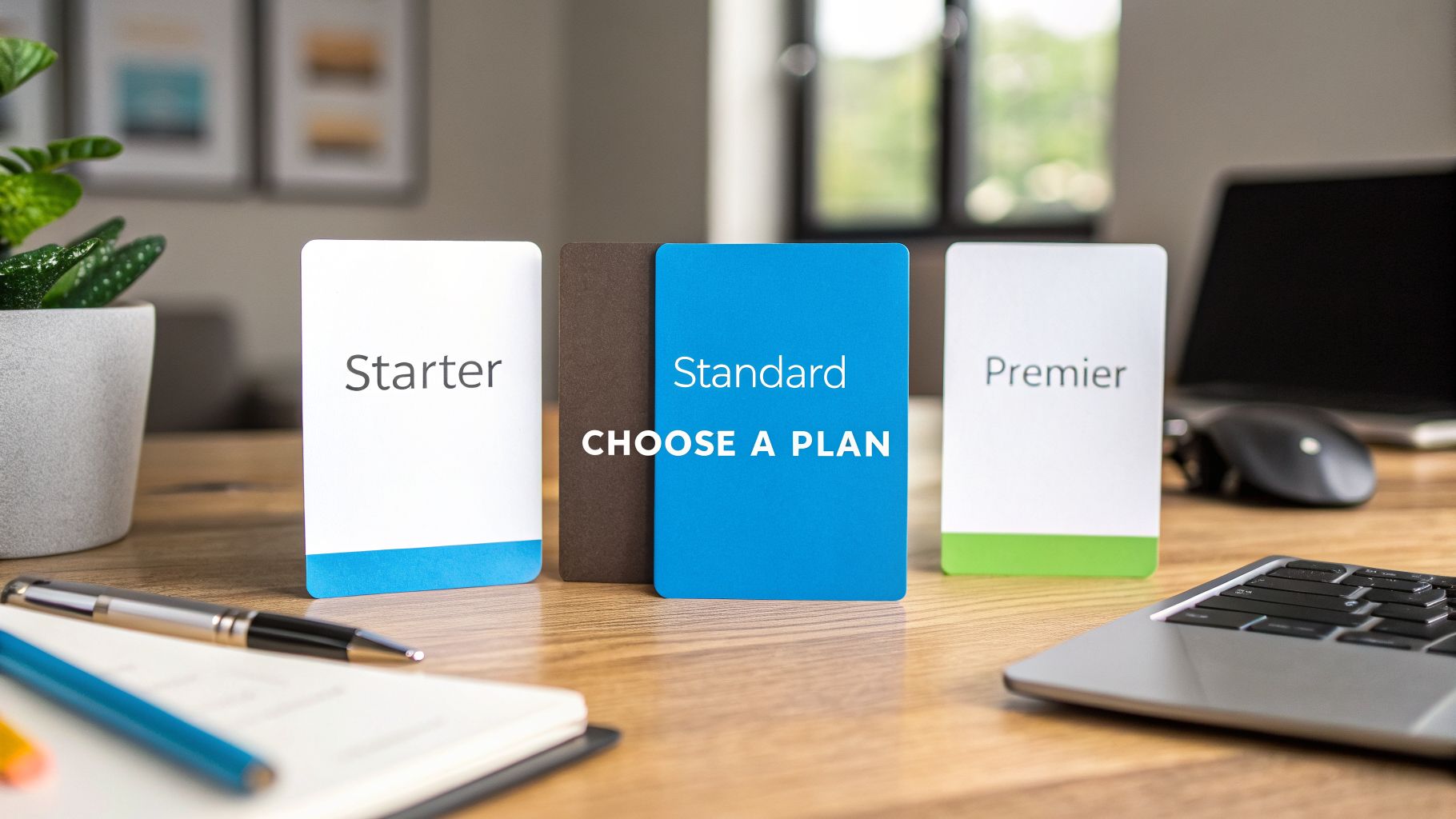
Picking the right plan for your Google Voice for business number is your first real step toward a more flexible phone system. Google organizes its Voice plans into three tiers: Starter, Standard, and Premier. Each one is built for a different kind of business, so it's more helpful to think about who each plan is for rather than just scanning a feature list.
Before we get into the specifics, there’s one crucial detail you can't miss: you absolutely need an active Google Workspace subscription to use Google Voice for business. This trips a lot of people up. The price of Google Voice is an add-on to your Workspace fees, so be sure to factor both costs into your monthly budget. For example, if you have a Google Workspace Business Starter plan at $6/user/month, adding Google Voice Starter adds another $10, making the total for that user $16/month.
Starter Plan: Who It Is For
The Starter plan is your entry point, coming in at $10 per user, per month. It's designed for solo operators and tiny teams who just need a professional number without all the bells and whistles.
Think of a solo consultant or a freelance photographer. They get a dedicated business number, voicemail transcription, and unlimited domestic calls. It’s a clean, simple solution for keeping work calls separate from personal ones, all on a single smartphone. This plan works perfectly for up to 10 users in domestic locations.
Standard Plan: Scaling Up for Teams
Once your team starts expanding, the Standard plan is the natural next move. For $20 per user per month, you get everything from the Starter plan plus some powerful collaborative tools. Critically, this tier supports an unlimited number of users.
The Standard plan's standout feature is ring groups. This feature lets you route an incoming call to multiple people at once, so the first person available can grab it. No more missed opportunities.
Imagine a small marketing agency. When a new lead calls, the phone can ring for all three account managers at the same time. The first one to answer can immediately start the sales process. That kind of immediate response can be the difference between landing a new client and losing them to a competitor. The plan also introduces a multi-level auto-attendant, which lets you build a simple phone menu (e.g., "Press 1 for sales, Press 2 for support").
Premier Plan: For Data-Driven Operations
The top-of-the-line Premier plan costs $30 per user per month and is really for businesses that run on data. It includes all the features from the Standard plan but adds advanced call reporting and analytics into the mix.
This is the perfect fit for a regional real estate brokerage with several offices. The brokerage manager can dig into advanced reports on call volume, see when peak call times are, and even track where calls are coming from geographically. For example, they might notice a surge in calls from a specific zip code and decide to target that area with a new ad campaign. The plan also lets you export this data to powerful tools like Google BigQuery for even deeper analysis. These insights are gold for optimizing staffing schedules, focusing marketing spend, and making the entire operation more efficient.
Key Features and Critical Limitations to Consider
Before you jump in, it’s crucial to understand what a Google Voice for business number can do for you—and just as importantly, what it can't. Its popularity stems from a handful of simple, powerful tools that are perfect for modern, mobile-first businesses. But it's not without its limits, and those boundaries are something growing companies often run into.
Let's start with what pulls so many small businesses in. The core appeal is its beautiful simplicity and how it fits right into the Google ecosystem. These features are designed to make communication feel effortless for teams that are constantly on the move.
The Features That Attract Small Businesses
For most people, the benefits of Google Voice are crystal clear right out of the box. They solve common communication headaches without a hefty price tag or needing a tech wizard to set them up.
- Unlimited Calling and Texting in the US: This is a huge one. Having unlimited domestic calls and SMS messages means you get a predictable monthly bill without ever worrying about surprise overage fees.
- Voicemail Transcription: Google’s voice-to-text technology automatically converts voicemails into readable text and zips them over to your email. For a busy professional, this is an incredible time-saver.
- Call Forwarding and Device Switching: You can have incoming calls ring on any device—your laptop, your desk phone, your cell—as long as you’re logged into your Google account. You can explore our detailed guide on call forwarding options to see just how flexible this can be.
Here’s a real-world scenario: A contractor gets a long, rambling voicemail from a client about a project change. Instead of having to stop what they're doing to listen, they can just scan the text for keywords like "water leak" or "new address" and decide how to respond. This is actionable because they can immediately forward that transcribed email to a team member with instructions.
This level of accessibility is a game-changer. In fact, research shows that over 91% of brands using voice technology see a boost in conversions and revenue. Google Voice is a natural fit for businesses already using Google Workspace. For a home service pro—like a plumber or an HVAC technician—this means their team in the field can make and take calls from a laptop or their personal mobile just as easily as from an office phone, which cuts down on wasted time.
Critical Limitations You Must Know
But here's the other side of the coin: a Google Voice for business number isn't a silver bullet. The very simplicity that makes it so appealing is also its biggest weakness. As your business grows, you're likely to bump up against limitations that can start to hold you back.
The most common complaints are all about the lack of advanced phone system features. For instance, while the Standard and Premier plans give you a basic auto-attendant, it's a far cry from a true multi-level Interactive Voice Response (IVR). You can’t build those sophisticated call menus that guide customers to the right department or answer common questions without human help. For example, you can't set up a menu that says, "For account balance, press 3," and have it automatically provide that information.
On top of that, integrations are pretty much limited to other Google Workspace apps. If your business depends on a specific CRM like Salesforce or HubSpot, you'll have a tough time getting Google Voice to automatically log calls or sync contacts. This means your team has to manually enter data, which is slow and prone to errors.
And finally, customer support can be a sticking point. If your phone line is your business’s lifeline, waiting around for email-based support during an outage just isn't an option. These are the kinds of growing pains that eventually push businesses toward more powerful and dedicated communication platforms.
How to Set Up Your Google Voice Business Number
Getting your business set up with Google Voice is a pretty straightforward affair, but you have to follow the steps in the right order. It all happens inside your Google Workspace environment, so think of it like adding a new app to your company’s toolkit from one central control panel.
The whole process hinges on your Google Workspace Admin account. This is a non-negotiable prerequisite; you can't use a personal Gmail account for this. The setup is broken down into a few key stages to make sure everything is configured correctly.
Stage 1: Confirm Your Google Workspace Subscription
First things first, you need an active Google Workspace subscription. This is the foundation that Google Voice for business is built on. If your company isn't already on a plan like Business Starter, Business Standard, or Business Plus, you'll need to sign up.
Having your Workspace account active is what ties your new business number to your professional company profile, keeping it separate from any personal accounts. Once that’s handled, you can move on.
Stage 2: Add Google Voice from the Admin Console
With your Workspace subscription ready, log into your Google Admin console. This is your command center. Head over to the "Apps" section, find Google Voice, and add it as a new service to your organization. This action officially unlocks Voice and makes it available to your team.
Next, you'll be prompted to pick a Google Voice plan: Starter, Standard, or Premier. Choose the one that makes the most sense for your team's needs and size, based on the features we covered earlier. After you select a plan, you'll assign licenses to the specific people in your company who need a business number. A practical action here is to only assign licenses to employees who are client-facing, like sales and support, to manage costs.
Stage 3: Choose a New Number or Port an Existing One
Now for the fun part—giving your business its phone identity. You’ve got two paths here:
- Get a New Number: You can pick a fresh number right from Google's inventory. A pro tip is to grab one with a local area code. It’s a small thing, but it instantly builds trust and a sense of local presence for customers in your service area. For example, a bakery in Brooklyn should search for a 718 or 347 area code.
- Port Your Existing Number: Already have a business number that your customers know? You can bring it over. The process is called "porting," and it's essentially a transfer of your number from your old provider to Google Voice.
Porting is crucial for any established business wanting to keep its branding consistent. To make the switch without a hitch and avoid dropped calls, you'll need your account number and PIN from your current phone carrier. It's a good idea to start the process well ahead of time to prevent any service interruptions.
For a smooth port, double-check that every piece of information you provide perfectly matches what your current carrier has on file. And as you’re streamlining communications, you might also find it helpful to learn how to forward voicemail to email to keep all your messages organized in one place.
When to Use Google Voice and When You've Outgrown It
Knowing the right time to get a Google Voice for business number—and, just as importantly, when to move on—is a huge part of keeping your business communications running smoothly. It’s a fantastic tool in certain situations, but its limits really start to show as a business grows. Figuring out these pros and cons helps you make a strategic choice, not just a reactive one.
Google Voice is a solid starting point for many businesses. It’s a simple, affordable way to get a professional phone number without getting tangled up in the complexity of traditional phone systems.
Ideal Scenarios for Using Google Voice
A Google Voice number is often a perfect fit for businesses just getting off the ground. Since it ties directly into Google Workspace, it’s a natural extension for teams already living in Gmail, Calendar, and Drive.
- Solopreneurs and Freelancers: If you're a one-person show, Google Voice gives you a separate business line right on your personal phone. This creates an instant professional boundary without needing any extra hardware. For example, a freelance writer can take client calls during the day via the Voice app and then use "Do Not Disturb" mode after hours to send all business calls directly to voicemail.
- Small, Mobile Teams: Think of a small landscaping crew or a few consultants always on the move. They can use Google Voice to stay connected from the field, answering calls on their cell phones while displaying the same, consistent business number to clients.
This flowchart breaks down the simple path to getting started.
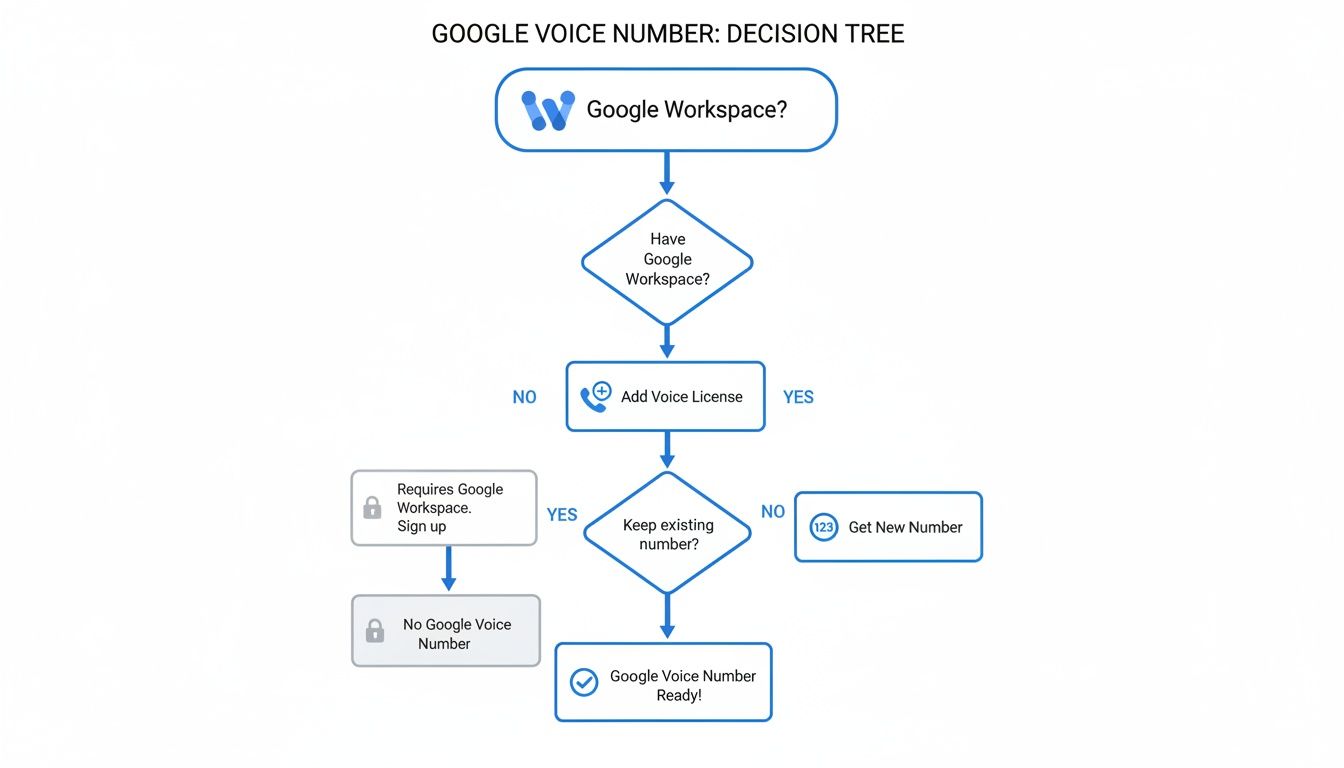
As you can see, the journey starts with a Google Workspace subscription. From there, you just add the Google Voice service and pick your number.
But as a business scales, cracks can start to appear. For growing businesses like franchises, issues like spotty two-factor authentication support and SMS delivery failures can become major headaches. In fact, reviews suggest these problems affect 20-30% of users, often pushing them to look for other solutions. These hiccups are usually the first warning sign that you're hitting a wall.
Clear Signs You Have Outgrown Google Voice
What once felt like a simple, elegant solution can quickly turn into a frustrating bottleneck as your business expands. Think of these as "growth triggers"—clear signals that it’s time to find a more robust phone system.
The moment you start losing money because a call wasn't answered is the moment you've outgrown Google Voice. For a service business, every missed call after hours is a lost job.
Catching these signs early can save you from a lot of missed opportunities and customer frustration. Keep an eye out for these key indicators:
- You Need 24/7 Call Answering: If your business handles after-hours emergencies—like a plumbing company or an IT support firm—you absolutely need a system that ensures every single call gets picked up. Google Voice can't answer the phone for you when everyone's gone home. If a client's pipe bursts at 2 AM, that call goes to voicemail, and you've likely lost that job to a competitor who answered.
- Calls Need Intelligent Routing: When you need to send callers to specific departments like sales, support, or billing, a simple ring group just doesn't cut it anymore. You need an auto-attendant or IVR to guide callers to the right person efficiently, without manual intervention. A growing e-commerce store needs to route return requests separately from new order inquiries to provide good service.
- CRM Integration Is a Must: Is your team spending hours manually logging every call and contact detail into your CRM? That's valuable time you can't get back. More advanced phone systems can do this automatically, syncing call logs, recordings, and customer data in an instant. A sales team using Salesforce needs call activity to be logged automatically to track their pipeline accurately.
When these needs become critical, it's time to explore more powerful platforms. To get a sense of what that next step looks like, check out our guide on the 12 best virtual receptionist options for small businesses.
Comparing Google Voice to Advanced AI Alternatives
When your business starts to outgrow a simple phone number, it’s time to look at what's next. A Google Voice for business number is a fantastic first step—it's professional and far more flexible than a personal cell. But its basic call forwarding and manual voicemail management have real limitations. For any business that sees its phone as a growth tool, exploring modern AI-powered customer service solutions can be a game-changer.
Let's put Google Voice side-by-side with an advanced AI receptionist, like Recepta.ai, to really understand the difference in capabilities.
Key Functional Differences
The biggest difference comes down to one thing: what happens after the phone rings. Google Voice is designed to simply pass the call along to you or your team. An AI receptionist, on the other hand, is built to actively handle that call and turn it into a productive business outcome.
Imagine a small therapy practice just starting out. They use Google Voice, which works fine during the day. But they consistently miss new patient calls that come in after 5 PM because no one is there to answer. This is where a basic system starts to cost you.
With an AI receptionist, those same after-hours calls are answered instantly, every single time. The AI can screen the caller, gather the necessary new patient information, and even book an initial consultation directly into the therapist’s calendar. What was once a missed call becomes a confirmed new patient, all without any human intervention.
This simple table really drives home how the two services differ in practice.
Google Voice vs AI Receptionist (Recepta.ai)
Ultimately, the right choice boils down to your current business needs and where you're headed. Google Voice is a solid, cost-effective tool for getting a professional phone presence off the ground.
But when every missed call starts to feel like lost revenue, and when your team is bogged down by manual data entry from voicemails, an AI-powered system provides a clear path to better efficiency and growth. You can dive deeper into how this technology works by reading about a modern AI phone answering service.
Your Google Voice Questions, Answered
Let's clear up some of the most common questions people ask when they're thinking about getting a Google Voice for business number. Getting these details straight from the start can save you a lot of headaches later on.
Can I Get a Business Number with My Personal Gmail Account?
This is a big point of confusion, and the answer is a firm no. A Google Voice for business number isn't a standalone product; it's an add-on service that hooks directly into a paid Google Workspace account.
If you're using a free, personal Gmail account, you won't be able to sign up. Your business needs an active Workspace subscription before you can even consider adding Voice. For example, you must have an email like you@yourcompany.com, not you@gmail.com.
What Happens If My Team Grows Beyond My Plan Limit?
This is a great question, especially for growing businesses. If you start on the Starter plan, you're capped at a 10-user limit. The moment you need to add that 11th person, you'll have to upgrade your entire team to the Standard or Premier plan.
This means everyone's monthly cost will go up. It's not just about paying for one more user; it's about moving to a new pricing tier for the whole group. For example, if you have 10 users on the Starter plan ($100/month), adding one more forces all 11 users onto the Standard plan, making your new bill $220/month.
The key takeaway here is to think ahead. If you anticipate your team growing soon, it might be more cost-effective to start on a plan that gives you room to expand, avoiding service disruptions and unexpected budget hikes.
Can Google Voice Truly Replace My Traditional Office Phone?
For a lot of small businesses, the answer is absolutely yes. It handles all the basics beautifully and adds a ton of flexibility.
However, it's not a perfect substitute for every single feature you might find in a high-end, old-school phone system. For instance, Google Voice doesn't support complex call menus (what the pros call multi-level IVR) or integrate deeply with certain physical desk phones. A law firm that needs to record all calls for compliance and route clients to specific paralegals based on case type would find Google Voice too basic.
For businesses that need a more powerful communication hub, it’s worth exploring other options. Something like the 3CX Phone System can offer a more advanced feature set that might be a better fit.
Ready to move beyond the limitations of a basic phone number? Recepta.ai provides a 24/7 AI receptionist that captures every lead, schedules appointments, and integrates with your essential tools. Stop losing opportunities and discover how much more you can achieve by visiting https://recepta.ai.