Mastering Call Forwarding Options for Business Growth

Missed calls are missed opportunities. For most businesses, they’re a quiet but steady leak of potential revenue. The right call forwarding setup is more than just a phone feature; it's a safety net that makes sure every person who calls gets to talk to a real person, not a voicemail box.
Why Smart Call Forwarding Is a Business Superpower
Picture this: a plumber is on-site, elbow-deep in a burst pipe—a messy, critical job. Her phone rings. It’s a new customer with another emergency, a potentially lucrative job across town. She can't possibly answer.
The call goes to voicemail, and the caller, needing help now, just moves on to the next plumber on their Google search. This isn't just one missed call; it's a five-figure opportunity vaporized in an instant.
This kind of thing happens every single day, creating a gap between businesses and their customers that hits the bottom line hard. Call forwarding is the bridge over that gap. It’s not about just bouncing a call from one phone to another; it’s about crafting a responsive, professional presence, no matter where you are or what you’re doing.
Think of it less as a technical feature and more as a strategic tool. It creates a smooth experience for your clients, making your business feel bigger and more organized than it might be. In fact, one study found that a staggering 80% of callers who get sent to voicemail just hang up without leaving a message. Why? Because they assume no one will ever listen to it. Smart call forwarding stops that from happening.
More Than Just a Redirect
At its core, good call forwarding creates a reliable chain of communication. It makes sure every new lead or customer question gets handled quickly, which is absolutely essential for building trust and keeping people coming back. Once you get a handle on the different types of call forwarding, you can build a system that fits your business like a glove.
We’re going to break down how to set up forwarding to:
- Capture every single lead: When you’re tied up, calls can be automatically sent to a partner, a team member, or an answering service.
- Improve the customer experience: Connect callers to the right person on the first try. You’ll slash wait times and show them you value their time.
- Build a professional image: Give the impression of a well-staffed, always-on operation, even if you’re a solopreneur working from your home office.
For a small business, a missed call isn't just a communication fumble; it's handing a customer directly to your competition. The right call forwarding setup levels the playing field, letting you offer the same kind of responsiveness as the big guys.
Getting a handle on these options gives you back control over your most important asset: your conversations with customers. Let's dive in and turn your phone system into a real growth engine.
Understanding Your Core Call Forwarding Options
Picking the right call forwarding setup is a lot like choosing the right tool for a job—each one has a specific purpose. Getting to know the basic types is the first step in creating a system that actually helps your business grow, rather than just bouncing calls from one phone to another.
The global call forwarding market is booming, expected to hit $2.54 billion by 2030. This isn't surprising, given the rise of remote work and cloud phone systems that make these tools easier to use than ever. For decades, providers have been honing this service, now spanning over 160 countries to keep businesses connected no matter where they are. You can get more details on the growth of global call forwarding services and see how they support international business.
This flowchart shows the simple but critical choice you face every time the phone rings. You either forward the call effectively or you risk losing business. Simple as that.

The image drives home a key point: a missed call is a missed opportunity, while a forwarded call keeps the conversation going.
To help you decide which approach fits best, let's break down the main forwarding types.
Comparing Core Call Forwarding Options
This table offers a side-by-side look at the most common call forwarding types to help you choose the right strategy for different business situations.
Now that you have the big picture, let's dig into the details of when and how to use each of these powerful tools.
Unconditional Call Forwarding: The Always-On Redirect
Unconditional forwarding is the simplest of the bunch. Just like its name suggests, it redirects every single call to another number without your first phone ever ringing. It’s a blunt but effective tool for times when you know you won’t be able to answer your main line at all.
Use this when... you need a set-it-and-forget-it solution. It’s perfect for ensuring every call is answered by someone else, instantly.
Practical Example: A small law firm is closing for a week-long company retreat. The managing partner sets up unconditional forwarding to send all calls from the main office line straight to a professional answering service. This way, a potential new client with an urgent case speaks to a live person who can take their details, ensuring the lead is captured and scheduled for a follow-up, rather than hitting a generic "we are closed" voicemail.
Conditional Call Forwarding: The Smart Backup Plan
Conditional forwarding is a bit more sophisticated. It’s like a smart assistant that steps in only when you need it, activating based on rules you set. This gives you the freedom to answer when you’re free and rely on a backup when you’re not.
This type of forwarding typically kicks in under three conditions:
- No Answer: The phone rings at your desk for, say, 20 seconds. If you don't pick up, the call automatically jumps to your backup number. This is great for when you're in a meeting and can't grab the phone right away.
- Busy: If you’re already on a call, the new call is instantly sent to the forwarding number. This is a huge improvement over making your caller hear a frustrating busy signal.
- Unreachable: When your phone is off, the battery dies, or you’re in a dead zone with no signal, calls are automatically routed to your chosen number. This is a must-have for anyone who travels through areas with spotty cell service.
Practical Example: A solo real estate agent uses conditional forwarding to send calls to her assistant if she doesn't answer after four rings. This ensures a hot lead calling about a new listing always talks to a real person who can schedule a showing, even if the agent is in the middle of a client meeting and can't pick up.
Scheduled Call Forwarding: The Time-Based Director
Also known as time-of-day routing, scheduled forwarding puts you in control of your calls based on the clock. You create rules that forward calls only during specific windows of time. This option is a game-changer for businesses that want to protect personal time or have a different protocol for after-hours calls.
- Business Hours: During your normal hours (e.g., 9 AM to 5 PM, Monday-Friday), calls ring straight to your office.
- After Hours: Outside of that time, calls are automatically forwarded to an on-call technician, a dedicated voicemail, or a 24/7 answering service.
Practical Example: A local retail boutique closes at 6 PM. The owner sets up scheduled forwarding so any call after 6:01 PM goes directly to her cell phone. This lets her handle urgent customer issues or large order inquiries without having to physically stay at the shop, and she never has to remember to turn forwarding on or off.
How to Implement Call Forwarding Like a Pro
Knowing your call forwarding options is one thing, but actually putting them into action is another game entirely. This is your practical guide to getting everything configured, whether you’re working with a cell phone, a traditional landline, or a modern VoIP service. The goal here isn't to get bogged down in technical manuals, but to give you a clear, universal action plan.
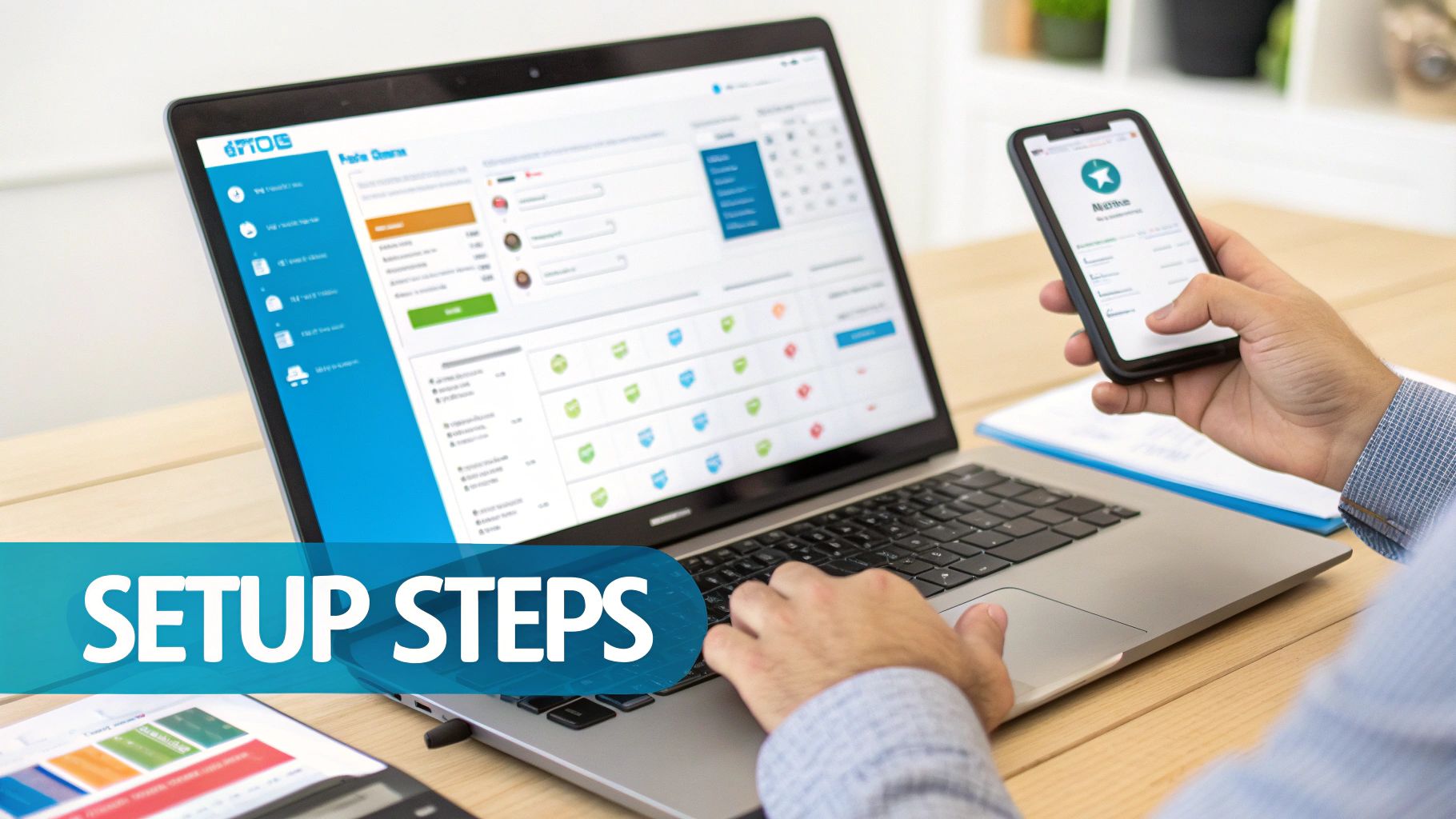
No matter what system you're using, the core steps are pretty much the same. You'll need to find your account's call management settings, create your forwarding rules, and then punch in the destination numbers where you want those calls to land.
Let's break down what this looks like across different platforms.
Setting Up on Different Phone Systems
Every type of phone service has its own way of handling call forwarding. While the nitty-gritty details might change a bit between providers like AT&T and Verizon, the general approach for each category stays consistent.
- Mobile Carriers (like Verizon, AT&T, T-Mobile): This is usually the fastest and easiest setup. You can typically switch on forwarding right from your phone's settings menu or by dialing specific star codes (like dialing *72 followed by the forwarding number). Many carriers also give you an online account portal where you can set up more complex conditional rules.
- Traditional Landlines: For old-school landlines, the setup usually means dialing a star code from the phone itself to turn forwarding on or off. The catch is that you often have to be physically there to make changes, which makes it far less flexible than modern options.
- VoIP and Cloud Phone Systems: This is where you get the ultimate control. VoIP providers give you a web-based dashboard or a mobile app to configure everything. You can set up unconditional forwarding, scheduled forwarding, and more with just a few clicks. It's the go-to method for any business that needs to be agile.
While setting up forwarding on a mobile is convenient, it can sometimes be a little finicky. For a deeper dive, check out our guide on how to forward calls on a cell phone, which walks through the steps for different devices and carriers.
A Proactive Implementation Checklist
Just flipping the "on" switch isn't enough. A professional setup takes a bit of planning and testing to make sure you're creating a smooth experience for your customers, not a frustrating dead end. Before you go live, run through this checklist.
- Map Your Call Flow: Don't just wing it. Grab a whiteboard or even just a piece of paper and draw out what happens when a call comes in. Where does it ring first? If that person is busy, where does it go next? Who is the absolute last resort before voicemail?
- Define Your Forwarding Rules: Look at your map and decide which call forwarding options you need. Are you sending all calls to one place during a company retreat (unconditional)? Or just routing calls to a colleague when your line is busy (conditional)? Get specific.
- Communicate with Your Team: Make sure everyone involved knows how the new system works. If Jane is now getting calls forwarded from Mark's line, she needs to be prepared to answer them professionally. A simple script or a few key talking points can make a world of difference.
- Test, Test, and Test Again: I can't stress this enough—it's the most critical step. Have a friend or colleague call your main number and test every scenario. Let it ring to check the "no answer" rule. Call while you're on another line to test the "busy" rule. Make sure every call goes exactly where you intended.
A common mistake is assuming the setup works perfectly on the first try. A five-minute test call can save you from hours of missed opportunities and customer frustration down the line.
Practical Example: The Multi-State Service Franchise
Picture a home services franchise with offices on both the East and West Coasts. The East Coast office clocks out at 5 PM ET, but the West Coast team is still going until 5 PM PT—a three-hour difference.
Instead of just letting late East Coast calls pile up in voicemail, the owner uses scheduled forwarding. At 5:01 PM ET every weekday, all calls to the East Coast office's number are automatically sent straight to the West Coast office's front desk.
This simple move instantly extends their customer service window by three hours. They start capturing valuable after-hours and emergency calls that would have otherwise been completely lost. The best part? The customer has no idea their call just traveled across the country. They just know someone was there to help.
This is a perfect example of using call forwarding options as a smart, strategic business tool.
Advanced Call Routing Strategies That Win Customers
Once you've got the basics down, you can start exploring call routing strategies that do more than just send a call from point A to point B. They actively create a better experience for your customers. This is the difference between a simple "out of office" forward and a truly intelligent call management system. Think of it like swapping a basic traffic light for a smart traffic grid that reroutes cars based on real-time conditions.
These call forwarding options are no longer a "nice-to-have"—they're essential. Especially with so many teams spread out geographically. By 2026, experts predict 52% of employees globally will be working from home at least once a week. You can find more stats on remote work and communication trends on GlobalCallForwarding.com. Sophisticated routing is what keeps everyone connected and ensures a customer never gets lost in the shuffle.
Using Hunt Groups to Reduce Wait Times
One of the most powerful and practical tools in your kit is the hunt group. Put simply, a hunt group takes a single phone number and distributes incoming calls across a group of different phone lines. Instead of one person being the single point of failure, you have a whole team ready to catch the call.
There are a couple of popular ways to configure them:
- Simultaneous Ringing: A call comes in, and every phone in the group rings at once. The first person to answer gets the call. This is perfect for sales or support teams where every second counts.
- Sequential Ringing: The system tries the first person on a pre-set list. If they don't answer after a few rings, it automatically "hunts" for the next person in line, and so on. This works great when you need to establish a clear hierarchy for who should answer first.
Practical Example: A small e-commerce business uses a simultaneous ring hunt group for its customer service line. When a customer calls, it rings the phones of all three support agents at the same time. This ensures the first available person can immediately answer a question about an order, dramatically reducing hold times and preventing calls from going to voicemail during busy periods.
Empowering Customers with Interactive Voice Response
Another game-changer is setting up an Interactive Voice Response (IVR) menu. This is the automated greeting we've all heard: "Press 1 for Sales, Press 2 for Support." We've all been frustrated by bad IVRs, but a well-designed one is an incredible tool for efficiency.
A good IVR puts the customer in the driver's seat, letting them route themselves to the right person or department without ever needing a receptionist. This act of self-service doesn't just get them help faster; it frees up your team from the mind-numbing task of manually transferring calls all day.
A well-structured IVR doesn't just direct traffic; it qualifies intent. It tells you what a customer needs before you even say hello, allowing your team to prepare for a more productive conversation.
Practical Example: A local home contractor who offers multiple services sets up their IVR like this:
- Press 1 for new project inquiries (sends the call to the sales team's hunt group).
- Press 2 for an update on an existing project (rings the project managers' direct lines).
- Press 3 for billing and payments (goes straight to the finance department).
This ensures an urgent billing question doesn't get stuck in line behind a new sales lead, making for a smoother experience all around. By analyzing the data these menus produce, you can also spot patterns in customer needs. To learn more about tracking this activity, check out our guide on the essentials of call detail reporting.
Skills-Based Routing for Expert Service
If you want to take your IVR to the next level, you can implement skills-based routing. This is a far more intelligent system that directs callers not just to a department, but to the specific individual best qualified to handle their exact issue.
Practical Example: A wealth management firm uses skills-based routing to provide premium service. When a high-value client calls in, the system recognizes their phone number and routes them directly to their personal financial advisor, completely bypassing the general queue. If a new caller selects "Spanish" from a language menu, the call is instantly sent to a bilingual agent. This is the kind of personalized service that makes customers feel seen and valued.
The Future Is Here: AI Receptionists vs. Call Forwarding
Even the most sophisticated call routing setups share a common, fundamental weakness. All traditional call forwarding options are purely reactive. Their only job is to pass a ringing phone from one number to the next, crossing their fingers that someone is available and ready to answer.
When no one picks up, that's it. The opportunity vanishes. You're left with no message, no lead information—just a missed connection and a frustrated customer.
This is where the real gap lies between yesterday’s tools and today's technology. Call forwarding is a passive switchboard operator; an AI receptionist is an active, intelligent problem-solver.
From Reactive Redirects to Proactive Engagement
Think of call forwarding like a mail carrier whose only instruction is to deliver a package to a specific address. If no one's home to sign for it, the package gets returned to the sender. There’s no conversation, no alternate solution, and no information captured.
An AI receptionist, on the other hand, is like having a 24/7 concierge at your front door. It doesn't just hand off the message; it actually talks to the visitor, figures out what they need, and often solves their problem on the spot. This shift from passively redirecting a call to proactively engaging with a caller is a massive leap forward.
Traditional forwarding asks, "Is anyone available to take this call?" An AI receptionist asks, "How can I help you right now?" This changes the entire customer experience from a game of chance to a guarantee of service.
This proactive approach completely solves the biggest flaw in any forwarding system. Even with the best hunt group or IVR, if the last person in the chain is busy or can't answer their phone, the customer hits a dead end. An AI ensures the conversation always starts, no matter how tied up your team is.
How AI Augments and Outperforms Forwarding
An AI receptionist does more than just answer the phone—it performs critical business tasks that forwarding was never built for. It turns your phone line from a simple point of contact into a powerful, automated engine for your business.
Here’s a quick look at what an AI can do that forwarding simply can't:
- Answer Common Questions Instantly: Instead of routing a simple question about your business hours to an employee, the AI gives the answer immediately. This frees up your team to focus on bigger issues.
- Schedule Appointments 24/7: A customer calling at 10 PM on a Tuesday can book a consultation for the next day without ever talking to a human. That's business you would have otherwise missed completely.
- Qualify Leads and Capture Data: The AI can ask smart, qualifying questions ("Are you a new or existing client?") and plug that information right into your CRM before the call ever reaches a person.
A Practical Example: The Busy Dental Office
Let's look at a thriving dental practice. They currently use conditional forwarding, which sends calls to the office manager's cell phone when the front desk is swamped. The problem is, when the manager is busy with a patient, those calls roll straight to voicemail.
Now, let's plug in an AI receptionist.
A patient calls to book a routine cleaning. The AI pulls up the office calendar, finds an open slot, and schedules the appointment—all in under a minute, with zero human effort. A few minutes later, another call comes in from someone with severe tooth pain. The AI recognizes the urgency, gathers the patient's details, and immediately forwards the call and a summary of the issue directly to the on-call dentist's emergency line.
The AI handled the routine work automatically and intelligently escalated the real emergency. This is the new standard.
If you’re curious how this model can work for smaller teams, you can learn more about the benefits of an AI receptionist for small business in our detailed guide. It’s all about making sure every single call counts.
Troubleshooting Common Call Forwarding Problems
Even the best-laid plans hit a snag. When your call forwarding goes sideways, it’s more than just a little frustrating—it can cost you business and leave customers hanging. Let's walk through how to diagnose and fix the most common hiccups so you can get things running smoothly again.
The good news? Most issues with call forwarding options fall into just a few categories. Knowing what to look for usually means you can sort it out yourself in a few minutes, no tech support call required.
Problem One: Calls Go Straight to Voicemail
This is easily one of the most maddening problems. A potential customer calls, ready to talk, but gets dumped straight into a voicemail box that nobody checks. Opportunity lost.
What's Really Happening: This almost always means one of two things: the forwarding rules are wrong, or the phone you're forwarding to is unreachable. It could be as simple as a typo in the number, a "Do Not Disturb" setting, or even an issue with the carrier.
How to Fix It:
- Check the destination number. Seriously. A single wrong digit is the number one cause of this headache.
- Make sure the destination phone is alive. Is it on? Does it have a signal? Is "Do Not Disturb" or "Airplane Mode" accidentally switched on?
- Look at your forwarding rules. Dive into your VoIP or phone provider’s dashboard and confirm the active rule is the one you think is active. This is especially true for time-based or conditional forwarding.
The reliability of call forwarding is a cornerstone of modern business communication. For perspective, Global Call Forwarding has an impressive 4.9 out of 5 rating from verified Capterra reviews, and 91% of users on Software Advice rate its call quality as excellent.
Problem Two: Incorrect Caller ID Display
Here's another classic issue. A call comes through to your cell, but the caller ID shows your own business number. You have no idea if it’s a new lead, an existing client, or your accountant.
What's Really Happening: Your phone system has a setting that isn't passing along the original caller's information. Instead of showing you who is actually calling, it's just showing you where the call was forwarded from—your main line.
How to Fix It:
- Log into your VoIP provider's online portal.
- Find the call forwarding or call flow settings for your main business number.
- Search for a feature called "Display Original Caller ID," "Pass-Through Caller ID," or something similar.
- Make sure this option is turned on. This tells the system to show you the customer's number, not your own.
Problem Three: Long Delays Before Connecting
Ever call a business and sit through an eternity of silence or rings before the call finally connects? It feels unprofessional and makes you want to hang up. Your customers feel the same way.
What's Really Happening: The culprit is usually the "ring duration" setting in a conditional forwarding setup. If your system is programmed to ring your desk phone for 30 seconds before forwarding to your mobile, the caller has to wait through all 30 of those seconds. A poorly configured voicemail system can also introduce weird delays. If you're running into that, you can learn more about how to forward voicemail to email to create a better backup plan.
Your Top Call Forwarding Questions Answered
When you're first digging into call forwarding, a few key questions always seem to pop up. Let's get you some straight answers so you can make the best choice for how your business handles calls.
Can I Forward My Business Landline to My Cell Phone?
You absolutely can, and it's one of the most common reasons business owners set this up in the first place. It’s a simple way to make sure you never miss a beat when you’re out of the office.
While you can arrange this with your traditional landline company, a modern VoIP system will give you a ton more flexibility for how and when those calls find their way to your mobile.
Is There an Extra Cost for Call Forwarding?
This one really comes down to your phone provider. The good news is that most modern VoIP business phone plans bake these features right in, so there’s no extra charge.
On the other hand, some old-school landline carriers or even certain mobile providers might hit you with a small monthly fee or a per-minute rate. It’s always smart to double-check the fine print of your plan before you start.
The caller's experience should be completely seamless. They will simply hear a standard ringing tone until the call is answered at its final destination, maintaining a polished and unified business presence.
Will My Customers Know Their Call Is Being Forwarded?
Nope. When it’s set up correctly, the entire process is invisible to your caller. They won't have any idea their call is being rerouted from your desk phone to your cell or even to a teammate working from home.
How Do I Turn Off Call Forwarding When I'm Back at My Desk?
Switching it off is usually just the reverse of how you turned it on. You can typically do this through an online dashboard, a mobile app, or by dialing a specific code on your phone's keypad (a common one is *73).
Even better, if you set up time-based forwarding rules, the system can handle all of this for you automatically.
If you're tired of calls getting lost in the shuffle, see how Recepta.ai can transform your communications with an AI-powered receptionist that captures every opportunity, 24/7. Explore the future of call management at https://recepta.ai.