8 Scripts for Answering Phone Calls That Convert

One missed call can cost you a customer for life. It happens every day in HVAC shops during a heat wave, in dental offices during lunch, and in law firms when the front desk is already juggling three conversations. The caller has a real problem, limited patience, and a short list of alternatives. If your team sounds scattered, asks the wrong questions, or sends the call to voicemail, that caller often moves on.
That's why scripts for answering phone calls matter so much. A script isn't just a greeting. It's an operating system for the conversation. Done well, it reduces variability and improves consistency across agents, which is one reason scripting became standard practice in call centers and customer service. One published review of phone-answering script practices also notes that 41% of consumers cite “different agents giving different answers” as a top contact-center pain point, which is exactly the kind of inconsistency scripts are built to reduce, while major vendors now publish broad script libraries, including Zendesk with 88 examples, Dialpad with 10 templates, and CloudTalk with 35+ templates in their public resources, showing how mainstream structured scripting has become in day-to-day operations (Everhelp's overview of phone answering scripts).
The good news is that you don't need a giant call center to use them well. You need a handful of practical scripts, clear routing rules, and a process for capturing what the caller said so the next person doesn't make them repeat it. Below are eight scripts that work in the field, plus the reason each one works, where it usually breaks, and how to scale it with modern phone systems and AI receptionist workflows.
1. New Customer Inquiry & Appointment Scheduling Script
Most businesses lose new callers in the first minute for a simple reason. They either sound too stiff, or they jump into scheduling before confirming whether they can help.
For first-time callers, I want the script to do four jobs in order. Welcome the caller, confirm fit, collect contact details, and offer a specific next step. That order matters. A plumbing company during a freeze doesn't need a long brand monologue. It needs a calm opening and fast qualification.
Sample script
“Good morning, thanks for calling BrightLine Plumbing. This is Maya. How can I help you today?”
“I can help with that. Before I schedule anything, may I get your name and the service address ZIP code?”
“Thanks, and what's the best phone number for updates if we get disconnected?”
“Got it. Is this an urgent issue like active leaking or water shutoff, or are you looking to book the next available visit?”
“We have openings today at 2:00, 4:00, or tomorrow morning. Which works best for you?”
That script works because it sounds human while still collecting the details teams need. Call24 and AnswerNet both emphasize collecting core intake details such as the caller's name, callback number, email, reason for the call, and preferred callback time so opportunities don't get dropped in the handoff process, and that principle applies even to small local businesses.
Where teams usually get this wrong
Open-ended scheduling is the biggest mistake. “When would you like to come in?” sounds polite, but it slows the call and creates negotiation. Offer two or three slots instead.
The second mistake is waiting too long to confirm service area. An HVAC company with seasonal surge calls should ask for ZIP code early. A dental office should verify whether the caller is booking as a new patient before the front desk spends five minutes searching for a record that doesn't exist.
- Ask fit questions early: Confirm ZIP code, service type, and urgency before discussing pricing or availability.
- Offer narrow choices: Give concrete appointment windows instead of asking broad scheduling questions.
- Log data immediately: Push caller details into your CRM or calendar as the call happens so no one retypes notes later.
For teams building repeatable intake, this guide on how to answer the phone professionally is useful as a starting point for greeting and qualification structure.
2. Emergency Service Triage & Urgent Response Script
Urgent calls need a different rhythm. You don't want warmth at the expense of speed. You want calm, control, and fast routing.
Use yes-or-no questions first. That shortens the path to action and keeps the caller focused. In plumbing, that might mean separating a burst pipe from a slow drip. In a medical practice, it might mean deciding whether the caller needs immediate clinical escalation instead of routine scheduling.
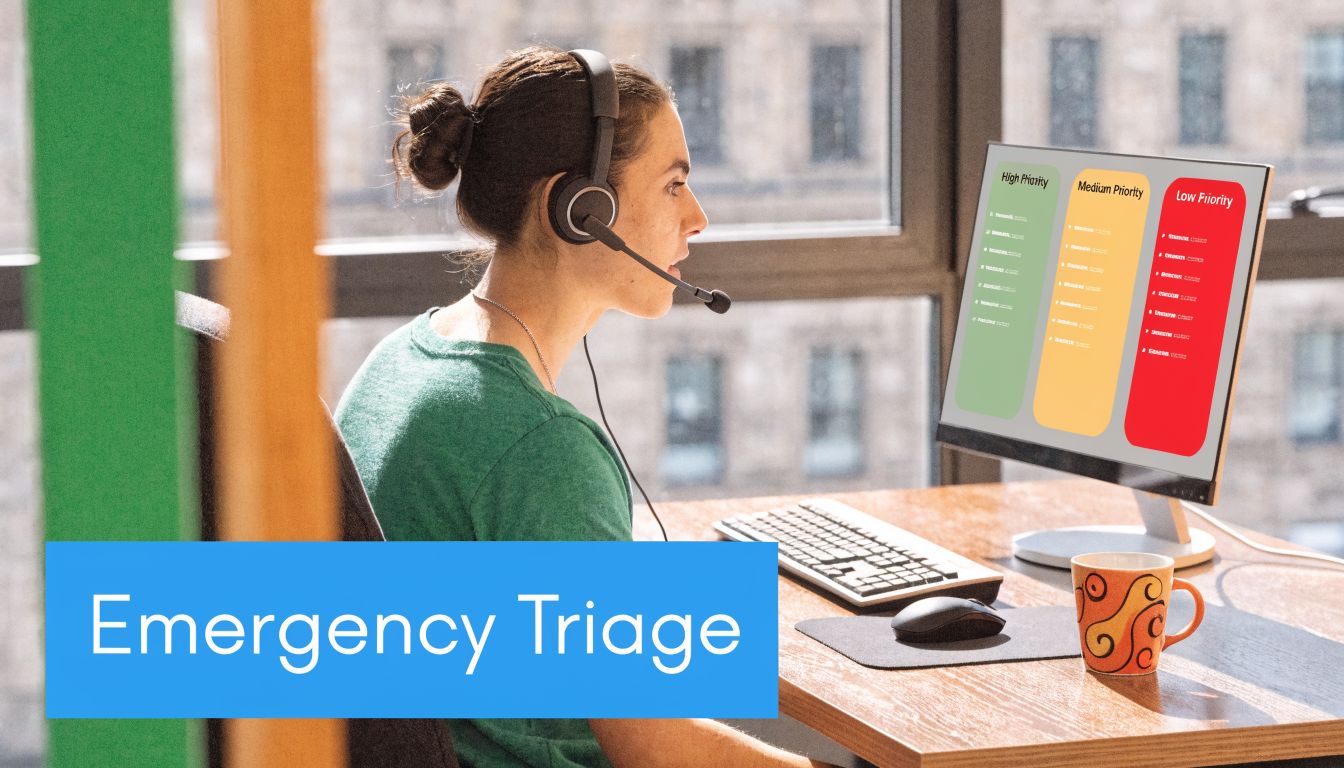
A simple visual helps teams map that flow:
Sample script
“Thanks for calling NorthStar Heating. My name is Elena. If this is a dangerous situation, I'm going to ask a few quick questions so I can get help moving.”
“Are you without heat right now?”
“Is anyone in the home elderly, very young, or medically vulnerable?”
“Do you smell gas, see smoke, or suspect carbon monoxide?”
“What is the service address and the best callback number if we disconnect?”
Keep the script short and directional
Once the agent identifies the urgency, the script should stop sounding like a receptionist and start sounding like dispatch.
If the issue qualifies for immediate escalation, say so plainly. “I'm escalating this now to our emergency team. Stay by your phone. We'll call you back with the next update.” If the situation does not qualify as immediate dispatch, don't leave the caller guessing. Explain the next available response window and any safe interim steps your business is authorized to provide.
Practical rule: Never make a caller repeat emergency details after transfer. The first agent should summarize the issue, address, contact number, and urgency before handoff.
This is also where many phone workflows fall apart. Basic scripts often cover only the opening greeting, but they miss what happens after transfer. One review of phone-answering practices points out that the bigger gap is multi-step resolution, including summarizing the issue for the next agent, preserving context in the CRM, and reducing the need for the customer to repeat themselves (Call24's discussion of answering phone call scripts).
If you want to train staff on triage pacing, a short demo can help more than a policy memo:
3. Follow-Up & Customer Retention Script
The best retention script doesn't sound like retention. It sounds like a responsible business checking whether the job solved the problem.
That matters in industries with repeat service and referral potential. A home cleaning company can call after the first appointment. An HVAC firm can follow up after seasonal maintenance. A dental office can check on a patient after a procedure. The point is the same. Show you remember the work, verify the outcome, and create a natural opening for the next step.
Sample script
“Hi Jordan, this is Tessa from ClearPath Cleaning. I'm calling to check in after your first visit yesterday. Did everything go the way you expected?”
“Was there any room or task you'd like us to handle differently next time?”
“I'm glad to hear that. If you'd like, I can also help you set up a recurring schedule so you don't have to call each time.”
This script works because it starts with service quality, not the upsell. Customers can hear the difference immediately.

Make the second ask feel earned
A lot of teams ruin follow-up calls by asking for a review, referral, or renewal too early. If the caller still has an unresolved complaint, the ask feels tone-deaf. Handle the service recovery first.
For recurring services, automation helps. Trigger the follow-up after the service is marked complete, and include enough job detail in the prompt so the caller hears something specific, not generic. If you're tightening that process, these customer retention strategies for service businesses can help frame what to ask and when.
- Use service-specific details: Mention the visit type, technician, or appointment date so the call feels intentional.
- Ask one improvement question: “Was there anything we should do differently next time?” gives you useful operational feedback.
- Request the next step after satisfaction: Only suggest a maintenance plan, recurring booking, or review after you've confirmed the customer is happy.
4. Insurance & Compliance Documentation Script
In regulated environments, a good script protects both the customer and the business. Insurance agencies, healthcare practices, legal offices, and financial teams all need a script that documents identity, consent, and next actions without sounding cold.
The mistake I see most often is burying required language in the middle of the conversation. Put it near the start, and keep it plain. Don't rely on staff to paraphrase from memory.
Sample script
“Thank you for calling Harbor Ridge Insurance. This is Daniel. Before we discuss your policy, I need to verify I'm speaking with the authorized account holder. May I have your full name, phone number, and policy number if you have it available?”
“Thank you. I also need to let you know this call may be recorded or documented for service and compliance purposes.”
“How can I help with your coverage or billing question today?”
That structure keeps the call organized. Verify identity first. State the disclosure. Move into the issue. If the caller needs to provide sensitive account details later, staff should know exactly when to pause, verify, and document.
Plain language beats legal-sounding language
Compliance scripts fail when they become unreadable. Most callers don't need a dense explanation of process. They need a clear summary of what you're collecting, why you need it, and what happens next.
A health clinic, for example, may need to confirm consent and preferred contact method before discussing follow-up care. A financial advisory team may need to verify identity and document what the caller is requesting. A law office may need to collect intake details while carefully avoiding accidental overpromising.
When a script has compliance language, test it on your newest employee. If they can't read it naturally, your callers won't understand it either.
Operations teams that also want cleaner records often pair a compliance script with recording and transcription workflows. If your team is comparing options for that side of the stack, it may help to evaluate professional voice recording apps before finalizing your documentation process.
5. Multi-Location Franchise & Routing Script
Multi-location calls get messy fast. The caller doesn't always know which branch they need. The nearest office may not be the best fit. And if each location answers differently, the brand starts to feel fragmented.
A routing script fixes that by standardizing the front end while still sending the caller to the right place. Pest control franchises, dental groups, legal practices with multiple offices, and regional home service brands all need this.
Sample script
“Thanks for calling GreenShield Pest Control. I can help get you to the right local team. What city or ZIP code is the service address in?”
“Do you want the closest location, or are you calling about an existing appointment with a specific branch?”
“Thanks. I have your nearest office available, and I can either transfer you directly or schedule a callback from that team.”
Route by need, not just geography
The closest office isn't always the right office. A healthcare group may need to route by specialty. A home service brand may need to route by technician availability or service type. A real estate team may route by market area and language preference.
The script should capture both location and intent before transfer. That way the next team gets context, not just a ringing line.
- Ask location first: City, ZIP code, or service address should come before broad intake questions.
- Confirm caller intent: New appointment, existing booking, billing issue, and emergency calls often need different destinations.
- Preserve one record: Use a shared CRM so each branch can see caller history, notes, and prior appointments.
For franchise operators, consistency matters as much as speed. The phone should sound like one brand even when the work happens across many teams. Integrated routing, centralized script management, and synced customer records therefore make a bigger difference than most owners expect.
6. Lead Qualification & Sales Consultation Script
Some inbound calls deserve a quick answer. Others deserve a serious sales conversation. A qualification script helps you tell the difference without sounding like an interrogation.
This matters most when expert time is expensive. Think real estate, legal intake, financial services, construction, or high-ticket home projects. If every curious caller gets the same consultation slot as a serious buyer, your calendar fills with low-intent conversations.
A stronger script sounds like this:
“Thanks for calling Summit Build Group. I can help get you to the right estimator. Can I ask a few quick questions about the project?”
“What type of work are you considering?”
“Is this something you're planning soon, or are you still exploring options?”
“Will you be the person making the final decision, or will someone else be involved?”
Qualify without killing rapport
The order matters here. Start with the problem, then the timeline, then the decision process. If you lead with budget, many callers shut down even when they're a fit.
This is also one place where scripting can directly affect booked consultations. A case study cited by My AI Front Desk reported that a customized phone script increased appointment conversions from 10% to 30%, a 3x improvement, while also linking better scripting to lower call handling time and more efficient front-desk use (My AI Front Desk on receptionist phone scripts).
Field note: A qualification script should sound curious, not suspicious. The caller should feel helped, not screened out.
If your sales team needs a tighter handoff from phone intake to consultation, this resource on how to qualify sales leads fits well with inbound call workflows.
7. Payment Collection & Billing Inquiry Script
Billing calls are emotional even when the amount is small. The wrong tone can escalate a simple question into a trust problem.
The safest pattern is verify identity, explain the issue clearly, then offer a path forward. Medical practices, subscription businesses, insurance agencies, and law firms all use some version of this.
Sample script
“Thank you for calling Oak Street Dental. This is Nina. Before I review the account, may I verify your full name and date of birth?”
“Thank you. I see the balance you're calling about. I can walk through the charge with you first, then we can look at payment options if that would help.”
“Would you like me to explain the most recent statement line by line?”
That one line lowers tension because it signals transparency. It tells the caller you're not rushing to collect before they understand the charge.
Use soft collection language
Collections language should stay firm but respectful. “Let's find the best way to get this resolved” works better than “You need to pay today.” If the customer disputes the bill, explain the review process before asking for payment. If they're ready to pay, confirm the method and tell them what written confirmation they'll receive afterward.
- Verify before discussing details: Never skip identity confirmation, especially on shared family or business accounts.
- Explain first, request second: Walk through the charge before presenting payment options.
- Document arrangements clearly: Note due dates, promised follow-up, and any installment terms in the account record.
This type of script also supports dunning and renewal workflows in subscription businesses. If that's part of your process, a practical read on recovering failed subscription payments can help your team align call language with payment recovery steps.
8. Voicemail & Callback Script for Missed Calls
Voicemail still matters because even good teams miss calls. The problem is that most voicemail messages waste the few seconds they have. They say the business name too quickly, provide no reason to stay on the line, and make no promise about what happens next.
A voicemail script should reassure the caller and direct them. If you run a real estate office, a legal practice, or a home service company during peak volume, that means giving a clear callback expectation and a simple way to leave useful information.
Sample voicemail script
“Thank you for calling Apex Garage Doors. We're helping other customers right now, but we'd like to get back to you quickly. Please leave your name, service address, phone number, and a brief description of what's going on. If this is an urgent garage door safety issue, mention that in your message so we can prioritize your callback.”
That's much better than “Leave a message after the tone.”
After-hours scripts need a different message
Don't use the same voicemail at noon and at midnight. A medical office after hours may need to direct emergencies elsewhere. A law firm may want to reassure prospective clients that intake messages are monitored. A contractor may want callers to text photos or job details if that speeds morning dispatch.
The best callback scripts also tell the internal team what to do with the message. Urgent service requests should not land in the same queue as routine billing questions.
For teams still relying heavily on voicemail, it's worth reviewing examples of an automated voicemail message to tighten the wording and callback logic. In many cases, the better answer is reducing voicemail dependence altogether with a live or AI-assisted answering workflow that captures intent in real time.
8-Point Comparison: Phone Call Answering Scripts
| Script | Implementation Complexity 🔄 | Resource Requirements ⚡ | Expected Outcomes 📊 | Ideal Use Cases 💡 | Key Advantages ⭐ |
|---|---|---|---|---|---|
| New Customer Inquiry & Appointment Scheduling Script | Medium, customizable template and CRM integration | Moderate, receptionist/AI + calendar sync | Higher booking conversion; fewer scheduling back-and-forths | Service businesses (HVAC, dental, plumbing) | Consistent first impressions; automated lead capture |
| Emergency Service Triage & Urgent Response Script | High, strict protocols and escalation paths | High, trained agents, 24/7 availability, rapid dispatch | Faster emergency response; reduced liability risk | Emergency services, healthcare, urgent repairs | Prioritizes safety; documents incidents for compliance |
| Follow-Up & Customer Retention Script | Low–Medium, timing rules and feedback loops | Moderate, outreach automation + CRM | Increased retention and LTV; more referrals | Subscription services, recurring maintenance, warranty programs | Strengthens loyalty; uncovers upsell/referral opportunities |
| Insurance & Compliance Documentation Script | High, legal language and frequent updates | High, compliance training, recording/transcription tools | Auditable records; reduced regulatory risk | Insurance, finance, healthcare, legal practices | Ensures consent and regulatory adherence |
| Multi-Location Franchise & Routing Script | High, routing logic and multi-system integrations | High, centralized CRM, location systems, geolocation | Improved customer routing; fewer transfers | Franchises, multi-clinic networks, national service chains | Seamless brand experience across locations |
| Lead Qualification & Sales Consultation Script | Medium, tailored qualification flow and scoring | Moderate, trained sales reps + CRM lead scoring | Higher sales conversion; efficient expert time use | Real estate, financial advisors, high-ticket services | Filters leads; speeds routing to appropriate experts |
| Payment Collection & Billing Inquiry Script | Medium, secure workflows and dispute paths | High, PCI-compliant systems, trained agents | Improved cash flow; fewer billing disputes | Subscriptions, medical billing, invoices | Protects payment data; resolves billing professionally |
| Voicemail & Callback Script for Missed Calls | Low, standardized messages and callback rules | Low–Moderate, callback scheduling system | Recovers missed opportunities; maintains professionalism | High-volume businesses, after-hours services | Maximizes callback rates; reduces lost leads |
From Scripts to Systems Your Action Plan
Scripts help. Systems make them reliable.
That distinction matters because most businesses don't have a wording problem. They have an execution problem. One receptionist remembers to ask for the ZIP code. Another forgets. One office documents the issue before transfer. Another sends a blind handoff and forces the caller to repeat the whole story. Over time, those small failures create missed appointments, weak follow-up, and inconsistent customer experience.
The fix is to treat scripts for answering phone calls as part of an operational workflow, not a training document sitting in a folder. Each script should connect to an action. New inquiry calls should create or update a contact record. Emergency triage calls should route based on urgency. Billing calls should trigger secure notes and confirmation messages. Multi-location calls should land with the right team and carry the original context with them.
That's also where automation starts paying off. A modern AI receptionist or hybrid answering workflow can apply the same intake logic every time, capture structured details, sync those details into your CRM or calendar, and escalate to a human when the situation requires judgment or empathy. The advantage isn't just answering more calls. It's answering them consistently, then moving the information where your team needs it next.
If you're rolling this out, start small. Pick three high-volume call types first. For most businesses, that means new inquiries, urgent calls, and missed-call callbacks. Write the opening, the qualifying questions, the transfer rule, and the closing confirmation. Then test the script on real calls, listen for where staff improvise, and decide whether that improv is helpful or just inconsistent.
After that, tighten the handoff. The best phone operations don't stop at “How can I help you?” They summarize the issue, document what was promised, and preserve context for the next person. That's what keeps callers from repeating themselves and what makes a small business sound organized under pressure.
If you're evaluating the software layer behind that process, this guide to choosing AI agent software is a good place to compare how different systems support routing, automation, and escalation. Recepta.ai is one option in this category. Based on the publisher information provided, it supports inbound and outbound calls, appointment scheduling, lead capture, follow-ups, human escalation, and integrations with 2,500+ tools. For businesses that need both script consistency and operational follow-through, that blend is the part that matters.
You don't need perfect scripts on day one. You need scripts your team can use, a process that captures what the caller said, and a system that runs the same way when the front desk is calm and when it's overloaded. That's how phones stop being a cost center and start functioning like a steady source of booked work, retained customers, and fewer dropped opportunities.
If you want to stop losing leads to missed calls and inconsistent intake, take a closer look at Recepta.ai. It gives businesses a way to put proven phone scripts into a live system that can answer calls, book appointments, capture lead details, and escalate to trained humans when needed.