Boost ROI with Live Chat Support
41% of consumers prefer live chat over phone and email according to Help Scout's live chat statistics. That stat changes how service businesses should think about support. Live chat support isn't just a help desk feature. It's a front-desk, intake, booking, qualification, and conversion channel sitting on your website all day.
For home services, healthcare, legal, and other appointment-driven businesses, response time shapes revenue. A visitor who asks, “Do you serve my area?” or “Do you take my insurance?” isn't browsing casually. They're often deciding whether to contact you or leave for a competitor.
The companies that win with live chat don't treat it like a low-cost inbox. They treat it like a staffed digital reception desk. When it's configured well, chat captures leads, routes urgency, books next steps, and keeps staff focused on the conversations that require judgment.
What Is Live Chat Support and Why It Matters Now
Live chat support is real-time messaging on your website or app that lets prospects and customers ask questions and get answers without leaving the page. The simplest way to think about it is this. It's the online equivalent of a sharp employee on the shop floor who notices someone hesitating and steps in before they walk out.
Phone support asks people to stop what they're doing and wait. Email asks them to leave the moment and hope someone follows up later. Live chat support keeps the conversation inside the buying or booking moment.
That matters because digital patience is thin. A plumbing prospect with a leak, a parent trying to book a pediatric visit, or someone looking for a defense attorney usually won't tolerate friction. If your site has no obvious path to immediate help, many of those visitors won't fill out a long form. They'll leave.
For businesses building a broader service strategy across channels, this omnichannel customer experience guide is useful because chat works best when it connects cleanly to phone, email, SMS, and your CRM.
Defining it is simple. The more difficult task is understanding what live chat support does in practice:
- Captures intent in real time: Someone on your pricing or service page can ask a question before doubt turns into abandonment.
- Reduces handoff friction: The same conversation can move from FAQ to scheduling to human escalation.
- Creates a usable record: Teams can review transcripts, improve scripts, and spot repeat objections.
- Fits service workflows: Intake, triage, qualification, and appointment booking all translate well to chat.
Your website isn't unattended when chat is active. Someone is effectively standing at the front desk.
If you want a quick primer on the mechanics, this explanation of what a live chat widget does is a practical starting point. The important point is simpler. Live chat support has moved from “nice to have” to expected behavior for businesses that rely on responsiveness.
Key Benefits and Calculating Your ROI
The strongest reason to deploy live chat support isn't convenience. It's performance.
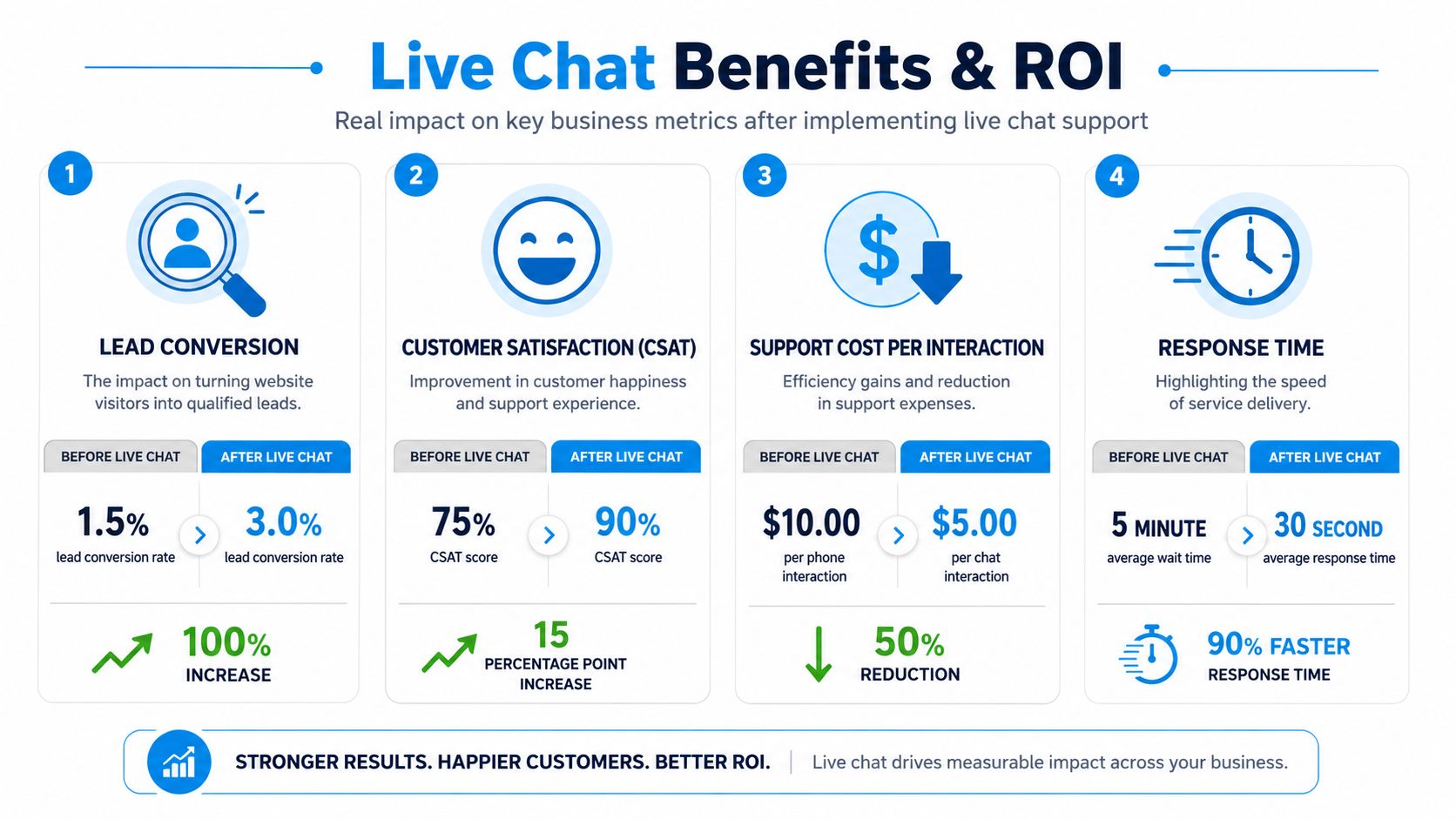
Help Scout's benchmark roundup reports that 41% of consumers favor live chat over phone and email, 52% to 63% are more loyal to brands offering live chat, and chatting shoppers are associated with a 10% higher average order value. For a service business, that translates less to cart size and more to stronger booking momentum, higher-value jobs, and fewer lost leads at the decision point.
Where the return actually comes from
Most owners first look at chat as a support cost. That's backward. In service businesses, the return usually comes from four places:
More inquiries converted into appointments
A dental office can answer “Do you accept this plan?” while the patient is still on the booking page. A law firm can collect case type, location, and urgency before the visitor bounces.Better lead quality
Pre-chat questions can screen for service area, budget fit, timeline, or case type. That saves your team from chasing weak inquiries.Higher staff efficiency
Phone calls demand one-to-one attention. Chat lets agents handle multiple conversations when the issues are simple and well-routed.Improved loyalty
Real-time support signals reliability. That's especially valuable in healthcare, home services, and professional services where trust affects repeat business.
A simple ROI model you can use
Don't overcomplicate this. Calculate ROI from live chat support with a basic operational model:
| Input | What to measure | Example use |
|---|---|---|
| Lead volume | Chats that become valid inquiries | Service requests, consult requests, quote requests |
| Close rate | How many qualified chat leads become customers | Useful for legal, dental, HVAC, insurance |
| Revenue value | Average revenue per new customer or booked job | Use your actual internal number |
| Labor savings | Admin time reduced from fewer missed calls and less manual intake | Front-desk or coordinator time |
| Platform cost | Software, setup, and coverage cost | Monthly total |
Use this formula:
ROI = (new revenue from chat + labor savings - chat cost) / chat cost
A practical example without inventing numbers: if a small law firm uses chat to capture a few additional qualified consultations each month, the economics often become obvious fast because the value of one retained client is high. For an HVAC company, chat can pay for itself by recovering after-hours quote requests that would've gone to voicemail.
Practical rule: Don't model ROI from chat volume alone. Model it from completed bookings, retained cases, and saved staff time.
Compare live chat to older channels
| Metric | Live Chat | Phone Support | Email Support |
|---|---|---|---|
| Customer preference | Preferred by 41% of consumers | Preferred by 32% of consumers | Preferred by 23% of consumers |
| Loyalty impact | 52% to 63% more loyal to brands offering it | Qualitatively strong in complex cases | Slower and less immediate |
| Revenue impact | Associated with 10% higher average order value | Useful for high-emotion or complex issues | Better for documentation and follow-up |
| Best use | Intake, qualification, scheduling, fast objections | Escalations, nuanced conversations | Detailed async communication |
The pattern is clear. Phone still matters for sensitive or complex issues. Email still matters for documentation. But live chat support is often the fastest route from visitor intent to business outcome.
How to Implement Live Chat Support
A messy chat rollout creates more problems than it solves. The right rollout is lean. Pick the right tool, place it in the right spots, and configure it around your actual intake process.
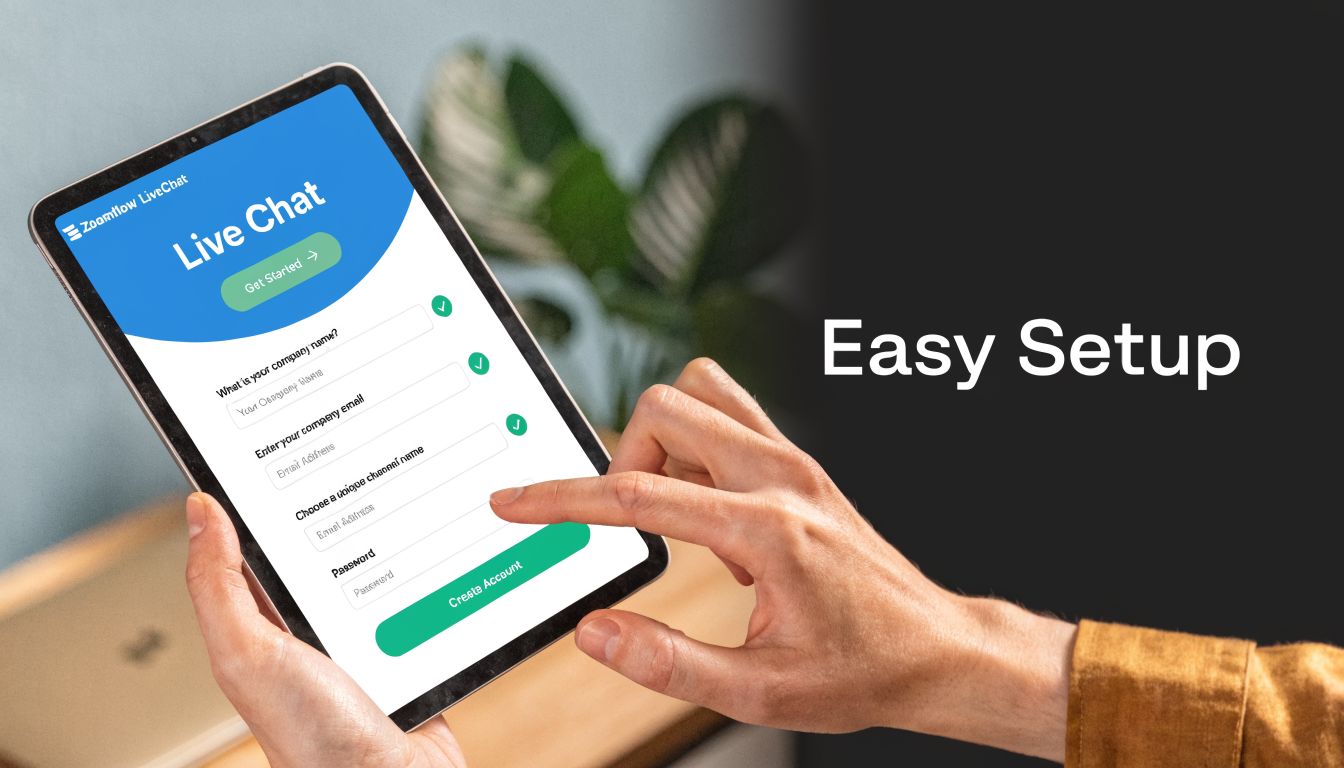
Choose software based on workflow, not features
Too many teams buy chat tools based on demo polish. Start with operations instead.
For service businesses, the essentials are:
- CRM integration: If the transcript and contact details don't sync, staff retype information and leads get lost.
- Routing logic: Sales, support, intake, and billing shouldn't land in one queue.
- Scheduling compatibility: Appointment-based businesses need chat to connect with calendars or booking workflows.
- Escalation paths: Staff should be able to move a conversation to phone or email without losing context.
- Reporting: You need visibility into wait times, missed chats, and conversion patterns.
This is also where automation decisions belong. If you're comparing platforms, this overview of automated customer service solutions helps frame what should be automated first and what should stay human.
Put chat where buyer intent is highest
Don't plaster the widget everywhere and hope for the best. Put it where hesitation costs money.
For example:
- Home services: Service area pages, emergency repair pages, quote request pages
- Healthcare: New patient pages, insurance pages, appointment booking pages
- Legal: Practice area pages, consultation pages, contact pages
- Franchises: Location pages, pricing pages, appointment pages
A visitor on a blog post may need a soft invitation. A visitor on your “book now” page may need immediate assistance. Those are different chat plays.
Configure the first version simply
Your first version doesn't need advanced AI routing and layered automation. It needs clean basics.
Start with:
A welcome message tied to page intent
On an HVAC repair page, say: “Need help with repair, pricing, or scheduling?”A short pre-chat form
Ask for name, contact info, and one or two qualifying details. For legal, that might be practice area. For home services, zip code and service type.Business-hours logic
During open hours, route to live coverage. After hours, capture lead details and set expectations.Internal ownership
Decide who answers what. Front desk, intake team, sales coordinator, or outsourced support.
Bad implementation usually looks the same. Generic greeting, no routing, no CRM sync, and no owner.
Test with real scenarios
Before launch, run common conversations end to end:
| Scenario | What to test |
|---|---|
| Urgent request | Does it route fast and collect enough detail? |
| Simple booking question | Can the team answer and move to scheduling quickly? |
| Wrong-fit inquiry | Can chat disqualify politely without wasting staff time? |
| After-hours lead | Is the conversation captured and assigned for follow-up? |
A good setup feels boring internally because the handoffs are clean. That's what you want.
Mastering Live Chat Best Practices
Speed matters, but execution matters more. SupportYourApp's live chat benchmarks note that 71% of users prioritize speed, that sub-60-second first response times are a critical benchmark, and that live chat CSAT can reach 85%. The same benchmark also warns against overload. Limiting agents to 2 to 3 concurrent chats helps maintain quality.
Use language that feels specific
Generic chat feels cheap. Specific chat feels attentive.
Do this
- “Hi, I can help with same-day plumbing requests or quote questions. What do you need?”
- “I see you're on our dental implants page. Are you looking for pricing, insurance info, or scheduling?”
- “Thanks for reaching out. I'll get the right intake details so the attorney can review your situation.”
Not this
- “Hello.”
- “How may I assist you today?”
- “Please explain your issue.”
The difference is context. Specific openers reduce typing, shorten the path to resolution, and reassure people that they're in the right place.
Keep the first response fast, then slow down enough to solve
A fast acknowledgment buys trust. After that, don't rush into sloppy answers.
Use this sequence:
- Greet and acknowledge the request.
- Clarify the issue with one direct question.
- Confirm the next step.
- Either resolve, schedule, or escalate.
That structure works well in service businesses. For example, if a patient asks about insurance, the chat agent shouldn't paste a policy wall of text. Ask for the insurer, plan type if relevant, and whether they're trying to book a new patient visit. Then move toward a useful next step.
The best chats don't feel hurried. They feel controlled.
Protect quality when handling multiple chats
Many organizations fail here. They see that chat can handle concurrency and assume more is always better. It isn't.
Watch for these warning signs:
- Long silent gaps: Agents are juggling too much.
- Wrong pasted replies: Templates are being used carelessly.
- Escalation drift: Simple chats become messy because the agent missed details.
- Tone flattening: Every conversation starts sounding robotic.
This walkthrough is worth reviewing with your team:
Build clear escalation rules
Not every issue belongs in chat. Good teams know when to move.
Use live chat support to start the conversation, not trap it there.
- Escalate to phone when emotion is high, details are complex, or speed of spoken coordination matters.
- Escalate to a specialist when the topic needs licensed, clinical, or legal judgment.
- Escalate to email or ticketing when documentation or attachments are central.
A practical phrasing example:
“I've captured the details so you don't need to repeat them. I'm moving this to our intake coordinator, who can call you next.”
That sentence does two things. It preserves continuity and reduces frustration.
Tracking Live Chat KPIs and Analytics
A live chat program without measurement turns into anecdote management. You hear that “customers seem to like it” or “the team feels busy,” but you can't tell whether chat is driving bookings, preventing churn, or wasting staff time.
SqMagazine's benchmark summary gives a useful operating frame. Top-performing teams aim for First Contact Resolution of 70% to 80%+, average chat duration is around 9 minutes 36 seconds, and 95% of customers prioritize quality over raw speed, with top-rated chats often lasting about 11 to 12 minutes.
The KPIs that actually matter
Not every dashboard metric deserves management attention. Focus on the measures that answer operational questions.
| KPI | Business question it answers | What to do if it's weak |
|---|---|---|
| First response time | Are we acknowledging people quickly enough? | Adjust staffing, routing, and queue ownership |
| First Contact Resolution | Are we solving the issue without forcing another touchpoint? | Improve agent training, scripts, and knowledge access |
| Chat-to-conversion rate | Are conversations turning into appointments, consultations, or qualified leads? | Review page placement, qualification flow, and CTAs |
| Missed chat rate | Are we losing opportunities because nobody answered? | Fix coverage gaps and after-hours capture |
| CSAT | Did the customer feel helped, not just answered? | Audit transcripts for tone, clarity, and handoff quality |
How to interpret the numbers
A short chat isn't automatically a good chat. A long chat isn't automatically inefficient.
If your average duration falls sharply while CSAT drops, agents may be rushing people off the chat. If duration rises while FCR improves, that can be healthy. The benchmark above is useful because it reminds managers not to worship speed in isolation.
A low FCR rate usually points to one of three issues:
- Training gap: Agents don't know the service well enough.
- System gap: Agents can't access scheduling, CRM notes, or knowledge articles quickly.
- Policy gap: Agents have to transfer too often because they lack authority.
Use transcript reviews, not just dashboards
Analytics show symptoms. Transcripts show causes.
Review transcripts every week with a manager or team lead and look for patterns:
- repeated objections about pricing
- confusion about service areas
- insurance questions nobody answers clearly
- intake questions that are too broad
- obvious points where a human should have stepped in sooner
For teams blending automation and human support, this explanation of the benefits of AI in customer service is helpful because it frames analytics as an operational input, not just a reporting feature.
If the same question appears in chat all week, don't just coach the agent. Fix the page, script, or workflow that caused it.
Build a manager rhythm
A simple review rhythm works better than a bloated reporting stack:
- Check daily first response times and missed chats.
- Review weekly FCR, conversion, and common escalation reasons.
- Audit a sample of transcripts for tone and accuracy.
- Update scripts, routing, and staffing based on what the data shows.
That discipline is what turns live chat support from a widget into a managed revenue channel.
Industry Use Cases for Live Chat
Service businesses don't use live chat support the same way ecommerce brands do. The value isn't just answering product questions. It's intake, triage, routing, and getting the customer to the right next step without delay.

Home services
A homeowner lands on an emergency plumbing page at night and types, “Water is leaking under the sink. Do you come out tonight?” A strong chat workflow doesn't dump that person into a generic inbox. It asks for zip code, urgency, and callback number, then routes based on service area and emergency status.
This category also shows why integration matters. A 2026 Gartner report found that 62% of home service SMBs abandon chat tools due to poor CRM sync failures, leading to 25% lost leads, which is why platform fit matters more than surface features.
Healthcare and wellness
A patient visits a clinic site after hours with a practical question. “Do you accept this insurance?” or “Can I book a cleaning for next week?” Chat works well here because it handles repetitive intake smoothly while preserving a path to staff review when nuance matters.
The profitable use case isn't “answer everything automatically.” It's capturing the right details, setting expectations, and reducing front-desk backlog the next morning.
In healthcare, the best chat workflows reduce phone tag. They don't try to replace clinical judgment.
Legal and professional services
Legal chat should behave like intake, not like marketing copy. A visitor on a family law or injury page often needs reassurance and a structured first step. Good chat collects issue type, timing, location, and callback preference, then tells the visitor what happens next.
That does two things. It lowers friction for the prospect and gives staff cleaner intake data before the first call.
Franchises and multi-location businesses
Multi-location operators need routing discipline. A visitor asks whether a nearby branch serves their area, has openings, or handles a specific service. Chat should identify location early and direct the inquiry cleanly.
Cross-location consistency matters in this context. One location cannot provide fast, personalized chat while another drops every after-hours inquiry into a black hole.
For teams comparing how chat works in high-volume digital support environments, these CallZent e-commerce support solutions are worth reviewing for workflow ideas, especially around routing and response handling, even if your business isn't pure ecommerce.
What works across all four
The pattern is consistent:
- Use chat to qualify quickly
- Ask only for details that move the workflow forward
- Route based on business logic, not first-come chaos
- Escalate without forcing the customer to restart
When teams miss these basics, chat becomes another inbox. When they get them right, live chat support becomes part receptionist, part intake coordinator, and part conversion engine.
Enhancing Live Chat with an AI Receptionist
Purely human live chat has a limit. Coverage is expensive, consistency varies by shift, and after-hours traffic still slips through. Purely automated chat has a different limit. It breaks down when nuance, urgency, empathy, or judgment enters the conversation.
The practical answer is the hybrid model.
GlowTouch's best-practices analysis notes that advanced platforms use machine learning on chat transcripts to drive predictive interventions that can boost resolution rates by 25% to 40%. The same source notes that proactive bots can handle inbound surges by automating FAQs and can cut costs by up to 80% versus in-house teams when the workflow is designed well.
What AI should handle first
An AI receptionist works best when it owns the repetitive front end of the conversation:
- Greeting and triage
- Collecting contact and intake details
- Answering standard FAQs
- Booking or routing simple requests
- Handing off when complexity rises
That means an HVAC company can capture after-hours repair requests without voicemail. A dental office can collect insurance and appointment preferences. A law firm can run structured intake before a human reviews the case.
What should stay human
Keep people in the loop when the conversation needs:
- empathy
- negotiation
- legal or clinical nuance
- exception handling
- trust-building in high-stakes situations
This split is where many businesses finally make chat profitable. The bot doesn't need to be charming. It needs to be accurate, fast, and good at knowing when to stop and hand over.
Automation should remove waiting and admin. It shouldn't trap a serious prospect in a script.
How the hybrid model improves the economics
A hybrid setup changes the math in three ways:
Coverage expands
The system can respond around the clock instead of only during staffed hours.Humans work on higher-value interactions
Agents stop spending prime time on repetitive questions and focus on consultations, escalations, and revenue-driving conversations.Operations get smarter over time
Transcript analysis shows where customers hesitate, where scripts fail, and where staffing needs adjustment.
For teams evaluating broader chatbot strategy, this Sift AI guide to enterprise chatbots gives useful context on where automation fits and where human escalation is still essential.
One platform in this category is AI receptionist software for small business, which combines conversational AI with human escalation, scheduling, and CRM-connected intake. That kind of setup is especially practical for service businesses that need chat to do more than answer questions.
The strongest live chat support systems don't choose between automation and people. They use each where each performs best.
If you want to turn chat from a simple support widget into a staffed revenue channel, Recepta.ai is built for that hybrid model. It handles real-time conversations, lead capture, scheduling, and escalation to trained humans, which makes it a practical fit for home services, healthcare, legal, franchises, and other service businesses that can't afford missed inquiries.