Master AI Customer Service Solutions: 2026's Top Strategies
AI customer service solutions are often misunderstood. They’re not just about deflecting calls or replacing people with robots. When done right, they act as an intelligent front line for your business, providing fast, accurate, and personalized support that saves you a massive amount of time and money.
Think of it as the best receptionist you’ve ever had—one who never sleeps, misses a call, or even takes a coffee break. That's the real value of modern AI customer service solutions. They’re practical tools built to solve common business headaches like high labor costs, missed after-hours opportunities, and customers who expect answers now.
This isn't some far-off futuristic idea; it’s happening today. The market for AI in customer service is expected to explode to $47.82 billion by 2030. That kind of growth tells you one thing: businesses are realizing this is no longer a "nice to have" but a necessity for staying competitive. You can see more data on the financial impact and growth projections at Ringly.io.
To give you a clearer picture, let's compare the old way of doing things with the new.
Traditional vs. AI Customer Service At a Glance
This table breaks down the key differences between relying on a traditional receptionist or voicemail and implementing a modern AI solution.
| Feature | Traditional Customer Service (Receptionist/Voicemail) | AI Customer Service Solution |
|---|---|---|
| Availability | Limited to business hours (typically 8-10 hours/day, 5 days/week). | 24/7/365, ensuring no call or inquiry is ever missed. |
| Cost | High fixed costs (salary, benefits, overhead) or ineffective (voicemail). | Lower, predictable subscription-based cost. |
| Scalability | A human can only handle one call at a time. | Can handle hundreds of simultaneous interactions without a drop in quality. |
| Lead Capture | Relies on manual notes; missed calls often mean lost leads. | Automatically captures lead information and integrates with your CRM. |
| Response Time | Instant if available, but often delayed by hours or days (voicemail tag). | Instant responses and immediate scheduling or information delivery. |
As you can see, the capabilities of an AI solution go far beyond what a traditional setup can offer, creating a much more efficient and responsive experience for your customers.
What Are AI Customer Service Solutions?
At its core, an AI customer service platform is a system that uses artificial intelligence to manage customer interactions across phone, text, and web chat. But let's be clear: we're talking about something much more sophisticated than the clunky, first-generation chatbots that could barely answer a single question.
Beyond Basic Chatbots
A true AI customer service solution is like a super-powered team member. It understands context, learns from interactions, and can handle multi-step tasks with total reliability. It’s less of a tech add-on and more of a partner for growth.
Here are some practical examples of what a modern AI can do:
- For a dental clinic: A new patient calls to book an appointment. The AI asks if they are a new or existing patient, what insurance they have, and the reason for their visit before finding an open slot in the dentist's calendar and sending a confirmation text.
- For a roofing company: A homeowner calls after a storm. The AI qualifies the lead by asking about the roof's age, the type of damage (e.g., "missing shingles," "active leak"), and the urgency, then schedules a free inspection.
- For a law firm: The AI handles the initial intake for a personal injury case, collecting critical details like the date of the incident, whether a police report was filed, and if medical attention was sought, before scheduling a consultation with a paralegal.
- For any business: The AI can answer common questions about business hours or services, and when a caller asks a complex question about a specific invoice, it can route the call directly to the billing department.
These systems are designed to make conversations feel natural. By taking these crucial but repetitive tasks off your team's plate, you free them up to focus on the high-value work—the complex problems and relationship-building that only a human can do. If you want to explore this further, our guide on the role of a virtual assistant for customer service is a great next step.
An Indispensable Business Partner
The ultimate goal here is simple: make sure no customer is ever ignored and every interaction becomes an opportunity. These platforms plug right into the tools you already use, like your calendar and client management software, becoming a seamless part of your daily workflow.
The real magic happens when you blend smart automation with a human touch. The best AI systems handle the routine workload perfectly but are smart enough to know exactly when to hand off a sensitive or frustrated customer to a live person. That’s the perfect balance of efficiency and empathy.
Ultimately, bringing an AI-powered system into your business is about becoming more responsive, more professional, and more profitable. It helps you manage communications at scale, eliminate frustrating bottlenecks, and deliver the kind of consistent, reliable experience that turns first-time callers into loyal customers.
How AI Customer Service Actually Works
To really get what AI customer service solutions bring to the table, it helps to pop the hood and see how all the pieces fit together. It's less like a single tool and more like a well-oiled team, with each part playing a specific, crucial role. The whole system is built around an engine designed to do three things: understand, act, and learn from every interaction.
Let’s dig into the core capabilities that make it all possible.
The Power of Conversational AI
This is the brains of the operation. Forget those old, clunky phone trees that followed a rigid script. Modern conversational AI is more like a sharp, experienced receptionist who can read between the lines. It uses something called natural language processing (NLP) to grasp not just the words a customer says, but the actual intent behind them.
For instance, a caller might say, "My AC unit is making a racket and it's 90 degrees in my house." An old system might only catch the keyword "racket." But a smart conversational AI connects "racket" with "90 degrees," immediately understanding the caller is hot, frustrated, and needs help now. It flags this as a high-priority service call for an HVAC company, not just a noise complaint.
This level of understanding is what allows the AI to manage conversations without sounding robotic or getting tripped up, making the whole experience feel surprisingly human.
Intelligent Call and Task Handling
Next up is intelligent call handling, which works like a hyper-efficient switchboard operator. As soon as a call comes in, the system figures out what the caller needs and what to do about it. It knows the difference between a simple question it can answer itself and a true emergency that needs a person's attention.
This is the secret to unlocking real efficiency. The AI essentially acts as a first line of defense, handling the bulk of routine requests on its own. This frees up your human team to put their energy where it counts most: on complex problems, sensitive situations, or high-value customer interactions.
Here’s what that looks like in the real world:
- Taking Action: A client calls a law firm to double-check their appointment time. The AI taps into the firm's calendar, confirms the details ("I see you're scheduled with Ms. Davis at 2 PM on Thursday"), and the call is done. No human time spent.
- Gathering Information: A homeowner calls a plumbing company about a drippy faucet. The AI asks a few smart questions—getting their name, address, and confirming it's not an emergency flood—before booking the appointment and adding it to the technician's schedule.
- Emergency Routing: A patient calls a dental office complaining of "severe pain and a swollen jaw." The AI flags those keywords as an emergency and instantly transfers the call to the on-call dentist or office manager, bypassing the usual queue.
Seamless Human Escalation
Let’s be honest: no AI is perfect, and the best ones are designed knowing that. Seamless human escalation is the safety net—the AI's ability to recognize when it's out of its depth and needs to hand things off. When a caller gets upset, asks a particularly complex question, or just says "I need to talk to a person," the system doesn't just give up.
Instead, it smoothly transfers the call to a human agent. And here’s the critical part: it also hands over a full transcript and a neat summary of the conversation so far. The customer never has to repeat themselves, and your team member can jump right in with all the context they need to solve the problem.
The diagram below shows how these components work together as a true business partner.
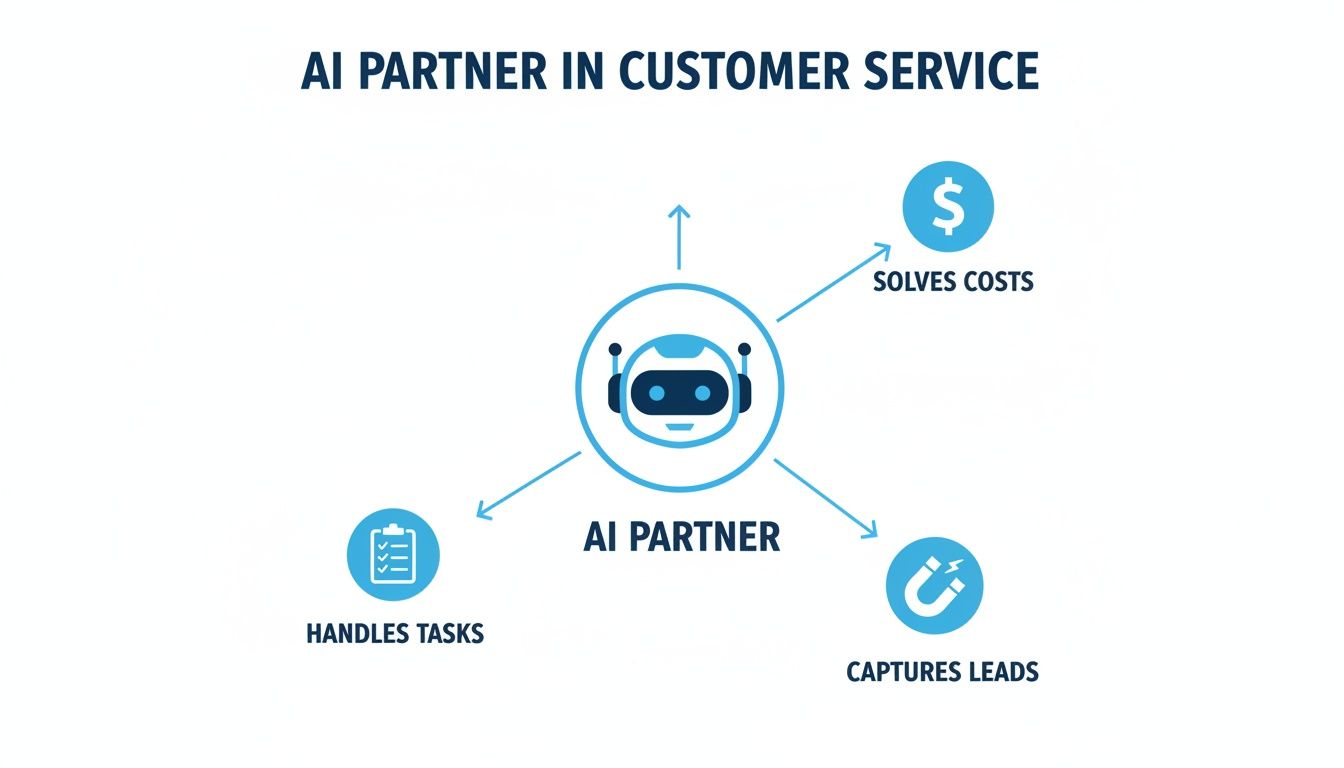
As you can see, by taking on tasks and capturing leads, the AI directly tackles major business costs. It’s this smart blend of AI efficiency and human expertise that makes today’s customer service solutions so powerful.
Measuring the Real-World Benefits and ROI
It’s easy to get caught up in the hype around new technology. But when it comes to your business, promises don't pay the bills—results do. So, how do you know if an AI customer service solution is actually working?
The key is to look past the buzzwords and focus on the numbers. You need to connect the dots between the AI's features and your bottom line. This means tracking specific metrics that give you a clear, undeniable picture of your return on investment (ROI). It’s the difference between thinking something is working and knowing it is.

Calculating Significant Cost Savings
The most immediate and obvious win is in reducing your operational costs. Think about what it really costs to have a full-time, in-house receptionist. Once you add up salary, benefits, payroll taxes, and other overhead, that figure can easily top $50,000 a year.
When you swap that fixed expense for a predictable monthly subscription to an AI service, the ROI math becomes incredibly simple.
- Practical Example: A small law firm with two attorneys decides to switch from a traditional 9-to-5 receptionist to an AI solution. They were paying over $4,000 per month in total labor costs. Their AI subscription costs $500/month. The savings aren't just theoretical; they are an immediate $3,500+ per month that can be put back into marketing or other growth initiatives.
To really get a handle on this, you need to understand your numbers. A great place to start is learning how to calculate cost per acquisition, which helps you see the real value of every new client the AI brings in.
Boosting Lead Capture and Revenue
What happens when a potential customer calls your home services company at 9 PM on a Tuesday? More often than not, that call goes straight to voicemail—where good leads go to die. An AI receptionist changes that game completely. That after-hours call is answered instantly and turned into a booked appointment.
- Practical Example: An electrical company implements an AI receptionist. In the first month, they analyze the call logs and find that the AI captured 15 qualified leads from calls that came in after business hours. With an average job value of $500, that’s $7,500 in new revenue that would have otherwise been lost to voicemail.
This is where the magic really happens. That 24/7 availability directly leads to more captured business and, ultimately, more revenue. The AI isn't just a glorified answering machine; it's an active part of your sales process, working to convert callers into customers by getting them on your calendar.
Globally, consumer trust in AI is on the rise. Recent data shows 75% of consumers believe generative AI will revolutionize customer experiences. For industries like insurance and real estate, a hybrid human-AI model is proving particularly effective, leading to a 40%+ boost in customer satisfaction for many mid-sized firms and a 15x ROI. Discover more insights about these surging AI adoption trends at Hotel-Online.com.
Improving Customer Satisfaction and Efficiency
Finally, let’s talk about the ripple effect on customer happiness and your team’s workload. When callers don't have to wait on hold and can get instant, accurate answers, they walk away feeling great about your business. This has a direct impact on your Customer Satisfaction (CSAT) scores.
Practical Example: An Insurance Agency
Picture an insurance agency where an AI handles all the initial intake for quote requests. It efficiently gathers the caller's name, contact info, vehicle details (make, model, year), and desired coverage before scheduling a call with a licensed agent.
The measurable results are powerful:
- Freed-Up Agent Time: Your agents stop being data-entry clerks and start being expert advisors. If an agent previously spent 10 minutes per call on intake, and the AI now handles that, they save over an hour and a half of administrative time each day. They get pre-qualified leads dropped right onto their calendars.
- Increased Policy Sales: Because they spend more of their time on high-value sales conversations, agents can handle more qualified prospects, which naturally leads to more policies sold.
- Higher CSAT Scores: From the very first call, clients get prompt service and a clear path forward, building trust and confidence in the agency. This can be tracked with a simple post-call survey text: "On a scale of 1-5, how was your experience today?"
This powerful combination of savings and efficiency is how an AI customer service solution can prove its ROI in just a few months, creating a system that’s better for your customers and your bottom line. For a closer look at tracking lead-related costs, check out our guide on how to calculate cost per lead.
Your Step-by-Step Implementation Plan
Bringing an AI customer service solution into your business might sound like a massive, complicated project, but it doesn't have to be. When you break it down into a few manageable steps, you can make a smooth, successful transition without turning your daily operations upside down.
Think of this as your practical roadmap. We’re going to skip the intimidating tech talk and focus on getting clear results. The real secret is starting with a crystal-clear "why" before you ever get bogged down in the "what" or "how." Without a specific problem you're aiming to solve, it’s all too easy to get distracted by shiny features and lose sight of the actual business goal.
Phase 1: Define Your Primary Goal
First things first, you need to pinpoint the single most important outcome you want to achieve. A fuzzy goal like "improve customer service" is nice, but it isn't something you can measure. Let's get specific and put a number on it.
What does success look like for you? Here are some actionable examples:
- To reduce missed calls by 90% by having a system that guarantees every single inbound call gets answered, day or night.
- To automate 70% of appointment bookings for your busy clinic, freeing up your front desk to focus on the patients in front of them.
- To increase qualified lead capture by 30% by engaging with after-hours callers instead of just sending them to a voicemail box that rarely gets checked.
- To decrease time-to-resolution for common questions by 80%, such as "What are your hours?" or "Where are you located?".
When you have a focused goal like this, every other decision becomes simpler. It becomes your North Star, guiding you through the rest of the process and giving you a clear benchmark for success.
Phase 2: Map Your Customer Interactions
With your goal set, it's time to put on your customer's hat. Walk through a typical interaction with your business and look for the sticking points. Where do the bottlenecks happen? What parts of the process are repetitive or cause frustration?
Practical Example: A home services company might find that its biggest headache is simply scheduling jobs. A customer calls, gets put on hold while a dispatcher fumbles with a calendar, and then they play phone tag trying to find a time that works. That entire back-and-forth is a perfect opportunity for an AI to step in, check the schedule via a calendar integration, and offer the customer available slots instantly.
Pinpoint the repetitive, low-value tasks that eat up your team's time. These are your best candidates for automation. The point isn't to replace your people, but to unburden them so they can handle the work that requires a human touch, like complex problem-solving or building rapport.
Another prime target is managing those initial inquiries. An AI can be the first point of contact for a new lead, collecting basic info and scheduling a proper discovery call with a sales rep. This gives every potential customer a fast, consistent, and professional experience from the get-go.
Phase 3: Choose the Right AI Partner
Now you're ready to find the right solution. Your choice should directly tie back to the goal you established in Phase 1. You're not just looking for a piece of software; you need a partner who gets your business and is committed to your success.
Here are a few things to look for:
- Integration Capabilities: The AI has to play nicely with the tools you already rely on, like your CRM or scheduling software. If it can't communicate with your other systems, it just creates more work. It’s worth understanding how CRM integrations work to see how critical this is for a seamless setup.
- Hybrid Human+AI Model: Let's be honest, not every call can be handled by AI. The best systems know this and offer a smooth handoff to a live person for complex or sensitive issues, without making the customer start all over again.
- Industry-Specific Experience: An AI built for a law firm's confidential client intake is going to have very different conversational skills and security needs than one designed for an HVAC company's emergency dispatch. Find a provider who understands the nuances of your industry.
Phase 4: Configure Your AI
This is the part that sounds technical, but it’s often much simpler than you think. With most modern platforms, you aren't writing code. You're just setting the rules of engagement. You'll tell the AI how to answer, what questions to ask, and what to do in different scenarios.
Practical Example: A legal practice might set up its AI to ask key intake questions for a personal injury claim, like "When did the accident happen?" or "Were there any witnesses?" before booking a consultation with a paralegal. It’s like creating a simple, foolproof script for your most efficient employee.
Phase 5: Launch and Monitor
It's go-time. But you don't have to flip a switch and change everything overnight. A great way to start is with a small pilot program. For example, have the AI handle only your after-hours calls for the first week.
As soon as it's running, start paying attention to the analytics. Are you hitting that goal of reducing missed calls? How many appointments did the AI book automatically? Use this real-world data to make small adjustments and watch the impact on your business in real time. For instance, if you notice many callers are asking for "directions," you can easily update the AI script to provide the address and a landmark, reducing the need for human intervention. This gradual approach makes the whole process feel manageable and virtually risk-free.
Choosing the Right AI Solution for Your Business
Picking the right AI customer service solution isn't about finding the one with the most bells and whistles. It’s about finding the one that understands the unique rhythm and challenges of your specific industry. After all, the perfect AI for a busy plumbing company looks completely different from one designed for a confidential law practice.
There's simply no such thing as a one-size-fits-all solution. The key is to match the AI's core strengths to your biggest operational headaches. When the technology is built to solve your specific problems, it stops feeling like just another piece of software and starts acting like a true extension of your team.

AI Solutions for Home Services
Life in the home services world—plumbing, HVAC, pest control—is a constant juggle of emergencies and appointments. A missed call isn't just a missed lead; it's a homeowner with a burst pipe who's already dialing your competitor.
For these businesses, an AI needs to be an expert at triage and logistics.
- Practical Example (Emergency): A frantic call comes in about a "broken furnace in winter." The AI immediately flags this as an emergency. It gathers the address and crucial details, then instantly routes the job to the on-call technician's mobile device for immediate dispatch, bypassing the standard queue.
- Practical Example (Routine): Minutes later, a new call comes in for a routine pest control inspection. The AI seamlessly checks the calendar, offers a few open time slots ("I have Tuesday at 10 AM or Thursday at 2 PM available"), books the appointment, and even sends a confirmation text. All without a human lifting a finger.
The right AI acts as a combination dispatcher and scheduler, ensuring emergencies get top priority while keeping the appointment book full. For smaller companies in this space, finding the best answering service that fits their needs is a game-changer.
AI in Healthcare and Wellness
In healthcare, the stakes are incredibly high. Medical and dental practices need to provide compassionate care while navigating a minefield of privacy regulations like HIPAA. Patient trust is everything, and protecting their data is non-negotiable.
Here, an AI must be built on a foundation of security and absolute precision.
- Practical Example: Think of a dental clinic using a HIPAA-compliant AI for its front desk. A new patient calls to book a cleaning. The AI securely collects their details, finds an opening with their preferred hygienist, and books it directly into the practice's management software (like Dentrix or Eaglesoft).
- Practical Example (Reminders): This same system can automate outbound appointment reminders through calls or texts, which drastically cuts down on no-shows. If a patient replies "reschedule" to a reminder text, the AI can initiate a conversation to find a new time, all without human intervention. This frees up the front desk staff to focus on the patients standing right in front of them.
In healthcare, an AI isn't just a scheduler; it's a guardian of sensitive information. It must prove its reliability and compliance at every single touchpoint to earn the trust of both the practice and its patients.
AI Solutions for Legal and Professional Services
For law firms and other professional services, discretion and accuracy are paramount. The very first interaction—the client intake—is critical. It sets the stage for the entire relationship and can uncover details that shape the outcome of a case.
An AI for this environment needs to function like a meticulous and highly-trained paralegal.
- Practical Example: A personal injury firm can configure its AI to handle the initial client screening. The AI asks a specific, pre-approved set of questions: "In which state did the incident happen?" "Were there any witnesses?" "Have you sought medical attention?"
- It carefully documents these facts before scheduling a consultation with a human team member. This process ensures that by the time a lawyer or paralegal speaks with the potential client, they already have a solid, pre-filled intake form in their CRM, making that first human conversation incredibly efficient.
AI for Franchises and Multi-Location Businesses
Brand consistency is the lifeblood of any franchise. A customer calling a location in Miami should have the exact same professional experience as one calling a location in Minneapolis. But with decentralized operations, that’s often easier said than done.
For a franchise, the ideal AI acts as a central nervous system, enforcing brand standards while still supporting local needs.
- Practical Example: Consider a national fitness franchise that uses a unified AI system. A potential member calls the main corporate number with questions about pricing. The AI provides the standard membership options, then uses the caller's location to seamlessly transfer them to their nearest gym to sign up for a tour. It might say, "Based on your location, our nearest gym is on Maple Street. Would you like me to connect you with their front desk to book a free pass?"
- This creates a smooth, unified brand journey from the first call to the local sign-up, ensuring every customer gets the same great experience.
To help you pinpoint what's most important for your business, we've put together a checklist of must-have features for these key industries.
AI Feature Checklist for Key Industries
| Industry | Must-Have AI Feature | Why It Matters |
|---|---|---|
| Home Services | Emergency Call Routing & Triage | Instantly identifies and escalates urgent jobs (like a burst pipe), ensuring the fastest possible response and preventing customer loss. |
| Healthcare | HIPAA-Compliant Security | Protects sensitive Patient Health Information (PHI) to maintain trust and avoid massive legal and financial penalties. |
| Legal | Customizable Intake Questionnaires | Gathers specific, crucial case details upfront, qualifying leads and making the first human consultation far more productive. |
| Franchises | Centralized Call Scripting & Routing | Ensures every location delivers a consistent brand message and seamlessly directs callers to their local branch. |
This checklist is a starting point. The best way to choose a solution is to deeply understand your own day-to-day operations and find an AI partner that’s obsessed with solving those specific challenges.
Common Questions About AI Customer Service
It’s natural to have some big questions when you're looking at bringing AI into your customer service. As a business owner, you're not just buying a tool; you're making a decision that affects your customers, your team, and your bottom line.
Let's walk through the most common concerns we hear from businesses just like yours. We’ll give you straight answers, based on real-world experience, so you can see a clear path forward.
Will My Customers Hate Talking to a Robot?
This is probably the number one question we get, and for good reason. We've all been stuck in a robotic phone loop, shouting "representative!" into the void. But modern conversational AI is a completely different animal.
The difference comes down to quality. A truly smart AI doesn’t just follow a rigid script. It uses advanced natural language processing to actually understand what someone is saying—including their tone and intent. It can navigate a surprisingly complex conversation with a human-like touch.
Even more importantly, the best AI solutions are designed to work with your human team, not replace them. The AI’s goal isn’t to be a gatekeeper. It’s to solve problems fast. The moment it recognizes a call needs a dose of empathy or complex problem-solving, it makes a warm, seamless handoff to a live person.
Think of the AI as an intelligent front desk, not a wall. By handling routine tasks in seconds, it frees up your staff to focus on the high-value conversations that truly need their attention. It’s a win-win: customers with simple needs get instant help, and those with complex issues get a skilled human faster.
For example, a client calling to reschedule their appointment can get it sorted in under a minute with the AI. But a new, high-value lead calling with a detailed project inquiry will be instantly routed to your sales manager, with all their contact info already captured. No repetition, no frustration.
Is It Difficult and Expensive to Set Up?
The word "AI" can conjure up images of a massive, six-month IT project with a team of developers. While that might have been the case years ago, today’s ai customer service solutions are built for businesses to get up and running quickly.
Modern platforms are more "plug-and-play" than you might think. It’s less about building a system from the ground up and more like customizing a powerful, pre-built engine to fit your business perfectly. The whole process is surprisingly straightforward:
- Connect your tools: Integration with your existing calendar (like Google Calendar or Calendly) and CRM (like HubSpot or Salesforce) is usually just a few clicks.
- Set your rules: You simply tell the AI how you want your phone answered, what information to gather, and when to pass a call to a team member. For example: "If a caller mentions 'new project,' capture their name, email, and budget, then schedule a 30-minute call with Sarah."
- Go live: Most businesses are fully operational in a matter of hours, not weeks or months.
The pricing has evolved, too. Forget about huge upfront capital expenses. Most platforms run on a clear, predictable monthly subscription with no hidden maintenance fees. This makes powerful ai customer service solutions accessible even for small businesses, giving you a clear return on investment right from the start.
How Do I Know if It’s Actually Working?
This is a critical point. You should never have to guess about the value you're getting. Any worthwhile AI platform will give you a transparent, data-rich dashboard so you can see exactly how it’s performing.
The proof is always in the numbers. You should be able to track clear, meaningful metrics that tie directly to your business goals.
Key Metrics to Track:
- Call Answer Rate: Are you catching every call? The goal should be close to 100%, ensuring no lead or customer ever slips through the cracks.
- Lead Conversion Rate: How many after-hours calls were turned into booked appointments instead of dead-end voicemails? This is a direct measure of new revenue.
- Cost Per Lead: You can easily calculate your ROI by comparing the platform’s cost to the number of new leads it captures for you.
- Customer Feedback: The best systems can even ask for feedback after an interaction, giving you a real-time pulse on customer satisfaction.
For instance, a home services company can log in and see that the AI handled 150 calls last month, booked 45 new jobs from calls that came in after 5 PM, and resolved 80% of routine inquiries (like "do you service my area?") without human help. That’s a clear, undeniable picture of value.
What’s the Difference Between a Chatbot and an AI Receptionist?
This is a really important distinction, because the capabilities are worlds apart. While both use AI, they are built for fundamentally different tasks.
A basic website chatbot is like a digital FAQ. It’s good for answering simple, typed questions within a chat window on your site. It’s mostly reactive and works within a very narrow script.
An AI receptionist, on the other hand, is a proactive communications hub. It’s a far more powerful and integrated system that actively manages interactions across phone calls, texts, and chat.
| Feature | Basic Chatbot | True AI Receptionist |
|---|---|---|
| Primary Channel | Website chat | Inbound & outbound phone calls, text, chat |
| Key Function | Answers pre-set questions | Manages complex tasks (scheduling, intake, follow-ups) |
| Integration | Limited, often standalone | Deeply integrated with CRM, calendar, and other business systems |
| Proactivity | Reactive (waits for a query) | Proactive (can make outbound calls, send reminders) |
A chatbot can tell a visitor your business hours. An AI receptionist can call a customer to confirm their appointment for tomorrow, update their record in your CRM after the call, and then send a confirmation text. It’s the difference between a simple information tool and a core part of your business operations.
Ready to see how a truly advanced AI receptionist can transform your business? Recepta.ai blends sophisticated AI with expert human support to capture every lead and deliver a flawless customer experience. Discover the Recepta.ai difference today.