How to Forward Calls on a Cell Phone A Practical Guide

Knowing how to forward calls on a cell phone is pretty straightforward. If you're on an iPhone, you just head to Settings > Phone > Call Forwarding. For Android users, pop open the Phone app > Settings > Supplementary services > Call forwarding.
But there's more to it than that. Let's dive into the specifics for different devices and carriers.
Why Bother With Call Forwarding? It's a Business Lifeline.
If you run a service business, a missed call isn’t just a missed call—it's a lost job. It’s a potential customer calling your competitor because you couldn't pick up. For anyone who's not chained to a desk, from a plumber fixing a leak to a lawyer rushing to court, call forwarding is the unsung hero that keeps the business running. It makes sure that no matter where you are, your business line is always open.

This one simple setting turns your personal cell into a powerful business tool. It helps you maintain a professional front and, more importantly, captures revenue that would otherwise disappear into your voicemail box.
How It Plays Out in the Real World
Think about the daily grind in different fields. A busy law firm can't just let an urgent, after-hours call from a potential new client go to voicemail. That's a case walking out the door.
Practical Example: A lawyer forwards their office line to their personal cell after 5 PM. If a potential client calls with an urgent legal matter, the lawyer can answer directly, provide immediate reassurance, and schedule a consultation for the next morning, securing a client that would have otherwise called another firm.
It's the same story in healthcare. A medical practice needs to handle every patient call, whether it's for scheduling or a pressing health question.
Practical Example: A small clinic forwards its main number to an on-call nurse's phone during lunch breaks. When a parent calls with a question about their child's fever, they get immediate medical advice instead of an answering machine, building incredible trust and loyalty.
Call forwarding has gone from a "nice-to-have" feature to a core part of business strategy. It lets you and your team be mobile without ever seeming unavailable to the clients who depend on you.
This isn't just a niche trick; it's a standard practice. Call forwarding is one of the most-used features in modern business communication, with adoption rates hitting 92% among VoIP users. For industries like home services and legal practices, it's a direct line to better customer satisfaction and more revenue.
In a business context, basic call forwarding is often just one piece of a larger puzzle. Many companies use it as part of more advanced virtual office phone systems that offer sophisticated call management tools. These systems take the simple concept of forwarding a call and build a complete communications network around it. If you're looking to build a more reliable setup, our guide on choosing a small business phone system is a great place to start.
How to Forward Calls on Your iPhone
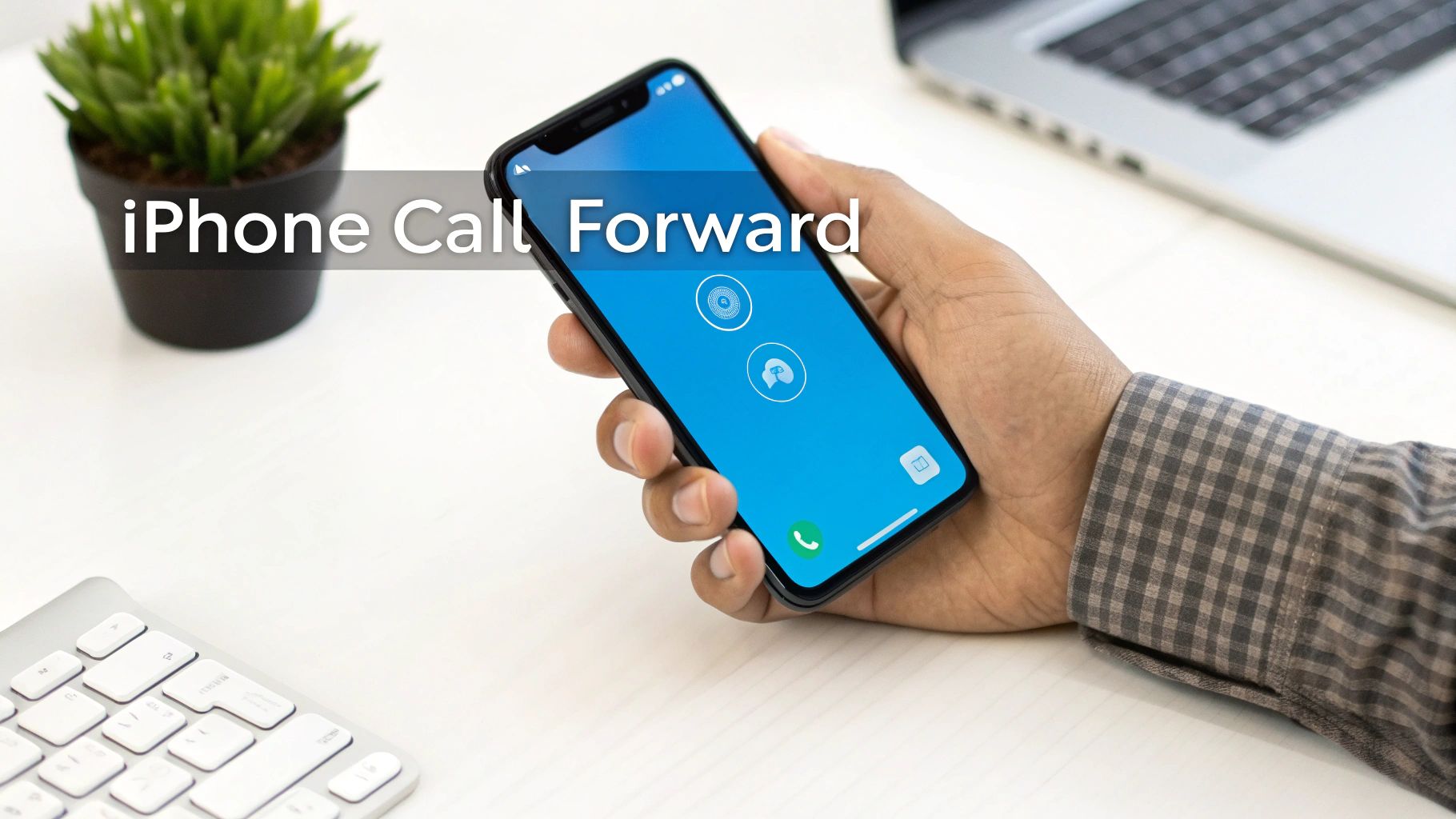
If you have an iPhone, you’re in luck. Setting up call forwarding is incredibly straightforward and baked right into the iOS settings. You don't have to fuss with dialing special codes or getting your carrier involved; Apple puts the control right at your fingertips.
This built-in feature is an "all or nothing" deal. When you flip the switch, every single call coming to your iPhone gets rerouted to the number you specify. It's perfect for those times you know you absolutely won't be able to answer your primary line.
A Quick Walkthrough for Business Owners
Let’s put this into a real-world context. Say you run a plumbing business and you're going on vacation, but your lead technician is covering emergency calls. You need every call to your main business line to go straight to their cell while you're away.
Here’s exactly how you'd set that up on your iPhone:
- First, open up the Settings app.
- Scroll down a bit and tap on Phone.
- From there, find and select Call Forwarding.
You’ll be met with a simple on/off toggle. Tap it to turn it on. It might take a moment to activate as your phone syncs up with your carrier's network.
A Quick Tip from Experience: If the "Call Forwarding" option is ever grayed out or won't respond, it’s usually a network hiccup. I've found that a simple restart of the iPhone almost always clears it up by forcing a fresh connection with your carrier.
Once you’ve enabled the toggle, a "Forward To" field will appear.
This is where you'll punch in your on-call tech's number. Make sure you enter the full 10-digit number, area code and all, to avoid any misdials. For example, type in 555-867-5309. There's no "save" button—just type the number and back out of the screen. Your setting is now live.
How to Check It's On and Turn It Off
You'll know call forwarding is active because a small icon—a phone receiver with an arrow—will pop up in your iPhone's status bar, near your Wi-Fi or cellular signal. It's a handy little visual reminder.
When you're back from vacation, turning it off is just as easy. Simply retrace your steps: Settings > Phone > Call Forwarding, and tap the toggle to the off position. The icon in your status bar will vanish, confirming that calls are back to ringing on your device as usual.
How to Forward Calls on Android and Samsung Phones
The Android world is a bit different from Apple's walled garden. Since manufacturers like Samsung, Google, and others add their own flavor to the software, the exact steps to forward calls can change from phone to phone. Don't let that intimidate you, though. The general process is remarkably similar no matter what device you're using.
On virtually every Android phone, the call forwarding settings live inside the Phone app—the same one you use to dial out. You won't find these options buried in the main system settings, which is a smart move that keeps everything call-related in one spot.
Finding the Forwarding Menu
Let's walk through a common scenario. Imagine you're a contractor on a noisy job site. You can't hear your phone, but you absolutely can't miss a call from a potential new client. The solution? Forward your calls to your office or a virtual receptionist.
Here’s how you'd typically get that done on a standard Android phone (like a Google Pixel) or a Samsung device:
- First, open your Phone app.
- Tap the three-dot menu icon, which is almost always in the top-right corner, and choose Settings.
- From there, look for something called Calling accounts or Supplementary services. If you're on a Samsung, it's usually under Supplementary services.
- Tap into that menu, and you'll find the Call forwarding option.
A quick tip from experience: After you tap "Call forwarding," your phone might seem to hang for a few seconds. It's actually communicating with your carrier to pull your current settings. This is perfectly normal, so just give it a moment.
Once it loads, you’ll see a list of options that give you far more control than a simple on/off toggle.
Choosing Your Forwarding Rules
This is where Android's flexibility really comes in handy. Instead of a one-size-fits-all approach, you can tell your phone exactly when to reroute calls. This lets you build a system that works for your specific needs, not against them.
You’ll generally see these four choices:
- Always forward: This is the classic, all-in-one option. Every single call gets sent straight to the number you designate, and your phone won't even ring.
- Forward when busy: A must-have for busy professionals. If you're already on a call, the new incoming call is instantly sent to another line instead of hitting a frustrating busy signal.
- Forward when unanswered: Perfect for when you can't get to your phone in time. If you don't answer after a few rings, the call automatically bounces to your backup number, ensuring no lead is left hanging.
- Forward when unreachable: This is your ultimate safety net. If your phone is off, in airplane mode, or you've lost signal, calls are still captured. It's an incredible tool for catching calls that would otherwise vanish into the void.
For that contractor on the job site, using Always forward to send calls to a service like Recepta.ai means they can focus on their work, confident that every new business opportunity is being handled professionally.
Using Carrier Codes for Conditional Call Forwarding
Sometimes, the standard call forwarding settings on your iPhone or Android just don't cut it. You need more control. That’s where carrier codes, also known as GSM or star codes, come in. These simple codes let you talk directly to your carrier's network, allowing you to set up smart rules for when and where your calls go.
Think of it like giving specific instructions to your phone line. Instead of a blunt, "all-or-nothing" forward, you can build a more intelligent system. This is a game-changer for business owners who want to be the first point of contact but need a bulletproof backup for when they get tied up.
This decision tree gives you a great visual of how conditional forwarding works, helping you see the different paths a call can take.
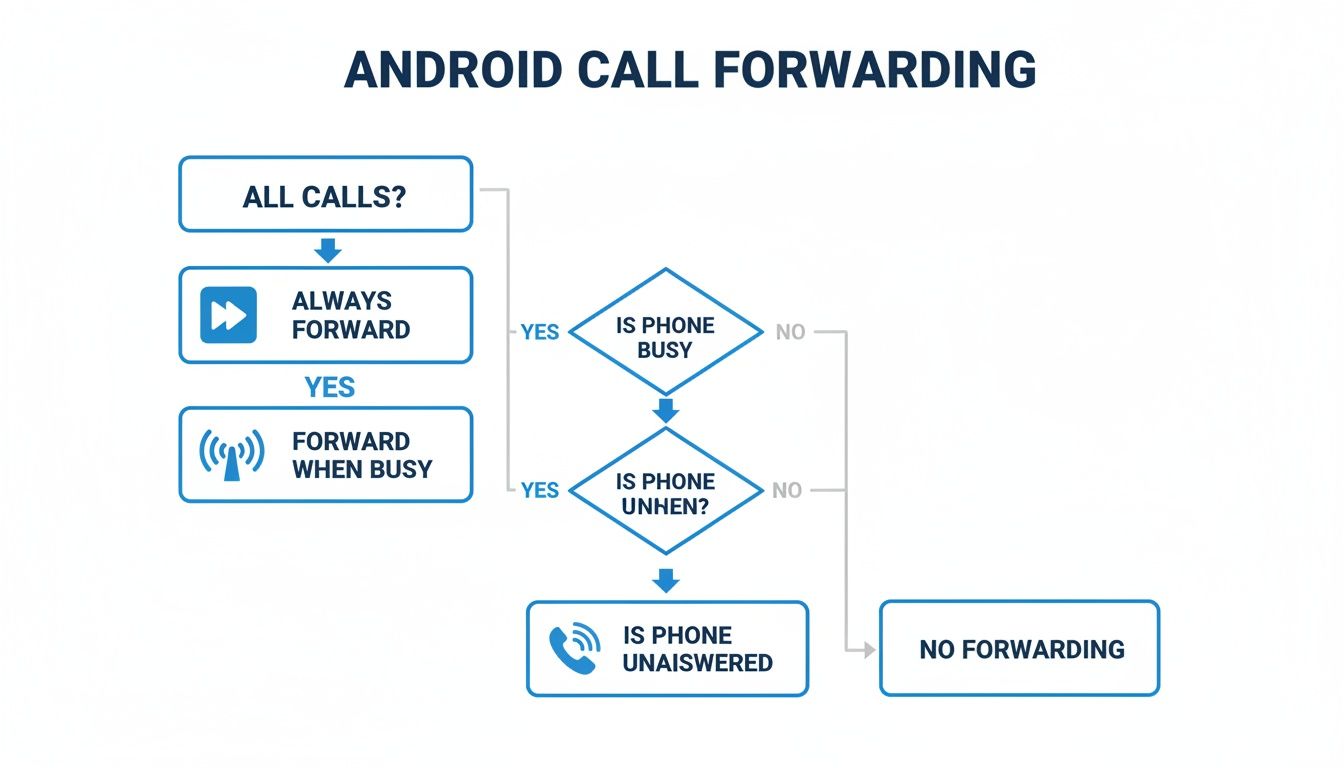
As you can see, you can redirect calls based on very specific situations—like when your line is busy or when you can't answer—giving you much finer control over your availability.
The Three Pillars of Conditional Forwarding
There are three core types of conditional forwarding you can set up with these codes. Each serves a specific purpose, and when used together, they create a fantastic safety net for your business calls.
- Forward When Busy (*67): This one is a lifesaver for anyone who spends a lot of time on the phone. If you're deep in a conversation with a client and a new lead calls, this code sends them to your backup number instead of making them listen to a frustrating busy signal.
- Forward When Unanswered (*61): Let's be honest, you can't always grab your phone in time. This code kicks in after a few rings (usually about 15-20 seconds), sending the caller to another line so someone can always pick up.
- Forward When Unreachable (*62): This is your ultimate failsafe. If your phone dies, you're on a flight, or you drive through a dead zone, this code makes sure your calls still get answered by routing them to a number that’s online and ready.
Practical Example: A busy dental office has one receptionist. She activates "Forward When Busy" to route calls to an answering service whenever she's on the line with a patient. Now, a new caller looking to book an appointment is instantly connected to a live agent instead of getting a busy signal, capturing a lead that would have otherwise been lost.
Putting Carrier Codes into Action
Using these codes is surprisingly easy—it's just like dialing a phone number. Pop open your phone's keypad, punch in the code sequence, and hit the call button. You'll usually see a quick confirmation message flash on your screen.
To set up a forward, you just dial the star code, then the full 10-digit phone number you want to forward to, followed by the pound (#) sign.
Actionable Example: Let’s say you are a real estate agent and want to forward calls to your assistant at (555) 123-4567, but only when you can't answer your phone.
- Open your Phone app's keypad.
- Dial
*61*5551234567#. - Press the green call button.
You'll see a confirmation message, and now any call you don't answer will go directly to your assistant.
Common Carrier Codes for Conditional Call Forwarding
Here’s a handy table with the most common GSM codes you’ll need. These work for most major carriers, including AT&T, T-Mobile, and Verizon, giving you an easy way to manage your forwarding settings on the fly.
Once you get the hang of these, you'll see they are a powerful tool for anyone who needs to know how to forward calls on a cell phone with real precision.
If you’re looking to get even more sophisticated with call management, check out the best call tracking software to see detailed analytics on your call volume and sources. And while you're mastering call routing, you might also want to learn how to make your phone number private for specific calls, which often involves similar dial codes.
When to Move Beyond Basic Call Forwarding
Basic call forwarding is a fantastic tool, but let's be honest—it's a one-trick pony. It does one job incredibly well: sending a call from point A to point B. And that’s where its job ends. It can’t tell you who called, why they were calling, or what they needed from you.
For any business that’s growing, this creates a major blind spot.
Practical Example: You run a pest control company and forward after-hours calls to your personal cell. You’re at dinner with your family, you miss a call from a (914) area code, and later you see just another number in your call log. Was it a panicked homeowner with a raccoon in their attic (an urgent, high-value job) or just a misdial? There’s no context, no sense of urgency, and that potential customer has probably already called three other companies.
This is the exact moment when a business outgrows simple forwarding. When a missed call goes from being a minor inconvenience to a direct hit to your revenue, it's time to find a smarter way to handle your phones.
Recognizing the Limits of Standard Forwarding
Think of standard call forwarding as a passive system. It just reroutes traffic without adding any intelligence or value along the way. This becomes a serious bottleneck once your call volume picks up or when every single ring represents a high-value lead you can't afford to lose.
Here are the tell-tale signs you’ve hit the ceiling with basic call forwarding:
- You can't qualify leads. A forwarded call is just a ring. You have no way to screen for serious buyers versus solicitors or to get a bit of information before you even pick up.
- There's no scheduling capability. The system can't book appointments or schedule consultations for you. This means every potential booking requires a live conversation, which just isn't always possible.
- It offers zero data. You get no analytics on your call volume, when your peak hours are, or why people are calling. This kind of data is gold for making smart decisions about staffing and marketing.
The core limitation is simple: standard forwarding doesn't engage the customer. It merely passes the buck, leaving the caller's immediate needs unmet and forcing you to play catch-up later.
This isn't just a small operational headache; it directly impacts your bottom line. You're not just missing calls—you're missing prime opportunities to lock in new business and deliver incredible customer service from the very first interaction.
The Next Step: Smarter Call Management
The solution is to stop forwarding your calls to just another phone and start sending them to an intelligent system that can act on your behalf. This is where services like an AI receptionist or a professional answering service become absolute game-changers. Instead of just passing along a ring, these systems are built to capture, qualify, and convert leads 24/7.
Let’s go back to our pest control company. By forwarding calls to a service like Recepta.ai, the entire dynamic shifts. When a panicked homeowner calls at 9 PM with a rodent problem, the system doesn’t just forward the call or take a simple message. It can ask qualifying questions ("Is this for a home or business?"), gather all the necessary contact details, and even schedule an inspection for the next available slot right on the company’s calendar.
The economic impact is huge. Businesses with teams in the field, like HVAC contractors or plumbers, rely on forwarding to stay connected. When you enhance that with intelligent routing, efficiency and customer satisfaction skyrocket. According to data from GlobalCallForwarding.com, the right system can lead to massive cost reductions, with some companies saving between 60% and 90% on certain communication costs.
This leap from basic forwarding to an intelligent system turns what was a cost center into a revenue generator. For any business that depends on a steady stream of inbound leads, it’s not just an upgrade—it’s a fundamental shift in how you operate. If this sounds like the right move, you might be interested in our guide on the benefits of after-hours answering services.
Common Questions About Call Forwarding
Even when you know the steps, a few practical questions almost always come up once you start forwarding calls from your cell phone. Let's walk through the most common ones so you can manage your calls with confidence.
First up: will the person calling me know their call has been forwarded? The short answer is no. The experience for the original caller is completely seamless. They won't have any indication that their call is being rerouted to another number. It just feels like a normal call, which is perfect for maintaining a professional image.
How Billing and Caller ID Work
Another big question is about cost. Does call forwarding come with extra fees? Usually, your carrier won't charge you a specific fee just to turn the feature on. However, you need to think of the forwarded leg of the call as a brand-new outgoing call from your phone.
Practical Example: Your mobile plan includes unlimited calls within the US but charges for calls to Canada. If you forward your US-based cell number to a business partner's phone number in Toronto, you will be billed for international long-distance for the duration of every forwarded call, just as if you had dialed it yourself.
As for what the person on the receiving end sees on their Caller ID, it can go one of two ways:
- The Original Caller's Number: Most of the time, the recipient will see the Caller ID of the person who dialed you initially. This is the most helpful setup.
- Your Number: In some instances, the Caller ID might display your own phone number, signaling that it’s a forwarded call from your line.
Getting these small details right makes a big difference in how professionally your calls are managed. If you want to sharpen your phone skills, our guide on call handling best practices is packed with useful tips.
What Happens to Voicemail and Texts?
People often get tripped up on what happens with voicemail. If the forwarded call isn't answered, where does the message go? The call will always go to the voicemail system of the number it was forwarded to, not your own. That’s a crucial detail to remember, otherwise you might think you're missing messages when they're just waiting in a different inbox.
Finally, a quick but important note: standard call forwarding is only for voice calls. Text messages (both SMS and MMS) will not be forwarded. If you need a way to handle texts sent to your main line, you'll have to look for a more specialized business phone solution.
If you're finding that basic call forwarding still leaves gaps where you might miss a customer, Recepta.ai can fill them. Our AI receptionist is designed to do more than just answer; it captures leads, books appointments, and ensures every single call is an opportunity, not a missed connection. Learn more at https://recepta.ai.