Optimize Law Firm Client Intake: Convert More Leads

The usual scene looks like this. A prospective client calls while your attorney is in court, your receptionist is juggling three lines, and the voicemail picks up with a generic greeting that sounds like no one owns the process. Later, someone emails through the website, the message lands in a shared inbox, and by the time a staff member responds, the lead has already booked a consult somewhere else.
That's not a staffing problem alone. It's a law firm client intake problem.
Firms lose business during intake because the first contact, the follow-up, the screening, the hand-off, the conflict check, and the retainer process often live in separate habits instead of one system. The firms that fix this don't just buy software. They combine scripts, workflow ownership, compliance controls, and automation so every inquiry gets a fast, professional, consistent experience.
A strong intake process does two jobs at once. It protects the firm from bad-fit matters and ethics issues, and it makes good-fit clients feel guided from the first interaction forward.
Why Your Client Intake Process Is Leaking Revenue
Think of intake like a bucket with holes in it. Marketing may bring in calls, website forms, referrals, and repeat inquiries, but if the bucket leaks at the first response, the qualification stage, or the scheduling hand-off, more lead volume won't solve the problem.
Most leaks are painfully ordinary. Calls roll to voicemail. A legal assistant takes detailed notes one day and only a name and number the next. An attorney says, “Have them send an email,” but no one tracks whether that email arrives. Staff members follow up when they remember, not when the process requires it.
Where firms lose the lead
The biggest intake failures usually happen in a few places:
- First contact goes unanswered: If a prospective client calls after hours or during a lunch rush, they often get no real interaction.
- No consistent qualification: Staff members ask different questions, so the firm can't compare leads cleanly or route them correctly.
- Weak follow-up ownership: Everyone assumes someone else will call back.
- Consults without preparation: The attorney enters the consultation missing facts, opposing-party names, or case basics.
- No clear triage path: Good leads, bad leads, urgent matters, and referral-outs all get treated the same way.
If your team needs a simple framework to think through lead screening before it reaches legal intake, this guide on how to qualify sales leads is useful because the same discipline applies inside a law firm. Not every inquiry should become a consultation.
A lot of firms also discover that they don't have an answer-rate problem so much as a coverage problem. If that's where your breakdown starts, it helps to review what a dedicated answering service for law firms should handle before and after the first call.
Practical rule: Intake isn't front-desk admin. It's the first revenue event in the client relationship.
What the fix actually looks like
The fix isn't “be more responsive.” That advice is too vague to operate. The fix is a systematic intake process with defined stages, required data fields, scripts, ownership, and timed follow-ups.
When firms stop treating intake as an informal set of office habits, three things improve quickly. Staff members know exactly what to ask. Attorneys receive cleaner consults. Prospective clients feel like the firm is organized before any legal work begins.
Designing Your Firm's Client Intake Workflow
A workable intake workflow starts on paper before it starts in software. If you can't map the process in plain English, your CRM won't rescue it.
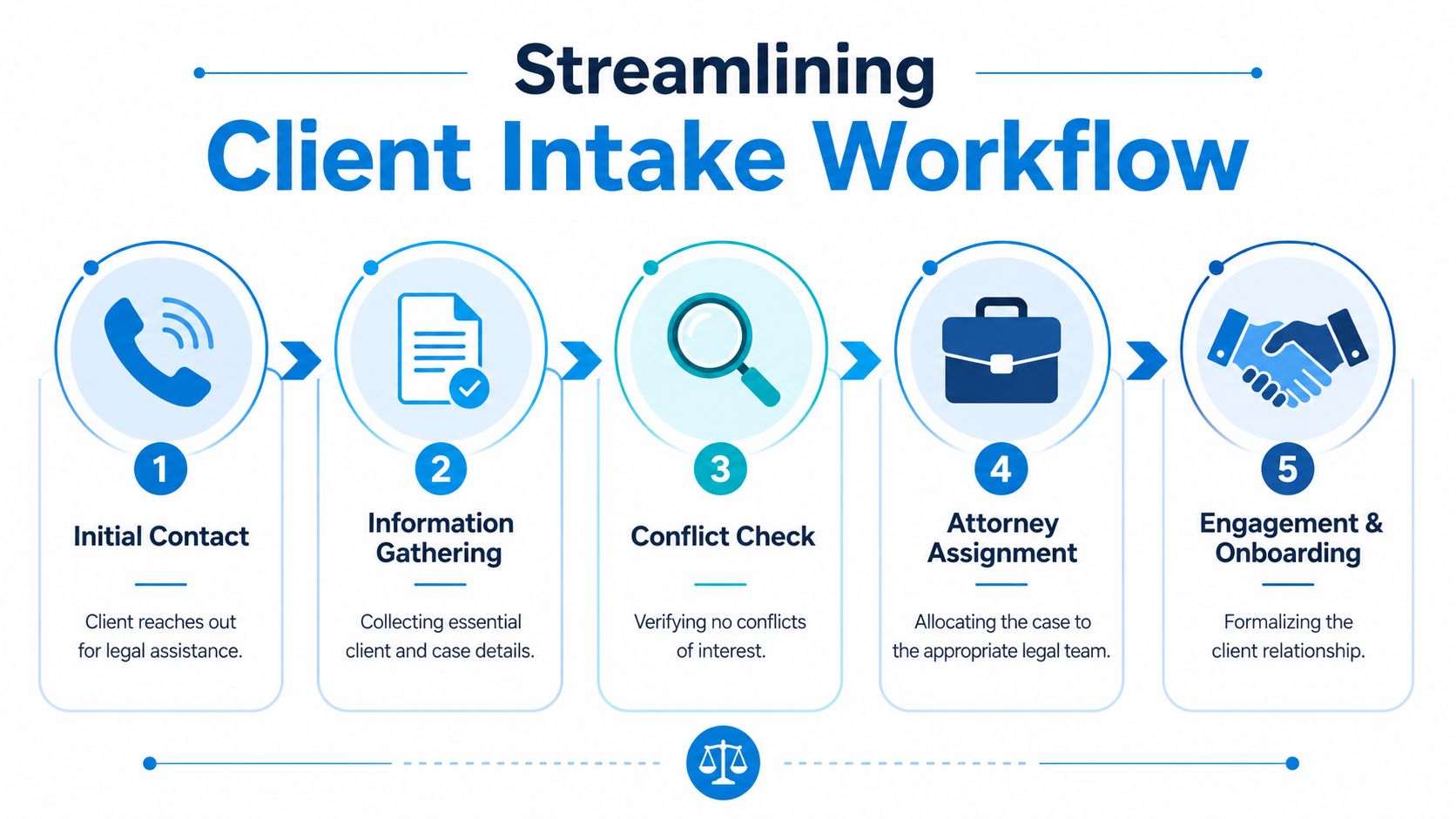
The most useful exercise is simple. Trace the path from the first inquiry to signed engagement, and list who owns each stage, what information gets collected, where it lives, and what triggers the next step.
Start with the current state
Don't begin with the idealized version your firm wishes it had. Begin with what happens today.
Map these points:
- How inquiries arrive
- Who responds first
- What gets asked immediately
- When the conflict check happens
- Who decides whether to offer a consultation
- How reminders, documents, and retainers go out
- What happens if the lead goes quiet
This exercise usually exposes hidden failure points. One common example is a family law firm that asks for too much detail on the first call, overwhelms emotional callers, and still fails to collect the opposing party's full name for conflicts. Another is a personal injury firm that books consultations quickly but doesn't confirm whether treatment is ongoing, whether there's counsel already involved, or whether lien issues may complicate the matter.
Build the future state around stages
Most firms need these stages at minimum:
| Stage | Owner | What must happen |
|---|---|---|
| Initial contact | Reception or intake team | Capture contact details, practice area, urgency, preferred contact method |
| Preliminary screening | Intake specialist | Confirm fit, jurisdiction, matter type, and obvious disqualifiers |
| Conflict check | Assigned staff or attorney | Check names, entities, related parties, prior representations |
| Consultation scheduling | Intake team | Offer times, send confirmation, explain what to bring |
| Post-consult decision | Attorney and intake | Send retainer, decline, or refer out |
| Onboarding | Staff | Open matter, collect documents, set expectations |
For firms that want to tighten these hand-offs, process mapping techniques from broader workflow optimization work very well when adapted to legal intake. The principle is the same. Remove duplicate steps, assign ownership, and make each stage trigger the next one automatically.
Example workflow for a personal injury firm
A personal injury inquiry should not follow the same path as a business formation lead. The workflow needs to match the practice.
For example:
- Call comes in: Intake staff captures the caller's name, date of incident, location, injury summary, and whether medical treatment has started.
- Immediate screen: Staff checks basic fit such as jurisdiction and matter type. If the case is outside scope, they politely close the loop or refer out.
- Conflict check: Staff collects all potentially relevant names, including possible defendants if known.
- Consult booking: Qualified leads receive a consultation slot and a pre-consult checklist by text or email.
- Attorney prep: The lawyer receives a short intake summary, not a raw transcript of scattered notes.
- Retainer path: If the firm moves forward, the engagement paperwork goes out promptly with clear next steps.
If your firm serves clients who are more comfortable in another language, intake planning should account for interpretation at the first contact, not as an afterthought. In matters involving family law, immigration, personal injury, or criminal defense, access to legal interpreting services can prevent bad data collection and avoid misunderstandings during the most sensitive part of the first conversation.
The workflow should be easy for the client to enter and hard for the firm to mishandle.
Assign one owner per hand-off
Shared responsibility sounds cooperative, but in intake it often means no one is accountable. Every stage needs a single owner, even if multiple people support it.
That doesn't mean the owner does everything. It means one person is responsible for making sure the step is completed, recorded, and advanced. If a consultation isn't confirmed, someone should be able to answer one question immediately: who owned that step?
Crafting Intake Forms and Scripts That Build Trust
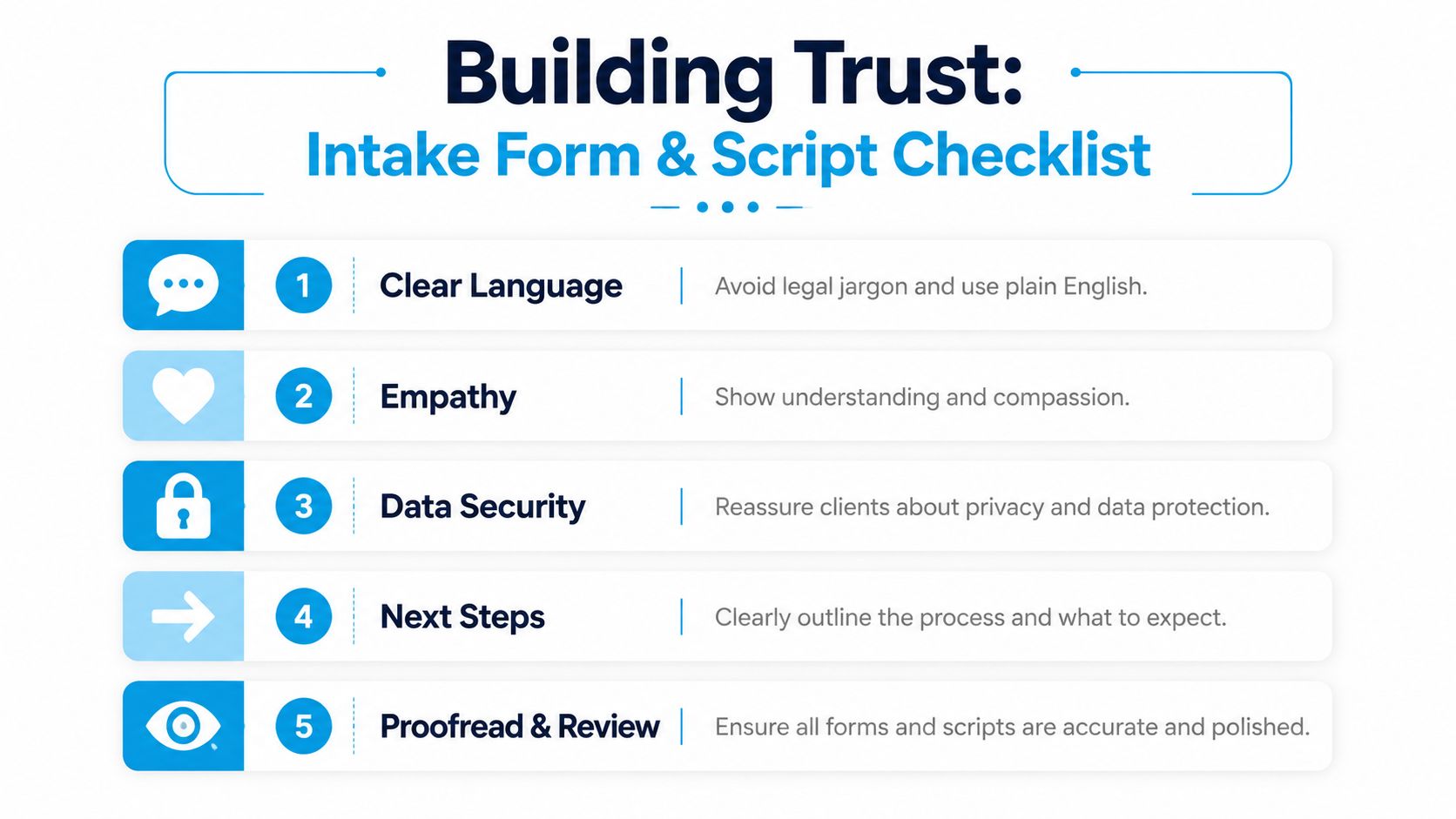
Clients rarely know what information matters legally. They only know whether your firm made the first interaction feel clear, respectful, and safe. That's why forms and scripts matter so much. They don't just collect data. They shape trust.
The mistake I see most often is overloading the first form. Firms ask for a full chronology, uploads, adverse party history, financial details, and narrative questions before they've earned any confidence. That creates abandonment, incomplete submissions, and poor-quality entries.
What your first intake form should ask
Your web form should gather enough information to screen and route the inquiry, not everything needed to litigate the case.
A practical first-pass form usually includes:
- Contact basics: Full name, phone, email, and preferred contact method.
- Matter type: A dropdown or short list of practice areas.
- Short issue summary: One plain-language prompt such as “Tell us briefly what happened.”
- Opposing party names: Essential for conflict checks in many matters.
- Timing cues: A question about deadlines, court dates, arrests, hearings, or recent incidents.
- Location details: State, county, or city if jurisdiction matters.
- Consent and disclaimer acknowledgment: Make clear that submitting the form doesn't create an attorney-client relationship.
Questions to avoid early include broad free-response prompts that invite essays, sensitive financial detail that isn't needed yet, or complex legal issue spotting questions that only an attorney can interpret correctly.
What to save for the consultation
Hold back the questions that require nuance, credibility assessment, or legal judgment.
Examples include:
- Detailed liability analysis in personal injury
- Full parenting history in custody disputes
- Asset tracing in divorce matters
- Contract interpretation in business disputes
- Immigration history that needs careful attorney review
A good intake form opens the door. The consultation does the legal work.
For phone intake, the script matters just as much as the form. If your front desk or intake team needs examples of phrasing, these scripts for answering phone calls are a good starting point because they show how to sound clear without sounding robotic.
A script that sounds human
A weak script sounds interrogative. A strong script sounds calm, structured, and helpful.
Here's a practical opening a receptionist or intake specialist can adapt:
“Thank you for calling. I'm sorry you're dealing with this. I can ask a few questions so we can determine the right next step. Before we begin, I want to let you know that this call helps us evaluate your inquiry, but it doesn't create an attorney-client relationship.”
That opening does four things. It acknowledges emotion, sets purpose, gives a process, and includes an important boundary.
Then move into controlled questions:
- “What type of legal issue are you calling about?”
- “What names should we have for conflict checking?”
- “Are there any upcoming deadlines, hearings, or court dates?”
- “What outcome are you hoping for?”
- “What is the best number and email for follow-up?”
How to screen out poor-fit matters without sounding dismissive
Many firms' reputations suffer in this situation. Staff members often become blunt when a case isn't a fit. That's a mistake. The caller may still become a referral source, leave a review, or return later with a different matter.
Use language like this:
“Based on what you've shared, it sounds like this may fall outside the matters our attorneys handle. I don't want to waste your time by scheduling the wrong consultation. What I can do is note the issue clearly and, if appropriate for our process, point you toward a more suitable next step.”
That approach protects the firm's time without making the caller feel brushed off.
The hand-off script matters too
Most firms spend time on the greeting and almost none on the transition. But the hand-off to the attorney or intake coordinator is where confidence either rises or drops.
Use a standard transition such as:
- If booking a consult: “I have enough to move this to the next step. Let's get your consultation scheduled, and I'll explain exactly what to expect.”
- If more review is needed: “I'm going to route this to our intake team for review so we can confirm fit before scheduling.”
- If declining: “I appreciate you reaching out. We're not the right firm for this matter, and I'd rather tell you that promptly than delay you.”
The best scripts don't sound polished for the sake of polish. They sound reliable.
Choosing and Integrating Your Intake Technology Stack
Manual intake breaks down for one simple reason. Every time your team retypes information, forwards notes, copies data from one app to another, or relies on memory for follow-up, the process slows down and the client experience gets worse.
An effective stack for law firm client intake usually includes a CRM or legal practice management system, a scheduling tool, secure document collection, call handling, messaging, and a conflict-check process that doesn't depend on sticky notes or inbox searches.
What each tool should do
The right question isn't “Which app should we buy?” It's “What part of intake must this tool own?”
A practical stack often looks like this:
| Function | Tool type | What to look for |
|---|---|---|
| Lead capture | Website forms and call capture | Custom fields, routing rules, clear disclaimers |
| Lead tracking | CRM or legal intake system | Matter stages, notes, task creation, reporting |
| Scheduling | Calendar booking tool | Round-robin options, buffers, reminders |
| Communication | Phone, SMS, email | Templates, logging, shared visibility |
| Documents | Secure portal or e-sign platform | Intake packets, signatures, controlled access |
The integration matters more than any single tool. If the form submission creates a contact but doesn't trigger follow-up, you still have a gap. If the scheduler works but the attorney never sees the intake notes in context, you still have a gap.
A realistic automation flow
Here's a setup that works well in practice:
- A prospective client completes a web intake form.
- The form creates or updates a contact in the CRM.
- The matter is tagged by practice area.
- The system triggers a qualification call or message sequence.
- Qualified prospects receive a consultation booking link.
- The attorney gets a structured summary before the consult.
- If representation is offered, the engagement packet goes out from the same record.
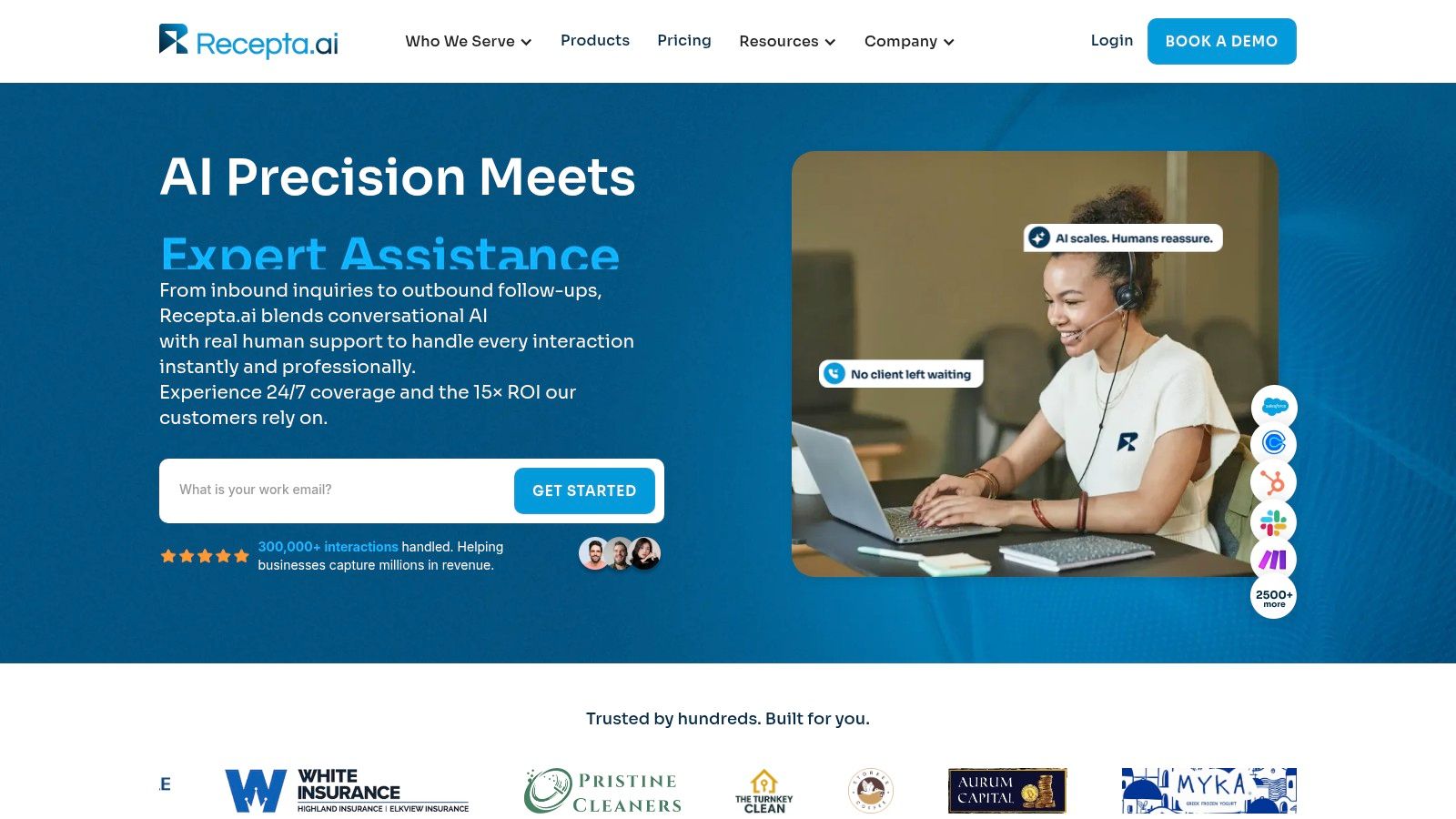
That's where AI and human support can complement each other instead of competing. One option firms use is Recepta.ai, which handles inbound and outbound interactions, captures lead details, books appointments, and escalates to human agents when the conversation needs empathy or judgment. In legal intake, that matters because callers often need both speed and reassurance.
Where firms usually overbuy and underbuild
A lot of firms buy software with impressive features and then keep their old habits. The result is a modern-looking mess.
Common examples:
- They buy a CRM but still track hot leads in email.
- They add online scheduling but don't pre-screen before the appointment.
- They automate texts but never write proper templates.
- They log calls but don't standardize note quality.
The fix is governance, not another subscription. Decide which fields are required, which templates are approved, who can edit workflows, and how hand-offs appear inside the system.
If you're comparing systems, this guide to CRM software for law firms is useful because it frames the decision around operational fit, not just feature lists.
A quick product walkthrough helps when your team is trying to understand how AI fits into intake without removing the human touch:
Integration rules that save headaches
Don't connect systems blindly. Set a few rules first:
- Use one system of record: Decide where the final client and matter data lives.
- Standardize field names: “Opposing Party,” “Adverse Party,” and “Other Side” should not be three different fields.
- Automate only stable steps: Don't automate a broken process.
- Preserve human review where it matters: Conflict checks, legal advice, and edge-case screening still need trained judgment.
Automation should remove repetitive work. It should never remove accountability.
Upholding Compliance and Security in Every Interaction
Clients don't separate convenience from trust. If your intake process feels sloppy, they assume your legal work may be sloppy too. Security and compliance are part of the client experience, not separate from it.
The intake stage is especially risky because firms collect names, contact details, opposing party information, case facts, and sometimes sensitive documents before representation is formalized. That means your process needs safeguards from the first touchpoint forward.
Build compliance into the workflow
Start with the basics that should never be optional:
- Conflict checks happen before substantive discussions go too far. Staff should know exactly when to pause and gather names.
- Disclaimers appear on forms and in scripts. Make clear that contact doesn't create an attorney-client relationship.
- Document sharing uses secure channels. Don't ask prospects to email sensitive records if a secure portal is available.
- Access is role-based. Intake staff doesn't need the same permissions as attorneys or billing personnel.
- Vendors are reviewed before adoption. If a third-party tool handles calls, texts, forms, or storage, someone at the firm should evaluate how data is handled.
A practical intake security checklist
Use this as a working audit list:
| Checkpoint | What good looks like |
|---|---|
| Web forms | Clear disclaimer, only necessary fields, secure submission |
| Phone intake | Script includes boundaries, notes stored in approved system |
| Conflict data | Names captured consistently before detailed case discussion |
| File transfer | Secure portal, encrypted process, no ad hoc sharing |
| Staff access | Least-privilege permissions and clear ownership |
| Retention | Defined policy for unconverted leads and declined matters |
Some firms still need fax workflows for courts, medical providers, or legacy counterparties. If that's part of your process, use a method designed for confidentiality rather than a consumer workaround. This guide on how to send fax online securely is a useful reference for evaluating secure transmission practices.
Clients notice when your intake team explains privacy clearly. That explanation often does more to build confidence than a polished brochure.
Train for edge cases, not just ideal scenarios
The hardest compliance problems show up in messy moments. A distraught family law caller starts sharing facts before the conflict check. A personal injury prospect wants to text photos to a staff member's direct number. A corporate inquiry comes from an executive assistant who doesn't know all affiliated entities.
Those aren't rare exceptions. They're normal intake conditions.
Your scripts and workflows should tell staff exactly what to do next. Pause the detailed discussion. Gather names first. Move document collection into the secure channel. Escalate unusual conflict or confidentiality issues to the right reviewer. Compliance works when people can execute it under pressure.
Using Metrics to Continuously Optimize Intake Performance
A managing partner looks at the monthly report and sees a healthy number of new inquiries. Revenue still feels soft. The problem usually sits inside intake. Leads wait too long for a response, the wrong matters get booked, or hand-offs break between the first call and the consultation.
Good intake metrics expose those weak points fast. They also keep firms from blaming staff for problems caused by bad routing, vague scripts, or disconnected software.
The metrics that actually help
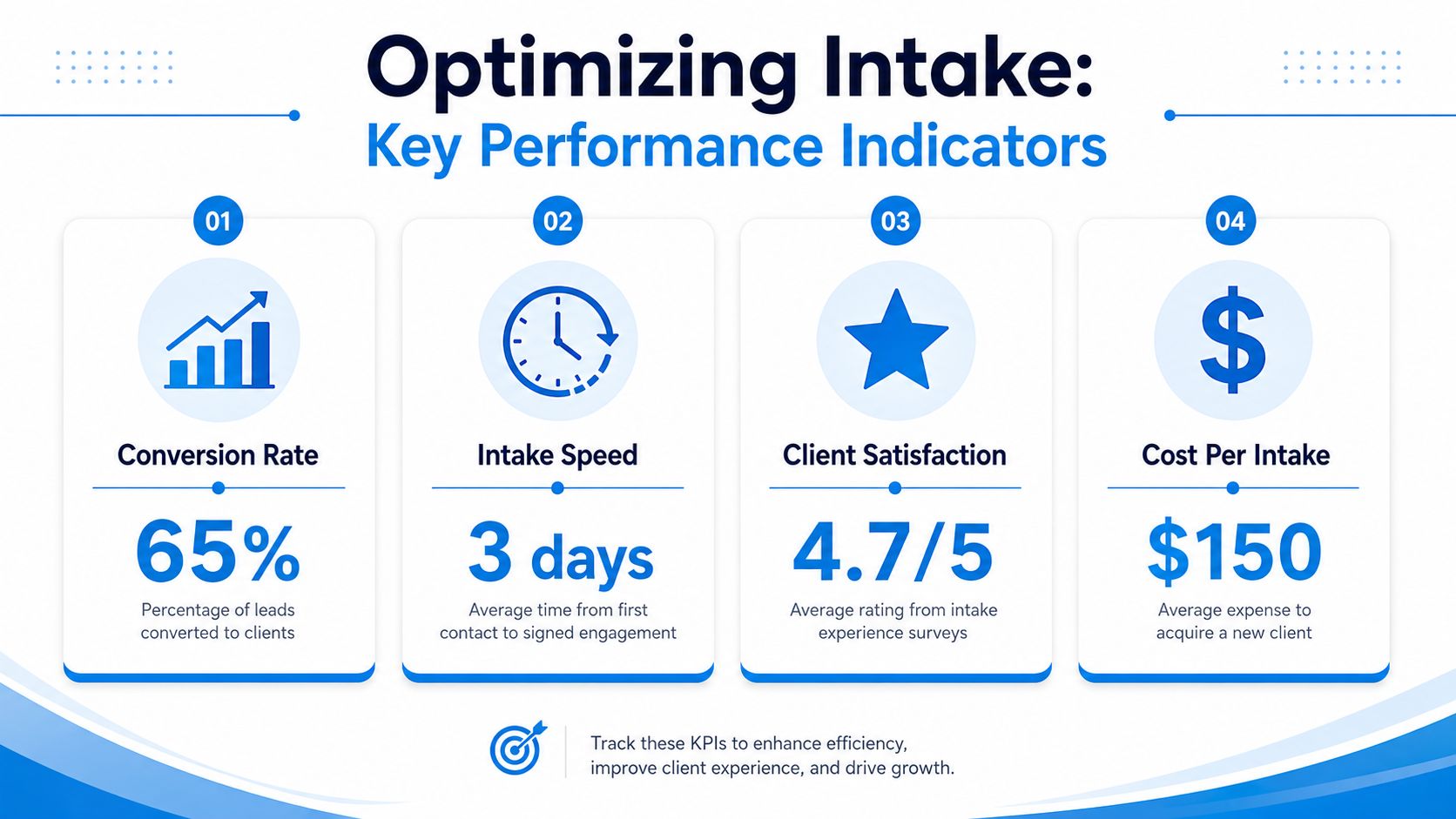
Track the measures that change decisions:
- Lead source quality: Which channels send matters that fit your practice, fee model, and capacity?
- Contact speed: How long does it take for a prospect to reach a live person or receive a useful follow-up?
- Consultation show rate: Which consults happen after booking?
- Lead-to-client conversion: Which matter types, intake paths, or team members produce signed engagements?
Each metric points to a different fix. Slow response times usually mean coverage gaps, weak alerts, or poor hand-offs between reception, intake, and attorneys. Low show rates often trace back to weak confirmation language, inconvenient scheduling, or no reminder sequence. Low conversion after solid consult volume usually signals a qualification problem, a pricing mismatch, or delays in getting the retainer out.
One metric alone rarely gives the full answer. Taken together, they show whether your intake system is screening well, creating confidence, and getting people to the next step without friction.
How to diagnose bottlenecks
Keep the interpretation simple and operational.
| Signal | Likely issue | What to check |
|---|---|---|
| Lots of inquiries, few consults | Weak qualification or delayed response | Call coverage, scripts, routing rules |
| Lots of booked consults, many no-shows | Poor reminders or low commitment | Confirmation process, pre-consult messaging |
| Strong consult volume, low signed matters | Fit problem or slow follow-up | Screening criteria, retainer turnaround |
| One lead source fills pipeline but produces poor-fit matters | Marketing mismatch | Intake source tagging, ad messaging, referral quality |
A common example comes from PI and family law firms. Website forms generate plenty of submissions, but signed matters stay flat. Often the issue is not traffic. The form asks broad questions, the CRM routes every lead the same way, and the follow-up message feels automated when the prospect wants clarity about urgency, next steps, and whether the firm handles this kind of matter.
That is why intake has to be managed as one system. The script, the form, the automation, and the human follow-up all affect conversion.
Review the system, not just the people
The strongest intake teams review performance the way operators do. They look for failure points, then fix the process before they coach the person.
Use questions like these in a monthly review:
- Where did leads stop moving?
- Which stage created confusion for clients?
- Which practice area needs its own script, form, or follow-up sequence?
- Which hand-off still depends on one person remembering to act?
Operational takeaway: Strong intake reduces uncertainty for both the client and the firm at every stage.
Over time, the process should get tighter. Better screening questions. Clearer scripts. Faster hand-offs. Cleaner CRM records. Safer document collection. Fewer prospects dropping out because nobody guided them properly.
If your firm wants a more consistent intake system without pushing every inquiry to voicemail or relying on staff memory for follow-up, Recepta.ai is one example of the kind of toolset to evaluate. The practical standard is simple. Capture the lead, qualify it correctly, document the interaction, route it to the right person, and make sure a human steps in when judgment or empathy matters.