What Is a Live Chat? Your 2026 Business Guide

A visitor lands on your website at 9:14 p.m. Their water heater just failed. They don’t want to leave a voicemail and wait until morning. They want to know one thing right now. Can someone help?
If your site gives them a phone number, a contact form, and silence, many of those visitors leave. They try the next business, or they decide to deal with it tomorrow, which often means never.
That gap between interest and response is where live chat matters. At its simplest, live chat is real-time messaging on your website or app. In practice, it works more like a digital receptionist that greets visitors, answers routine questions, collects details, and moves the conversation toward a useful next step.
For service businesses, that next step is what matters. It might be booking an appointment, qualifying a lead, routing an urgent issue, or handing the conversation to a person who can close the job. That’s why “what is a live chat” is no longer just a software definition. It’s an operations question.
Your Website Is Talking But Is Anyone Listening
A lot of business owners already have a website that looks fine. The logo is polished. The services page is clear. The phone number is in the header.
But a polished website can still behave like an empty front desk.
A homeowner visits your plumbing site after dinner because there’s water under the sink. A parent checks your dental site during a lunch break and wants to know if you take their insurance. A potential client reads a family law page late at night and isn’t ready to call, but is ready to ask one careful question.
If nobody answers in that moment, the site is technically working. The business outcome isn’t.
That’s why live chat has become more than a nice extra. 41% of consumers prefer live chat over phone support at 32% and email at 23% according to Help Scout’s live chat statistics roundup. People like it because it’s immediate, quiet, and easy to use while they keep doing other things.
What live chat feels like to the customer
A phone call asks for full attention.
An email asks for patience.
Live chat says, “Ask now. Keep moving.”
That difference is small on paper and huge in real life. A visitor can ask, “Do you service my area?” while standing in a hallway, sitting in a waiting room, or comparing vendors in another browser tab.
Practical rule: If a customer’s question is urgent enough to visit your website, it’s urgent enough to deserve a response path better than a contact form.
Good customer communication usually combines channels, timing, and follow-up. If you’re reviewing your broader mix, these powerful customer engagement strategies offer useful context on how businesses keep conversations moving instead of letting interest go cold.
Defining Live Chat Beyond a Simple Pop-Up Box
When people ask what is a live chat, they often mean the little bubble in the bottom corner of a website. That’s understandable, but incomplete.
The bubble is the doorway. Live chat is a real-time conversation system behind it.
It lets a visitor type a message on your site and get a response without leaving the page, waiting for an email thread, or stopping everything for a phone call. Its true value isn’t the widget itself. It’s the speed, convenience, and workflow behind the exchange.
Why it’s different from phone and email
Phone support still works well for some situations. If someone is distressed, confused, or dealing with an urgent issue, talking can be faster and more reassuring.
Email still has a place too. It’s useful when the topic needs attachments, approvals, or a longer explanation.
Live chat sits in the middle. It handles immediate questions without the friction of a call and without the delay of email. That’s why it often becomes the first touchpoint instead of the backup option.
Here’s a simpler way to view it:
- Phone is interruptive. It demands full attention from both sides.
- Email is delayed. It’s easy to send, but rarely immediate.
- Live chat is responsive and low-friction. People can ask, read, and reply while continuing with their day.
Communication Channel Comparison
| Metric | Live Chat | Phone Support | Email Support |
|---|---|---|---|
| Speed of first interaction | Immediate when staffed or automated | Immediate if answered | Usually delayed |
| Customer effort | Low. Type while multitasking | Higher. Requires a call | Low to send, slower to resolve |
| Context capture | Easy to log automatically | Often depends on notes | Written record exists |
| Best for | Quick questions, lead capture, triage, booking | Urgent or emotional conversations | Detailed follow-up, documents, non-urgent issues |
| Business workflow fit | Strong when tied to CRM and calendars | Strong for complex conversations | Strong for documentation and follow-up |
That’s also why live chat shouldn’t be treated as a standalone channel. It works best when it’s part of a broader communication system. If your team is trying to connect chat, calls, email, and follow-up into one customer journey, this guide on omnichannel customer service is worth reading.
What business owners often misunderstand
The common mistake is thinking live chat only belongs to large ecommerce brands.
In reality, service businesses often need it more. Their prospects usually arrive with a specific question tied to urgency, scheduling, trust, or price. They may not want a sales call yet. They do want a quick answer.
A home service lead might ask whether you cover their suburb. A dental patient might ask about appointment availability. A law firm prospect might want to know whether your office handles a certain case type before sharing details.
Those moments are too important for silence.
Live chat is less like adding a feature to your site and more like adding a staffed front desk to your digital storefront.
How Live Chat Technology Works
The technology sounds more complicated than it feels. For most business owners, the easiest way to understand it is to picture a restaurant.
The part your customer sees is the host stand. The part your team sees is the kitchen pass. The system in between is the waiter who carries information back and forth quickly and accurately.
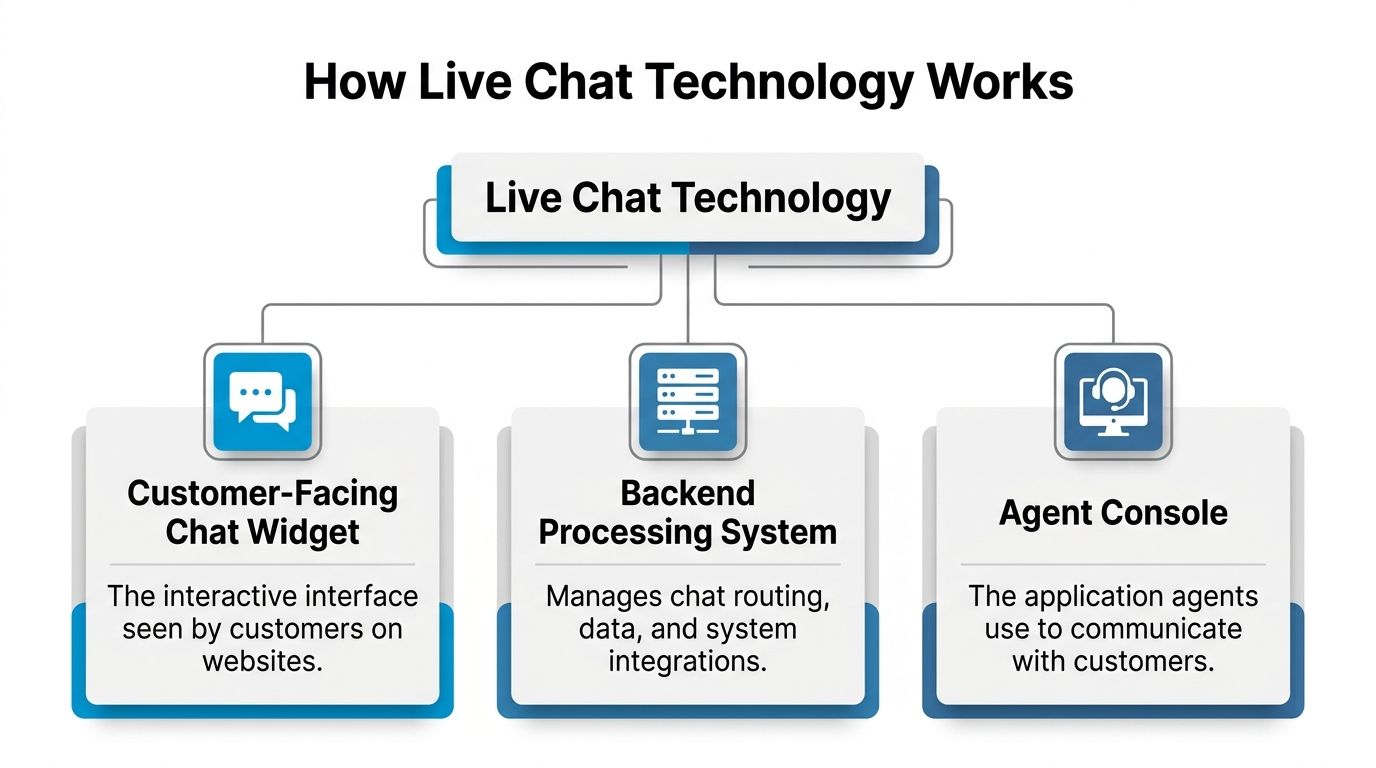
The customer-facing chat widget
This is the visible part. It’s the box on your website where a visitor clicks, reads a greeting, and types a question.
A good widget does more than open a conversation. It can ask a smart first question, collect a name and contact detail, offer suggested topics, and keep the experience simple on mobile.
For example, an HVAC company might greet with:
- Need service today: Start here for urgent requests
- Book maintenance: Ask about available times
- Question about pricing: Tell us what system you have
That small design choice matters. It reduces hesitation and helps the system route the person correctly.
The backend processing system
This is the operational layer most buyers never think about.
It decides where the message goes, what information gets attached to it, whether the visitor matches an existing record, and whether the chat should trigger another action such as sending a lead into a CRM or checking appointment availability.
Without this layer, chat is just messaging. With it, chat becomes workflow.
A strong backend can:
- Route intelligently: Sales questions go one way, support another
- Store context: Previous messages, form details, and page history stay attached
- Trigger actions: Create contacts, notify staff, or start booking flows
- Protect continuity: If a human joins later, they see the prior conversation
The agent console
Your staff don’t reply from the public widget. They work from an internal console.
Think of it as the service desk behind the scenes. The console shows active conversations, customer details, previous notes, tags, and often the pages the visitor viewed before starting the chat.
That matters because a good reply depends on context. “How can I help?” is fine. “I see you’re asking from our emergency plumbing page. Is this an active leak?” is better.
Why messages feel instant
The fast, natural feel of live chat comes from how the connection is maintained.
Modern live chat systems use WebSocket protocols to keep a persistent connection open between the website and the server, which lets messages move instantly instead of waiting for repeated check-ins. Older approaches like HTTP polling can introduce 100 to 500 millisecond latency spikes, and slower interactions can hurt engagement when response times drift past 2 seconds, as explained in this technical walkthrough of WebSockets and real-time messaging.
You don’t need to become a network engineer to use live chat well. You just need to understand the business consequence. If the system feels delayed, people stop trusting it.
A visitor doesn’t care whether your chat runs on WebSockets. They care whether the reply feels immediate and reliable.
Where confusion usually starts
Business owners often assume all chat tools behave the same because the front-end widget looks similar across vendors.
They don’t.
One tool may only pass messages. Another may sync with calendars, attach CRM history, support agent handoff, and keep conversation records consistent. The difference isn’t visible in the bubble. It shows up later, when your team tries to book, follow up, report, or recover a missed handoff.
That’s why buying live chat based only on appearance is like choosing a restaurant kitchen based only on the menu font.
The Human and AI Partnership Behind the Screen
A lot of live chat discussions get stuck on the wrong question. People ask whether bots are better than humans, or whether humans are better than bots.
That’s not how the best setups work.
The strongest live chat systems use both. AI handles the fast, repetitive, always-on tasks. People handle the complicated, sensitive, or high-trust moments.

What AI should handle
AI is useful when the customer wants speed and the answer follows a clear pattern.
That usually includes:
- Basic information: Hours, service areas, accepted insurance plans, office location
- Lead capture: Name, phone number, service type, preferred appointment window
- Simple routing: Sales vs support, emergency vs non-urgent, new client vs existing client
- Scheduling support: Collecting booking intent before handing off or confirming
A pest control company, for instance, can let AI ask whether the issue is residential or commercial, what pest is involved, and whether the customer wants an inspection or an urgent callback.
That’s useful work. It saves staff time and gives the human agent a cleaner handoff.
What a person should handle
Humans are still better when nuance, empathy, or judgment matters.
Examples are easy to spot:
- A legal prospect sharing a sensitive family dispute
- A dental patient anxious about pain or treatment timing
- A homeowner with a flooding basement who needs immediate reassurance
- An insurance client trying to explain an unusual claim situation
These are not “FAQ” conversations. They need someone who can interpret tone, ask follow-up questions, calm the situation, and adapt.
Decision shortcut: Use AI to gather and organize. Use humans to interpret, reassure, and close.
When to escalate
This is the part most articles skip, and it’s the part that causes the most operational trouble.
Many guides say AI can answer simple questions, but they don’t explain where the line should be. That matters because poor handoffs create frustration. Strong handoffs create momentum.
The guidance gap is significant. As noted in LiveAdmins’ guide to live chat, many resources discuss AI and human combinations without giving a practical routing framework. The same source notes that in behavioral health, conversion rates jumped 225% when leads used live chat instead of contact forms, which shows that routing decisions affect real business outcomes.
A practical escalation framework looks like this:
Escalate to a human when the visitor shows urgency
“Water is coming through the ceiling.”
That should not stay in an automated loop.
Escalate when compliance or professional judgment matters
In healthcare, a scheduling question may stay with automation. A patient describing symptoms should be routed under stricter rules.
Escalate when emotion is part of the interaction
People don’t want scripted reassurance during stressful moments. They want a person.
Keep AI in the lead when the process is structured
If the job is confirming clinic hours, checking whether you serve a ZIP code, or collecting intake details, AI can handle that cleanly.
If you’re comparing setups, this deeper look at conversational AI for customer support helps clarify where automation fits and where handoff rules need to be explicit.
The Business Case for Investing in Live Chat
Most software categories promise efficiency. Live chat earns attention because it affects revenue, staffing, and customer retention at the same time.
The market signal is already clear. 81% of customer service teams plan to increase investment in live chat by 2026, and 53% of customers abandon a purchase if they can’t get a quick answer, according to Velaro’s live chat statistics compilation. That’s not a feature trend. It’s a response-to-demand trend.
Revenue starts with timing
Service businesses lose leads in tiny windows.
A visitor compares two electricians. One site says, “Call us tomorrow.” The other says, “Tell us what’s happening and we’ll get this to the right person.”
The second business has a better chance to turn interest into action because it shortened the pause between question and response.
This matters most when the customer is deciding right now. A fast answer about availability, location, or next steps often keeps the conversation alive long enough to book.
Cost control comes from workflow, not just fewer calls
The wrong way to think about live chat is “another inbox.”
The right way is “a structured front door.”
When routine questions move through chat first, your team spends less time repeating the same information by phone. They start the day with better notes, cleaner lead records, and fewer interruptions.
That’s especially useful when your website runs on WordPress and multiple plugins, forms, and landing pages need ongoing upkeep. If your site itself is part of the customer response problem, a solid WordPress website management service can help keep the technical side stable so chat, forms, and booking flows don’t break.
Loyalty improves when effort drops
Customers remember how easy it was to get help.
They don’t usually praise your internal workflows. They notice that they got an answer without waiting on hold, repeating themselves, or wondering whether anyone saw their message.
That convenience creates trust. Trust increases the chance that a first interaction becomes a booked appointment, a repeat visit, or a retained client relationship.
Businesses rarely lose customers because “chat” was missing as a feature. They lose them because the customer needed one quick answer and couldn’t get it.
Live Chat in Action Across Service Industries
The easiest way to understand what is a live chat is to watch it do real work in different business settings. The mechanics are similar. The outcomes are not.
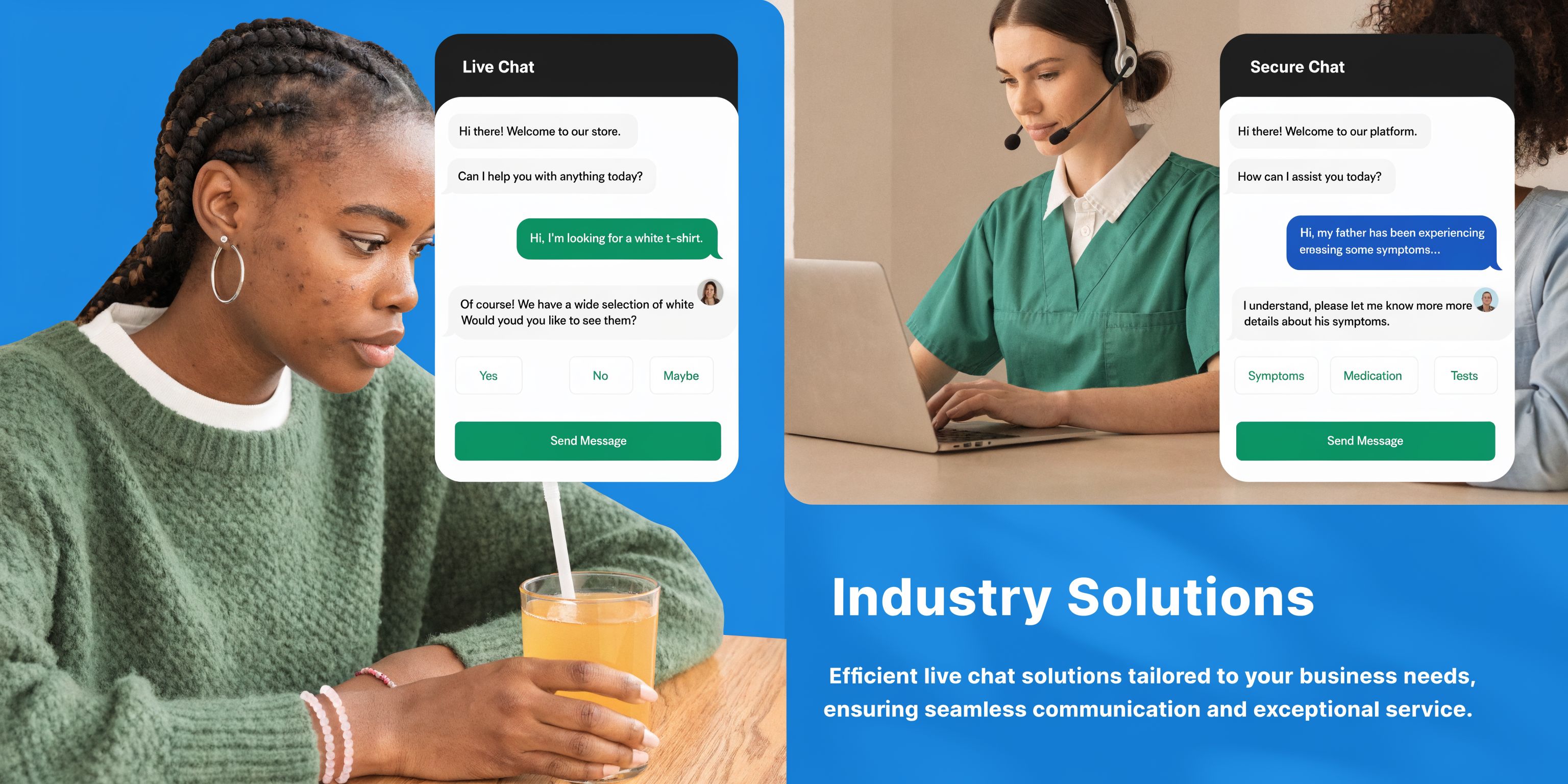
Home services
A plumbing company gets two kinds of website visitors. One has an emergency. The other just wants a quote for a fixture replacement.
Live chat should separate those paths immediately.
For the emergency visitor, the chat can ask what’s happening, capture the address, and route the issue for rapid follow-up. For the non-urgent visitor, the system can gather job details and suggest appointment windows.
That means your dispatcher or office team isn’t starting from zero. They’re stepping into a conversation that already has structure.
A good setup can also connect with tools used for job scheduling. If you’re evaluating that side of the workflow, this overview of automated appointment scheduling software is a practical next step.
Healthcare and wellness
A dental clinic often gets the same website questions repeatedly. Do you accept new patients? Do you take this insurance? Is there anything available next week?
Those are ideal chat questions because they’re simple, time-sensitive, and often interrupt the front desk.
The clinic benefits twice. Patients get faster answers, and staff stay focused on in-office care rather than constant phone interruptions.
Here’s a useful example of how these interactions can be framed in practice:
- Routine question: “Do you offer Saturday appointments?”
- Scheduling request: “I need a cleaning next month.”
- Needs human review: “I’m in pain and not sure if this is urgent.”
The third one should not be treated like the first two.
Legal services
Law firm prospects often hesitate before calling. They may not want to explain everything to a receptionist. They may not even know whether their issue fits the firm’s practice area.
Live chat lowers that first barrier.
A family law office can use chat to ask broad intake questions, confirm whether the matter fits the firm, and offer a next step without forcing the prospect into a long form or immediate call. The interaction feels private, controlled, and easier to start.
That matters because legal inquiries are often delayed by uncertainty, not lack of interest.
A short product demo can help make these workflows more concrete:
Franchises and multi-location businesses
Multi-location businesses have a different problem. They don’t just need answers. They need correct routing.
A visitor lands on the brand site and asks for service. Which branch owns that lead? Which calendar should show availability? Which team should follow up?
Chat can collect ZIP code or location details up front and direct the visitor to the right place before confusion starts. That reduces duplicate entries, misrouted leads, and awkward internal handoffs.
One of the clearest signs of a mature live chat setup is simple. The customer never has to care how many teams, locations, or systems sit behind the conversation.
Implementing Live Chat the Right Way
Most live chat disappointments come from one mistake. A business installs a widget and expects outcomes.
The widget matters, but it’s not the system.
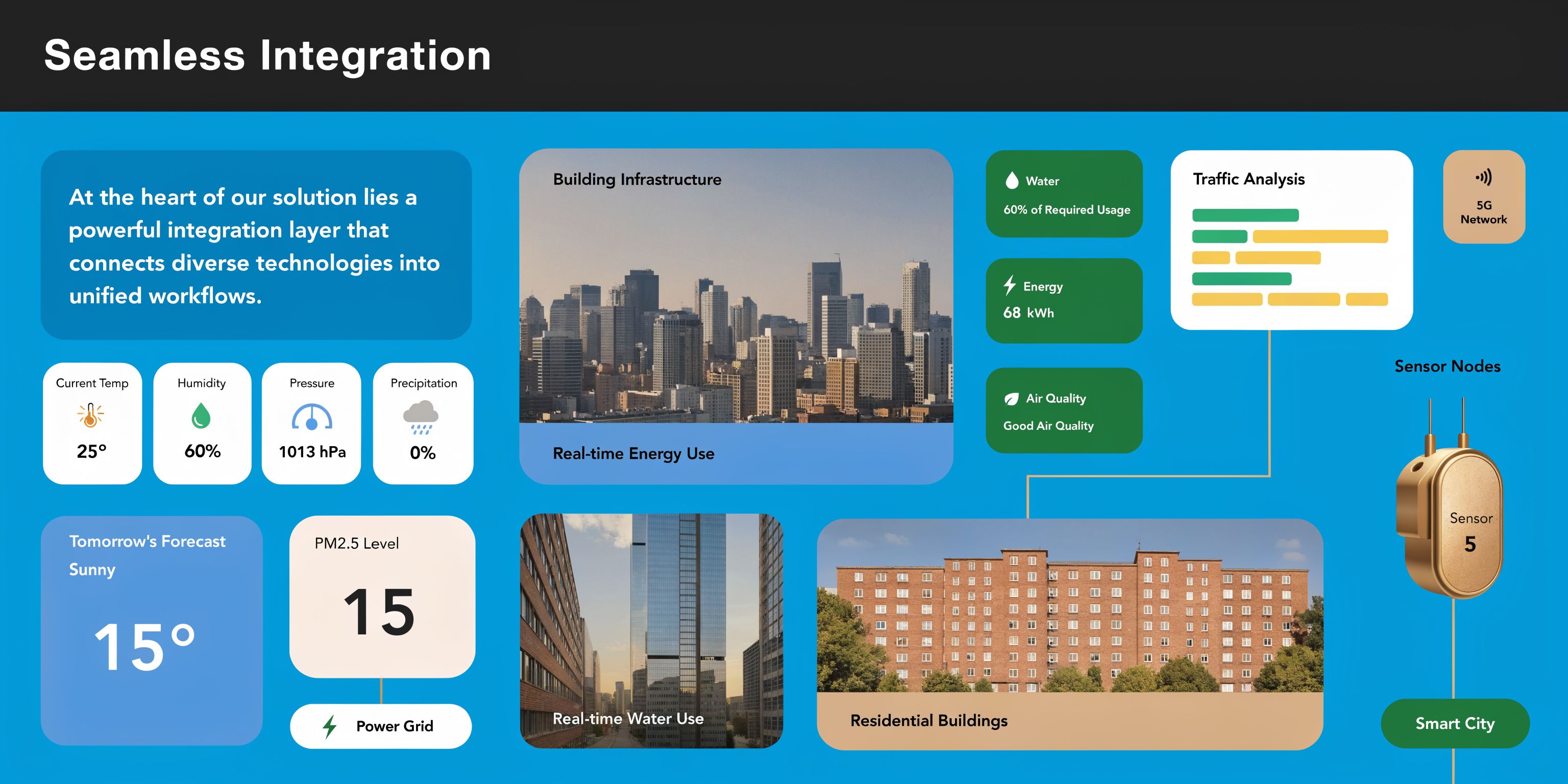
A useful live chat setup has to connect to the rest of your operation. If it doesn’t sync with your CRM, calendars, intake process, and staff workflow, it becomes another place where information gets stuck.
Start with the business event you want
Don’t begin with design settings. Begin with the operational outcome.
Ask questions like:
- Lead capture: What should happen when a new prospect starts a chat?
- Appointment flow: Should the chat offer booking, request preferred times, or hand off first?
- Urgent issues: Who gets alerted, and how quickly?
- Existing clients or patients: Should the system recognize them and route differently?
This changes the buying conversation. You stop asking, “Does it have live chat?” and start asking, “What happens after the message arrives?”
Integration creates a clear dividing line
Many businesses get surprised after implementation.
Standard definitions of live chat usually focus on speed and convenience. They rarely explain the harder part. As discussed in Front’s article on what live chat is, most content skips the integration complexity that determines whether chat supports business outcomes. If chat doesn’t sync with CRMs and scheduling systems, teams run into data silos and operational friction.
That’s the practical issue.
If a visitor books through chat but the appointment never reaches the right calendar, your customer experience didn’t improve. If a lead shares details in chat but your CRM doesn’t capture them, your follow-up gets weaker. If a human agent has to retype everything, your labor cost goes up.
A simple implementation checklist
You don’t need a giant transformation project to get this right. You do need a few decisions made clearly.
Define routing rules
Decide what stays automated and what must go to a person. Be specific by use case, not by vague preference.Map your systems
Identify where lead records live, where appointments live, and where staff work each day.Design the first three questions
Most chat performance is shaped by the opening prompts. Keep them useful and relevant to customer intent.Create after-hours behavior
Silence is a choice. Make sure the system still captures context and sets expectations when your office is closed.Review compliance needs
Healthcare, legal, finance, and insurance teams need stronger rules about data handling, permissions, and transcripts.
What good implementation looks like
A strong setup feels simple from the outside and disciplined on the inside.
The customer gets quick responses. Staff see the right context. Records stay current. Handoffs don’t collapse. Calendars, CRM entries, and follow-up actions stay aligned.
That’s where a platform like Recepta.ai fits into the category. It combines AI chat, human escalation, scheduling, lead capture, and syncing across business tools, which is the operational layer many businesses discover they need after trying a basic widget first.
For a deeper look at that systems layer, this explanation of what CRM integration means is useful because it shows why conversation tools only become valuable when records and actions stay connected.
Final takeaway: Live chat is not the chat bubble. It’s the process that turns a question into a response, a response into a workflow, and a workflow into a real business result.
If your business is losing inquiries after hours, missing website leads, or struggling to connect chat conversations with calendars and customer records, Recepta.ai is one option to evaluate. It offers live web chat with conversational AI, human escalation, appointment scheduling, and CRM syncing, which can help service businesses turn website conversations into booked next steps instead of scattered messages.