Master screening phone calls: Boost responsiveness and qualify leads
Answering your business phone should be simple, but let's be honest—it's become a serious operational headache. When we talk about screening phone calls, we're not talking about blocking customers. It’s about cutting through the noise of endless spam and robocalls to zero in on the people who actually matter: your genuine leads and clients.
Why Screening Phone Calls Is No Longer Optional
Customers today expect an immediate response. But with the constant flood of unwanted calls, that's nearly impossible to deliver. You're left with a tough choice: let the phone ring and risk missing a huge new client, or let your team waste valuable time fielding pitches and scams. Spam calls aren't just an irritation; they're a massive productivity killer.
A smart call screening process completely changes this equation. It isn't a wall; it's an intelligent filter that works for you, instantly sorting high-value opportunities from the calls that just drain your time.
The Real Cost of Unscreened Calls
Failing to screen calls hits your business in more ways than just wasted time. The impact on your bottom line is very real.
- Lost Revenue: While your team is politely trying to get off the phone with a bot, a real customer with an urgent need gets sent to voicemail. The hard truth is that 80% of callers won't bother leaving a message. They'll just hang up and call your competitor. For example, a plumbing company might lose a $5,000 emergency water heater replacement job because their only line was tied up by a sales pitch for office supplies.
- Reduced Productivity: Every minute a team member spends on a dead-end call is a minute they aren't helping a paying customer or advancing a sale. These constant interruptions shatter focus and drag down your team's efficiency. Imagine a sales rep losing 30 minutes a day to robocalls—that's over two hours a week that could have been spent closing deals.
- Poor Customer Experience: Imagine being a customer with a serious issue, only to get a busy signal or a long wait time because the line is tied up with a robocall. That first impression is critical, and you've already started on the wrong foot.
Think of a well-designed screening process as a welcoming committee, not a gatekeeper. Its job is to quickly understand why someone is calling and get them to the fastest possible solution.
For example, a modern system can immediately tell the difference between a new lead asking for a quote and an existing client with a billing question. It then routes them to the right person or department automatically. It's the same principle behind why many businesses now use after-hours answering services to make sure no opportunity slips through the cracks.
By putting a smart system in place for screening phone calls, you take a daily frustration and turn it into a powerful tool for growth.
Setting Your Goals for Call Screening
Most people think call screening starts when the phone rings. It doesn't. A truly effective screening system is built way before that—it starts with knowing exactly what you want to accomplish. Without clear goals, you're just putting up a filter. With them, you’re strategically guiding every caller to the right place to boost your business.
Think of it as working backward from your ideal outcome. The first step is to simply list out the main reasons people call you in the first place. Who are the distinct types of callers your business deals with every day?
Defining Your Caller Categories
Every business attracts a unique mix of callers. Your job is to sort them into buckets. For a home services company, for instance, the calls usually fall into a few key categories:
- Emergency Service Requests: This is the homeowner with a burst pipe or a dead furnace in winter. They need help now, making this a high-priority, high-urgency call.
- New Project Quotes: A potential customer wants to talk about a kitchen remodel or a new AC installation. This is a high-value sales lead that needs careful handling.
- Existing Client Follow-ups: A current customer is just checking on the status of their ongoing job.
- Billing and Administrative Questions: Someone has a question about an invoice or needs to make a payment.
- Vendor and Partner Calls: Your suppliers or subcontractors calling with logistical questions.
Once you map these out, you can start to see how each call needs a different path. A law firm would do the same, separating a high-value new client ("I was in a car accident") from a routine call about court filing deadlines. This initial map is the blueprint for your entire screening process.
The point of screening calls isn't to build a wall; it's to build a smarter doorway. You want the person with an emergency to get immediate help, while the person asking for a quote gets a smooth, professional sales experience.
Setting these goals requires a solid grasp of understanding what defines a quality prospect. That knowledge will shape every question you ask and every rule you set in your screening system. Once you know who you’re looking for, you can build a process to find them.
Mapping the Ideal Caller Journey
With your categories defined, you can design the perfect journey for each one. For every type of call, what’s the best possible outcome?
Take the emergency leak. The goal here is one thing: immediate dispatch. The caller's journey should be fast and direct. They identify their issue as an "emergency," the system confirms their address and contact info, and an alert is instantly fired off to the on-call technician's phone. No waiting, no friction.
Now, consider the new project quote. The goal is lead capture and qualification. The system should collect the critical details—name, contact info, project type, maybe even a rough budget. Then, it can automatically create a new lead in your CRM and maybe even schedule a consultation. For instance, a caller for a roofing company could select "New Roof Estimate," provide their address, and book a 30-minute slot on the estimator's calendar, all without talking to a person. Want to go deeper on this? We have a whole guide on how to qualify sales leads more effectively. This kind of automation means you never lose a hot lead to a missed call or a forgotten sticky note.
Finally, for something like billing questions, the goal is simple, efficient resolution. That call can be routed straight to your office manager or bookkeeper, bypassing your sales team entirely. Better yet, an automated system could provide answers to common questions ("You can find your last invoice at [YourWebsite].com/portal"), freeing up everyone to focus on more critical, revenue-generating work.
Designing Scripts That Don't Annoy Your Callers
The success of your call screening hinges on one simple thing: the words you use. I've seen it time and time again—a clunky, robotic script sends callers straight to the hang-up button. But a thoughtful one? That’s where the magic happens. It gathers information so smoothly the caller barely notices, all while building their confidence in your business.
Your goal is to sound helpful, not like a gatekeeper. You need to get the right details, and you need to get them fast.
A great place to start is with a warm, natural greeting that immediately explains why you're asking questions. People are much more cooperative when they understand the reason. For example, a modern AI receptionist can say: "Thanks for calling Apex Landscaping. To get you the fastest answer, I just need to ask a couple of quick questions. Are you calling about a new project or an existing one?" It’s a simple change that makes all the difference. For more ideas on nailing that first impression, check out our guide on business phone greetings.
From Clunky to Clear
Every single question in your script needs to earn its keep. Vague queries just confuse people. Instead, focus on specific questions that sort and qualify callers efficiently. The difference might seem subtle, but the impact is massive.
I’ve seen ineffective scripts lead to shockingly high abandonment rates and data that's basically useless. On the flip side, a well-designed script makes the caller feel heard and understood, all while you collect the exact information your team needs to take the next step.
A great script makes the screening process invisible. The caller just feels like they're having a helpful, efficient conversation that gets them exactly where they need to go.
This efficiency is especially vital in sales. Recent data shows that the average cold call lasts just 82 seconds. Top-performing sales reps connect after only 1.55 attempts and achieve an impressive 11.3% success rate. In contrast, average teams struggle through eight tries just to hit a 2.7% success rate. It’s a stark reminder of how a sharp, concise approach pays off immediately.
Transforming Your Questions
Let's look at some real-world examples of how to refine your screening questions. The whole point is to move from friction to flow, making the experience better for everyone.
Below is a quick comparison I've put together that shows how to rephrase common questions. Notice how the ineffective ones are abrupt and demanding, while the effective ones are collaborative and guide the caller.
Effective vs Ineffective Screening Questions
| Caller Intent | Ineffective Question (Creates Friction) | Effective Question (Gathers Information Smoothly) |
|---|---|---|
| New Sales Lead | "What's your business?" | "To connect you with the right specialist, are you calling for our residential or commercial services?" |
| Urgent Support | "Is this an emergency?" | "Are you experiencing a service outage, or is this a non-urgent request?" |
| Pricing Inquiry | "What's your budget?" | "To give you an accurate idea of pricing, could you tell me a bit more about the project scope you have in mind?" |
| Existing Customer | "Who are you?" | "Are you an existing customer? If so, I can look you up with the phone number you're calling from." |
As you can see, small changes in wording make a huge difference in the tone of the conversation. The effective questions are specific, they provide context for why you're asking, and they gently guide the caller toward a useful answer. This is the kind of detail that separates frustrating phone systems from truly helpful ones.
For anyone looking to really master these initial phone interactions, diving into a modern playbook for cold calls can provide some invaluable strategies. By applying these same principles to your automated scripts, you ensure your phone screening process actively supports your business goals without ever alienating your callers.
Bringing Your Call Screening Rules to Life
You've defined your goals and sketched out your scripts. Now for the fun part: making it all work. This is where you teach your system—whether it’s an IVR or an AI receptionist—exactly how to handle every call. Think of it as building a series of "if-then" instructions that create a smooth, predictable path for every person who rings your business.
A practical example for a dentist's office would be: If a caller says "new patient," then the system asks, "Great, are you looking to book a cleaning and check-up, or do you have a specific concern?" Based on the answer, it can offer available appointment slots with the right dental professional. Just like that, you’ve automated new patient booking.
This simple flow is all about getting callers where they need to go, fast.
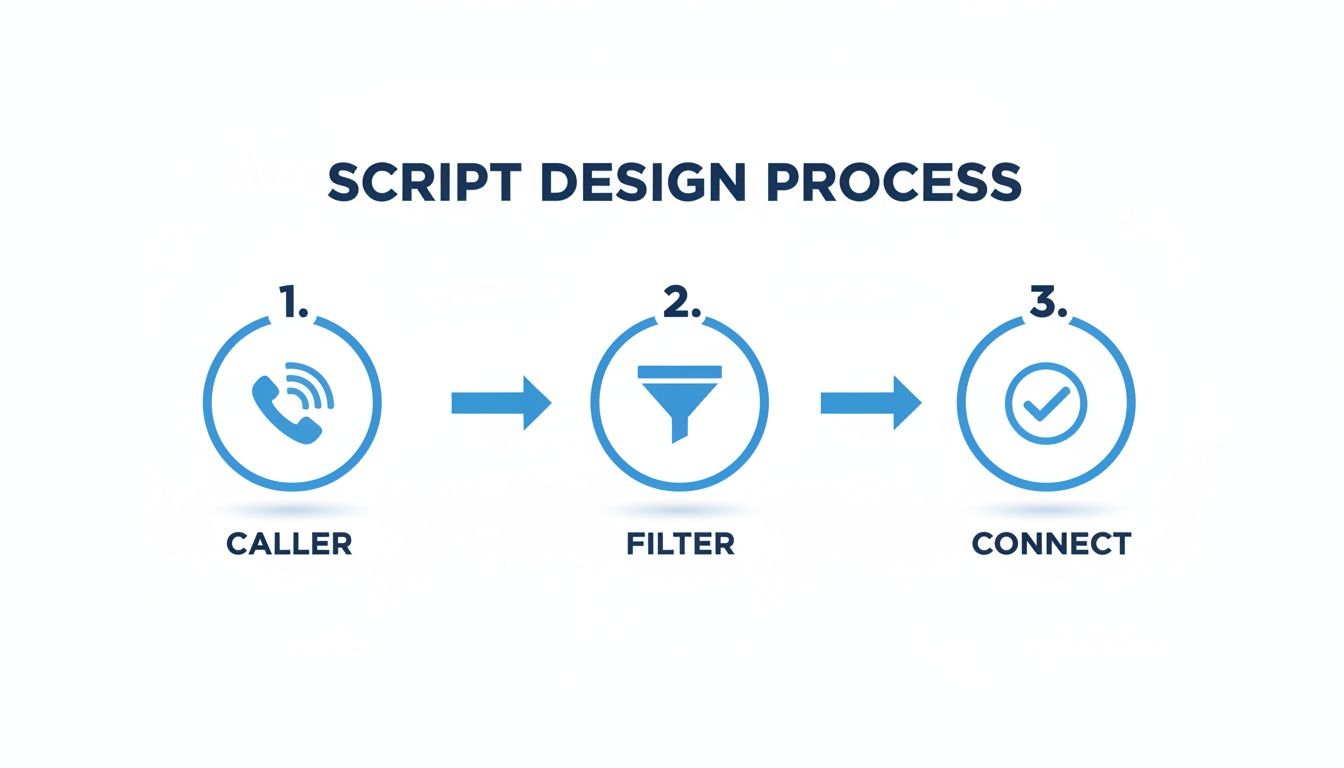
What we're really doing here is building an intelligent funnel that sorts and directs callers, so your team only talks to the people they absolutely need to.
Mapping Out Your Core Routing Logic
The first step is to establish the main pathways for your key caller types. This is all about connecting a caller's stated reason for calling—sales, support, billing—to a specific, automated outcome.
Here are a few real-world examples of how this logic works:
- For a Law Firm: A caller who says "I need to speak with an attorney about a new case" can be routed directly to an intake specialist's line. Someone asking about "an update on my case," however, might be sent to a paralegal’s voicemail after the system confirms their case number.
- For a Pest Control Business: If a caller presses the option for a "Termite Inspection," the system can trigger an action to book an appointment right on a technician's calendar. But if they choose "Billing Question," the call is sent straight to the office manager.
The real power of automation isn't just in routing calls—it's in getting work done. When you connect your phone system to your other business software, a single call can set off a chain reaction of productive tasks, from creating a support ticket to updating a customer record.
You can learn more about how a fully automated phone answering service can manage these kinds of tasks and see just how much is possible.
Designing a Smart Human Handoff
As great as automation is, the real art is knowing when to get a human involved. A truly effective system doesn't trap callers in a robotic loop; it provides a graceful escape hatch to a live person. This means creating smart triggers that automatically escalate the call at the right moment.
The obvious triggers are easy. If someone says "talk to an agent" or mashes the "0" key, the system should transfer them immediately. But the most sophisticated systems go further. For instance, you can build a rule that if a caller says the same thing three times without being understood, the call is automatically escalated to a live person.
Think about how this would work in a healthcare clinic:
- A call where someone mentions "severe pain" or "allergic reaction" is a high-priority event. The system should be programmed to bypass all menus and instantly connect them to a nurse or on-call doctor. That's an escalation based on pure urgency.
- On the other hand, a routine call for a "prescription refill" is a perfect task for the AI, which can look up the patient's file and process the request without human help.
This intelligent escalation is what makes a screening system truly valuable. It allows you to handle 90% of routine calls automatically while ensuring the critical 10% get the immediate attention they deserve. It's the ideal balance of efficiency and genuine care.
Integrating Call Screening with Your Business Software
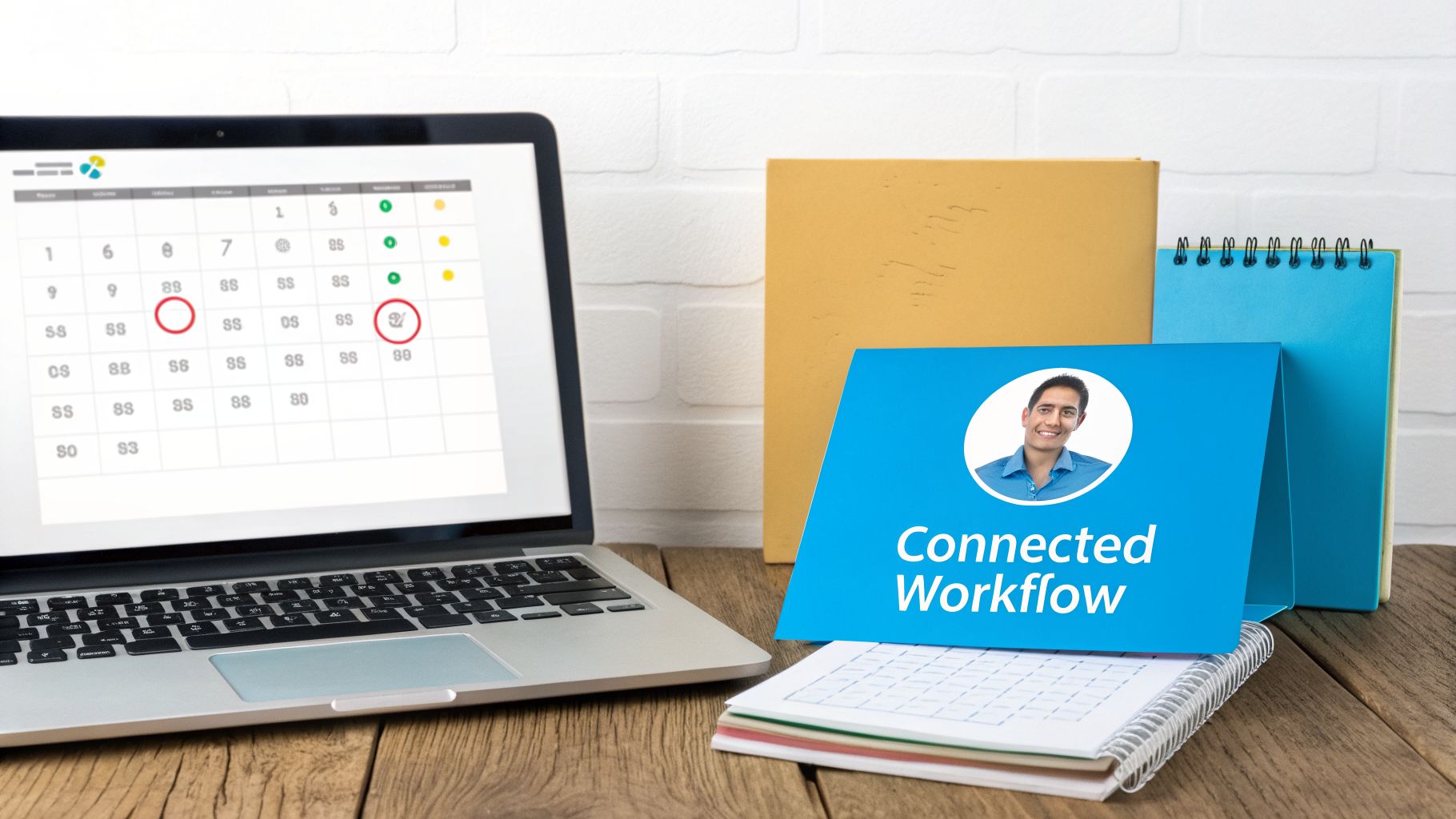
Having a great call screening system is one thing. But if it operates in a silo, you're only getting a fraction of its potential value. The real power comes when your phone system starts talking to your other business tools—your CRM, your calendars, and your helpdesk. This is where you move from simply filtering calls to creating a truly intelligent, automated workflow that prevents leads from ever falling through the cracks.
Think about a real estate agency. A potential buyer calls, and the AI receptionist asks, "Are you interested in buying or selling?" They say "buying." The system then asks for their desired neighborhood and price range. That data is used to instantly create a new lead in their Salesforce CRM, assign it to the agent specializing in that area, and send an SMS to the agent saying, "New buyer lead: John Doe, interested in downtown condos."
That direct connection doesn't just save a few minutes of typing. It guarantees that every single lead is captured accurately and actioned immediately. No more trying to read messy handwriting on a sticky note or forgetting to update a customer's record after a call.
Creating a Connected Ecosystem
Your objective should be to build a workflow where a single phone call triggers a whole chain of productive actions across your business. To pull this off, you need a call screening platform with robust integration capabilities that can connect with the tools your team already uses every day.
Here are a few of the most impactful workflows I've seen clients set up:
- CRM Integration: Have new leads automatically created in a CRM like HubSpot. For an HVAC company, this could mean a call about a "new AC unit" automatically creates a new deal in the "Sales Pipeline" stage.
- Calendar Integration: Your screening system can check a technician's Google Calendar, see they have an opening tomorrow at 2 PM, offer that specific slot to the caller, book it on the spot, and fire off confirmation emails to everyone involved.
- Support Desk Integration: When a caller mentions they are an existing client and says "I have a problem with my software," it can automatically generate a ticket in a platform like Zendesk or Freshdesk. The ticket arrives pre-filled with the caller's info and a transcript of their issue, giving your support team a massive head start.
The true value of integration lies in creating a single source of truth. When your phone system and CRM are perfectly in sync, your entire team has a clear, up-to-the-minute view of every customer interaction, eliminating confusion and duplicate effort.
Staying Ahead in a Complex Calling Environment
This level of automation isn't just a "nice-to-have" anymore; it's becoming essential. The world of telecommunications is getting more complicated, especially with carriers cracking down on robocalls. Protocols like STIR/SHAKEN are now the norm, with an estimated 85% of voice traffic between major US carriers signed, and 93% of that reaching the highest 'A-level' of trust.
However, the system isn't perfect. With up to 13% of traffic using invalid numbers still getting signed and 20% showing signs of over-attestation, even legitimate businesses can have trouble getting their calls through. You can get a much deeper understanding of these shifts in a comprehensive robocall report. An integrated, professional system helps prove your legitimacy and builds trust right from that first interaction.
By connecting your screening platform to your core business software, you're doing more than just handling calls better. You're building a smarter, more responsive company that captures every opportunity and provides a truly seamless customer experience.
How to Measure and Improve Your Screening Performance
Getting a call screening system up and running is a great start, but the real magic happens over time. This isn't a "set it and forget it" tool. Think of it as a dynamic part of your team that needs regular coaching to perform at its peak. By keeping a close eye on the data, you can spot what's working, fix what isn't, and continuously refine your approach.
You don't need to get lost in a sea of metrics. Just focus on a few key performance indicators (KPIs) that tell you whether your system is actually making your life easier and keeping callers happy.
Key Metrics for Call Screening Success
Start by tracking the numbers that paint a clear picture of how your screening process is performing in the wild.
- Lead Qualification Rate: What percentage of calls are successfully tagged as qualified leads? For example, if 100 people call asking for a quote and your system only marks 60 as "Qualified," you need to find out why the other 40 didn't make the cut. Are your questions too restrictive?
- Call Abandonment Rate: This is a big one. You need to know how many people hang up before they even finish the screening. If you see that 30% of callers drop off after you ask for their email address, that's a clear signal to rephrase the question or make it optional.
- First Contact Resolution (FCR): How many callers get their issue fully resolved by the automated system without ever needing to speak to a person? If 50% of your calls about "business hours" are still getting transferred to a human, it means your AI needs to be better trained to provide that info directly.
This constant push for efficiency has never been more critical. Recent data shows that cold calling success rates have cratered to just 2.3% in 2026—a stunning 53% drop from 2024—as people get more aggressive with screening unknown numbers. With sales reps now needing an average of eight tries just to reach a prospect, every qualified inbound call you handle perfectly is pure gold. You can dive deeper into these trends in these outbound calling statistics.
From Data to Actionable Insights
Your analytics dashboard is more than just a bunch of numbers; it's your roadmap for improvement. Once you start tracking these KPIs, you can move from guessing to making truly informed decisions.
A high number of escalations for simple requests is a clear signal. It tells you that your AI's rules are too sensitive or its knowledge base is incomplete. Fine-tuning these rules is a quick win that immediately frees up your team.
For example, let's say your AI receptionist is sending every caller who says the word "pricing" straight to your sales team. A better approach would be to update its rules. Program it to first offer a link to your public pricing page or ask a clarifying question, like, "Are you interested in our residential or commercial services?"
This small adjustment instantly filters out the casual browsers from the serious buyers. By regularly reviewing your data and making these kinds of targeted tweaks, you ensure your call screening system is always working to capture more leads and deliver a better experience for everyone.
Answering Your Top Questions About Call Screening
Even with the best plan in place, it’s natural to have a few lingering questions before you start screening calls. We hear the same concerns from business owners all the time, so let’s get straight to them and clear the air.
Will an AI Just Annoy My Customers?
This is probably the number one question we get, and it’s a fair one. Let’s be honest: we’ve all been trapped in a terrible phone menu, yelling “human!” at a robotic voice. That’s absolutely not what a modern screening system should do.
The difference is in the design. A well-built AI receptionist is conversational and helpful, not a roadblock. It’s designed to figure out what the caller needs right away and give them an immediate off-ramp to a person if that’s what they want.
For instance, if a caller says something like, "I just need to talk to someone," or if the system detects frustration in their tone, it shouldn't ask more questions. It should instantly say, "Of course, connecting you now," and route them to the right team member. It's this blend of quick automation and easy human access that keeps customers happy.
What’s the Real Cost of a Professional Screening System?
The cost can vary, but thinking about it as just another expense is the wrong way to look at it. Instead, you have to weigh it against the alternatives. First, there’s the cost of a full-time receptionist, which includes a salary, benefits, and overhead. Then there's the hidden, often much larger, cost of lost business from calls that go to voicemail.
An AI-powered service is usually a fraction of an employee’s salary, and it works for you 24/7. We’ve seen many businesses find that the system pays for itself by capturing just one or two valuable leads a month that would have otherwise been lost. For a marketing agency, capturing one new client worth $3,000/month means the service pays for itself for the entire year. At that point, it’s not a cost—it’s a profit generator.
Can It Actually Handle Complex Customer Questions?
No, and it’s not supposed to. Expecting an AI to navigate a truly complex or emotional customer issue is a recipe for failure. That’s why a smart screening system is built with intelligent escalation in mind.
Its main job is to filter and manage the routine 80% of calls—things like scheduling appointments, providing business hours, or handling basic sales qualification. For a property management company, this means the AI can handle "What are your office hours?" and "Do you have any two-bedroom apartments available?"
This frees up your team to focus their energy on the critical 20% of calls that genuinely need their expertise, empathy, and problem-solving skills, such as a tenant reporting a major flood or a property owner disputing a management fee. It’s not about replacing your people; it’s about empowering them to do their best work where it counts the most.
Ready to stop losing leads and start having more productive conversations? Recepta.ai combines intelligent automation with a human touch to ensure you capture every opportunity. See how our AI receptionist can work for you.