A Guide to Virtual Receptionist Medical Services for Modern Clinics

Think of a medical virtual receptionist service as a specialized, remote support system for your healthcare practice. It’s like having a highly efficient front desk team that works off-site, handling everything from answering calls and scheduling appointments to managing patient intake. This isn't just an answering service; it’s a powerful extension of your own staff, ensuring every patient is taken care of, day or night, all while maintaining strict HIPAA compliance.
Rethinking the Front Desk in Modern Healthcare
Picture your clinic for a moment. Calls are answered instantly and professionally. Appointments are booked seamlessly without any scheduling conflicts. Your in-house staff is calm, focused, and giving their full attention to the patients standing right in front of them. This scenario isn't some far-off dream—it's exactly what a virtual receptionist medical service can bring to your practice today.
It’s best to view this service not as a replacement for your team, but as a smart command center for all your patient communications. It skillfully handles the never-ending flow of calls, questions, and scheduling needs that often bog down even the most organized front office.
The Pressure on Traditional Front Desks
The front desk is the nerve center of any medical practice, but let's be honest—it's often a high-pressure environment. Staff burnout is a real problem, with nearly 53% of practice managers pointing to administrative overload as a primary source of stress. This constant strain can easily trickle down, leading to long hold times, rushed interactions, and a less-than-ideal patient experience.
When your team is trying to manage in-person check-ins, a constantly ringing phone, and a mountain of paperwork, things inevitably fall through the cracks:
- Missed Calls Mean Missed Patients: Did you know that 74% of patients will hang up after being put on hold? Each of those abandoned calls is a potential patient who might just call another clinic. For example, a new patient trying to book an appointment gives up after 90 seconds on hold and calls a competitor, resulting in thousands of dollars in lost lifetime value.
- Administrative Burnout: The sheer volume of repetitive tasks can quickly overwhelm your team, pulling them away from more meaningful patient-facing duties. A practical example is a receptionist spending two hours every morning making reminder calls, time that could be spent helping patients with complex insurance questions.
- The After-Hours Gap: A patient's needs don't neatly fit into a 9-to-5 schedule. Calls that go unanswered after hours or over the weekend can lead to frustration and delays in care.
A virtual receptionist is a strategic solution built to solve these exact problems. It takes over the routine communication tasks, freeing up your on-site team to do what they do best: provide outstanding, hands-on patient care. The technology behind it, often an advanced AI voice assistant, is what makes this level of efficiency possible.
In the end, bringing a virtual solution into your practice is about improving the entire patient journey from start to finish. You can find more strategies on this in our guide on how to improve the patient experience: https://www.recepta.ai/blog/how-to-improve-patient-experience. It’s a modern approach that turns a potential bottleneck into a smooth, efficient, and patient-friendly operation.
Core Functions of a Medical Virtual Receptionist
Let's move past the basic idea and get into what a medical virtual receptionist actually does. Think of it less like a simple answering service and more like an extension of your own team—an intelligent system that becomes the operational backbone for all your patient communication. It works around the clock, handling critical tasks with a level of precision and reliability that ensures your clinic runs smoothly, long after your staff has gone home for the day.
This isn't about just picking up the phone. It’s a system designed to manage the high volume of routine calls and tasks that can easily overwhelm a busy front office. From scheduling appointments to sending follow-ups, it handles each interaction consistently, giving every patient a professional, modern experience.
Intelligent and Accessible Appointment Scheduling
One of the biggest game-changers here is 24/7 intelligent appointment scheduling. Suddenly, your patients aren't boxed into your 9-to-5 office hours just to book, change, or cancel a visit. This constant availability is a massive win for patient access and takes a huge load off your front-desk staff.
Imagine a parent with a sick child calling your office at 10 PM. The virtual receptionist can instantly access your clinic’s live calendar, find an open slot for the next morning with the right pediatrician, and book it on the spot. A moment later, an automated confirmation hits their phone via text. All of this happens without a single staff member having to lift a finger.
- Real-time Calendar Sync: Integrates directly with your EHR or practice management software to eliminate any chance of double-bookings.
- Complex Scheduling Logic: This is where the "intelligence" comes in. The system can be programmed to understand provider-specific rules, like blocking off longer slots for new patient consultations or reserving certain times of day for specific procedures. For example, a dermatology clinic can set a rule that all Botox appointments are booked on Tuesday mornings, and the virtual receptionist will only offer those times for that service.
This isn't just a niche tool; it's driving massive change in healthcare. The market for virtual receptionists in healthcare has already hit a valuation of $3.85 billion and is on track to reach $9 billion by 2033. AI-powered systems are at the forefront, automating up to 70% of routine calls—things like scheduling and insurance checks—without any human touch at all. You can explore more AI receptionist statistics and their industry impact at resonateapp.com.
Seamless Call Routing and Triage
Let’s be honest: not all calls are created equal. A virtual receptionist acts like a smart switchboard, figuring out who needs to go where and getting them there instantly. This puts an end to the frustrating game of phone tag that plagues so many busy practices.
The system uses custom logic you define to understand a caller's needs. For example, a patient calling with a question about their recent invoice can be prompted to press '3' for billing, which routes them directly to your billing department's extension, while a clinical question is forwarded directly to a nurse's line.
This ensures urgent matters are prioritized and handled by the right people, while routine inquiries are managed automatically. For a closer look at structuring these call flows, check out our guide on call handling best practices. This smart approach frees up your specialized staff to focus on what they do best.
To really see the difference, let’s compare how tasks are typically handled.
In-House Team vs Virtual Receptionist Responsibilities
As you can see, the virtual receptionist doesn't just replicate what an in-house person does—it automates and elevates these processes, freeing up your team for higher-value, in-person patient interactions.
Automated Patient Reminders and Intake
No-shows are a killer for any medical practice, draining revenue and disrupting schedules. A virtual receptionist service tackles this head-on with automated appointment reminders sent via call, text, or email at key intervals, like 72 and 24 hours before a visit.
It also completely overhauls the new patient intake process. The moment a new patient schedules an appointment, the virtual receptionist can kick off an automated workflow, sending a secure link to your digital intake forms.
Here's what that looks like in practice:
- A new patient books their first visit, either online or by phone.
- The system immediately triggers a welcome email containing a link to your patient portal and intake forms.
- The patient fills everything out on their own time, and the information is securely uploaded directly into your EHR.
- Two days before the appointment, an automated reminder text goes out, asking them to confirm by simply replying "YES."
This simple, automated sequence eliminates hours of tedious administrative work, cuts down on data entry errors, and ensures your clinical team has everything they need before the patient even walks through the door. It transforms your front desk from a reactive call center into a proactive patient management hub.
Maintaining HIPAA Compliance and Data Security
In healthcare, patient privacy isn't just a professional courtesy—it's the law. So, when you're thinking about bringing a virtual receptionist on board, the first question on your mind should absolutely be about security. The best virtual receptionist services for medical practices are built with HIPAA compliance as their cornerstone, ensuring every patient interaction is handled in a secure environment.
This commitment to privacy is non-negotiable. It means every phone call, text message, and piece of patient data is managed with the same level of care you'd insist on inside your own clinic. Think of it as a digital fortress built to protect your patients' most sensitive information.
The Foundation of Trust: A Business Associate Agreement
Before any virtual receptionist service answers a single call for your practice, a critical legal document must be signed: the Business Associate Agreement (BAA). This is a binding contract that holds the service provider accountable for protecting patient health information (PHI) under the strict rules of HIPAA.
Operating without a BAA is a serious compliance risk. The agreement spells out the provider's responsibilities, making it clear that they are just as responsible for protecting data as you are. It’s the formal handshake that solidifies their role as a trusted extension of your practice.
A BAA isn't just a piece of paper; it's the bedrock of a secure partnership. It legally obligates your virtual receptionist provider to uphold the same confidentiality standards you do, ensuring there are no weak links in your data security chain.
Here's a look at the core functions a HIPAA-compliant virtual receptionist can securely manage for you.
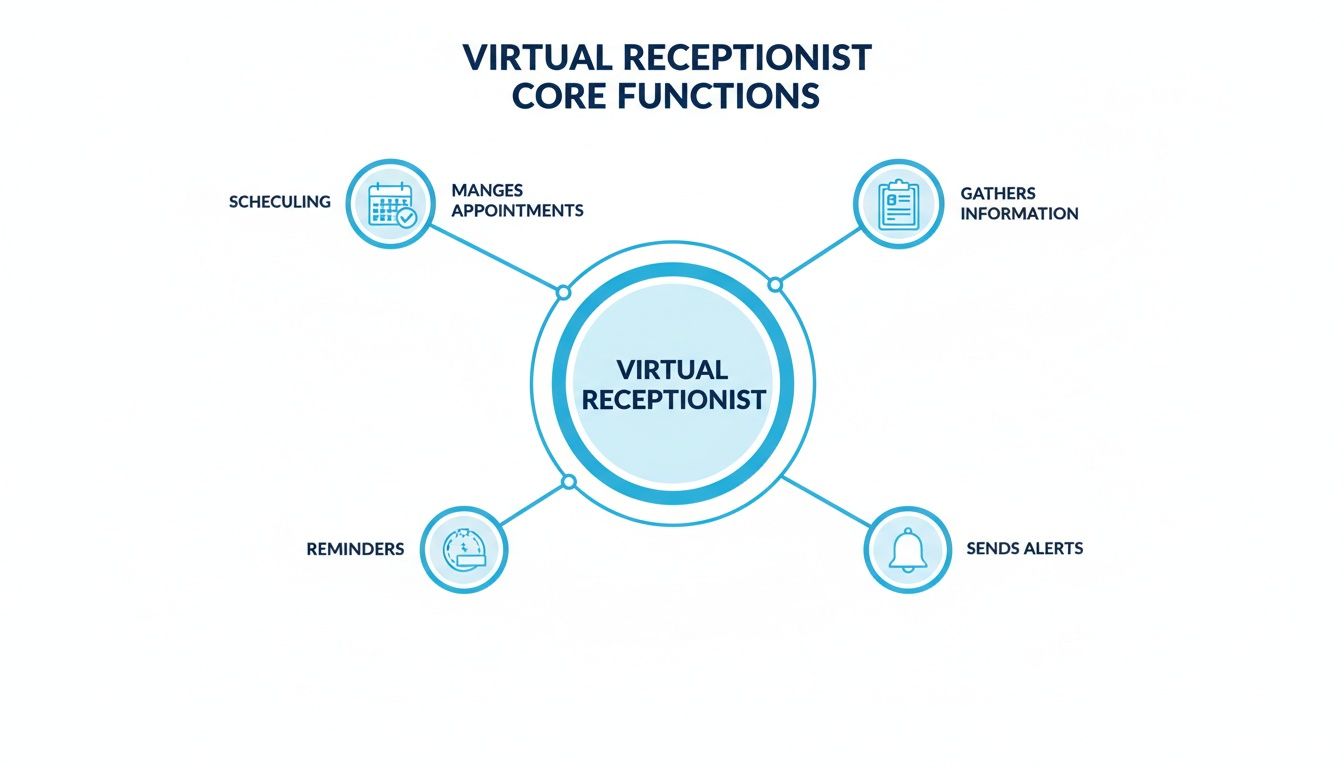
As you can see, essential tasks like scheduling, patient intake, and sending reminders are all handled within a secure, compliant system.
Practical Security Measures in Action
Real compliance goes much deeper than a signed agreement; it’s baked into the technology itself. A secure virtual receptionist service uses multiple layers of protection to shield patient data from unauthorized access. The stakes couldn't be higher—in 2023 alone, over 133 million healthcare records were exposed in data breaches, which makes rock-solid security a must-have.
Here are some of the key safeguards to look for:
- End-to-End Encryption: Every call and message is scrambled, making the data unreadable to anyone without the right permissions. This protects information whether it's on the move or sitting in storage.
- Secure Caller Verification: Before sharing any sensitive information, the system follows strict protocols to confirm a caller's identity. For example, a patient requesting test results might be asked to verify their date of birth and the last four digits of their social security number. This simple step is crucial for preventing PHI from ending up in the wrong hands.
- Auditable Interaction Logs: Every single action, from a booked appointment to a relayed message, creates a secure, time-stamped record. This creates a clear audit trail that's often more reliable and detailed than a manual logbook at the front desk.
To properly protect patient data and stay compliant, it's helpful for practices to understand comprehensive Information Security Management Systems. This knowledge can help you better assess the security protocols of any third-party service you consider.
By building these features into their platform, a virtual receptionist doesn't just answer your calls—it adds a powerful, trackable layer of security to your practice. To see how this applies to different call services, check out the key features of a https://www.recepta.ai/blog/medical-office-answering-service. This ensures your commitment to patient privacy is honored with every single interaction, building trust and protecting your practice from risk.
Weaving Your Virtual Receptionist into Your Practice Software
A virtual receptionist on its own is helpful, sure. But its real value is unlocked when it talks directly to the software you rely on every single day. This isn't about bolting on another tool; it’s about creating a single, cohesive system where information flows seamlessly. The goal is to get rid of manual data entry for good and drastically cut down the risk of human error.
Think of your practice software as the central hub of your clinic. A properly integrated virtual receptionist medical service acts like an extension of that hub, feeding it real-time updates from every patient call and message—all without your staff having to lift a finger. This creates a more nimble, accurate, and responsive practice from the moment you turn it on.
Syncing with Your EHR and EMR Systems
For any medical practice, the most crucial handshake is between the virtual receptionist and your Electronic Health Record (EHR) or Electronic Medical Record (EMR) system. This connection is what ensures patient information and appointment schedules are always perfectly aligned, creating one single source of truth for your entire team.
For instance, when a virtual receptionist books an appointment for a patient named John Smith, the integration works in the background to instantly create that appointment in his file within your EMR. That simple, automated action prevents one of the most frustrating and costly administrative headaches: double-booking a time slot.
A seamless EHR integration means when a new patient calls, the virtual receptionist doesn't just book the slot. It can also build a new patient file directly in your system, primed and ready for your clinical team.
Connecting Calendars and Communication Tools
Beyond the EMR, a virtual receptionist needs to sync up with the specific calendars your providers use, whether that's Google Calendar, Microsoft Outlook, or another scheduling tool. This ensures a provider's personal calendar is a perfect mirror of the main office schedule, giving them an accurate, real-time view of their day.
This kind of deep integration is a major reason for the technology's rapid growth. Healthcare virtual assistants—the technology powering modern medical receptionists—make up a market currently valued at $1.4 billion. According to a report from Research and Markets, that number is expected to explode to $7.43 billion by 2031, largely driven by the boom in telehealth and remote patient monitoring.
A Practical Example of an Integrated Workflow
Let's walk through a common scenario to see how this all clicks into place. Imagine a patient, Sarah, calls your clinic after hours needing a follow-up appointment.
- The Call: The virtual receptionist answers and instantly pulls up your clinic's real-time availability by tapping into the EMR integration.
- Scheduling: Sarah picks a time that works for her. The virtual receptionist immediately books that appointment directly into the EMR schedule.
- Calendar Sync: The new appointment pops up on her doctor's personal work calendar, preventing any chance of a conflict.
- Automated Follow-Up: The system then automatically sends Sarah a text message confirming the date and time.
This entire interaction happens in minutes, with zero hands-on work from your staff. By linking these systems together, you wipe out tedious manual tasks, reduce errors, and give your patients a smooth, professional experience. The logic is a lot like learning what CRM integration is and how it benefits a business—both are about creating a single, unified home for your data. This automated workflow is what makes a virtual receptionist an absolutely indispensable part of a modern practice.
Talking Money: The Real Financial Impact on Your Practice
Let's get right to it. When you're thinking about bringing a new service into your clinic, the conversation always lands on the bottom line. It’s tempting to look at a virtual receptionist medical service and see only a new monthly bill, but that’s a shortsighted view.
Think of it less as a cost and more as an investment—one that’s specifically designed to plug financial leaks, capture lost opportunities, and ultimately, put more money back into your practice. We're not just talking about saving on salary; we're talking about the real-world value of every appointment booked, every no-show prevented, and every after-hours call that turns into a new patient.
Full-Time Hire vs. Virtual Service: The True Cost Comparison
Hiring a full-time receptionist seems straightforward, but their salary is just the tip of the iceberg. The "fully loaded" cost of an employee is a sneaky figure that includes a whole host of expenses that can easily tack on an extra 25-40% to their base pay. These are the costs that often get missed in the budget but add up fast.
When you lay out the actual annual expenses side-by-side, the financial argument becomes crystal clear.
Let's Run the Numbers:
- Salary: The median salary for a medical receptionist hovers around $37,000 a year.
- Benefits: Now, add payroll taxes, health insurance, and any retirement contributions. That's easily another $9,000.
- Overhead: Don't forget paid time off, sick days, training time, and the desk, computer, and phone they need.
Suddenly, your $37,000 employee actually costs the practice closer to $50,000. And that's just for coverage from 9 to 5 on weekdays. A virtual service can offer 24/7 support for a small fraction of that cost.
The biggest financial game-changer here is switching from a high, fixed overhead cost to a predictable, scalable subscription. You get better control over your budget while actually expanding your practice's availability to patients.
Annual Cost Analysis: In-House vs. Virtual Receptionist
When you put the numbers on paper, the direct savings are impossible to ignore. A traditional receptionist carries a heavy financial burden beyond just salary, while a virtual service bundles everything into one clear, manageable fee.
Here's a straightforward breakdown of what you can expect to spend annually.
The table makes the direct cost savings obvious. But the true return on this investment isn't just about the money you save; it's about the new revenue you gain.
How to Measure the Revenue You're Getting Back
This is where a virtual receptionist service really starts to shine. The most significant financial wins come from capturing revenue that, right now, is probably just slipping away. This happens in two key areas: stopping no-shows in their tracks and finally capturing all those after-hours calls.
1. Slashing Your No-Show Rate
Every empty slot on the schedule is pure lost revenue. A virtual receptionist service can automate appointment reminders via call and text, a simple action that has a massive impact on getting patients to actually show up.
- Let's do the math: Say your average appointment is worth $200. If automated reminders help you prevent just five no-shows a month, you've just recovered $1,000 in monthly revenue. That adds up to $12,000 over a year—which could easily pay for the entire service by itself.
2. Capturing After-Hours Opportunities
Your office may close at 5 PM, but your patients' and potential patients' needs don't. A surprising number of people look for care in the evenings and on weekends. If their call goes to voicemail, odds are they're just going to call the next practice on their list.
- Here's a real-world example: A dental practice turns on a 24/7 virtual receptionist. In the very first month, they book 10 brand-new patient appointments from calls that came in after the office had closed. If you estimate the first-year value of each new patient at $500, that’s an extra $5,000 in new revenue generated in just 30 days.
By plugging these two major leaks, a virtual receptionist stops being an expense and becomes one of the most effective revenue-generating tools you have.
A Practical Roadmap for Implementation
Bringing any new technology into your practice should feel like an upgrade, not another hurdle. The good news is that integrating a virtual receptionist is a straightforward process when you break it down into a few key stages. This roadmap will walk you through a successful rollout, making the transition smooth for your staff and immediately beneficial for your patients.
The secret is a phased approach—one that builds confidence and proves its worth right from the start.

Don't think of this as a single event. It's more like a four-part journey. Each step is carefully designed to make sure the service fits perfectly with how your clinic actually operates, from the way you schedule appointments to how you handle urgent calls.
Phase 1: Discovery and Workflow Design
This first phase is the bedrock of the whole project. It’s all about collaboration, where you and your service provider sit down together and map out every single detail of your patient communications. You aren’t just buying a service off the shelf; you’re co-designing a system that reflects your practice's specific protocols and professional tone.
During this stage, you'll nail down the specifics:
- Call Scripts: How should your virtual receptionist greet callers? For instance, your script might be, "Thank you for calling City Cardiology. If this is a medical emergency, please hang up and dial 911. Otherwise, how can I help you today?"
- Scheduling Rules: You’ll set the logic for booking appointments, like blocking out longer slots for new patient consultations or reserving certain times for specific procedures. A practical example is programming the system to never book a physical exam appointment shorter than 30 minutes.
- Triage Protocols: This is crucial. You'll define exactly what constitutes an urgent call and create a clear escalation path, ensuring critical patient needs are instantly routed to an on-call nurse or provider. For instance, a caller mentioning "shortness of breath" would be immediately transferred to the nurse's line.
Getting this step right ensures the virtual receptionist medical service truly acts as an extension of your team.
A common mistake is rushing through discovery. Taking the time to meticulously define these workflows prevents a world of confusion later and ensures the service operates exactly as you need it to from the very first call.
Phase 2: System Integration and Onboarding
Once your workflows are clearly defined, the next step is to connect the dots. The provider’s tech team will handle the integration with your EHR, practice management software, and calendars. This creates that seamless flow of information we talked about, getting rid of manual data entry and preventing costly errors.
At the same time, it’s time to bring your staff on board. This is a critical piece of the puzzle. Your team needs to understand how the new system works and, more importantly, how it’s going to make their jobs easier.
Practical onboarding steps include:
- Demonstrating the System: Show your team exactly how calls are handled, where messages will appear, and how the schedule updates in real-time.
- Clarifying Roles: Explain how the virtual receptionist frees them from the tyranny of the constantly ringing phone, allowing them to focus on patients in the office and more complex administrative work.
- Providing Access: Make sure they know how to access call logs, listen to recordings (if that’s part of your plan), and communicate directly with the virtual receptionist team when needed.
Phase 3: Launch and Optimization
Now it’s time to go live. A smart way to start is by rolling it out on a smaller scale to build confidence and iron out any minor kinks. For example, you might have the virtual receptionist only handle calls that come in after hours and on weekends for the first couple of weeks.
This kind of phased launch lets your team get comfortable with the new workflow in a low-pressure environment. Once everyone is confident and sees the benefits, you can expand the service to cover your busiest hours or even all incoming calls.
The final step is ongoing improvement. You'll want to regularly review call logs and performance reports with your provider to tweak scripts, adjust scheduling rules, and make sure the system continues to meet your practice's evolving needs. For example, if you notice many patients are asking about a new insurance plan you accept, you can add that information to the main greeting script.
Still Have Questions About Virtual Medical Receptionists?
Even after seeing all the benefits, it's completely normal to have a few lingering questions. Making a change to how your front desk operates is a big decision, and you want to be sure it's the right one. Let's walk through some of the most common things practice managers ask before they take the leap.
Most of the time, concerns boil down to a few key areas: how a system handles sensitive patient calls, whether it can actually understand medical-specific language, and what it really takes to get it up and running. These are all fair points, and any good service will have clear answers.
What Happens With Urgent or Emotional Patient Calls?
This is, without a doubt, one of the most important questions. A well-designed virtual receptionist service uses a smart, blended approach. The automation is fantastic for handling routine things like scheduling or prescription refills. But it's also trained to listen for specific keywords—like "emergency" or "chest pain"—and even detect tones of voice that signal distress.
When the system flags a potential emergency, it doesn't try to be a hero. It immediately and smoothly transfers the call to a real person. This could be your on-call nurse or another designated staff member, ensuring the patient gets the appropriate medical expertise and human empathy right away. For instance, a patient calling in a panicked tone about a possible allergic reaction would be immediately escalated, bypassing all automated menus.
Think of it as the best of both worlds: you get the efficiency of automation for the day-to-day, with an essential human safety net for critical moments.
Can It Actually Understand Medical Terms and Different Accents?
Yes, and this is what separates a specialized medical service from a generic answering system. These platforms are built on sophisticated Natural Language Processing (NLP) models. The key is that they aren't just generalist AIs; they've been specifically trained on massive datasets of medical terminology, from common ailments to highly specific procedural terms.
This deep training also covers a huge variety of regional and international accents. The system learns from millions of real-world patient conversations, which allows it to achieve a very high level of accuracy. A practical example is its ability to understand a caller asking for a "cholesterol screening" just as easily as one asking for a "lipid panel." It can communicate clearly with patients from all walks of life, which is non-negotiable in a clinical environment.
What Does the Setup Process Really Look Like?
Getting started is probably much faster and easier than you're imagining. You're not just handed a login and left to fend for yourself. A dedicated implementation manager will walk your practice through the entire setup, step by step.
They'll help you:
- Customize call scripts to reflect your clinic’s specific voice and protocols.
- Set up rules for how appointments should be booked.
- Integrate the service with your current EHR, CRM, and calendar systems.
For most practices, the whole process—from configuration and testing to going live—is wrapped up in just a few business days. We're talking days, not weeks or months.
Ready to see how a modern communication solution can reshape your practice? Recepta.ai brings together intelligent automation and expert human support to capture every opportunity, slash administrative work, and elevate your patient experience. Discover a smarter way to run your front desk by visiting https://recepta.ai.