Voip Text Messaging: Boost Leads and Engagement (voip text messaging)
Picture this: your official business phone number suddenly acts just like your smartphone, letting you send and receive texts. You're no longer giving out your personal cell or juggling different devices. That's exactly what VoIP text messaging delivers. It's a game-changing tool that empowers businesses to text with customers using their main internet-based phone number, keeping every conversation professional and neatly organized.
What Is VoIP Text Messaging and Why Should You Care?
At its heart, VoIP text messaging turns your business phone line into a powerful, two-way street for communication. Instead of just making and taking calls, you can now send and receive SMS (text) and MMS (multimedia) messages right from your business number. All you need is a simple app on your computer or smartphone.
This capability tackles a huge, often invisible, problem for so many businesses. Think about it: a new customer calls, hits your voicemail, and immediately hangs up to dial your competitor. It happens all the time. But with VoIP texting, an automated text can fire off instantly—"Sorry we missed your call! How can we help?"—capturing that lead before they’re gone for good.
Unifying Your Business Communication
The real magic here is in unifying all your communications. Forget the messy workaround of using personal cell phones for texts and a separate office line for calls. Everything flows through one professional, centralized hub.
- A practical example for a dental office: Instead of staff texting patients from personal phones (which is confusing and unprofessional), the office can send automated appointment reminders from its official clinic number. A patient receives a text saying, "Hi [Patient Name], this is a reminder of your appointment at Main Street Dental tomorrow at 2 PM." This single, consistent number builds trust and reduces no-shows.
- A practical example for a home service company: A plumber is running 15 minutes late. Instead of the customer calling the office wondering where they are, the plumber uses the company app to send a pre-written text: "Hi [Customer Name], this is Mark from ACME Plumbing. I'm on my way but running a few minutes behind schedule. I'll be there by 1:15 PM." The message comes from the main business number, keeping the communication professional and the customer informed.
This centralized approach puts an end to the chaos of having important customer conversations scattered across a dozen different employee devices. A key piece of this puzzle is the use of virtual phone numbers, which aren't tied to a physical phone line and offer the flexibility needed for this kind of internet-based communication.
A professional brand image is built on consistency. When customers receive texts and calls from the same number, it reinforces trust and makes your business appear more organized and credible.
To truly grasp the value, it helps to see how VoIP texting stacks up against the old way of doing things.
VoIP Texting vs Traditional SMS at a Glance
This comparison makes it clear: moving texting to your VoIP system isn't just a minor upgrade. It’s a fundamental shift toward a more organized, professional, and efficient way of doing business.
The Driving Force Behind Modern Business Phones
The move away from old-school landlines is happening fast, driven by a need for smarter, more affordable solutions. The global VoIP market is booming, jumping from $132.47 billion in 2023 to an estimated $144.77 billion in 2024. Projections show it rocketing to $326.27 billion by 2032. This isn't just hype; it's businesses everywhere swapping out clunky hardware for internet-based systems that slash costs and boost productivity.
And it’s not just a big-business phenomenon. Small and medium-sized businesses are expected to make up 65% of the market revenue through 2025, showing that powerful communication tools are now well within reach for everyone. By layering text messaging onto their VoIP service, these smaller companies are gaining a serious competitive advantage.
In the end, VoIP text messaging is no longer a "nice-to-have." It’s an essential part of the modern business toolkit for slashing response times, locking in leads, and building better customer relationships. If you're ready to modernize how you communicate, getting to know the basics of a small business phone system is the perfect first step. It’s all about bridging the gap between how your customers want to connect and how your business actually operates.
How VoIP Texting Works in Simple Terms
Ever wondered how a text from a business's main office number can pop up on your cell phone? It feels a bit like magic, but it's actually a clever, straightforward process. Once you understand how voip text messaging works, you'll see just how reliable and powerful it can be for your business.
Think of it like a digital translation service. When you type and send a text from your business number using a VoIP app, it doesn't travel through old-school copper phone lines. Instead, your message is instantly broken down into tiny digital packets of data.
These data packets zip across the internet to your VoIP provider. This provider is the key middleman—the translator. They catch the data, put it back together into a recognizable message, and then forward it to the right person.
The Digital Handshake
This whole exchange is governed by a set of technical rules, or protocols. The main one you'll hear about is SIP (Session Initiation Protocol). A good way to think of SIP is as the digital handshake that starts the conversation and makes sure your data-packed message is delivered reliably to your provider's system.
Once your message arrives, the provider’s platform translates it from an internet-based format into a standard text message. From there, it’s sent out over the regular cellular network to your customer's mobile phone, showing up just like any other text they'd receive. The entire round trip takes just a few seconds.
This diagram shows the simple but powerful flow from your business to your customer.
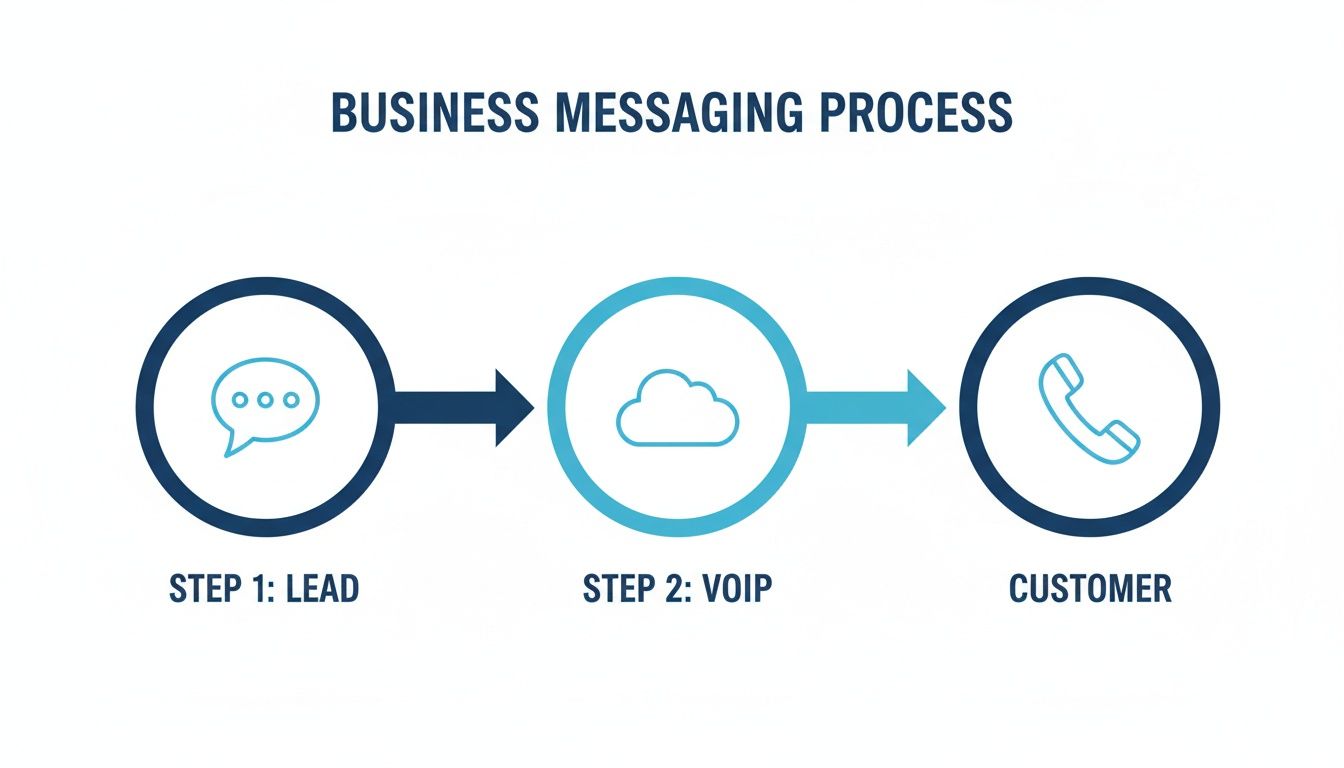
As you can see, VoIP texting creates a bridge, seamlessly connecting your internet-based business communications with the everyday mobile networks your customers are already on.
SMS vs. MMS: What’s the Difference?
VoIP texting isn't just about sending simple texts; there are two distinct types of messages you can send. Knowing the difference between SMS and MMS is crucial for communicating effectively.
SMS (Short Message Service) is the classic text message. It's the workhorse of mobile communication. These are your standard, text-only messages, traditionally capped at 160 characters. They are perfect for sending quick, straightforward information.
- Practical Example: A local bakery can send an SMS to customers who opted-in for alerts: "Fresh sourdough is out of the oven! We have 12 loaves left. Reply 'RESERVE' to hold one for pickup." It's fast, actionable, and drives immediate sales.
- Another Practical Example: A law firm can send a quick SMS to confirm receipt of a document: "We've successfully received your signed retainer agreement. Our team will review it and be in touch within one business day." This provides instant peace of mind for the client.
MMS (Multimedia Messaging Service), on the other hand, lets you send messages with media files. This opens up a world of possibilities, allowing you to include pictures, short videos, audio clips, and GIFs. It’s for those times when words just aren't enough.
- Practical Example: A real estate agent can send a short video walkthrough of a new listing to a prospective buyer, texting: "Hi Alex, just got this new property that fits your criteria. Here's a quick 30-second tour. Let me know if you'd like to see it in person!"
- Another Practical Example: An auto repair shop can text a photo of a worn-out brake pad to a customer with the message: "Hi Mrs. Davis, here's a picture of the brake pad we discussed. We recommend replacement. The cost is $250. Please reply YES to approve the work." This transparency builds immense trust.
By mastering both SMS and MMS, you can tailor your message to the situation. Quick updates are great for SMS, while more complex or visual information is perfect for MMS. This flexibility is what gives you a powerful new way to connect with clients.
At its core, this simple, internet-powered technology gives your business number all the capabilities of a modern smartphone, letting you communicate with customers on their terms—professionally and effectively.
Transform Your Workflows with Smarter Texting
It’s one thing to understand the mechanics of VoIP text messaging, but it’s another thing entirely to see it in action. Let's move past the theory and look at how this technology actually reshapes daily operations. The real magic happens when you build specific, automated workflows that not only save time but also create genuinely happy clients.
This shift toward integrated communication is a huge deal right now. VoIP texting, which is often bundled into unified platforms, merges calls and texts over the internet. This is a major reason the mobile VoIP market is projected to jump from $59.92 billion in 2026 to $87.93 billion by 2031. Businesses are already saving 40-60% on communication costs by ditching old-school phone lines, and that trend is helping the entire business VoIP market grow from $162.4 billion in 2023 to a forecasted $508.7 billion by 2030. You can really dig into this market shift and its financial impact by exploring detailed industry intelligence on the mobile VoIP market.
Playbook for a Plumbing Company
For any home service business, every customer interaction is a chance to build trust and earn that next job. A simple, automated texting sequence can completely change the game for both your customer experience and your team's efficiency.
Here’s a workflow you could set up in minutes:
- Appointment Confirmation: The moment a job is booked, an automated text goes out from your main business number: "Hi [Client Name], your plumbing appointment is confirmed for [Date] at [Time]. We'll text you when our technician is on the way!" This simple message provides immediate peace of mind.
- 'Technician on the Way' Alert: About thirty minutes before arrival, another automated message fires off. This one can even use MMS to include a photo of the technician: "Good news! Your technician, [Tech Name], is on the way. You can expect them in about 30 minutes." It's a professional touch that adds a great layer of security.
- Review Request: An hour after the job is marked complete in your system, a final text asks for feedback: "Thanks for choosing us, [Client Name]! We'd love your feedback. Could you take 30 seconds to leave us a review? [Link to Google Reviews]." This one simple prompt is incredibly effective at boosting your online reputation.
Playbook for a Healthcare Clinic
In healthcare, communication has to be timely, private, and compliant. VoIP texting gives clinics a secure and efficient way to manage patient interactions while sticking to strict privacy rules like HIPAA. It’s absolutely critical to use a provider that guarantees HIPAA compliance for every message sent.
A typical clinic workflow might look like this:
- Appointment Reminders: An automated SMS reminder goes out 48 hours before an appointment. "Reminder: You have an appointment with Dr. Smith on [Date] at [Time]. Please reply YES to confirm or call us to reschedule." This is a proven way to slash no-show rates.
- Secure Intake Forms: Instead of handing patients a clipboard, send a text with a link to a secure digital intake form. "Welcome to our clinic! Please complete your new patient forms before your visit: [Secure Form Link]." This saves a ton of time for both the patient and your front desk staff.
- Follow-Up Care Instructions: After a procedure, the clinic can text a link to post-op instructions or a gentle nudge to book a follow-up visit. It's a small step that goes a long way toward ensuring better patient outcomes.
By automating these critical touchpoints, clinics can improve patient adherence and streamline administrative tasks, freeing up staff to focus on in-person care. This level of organization is essential for running a modern practice.
Playbook for a Law Firm
Law firms need a communication method that is both professional and discreet. VoIP texting is perfect for sending quick, documented updates without the formality of an email or the disruption of a phone call.
Consider this workflow:
- Document Receipt Confirmation: When a client sends over a signed document, an automated text can instantly confirm you got it: "We have received your signed document. We will review it and follow up within one business day." This provides immediate reassurance.
- Discreet Case Updates: For small updates that don't need a full phone call, a simple text from the firm’s main number works wonders: "Quick update on your case: The filing was accepted by the court today. No action is needed from you at this time."
- Meeting Reminders: Just like in healthcare, automated reminders for consultations, depositions, or court dates are invaluable. They help ensure all parties are prepared and on time.
The real power of these playbooks comes alive when you connect your VoIP texting platform with your other business software. By integrating with your CRM or scheduling tool, you can trigger these messages automatically based on events—like a new appointment or a closed service ticket. This ensures no client ever falls through the cracks and saves your team from countless hours of manual work. To get a better sense of how these systems talk to each other, check out our guide on CRM integration.
Putting Your Business Texts on Autopilot with AI
This image perfectly captures the idea of a modern, automated front desk. An AI receptionist can manage customer interactions around the clock, including those that arrive via voip text messaging. Think of it as an invisible but highly capable extension of your team, making sure no text ever goes unanswered.
Automated text workflows are a fantastic start, but what if you could give your voip text messaging system a brain? That’s precisely what happens when you connect it with an AI receptionist. This powerful duo moves you beyond simple, pre-written responses and into the world of smart, conversational automation.
Imagine a system that understands and responds to customer texts 24/7, without a single person having to lift a finger. This isn't just a futuristic concept; it’s a practical tool that frees up your team from handling the same questions over and over again, all while giving every customer an immediate, helpful reply.
The 24/7 AI-Powered Text Responder
An AI receptionist can be trained to instantly handle a massive range of common questions that flood your inbox via text. Instead of a customer waiting hours for a simple answer, they get the information they need in seconds—day or night.
For example, a prospective tenant texts an apartment complex at 9 PM:
- Tenant Text: "Do you have any 2-bedroom apartments available?"
- AI Response: "Thanks for your interest! Yes, we have two 2-bedroom units available starting next month. Rent is $1,800/month and includes water and parking. Would you like to schedule a tour?"
- Follow-up: The AI can then proceed to book the tour directly into the leasing agent's calendar.
This kind of immediate responsiveness dramatically improves customer satisfaction. It also prevents potential clients from giving up and turning to a competitor who answers faster. The AI becomes your first line of defense, filtering and managing routine inquiries so your human team can focus on higher-value work. To get the most out of this, it's worth seeing how VoIP messaging can work with the best AI sales automation tools on the market.
Practical Scenario: A Law Firm After Hours
Let's walk through a real-world example. It's 10 PM, and a potential client is searching online for a lawyer after a car accident. They find your law firm's website, see your business number, and decide to send a text.
- Client Text: "Hi, I was in a car accident and need to speak with a lawyer. Are you taking new cases?"
- Instant AI Response: Within seconds, your AI receptionist replies. "Hello, thank you for reaching out. We can certainly help. To get started, are you a new client?"
- Lead Qualification: The client texts back, "Yes." The AI then asks a few more pre-planned qualifying questions, like the date of the incident and if they have a police report.
- Automated Scheduling: Based on the answers, the AI identifies this as a qualified lead. It responds, "Based on your information, we can schedule a free consultation. Our next availability is tomorrow at 2:00 PM or Friday at 10:00 AM. Which works for you?"
- Calendar Integration: The client picks a time. The AI automatically books the appointment right into the firm's calendar and sends a confirmation text to the client.
In this scenario, your firm just captured and qualified a high-value lead while the entire office was asleep. There was no frustrating phone tag, no missed opportunity, and the client had an impressively smooth experience. The AI handled everything, turning a late-night text into a booked appointment. You can learn more about how this technology works by exploring our overview of an AI phone answering service.
By automating lead capture and initial scheduling via VoIP text messaging, businesses can effectively double their "business hours" without adding any staff. The AI works around the clock to ensure every lead is engaged.
Smart Escalation: Knowing When to Get Human Help
Of course, not every conversation can or should be handled entirely by AI. A truly smart system knows its own limits and understands exactly when to hand off a conversation to a person. This escalation process is what separates a good system from a great one.
For a practical example, imagine a customer of an e-commerce store texts: "My order #12345 arrived damaged."
- The AI recognizes the keywords "order" and "damaged," signaling a problem that needs a human touch.
- Instead of trying to solve it, the AI responds: "I'm so sorry to hear that. I'm transferring you to a customer support specialist who can help resolve this for you right away."
- The conversation, along with the customer's order number, is then automatically routed to a human agent's dashboard.
This gives you the best of both worlds: the incredible speed and efficiency of AI for routine tasks, and the empathy and critical thinking of your human team for the issues that truly need it.
Staying Compliant and Ensuring Your Messages Get Delivered
VoIP text messaging can completely change how you talk to customers, but it's not the wild west. When you start sending business texts, you're stepping into a regulated space designed to protect people from spam. Getting a handle on these rules is non-negotiable—it keeps your business safe and, just as importantly, makes sure your messages actually land in your customers' inboxes.
Think of it as building trust. Before you fire off a single promotional text, you absolutely need permission. This isn't just good manners; it's a legal must-have under regulations like the Telephone Consumer Protection Act (TCPA) in the U.S.
Getting Proper Customer Consent
The bedrock of any good texting strategy is getting express written consent. This just means a customer has to clearly and actively say, "Yes, I want to receive marketing texts from you." The best way to do this? A little process called the double opt-in.
Here’s a practical, actionable example for a local retail shop:
- First Opt-In: Place a sign at your checkout counter that reads: "Get 15% off your next purchase! Text JOIN to 555-123-4567 to sign up for our VIP text club." A customer sees it and texts "JOIN."
- Second Opt-In: An automated text immediately goes out from your business number: "Welcome to [Your Brand]! Reply YES to confirm you want to receive exclusive offers and updates. Msg&data rates may apply."
- Confirmation: The customer texts back "YES." Now you have a clear, documented record of their consent, and they get their discount code.
This two-step dance confirms the person on the other end really wants to hear from you, which leads to a much more engaged and valuable list of contacts. And don't forget the exit door—you must always provide a simple way to opt out, like including "Reply STOP to unsubscribe" in your messages.
Seriously, skipping the consent step is the fastest way to get your messages blocked by carriers or even face hefty fines. Make it a non-negotiable part of your game plan.
Navigating HIPAA and Sensitive Data
For some businesses, the compliance puzzle gets a bit more complex. If you're in healthcare—say, a dental office or a physical therapy clinic—you're dealing with Protected Health Information (PHI). This means your communication tools, including your VoIP texting service, have to be HIPAA-compliant.
Sending a basic appointment reminder is one thing; that's usually considered a transactional message and has fewer hoops to jump through. But the moment a text contains any specific health information, you're in HIPAA territory. For instance, texting "Your test results are ready" is generally okay, but texting "Your test results for [specific condition] are ready" is not, unless you are using a secure, encrypted messaging portal. That’s why you must choose a VoIP provider that will sign a Business Associate Agreement (BAA). This is a legal contract that obligates them to protect patient data with the same level of care you do.
A2P 10DLC and Making Sure Texts Arrive
Ever sent a text from your business line and wondered if it just vanished into thin air? It might have. This often happens when a business hasn't properly registered its phone number, which brings us to A2P 10DLC.
It sounds technical, but think of A2P 10DLC as getting a "verified business" badge for your phone number. It stands for "Application-to-Person" messaging over a standard "10-Digit Long Code" (your normal business number). By registering your company and what you plan to text about (e.g., "appointment reminders" or "marketing offers"), you’re essentially telling carriers like AT&T and T-Mobile, "Hey, we're a legitimate business sending messages people asked for."
If you don't register, you risk heavy message filtering or outright blocking. Your important updates and offers will never even make it to your customers' phones. Registration builds your sender reputation, which means better deliverability and a direct line to your audience. It's an essential step for any business serious about texting.
To keep things straight, here's a quick checklist you can use to make sure your texting practices are both compliant and effective.
VoIP Texting Compliance Checklist
Following these guidelines isn't just about avoiding trouble; it's about building a sustainable and trusted communication channel with your customers. Get these basics right, and you'll be well on your way.
How to Implement VoIP Text Messaging Today
Jumping into VoIP text messaging isn’t some massive, months-long undertaking. It’s actually a pretty straightforward process that can start paying dividends for your business almost immediately. Think of it as a series of practical steps you can take right now to modernize how you talk to customers and stop missing out on leads.
Here’s your game plan.
First things first: you need to pick the right VoIP provider. Don’t just look for one that offers business texting. You want a partner whose platform really fits how your business operates. Look for key features like a shared team inbox, options for automation, and—most importantly—integrations with the tools you already use, like your CRM or scheduling software.
Once you’ve found your provider, the next step is to text-enable your business number. The good news is that most solid providers can "host" your existing landline or toll-free number. This means you can start sending and receiving texts from the number your customers already have saved in their phones. The process is often called "porting," and while it might take a few days, your new provider handles all the heavy lifting.
Set Up Your Messaging Platform
With your number ready to go, it's time to get your messaging platform configured. This is where your communication strategy really comes to life. You'll want to create templates for all those common, repetitive conversations your team has every day. These pre-written messages are huge time-savers and help keep your brand's voice consistent.
Here are a few practical examples to get you started:
- Appointment Reminder Template: "Hi [Customer Name], this is a friendly reminder of your appointment with [Company Name] on [Date] at [Time]. Please reply YES to confirm."
- Lead Follow-Up Template: "Hi [Lead Name], thanks for your interest in our services! We missed your call, but I'm here to help. What's the best time for a quick chat today?"
- Post-Service Feedback Template: "Thank you for choosing us, [Customer Name]! We'd love to hear about your experience. Would you mind leaving us a review? [Link to review site]"
These templates become the building blocks for your automated workflows, freeing up your team from typing the same thing over and over again.
Measure Your Success with Key KPIs
To really see the value of VoIP texting, you need to track the right metrics. Focusing on a few key performance indicators (KPIs) will give you clear, hard data on the return you're getting from this small investment.
By shifting from a "wait for the phone to ring" model to a proactive text-based approach, businesses create a more responsive and customer-centric experience. This shift is fundamental to staying competitive. You can dive deeper into this topic by exploring how to build an omnichannel customer service strategy.
VoIP adoption is already exploding, with an expected 78% of enterprises and 61% of small businesses using it by 2026. Why the rush? Because these platforms connect with over 2,500 other tools and give you the analytics needed to fine-tune your operations—perfect for busy medical offices or construction firms. As you roll out texting, keep a close eye on these KPIs to see your own results. You can learn more about the rapid adoption and impact of VoIP technology on Frejun.com.
- Reduced First Response Time: How fast are you getting back to a new lead? Your goal should be under five minutes.
- Higher Lead Conversion Rate: Compare the conversion rate of leads you engage with via text versus those you only handle by phone or email.
- Decreased No-Show Rate: If you run an appointment-based business, track the drop in missed appointments after you start sending text reminders.
- Increased Customer Reviews: Monitor how many new online reviews you get from your automated feedback request texts.
Got Questions About VoIP Texting? We've Got Answers.
Diving into VoIP text messaging usually sparks a few questions about how it all works in the real world. Let's walk through some of the most common ones we hear from businesses just like yours.
Can I Keep My Current Business Number?
Yes, absolutely. This is one of the best parts. You can—and should—keep the business number your customers already know and trust.
The process is called porting. It’s basically just a formal handoff where your new VoIP provider takes over your existing number from your old phone company. This way, you don't have to change a thing on your business cards, website, or ads, making the switch completely seamless for your clients.
Do My Customers Need a Special App to Text Me?
Nope, not at all. From your customers' perspective, nothing changes. When you send a text from your VoIP system, it lands in their phone's native messaging app just like a text from a friend or family member would.
The magic happens on your end. You’ll use a business texting app or a desktop dashboard to manage all the conversations, but your customers just see a normal, everyday text message.
They can reply directly, no downloads or new apps required. This is huge because it removes any annoying technical hurdles, keeping communication easy and natural.
How Does Message Deliverability Compare to a Cell Phone?
When done right, it's incredibly reliable—often even better than using a personal cell phone for business. That’s because legitimate VoIP providers use a system called A2P 10DLC registration.
Think of A2P 10DLC as getting a "verified business" stamp of approval from the major mobile carriers. It tells them your texts are legitimate and expected by your customers. This simple registration step dramatically reduces the chances of your messages being flagged as spam, so important things like appointment reminders and service updates actually get delivered.
What Are the Typical Costs Involved?
VoIP texting is surprisingly affordable. It's usually rolled into a simple monthly subscription for your business phone service. Most plans give you a big bucket of texts to use each month, with straightforward pricing if you happen to go over.
For example, a typical small business plan might cost between $20 to $50 per user per month and include a shared number, thousands of pooled text messages, and features like auto-replies. This predictable cost makes budgeting a breeze, especially when you stack it up against the often unpredictable and higher costs of old-school landlines.
Ready to see how an AI-powered communication platform can transform your customer interactions? Recepta.ai combines 24/7 AI with expert human support to capture every lead, book more appointments, and deliver an exceptional experience via phone and text. Learn more and start your risk-free trial.