AI Front Desk: Capture Leads & Cut Costs in 2026
US small and medium-sized businesses lose approximately $75 billion annually due to missed calls according to AI receptionist market data. That figure changes the conversation. An AI front desk isn't mainly a convenience tool. It's a revenue protection system.
Most businesses don't have a phone problem. They have an operating model problem. Calls spike when staff are busy, after-hours inquiries hit voicemail, and cancellation gaps stay open because no one has time to rework the schedule in real time. The businesses that get value from an AI front desk are the ones that treat it like a live operational layer tied to calendars, CRMs, intake forms, and escalation rules, not like a voice bot bolted onto the phone line.
What matters in practice is simple. Can it answer immediately, complete the task, hand off gracefully when the situation needs a person, and produce measurable financial return? If the answer is yes, the AI front desk starts acting less like software and more like a dependable front office system.
The High Cost of a Ringing Phone
Missed calls cost small and mid-sized businesses real revenue. The loss shows up in unbooked appointments, abandoned intake, and service requests that go to the next provider.
The first ring sets the tone. If no one answers, the caller does not experience your staff, your process, or your reliability. They experience delay. In businesses that depend on phone-driven intake, that delay often decides whether the work is won or lost.
Voicemail rarely repairs the problem. It creates a queue for your team and pushes follow-up into the gaps between other tasks. By the time someone calls back, the prospect may have hired another plumber, booked with another clinic, or decided your office is hard to reach. That is why operators compare automation against the full cost of coverage, not just hourly labor. A clear business answering service cost breakdown helps frame that decision in operational terms.
Why missed calls become an operations issue
In practice, a missed call usually points to one of four breakdowns:
- Staff saturation: The team is already serving customers, patients, or walk-ins.
- After-hours gaps: New demand arrives outside staffed hours.
- Routing failure: Calls hit the wrong extension or sit with the wrong person.
- Follow-up delay: Messages wait too long to turn into booked work.
If the phone drives revenue, answering it is part of operations.
This is the mistake I see repeatedly. Teams treat the front desk as coverage, then wonder why revenue leaks during lunch, peak hours, and after close. The phone is an intake channel. It needs service levels, routing rules, escalation paths, and a recovery process for dropped opportunities.
An AI front desk helps when it is configured as a working layer inside the business, not just a voice interface. It can answer, qualify, book, route, and document the interaction in the same flow. That reduces manual callbacks and gives staff a cleaner handoff when a person does need to step in. The same operating principle shows up in other workflow-heavy systems, including AI powered content management systems, where the value comes from coordinated actions across tools, not from a single interface.
Where the financial upside usually comes from
The biggest gain is not replacing every conversation with automation. It is preventing routine demand from dying in voicemail and giving your team a defined process for exceptions.
Appointment-based businesses feel this first. So do urgent service providers and firms with intake-heavy work. Every live answer creates a chance to book, rebook, qualify, collect details, or escalate correctly. That is the operating lens that matters. The question is not whether the phone gets answered. The question is whether the call moves into the right workflow while the customer is still on the line.
What Is an AI Front Desk Beyond the Chatbot
A basic chatbot is a brochure with reply buttons. A true AI front desk is a trained coordinator connected to your operating systems.
That distinction matters because most business owners have already seen weak automation. Scripted bots can answer narrow FAQs, but they fall apart when the caller changes wording, asks a compound question, or wants the system to perform a task. A real AI front desk doesn't stop at conversation. It takes action.
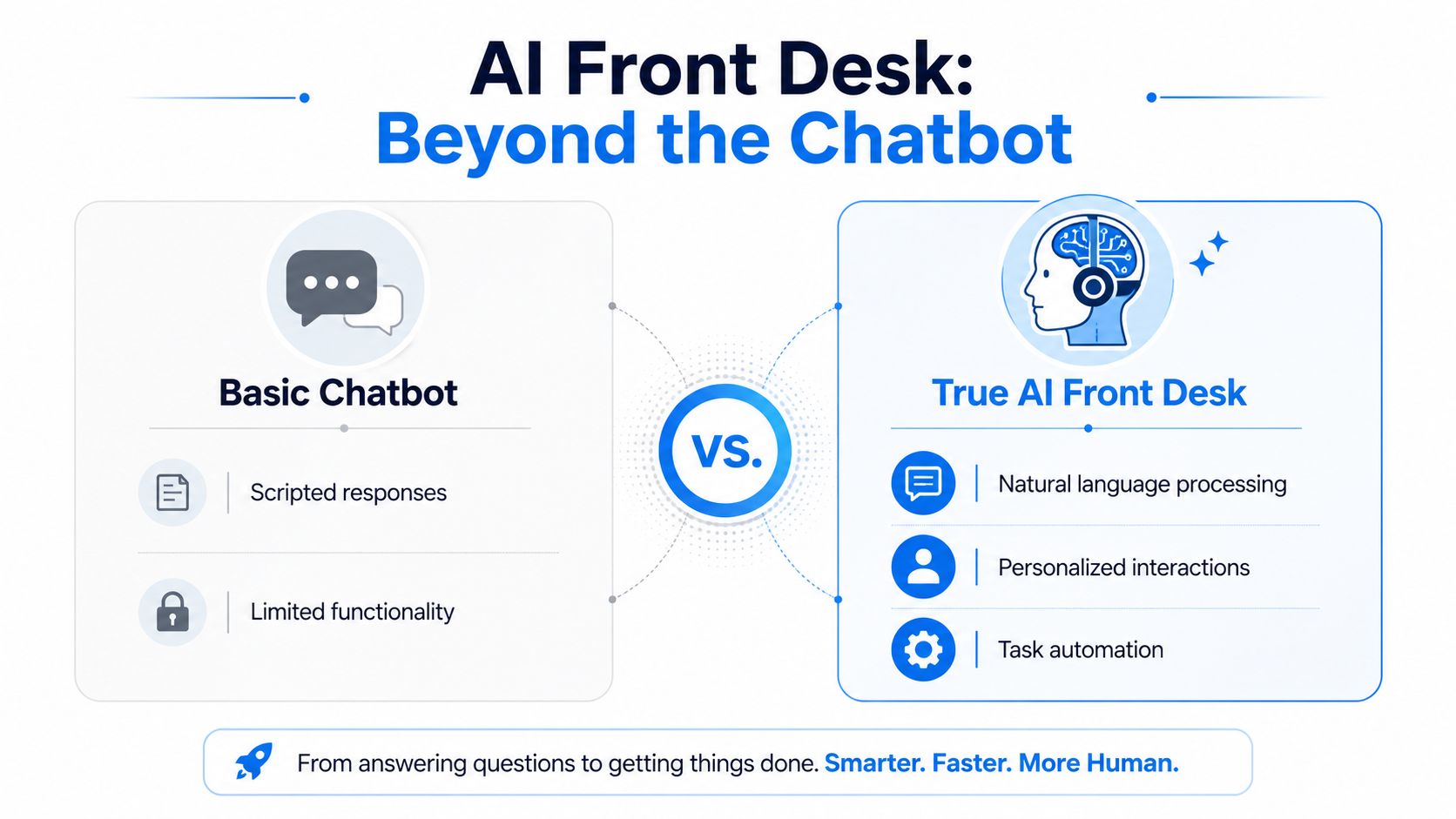
The difference between scripted and operational AI
Modern AI front desks employ business-trained Large Language Models with proprietary context-aware Knowledge Graphs that dynamically adapt to user intent, resulting in 30% higher qualified lead conversion rates according to Retell AI's overview of AI front desks. The operational takeaway is more important than the percentage. The system understands your business context well enough to move the caller toward an outcome instead of trapping them in canned replies.
Here's the useful mental model:
| System | What it does well | Where it breaks |
|---|---|---|
| Basic chatbot | FAQ answers, simple menu logic, static prompts | Ambiguous requests, multi-step tasks, handoff context |
| AI front desk | Live conversation, appointment handling, qualification, routing, workflow execution | Situations that require human judgment, empathy, or exception handling |
A good deployment also depends on how well your business knowledge is organized. Teams that already structure service policies, pricing logic, scheduling rules, and customer information in connected systems often move faster. That's one reason broader work on AI powered content management systems is relevant here. Clean, usable business knowledge gives the front desk better material to work with.
What a real front desk needs to connect to
If a vendor can't explain system connections clearly, expect trouble later. The AI front desk should plug into the tools that run your day-to-day operation.
Common examples include:
- Calendars and schedulers: To book, reschedule, and prevent double-booking
- CRM and intake tools: To capture lead details and preserve context
- Practice or case systems: To route requests based on service line or urgency
- Messaging channels: To send confirmations and follow-ups after the call
For a broader view of how conversation systems fit into support operations, it's worth comparing this setup with conversational AI for customer support. The front desk use case is narrower and more action-oriented. It isn't just answering questions. It's moving work forward.
The best AI front desks aren't trying to sound clever. They're trying to complete the next business-critical step without making the caller repeat themselves.
Where humans still matter
A front desk should automate routine, structured interactions and step aside when the caller needs empathy, nuanced judgment, or exception handling. That's why the strongest model is hybrid. The AI handles volume and consistency. People handle sensitive complaints, emotionally charged situations, and edge cases that don't fit policy.
Core Features and Workflows in Action
The easiest way to judge an AI front desk is to follow the call path. When the workflow is designed well, the caller gets a fast answer, the system executes the task, and the business gets structured data instead of a vague message.
Dental clinic after-hours booking
The performance standard for voice AI is responsiveness. Modern AI receptionist architectures achieve sub-200ms latency, and in a practical dental clinic scenario a patient calling at 10 p.m. to book an emergency appointment experiences zero wait time and confirms the slot within 1.5 seconds, according to this technical breakdown of AI receptionist architecture.
That matters because callers notice delay immediately. If the system pauses too long, they talk over it, repeat themselves, or hang up.
A workable dental flow looks like this:
- The call is answered instantly.
- The AI identifies urgency. It distinguishes routine scheduling from an urgent dental issue.
- It checks live availability through the calendar integration.
- It confirms the appointment and records the reason for visit.
- It sends the confirmation and updates the internal schedule.
AI appointment booking systems shift from offering mere convenience to reducing front-desk backlog. The task isn't "answer the phone." The task is "close the loop while the caller is still engaged."
Plumbing after-hours emergency intake
Home services often win or lose work based on speed. A late-night caller with a burst pipe won't wait through a voicemail maze.
A strong plumbing workflow usually does four things in sequence:
- Captures the service address and issue type
- Determines urgency and dispatch window
- Checks availability or on-call rules
- Creates the job record and confirmation immediately
This is also where a weak implementation shows up fast. If the AI can't handle accents, local terminology, or messy descriptions like "water's coming through the ceiling under the upstairs bath," it won't perform like a front desk. It will perform like a blocker.
Law firm intake and qualification
Legal intake is different. The stakes are often high, but the first objective is still operational: gather the right facts cleanly and route the inquiry properly.
For a law firm, the AI front desk can:
| Step | What the AI handles |
|---|---|
| Initial intake | Caller name, matter type, urgency, basic circumstances |
| Conflict-screen prep | Structured details for internal review |
| Routing | Directs the inquiry to the right practice area or staff member |
| Follow-up setup | Schedules consultation or captures callback request with context |
If the system can't preserve context across a longer intake conversation, it isn't ready for professional services.
Cancellation recovery is where mature setups separate themselves
Many teams automate booking but ignore what happens when a slot opens up. That's a mistake. An AI front desk should treat a cancellation as a trigger, not an endpoint. When someone cancels, the system should update the calendar, identify eligible prospects or waiting-list contacts, and initiate immediate outreach through the approved channels.
That workflow is especially useful in healthcare, wellness, and field service businesses where idle time turns into unrecoverable capacity.
The Business Case Measurable Benefits and ROI
Most software purchases fail because the business case is vague. AI front desk investments work when the operator measures labor displacement, lead capture, and recovered revenue together.
A simple benchmark makes the labor side concrete. A plumbing company with 3,000 monthly inbound calls can automate 2,400 of them using AI, saving approximately $15,000 monthly in labor costs compared to a 24/7 human receptionist, while ensuring no lead is lost after 5 p.m. according to this guide to AI receptionist economics for businesses.

That example is useful because it reflects how operations leaders should evaluate the tool. Don't ask whether the AI answers calls. Ask which calls it can complete end to end, what labor that displaces, and what revenue is recovered because the phone no longer falls back to voicemail.
What belongs in the ROI calculation
The clean formula is: ((Revenue Generated − AI Cost) ÷ AI Cost) × 100 as outlined in this dashboard and ROI guide for AI receptionists.
A common mistake teams make is in the numerator. They count booked appointments during business hours and ignore what changed after closing time, during lunch rushes, or immediately after cancellations.
Use these buckets:
- Direct labor savings: Calls the AI now handles that staff or an answering service used to cover
- After-hours revenue recovery: Leads and appointments captured when the office is closed
- Cancellation gap recovery: Revenue preserved by filling newly opened slots faster
- Qualified opportunity capture: Better intake quality that gives staff better follow-up material
Here's a short benchmark video if you want to see how operators frame the business case in practice.
Where operators overestimate value
Not every automated call produces financial benefit. If the AI gives nice answers but fails to complete the task, the ROI model gets inflated on paper and weak in reality.
Common failure points include:
- Poor escalation rules: The system keeps struggling instead of handing off
- No calendar sync: The caller gets options that aren't available
- Thin intake logic: Sales or service teams receive low-quality records
- No cancellation workflow: Open capacity remains unfilled
Operator note: Cost reduction is only half the case. The stronger argument is that the business becomes reachable at the exact moments human coverage is most fragile.
What a good business case sounds like
A strong internal proposal is plain. "We're automating routine call coverage, recovering after-hours demand, and reducing front-desk interruption." That's better than promising magic. When the workflow and measurement are solid, the financial upside usually follows.
Choosing and Implementing Your AI Front Desk
Teams usually decide whether an AI front desk becomes a working part of operations or a stalled software project during implementation. The gap is rarely the model. It is the operating design behind it.
A good rollout starts with call patterns, staff rules, and system access. If those pieces are vague, the AI will sound competent while failing on the tasks that matter.
Start with the calls you already have
Review a representative set of inbound calls before you compare vendors. Tag them by job to be done: new booking, reschedule, cancellation, urgent request, pricing question, status check, and issue that needs staff judgment. Then make an explicit call on which requests the AI should complete on its own and which ones should go to a person every time.
That decision prevents a common failure. Teams buy for broad capability, then discover they only trust the system on a narrow slice of calls.
The most useful implementation sequence is practical:
- Define the business outcome first. After-hours lead capture, fewer front-desk interruptions, faster booking, and better cancellation recovery each require a different setup.
- Map the top call types. Use call logs and recordings from your business, not assumptions from management.
- Write decision rules. Specify who gets routed where, what the AI can confirm, and what triggers handoff.
- Connect the source systems. Calendar, CRM, intake forms, ticketing, or practice software need to be live before launch.
- Pilot with a narrow scope. Start with one location, one service line, or one high-volume call category.
- Review failures every week. Use recordings and outcome data to tighten prompts, routing, and fallback rules.
Close the escalation confidence gap
Escalation design is usually the difference between a front desk that earns trust and one that creates cleanup work for staff. The AI should not keep pressing forward when the caller is confused, upset, medically uncertain, or outside policy.
A useful operating rule is simple. Define the requests the AI can finish, define the signals that require human involvement, and make sure the handoff passes context instead of dropping the caller into a fresh conversation. For teams building that review process, detailed call outcome reporting makes the work easier because supervisors can spot where conversations stall, transfer too late, or miss required details. A call detail reporting workflow for AI front desk reviews is a practical example of what to inspect.
Examples look different by industry:
- Healthcare: Scheduling and rescheduling can be automated. Symptom complexity, distress, and medication concerns should route out quickly.
- Legal: Basic intake can be automated. Fact-heavy matters, emotional complaint calls, and conflict-sensitive situations need a trained person.
- Home services: Standard bookings are a good fit. Unclear dispatch conditions, unusual equipment issues, or safety concerns should escalate.
A front desk becomes reliable when the AI knows its limits and staff receive enough context to act fast.
AI Front Desk Vendor Evaluation Checklist
| Criteria | What to Look For | Why It Matters |
|---|---|---|
| Industry fit | Experience with your call types and terminology | Generic setups often break on real customer language |
| Escalation design | Clear handoff rules with context transfer | Reduces caller frustration and repeat explanations |
| System integrations | Calendar, CRM, scheduling, case, or practice software connectivity | Lets the AI complete work instead of logging messages |
| Configuration process | Structured onboarding built around your workflows | Shortens the path to usable performance |
| Reporting | Visibility into outcomes, task completion, and transfer reasons | Gives managers something concrete to improve |
| Compliance and security | Controls that match your industry requirements | Matters when calls involve protected or sensitive information |
| Human fallback | Access to trained staff when needed | Covers edge cases without losing the caller |
One option businesses evaluate is Recepta.ai, which combines conversational AI with human escalation support and business-system integrations. Whether you choose that route or another vendor, judge the product by how well it handles your real workflows, especially escalation, scheduling changes, and cancellation recovery.
Measuring Success Key Metrics to Track
If you don't measure the right outputs, an AI front desk can look busy and still underperform. Call count alone won't tell you whether the system is protecting revenue or just generating transcripts.

AI receptionists must track five specific accuracy metrics: precision and recall, response latency, task completion rate, user satisfaction scores, and conversation context retention according to this guide to AI receptionist accuracy metrics.
What the five metrics tell you
- Precision and recall: Whether the AI identifies intents correctly and misses fewer important requests.
- Response latency: Whether the conversation feels immediate enough to keep callers engaged.
- Task completion rate: Whether the call ended with the job done.
- User satisfaction scores: Whether callers felt helped rather than stalled.
- Conversation context retention: Whether the AI preserved details across a longer exchange.
For a law firm, context retention matters during intake. For HVAC dispatch, task completion matters more if the priority is getting the appointment into the system and sending confirmation. Teams that want stronger visibility usually pair these metrics with detailed call review and call detail reporting workflows so they can inspect where conversations succeed or break.
Build a dashboard around decisions
A useful dashboard answers operational questions:
| Question | Metric to watch |
|---|---|
| Are callers waiting too long to interact naturally? | Response latency |
| Is the AI actually closing the loop? | Task completion rate |
| Are handoffs happening at the right time? | Precision and recall plus qualitative review |
| Are callers repeating themselves? | Conversation context retention |
Track the metric closest to the business failure you care about most. If lost bookings hurt you, start with task completion, not vanity reporting.
Frequently Asked Questions About AI Front Desks
Does it sound natural on a real call
It can, if the stack is built for live voice and the workflow is narrow enough to execute cleanly. Callers care less about novelty than responsiveness, clarity, and whether the system helps them finish the task. Naturalness drops when the AI hesitates, asks irrelevant questions, or ignores obvious context.
What happens when the AI gets stuck
A good setup escalates with context. The caller shouldn't have to start over. The handoff should include the reason for transfer, what the caller already said, and any data already captured. If a vendor can't show you how this works, expect frustration in production.
Is setup hard
The hard part isn't turning the software on. The hard part is deciding what the AI should own, where it should pull data from, and when it should hand off. Businesses that already know their top call types and booking rules usually move faster. Businesses with messy calendars, inconsistent processes, or outdated scripts need more preparation.
Is customer data safe
That depends on the deployment and the industry requirements. In healthcare, deployments prioritize HIPAA compliance with data encryption and sensitive information masking, while home service businesses require accent-handling capabilities and inventory database integration to provide accurate appointment slot availability, according to this technical discussion of AI front desk requirements by industry. Security and workflow fit belong in the same buying conversation because a compliant system that can't execute the task still fails operationally.
Will it replace my front desk staff
Usually, it changes the job more than it removes it. Routine call handling, repetitive scheduling, and after-hours coverage are good automation candidates. Sensitive issues, exceptions, complaints, and relationship-heavy conversations still benefit from people. The strongest teams use AI to remove bottlenecks so staff can focus on work that demands judgment.
If your phones are still routing demand to voicemail, Recepta.ai is worth a look. It handles inbound calls, scheduling, lead capture, and follow-up workflows around the clock, then escalates to trained humans when the interaction needs empathy or deeper expertise. For businesses that want an AI front desk without giving up control of the customer experience, that hybrid operating model is a practical place to start.