24/7 Call Answering Service: The Complete Guide
A widely cited benchmark of 85 small businesses across 58 industries found that only 37.8% of incoming calls reached a live person, while 37.8% went to voicemail and 24.3% received no response at all (missed-call benchmark). In other words, roughly 62% of calls went unanswered. That's not a minor reception problem. For a plumbing company, dental practice, law firm, or franchise, it can mean the first conversion step disappears before anyone on the team knows the caller tried.
A 24/7 call answering service solves only half of that problem if it merely picks up. The real buying question is whether the caller gets a useful answer, receives a fast next step, and reaches the right person before the opportunity moves elsewhere. I recommend treating after-hours coverage as an operational response-time system, not as a replacement for an office receptionist.
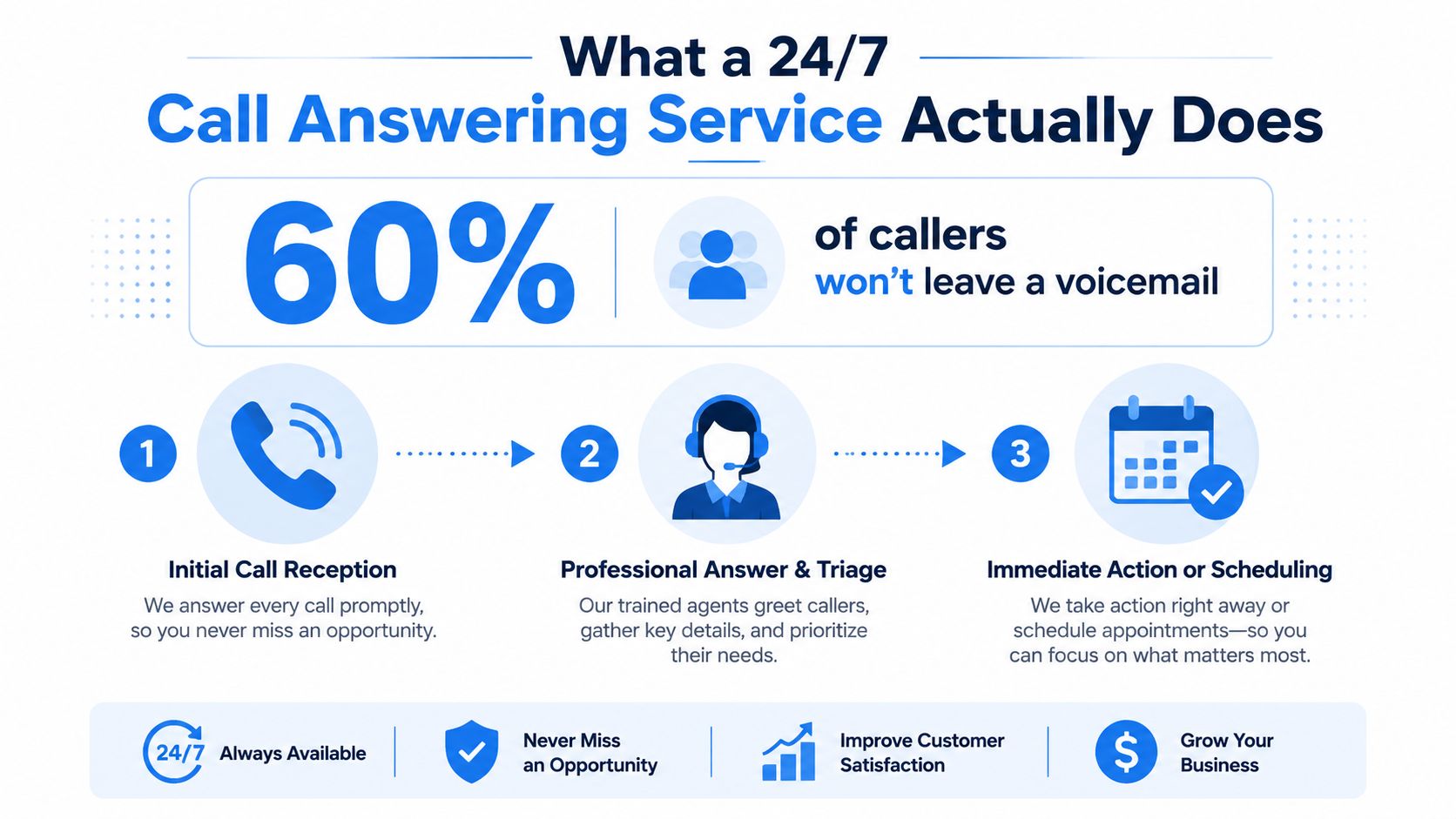
What a 24/7 Call Answering Service Actually Does
A 24/7 service should be measured by a response-time SLA, not by the fact that an agent is technically available. Customers now expect answers within minutes, and some service benchmarks put the target below two minutes or three rings, while average hold times remain five to seven minutes (customer service response benchmarks). If your vendor answers after a long delay, the coverage exists on paper but fails at the moment conversion is most fragile.
The core job has four parts:
- Answer the call quickly. Set a defined ring or seconds-based target for normal conditions and peak surges.
- Identify intent. An agent should distinguish an emergency repair from a quote request, an appointment change from a new patient inquiry, and a qualified legal prospect from a general information call.
- Capture complete information. The intake should include the caller's name, contact details, service need, urgency, location, preferred timing, and any industry-specific qualification fields.
- Take action immediately. That might mean booking a calendar slot, transferring to an on-call employee, sending a structured message, or starting an approved follow-up workflow.
The difference between answering and converting
A voicemail box records a message if the caller leaves one. A live answering service should follow a scripted intake and escalation tree. It should also know which decisions belong to the business and which it can complete independently.
For example, a home-services call flow could look like this:
- The agent answers with the company's approved greeting.
- The caller describes a leaking water heater.
- The agent checks whether the situation meets the emergency criteria.
- The agent collects the property address and access details.
- The agent offers an available dispatch window or escalates to the on-call technician.
- The CRM receives the call disposition and the technician gets a concise alert.
Healthcare requires tighter boundaries. The agent may schedule an appointment or route an urgent matter, but shouldn't improvise clinical advice. Businesses handling patient communication can review the implications of answering service outsourcing for healthcare before they select a vendor.
Operational rule: If the agent can't either resolve the caller's next step or route it with a clear deadline, you've bought message-taking, not lead recovery.
The Three Service Models Compared
There are three practical ways to deliver continuous phone coverage. Human-only services use trained receptionists. AI-driven receptionists handle conversations through voice automation. Hybrid systems let AI manage routine intake and bring in a person when the call becomes sensitive, ambiguous, or commercially important.
Human-only coverage wins when judgment and reassurance matter more than scale. A distressed patient, an angry tenant, or a legal prospect describing a complex situation may need empathy that a tightly scripted system can't provide. Human operators can also handle unusual accents, interruptions, and emotional callers more naturally, but they introduce staffing constraints, variable training, and potential delays during surges.
AI-driven services answer consistently and can handle routine, repeatable calls without putting the caller in a queue. They work well for appointment requests, service-area questions, basic qualification, and calendar actions. Their weaknesses appear when callers use unfamiliar terminology, change topics rapidly, demand exceptions, or need reassurance rather than information.
Hybrid coverage is my default recommendation for most growing service businesses. AI handles predictable volume, then a trained human takes over when the decision carries risk or the caller's intent is unclear.
Service Model Comparison
| Factor | Human-Only | AI-Driven | Hybrid |
|---|---|---|---|
| Answer speed | Depends on staffing and queue depth | Consistently fast when configured correctly | Fast initial response with human escalation |
| After-hours reliability | Vulnerable to staffing gaps and surges | Strong for routine inbound volume | Strongest when escalation capacity is planned |
| Accents and emotional callers | Usually strongest | Can struggle with unusual speech or high emotion | AI handles routine calls, people handle difficult conversations |
| Monthly cost per call | Often higher because labor scales with usage | Usually more predictable for repeatable call types | Blended cost, with human time reserved for complex cases |
| HIPAA and PCI readiness | Depends on contracts, storage, training, and controls | Depends on architecture, disclosures, logging, and vendor controls | Requires compliance across both automated and human layers |
| Typical fit by call volume | Lower or moderate volume with high-stakes conversations | High volume with low-complexity inquiries | Mixed call types and businesses scaling coverage |
The decision rule is straightforward. Low-complexity, high-volume calls favor AI or hybrid delivery. High-stakes or regulated conversations favor human involvement. If your call mix is still unclear, start hybrid, review dispositions, and move only predictable categories into automation.
Features That Move the Needle
Vendors often lead with dashboards, voice customization, and long integration lists. Those features matter only after the service proves it can answer quickly and take the right action. I'd rank speed, workflow accuracy, escalation discipline, and data synchronization above presentation features.
Test the response window first
Ask the vendor to demonstrate an after-hours call at the busiest period you expect, not during a quiet sales demo. Set a target of under 20 seconds for the initial answer and test it on a Sunday night, during lunch coverage, and during a simulated surge. The exact metric should appear in the agreement, with reporting that shows whether the service met it.
Ask:
- “What happens when all human agents are occupied?”
- “What's the measured answer time during peak periods?”
- “Can you show performance by hour and day?”
- “How do you handle abandoned calls and failed transfers?”
An escalation tree is useless if the caller waits too long to enter it.
Validate actions, not promises
For bilingual or multilingual coverage, listen to a sample call in the languages your customers use. Don't accept “support available” as an answer. Confirm whether the same intake fields, booking rules, and escalation standards apply across languages.
Then test your systems live:
- CRM sync: Ask the vendor to show exactly where caller details, disposition, transcript, and follow-up status appear.
- Calendar booking: Create a test appointment and verify time zone, staff assignment, confirmation message, and cancellation handling.
- Qualification script: Give the agent two callers with different levels of fit and check whether the records reflect that difference.
- Escalation rules: Change an on-call contact during the demo and confirm the update reaches the correct routing path.
A useful technical overview of how AI call answering can fit into scheduling and lead workflows is available in this guide to an AI call answering service.
The feature that matters most may not be the most expensive line item. A premium analytics package won't recover a lead if the system misses the first response window or sends an emergency to a general inbox.
Where 24/7 Answering Pays Off Most
After-hours coverage pays back fastest where callers have high intent, limited patience, and an immediate alternative. About one in three business calls arrives outside normal hours, and home-services analyses report missed-call rates of roughly 27% or more in that sector (after-hours call data). The right workflow differs by industry.
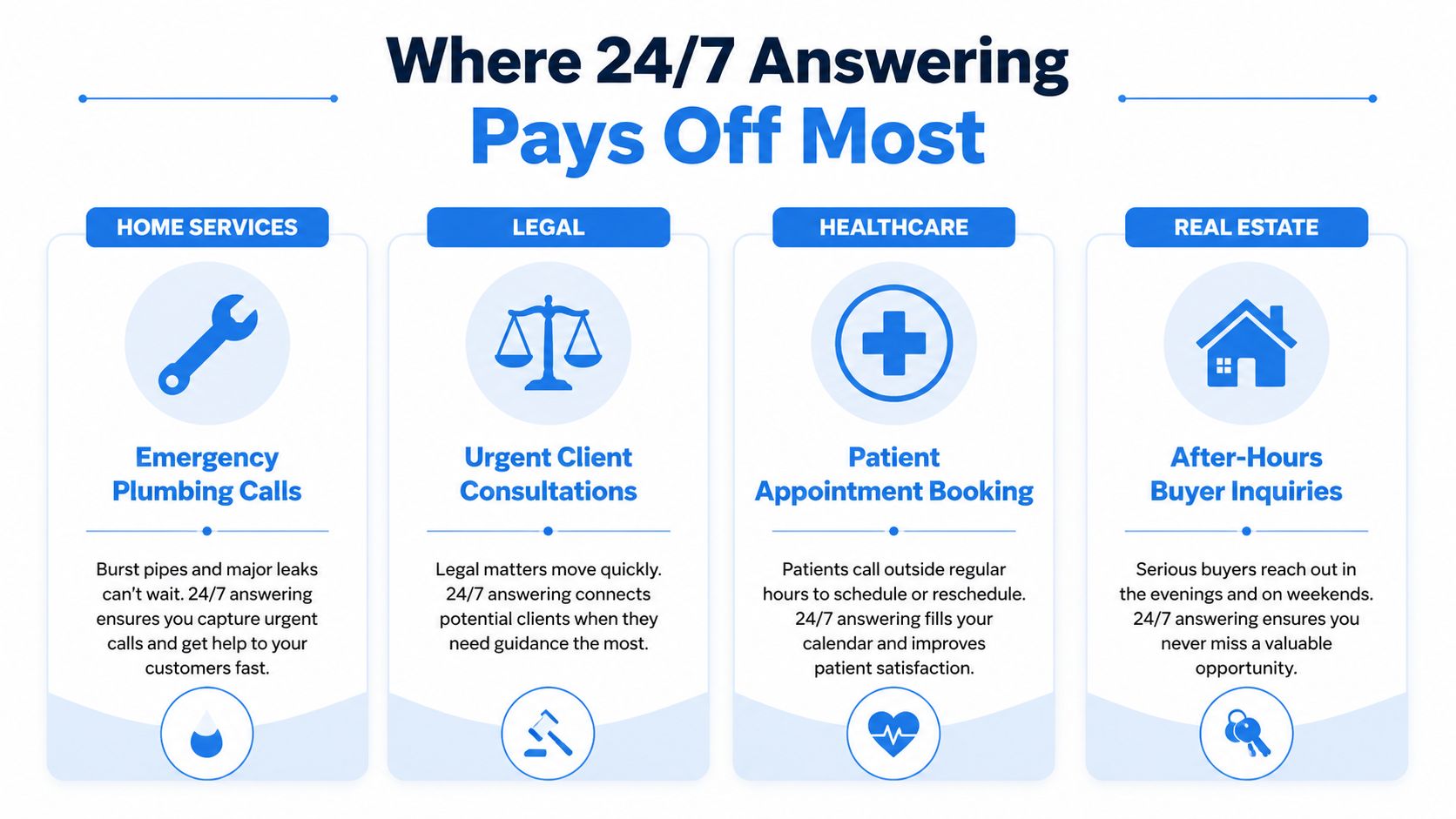
Home services
A homeowner calls a pest-control company on a weekend after finding an infestation. The agent confirms the address, identifies whether the request is urgent, checks the service area, and schedules the earliest available visit. Without live coverage, the caller may leave no message and contact the next company. For plumbing, HVAC, and electrical businesses, the agent should also know the dispatch window and the exact conditions that require escalation.
Healthcare
A patient calls a dental clinic late in the evening with severe pain or a broken crown. A trained agent collects the approved intake information, follows the practice's urgent-call protocol, and routes the matter to the on-call line when required. The business either books the next appropriate appointment or gives the caller the approved next step, rather than forcing the patient to repeat the story in the morning.
Legal services
A prospect calls a law firm after hours about an urgent dispute. The intake specialist captures jurisdiction, matter type, opposing-party information, deadlines, and conflict-check fields before routing the lead. A generic message loses useful context, while a structured intake lets the attorney decide quickly whether to call, decline, or schedule a consultation.
Franchises and multi-location operators
A centralized answering layer handles calls across time zones with one approved brand voice. It routes by location, service area, and availability, then sends each branch a consistent record. Without that layer, callers receive different greetings, inconsistent answers, and uncertain escalation depending on which location they reach.
A short visual walkthrough of the operating model appears below.
The Real ROI of After-Hours Coverage
Don't start with a vendor's per-minute rate. Start with the profit from one recovered job and the number of after-hours calls your business currently loses. Historical estimates put the annual revenue loss from unanswered calls for a typical local service business between $62,000 and $126,000 (2026 missed-call revenue analysis). A separate 2025 analysis estimated the average cost of a missed call at $12.15, with SMBs missing around six calls daily facing annual losses above $26,000 (missed-call cost analysis).
Use your own margin, not gross revenue, for the decision. The formula is:
Recovered job profit = recovered booked jobs × average gross profit per job
Then compare that result with the monthly service fee, usage charges, setup costs, and any transfer fees.
A practical sensitivity model
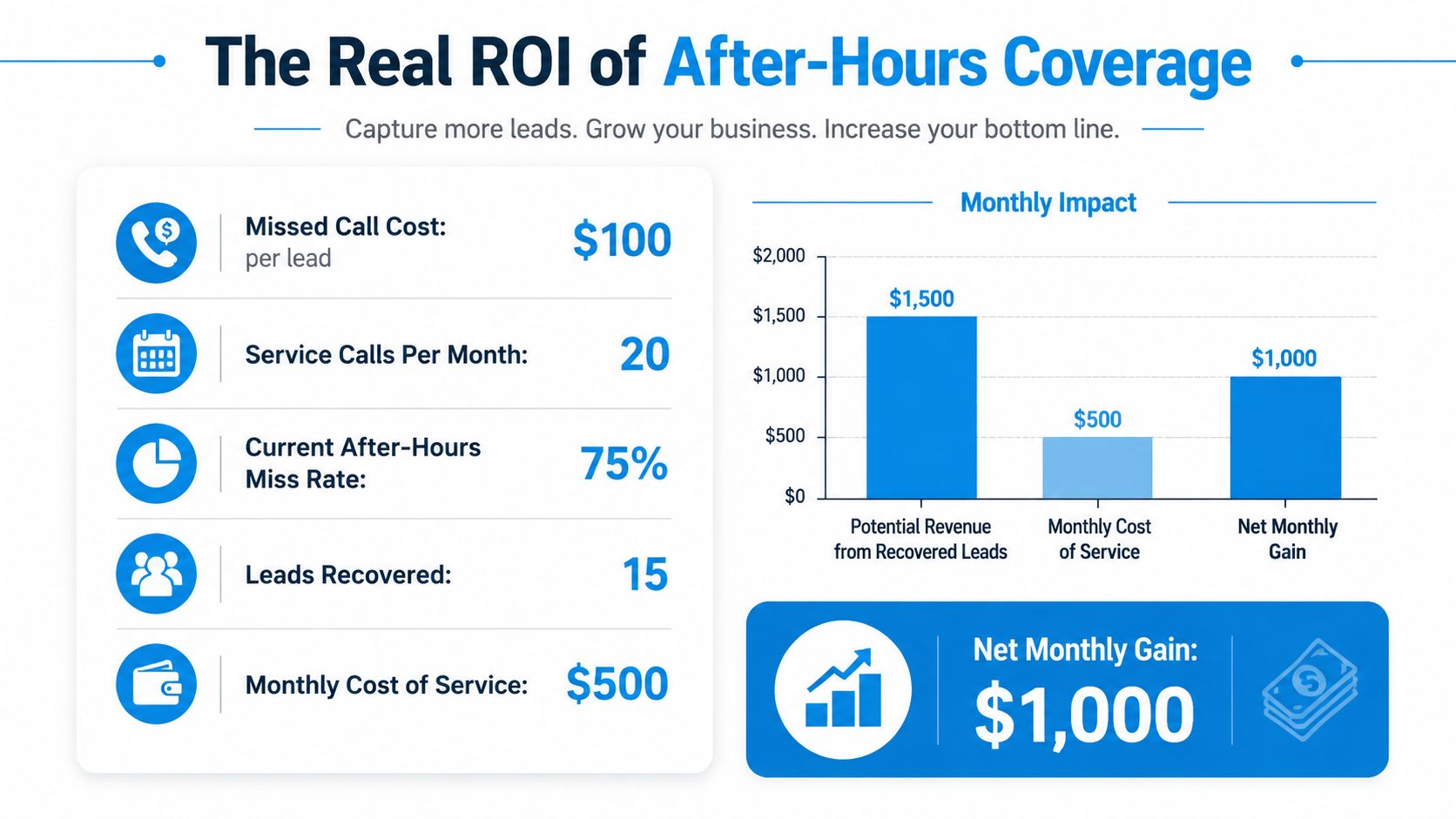
Suppose your reporting shows 20 after-hours service calls per month, a 75% miss rate, and a conservative value of $100 per missed lead, as illustrated in the required ROI model below. That creates 15 potentially recoverable calls. If the live service books only a portion of those calls, your breakeven depends on job margin and actual booking quality, not the number of calls answered.
The infographic presents a simplified scenario with a $500 monthly service cost and a $1,000 net monthly gain. Treat that as a model to test, not as a guaranteed outcome. Replace each input with your call logs, close rate, average job profit, and vendor quote.
Compare pricing structures carefully:
- Per-call pricing protects a business with light, unpredictable volume, but costs can rise sharply when demand spikes.
- Per-minute pricing fits calls with predictable duration, provided transfers and hold time are billed transparently.
- Flat retainers simplify budgeting when after-hours volume is steady, but they can waste money if the phone rarely rings.
The breakeven test is simple: recovered job profit must exceed the full service cost. Use call dispositions to review booked, qualified, transferred, and unqualified calls separately. A useful framework for evaluating flat plans and usage charges is this guide to after-hours answering service cost.
Security and Compliance Basics
A 24/7 call answering service handles caller information, so compliance belongs in the vendor evaluation before the first call goes live. Don't accept a general statement such as “we're secure.” Ask for the specific contract, storage, access, deletion, and consent controls that apply to your workflow.
The buyer's compliance checklist
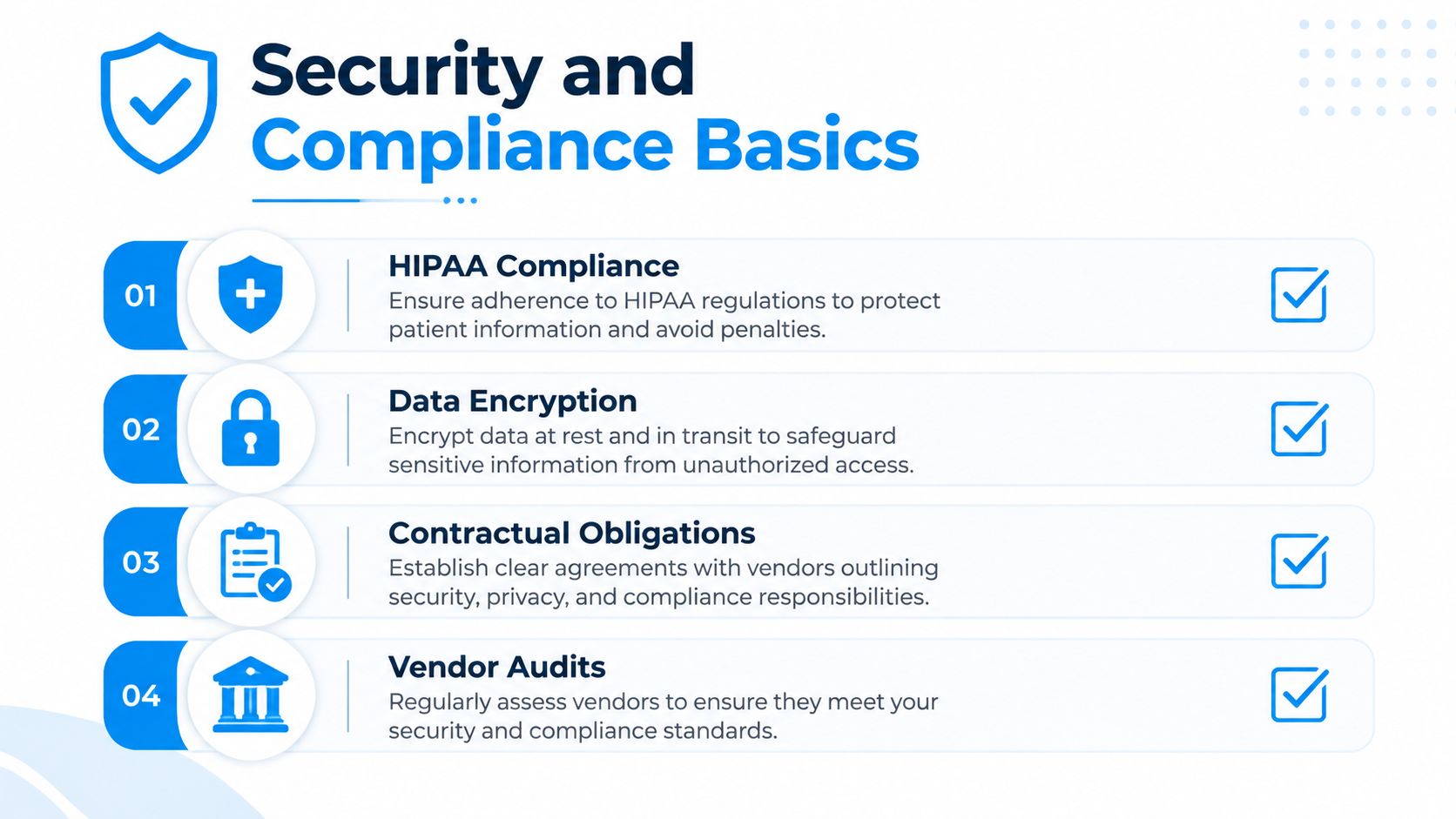
- HIPAA: If agents capture patient names, symptoms, appointment details, or other protected information, ask whether the vendor will sign a Business Associate Agreement and how it encrypts stored calls and transcripts.
- TCPA: If the workflow includes outbound calls or SMS, confirm how prior express written consent is collected, timestamped, stored, and tied to the phone number. Current compliance guidance cites $500 per unintentional violation and $1,500 per willful violation under TCPA penalty discussions (AI voice compliance guidance).
- PCI DSS: If an agent takes payment information, require redaction, tokenized payment capture, or another process that prevents card numbers from remaining in recordings and transcripts.
- AI disclosure: Ask whether the caller is told at the start that an AI is participating. Disclosure requirements can vary by jurisdiction, so a clear upfront disclosure is the safer operating standard.
- Access and retention: Ask where call data is stored, how long it's retained, who can access it, and whether recordings can be deleted on request.
The compliance line becomes more important when an answering service transfers calls between states or countries. Quiet-hour rules, consent requirements, disclosure obligations, and retention practices may differ across the jurisdictions involved.
A practical overview of healthcare-specific workflows is available in this guide to a HIPAA-compliant answering service. Have your legal or compliance adviser review the vendor's agreement when calls involve sensitive records, outbound follow-up, payment collection, or automated voice.
Integration and Setup
A smooth rollout is operationally simple, but only if you treat the first days as a controlled launch. The two mistakes I see most often are skipping caller-script review and failing to audit CRM field mapping before after-hours traffic starts.
Build the operating brief
Start by documenting the calls the service will handle, the calls it must escalate, and the calls it must never answer beyond a defined script. Include service areas, appointment types, emergency definitions, pricing boundaries, staff availability, holidays, and transfer numbers.
Connect the calendar and CRM before finalizing the script. The agent needs to know which appointments are available, and your team needs to see whether the record stores the caller's intent, urgency, source, and next action.
A day-one to day-14 rollout
| Timing | Work to complete | Validation |
|---|---|---|
| Day 1 | Export call categories and peak windows | Confirm the vendor understands your real call mix |
| Days 2 to 3 | Draft greetings, qualification questions, and disallowed answers | Review the script with the employees who handle escalations |
| Days 4 to 5 | Configure calendar, CRM, transfer, and notification connections | Create test records and verify every mapped field |
| Days 6 to 7 | Build escalation paths and backup contacts | Test unavailable staff, busy lines, and failed transfers |
| Days 8 to 10 | Run internal calls across routine and urgent scenarios | Listen to recordings and correct confusing prompts |
| Days 11 to 12 | Launch a soft after-hours window | Compare call records with CRM and calendar activity |
| Days 13 to 14 | Review dispositions and adjust routing | Approve the live configuration only after exceptions work |
Keep a human owner for the rollout. Someone must review recordings, correct inaccurate answers, update escalation contacts, and monitor whether the system books the right appointment type. Technical teams evaluating deeper connections can review API connectivity options, but an API connection doesn't replace field-level testing.
Launch standard: Don't go fully live until a test call produces the right greeting, record, calendar result, notification, and escalation outcome.
Choosing a Provider and Common Questions
Choose a vendor with a weighted scorecard, not a polished demo. Shortlist three providers and score each from low to high against the same criteria. Put the highest weight on the outcome that protects revenue, which is usually response speed and correct action rather than a large feature catalog.
| Selection factor | Questions to ask |
|---|---|
| Response-time SLA | What answer-time target is contractual, and how is it reported during surges? |
| Pricing clarity | Are calls, minutes, transfers, setup, recordings, and overages billed separately? |
| Language coverage | Which languages are supported live, and do scripts remain consistent across them? |
| CRM and calendar integration | Can the vendor show a completed test record and appointment in your systems? |
| Escalation speed | What happens when the primary contact doesn't answer? |
| Compliance posture | Which agreements, disclosures, retention controls, and audit records are available? |
| Contract flexibility | Can you pause, downgrade, or cancel without an extended commitment? |
Recepta.ai is one option for businesses that want a hybrid AI receptionist with human escalation, inbound and outbound call handling, appointment scheduling, lead capture, follow-ups, and integrations with CRMs, calendars, and other business systems. Evaluate it against the same scorecard as every other provider, especially on response-time reporting and the exact escalation behavior your callers will experience.
Common questions
How does pricing usually scale?
Pricing generally follows call count, minutes, agent involvement, or a flat service commitment. Ask for an invoice simulation using your actual call mix, including transfers and long conversations.
What happens during a sudden surge?
AI can handle simultaneous routine calls more easily than a fixed human team, while human services may queue, overflow, or apply capacity rules. Ask the vendor to demonstrate a surge and explain the fallback when escalation staff are unavailable.
Do AI receptionists sound human?
Some sound natural in routine exchanges, but voice quality isn't the same as judgment. Test interruptions, unclear addresses, emotional callers, industry terminology, and requests outside the approved knowledge base.
How do cancellation policies work?
Read the renewal, notice, minimum-term, setup-fee, and data-export clauses. Confirm what happens to recordings, transcripts, CRM records, and phone routing after cancellation.
What onboarding support is realistic for a small team?
Expect help with scripts, routing, integrations, and test calls. You should still provide accurate business rules and appoint someone to review early conversations.
Recepta.ai combines 24/7 conversational AI with trained human support for calls, scheduling, lead capture, follow-ups, and sensitive escalations. Review your missed-call data, test the response workflow, and visit Recepta.ai to evaluate whether its hybrid approach fits your after-hours operation.