After Hours Answering Service Cost: Your 2026 Pricing Guide
Live after-hours answering service plans usually start at $100 to $350 per month for 100 to 200 minutes, and most providers bill $0.75 to $1.75 per minute once you get into usage-based pricing. If you're staring at missed evening calls, random voicemails, and a quote that seems too low to be real, that's the right starting point, because after-hours service is affordable until complexity, coverage, and sloppy contracts push the bill up fast.
You're probably dealing with one of three problems right now. Your team stops answering at 5 PM but customers don't stop calling. Your office manager is checking voicemail in the morning and finding urgent leads that already went elsewhere. Or you've started shopping vendors and realized every provider uses different pricing language to hide the actual total.
My view is simple. After hours answering service cost should be budgeted like revenue protection, not office overhead. If callers need a real response after hours, you either pay a vendor to answer correctly or you pay in missed jobs, missed consults, and annoyed customers.
The trick is avoiding the wrong plan. Cheap plans look good until you add scheduling, transfers, bilingual support, intake, and after-hours escalation. Then the "affordable" quote turns into a monthly leak.
Why Every Missed Call After 5 PM Is a Problem
A homeowner's furnace quits at night. They call your HVAC line, get voicemail, and move to the next contractor. A prospective legal client calls after an arrest, hears a generic mailbox, and never calls back. A dental patient with pain leaves no message at all because they expected a human.
That isn't a phone issue. It's a revenue issue.
Most owners know this instinctively, but they still treat after-hours coverage like an optional admin expense. That's backwards. When someone calls after hours, they're often calling because the issue feels urgent, emotional, or time-sensitive. Those are the exact calls you can't afford to mishandle.
What missed calls look like in real life
Here's the pattern I see over and over:
- Home services lose emergency work: The caller doesn't want a callback tomorrow. They want to know whether someone can come out tonight.
- Professional firms lose first-contact trust: If a law firm or insurance agency sounds unavailable, the prospect assumes service will be slow later too.
- Clinics lose appointment intent: People who finally decide to book often do it outside work hours. If nobody answers, motivation drops.
A smart stopgap is to pair call coverage with fast follow-up messages. If your team is tightening response workflows, these best WhatsApp messages for sales are useful examples of what to send when a live handoff doesn't happen.
For a broader look at the operating side of coverage, this guide to after-hours answering services is a solid companion read.
Practical rule: If the caller's problem is urgent, emotional, or expensive, voicemail is a bad system.
Why the cost is easier to justify than most owners think
Basic live-agent plans are often far less expensive than people assume. The issue isn't whether you can afford some form of coverage. The issue is whether you choose a plan that matches your call type instead of buying the wrong package and getting gouged later.
That's why the first budgeting question shouldn't be, "What's the cheapest monthly fee?" It should be, "What happens when a high-intent caller reaches nobody?"
Decoding Answering Service Pricing Models
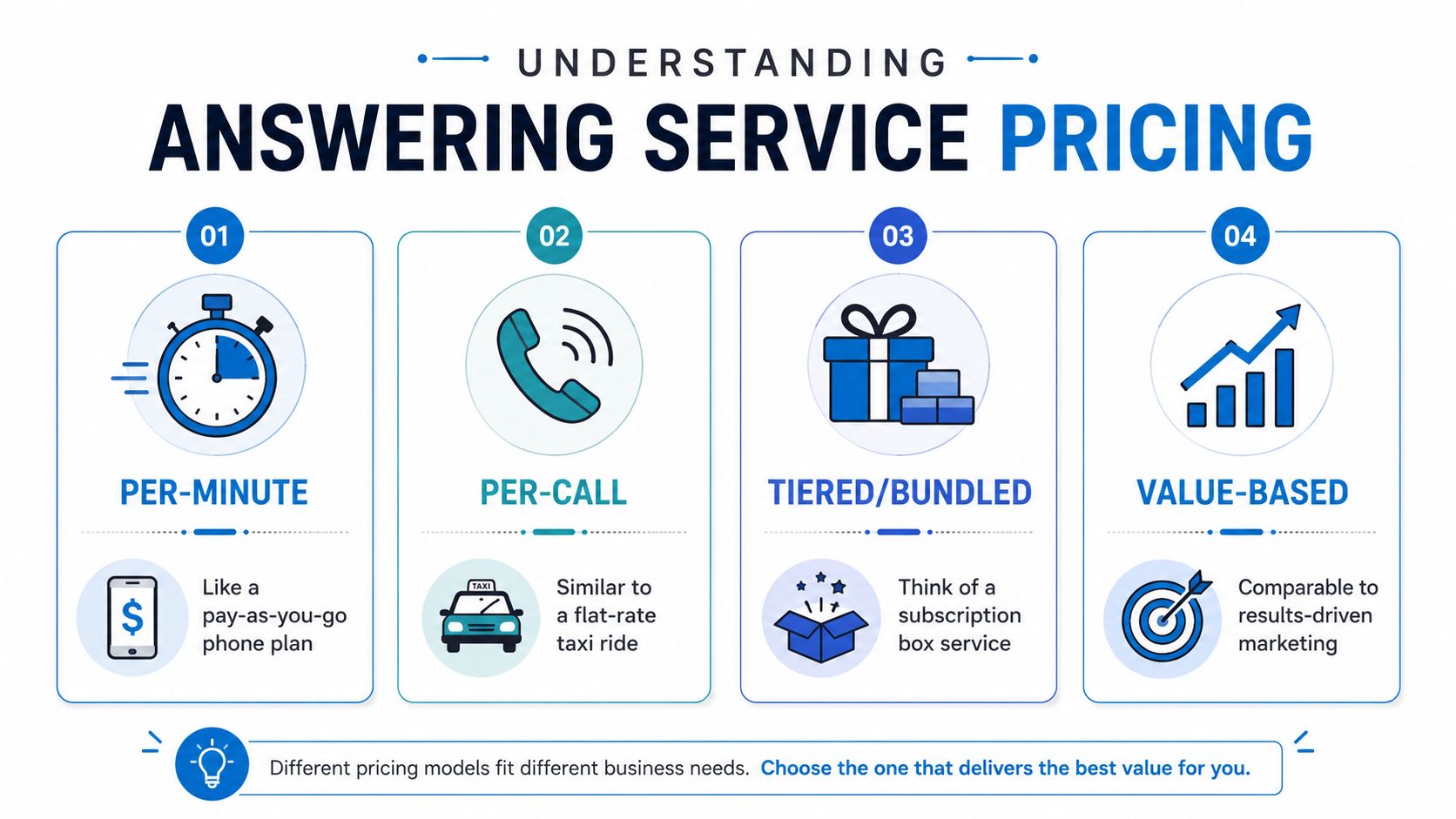
Most answering services use a pricing structure that looks simple on the surface and messy in practice. If you don't understand the billing model, you can't compare vendors. You're comparing slogans, not costs.
If you want a pricing deep dive from the virtual receptionist angle, this overview of virtual receptionist pricing is worth reading before you sign anything.
Per-minute pricing
Think of this like a taxi meter. The longer the call lasts, the higher the bill.
This model works well when your calls are short and predictable. It gets expensive when callers need explanation, scheduling, troubleshooting, or intake. A provider may quote a low monthly base, but if your average after-hours calls run longer than expected, the meter keeps running.
Best fit:
- Message-heavy businesses: Quick lead capture, simple call routing, basic note-taking
- Low-variance call flows: Same greeting, same outcome, no long conversations
Bad fit:
- Detailed intake: Legal, medical, insurance, or anything with forms and qualification steps
Per-call pricing
This model is closer to a flat fare. Each answered call costs the same, no matter how long it lasts.
That sounds easier, and sometimes it is. But you need to know what counts as a billable call. Some vendors count short calls, hang-ups, or spam-adjacent calls if an agent touched the interaction.
This is a decent model when call count is stable and call length varies a lot.
Tiered or bundled pricing
This is the subscription-box version. You buy a package with a certain amount of capacity and a feature set.
The advantage is predictability. The downside is waste or overage. If your normal month sits just below one tier and seasonal spikes push you above it, you'll either overpay for unused capacity or get hit with extra charges when volume jumps.
Value-based or outcome-driven pricing
This is less common, but it shows up in premium or tech-enabled models. The price reflects workflow value, not just raw minutes or call count.
For example, a vendor handling scheduling, CRM updates, lead capture, and escalation logic is pricing a business process, not just a person answering the phone. In some cases, that can make more sense than paying live agents to do repetitive screening.
Pay for the unit that matches how your customers behave. Don't pay per minute if your calls naturally run long. Don't pay per call if half your calls are junk.
A simple comparison
| Pricing model | Easy way to think about it | Best for | Main risk |
|---|---|---|---|
| Per-minute | Meter running during the call | Short, simple calls | Long calls inflate the bill |
| Per-call | One charge per interaction | Stable call counts | Brief calls can still be expensive |
| Tiered | Monthly package | Predictable usage | Paying for unused capacity |
| Value-based | Paying for handled outcomes | Complex workflows | Harder to compare apples to apples |
My recommendation is blunt. Start with your call logs, not the vendor's package sheet. If you don't know whether your after-hours calls are mostly messages, bookings, or emergencies, you will choose the wrong model.
Key Factors That Drive Up Your Bill
The biggest mistake buyers make is assuming all after-hours calls cost roughly the same to handle. They don't. A simple message for a roofer isn't the same as legal intake, bilingual dispatch, or HIPAA-sensitive medical routing.
According to Ever Help's pricing comparison, entry-level live-agent plans typically run $100 to $350 per month for 100 to 200 minutes, with average per-minute rates of $0.75 to $1.75. The same source notes that HIPAA compliance, legal intake, or 24/7 bilingual coverage can add $100 to $450+ per month, and that complexity raises costs by 30% to 50% compared with standard message-taking because providers need trained agents rather than general receptionists (Ever Help answering service pricing comparison).
Complexity is the real price lever
If a provider only takes a name, number, and message, costs stay relatively low. The moment you ask them to do more, the bill moves.
That includes:
- Appointment scheduling: Agents need script accuracy, calendar access, and workflow training
- Intake handling: Law firms, clinics, and insurance teams usually need more than a basic note
- Escalation logic: Home service dispatch often requires judgment, not simple forwarding
Coverage windows matter more than owners expect
There's a big difference between "answer calls from 6 PM to 10 PM" and "be available nights, weekends, and holidays with bilingual staff."
The broader the coverage window, the more staffing pressure the provider carries. You don't need to overbuy. If most of your valuable calls happen in a narrower evening band, buy coverage for that band first.
Industry rules aren't optional upgrades
Healthcare and legal buyers often complain that specialist plans look overpriced. They're looking at it the wrong way.
If your calls involve protected information, conflict-sensitive intake, or high-stakes dispatch, you're not buying generic phone coverage. You're buying trained handling. That's why the premium exists.
The cheapest quote is usually built for simple message-taking. If your business needs actual judgment, that quote is the wrong benchmark.
Practical example
A plumbing company that only needs "name, issue, callback number" can often stay near the lower end of live-agent pricing. A dental office that wants appointment requests captured correctly, urgent cases flagged, and patient details handled carefully should budget higher from the start.
That's the right way to budget after hours answering service cost. Not by chasing a low sticker price, but by matching price to call complexity before the contract starts.
Watch Out for Hidden Fees and Contract Traps
The most dangerous quote in this market is the one that looks tidy.
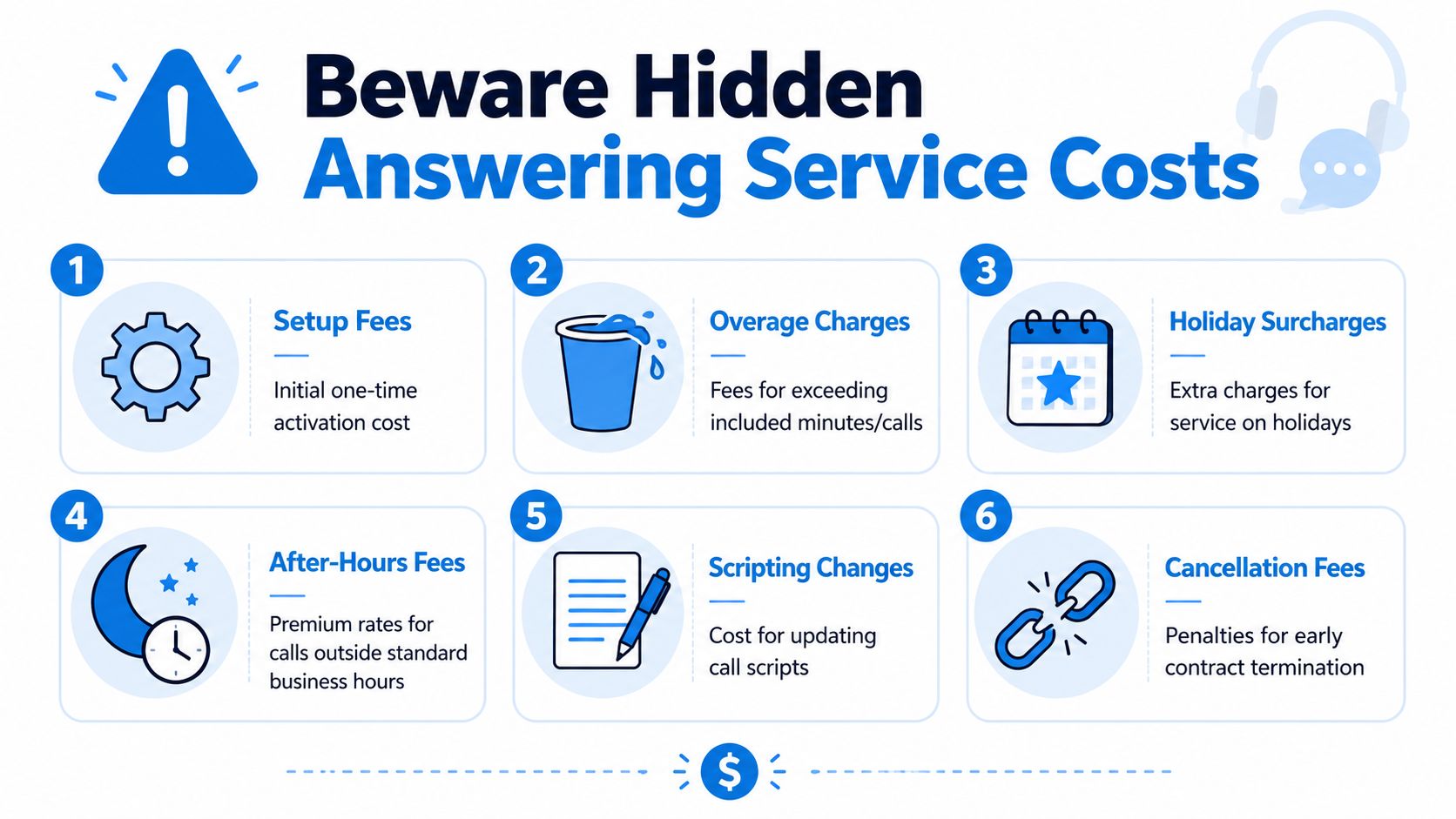
A low monthly number gets buyers to stop asking questions. Then the invoice arrives with overages, script-change fees, holiday pricing, transfer charges, and penalties for canceling. That's not unusual. It's standard behavior in a market where many buyers compare only the base fee.
The hidden cost most businesses miss
One of the clearest pricing blind spots is call complexity. Answering365 notes that industry-specific tasks such as medical intake or emergency dispatch can raise per-call costs by 2x compared with simple message-taking. The same source explains that while many providers quote a broad $0.80 to $3.00 per call range, simple calls often land at $0.80 to $1.25, while calls involving appointment scheduling or intake forms rise to $1.50 to $3.00 (Answering365 FAQ on answering service pricing).
That matters because many vendors quote as if all calls are interchangeable. They aren't.
Fees that hide in plain sight
Ask about these before you sign:
- Setup fees: Initial onboarding, scripting, call flow setup, and account activation
- Overage charges: What happens when you exceed included minutes or calls
- Holiday surcharges: Extra rates for coverage during peak dates
- Patch-through or transfer fees: Charges when the agent forwards a caller to your on-call staff
- Scripting changes: Fees for updating workflows after launch
- Cancellation terms: Penalties for exiting a contract early
If you invest in property, the logic is similar to understanding hidden costs for investors. The headline number rarely tells the full story. Operational inputs buried underneath are what wreck the budget.
A quick primer on what to ask vendors is below.
Contract language that should make you pause
Watch for phrases like these:
| Contract phrase | What it often means |
|---|---|
| "Custom handling available" | You may pay more once real workflows are added |
| "Usage-based flexibility" | Overage charges may be steep |
| "Premium support windows" | Nights, weekends, or holidays may cost extra |
| "Minimum term applies" | You're locked in even if service quality slips |
My advice is simple. If a vendor won't show you exactly what counts as billable usage, walk away. A fuzzy quote is not a bargain. It's a future argument.
Real-World Cost Scenarios and ROI Analysis
Abstract pricing doesn't help much. Business owners need to see what this looks like when real calls hit the line.
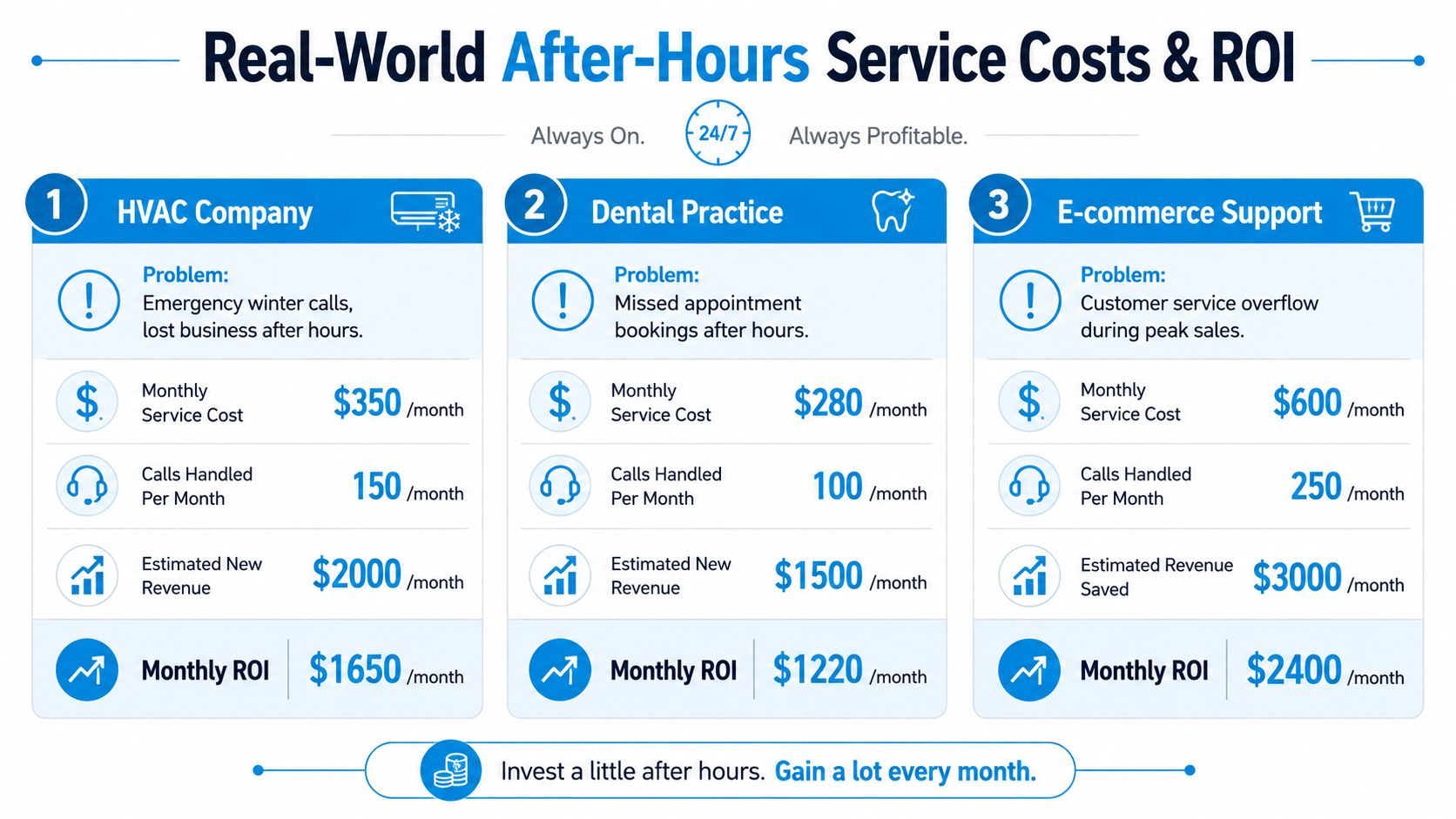
AnswerConnect's cost overview says that for after-hours live human coverage, basic plans handling 200 to 300 minutes typically fall between $300 and $500 per month, while premium tiers with appointment scheduling and CRM integration range from $400 to $900+ per month. It also gives a practical example of a local HVAC company receiving 15 emergency calls monthly after 6 PM. At $1.60 per minute, that after-hours segment costs roughly $240 monthly (AnswerConnect call answering service cost guide).
Scenario one: HVAC emergency coverage
A local HVAC company gets a modest stream of evening breakdown calls. The published example above is useful because it shows how even limited emergency volume creates a real monthly cost.
What matters more is the decision logic. If those calls are urgent, voicemail is a losing move. A basic plan may be enough if the agent only needs to capture details and route emergencies. If the company wants dispatch logic, technician paging, and follow-up notes, the price climbs.
Practical budgeting move:
- Start with emergency-only coverage
- Use a tight script
- Escalate only true urgent calls
That keeps the vendor from chewing through billable time on low-value conversations.
Scenario two: Dental appointment capture
A dental office usually doesn't need full overnight call center staffing. It needs structured coverage. Patients call after work. Some want to book. Some need urgent direction. Some just need reassurance that their request was received.
Owners frequently underbudget. A "message-only" quote sounds fine until they add appointment requests, urgency tags, and intake notes. If the office wants after-hours calls pushed into a schedule or patient workflow, it should assume a higher-cost tier than bare message taking.
Buying advice: Budget for the action you want completed, not the phone to be answered.
Scenario three: Small law firm intake
Law firms should be especially careful. After-hours legal callers often aren't looking to leave a note. They want to know if someone can help, whether their issue sounds urgent, and whether they should expect a callback.
That means intake quality matters. Generic reception is often a bad fit because poor screening wastes attorney time and misses qualified cases. In practical terms, a firm should expect specialist handling to cost more than standard live answering. That's not overpricing. That's the cost of competent intake.
If you want to tighten the financial side of this decision, this guide on how to compute conversion costs is useful for turning captured calls into a clearer cost-per-opportunity model.
How to think about ROI without fooling yourself
Don't overcomplicate this. Look at three things:
- Which after-hours calls are tied to revenue or urgent service
- What happens today when nobody answers
- Whether the service performs the next needed action, not just message capture
A cheap service that logs vague messages can still produce poor ROI. A more structured service that captures the lead, schedules the next step, or routes an emergency can justify a higher monthly bill because it changes the outcome.
The point isn't to buy the lowest-cost vendor. The point is to buy the lowest-cost system that protects valuable calls.
Traditional Live Agents vs Modern AI-Hybrid Services
Traditional answering services still make sense for some businesses. If every after-hours call is sensitive, emotionally loaded, or high risk, you want humans in the loop. But many businesses don't need a human doing every routine task all night.
That's where AI-hybrid models make financial sense.
For a detailed look at the automation side, this article on an automated phone answering service gives useful context.
Where traditional live-agent service wins
Live agents are the safer choice when callers need empathy, judgment, or specialized handling.
Examples:
- Legal intake with nuance
- Medical or wellness calls that need careful routing
- Escalations where the caller is frustrated or distressed
- Dispatch situations that don't fit a simple script
Where AI-hybrid service usually wins
AI-hybrid setups handle repetitive, structured work well. They can answer common questions, capture lead details, schedule straightforward appointments, and route calls based on rules. Human agents then handle the exceptions.
That changes the economics. Instead of paying human rates for every routine interaction, you reserve human labor for moments requiring it.
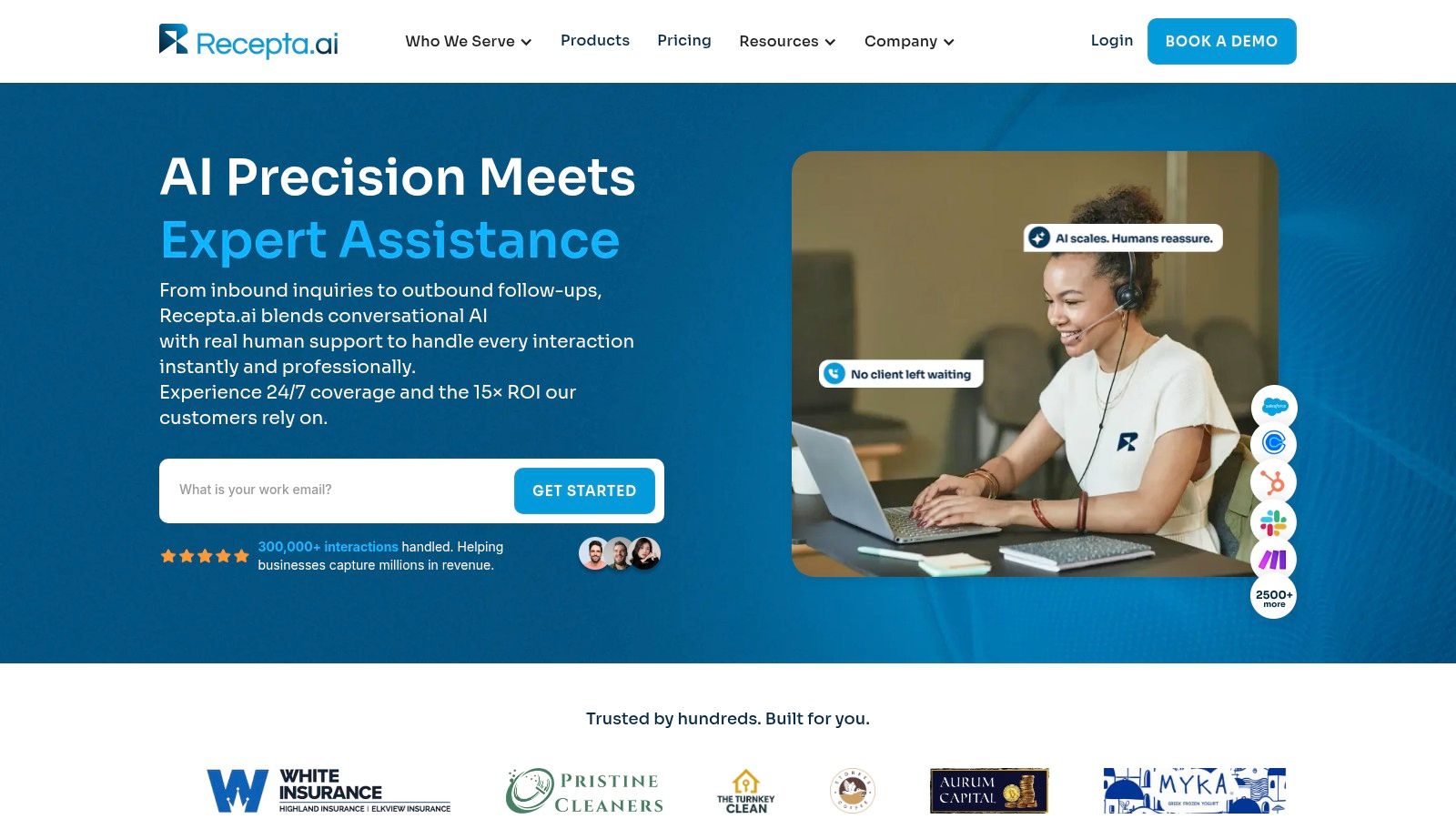
One option in this category is Recepta.ai, which combines conversational AI with human escalation for inbound calls, scheduling, lead capture, and follow-ups. For businesses with lots of repeatable after-hours interactions, that structure can reduce waste compared with using live agents for every call.
A practical side-by-side view
| Model | Strength | Weakness | Best fit |
|---|---|---|---|
| Traditional live agents | Human empathy and judgment | Higher cost for routine volume | Sensitive or complex calls |
| AI-hybrid | Lower cost on structured tasks | Needs good escalation design | Mixed call types with predictable workflows |
Here's my opinion. If your after-hours calls are mostly routine with a minority of true exceptions, paying for all-human coverage is usually inefficient. If your calls are mostly delicate, complex, or compliance-heavy, don't get cute with automation. Use humans first, or at least build a tight escalation path.
How to Get an Accurate Quote and Choose a Vendor
Most buyers let the vendor control the sales call. That's a mistake. You need to control the scope, the assumptions, and the billing definitions.
Start by pulling your recent after-hours call history. Not perfect memory. Actual logs. Separate calls into buckets like emergency, appointment request, new lead, existing customer, wrong number, and spam. If you skip this step, every quote you get will be based on guesswork.
For a broader vendor-evaluation lens, this guide to choosing a call answering service is useful alongside your quote review.
Questions you should ask every vendor
Use these directly:
- What counts as a billable call or minute? Ask whether transfers, hold time, short hang-ups, and wrong numbers count.
- What happens when usage goes above plan? You need the exact overage method, not a vague answer.
- What tasks are included in the quoted rate? Message taking, scheduling, intake, dispatch, CRM updates, and bilingual handling shouldn't be lumped together.
- How are script updates handled? If your workflow changes often, update fees matter.
- What are the cancellation terms? Month-to-month is cleaner unless the vendor gives a strong reason otherwise.
- How are after-hours escalations managed? Ask who gets paged, how fast, and under what conditions.
What a good quote should include
A serious vendor should be willing to spell out:
| Quote element | What you want to see |
|---|---|
| Usage basis | Per-minute, per-call, or bundled pricing clearly defined |
| Included tasks | Exact list of covered actions |
| After-hours window | Specific hours, weekends, holidays, and exceptions |
| Overage policy | Clear charge method when volume exceeds plan |
| Contract terms | Length, renewal, cancellation, and setup obligations |
Ask the vendor to price your real call mix, not their standard package. If they can't do that, they don't understand your business well enough to quote it.
My recommendation
Choose the vendor that gives the clearest operational answer, not the prettiest proposal. A good after-hours partner should make billing predictable, workflows explicit, and escalation clean. If the quote still feels slippery after the sales call, keep looking.
If you want a modern alternative to all-human after-hours coverage, Recepta.ai offers an AI receptionist model with human escalation for calls, scheduling, lead capture, and follow-up workflows. It's a practical option for businesses that want 24/7 responsiveness without paying live-agent rates for every routine interaction.