AI Appointment Booking: Cut Costs & Boost Leads
At 8 PM, a customer finally decides to call. In home services, it might be a leaking water heater. In healthcare, it might be someone trying to lock in an appointment before they forget again. In legal services, it might be a prospect who's ready to book a consult after a long day at work.
If that call hits voicemail, you haven't delayed the booking. You've often lost it.
That's why AI appointment booking matters now. Not because it sounds modern, but because it closes a basic operational gap. It answers when staff can't, books when the office is closed, and keeps your calendar moving without forcing every request through a human bottleneck. When it's implemented well, it stops being “scheduling software” and starts acting like an always-on front desk tied directly to revenue, capacity, and customer experience.
Stop Letting Voicemail Steal Your Customers
A plumbing company gets a call after hours from a homeowner with a burst pipe. The caller doesn't want a callback tomorrow. They want help now, or at least an appointment on the calendar now. If your line sends them to voicemail, they usually call the next provider.
That same pattern shows up everywhere. A dental patient tries to book after dinner. A prospect wants to schedule a legal consult once the kids are asleep. A salon client remembers they need an appointment while scrolling at night. Demand doesn't follow office hours, but many businesses still staff scheduling as if it does.
That's where AI appointment booking changes the economics. It gives customers an immediate path to book, confirm, or reschedule without waiting for a receptionist to come back online. That matters because 67% of consumers prefer booking through AI assistants, rising to 82% among millennials and Gen Z, and businesses using AI booking report an average 312% ROI in the first year according to AgentZap's AI booking statistics roundup.
What the missed call is really costing you
A missed call isn't just a missed conversation. It creates a chain reaction.
- Lost urgency: Emergency and high-intent callers move fast.
- Lost trust: Voicemail feels like friction, especially when the issue feels immediate.
- Lost staff time: Your team spends the next morning playing callback tag instead of serving customers.
- Lost calendar efficiency: Empty slots stay empty longer when booking depends on a manual response loop.
Practical rule: If a customer is ready to schedule, don't make them wait for office hours.
A capable AI receptionist can answer, collect the reason for the visit, check availability, and book the next step immediately. For businesses evaluating that broader front-desk function, this AI call answering service overview is useful because it frames booking as part of the full call workflow, not as an isolated widget on a website.
Why speed beats polish
Most buyers don't care whether your process feels particularly clever. They care that it works on the first try. They want to say what they need, get a real answer, and leave with a confirmed time.
That's why the winning setup usually isn't the fanciest chatbot. It's the one that picks up every time, understands the request, and gets the appointment into the system without sending people into a dead end.
How AI Appointment Booking Actually Works
A common understanding of “AI scheduling” is a smarter web form. That's too narrow. A solid system acts more like a digital receptionist that can listen, interpret, check your systems, and complete the transaction.
The core difference is that it doesn't just collect a request. It resolves it.
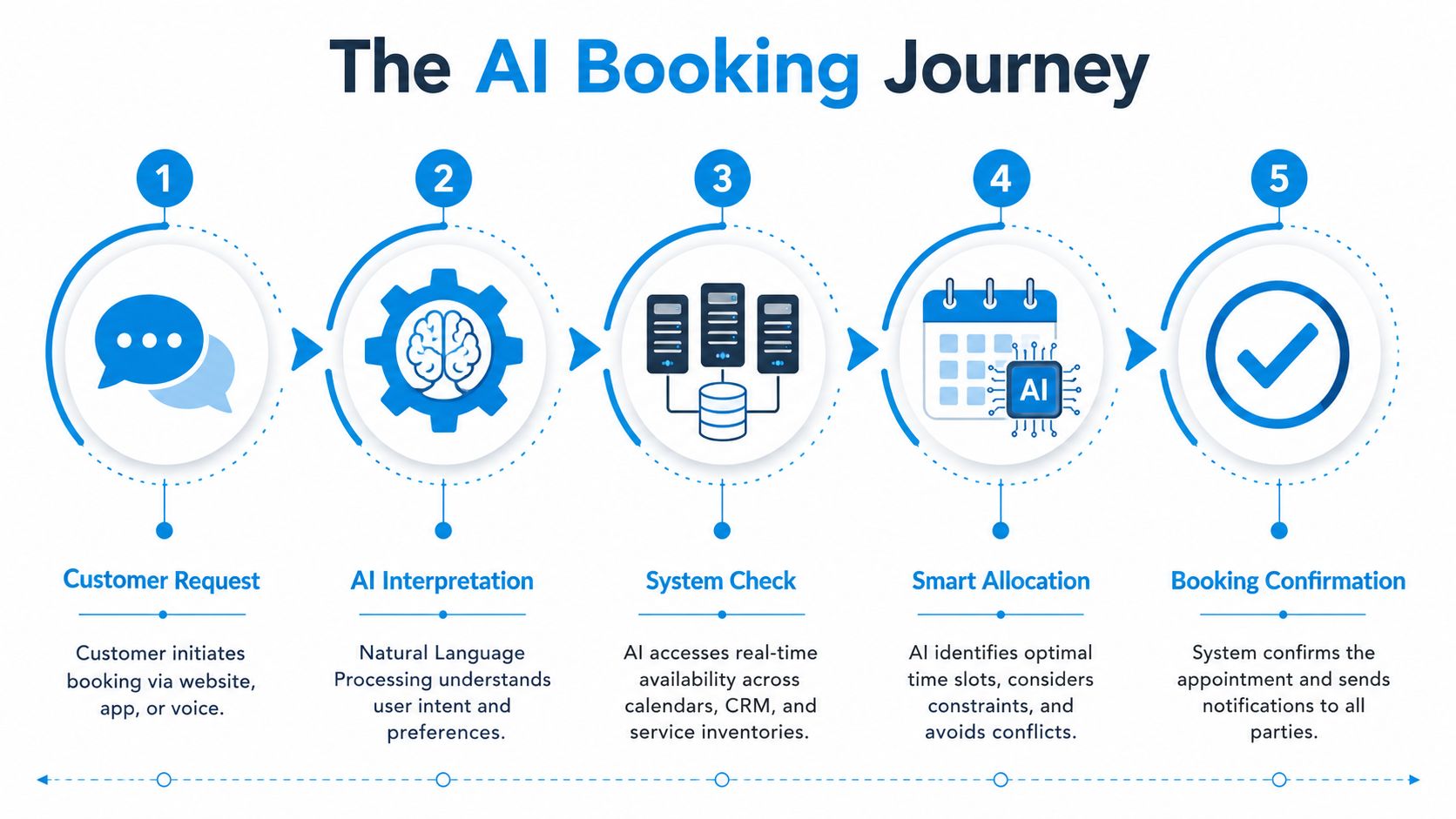
The five-part workflow
A typical AI appointment booking flow works like this:
The customer asks in plain language
They say something like, “I need a cleaning estimate Friday afternoon,” or “Can I see the dentist next week after 3?”The AI interprets intent
Using Natural Language Processing, the system figures out what the person wants, what service category applies, and which constraints matter.It checks live systems
Through direct API connections, it queries your calendar, CRM, practice management system, or EHR for real-time availability.It applies business rules
This capability differentiates good systems from weak ones. The AI can account for location, provider type, appointment length, service category, or other rules you define.It confirms and records the booking
The appointment gets committed to the system, and the customer receives confirmation in the same interaction.
Why direct integration matters
This is the part buyers often underestimate. If the tool only “takes messages” or relies on stale calendar data, it creates more admin work than it removes.
These systems use NLP and direct API connections to business software such as an EHR to query live availability. That real-time sync reduces scheduling bottlenecks by 40-60% and cuts human admin time by approximately 80% compared to manual calendar checks, based on the verified implementation data provided in the brief.
That's why I usually tell operators to ask one blunt question first: does the system write to the source of truth, or does it just hand your staff another task?
The fastest way to ruin an automation project is to make staff “double-book” every appointment manually after the AI finishes.
For service businesses that need help thinking beyond basic intake, this guide to AI sales for cleaners is a useful example of how scheduling, quoting, and follow-up connect in a real pipeline.
What works and what doesn't
What works
- Live calendar access: The AI sees real openings, not yesterday's sync.
- Clear booking rules: The tool knows who can handle what.
- Channel flexibility: Voice, chat, web, and text all feed the same workflow.
What doesn't
- Batch syncing: Delays create conflicts.
- Generic scripts: They fail on anything outside a narrow path.
- No escalation path: Edge cases pile up in staff inboxes.
If you want a closer look at what this software category should handle in practice, this automated appointment scheduling software guide outlines the operational side clearly.
The Measurable ROI of Automated Scheduling
If you're evaluating AI appointment booking as a line item in a software budget, you'll undersell its impact. It affects three hard business outcomes at once: missed demand, staff workload, and no-show prevention.
In healthcare, the stakes are obvious. Missed appointments cost the U.S. healthcare system $150 billion annually, 40% of appointments are booked after business hours, and AI-powered reminders can lower no-show rates by up to 30% according to Prospyr's summary of AI scheduling impact. The same source also reports that some automated reminder systems cut no-shows by as much as 38%, clinics can see up to 40% fewer support calls, and patient throughput can improve by 20%.
Those numbers matter outside healthcare too. The pattern is the same in any appointment-based business. If people try to book when nobody answers, or forget appointments because reminders are inconsistent, revenue leaks out through operations.
Where the return actually comes from
The ROI usually comes from four places, not one:
| Metric | Before AI Booking (Manual) | After AI Booking (Automated) |
|---|---|---|
| Lead capture | Calls and requests can sit in voicemail or wait queues | Booking requests are handled immediately |
| After-hours access | Limited by staffing hours | Available around the clock |
| Reminder consistency | Depends on staff follow-through | Automated within the workflow |
| Admin workload | Staff spend time on repetitive scheduling tasks | Staff shift toward higher-value work |
The financial case gets stronger when you include conversion. One verified industry roundup reports 3.2× higher conversion rates, 47% lower booking abandonment, and an 89% first-contact resolution rate for businesses using AI booking systems, with an average 312% ROI in the first 12 months. Those figures come from the same market summary cited earlier in the article, so I won't repeat the link here.
Practical examples by operation type
A dental office doesn't need front-desk staff spending the first hour of the morning returning scheduling calls from the night before. It needs those staff handling in-office patient issues, insurance questions, and exceptions.
A pest control company doesn't want new inquiries piling up in a general inbox. It wants the AI to ask the right questions, identify urgency, and book a route-friendly slot.
A law firm benefits in a different way. Intake quality improves when the booking workflow collects the basic case type and routes only relevant consultations into the attorney calendar.
Good scheduling systems don't just fill time slots. They protect staff attention.
For teams focused specifically on attendance and follow-through, this guide on how to reduce no-show appointments is worth reviewing because reminders, confirmations, and rescheduling rules matter as much as the initial booking.
Why operators should treat booking as a revenue function
Booking used to sit in the “admin” bucket. That's outdated.
When scheduling affects response speed, conversion, throughput, and no-show rates, it belongs in the same conversation as sales and operations. That shift is why AI appointment booking has moved from convenience feature to operating lever.
AI Booking Use Cases Across Industries
The mechanics of AI booking are similar across sectors. The way value shows up is different. In practice, the best use cases are the ones where speed, routing, and follow-through matter more than a simple calendar link.

Home services
An HVAC company gets a Saturday call from a customer whose system stopped working. A strong AI flow doesn't just say, “Leave a message.” It asks what's happening, confirms the location, determines whether it's urgent, and checks the service calendar for the next available technician window.
That's especially useful when dispatch and scheduling overlap. The AI can screen out requests that belong in a callback queue while still locking in appointments for standard service calls.
A similar pattern works for cleaners, electricians, plumbers, and pest control teams. The more repeatable your qualification questions are, the better AI booking performs.
Healthcare and wellness
In healthcare, the value often comes from handling volume without creating new friction. A patient wants to reschedule a hygiene visit. Another needs the next available opening for a follow-up. A third is trying to book after work, when the office is closed.
The strongest systems tie directly into practice software and respect privacy requirements. If that's your environment, this overview of HIPAA-compliant scheduling software is relevant because reliability and data handling matter as much as booking convenience.
One especially useful workflow is cancellation recovery. When a slot opens up, the system can surface waitlisted patients and help refill that time quickly instead of letting the gap sit unused.
In clinics, the operational win isn't just faster booking. It's keeping providers fully utilized without burying staff in phone work.
Legal and professional services
A law firm doesn't want every inquiry booked straight onto an attorney's calendar. It wants the AI to identify the broad issue first. Family law, personal injury, estate planning, and business formation all require different intake paths.
That same logic applies to accounting firms, insurance agencies, and financial advisors. Scheduling should qualify before it confirms. Otherwise, the calendar gets full of meetings that don't belong there.
Fitness, salons, and recurring-service businesses
Studios, spas, and salons deal with a different kind of complexity: service duration, provider preference, room availability, and package eligibility. In those environments, buyer frustration usually comes from rigid scheduling rules that aren't obvious until checkout.
If you run into those bottlenecks, this guide on how to solve gym spa booking issues is a practical companion read because it focuses on the scheduling friction those operators face every day.
The lesson across industries is simple. AI booking works best when it's built around real workflow rules, not just open time slots.
Integrating AI with Your Existing Tools
The first implementation question I hear is usually, “Will this work with what we already use?” That's the right question. Most scheduling failures happen because the booking layer sits off to the side instead of connecting to the systems your team relies on.
A useful setup links four things: your phone system, your calendar, your CRM, and any industry-specific platform that acts as the source of truth.
The core connections that matter
Telephony comes first. If the AI answers calls, it needs to connect through the phone infrastructure your business uses. When that works well, the system can answer, gather details, check availability, and confirm the next step in one continuous interaction.
Calendar sync comes next. Google Calendar and Microsoft 365 are common, but the main issue isn't the calendar brand. It's whether the AI sees current availability and writes updates back correctly.
CRM logging matters more than many teams expect. If bookings, call summaries, and transcripts don't land in Salesforce, HubSpot, or your client record system, staff end up rebuilding history by hand.
Reliable systems also improve front-end responsiveness. AI agents that maintain 24/7 uptime and integrate via telephony APIs can capture 100% of inbound calls, compared with the 30% of calls typically missed by human receptionists after 5 PM or during peak hours. That automation directly correlates with a 30% increase in qualified lead conversion by eliminating the voicemail gap, based on the verified data in the brief.
Integration mistakes to avoid
- Treating AI as a separate inbox: That creates duplicate work.
- Skipping business rules: If provider, territory, or service constraints aren't configured, your calendar gets messy fast.
- Ignoring exception handling: Some requests should route to a person instead of forcing the AI to guess.
- Overlooking compliance needs: Medical, legal, and financial teams need clear data handling standards from day one.
A simple rollout sequence
Start with the highest-volume scheduling channel. For many businesses, that's inbound phone calls. Then connect the live calendar. After that, push appointment records into the CRM and test edge cases such as reschedules, cancellations, and multi-location routing.
The goal isn't to build a giant automation map on day one. It's to remove one bottleneck at a time without breaking record integrity.
How to Choose the Right AI Booking Platform
Plenty of tools can put an appointment on a calendar. That alone isn't enough. The right platform has to improve the operation around the booking, not just the booking itself.
Start with the operational question
Ask vendors this first: what happens when the request is messy?
That's the test. Clean, simple bookings are easy. Real businesses deal with reschedules, urgency screening, insurance questions, provider preferences, waitlists, multi-location coverage, and edge cases that don't fit a script.
The most useful research angle here comes from implementation, not marketing claims. A review of NHS outpatient scheduling found that staff and patients placed significant importance on privacy, interactivity, fragmented integration, operational fit, sustainability, accuracy, and reliability. The same research also highlights a newer direction for scheduling tools: predictive no-show probability scoring, dynamic overbooking, and waitlist matching, with some users reporting 40% fewer no-shows and saving 25+ hours weekly according to the NHS scheduling research summary.
What to look for on the shortlist
Here's the practical checklist I'd use in a vendor review:
- Live system access: Can it read and write to the actual booking system?
- Human escalation: Can difficult conversations move cleanly to staff?
- Rule depth: Can it handle provider, location, service type, and eligibility logic?
- Reminder and follow-up support: Does it help reduce downstream friction, not just book the first touchpoint?
- Reporting: Can you see where bookings stall, fail, or convert?
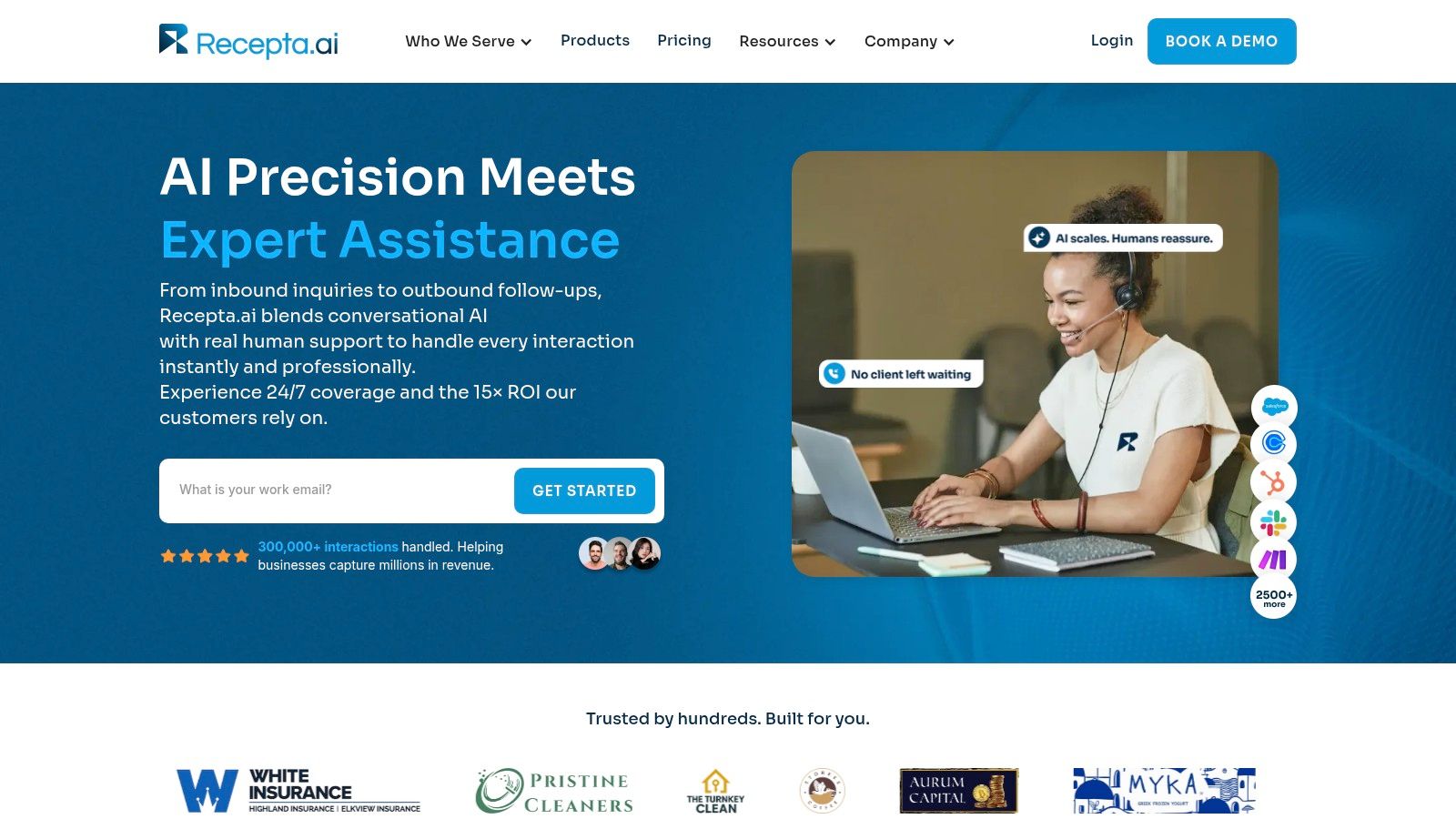
One platform example in this category is Recepta.ai, which combines conversational AI with human escalation and integrates with calendars, CRMs, and industry tools. That setup is relevant for businesses that don't want a fully hands-off bot and need coverage for exceptions.
A product demo can be useful here if you want to evaluate how conversational flow and booking logic look in practice.
The wrong buying criteria
Many teams buy on surface features:
- Nice voice
- Modern interface
- Low entry price
- Fast setup promise
Those things matter less than workflow fit. If the tool can't manage exceptions, integrate cleanly, or support your actual scheduling rules, the “easy” purchase becomes an expensive workaround.
Buy for exception handling, not for the demo path. The demo path is always the easy path.
Your Implementation Checklist for Success
Most AI booking rollouts don't fail because the technology can't work. They fail because the business never defines what “working” means.
If you want a clean launch, keep the first phase narrow. Pick one primary result, map the current process, and make the system prove itself in a controlled slice of the workflow.
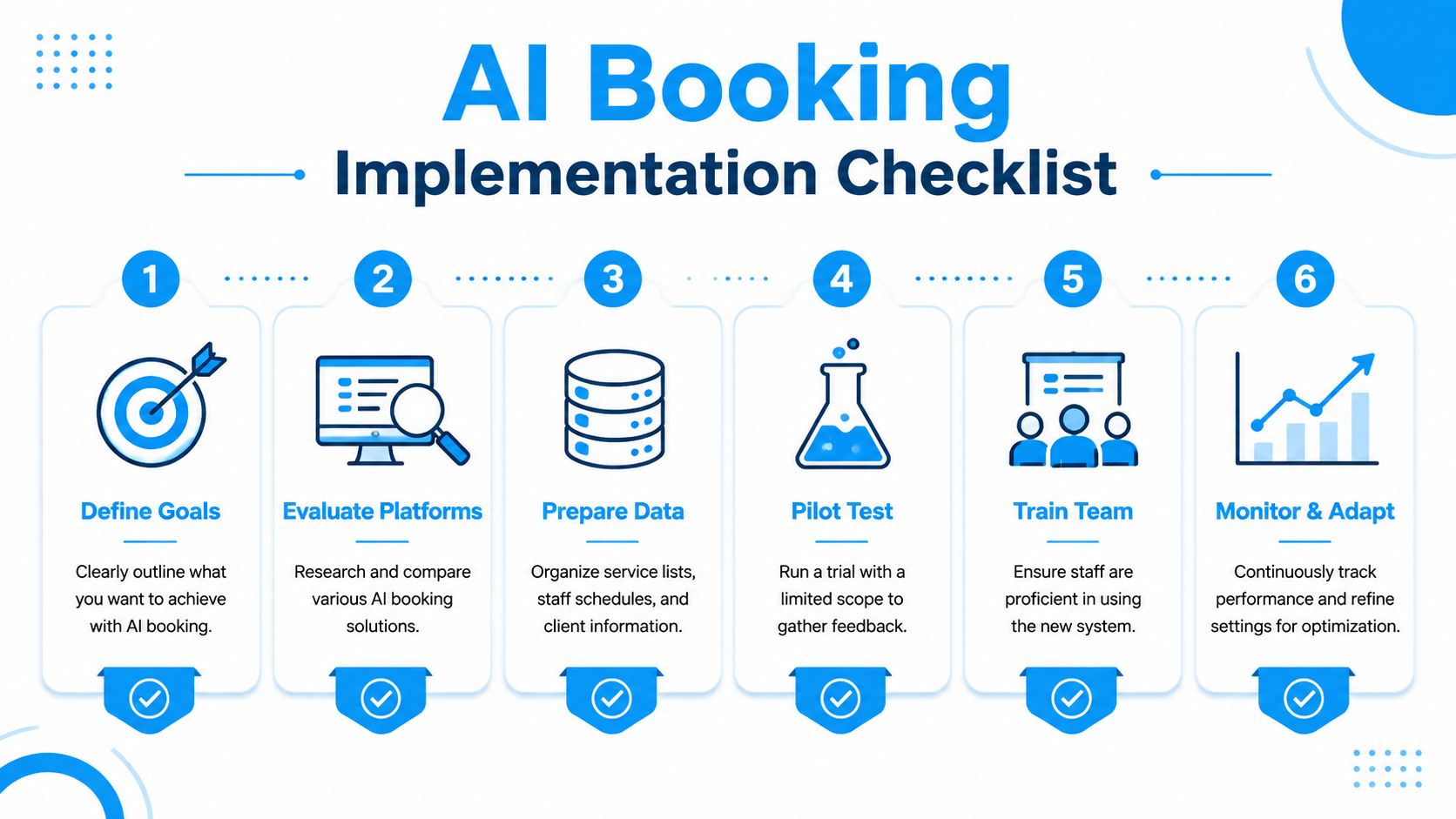
The rollout sequence that works
Define the main goal
Choose one operational target first. That might be after-hours lead capture, fewer no-shows, or less front-desk scheduling work. A fuzzy goal creates a fuzzy deployment.Map the current workflow
Document how appointments are booked now. Include calls, web forms, reschedules, reminders, cancellations, and handoffs. The gaps will show up quickly.Prepare your rules and data
Clean up service names, durations, staff availability, locations, and intake questions. AI booking performs best when your underlying scheduling logic is already clear.
Pilot before you automate everything
Start with one team, one location, or one appointment type. Don't launch every scenario at once.
Use the pilot to test:
- Edge cases: Reschedules, urgent requests, wrong department calls
- Data consistency: Whether records land in the right place
- Escalation flow: How staff step in when needed
- Customer wording: The phrases real callers use, not the phrases you assumed they'd use
Train the humans too
This part gets skipped too often. Staff need to know what the AI is handling, what still belongs to them, and how to take over without confusing the customer.
Watch for these early warning signs:
- Duplicate records
- Conflicting calendar rules
- Staff bypassing the system
- Customers getting stuck in loops
A good launch isn't “set it and forget it.” It's monitored, adjusted, and tightened over the first few weeks until the workflow feels routine.
The strongest implementations start small, fix friction quickly, and expand only after the booking flow is stable.
If you want an AI receptionist that can book appointments, capture leads, and hand off to people when a conversation needs empathy or judgment, Recepta.ai is worth evaluating. It's built for businesses that need more than a chatbot on a website and want scheduling tied directly to calls, calendars, and customer records.