Scheduling Software for Business: The 2026 Buyer's Guide

The phone rings at 9:47 p.m., and no one picks up. By breakfast, there are three more voicemails, one of them from a customer who already called the next company on the list. That's the primary reason scheduling software for business matters, not because your calendar looks cleaner, but because missed calls, slow responses, and messy booking handoffs steadily drain revenue.
I've seen this in plumbing shops where Monday starts with a backlog of emergencies, in dental offices where a chair sits empty because two people thought the slot was theirs, and in law firms where a prospect signs with the first attorney who replied. The software is only part of the answer. The other part is an always-on intake layer, an AI receptionist that catches after-hours demand and moves it into the same workflow instead of letting it disappear.
The Ringing Phone You Keep Missing
A plumbing owner doesn't lose money because he forgot how to use a calendar. He loses money because Friday night calls go to voicemail, the customer gets impatient, and Saturday morning starts with a competitor's truck already on the road. That same pattern shows up in dental, legal, HVAC, pest control, and every other business where the inquiry itself is the start of the sale.
A front desk team can only answer one call at a time. A voicemail box can't ask follow-up questions, qualify urgency, or book a slot while the customer is still ready to buy. That's why scheduling friction is a revenue leak, not an admin annoyance.
The operational pain is obvious once you watch it live. A hygienist arrives and the chair is empty because the booking never got confirmed. A consultant waits for a noon appointment that was double-booked on another calendar. A prospect leaves a message, then books with someone faster.
Practical rule: if the phone, inbox, or web form isn't tied to a booking workflow, you're paying staff to clean up demand instead of capturing it.
The buying decision should start there. Pick the scheduling system that handles the calendar cleanly, then add an intake layer that answers when your team can't. That's the only way to stop after-hours demand from turning into lost work.
What Scheduling Software Actually Does
Think of scheduling software like airport gate control. It doesn't just show where planes land, it assigns the gate, blocks conflicts, and keeps the whole terminal from descending into chaos. In business terms, it assigns time slots, staff, rooms, and resources to inbound demand so one confirmed booking doesn't collide with another.

The core workflow
At minimum, the software manages a shared availability calendar, a booking page or widget, automated confirmations, reminders, and basic payment capture. Square's overview describes this as a way to book and manage appointments 24/7, assign staff to specific appointments or tasks, send automated reminders, and accept payments at booking, during service, or after completion Square's scheduling software overview. Wavetec also explains that real-time sync with Google Calendar or Outlook keeps the same slot blocked everywhere once it's booked, which is what prevents double-booking Wavetec on scheduling software.
That real-time sync is the foundation, not a bonus feature. A dental clinic can have two front-desk staff members booking from different channels, and the system still blocks the same chair-and-provider slot immediately. That's the basic promise, and it has to work before you think about anything fancier.
Where the category splits
The part most buyers miss is that not every tool in this space is the same. Some products are pure schedulers, built to take a booking and keep calendars aligned. Others behave more like intake and routing systems, with lead qualification, follow-up, and handoff logic built in.
If you want a broader explainer on how booking automation works in practice, the automated appointment scheduling software guide is useful context. For a growth-oriented overview of the category, the scheduling software growth guide by LeaveWizard is worth skimming because it frames scheduling as a business process, not just a calendar feature.
The lesson is simple. Buy the scheduler for the workflow. Don't expect the scheduler alone to recover every missed call or convert every inquiry.
The Features That Actually Matter in 2026
Most vendor demos are bloated with features nobody uses. In real deployments, four clusters matter: calendar mechanics, customer experience, automation, and team routing. If a product can't do those well, the rest is decoration.
Calendar and resource mechanics
Start with two-way calendar sync. If the tool doesn't keep Google, Microsoft Outlook, and iCal aligned in real time, it's not serious software. Add buffer rules and multi-resource booking if your team shares rooms, equipment, or specialists, because those are the settings that stop a simple booking from turning into a service failure.
Customer-facing experience
The front end should be frictionless. Customers need a mobile-friendly booking page, clear service options, and the ability to pay at booking when that fits the business. If the booking flow feels clunky, customers abandon it and call someone else.
Automation that protects revenue
Automated reminders matter because no-shows are expensive. So do confirmation messages, follow-ups, and waitlist promotion. A reminder is basic. A reminder plus a recovery sequence after a missed appointment is what keeps a calendar from leaking money.
Team operations
For multi-staff businesses, round-robin assignment and lead routing by location or deal size move the needle. Cal.com's feature overview treats routing logic, CRM logging, and analytics as part of a serious scheduling stack, and that's the right lens for distributed teams Cal.com on scheduling software features. If you manage multiple offices or branches, role-based permissions matter too, because every staff member should not be able to edit every slot.
Skip anything that looks impressive in a demo but doesn't change how jobs get booked, assigned, or recovered.
Two features look flashy and usually disappoint in small businesses. Built-in video conferencing sounds polished, but teams already use a separate meeting tool. Marketplace app directories also get oversold, because a long list of apps isn't the same thing as clean data flow. If it doesn't improve response speed, show up rates, or assignment quality, don't pay for it.
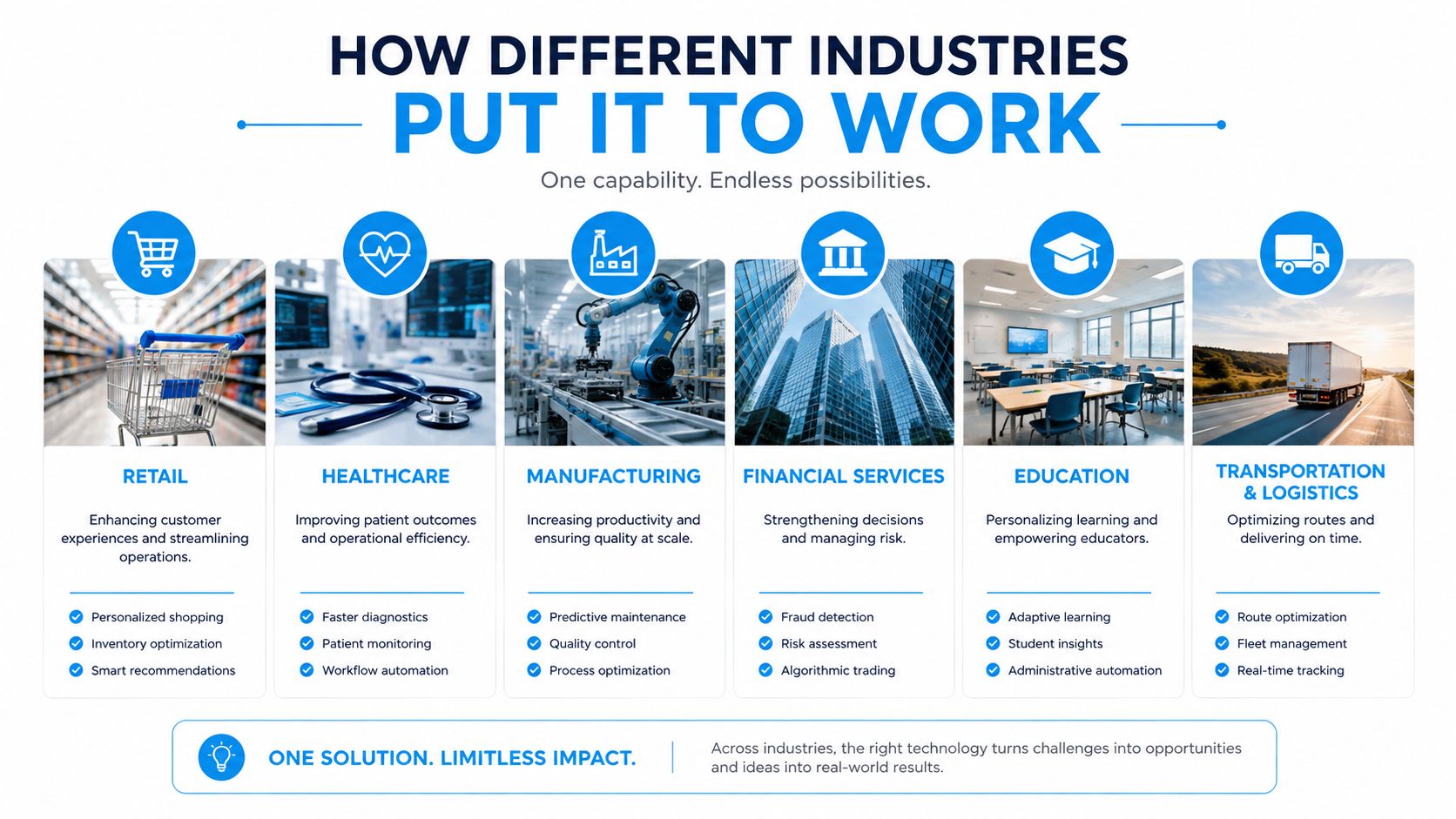
How Different Industries Put It to Work
A single scheduling platform behaves very differently depending on the business. That's the point. You're not buying a generic calendar, you're buying a control layer for whichever workflow keeps your revenue moving.
Home services
An HVAC or plumbing company needs emergency dispatch and after-hours self-booking. A customer calls at night, the system logs the request, and the next morning the right job is already queued instead of sitting in voicemail. OnRoute's field service dispatch solutions are a useful reference if dispatching work orders is part of your decision, because the key win is getting the right technician to the right job without manual shuffling.
Healthcare and dental
Clinics care about chair-and-provider rules, intake accuracy, and recall campaigns. The best setup blocks the same operatory across calendars, captures the booking, and sends reminders that reduce confusion before the patient ever walks in. The operational outcome that matters most here is fewer empty chairs.
Law firms
Legal teams need consultation scheduling that respects conflict-check prep and often payment collection for retainers. The booking itself isn't the finish line. It's the start of a conversion path where speed, clarity, and professionalism decide whether the lead becomes a client.
Insurance and real estate
These teams care about lead routing by product line, geography, or agent availability. A homeowner looking for coverage should not land in the same queue as a commercial prospect. The right scheduler keeps the handoff clean so the lead reaches the right person quickly.
Franchises and multi-location operators
For multi-site businesses, the job is standardization. One brand should use one booking logic, but each location should still report its own performance, no-show patterns, and staffing pressure. People Managing People's list of must-haves for multi-site scheduling, including multi-location management, shift swapping, time tracking, and custom reporting, is the right way to think about that layer People Managing People on employee scheduling tools.
If you're running a cleaning company, the booking logic looks a lot closer to route and crew assignment than to a simple appointment page. The cleaning business scheduling software guide is a good reference point for that kind of workflow.
A Buyer's Checklist You Can Take Into a Demo
Most demos sound the same until you force the vendor to answer concrete questions. The list below keeps the conversation honest.
| Priority | Criterion | Question to ask the vendor |
|---|---|---|
| Must have | Two-way calendar sync | Does it block conflicts across all connected calendars in real time? |
| Must have | Mobile booking | Can customers book cleanly from a phone without extra steps? |
| Must have | Automated reminders | Can I configure confirmations, reminders, and follow-ups without custom code? |
| Nice to have | Payment at booking | Can I collect payment at booking, during service, or after completion? |
| Nice to have | Waitlist automation | Can the system promote open slots automatically when someone cancels? |
| Nice to have | Custom fields | Can I capture service-specific details before the appointment is confirmed? |
| Operational fit | Multi-location reporting | Can I compare booking patterns across sites, not just see one master calendar? |
| Operational fit | Role permissions | Can I limit what front desk, managers, and technicians can edit? |
| Ecosystem | CRM and calendar integrations | What data actually moves into the CRM, and what stays shallow? |
| Ecosystem | API and compliance posture | Can you show how you handle the controls my industry needs? |
The one question that separates adequate tools from great ones is this, does the system solve the after-hours and missed-call problem, or only the calendar problem? If it only handles the calendar, you still need another layer to capture lost demand.
Don't ignore red flags. Long implementation contracts usually hide friction. Per-seat pricing can punish growth. Vendors who can't prove integrations with your current stack are selling you an island, not infrastructure.
Connecting It to Your Calendar, CRM, and Compliance
A rollout fails when teams turn the software on before the plumbing is connected. The clean sequence is boring, but it works.
The order of operations
First, connect Google or Microsoft calendars for two-way sync. Second, define services, durations, buffers, and resource pools so the scheduler knows what it's allowed to book. Third, wire the CRM so each booking creates or updates a contact and logs source data.
Fourth, configure reminder and no-show recovery sequences. Fifth, review compliance for your industry, which usually means HIPAA for healthcare, call recording consent for legal and insurance, and PCI scope whenever payments are involved. If a vendor can't explain those basics clearly, stop there.
A scheduling rollout should start with data flow, not with design choices.
The integration trap is real. Some vendors advertise huge connector libraries, but the data exchange is shallow. Before signing, ask what fields move between the scheduler, CRM, and calendar, because “integrated” often means very little in practice.
If you want a sharper view of how calendar connections work in a booking stack, the calendar integration guide is a good companion read. It helps you ask better questions before you commit to a platform.
A first-time implementer should pilot one integration before touching everything else. Get the calendar working, confirm the CRM logging, then test the reminder logic with a real booking path. If those three pieces don't hold together, the rest won't matter.
ROI, Metrics, and the AI Receptionist Layer
A scheduling system earns its keep in four metrics, booking conversion rate, no-show rate, revenue per booked hour, and response time to new inquiries. If those numbers are not on a dashboard, the team is guessing and the miss rate stays hidden.
The market is big enough to treat scheduling as infrastructure, not a side utility. Analysts at Fortune Business Insights estimated the appointment scheduling software market at USD 546.1 million in 2025, rising to USD 635.6 million in 2026 and USD 1.9059 billion by 2034, which points to a 14.7% CAGR over 2026 to 2034 Fortune Business Insights market overview. That scale matters because it reflects what operators already know, the scheduler sits inside the revenue path, not around it.
The bigger loss is after-hours demand. Zoho's survey found 40% of bookings happen outside business hours, and 82% of consumers prefer to book online rather than by phone Zoho appointment scheduling survey. A front desk that closes at five leaves those calls to voicemail, and voicemail does not convert.
An AI receptionist closes that gap by sitting on top of the scheduler. It answers inbound and outbound calls 24/7, books into the same calendar, and hands off to a human when the conversation needs judgment, empathy, or specialist knowledge. Recepta.ai fits that intake and follow-up layer, which is where missed revenue gets recovered instead of lost.
The adoption problem is not just software, it is behavior. The AI appointment booking workflow is worth reviewing if your team needs a clean model for how automated intake, booking, and escalation should work in practice. For teams training staff on the new process, the AI assistant for staff training is a useful adjacent read because rollout fails when people do not trust the handoff.
Practical rule: if calls come in after hours, the intake layer has to stay awake after hours too.
That setup changes the ROI calculation. The scheduler organizes demand, and the AI receptionist catches the demand that would otherwise die in voicemail, missed calls, or a rushed front desk queue. Track the four metrics from day one, then judge the stack by how much inbound demand it converts.
Pitfalls to Avoid and Your Next Move
The fastest way to waste money is to buy a polished scheduler that your team never fully configures. The second fastest is underbuying integrations and ending up with a disconnected island that forces staff to copy data by hand. Both mistakes are common, and both are preventable.
The third mistake is ignoring after-hours demand because your demos happen during business hours. That's a fake test. The fourth is skipping the human escape hatch, then trapping customers with complex needs in a loop of prompts and forms.
An AI receptionist should complement the scheduler, not replace the people who handle edge cases. If a caller needs medical nuance, legal sensitivity, or a messy reschedule, a human still needs to step in. That escalation path is essential.
Your next seven days should be simple. Define the after-hours gap in your current process. Score two or three vendors against the buyer checklist. Pilot one CRM integration. Then run a 30-day trial that includes after-hours coverage, not just daytime bookings.
If you do that, you'll know fast whether you need a cleaner scheduler, a stronger intake layer, or both. And you'll stop treating missed calls like background noise.
If you want one system that captures calls, books appointments, and escalates to a human when the conversation gets complex, Recepta.ai is built for that handoff layer. It's a practical fit for businesses that already use scheduling software and want to stop losing after-hours demand to voicemail.