Network Reliability: A Practical Guide for SMBs
Network reliability means your systems aren't just online—they're consistently delivering the experience your customers actually expect. For example, for a dental clinic using an AI receptionist, it's the difference between a new patient booking an appointment seamlessly and hanging up in frustration after the call drops.
What Network Reliability Actually Means for Your Business
Picture your network as a delivery route with multiple paths, not a single road. When one lane slows, packages might still arrive—but they arrive late or damaged. For businesses that depend on phone calls, scheduling, and follow-ups, those delays become missed appointments and frustrated customers.
The real cost shows up in ways that don't always make it to a dashboard. A phone call that drops mid-conversation. A scheduling confirmation that never arrives. These aren't abstract metrics—they're lost revenue walking out the door. For instance, a law firm might lose a high-value client if a critical conference call is plagued by robotic-sounding audio, making them seem unprofessional.
Several measurable outcomes tie directly to reliability:
- Uptime percentage — how often your services stay reachable over a year. This directly affects whether callers and AI receptionist agents can connect at all.
- Packet loss — data that never reaches its destination. During calls, this means dropped audio or missed touch-tone signals that leave callers shouting into the void. A practical example is a customer trying to enter their credit card number via IVR, but packet loss causes digits to be missed, leading to a failed transaction.
- Jitter — the inconsistency in when packets arrive. Even small jitter makes voices sound choppy or robotic, and callers notice. Imagine a patient trying to describe their symptoms, but jitter makes their speech unintelligible, leading to a poor diagnostic experience.
- Mean Time To Recovery (MTTR) — how long things stay broken after something fails. In a busy day, even a short stretch of degraded service can mean a pile of missed appointments.
Here's a concrete example: a dental clinic handling 1,200 monthly calls loses 1% of those calls to micro-outages. That "small" gap works out to roughly a dozen missed appointments—and thousands in lost revenue—every month. Close that gap by just one percentage point, and you've recovered those interactions.
Reliability isn't just reachability. It's predictable performance that preserves the user experience and protects your business outcomes.
Uptime Tiers Translated Into Real Downtime
Not all "high availability" claims are created equal. That difference between 99.9% and 99.99% might look minor on paper, but it's the gap between nearly 9 hours of downtime a year and under an hour.
| Uptime Tier | Downtime Per Year | What It Means for SMBs |
|---|---|---|
| Three Nines (99.9%) | 8.77 hours | Typical consumer broadband; brief but noticeable outages that disrupt daily calling patterns |
| Four Nines (99.99%) | 52.6 minutes | Business-grade service; rare interruptions, suitable for steady voice workloads |
| Five Nines (99.999%) | 5.26 minutes | Carrier-grade reliability; ideal for live voice, AI reception, and critical scheduling tasks |
The takeaway? Consumer circuits may feel fine most of the time, but they're prone to short, frequent micro-outages that shatter real-time voice and AI sessions. If your business runs on phone calls and automated scheduling, you need to be looking at the right tier. For example, a 15-minute outage on a 99.9% uptime connection during peak business hours could cost a small e-commerce shop dozens of sales.
Practical Metrics to Monitor Immediately
Start tracking these numbers now:
- Uptime percentage — monitor monthly and annualize it so you can compare against the tiers above. If you don't know your current uptime, you're flying blind. An actionable step is to use a free tool like UptimeRobot to ping your main website and VoIP server every 5 minutes.
- Packet loss and jitter — keep packet loss under 0.5% and jitter under 30 ms for reliable voice. Anything beyond that, and callers will start hanging up in frustration. You can use a tool like PingPlotter to visualize this data over time for your key services.
- MTTR for incidents — aim for recovery under 60 minutes for any customer-facing service. The longer things stay broken, the more appointments slip away. To measure this, start a timer in a shared chat channel the moment an incident is declared and stop it when the service is confirmed restored.
These aren't vanity metrics. They're early warning signals that tell you something's degrading before your customers start complaining.
Real-World Action Steps
You don't need an enterprise budget to improve reliability. Start here:
- Run weekly call tests during peak hours to measure packet loss and jitter in real conditions. A practical way to do this is to have a staff member call a dedicated test line from an external network (like their mobile phone) and report the quality.
- Request specific SLA terms from your vendors and verify their claimed uptime with synthetic tests. Trust, but verify. For example, use a monitoring service to track the availability of your vendor's API endpoint.
- Build a simple failover playbook that reroutes calls through a secondary provider within 60 seconds. This can be a one-page document listing step-by-step instructions, including contact numbers and account details for your backup provider.
If you want to dig deeper into how vendor agreements define these guarantees, learn more about Service Level Agreements on the Recepta.ai blog.
The Metrics That Quietly Break Customer Calls
Voice quality and conversational AI live or die on small technical numbers, not the big uptime percentages vendors put in their marketing decks. Here's what actually determines whether a call sounds crisp and professional or falls apart mid-sentence, plus the thresholds you should push back on when evaluating VoIP or AI receptionist providers.

Those uptime percentages look close on paper, but the gap between 99.9% and 99.999% is the difference between roughly eight hours and five minutes of annual downtime. When you're running calls and AI receptionist sessions that need a clean, uninterrupted path from start to finish, those minutes add up fast.
Packet Loss and Why It Quietly Eats Your Calls
Packet loss happens when chunks of a call simply never show up on the other end. Even a tiny amount adds up. At 0.5% packet loss, a three-minute call can start missing syllables here and there.
That sounds minor until you're dealing with addresses that sound similar, confirmation codes that get garbled, or handoffs to agents where context disappears. For example, a customer providing their address as "123 Main Street" might be heard as "12 Main Street" if a packet containing the "3" is lost, leading to a failed delivery.
- Healthy Range: < 0.5% — voice stays clear and natural.
- Warning Range: 0.5%–1% — occasional drops, muffled moments, people asking each other to repeat.
- Critical Range: > 1% — frequent gaps, calls dropping, failed handoffs.
"A single dropped packet during a payment confirmation can break the customer experience" — worth keeping front and center when negotiating SLAs.
Jitter and Latency Without the Jargon
Jitter is when packets arrive unevenly. Latency is the delay between someone speaking and the other person hearing it.
Too high on either one and the conversation starts to feel broken. High jitter makes speech stutter or sound robotic. High latency turns a natural back-and-forth into a walkie-talkie exchange with awkward pauses. A practical example of high latency is when a customer and an agent constantly talk over each other because of the delay, creating a frustrating and inefficient conversation.
- Healthy Jitter: < 30 ms
- Healthy Latency: < 150 ms one-way for voice; go even lower if you're running two-way AI agents that need to respond in real time.
I've seen a dental clinic lose about 2% of real-time call quality during peak hours. Roughly one in fifty calls dropped, which cost them hundreds to thousands a month in missed bookings. Targeted fixes to jitter and latency brought those appointments right back.
Mean Time To Recovery and the Cost of Waiting
MTTR tracks how quickly a service comes back after something breaks. For customer-facing voice systems, aim for under 60 minutes — every minute beyond that compounds missed calls and frustrated customers.
Here's how to bring that number down:
- Assign an owner and build a runbook specifically for voice outages. A practical runbook includes who to call, in what order, and what information to provide them (e.g., "Tell the ISP our circuit ID is XXXXX and we're seeing 5% packet loss").
- Set up automated alerts tied to packet loss and jitter thresholds so you know about problems before customers do. For instance, an alert can post to a dedicated Slack channel, notifying the on-call person immediately.
- Pre-authorize failover routing so cutover happens within 60 seconds without waiting for someone to approve it. This could be a standing order with your IT team or a pre-configured automated script.
Network Health Thresholds for Voice and Real-Time Services
The table below shows where each metric sits when things are running smoothly, when you should start paying attention, and when it's time to escalate.
| Metric | Healthy Range | Warning Range | Critical Range |
|---|---|---|---|
| Packet Loss | < 0.5% | 0.5%–1% | > 1% |
| Jitter | < 30 ms | 30–60 ms | > 60 ms |
| Latency (one-way) | < 150 ms | 150–250 ms | > 250 ms |
| MTTR | < 60 min | 60–240 min | > 240 min |
Staying in the healthy range for these four numbers is the difference between customers having a seamless experience and silently deciding to call a competitor.
What to Actually Ask Vendors
Most vendors will hand you a tidy SLA and a smile. Dig deeper with these questions:
- What are your average and 95th percentile jitter and latency readings during peak hours?
- Can you break down packet loss by region and time window?
- What are your MTTR commitments, and can you walk me through an example runbook for switching providers?
One practical move: ask a prospective VoIP or AI receptionist vendor for a recent incident report, then compare their stated SLA against their actual 95th percentile metrics during your busiest hour. The gap between those two numbers tells you more than any marketing page.
For a deeper look at how integrations hold up under pressure, check out our guide on real-time data synchronization.
Why Even Great Networks Fail and What Triggers Outages
Picture a busy Monday morning at a three-location franchise where phones are the lifeblood of the business. One regional ISP link drops without warning, calls start piling up, the AI receptionist queues messages, CRMs miss confirmations, and staff scramble to call customers back. That short story captures how small failures cascade into real business damage.
Single points of failure are the most straightforward culprit. When a critical component has no backup, everything downstream stops working. A single on-premises PBX or an edge router handling all voice traffic can become the choke point that turns a brief hardware fault into hours of missed bookings. An example is a single power supply unit in a core switch; if it fails, the entire office loses connectivity.
Hardware aging makes that risk worse. A ten-year-old switch might work fine most days but buckle under peak loads. Firmware bugs or failing flash memory can also create intermittent outages that mimic network flapping and are maddeningly hard to reproduce.
ISP and last-mile issues often feel like magic: the line shows "up" but packet loss spikes. This hits AI receptionist and voice platforms especially hard, where small packet loss causes garbled audio or failed handoffs. A regional fiber cut or an overloaded cable node can silently degrade quality across an entire neighborhood.
DNS hiccups are deceptively powerful. A misconfigured DNS TTL or a propagation delay during a rollout can make APIs or calendar sync endpoints unreachable for minutes or even hours. For example, if you change your calendar server's IP address but the TTL is set to 24 hours, some users won't be able to book appointments for a full day.
Software rollouts can quietly break integrations. A CRM schema change, a calendar API version update, or an auth token rotation might not trigger obvious errors but will stop automated booking confirmations. In practice, this looks like "the system is up, but bookings aren't recorded," which is worse than a clear outage because it's silent revenue loss.
Key Insight True reliability failures often combine multiple small issues rather than one dramatic event.
Common Cause Versus Independent Failures
Distinguish independent risks, like a WAN card failure at Site A, from correlated risks, like both primary and backup circuits using the same regional backbone. Redundancy that shares a hidden dependency is fragile. Two ISPs using the same upstream aggregation point will both fail if that POP goes down.
- Map shared dependencies visually to spot correlated risks. An actionable step is to ask your ISPs for a map of their physical fiber paths to see if they overlap.
- Prioritize fixes that reduce correlated exposure first when budgets are tight.
Practical Prioritization When Money Is Tight
- Eliminate obvious single points of failure with low-cost fixes like a second cellular failover for voice. A 4G/LTE USB dongle connected to your router can be a cheap and effective backup.
- Replace or patch aging hardware that shows error counters or frequent reboots. Check the logs on your router or switch for error messages.
- Harden DNS and reduce TTL during rollouts to limit propagation windows. Before a major change, lower the TTL on relevant DNS records to 5 minutes (300 seconds).
- Test integrations in a staging environment and run canary releases for CRM or scheduling changes.
Tables help compare impact quickly.
| Failure Mode | Typical Business Impact | Quick Fix |
|---|---|---|
| ISP last-mile cut | Missed calls across site | Cellular failover or alternate ISP |
| Aging hardware | Intermittent drops | Replace prioritized device |
| DNS misconfig | API/calendar unreachable | Lower TTL, multi-DNS providers |
| Integration break | Silent booking loss | Canary deploys, rollback plan |
Here's a concrete example: after adding a secondary cellular trunk and lowering DNS TTLs to 60 seconds, the franchise recovered bookings within two minutes of a regional outage instead of losing morning traffic for three hours. That kind of targeted investment protects the customer experience where it matters most.
Architecture Patterns That Keep You Online When Things Break
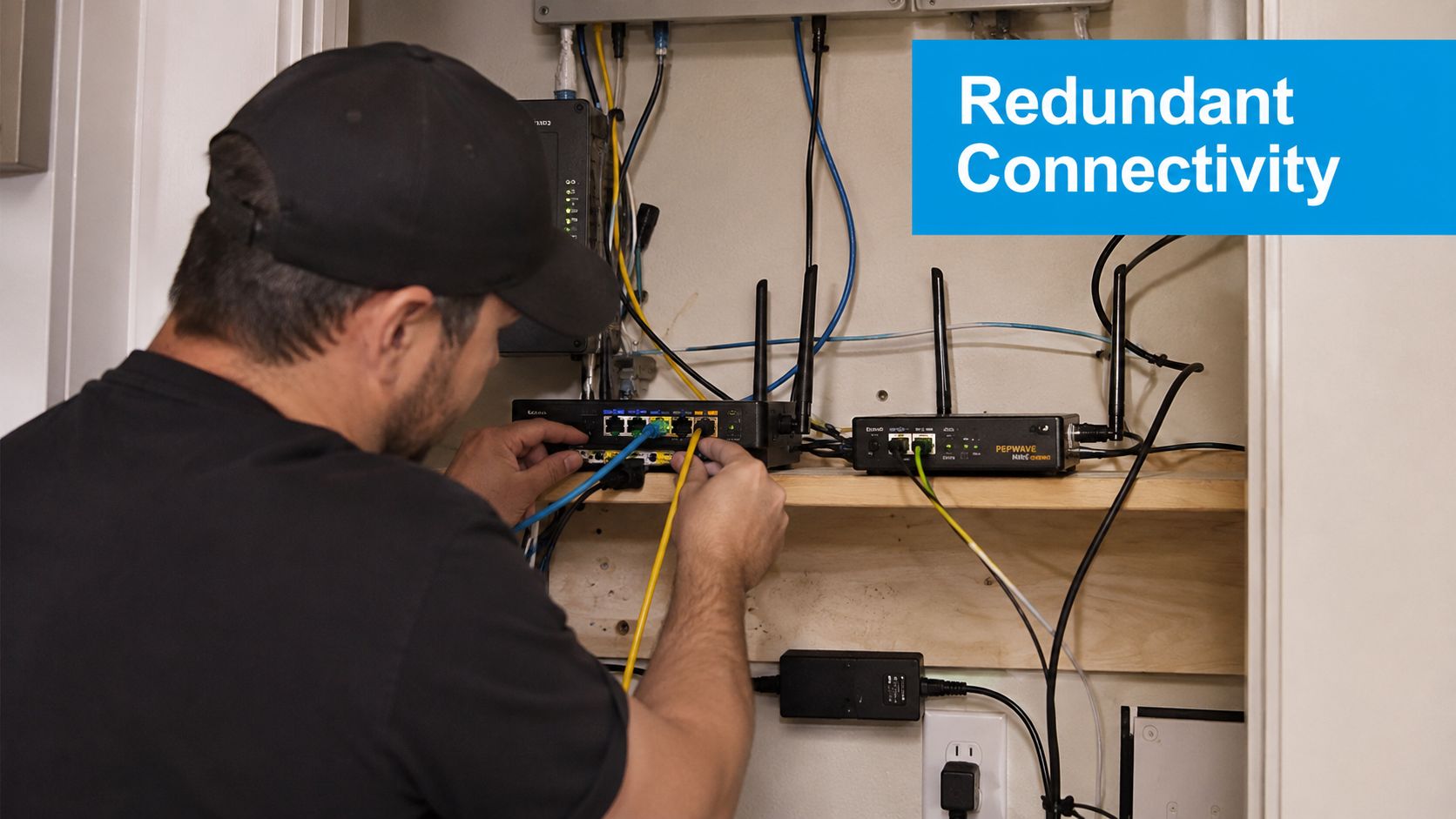
Designing for network reliability isn't about preventing every failure—it's about making sure one broken component doesn't take down your whole operation. Think of your architecture like a city with multiple routes to the same destination. When one road closes, traffic reroutes without anyone noticing.
The simplest approach that actually works? A primary plus failover model. Run your day-to-day traffic over something solid like fiber, then have a cellular or wireless failover standing by to pick up the slack when things go sideways. This is especially critical for voice sessions and AI receptionist handoffs—nobody wants a dropped call because someone dug up the wrong patch of sidewalk.
A home services company might set it up like this:
- Primary fiber handling the heavy lifting—large uploads, video calls, everything that needs bandwidth.
- A cellular LTE/5G trunk ready to take over SIP traffic and keep outbound calls flowing.
- A separate VoIP provider for voice routing, so a single vendor's bad day doesn't kill your phone service entirely.
Geographic Diversity Matters
Here's something that catches people off guard: two internet circuits from different carriers can still fail together if they both run through the same conduit or terminate at the same hub. Geographic diversity means making sure your backup path is genuinely independent.
- Map out the physical routes your circuits take—you might be surprised where they overlap.
- Ask carriers for route documentation or survivability test results. Some will share KMZ files showing the actual path.
- Mix your media types. Fiber plus wireless gives you protection against a single point of failure that affects one technology. For example, a construction crew cutting a fiber line won't affect your wireless backup.
Key Insight: Geographic and carrier diversity reduce the chance that a regional event takes down both primary and backup.
DNS and Traffic Control
DNS failover with low TTLs lets you switch traffic quickly when something breaks—but only if you do it right. The trick is combining DNS changes with actual health checks so you're not just moving traffic from a broken system to another broken system.
- Keep DNS TTL short during rollouts or when you know changes are coming. For a planned maintenance window, set your TTL to 60 seconds an hour beforehand.
- Use provider health probes to verify your backup is actually healthy before pointing traffic at it. Many DNS providers offer this as a built-in feature.
Dual-Mode Routing for Voice
Voice traffic is unforgiving. A little packet loss and your call quality tanks. Dual-mode routing sends voice over the best path available, but can switch to a backup provider mid-call if things deteriorate.
Here's how to set it up:
- Configure SIP trunks with both a primary and secondary provider in your phone system or PBX.
- Define packet loss and jitter thresholds that trigger automatic cutover. For example, set a rule to switch providers if packet loss exceeds 1% for more than 10 seconds.
- Test the handoff with live call simulations—don't just assume it works. Have someone on a call while you simulate a failure on the primary link.
Cloud Platforms and Regional Absorption
If your AI receptionist and CRM integrations live in the cloud, multi-region deployment can absorb local outages. The key is making sure your APIs are reachable from multiple locations and that state synchronization handles retries gracefully.
- Implement API retry logic with exponential backoff for transient failures. This means your system will wait 1 second, then 2, then 4, etc., before retrying a failed connection, preventing it from overwhelming the server.
- Keep CRM syncs stateless where possible so retries don't create duplicate records.
Practical Decision Guide for SMBs
Not every business needs the same level of redundancy. Here's a rough guide based on team size and call volume:
- Under 10 people, low call volume: Primary fiber plus cellular failover, basic DNS failover. Keep it simple.
- 10–50 people, moderate call volume: Add a second carrier, dual-provider voice routing, and multi-region cloud endpoints.
- 50+ people, high call volume: Carrier-grade circuits with validated physical route diversity and formal survivability testing.
For actionable infrastructure security practices relevant to these patterns, read also: Learn more about infrastructure security in our Recepta.ai article Infrastructure Security Practices for Reliable Systems
These patterns focus on repeatable, testable posture rather than vendor lock-in. Small teams can incrementally increase network reliability while keeping operations simple and measurable.
Monitoring, Testing, and Incident Response on a Small Team Budget
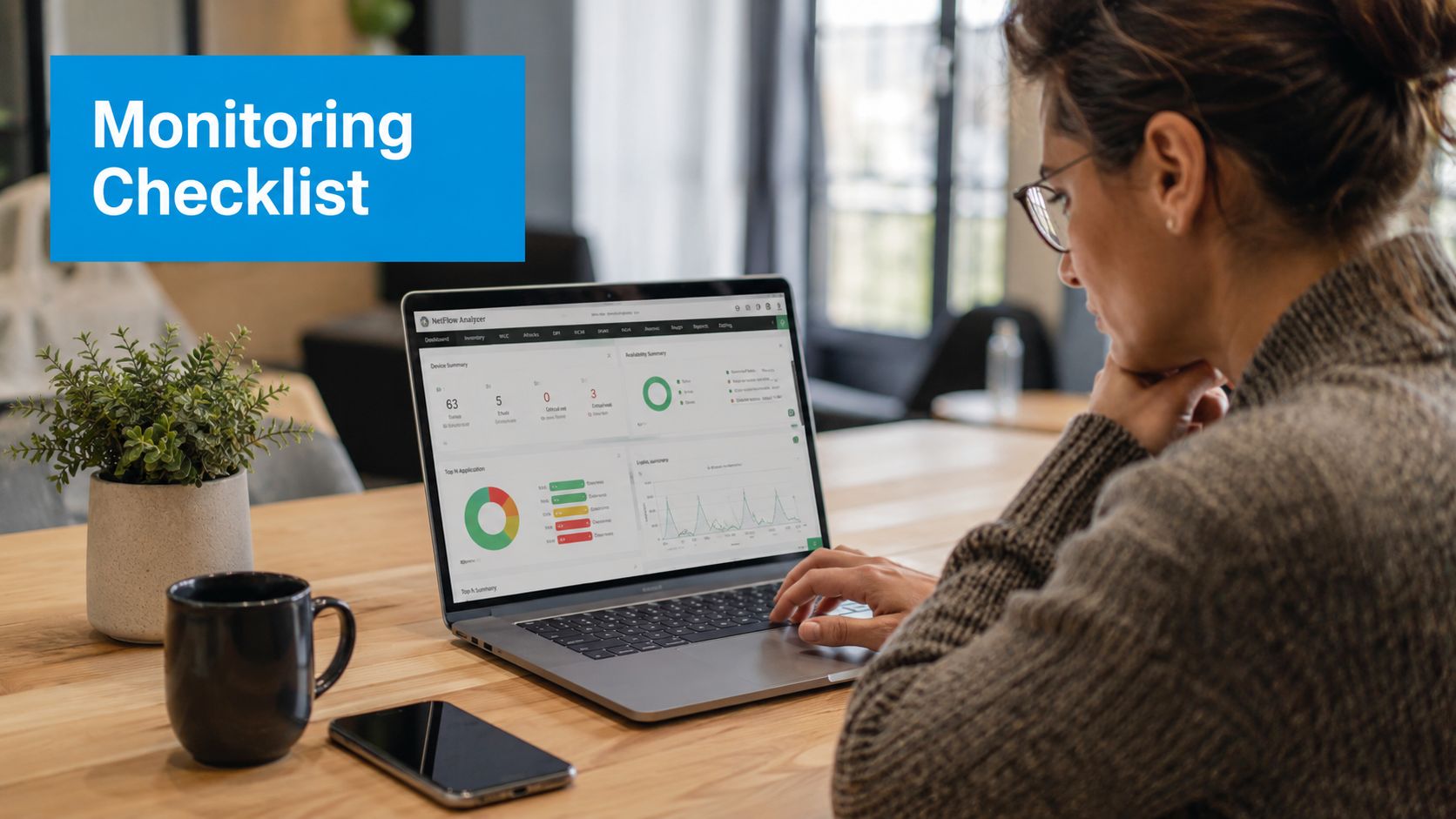
You don't need a full-blown network operations center to keep things running smoothly. A lean team can build a solid reliability practice by zeroing in on the right monitoring signals, running quick tests, and having repeatable steps when something breaks. It's about working smarter, not staffing up.
Think of monitoring in two layers. First, synthetic checks that simulate calls and API transactions — these catch problems before your customers notice. Then real-user monitoring that samples actual call sessions, which surfaces issues that only crop up under real-world load. Together, they give you an early warning system without burning out your team.
Here's a practical example. A clinic can schedule three 5-minute SIP calls to an external test number every week during peak hours and log packet loss. If packet loss crosses 0.5% for two consecutive tests, that triggers an alert. Quick to set up, cheap to run, and immediately actionable.
Lightweight On-Call and Alerting
Keep the on-call structure simple: one person covers weekday daytime hours, a rotating weekend shift with a 60-minute escalation SLA, and a designated owner for voice-related incidents. That's enough for most small teams.
Automate alerts around these thresholds:
- Packet loss above 0.5% sustained for 2 minutes
- Jitter above 30 ms for 2 minutes
- API error rate greater than 3% for 5 minutes
"Alert on impact, not on every transient blip" — aim for signals that map to customer-visible degradation.
Build a small alert hierarchy so the first signal reaches the owner, the second goes to a backup, and the third kicks off vendor engagement. For the automation side, there are a few quick wins:
- Configure synthetic SIP pings and webhook health checks using a service like Better Uptime or PagerDuty.
- Push alerts to a shared Slack channel plus SMS when critical thresholds are hit. Most monitoring tools integrate directly with Slack.
- Auto-create a ticket in your helpdesk whenever voice quality dips below acceptable levels. This can be done via email integration or API.
Testing Integrations That Matter
AI receptionist integrations need to fail gracefully. I'd run these three tests on a weekly cadence:
- Simulate calendar API failures (by temporarily blocking access in your firewall) and verify the receptionist queues bookings with a human fallback rather than dropping them.
- Break CRM write calls in staging to confirm transactions get retried and logged — not silently discarded.
- Test token rotations to make sure auth failures surface clearly instead of hiding in the logs. A practical step is to manually revoke an API key and check that the system sends a clear "Authentication Failed" alert.
For a one-week clinic rollout, here's a sequence that works: Set up synthetic voice checks and alerts. Run three live call-quality tests during peak hours. Document escalation paths and owner contact details. Lower DNS TTL to 60 seconds before any deployments. Then hold a 20-minute Friday retro to review alerts and outcomes.
Post-Incident Template and Thresholds
When something breaks, you don't need a novel. Use a simple post-incident template that teams can fill out fast:
- Incident Title
- Start/End Time
- Impacted Services
- Root Cause Hypothesis
- Actions Taken
- Follow-up Tasks and Owner
Copy these thresholds as a starting point:
- Packet loss alert: greater than 0.5% sustained for 2 minutes
- Jitter alert: greater than 30 ms sustained for 2 minutes
- Voice MOS drop: MOS below 3.5 for 5 minutes
Keep post-incident reviews under 30 minutes and end with one clear action item.
For a deeper dive into combining synthetic and real-user monitoring approaches, this practical guide on performance monitoring systems is worth reading.
A Practical Reliability Checklist for SMBs and Voice-Heavy Teams
If you're running a small or mid-sized business that depends on voice calls or AI receptionists, network reliability isn't just an IT concern — it's directly tied to revenue. A dropped call means a missed booking. A glitchy AI assistant means a frustrated customer who hangs up and calls your competitor.
The good news? You don't need a massive budget to get this right. Focus on four areas: Connectivity, Redundancy, Monitoring, and Vendor Selection. Each one has concrete, low-cost steps you can knock out in about 30 days.
Connectivity Checks
Before anything else, understand what you're actually working with. Your ISP might advertise 300 Mbps, but what matters for voice is consistency, not peak speed.
- Confirm your primary link type and test real-world throughput against what's advertised. Use a tool like
iperf3to test against a public server for a more accurate measurement than a web-based speed test. - Check your MTU settings. Mismatched sizes cause fragmentation and retransmits, which murder call quality. You can test this using
pingwith a "do not fragment" flag. - Here's a practical example: if you're on a congested cable modem, try swapping to a business fiber circuit. Run three 5-minute SIP tests during peak hours and compare packet loss. The difference is usually night and day.
Redundancy Items
Single points of failure are silent killers. You need backup paths that actually work when the primary goes down.
- Add a cellular LTE/5G failover specifically for voice, with automatic cutover triggered by predefined thresholds (e.g., packet loss > 2%).
- Make sure your backup isn't riding the same physical path as your primary. Geographic and carrier diversity matters.
- Pro tip: ask your carriers for a KMZ file or route map. If both connections come through the same conduit, you don't have real redundancy — you just have two connections that fail together.
True redundancy prevents shared failures rather than duplicating them
Monitoring and Testing
You can't fix what you don't measure. Set up regular testing so you catch problems before your customers do.
- Synthetic tests: schedule weekly simulated calls and API checks during your busiest hours. A simple script can call your main phone number and listen for the correct IVR prompt.
- Real-user sampling: log actual call quality metrics (MOS scores, packet loss) from your PBX or VoIP provider and compare them against your thresholds.
- Key thresholds to watch: packet loss above 0.5%, jitter exceeding 30 ms, and MTTR over 60 minutes.
- Create a simple post-incident template. When something breaks, you want to document what happened and how you fixed it without reinventing the process each time.
Vendor Selection Prompts
Not all vendors are created equal, especially when voice quality is on the line. Ask the hard questions before you sign.
- Request multi-region deployment details, plus recent uptime stats and 95th percentile latency and jitter figures. Averages hide problems; percentiles reveal them.
- Ask for transparent incident reports and real SLA recovery examples. If they can't provide these, that tells you something.
- For AI receptionist platforms specifically: confirm the system can escalate to human agents and will queue interactions safely during local failures. Ask them: "What happens to a call if my internet connection drops for 30 seconds mid-conversation?"
Quick Checklist Summary
- Map physical and logical routes
- Add cellular failover for voice
- Configure dual-provider SIP trunks
- Set synthetic call tests and alerting
- Lower DNS TTL to 60s during deploys
- Collect vendor 95th percentile metrics and incident reports
30-Day Starter Plan
- Week 1: Run baseline synthetic voice tests; map circuit routes and collect SLAs.
- Week 2: Add cellular failover and configure automatic SIP cutover thresholds.
- Week 3: Implement monitoring alerts for packet loss and jitter; run integration failover tests for CRM/calendar.
- Week 4: Hold a 30-minute retro, fill post-incident template for any issues, and finalize vendor escalation contacts.
Reliability is a growth lever not a cost center — targeted fixes recover missed bookings and protect revenue.
- Fewer dropped calls, faster recovery, and more booked appointments from predictable performance.
Frequently Asked Questions About Network Reliability
What Is the Difference Between Uptime and Quality of Service for My Business Networks?
Uptime is a simple yes-or-no signal: are servers and endpoints reachable? Quality of service describes what happens once you’re connected—packet loss, jitter, and latency that shape the actual caller experience. A CRM API can report as “up” but if packet loss sneaks above 0.5%, your IVR prompts turn into garbled noise. The key is to watch both uptime and real-time performance stats, so you catch the slow degradation that silently drives callers away.
How Often Does Consumer Broadband Fail Compared With Business Circuits?
Home internet tends to suffer from frequent micro-outages and peak-hour congestion that quietly add up to hours of disruption over a year. Business-class and carrier-grade links are built for consistency. That jump from 99.9% to 99.99% uptime? It shrinks your expected annual downtime from roughly 8.8 hours to about 52.6 minutes. I’d suggest running a 5-minute SIP test every week during your busiest period to measure packet loss and jitter on each line—this shows you whether the business circuit is truly performing better.
What Should I Look for in a Service Level Agreement?
Don’t settle for averages—ask for 95th percentile figures on latency and packet loss, and demand a concrete MTTR commitment in writing. Request recent incident reports, details about multi-region deployment, and any proof of physical route diversity (some providers will even share KMZ files of their paths). A solid SLA for voice-heavy operations should cover: uptime guarantee, MTTR under 60 minutes, packet-loss and jitter percentiles, and contractual evidence that your traffic won’t be cut by a single backhoe.
How Do AI Receptionist Platforms Maintain Continuity When Local Networks Falter?
A well-built AI receptionist doesn’t freeze when the network stutters—it queues interactions, escalates to a human backup, and can automatically switch to another provider or region when thresholds are breached. For example, you can configure a secondary SIP trunk as a hot standby and enable CRM-safe queuing so that every booking lands safely, even if your primary line drops for a few minutes.
Focus on setting measurable failover triggers and run weekly drills. That’s how you keep appointments flowing when the network wobbles.
For a failover-ready AI receptionist that works around the clock, take a look at Recepta.ai.


.webp)