
AI Receptionist Healthcare: When to Hand Off
The popular advice is simple: let AI answer more calls, finish more calls, and keep people out of the way. In healthcare, that advice can hurt access. A caller who is confused, frightened, or describing symptoms doesn't need a longer automated conversation. She needs a fast route to a person.
The best approach to AI receptionist healthcare work isn't maximum containment. It's clear boundaries. The system finishes routine scheduling and information tasks, spots friction early, and hands the patient to the right human before she gives up and abandons care.
What an AI Receptionist Does in a Clinic
A busy front desk handles several kinds of work at once. One patient is checking in, callers want to book or cancel, someone asks about office hours, and another describes chest tightness. A useful AI receptionist does not push every call through the same script. It handles routine access tasks and helps route callers to staff when the request needs human judgment.
An AI receptionist is a phone and message layer for bounded administrative tasks. It can identify what a caller needs, answer approved questions, capture details, and schedule appointments when connected tools and clinic rules allow. It should stop short of interpreting symptoms, making clinical decisions, or replacing nursing judgment. When a caller sounds confused or the request is unclear, a fast handoff matters more than finishing the conversation automatically.
Why Clinics Are Considering It Now
Interest in AI is growing, though workplace readiness varies. In 2024, 66% of surveyed U.S. physicians said they used AI in their practice, up from 38% in 2023, according to the American Medical Association. Yet only 24% of surveyed U.S. healthcare professionals reported receiving AI training from their employers, while 72% cited data privacy as a major concern, according to the Medscape and HIMSS report. Clinics evaluating tools should consider reliability, cost, privacy, and regulatory readiness alongside the tasks the system can perform.
Patients also want access beyond office hours. In 2025, 80% of surveyed patients said they wanted to schedule appointments anytime from home or a mobile device, while 54% of surveyed providers offered self-scheduling, according to Experian Health. That mismatch makes after-hours and overflow calls a practical place to assess whether automated support can reduce friction. Clinics can also explore practical AI applications in healthcare when deciding which administrative tasks fit their needs.
A receptionist system works like a coordinator following a strict playbook, with staff available for judgment calls. It can book an appointment or answer an approved question. It cannot decide whether a patient's pain is urgent.
Which Calls Stay With AI and Which Go to Staff
Use one operating rule: automate low-risk access work and escalate anything that could change care, money, or safety. A 2026 review estimated that 50–65% of inbound practice calls could be handled autonomously when the system is integrated with practice-management, pharmacy, and billing systems, while 35–50% still require human intervention because of clinical complexity or escalation needs, and the authors call these expert estimates rather than direct performance measurements in the 2026 review.
What the AI Finishes and What Staff Must Take
| Call intent | Risk lane | AI action | Hand off when |
|---|---|---|---|
| Hours, location, directions | Low, inside the 50–65% autonomous estimate | Answer from the approved script | The caller repeats a misunderstanding |
| Identity and demographics | Low if identifiers match | Collect minimum fields and verify | Identity is ambiguous or disputed |
| Book, cancel, or reschedule | Low only after a live schedule check | Tool call, then read back the confirmed slot | The API times out or rules conflict |
| Reminders and referral status | Administrative | Give status, not a clinical interpretation | Authorization or a denial is in dispute |
| Billing balance questions | Medium | Capture the question and a callback window | The caller is in financial distress |
| Symptoms, medications, emergencies | High, inside the 35–50% human estimate | Do not diagnose or advise | Any symptom, med question, or urgent language |
| Distress, language, or access barriers | High for equity | Offer a person immediately | Limited English, disability needs, or refusal of automation |
Walk through two calls with your team. In the safe lane, a patient asks to move a dental cleaning. The AI verifies identity, checks live openings, books one, and reads back, "You're confirmed Tuesday at 10:30 with Dr. Lee at the Main Street office." The call ends because the task is complete and verified.
In the human lane, a caller says, "I need an appointment, but my chest hurts." The AI shouldn't ask follow-up questions to judge severity or offer the next routine slot. It should give your approved emergency instruction and transfer immediately. How that transfer feels matters, which is why your playbook should define cold transfer versus warm transfer for each trigger.
Publish the Handoff Triggers
Don't leave escalation to individual judgment after go-live. Put the triggers in the phone playbook where supervisors, schedulers, and clinicians can review them.
- Clinical language: Symptoms, medication questions, test-result interpretation, and possible emergencies go to trained staff.
- Uncertainty: Repeated misunderstanding, conflicting identity details, or a caller who changes the request several times triggers a person.
- Access barriers: Limited English proficiency, hearing or speech needs, distress, and inability to use online scheduling trigger a person.
- Money and authorization disputes: Financial distress, denied referrals, and coverage disagreements go to staff who can explain options.
Then measure whether the boundary works. Track containment by intent, transfer rate, abandoned calls, time-to-human, and booking completion, segmented by language, clinic, and call type. A lower containment rate can be the better result if fewer patients hang up without care.
Practical rule: If a wrong answer could delay care, expose private information, or create a billing problem, a person owns the call.
HIPAA Rules for Calls and Patient Data
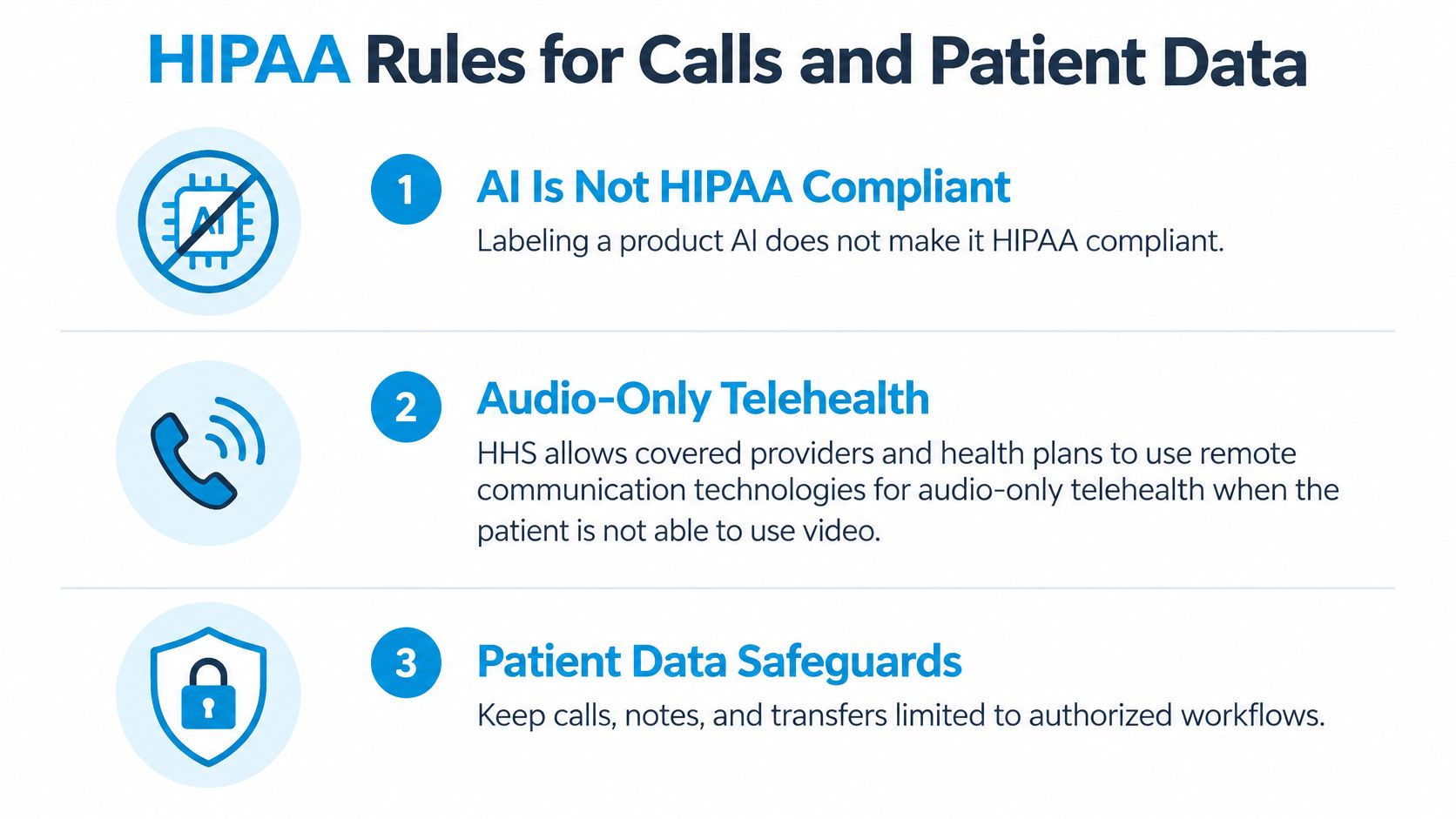
Calling a system “AI” does not establish that it meets HIPAA requirements. The HHS guidance explains that covered providers and health plans may use remote communication technologies for audio-only telehealth when communication follows the HIPAA Privacy, Security, and Breach Notification Rules. For a clinic, compliance depends on how the system is configured, what safeguards are in place, and what patients are told.
A Reschedule Call Done Correctly
A patient calls to move a follow-up visit. The receptionist verifies approved identifiers, checks the schedule, and confirms the new time without saying a diagnosis aloud. It records that verification succeeded and logs the appointment change. If the patient asks about symptoms or treatment, the call goes to staff. The system handles the administrative task, while a clinician retains responsibility for clinical judgment.
Before patient calls reach the system, set clear rules:
- Minimum-necessary collection: Ask only for information needed to complete the patient's request.
- No disclosure before verification: Do not share appointment reasons, diagnoses, or other sensitive details until the caller is verified.
- Role-based access: Give recordings, transcripts, and summaries only to staff whose roles require them.
- Audit records: Keep logs of calls, identity checks, transfers, and appointment changes.
- Retention limits: Set a written schedule for deleting or archiving call data rather than keeping it indefinitely by default.
- Contract and hosting controls: Use a business associate agreement and hosting suited to protected health information.
Each call record, correction, and transfer needs an accountable owner. That makes it clear who should review an error, update a record, or follow up after a handoff. A HIPAA compliant answering service should support that process, with staff able to take over when a caller needs more than a routine administrative answer. Keep the owner and follow-up responsibility clear in the clinic's records, just as Bookkeeping and Accounting of Florida's job costing assigns expenses to work.
Answer the Questions Patients Actually Ask
Patients need a clear explanation of how AI affects their privacy and care. In the 2025 patient perspectives report, 87.5% of respondents believed patients should be told when AI is involved in their care, 83.4% supported an ability to opt out of AI-driven care, and only 43.0% trusted AI to protect personal health information.
At the start of the call, say whether the patient is speaking with AI, whether the call is recorded or transcribed, what information is stored, who reviews mistakes, and how to reach a person. If the system books the wrong slot, staff should correct it, document the correction, and give the patient a way to challenge an AI-generated summary. If a caller asks for another person's information, the system should withhold it rather than guess.
A useful operating rule is simple: we automate scheduling, not clinical judgment. The goal is not to keep every call with AI. It is to protect patient information while getting each caller to the right human before a privacy concern or unresolved question becomes a barrier to care.
Connecting the Receptionist to EHR and Calendar Systems
Name every system the receptionist must touch before it speaks to a patient. That usually includes practice-management or EHR scheduling, staff calendars, insurance and demographic fields, and pharmacy or billing systems when referrals or balances are involved. Your medical appointment scheduling software remains the source of truth, not the conversation.
Decide Read Access and Write Access
Read-only access covers hours, provider availability, location rules, and referral status. Write access covers booking, cancellation, rescheduling, and demographic updates, and every write should return a transaction ID that lands in the appointment record.
For example, a patient reschedules a cleaning. The tool queries open slots in the EHR, confirms one, writes the new appointment, and the staff calendar updates from that same transaction. If the sync lags, the AI shouldn't confirm a slot the calendar doesn't show.
Follow this sequence before go-live:
- Map each intent: Connect the request to a source system and a specific field.
- Test messy cases: Use duplicate patients, double-booked providers, and a simulated timeout in a sandbox.
- Define write-backs: Confirm which events write automatically and which need staff approval.
- Reconcile nightly: Compare the receptionist log with the schedule and send mismatches to a reviewer.
Ask your practice-management vendor for a written list of supported fields and the failure behavior for each one. "It integrates" isn't an answer. You need to know what happens when a field is missing, the API is slow, or two systems disagree.
How Scheduling Stays Accurate in the EHR
A fluent answer can still create a bad appointment. A language model might suggest a plausible slot, provider, location, or preparation instruction that is not valid. A transactional verifier checks the actual schedule, confirms the slot fits the visit type and clinician rules, and verifies it remains available before booking.
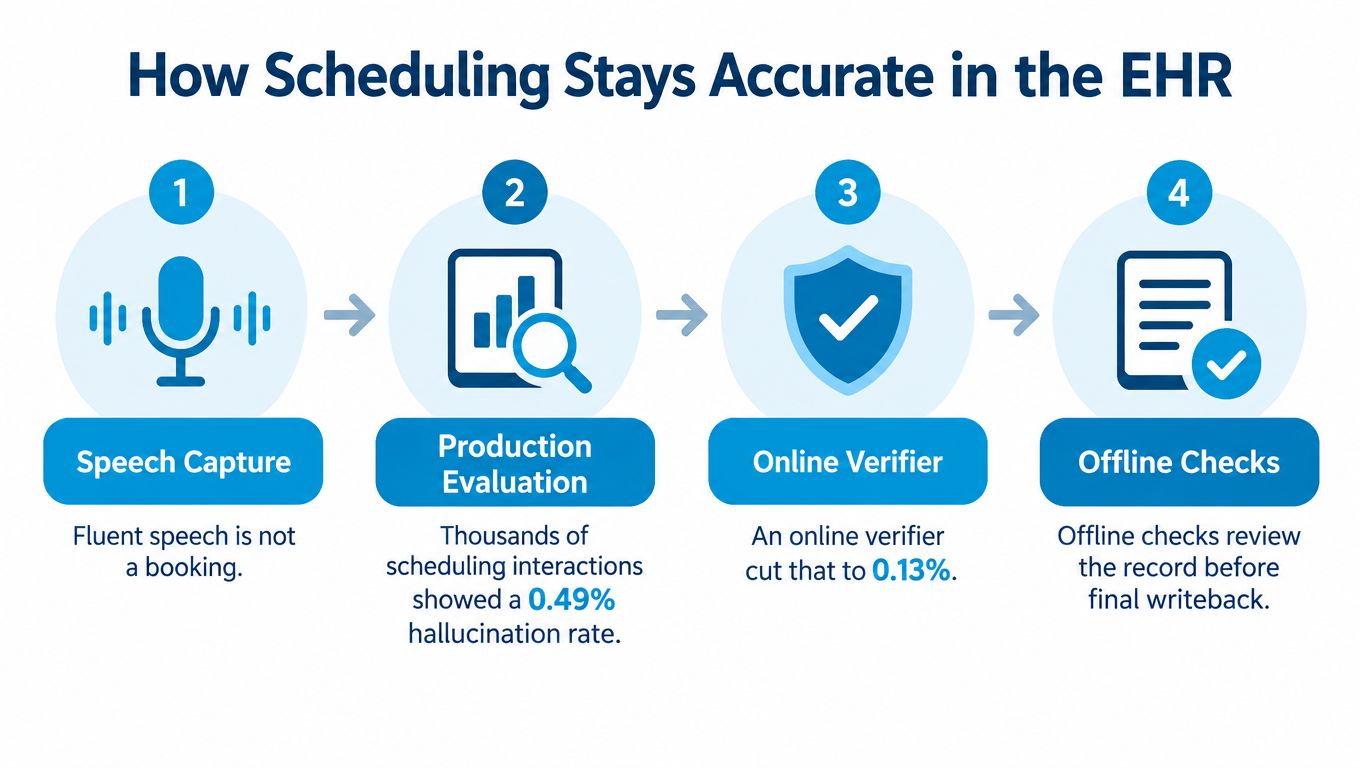
A large production evaluation of thousands of scheduling interactions reported a 0.49% hallucination rate. With an online verifier enabled, the rate fell to 0.13%, while offline verification later identified the remaining errors, according to the academic preprint.
Build the Verification Loop
Booking, cancellation, rescheduling, insurance fields, and demographic updates should use constrained tool calls, not free-form responses. After a successful action, the system should read back verified details or a transaction ID and log the source system, timestamp, caller confirmation, and escalation outcome. If the API times out, required fields conflict, or a caller asks for clinical advice, it should stop and route the issue to a person.
Scheduling accuracy also depends on what happens after a booking. A 2025 analysis of 120,405 appointments in Turin, Italy, recorded 6,198 no-shows, an overall rate of 5.1%, according to the Turin study. A separate 2025 study reported median no-show rates of 1.8% for online bookings at a medical practice versus 5.9% offline, while hospitals showed 14.3% online versus 11.2% offline, according to the booking channel study. A 2023 prediction model reported 7.7% for appointments scheduled more than 60 days in advance versus 6.0% overall, according to the 2023 model.
No-Show Rates an AI Receptionist Can Act On
| Situation | No-show rate | What to do |
|---|---|---|
| All appointments, Turin 2025 sample | 5.1% (6,198 of 120,405) | Use as a local baseline, not a national target |
| Online booking, medical practice median | 1.8% versus 5.9% offline | Do not assume online booking performs better everywhere |
| Online booking, hospital median | 14.3% versus 11.2% offline | Pair booking data with reminder and attendance records |
| Booked more than 60 days ahead | 7.7% versus 6.0% overall | Confirm at booking and again nearer the visit |
Use lead time, visit type, prior attendance, and channel preference to guide follow-up, rather than demographic guesses. For example, a new patient books ten weeks ahead, receives an immediate confirmation, then gets a reminder near the visit. If the patient calls to cancel two days beforehand, the AI can release the slot and contact a suitable waitlist patient, but should book only after checking live availability. That handoff matters: the best system spots friction and connects the patient with the right person before they abandon access. Track booking source, visit type, reminder, confirmation, cancellation, and attendance separately across dental, primary care, and specialty visits.
Outcomes Worth Measuring Before You Scale
Measure recovered access, not vanity containment. The World Health Organization projects a global shortfall of 11.1 million health workers by 2030, according to the WHO health workforce page. That gap lands on reception desks, referral teams, and appointment coordinators, not only on bedside care.

Adoption doesn't prove access improved. Recent reporting found 91% of surveyed providers reported using AI, yet 72% of patients still struggled to access care and 51% abandoned a care-seeking attempt because scheduling was too complex, and phone remained the preferred channel for 33% of patients, according to Managed Healthcare Executive. If your AI finishes routine calls faster while complex callers still hang up, you haven't solved the access problem.
Scorecard Metrics to Review Monthly
Use a performance dashboard that makes a failed handoff as visible as a completed booking. Review these measures by intent, clinic, and language every month.
| Metric | What it shows | Why it matters |
|---|---|---|
| Containment by intent | Share of calls finished without a person | Shows routine load, not success alone |
| Transfer rate by language and clinic | Share handed to staff, split by segment | Exposes equity gaps |
| Abandoned-call rate | Callers who hang up before booking | Captures lost access |
| Time to a human | Time until a person answers after handoff | Tests escalation speed |
| Booking completion | Requests ending in a confirmed slot | Confirms the task worked |
| Kept-appointment rate | Booked visits actually attended | Stops fast bookings nobody attends from counting as wins |
| Adverse near-misses | Logged errors caught before harm | Safety signal |
Add referral completion to your review. A referral status message isn't a success if the patient never reaches the specialty clinic. Likewise, a booking isn't recovered access if the patient doesn't attend.
Scale only after handoff metrics hold for urgent callers, non-English callers, and financially stressed callers. Averages can hide the patients who need help most.
Treat single-site labor savings as a ceiling to investigate, not a promise for your clinic. Your own abandoned-call rate, booking completion, and kept appointments should decide whether you expand to another location or visit type.
Clinic Workflows and the Go-Live Checklist
Start with real shifts, not a feature demo. The workflow below shows what the AI finishes, what it transfers, and what record it leaves behind.
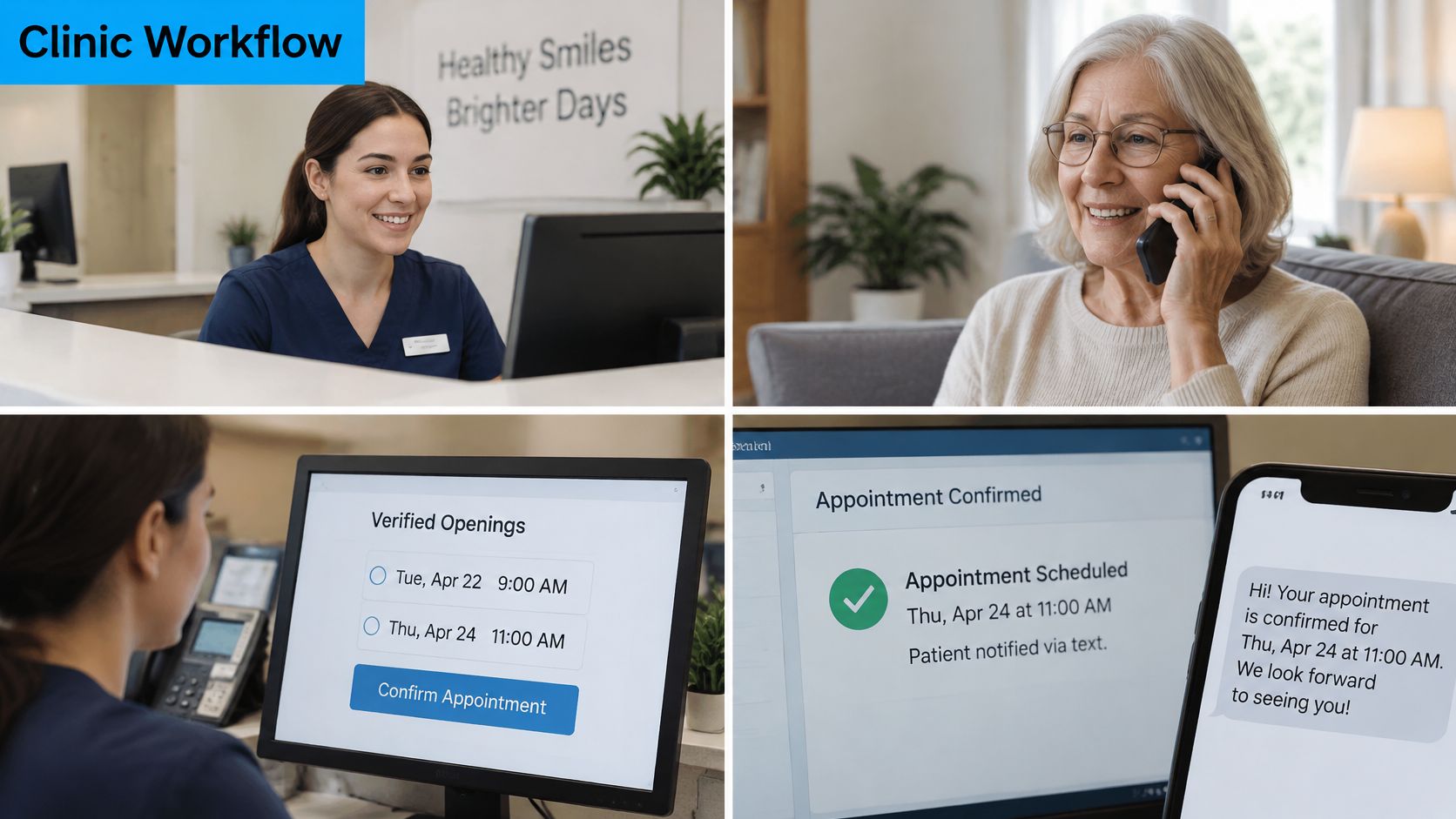
A dental hygiene recall is routine. The AI confirms the patient, offers two verified openings, reads the slot back, and sends a reminder. If the caller mentions bleeding after an extraction, it transfers immediately and logs the escalation reason. For a primary care new patient, it captures insurance fields, flags the first-access visit for extra confirmation, and books nothing until the schedule API returns a match. For a specialty referral, it can confirm the referral was received, then hand authorization disputes and clinical detail to the referral team and log time to human.
An after-hours pediatric call needs a stricter line. Office hours and a next-day sick slot are administrative. Fever with breathing trouble, a distressed caregiver, or a request to opt out of AI goes to a person at once. Spanish-language callers need a staffing plan, not a promise that they'll use the portal. Our Hybrid Receptionist model has AI handle high-volume, routine conversations while trained agents handle complex situations, and when AI detects something more nuanced, it hands off following the business's playbook.
The video below is useful for showing staff how a routine interaction should end with a clear record, not just a pleasant conversation.
Clinics opening overflow space need the same sequencing discipline. A turnkey modular clinic deployment still needs phones, staffing, and escalation rules ready before patients arrive, just as your virtual front desk does.
Run This Checklist Before Go-Live
- Write three lists: Intents AI may finish, intents that always transfer, and data it may read or write.
- Test the safeguards: Confirm a live schedule check, spoken AI disclosure, and opt-out to a human are configured.
- Start narrow: Pick one location and one visit type.
- Compare two weeks: Measure abandoned calls and kept appointments against the prior two weeks.
- Expand carefully: Add symptoms or billing routing only when booking completion rises without more abandoned or distressed calls.
Sign the checklist only when a supervisor can answer three questions: who receives each transfer, who reviews errors each morning, and who can turn an intent off the same day.
Recepta.ai provides inbound and outbound patient communication support for healthcare and wellness providers, managing calls, scheduling, and inquiries while handing nuanced conversations to trained human receptionists under your playbook. If you want routine access work finished without trapping patients who need a person, visit Recepta.ai to see how a hybrid front desk can fit your clinic.