
Answering Automated Service: How It Works
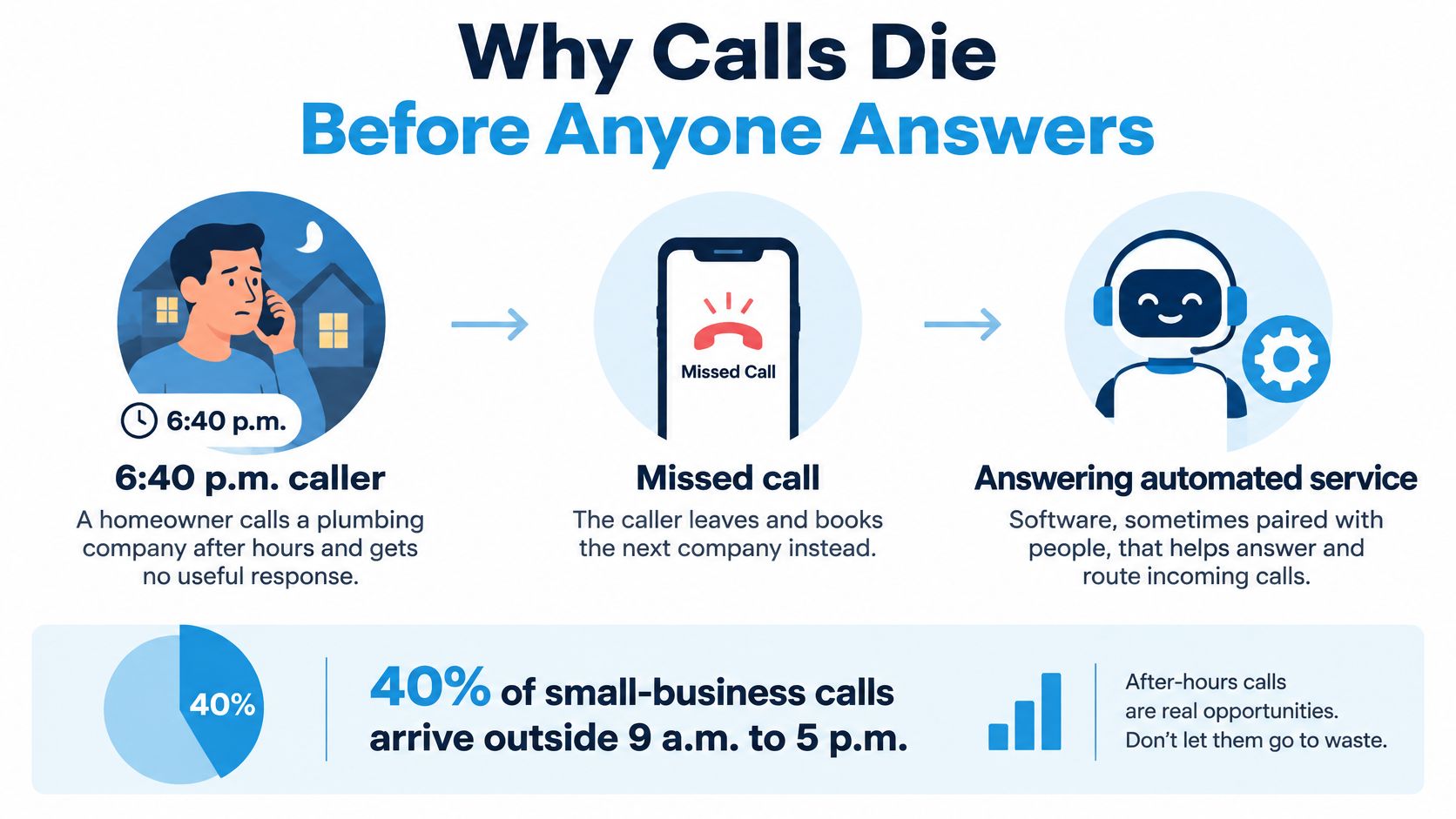
At 6:40 p.m., a homeowner with water spreading across a kitchen floor doesn't wait for a callback tomorrow. She calls the next plumber on the list. That simple fact explains why phone coverage isn't admin. It's the front door, and when nobody answers, the door might as well be locked.
Why Calls Die Before Anyone Answers
Say the call above reaches voicemail. The owner is on a job, the office phone is in an empty room, and the caller has no reason to believe anyone will listen tonight. She books someone else, and the first company never learns the job existed.
An answering automated service is software, sometimes paired with people, that picks up, identifies why someone's calling, and either resolves the request or hands it on with the details intact. Think of a shop door that locks whenever staff step away to help a customer inside. The business isn't closed. It's just unreachable at the exact moment a new customer arrives.
What the Historical Numbers Show
A 2016 observational study of 85 small businesses across 58 industries, summarized in CallForce's missed call cost analysis, found that only 37.8% of calls were answered by a live person over 30 days. Another 37.8% went to voicemail and 24.3% received no response at all. About 62.1% never reached a live employee, and 70% of the businesses answered fewer than half their incoming calls.
Treat those figures as historical context, not a current benchmark. The sample was small and dated. What it still shows clearly is the structural problem: coverage breaks when staff are serving customers, working in the field, handling appointments, or closed for the night.
Practical rule: Every call needs three things, an immediate acknowledgment, a complete record, and a clear path for urgent or sensitive requests.
A good setup captures the caller's purpose and contact details during the call itself, so follow-up starts from facts rather than a partial message. If you're mapping what happens after a call slips through today, a missed call recovery system shows how to turn those gaps into tracked callbacks instead of lost jobs.
How a Call Moves Through the System
A call through an answering automated service works like a relay, not a black box. Each stage hands something specific to the next, and you can test each handoff separately.
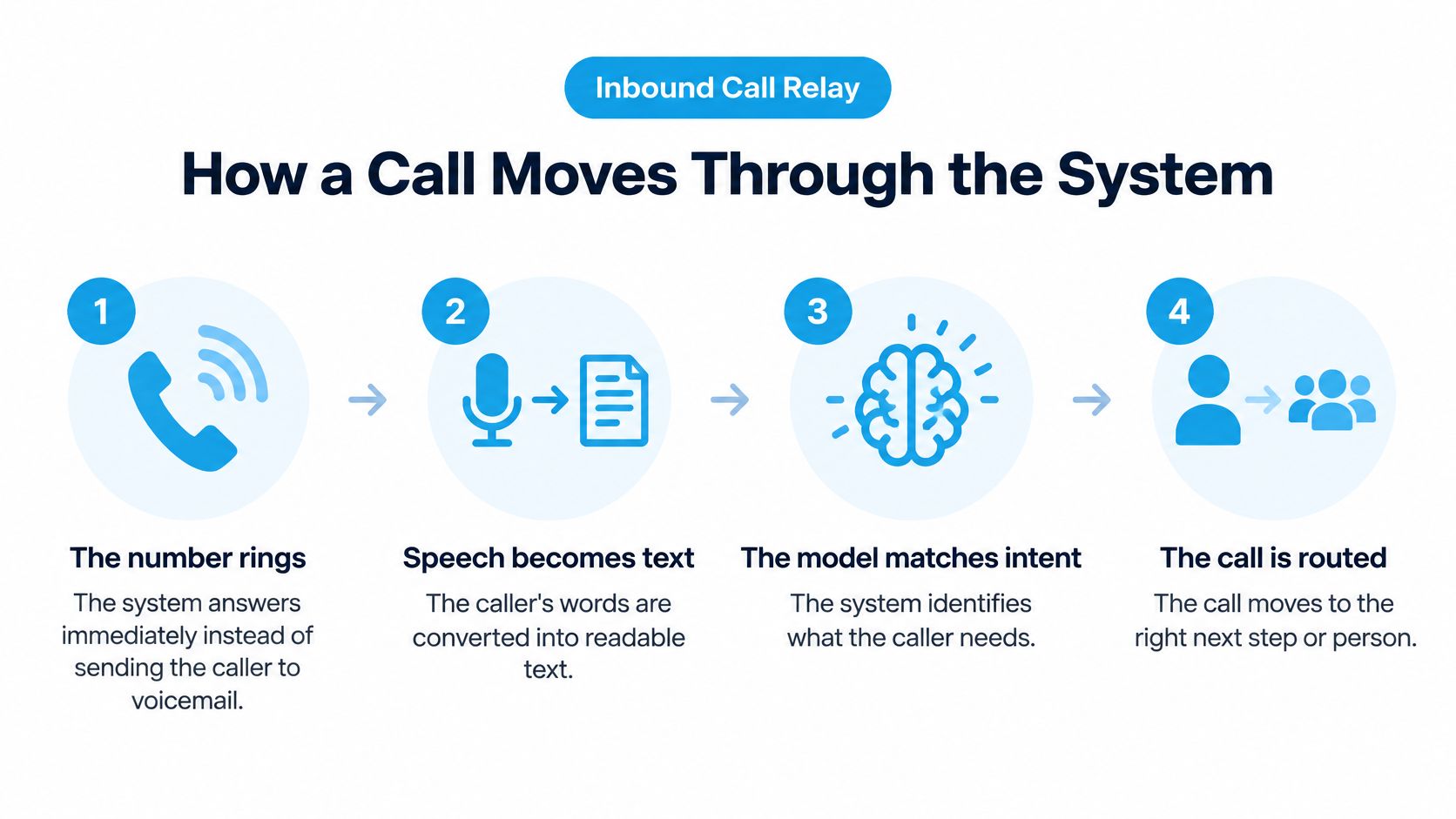
- The number rings. The system answers right away instead of letting the caller drift to voicemail.
- Speech becomes text. The caller's words are transcribed so the system can work with them.
- Intent is matched. The model compares what was said against your playbook, such as new leak, reschedule, or billing question.
- A reply is spoken. The system generates an answer and plays it back as natural speech.
- The record is written. Name, number, address, urgency, and next step go to your calendar or CRM, or get packaged for a person who takes over.
The same relay logic helps with handling repetitive support requests in small businesses, because routine questions follow the playbook while exceptions move to staff. Good intelligent call routing decides which path each call takes based on intent and urgency, not on which button someone pressed.
Volume Is Solved, Exits Are Not Automatic
Automation at scale isn't new. The USPS Office of Inspector General report on 1-800-ASK-USPS notes that system handled more than 90 million customer calls during fiscal year 2020. Yet the same research summarized survey findings where only 4% of IVR users obtained the needed information without speaking with a representative. Menus can absorb enormous volume. Callers still fail when self-service has no working exit to a person.
This short walkthrough shows the relay in action, from first ring to written record.
The Pause Callers Actually Judge
Turn latency is the gap between a caller finishing a sentence and hearing a reply. It adds up across transcription, model inference, and speech synthesis, so fixing one stage doesn't guarantee a fast conversation. Twilio's guide to core latency in AI voice agents sets median target budgets of approximately 350 ms for speech-to-text, 375 ms for language-model time to first token, and 100 ms for text-to-speech time to first byte.
| Stage | Median budget |
|---|---|
| Speech-to-text | about 350 ms |
| Language-model first token | about 375 ms |
| Text-to-speech first byte | about 100 ms |
| Mouth-to-ear target | about 1,115 ms |
| Upper limit | about 1,400 ms |
Keep most turns near one second and investigate p95 values above roughly 1.4 seconds, measured on real phone calls rather than browser tests. Multi-second gaps make callers repeat themselves, talk over the system, or ask for a person. The dispatcher should end up with a structured record, not a raw voicemail to decode.
Which Answering Model Fits the Call
Start with the table, not the product label. Four models plus one staffing baseline cover most small-business setups, and each fails in a predictable way.
| Model | Best call mix | Caller experience | Escalation | Main weakness |
|---|---|---|---|---|
| Classic IVR | Hours, locations, simple status | Keypad or short prompts and recorded answers | Transfer after a menu choice | Hang-ups after repeated presses and weak intent recognition |
| Conversational AI | FAQs, intake, scheduling, qualification | Spoken dialogue that collects details | Handoff when confidence or rules say so | Pauses, misheard names, and thin context on transfer |
| Hybrid AI plus human | Mixed routine and sensitive calls | AI for routine, person for nuance | Warm handoff with the notes already taken | Needs playbooks and staff available for exceptions |
| Traditional answering bureau | Message taking and basic routing | A person reads a script and takes a message | Live from the first ring, limited self-service | Slower booking and less system write-back |
| In-house receptionist | Relationship-heavy daytime calls | A known person with full context | Instant if they are free | Gaps at lunch, on jobs, and after hours |
Why the IVR Row Leaks
A classic IVR is a phone tree. It collects keypad presses or short spoken choices and works fine for hours, locations, and simple status checks. It breaks when a caller's need doesn't match a preset option, which is most real problems.
The cost of that friction is measurable. Forethought's voice AI benchmark summary reports that 46% of consumers would hang up after four automated-menu presses and 51% have had to restart a customer-service interaction at least sometimes. It also reports that only 42% of callers who fail to connect leave voicemail, while 21% immediately contact another business. Every extra menu layer is another exit door.
Where Conversation and Hybrid Coverage Fit
A conversational system asks in ordinary language. The caller says, "I need to move my Thursday appointment," and the system reschedules, qualifies, or books while collecting the details. That suits FAQs, intake, and scheduling, where the answer lives in your playbook and should be identical every time.
Hybrid coverage splits the work. Our Hybrid Receptionist model at Recepta.ai has AI handle high-volume, routine conversations while trained agents handle complex situations, replacing phone menus with AI routing that connects callers to the right information or person. Known spam and robocalls are filtered out before the AI answers, and those calls don't count toward the plan.
Circle the row that matches your after-hours volume and call mix, not the row with the newest label.
A solo operator with simple status calls may do fine with a short menu. A plumbing or dental business fielding urgent, varied requests at night needs conversation plus a human path. The right question isn't which model is most advanced. It's which failure mode you can live with.
Automation Versus a Human Receptionist
This comparison isn't about replacing a person. It's about which tasks each side handles well, and which callers pay the price when you choose wrong.
| Factor | Automation | Human receptionist |
|---|---|---|
| Availability | Answers every call at once, nights, weekends, and holidays | Limited by shifts, breaks, and simultaneous calls |
| Consistency | Same playbook answer every time | Varies with training, memory, and workload |
| Data capture | Writes intake fields to calendar or CRM during the call | Notes quality depends on time and habit |
| Peak volume | Absorbs spikes without queues | Callers wait or overflow when lines surge |
| Judgment | Struggles with accents, nonstandard terms, and distress | Reads emotion and improvises repair |
| Trust | Some callers resist talking to a system | A known voice builds relationships |
Callers Who Need Extra Handling
Stressed, elderly, or non-native callers are where automation earns or loses trust. They need the system to confirm names and addresses back to them, offer a correction loop when something's misheard, and provide an easy route to a person without penalty. If someone spells a street name twice and the system still gets it wrong, that's a handoff trigger, not a third attempt.
Measure abandonment by caller type and intent, not only in aggregate. A healthy overall answer rate can hide the fact that older callers or callers with accents fail far more often. Teams looking to simplify support operations with automation should track those failure groups separately from day one.
The honest trade-off is this. Automation wins on coverage, consistency, and capture. People win on empathy, nuance, and recovery when a call goes sideways. Most small businesses need both strengths, which is why the ownership rules below matter more than the tool choice.
Ownership and Handoff Rules
Ownership questions surface the first week an answering service goes live. A caller asks something that sits between two categories, the system guesses, and afterward nobody can say who should have handled it. Decide who owns each call type before you switch anything on. This table is the working tool. Print it, argue with it, and adjust the rows to your business.
| Situation | Better owner | Why |
|---|---|---|
| New lead after 5 p.m. | Automated or hybrid | A person is often off the tools or on a job, and voicemail loses the booking window |
| Hours, price ranges, reschedules | Conversational AI | The answer is in the playbook and should be identical every time |
| Angry or confused caller | Human, with AI notes | Empathy and repair matter more than speed once the facts are captured |
| Clinical, legal, or coverage advice | Human under the firm's rules | Automation may confirm and route but should not invent regulated guidance |
| Active leak or storm damage | Hybrid triage | AI classes urgency in seconds and wakes the on-call person with the address |
| Gas smell | Immediate safety script | The caller is told to leave the building and call the gas utility or emergency number; the service only logs the call |
| Known spam and robocalls | Filter before answer | These calls should never reach staff or consume the plan |
| Daytime relationship calls | In-house person if free | Context and trust are already in the building |
The gas row is the one that surprises teams. Triage is the wrong goal there, because the caller needs one instruction delivered immediately. The automated service's job is to deliver that instruction and record what happened.
Speed and Abandonment Targets
Speed only helps if classification is right. Stealth Agents' first response time benchmarks identify a conventional objective of answering 80% of incoming calls within 20 seconds, against a separate benchmark average phone wait of about 46 seconds. An automated service should beat both by answering instantly, then prove it is capturing demand rather than shuffling callers into failed transfers.
Calculate abandonment against all calls offered.
- Formula: (calls offered minus calls handled) divided by calls offered, times 100.
- Tracked separately: Technical failures, short abandons, and intentional IVR deflection each get their own count.
- Reported by: Location and hour, alongside offered calls, answered calls, transfer success, appointment conversion, and time-to-follow-up.
Audit the exceptions weekly: low-confidence intent, unavailable calendars, failed CRM writes, and unsuccessful escalations. A caller who abandons after ninety seconds in a misrouted queue lands in that last category, not in your answer rate. Those four buckets tell you whether the system is finishing calls or dropping them.
Designing the Handoff Itself
Callers rarely object to automation itself. They object to being trapped by it. The Verizon 2025 CX Annual Insights Report found 47% cite inability to access a human as a major frustration, with satisfaction at 88% when humans participate versus 60% for AI-led interactions.
So design escalation with the same care you give the greeting.
- Triggers: Anger, safety risk, clinical or legal sensitivity, low confidence, or any direct request for a human.
- Context packet: Who called, what they said, what was promised, and which record was opened, passed to the person before they speak.
- Fallback: If no human is available, a named callback commitment with a time window, not a vague promise.
- Playbook source: Recepta.ai's AI analyzes your documents, internal notes, FAQs, and workflows to answer questions the website cannot, including pricing variations and intake details, and hands off to a human receptionist when it detects something more nuanced.
The difference between a cold transfer vs warm transfer comes down to that packet. On a cold transfer the caller starts over: new voice, same questions, growing irritation. On a warm transfer the person opens with, "I can see you're calling about the leak on Oak Street," and the caller never repeats a word.
Consent Rules for Outbound Calls
Inbound answering is one thing. Outbound automated calls are regulated differently. The FCC guide to unwanted robocalls and texts states that prerecorded telemarketing calls to residential landlines require prior written consent, while autodialed or prerecorded calls to wireless numbers generally require consent, with written consent required when the call contains advertising. AI-generated voice calls fall under the same framework.
Before any outbound call, store four things: the consent record, the call purpose, the phone number type, and the opt-out status. A plumbing company returning a quote request needs that record in place first. Emergencies involving danger to life, safety, or property are exceptions. Routine promotions and reminders are not emergencies, so do not treat them as such.
Three Calls an Automated Service Should Finish
After-hours demand isn't a trickle. Boafo Agent's small business phone answering statistics, citing Hiya's 2024 State of the Call Report, reported that 40% of calls to small businesses arrive outside 9 a.m. to 5 p.m. A call counts as finished when the issue is resolved or the caller reaches a person holding the full record, never when someone hangs up and waits. These three calls show the difference.
The Leaking Water Heater
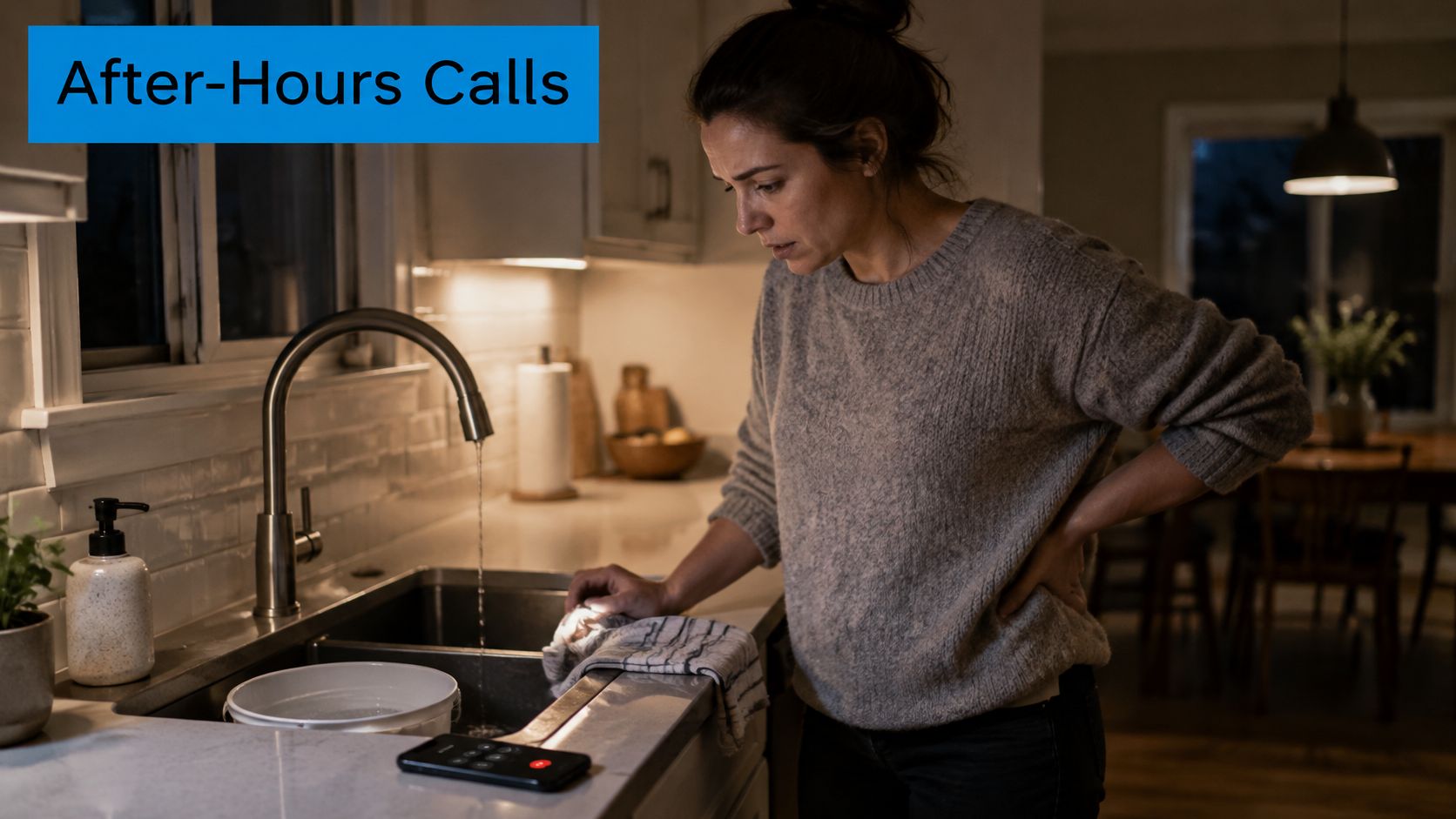
A homeowner calls at 9 p.m. about a leaking water heater. The service greets her, confirms she's safe, and asks the one question that changes priority: is water actively spreading right now? Her answer decides whether this is an emergency dispatch or tomorrow's first job.
Fields captured before the call ends:
- Name and callback number: Confirmed back digit by digit.
- Service address: Including gate or unit details.
- Problem description: What's leaking and where.
- Urgency flag: Active flooding marked urgent.
- Preferred window and text permission: So confirmation arrives by SMS.
Active flooding routes straight to the on-call plumber with the full record attached, so the homeowner never repeats a word. Non-emergency work lands in the scheduling queue. For home service businesses, we provide inbound and outbound call handling, scheduling, and customer support in this exact pattern, so nobody decodes a 40-second voicemail at dawn.
The Dental Reminder
A dental practice needs tomorrow's patients confirmed. The message says only this: the practice name, its phone number, and a request to call back to confirm. Never the procedure. Never a diagnosis. The priority question here is simple: did the patient confirm, reschedule, or not respond? Each answer writes a different next step for the front desk, and a patient who asks to reschedule gets handed to a person with the call history already open, not a fresh intake form.
The Storm-Damaged Tree
A storm drops a limb across a driveway at midnight, and by morning a tree company has thirty similar calls and texts. The service gathers each one the same way: address, what's damaged, whether anything threatens a house, car, or power line, and photos if the caller can text them.
The priority question is whether the hazard blocks access or threatens property. Jobs matching the company's emergency rules get booked immediately, and routine trims wait in a normal queue. For tree service companies, Recepta.ai answers calls around the clock and triages urgency this way, booking serious situations under the customer's own rules. When a caller describes something outside those rules, like a limb resting on a power line, the AI hands off to a live receptionist following the same playbook, with the address, photos, and hazard notes already captured.
Write your own version of these field lists before you buy any tool. If you can't name the fields, you can't judge whether a system captured them.
Run a Hybrid Pilot on Live Calls
Decide from your own call mix first. If most calls are repeat questions plus after-hours leads, a hybrid setup fits better than another phone tree or a full-time night desk. If most calls need a judgment call, keep a person as the default and let automation handle capture only. Teams mapping coverage hours can plan always-on customer services around their actual peak windows rather than guessing.
Run one pilot week on live inbound traffic and check three proofs.
- Every call acknowledged: Compare offered calls by hour against the prior week's voicemail count.
- Urgent jobs reach a person: The address and problem arrive before the on-call phone rings.
- Records match reality: The calendar or CRM holds the same details the caller gave, confirmed in an AI receptionist demo style test call before go-live.
Recepta.ai is one option in this category, pairing AI for routine qualification and scheduling with trained agents for edge cases. Our stats show a 30% increase in qualified leads with 24/7 answering services, and we connect with CRMs, calendars, messaging platforms, and industry-specific systems. We offer a 30-day risk-free trial backed by a money-back guarantee. Confirm plan limits and overage terms with us directly before the trial starts, since those depend on your plan. Then write your emergency rules, intake fields, and handoff triggers, and run the week.
If your phones go quiet at 5 p.m. while your customers keep calling, Recepta.ai answers every call around the clock, qualifies and schedules routine requests with AI, and hands sensitive conversations to trained human receptionists with the full context attached. Visit us to set up your playbook, connect your calendar and CRM, and start a 30-day risk-free trial on your real call volume this week.