Ultimate Answering Service for Property Management Companies

A lot of property managers are operating with a broken phone workflow and calling it normal.
You’re on-site dealing with a water issue, a prospect calls about a vacancy, a tenant gets locked out after hours, and a vendor needs approval before starting work. If those calls hit voicemail, the damage isn’t just inconvenience. It shows up as lost tours, slower maintenance response, irritated residents, and staff who spend the next morning untangling messages instead of moving work forward.
That’s why an answering service for property management companies should be evaluated as an operations system, not just a call overflow tool. The key question isn’t whether someone answers the phone. It’s whether the call turns into the right next action, in the right system, with the right urgency.
Why Your Voicemail Is Costing You Leases and Tenants
A missed call in property management rarely stays a missed call.
A prospect who can’t reach leasing often calls the next property. A tenant with an urgent issue calls again, then gets frustrated, then leaves a review, then renews with hesitation. A vendor who can’t get direction stalls a repair. One voicemail creates three more tasks.

What missed calls actually look like in practice
Here’s a common day.
A manager is walking a unit turn. Maintenance is already short-handed. The office line rings with a leasing inquiry, then a resident reports water under a sink, then an owner wants an update on make-ready timing. Nobody answers in real time, so everything gets pushed into a callback list.
By noon, the callback list has become the workday.
That’s why voicemail is a poor fit for this business. Property management calls are usually time-sensitive, emotionally charged, or both. The caller isn’t contacting you for casual information. They need a decision, an appointment, reassurance, or dispatch.
The business case starts with answer rates
This isn’t a niche staffing trick. It’s a standard operating model across the industry.
Leading providers serve over 5,000 property management firms, achieving a 99% call answer rate across millions of calls annually. Calls also convert to revenue 10-15 times more effectively than web leads, which is why phone coverage has such direct leasing impact, according to Goodcall’s overview of property management answering services.
That single point matters more than most managers realize. If phone inquiries are materially more valuable than web leads, then every unanswered leasing call has outsized cost.
Practical rule: If your team is listening to yesterday’s leasing voicemails this morning, your process is already too slow.
After-hours coverage matters for the same reason. Many teams think of after-hours support as a maintenance function only. In reality, it also protects leasing momentum, owner communication, and staff sanity. If you’re reviewing options, this guide on after-hours answering services is useful because it frames after-hours coverage as a workflow decision, not just a scheduling patch.
Where voicemail fails most often
Voicemail breaks down in predictable places:
- Leasing inquiries: Prospects usually contact multiple communities. The first property to answer often gets the showing.
- Maintenance triage: Residents don’t always describe urgency clearly, so a serious issue can sit in a general mailbox.
- On-call coordination: Messages get forwarded, missed, or heard too late.
- Team capacity: Office staff become message relayers instead of leasing and operations staff.
Voicemail feels cheap because the line item is small. The operational cost is much larger.
A real answering workflow fixes that by creating immediate response, cleaner routing, and a documented chain of communication. For property managers trying to grow doors without adding daily chaos, that’s the point.
What Is an Answering Service for Property Management
A property management answering service is best thought of as a remote front desk with rules, context, and system access.
That’s different from a generic call center. A generic service takes a message. A property-specific service understands the difference between a prospect asking about availability, a tenant reporting a leak, an owner asking for a status update, and a vendor needing approval to enter a unit.

Think digital front desk, not overflow line
The right setup acts like a front desk that never closes. It answers using your company greeting, follows your escalation rules, and sends each call down the proper path.
That usually includes:
- Leasing intake: Answering availability questions, collecting prospect details, and booking tours.
- Resident support: Handling common questions and routing based on property rules.
- Maintenance intake: Separating routine requests from urgent ones.
- After-hours dispatch: Reaching on-call staff based on your emergency protocol.
- Message logging: Keeping a usable record so your staff doesn’t rebuild the conversation later.
A lot of managers underestimate how much property knowledge matters. Your call handlers need enough context to handle the specific needs of property management companies, where building access, maintenance coordination, safety issues, and tenant expectations all intersect.
What makes it property-management specific
The specialization shows up in the details.
A trained property management service knows that “no heat,” “active leak,” and “can’t access unit” belong on different urgency paths depending on time of day, season, and your policy. It also knows that a prospect asking about pet policy shouldn’t be dumped into the same queue as emergency maintenance.
That’s why I tell clients to avoid evaluating providers only by whether they offer live agents or AI. That’s not the true dividing line.
The better question is whether the service can function as part of your operation.
The service should know what to do next after the call ends. If it can’t trigger a task, schedule, escalation, or record update, your staff still owns the real work.
The core components that matter
A useful setup usually combines four layers:
Coverage
Someone answers during office hours, overflow periods, nights, weekends, and holidays.Call logic
Scripts classify the call. Leasing, resident support, routine maintenance, emergency maintenance, owner, vendor.Escalation
Urgent issues reach the right person. Non-urgent issues are documented cleanly for later handling.System connection
Notes, appointments, and work items sync into the tools your team already uses.
If you want a broader baseline on how these services are structured across industries, this overview of an answering services company helps clarify the operating model.
When those four layers are present, callers feel like they reached your team. When they aren’t, the service becomes a message pad with a headset.
Must-Have Features for Any Property Management Answering Service
Most feature lists are padded with things that sound nice but don’t change results.
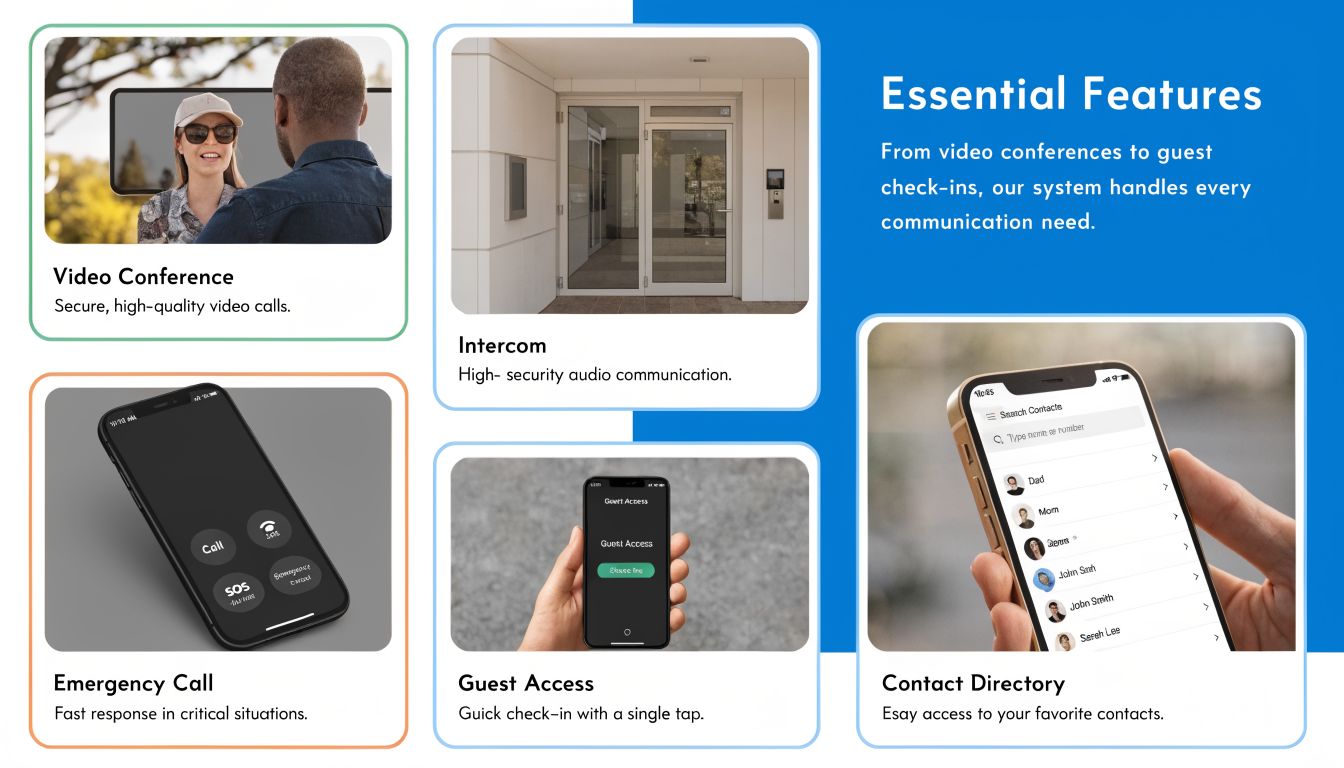
For property managers, the shortlist is narrower. You need an answering service for property management companies that can integrate, triage, schedule, and document. If a provider can’t do those four things well, the rest won’t rescue it.
Integration is not optional
If the service lives outside your PMS and CRM, your team pays for that gap every day.
The strongest operational improvement comes from connecting the phone workflow directly to systems like AppFolio, Buildium, Yardi, Propertyware, or Entrata. Smooth integration with platforms like AppFolio and Buildium can reduce administrative overhead by up to 80% in hybrid AI-human systems, and API-driven workflows can cut emergency response times from 4-6 hours to under 30 minutes by automating work order creation and technician dispatch, according to Nextiva’s property management answering service analysis.
That’s the difference between “we got the message” and “the process already started.”
Example of what good integration looks like
A tenant calls after hours to report water coming through a ceiling.
A weak provider takes notes and emails someone.
A strong provider does this instead:
- Identifies the property and unit
- Classifies the issue as urgent based on your script
- Creates the maintenance ticket in your PMS
- Logs the caller and issue details in your record
- Notifies the on-call technician
- Continues escalation until the issue is acknowledged
Your staff wakes up to status, not mystery.
If you’re comparing tools, this roundup of property management software solutions can help you map your current stack before you evaluate answering service integrations.
Emergency dispatch with confirmed receipt
Many providers underperform in this aspect.
You don’t want “message sent.” You want acknowledged handoff. If a resident reports a lockout, flood, or dangerous condition, the provider should escalate based on your roster and keep going until someone confirms receipt.
Ask directly how they handle these scenarios:
- No answer from first on-call contact
- Simultaneous emergencies at different properties
- Incorrect vendor dispatch
- Duplicate resident calls about the same issue
- Escalation logs for liability review
If the answer is vague, move on.
Scheduling that actually writes to your calendar
Leasing teams lose momentum when call handlers can only collect contact info.
A better setup books the tour while the prospect is on the line, using the leasing team’s actual availability. The same applies to vendor appointments, inspections, and follow-up service windows.
This is especially important for scattered portfolios, where one missed scheduling handoff can create a long chain of rescheduling.
Reporting that helps staffing and marketing
You want more than call recordings.
Useful reporting shows:
- Call reasons: Leasing, maintenance, owner, vendor, general questions
- Peak periods: So you know when overflow support matters most
- Disposition data: Message taken, appointment booked, emergency escalated, issue resolved
- Recurring friction points: Repeated questions about parking, amenities, access, fees, or maintenance categories
That data helps managers adjust staffing and refine property communication. If one building gets constant after-hours calls about package access, the operational issue probably isn’t the phone team.
Practical check: Ask to see a sample report before you sign. If the reporting won’t help you make a staffing, leasing, or maintenance decision, it’s mostly noise.
Support for real-world portfolios
The final must-have is flexibility across properties.
A provider should support differences in:
| Need | Why it matters |
|---|---|
| Property-specific rules | One portfolio may have different emergency definitions by asset type |
| Bilingual handling | Residents and prospects need clear communication, not patched-together translation |
| Custom scripts | Luxury multifamily, student housing, SFR, and mixed-use require different call flows |
| Owner and vendor paths | Not every caller should enter through the same process |
This is also where hybrid models come in. Some teams want AI to handle routine intake and humans to step in for edge cases. That can work well if the handoff is clean. One option in that category is Recepta.ai, which combines conversational AI with human escalation and integrates with business systems for logging and scheduling. The important part isn’t the label. It’s whether the workflow stays intact from first ring to final action.
Building Your Call Handling and Emergency Dispatch Playbook
Buying the service is the easy part. Configuring it properly is where the return comes from.
Most failures happen because managers assume the provider will “figure it out” during onboarding. They won’t. You need a call handling playbook that tells the service what counts as urgent, who gets contacted, what gets logged, and when the loop is considered closed.

Start with four call types
Keep the first version simple. Build separate flows for these categories:
- Prospective tenant inquiries
- Routine maintenance requests
- After-hours emergencies
- Complaints or sensitive resident issues
Each needs different scripts, different routing, and different expected outcomes.
Sample call flows that work
Leasing inquiry
Goal: capture the lead and move straight to appointment or qualified follow-up.
A practical script flow:
- Greeting using your company name
- Confirm property of interest
- Answer approved questions about availability, pet policy, parking, or application process
- Capture contact details
- Offer available showing times
- Book directly into calendar if enabled
- Log notes for leasing follow-up if live booking isn’t possible
Many teams make a mistake by letting the service “take a message” for leasing. That delays response and weakens conversion.
Routine maintenance
Goal: collect complete information without waking up on-call staff unnecessarily.
The script should gather:
- Property and unit
- Resident name and callback number
- Issue type
- When the problem started
- Whether access is available
- Whether the problem affects safety or habitability
Then define the action. Some issues become next-business-day tickets. Others get same-day priority.
Emergency maintenance
Goal: verify urgency, trigger dispatch, and confirm receipt.
Advanced services use multi-level escalation protocols to achieve 95%+ confirmed receipt rates for critical maintenance requests. That directly correlates to 30% higher tenant satisfaction scores and can resolve 80% of emergencies within 1 hour, compared with 24+ hours in manual systems, according to AnswerPro’s review of property management answering workflows.
That only happens when escalation paths are explicit.
A workable emergency flow looks like this:
| Step | Action |
|---|---|
| 1 | Verify caller identity and property |
| 2 | Confirm issue type using emergency criteria |
| 3 | Notify first on-call contact by defined method |
| 4 | If no acknowledgment, escalate to backup contact |
| 5 | Continue until receipt is confirmed |
| 6 | Log timestamped actions and final assignee |
Complaints and high-emotion calls
These require a different tone.
Don’t ask agents to solve the complaint. Ask them to stabilize the interaction, document facts, and route according to severity. Noise complaints, neighbor disputes, and recurring dissatisfaction can become fair housing or retention issues if handled casually.
Don’t over-script empathy. Give agents approved language for acknowledgment, then route the issue to the right manager with clean notes.
Build the escalation matrix before launch
Most property managers already have an informal on-call system. Put it in writing.
Your matrix should define:
- Issue type: leak, no heat, lockout, electrical issue, security concern
- Primary contact: manager, maintenance tech, vendor
- Backup contact: second and third layer if first person doesn’t respond
- Contact method: call, SMS, email, portal alert
- Stop condition: what counts as successful handoff
Keep this matrix current. A perfect script with an outdated on-call roster is still a failed system.
If you want a practical baseline for scripting and routing standards, these call handling best practices are worth adapting to property management use cases.
Use a lightweight SLA
You don’t need a legal monster. You need a short operational document.
Include:
- Hours covered
- Call categories handled
- Emergency definition by property type
- Escalation sequence
- Message delivery standard
- Booking permissions
- Reporting cadence
- QA review process
Review call recordings and transcripts early. The first month usually reveals script gaps, terminology mismatches, and unclear urgency rules. Fix those fast and the service becomes easier to trust.
Justifying the Cost A Clear ROI and Cost Comparison
The budget objection usually sounds reasonable.
“We can just have the office handle calls.” Or, “We’ll use a cheaper service for after-hours only.” On paper that can look efficient. In practice, it often hides the true cost drivers: missed phone leads, fragmented records, staff interruption, and inconsistent emergency handling.
The simplest way to evaluate cost is to compare models by what happens after the phone is answered.
Cost and Value Comparison
Cost & Value Comparison: In-House vs. Answering Services
| Metric | In-House Receptionist | Basic Answering Service | Integrated Answering Service |
|---|---|---|---|
| Coverage | Usually limited to staffing hours | Often available after hours or overflow | Can support full-time coverage across office hours and after hours |
| Leasing lead capture | Depends on staff availability and interruptions | Often message-taking only | Can capture, qualify, and schedule within workflow |
| Maintenance handling | Depends on office process and on-call discipline | Usually forwards messages | Can route by urgency and document actions in connected systems |
| Administrative load | High if staff re-enter notes and relay messages | High because follow-up work stays manual | Lower because records, scheduling, and tickets can sync automatically |
| Consistency across properties | Varies by staff and site | Limited by script depth | Stronger when scripts, routing, and integrations are standardized |
| Scalability | Requires hiring and training | Easier to add volume, but process quality may flatten | Scales better when workflows are already defined |
| Hidden cost risk | Turnover, interruptions, uneven coverage | Missed context, duplicate work, slower response | Higher setup effort, but stronger operational payoff |
Where the ROI usually comes from
The biggest return often comes from two places: more captured phone leads and less administrative drag.
Phone calls convert to revenue 10-15 times more effectively than web leads, and 24/7 professional call handling can lead to up to 40% higher lead conversion, based on Ambs Call Center’s property management answering service review.
If your leasing team treats phone coverage as secondary to email and website forms, the numbers argue otherwise.
The second return comes from workflow cleanup. If your staff spends part of every day listening to messages, relaying maintenance details, retyping caller notes, and figuring out who already handled what, you’re paying labor for rework.
A simple ROI formula managers can use
You don’t need a complicated model. Start with this:
Potential ROI = value of additional captured leases + labor hours saved + avoided churn risk from faster response
Use your own internal figures for lease value, average inquiry volume, and staff time. That’s the right way to build the case because portfolio economics vary widely.
A few practical questions make the estimate more useful:
- How many phone inquiries currently go to voicemail or get delayed?
- How many tours could be booked during the first call instead of through callback?
- How much staff time is spent on manual message relay and ticket entry?
- How often do after-hours issues create next-day cleanup because no one confirmed dispatch?
A basic provider may lower the number of missed calls. An integrated provider improves what happens next. That’s why cost comparison should always include process outcomes, not just monthly fees.
If you’re evaluating service models more broadly, this overview of a call answering service is a useful reference point for comparing coverage, workflow depth, and operational fit.
Answering Common Concerns About Outsourcing Your Calls
Most hesitation about outsourcing is reasonable. Property managers are protective of resident relationships for good reason.
The mistake is assuming outsourced calls automatically mean generic service. That can happen. It doesn’t have to.
Will agents know my properties well enough
They can, if you build the account correctly.
The service should work from a property knowledge base that includes addresses, office hours, amenity details, access notes, approved leasing language, emergency definitions, vendor contacts, and escalation rules. Without that, callers will feel the gap immediately.
A bad setup relies on agent improvisation. A good setup relies on controlled information.
If a provider asks for only your forwarding number and greeting, they’re setting up a mailbox, not an operating partner.
Am I losing control over tenant relationships
No, if the workflow is transparent.
You keep control through scripts, routing rules, approved responses, disposition categories, reporting, and QA review. In many cases, outsourcing gives managers more visibility because every call is documented instead of living in someone’s memory or notebook.
Loss of control usually comes from poor configuration, not from outsourcing itself.
Won’t callers notice it’s outsourced
Sometimes they will. Usually they won’t care if the experience is competent.
Residents and prospects mainly want three things: a prompt answer, accurate information, and a clear next step. If they get that, the question of payroll structure isn’t important. What they do notice is confusion, repetition, and being told someone will “call back later” for avoidable reasons.
Is setup too complicated for a busy team
It takes work, but it’s manageable if you do it in layers.
Start with your highest-volume scenarios first. Leasing inquiry. Routine maintenance. After-hours emergency. Then add owner calls, vendor routing, and property-specific exceptions.
The worst approach is trying to document every edge case before launch. That slows the project and usually creates bloated scripts. Start with the calls you get every day.
What if AI handles things badly
That depends on where AI is used.
AI is generally a better fit for intake, FAQ handling, calendar checks, basic qualification, and structured data capture. Humans are still important for complex resident issues, emotionally charged calls, and unusual maintenance situations. The strongest setups use each where it fits rather than forcing one model onto every interaction.
That’s the practical way to think about outsourcing. You’re not giving up the resident experience. You’re designing it more deliberately.
FAQs About Property Management Answering Services
Can one service handle multiple properties with different rules
Yes, if the provider supports property-level scripting and routing.
That means each property can have its own office hours, emergency definitions, on-call list, leasing notes, and vendor contacts. Ask to see how those differences are managed inside the provider’s interface or process. If everything is handled through one generic script, multi-property service will get messy fast.
How should I think about data security and tenant privacy
Ask direct operational questions.
Who can access call records. How notes are stored. Whether recordings and transcripts are controlled by role. How long data is retained. How system integrations are authenticated. You don’t need vague assurances. You need clear process answers that match your own privacy obligations and communication policies.
Can these services make outbound calls too
Many can, depending on the provider and workflow.
Common outbound use cases include showing confirmations, appointment reminders, callback follow-up, rent reminder workflows, and resident communication during maintenance scheduling. The important question is whether outbound activity writes back to your CRM, calendar, or PMS so your team sees the full communication history.
What pricing model works best
That depends on your call pattern, not just your budget.
Some services price by minute, some by call, and some by bundled usage or customized plans. Property managers should evaluate pricing against call type mix. A portfolio with frequent short leasing inquiries behaves differently from one with detailed maintenance calls after hours.
Don’t compare plans only on headline cost. Compare them on what’s included for scheduling, dispatch, integrations, reporting, and overflow periods.
How long does onboarding usually take
It depends on complexity.
A smaller portfolio with basic leasing and after-hours maintenance can move faster than a mixed portfolio with multiple properties, layered emergency rules, owner call paths, and PMS integration. The practical sign of a good onboarding process isn’t speed alone. It’s whether they test scripts, routing, and escalation before going live.
What should I prepare before talking to providers
Bring these five things:
- Call categories: Your most common inbound scenarios
- Urgency rules: What counts as emergency, urgent, and routine
- On-call roster: Including backup contacts
- System list: PMS, CRM, scheduling tools, and communication platforms
- Success criteria: What you want the service to improve first
That prep makes demos sharper and proposals more comparable.
If your team is missing leasing calls, relaying maintenance messages manually, or struggling to keep after-hours coverage consistent, Recepta.ai is one option to evaluate. It combines AI call handling with human escalation, supports scheduling and lead capture, and connects with business systems so calls can turn into logged actions instead of loose messages.