Appointment Booking Calendar: Setup and No-Show Fixes
A full-looking calendar does not show which booking channels produce completed visits. The 2018 systematic review cited earlier found that appointment nonattendance varied by region, so a single average cannot predict how many clients at one business will arrive. Track attendance by source, such as online booking, phone calls, or live-agent scheduling, and record every appointment in the same calendar. That shared record helps staff see which channels lead to empty slots and where follow-up may help.
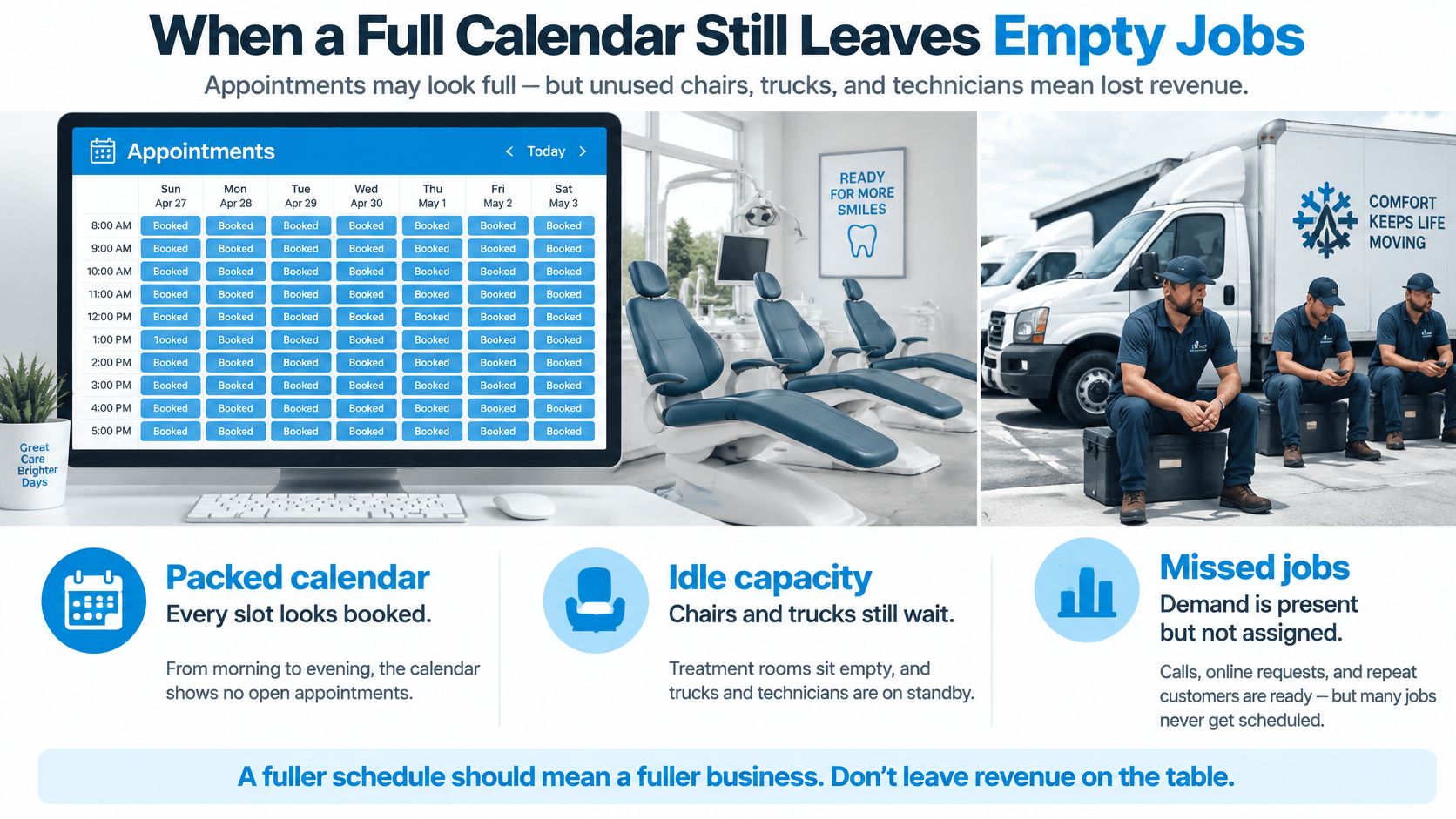
When a Full Calendar Still Leaves Empty Jobs
At the dental front desk, Monday's schedule looks full. The hygienists are assigned, rooms are reserved, and patients have chosen their times. Then one patient doesn't arrive, another cancels late, and a third never confirms. A chair stands empty while staff scramble to call the waitlist.
An HVAC dispatcher faces the same problem in a different setting. The calendar shows a full day of estimates, but a missed visit leaves a technician waiting and a job unassigned. Customers still need service, yet the business can't fill the opening if it doesn't learn about it soon enough.
The review cited above shows the scale of the problem. Its regional variation warns against adopting a single no-show assumption across locations or service types, and two of its frequently reported predictors carry practical weight: longer lead times and a history of missed appointments. A booking made far ahead often needs different follow-up than a near-term visit.
That gap matters because a calendar that logs bookings without recording outcomes works like a till that counts orders but never payments. The numbers look busy while revenue goes missing.
Audit the week before replacing software
Take one week of appointments and compare scheduled hours with completed visits. Note the lead time for each booking and how it arrived: online form, phone call, or a staff member scheduling during a visit. If phone bookings sit in a separate notebook while online bookings fill the calendar, your attendance record splits in two, and neither half tells the whole story.
Then check whether missed appointments land in the customer record at all. If yesterday's no-show is only a scribble on a sticky note, the next scheduler may offer the same customer a slot without knowing the history.
Ask one more question: what could have happened if the opening had stayed visible? Could the office have offered it to a waitlisted patient, or could the dispatcher have assigned a nearby job to the idle technician? This review separates a full-looking calendar from usable capacity.
Practical rule: Track no-shows, lead time, booking channel, and prior attendance before you change the booking page. The calendar can only support better decisions when it records what actually happened.
What an Appointment Booking Calendar Really Manages
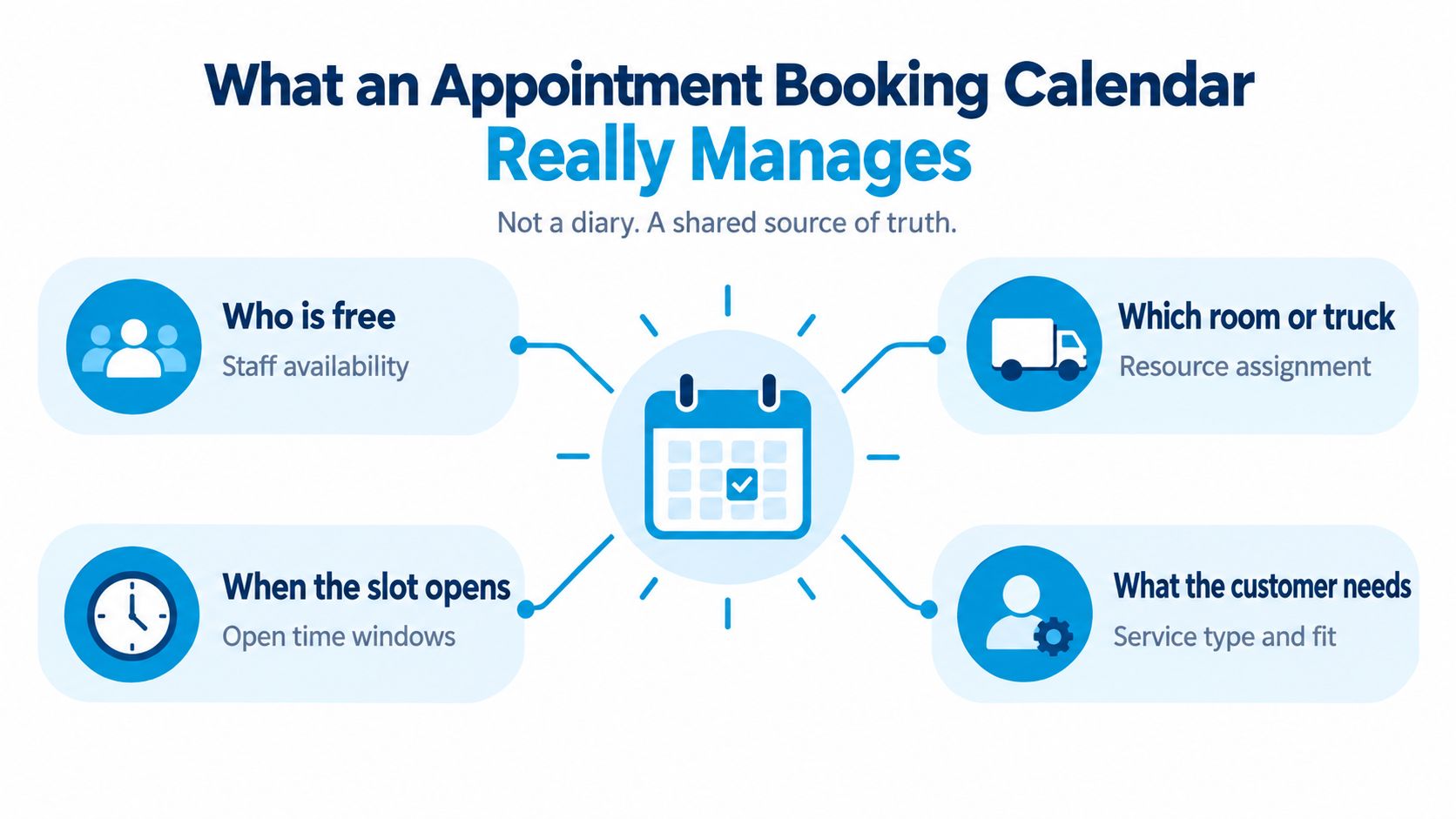
A calendar can show every slot as booked and still leave work unfinished. Its job is to help a service team decide who will attend, which staff and resources are needed, and whether a visit happened. When online bookings, phone calls, and live-agent bookings all update the same appointment record, the calendar becomes a shared source of truth rather than a display of open times.
Put resources and service fit on the same record
Consider a clinic appointment. A patient books a visit, but the appointment also needs the right clinician, room, duration, and preparation details. A home-service job may need a qualified technician, a vehicle, equipment, travel time, and the service address. The calendar record connects the requested time to the resources required to deliver the service.
Now compare two bookings for the same dental visit. One comes through online appointment booking for families; the other comes by phone and is entered by a receptionist. Both should create or update an appointment with the same customer details, service, time, and status. If the phone booking lives only in a separate list, staff can mistake an occupied slot for an opening.
That shared record also helps the team measure attendance by booking channel. If staff record whether a visit was booked online, by phone, or with a live agent, then record whether the customer attended, the business can compare outcomes across channels. That comparison helps identify where follow-up or booking procedures need attention. Online self-service can make booking easier, but it does not by itself prevent missed visits.
Working rule: Every booking channel should update one appointment record, and staff should record the visit outcome there. That gives the team a reliable history of what was scheduled and what happened.
Integrations That Keep One Shared Schedule
A CRM, a calendar, and a phone system may all touch the same appointment. Treat them as writers to one event, not as separate schedules that happen to contain similar details. When those records drift apart, staff can promise a time that another system still shows as occupied.
Interoperability standards help systems exchange calendar information consistently. iCalendar represents events, to-dos, free/busy information, and scheduling metadata without tying those records to one vendor. iTIP adds the actions used to request, accept, modify, reschedule, and cancel appointments. CalDAV extends the model for calendar access and scheduling operations, including server-side reads and writes. (iCalendar standards and specifications)
Make the event identifiable and updateable
Suppose a receptionist books an appointment through a phone system, but the calendar write times out. If the system retries by creating a new event instead of updating the original, staff may see duplicates. If the failed write disappears from view, the public booking page might offer the same slot again.
A reliable integration keeps a stable event identifier and preserves the organizer, attendees, time zone, recurrence rules, status, and cancellation state. Retries should update the same appointment, and failed writes should remain visible for staff to reconcile. These details let the CRM, calendar, and booking channel agree about whether a visit is active, changed, or canceled.
For a multi-location company, a slot isn't free just because one employee's calendar is blank. Availability may depend on staff time, room or vehicle assignment, travel buffers, service duration, and overlapping holds. If an AI or human receptionist offers 2:00 p.m. because a failed write didn't reach the shared schedule, the customer may receive a confirmation for a visit the team can't deliver.
A company running classes or social events can apply the same coordination principle when checking swing event resources from Danza Academy: participants need clear event information, while organizers need a schedule they can maintain consistently. For business systems, use this calendar integration guide as a starting point for evaluating how records move between tools. The key question isn't whether two systems claim to connect. It's whether they preserve the same event through booking, changes, retries, and cancellation.
Setting Hours, Buffers, and Conflict Rules
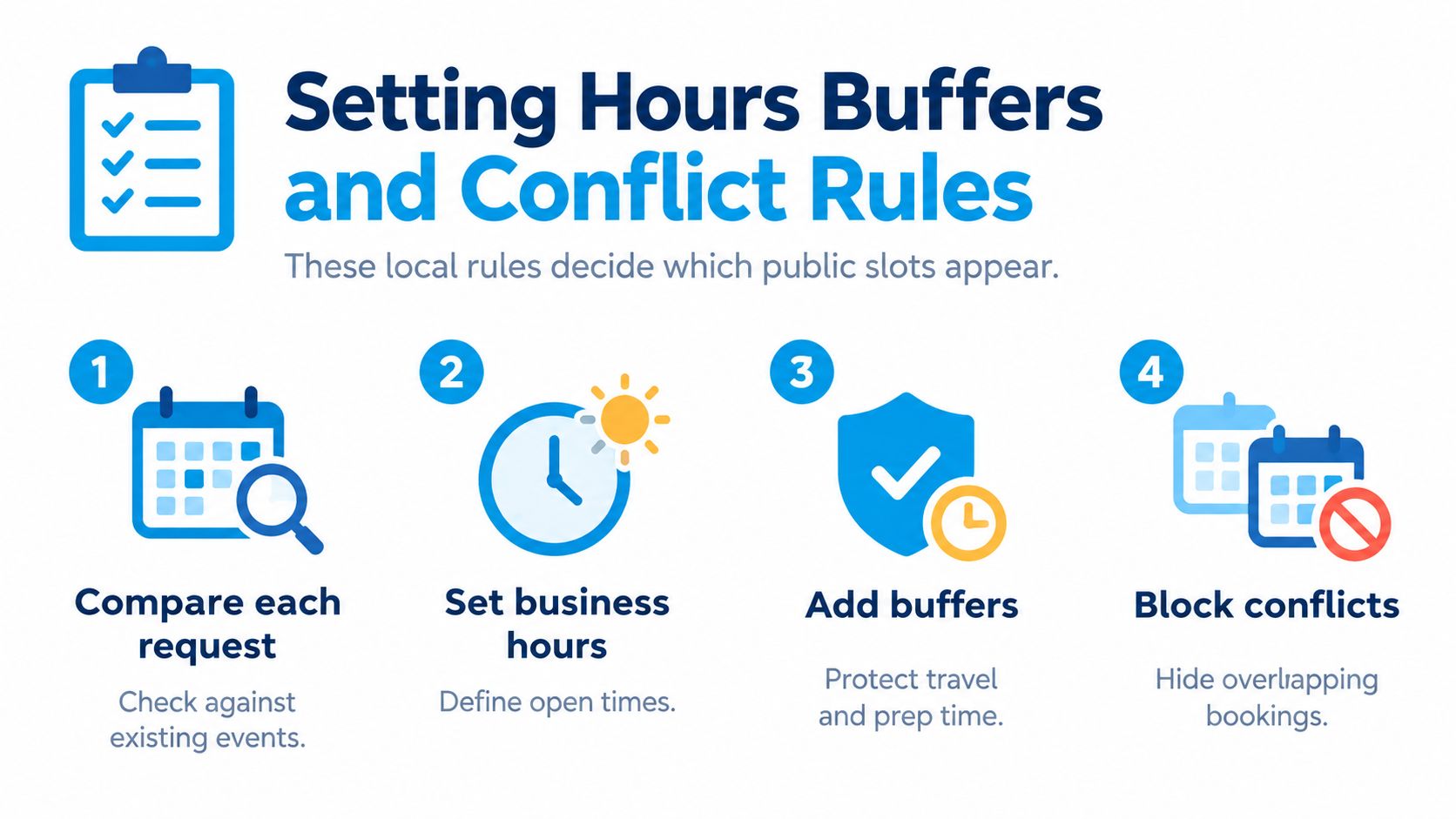
A public booking page should show only times that the business can serve. Before it offers a slot, the calendar needs to compare the requested time with existing events and the working hours assigned to the relevant person or resource.
Consider a plumbing company that works weekdays from 8:00 a.m. to 5:00 p.m. A customer books a 10:00 a.m. estimate. When the booking is added to the owner's calendar, that time should disappear from the public page automatically. Google Calendar's appointment schedules use working hours and place booked appointments on the owner's calendar, helping prevent a second customer from selecting the same opening. (Google Calendar appointment scheduling)
Set rules that reflect the work
Start with the hours the business can reliably fulfill, then set each service's duration. A quick inspection and a larger repair shouldn't automatically use the same booking length. Add time for travel, preparation, cleanup, or a job that runs long, and assign separate availability to resources such as the technician and vehicle when both must be free.
If a customer begins a booking but doesn't finish, consider a temporary hold that expires rather than leaving the slot blocked indefinitely. The precise rule depends on the service, but it should be clear to the customer and visible to staff.
Test the setup with three situations before publishing:
- Normal booking: Book an open slot and confirm it appears on the staff calendar and disappears from the public page.
- Overlapping event: Add a personal event or internal meeting, then verify the page hides the conflicting time.
- Same-day change: Move an appointment and check that the original slot reopens only when it's available.
Don't rely on a manual edit to make these tests pass. A dependable setup keeps the public page and staff calendar aligned as bookings are made and changed. The plumbing dispatcher should be able to see that the estimate is booked, the technician is assigned, and any travel block still fits.
Booking Examples for Service and Care Teams

A plumbing customer opens the booking page for an estimate. The page offers only weekday openings within the company's service area and long enough for the job. The customer selects 10:00 a.m., the appointment lands on the dispatcher's calendar, and the public page removes that opening. The record captures the address and access notes, so the technician can plan the visit rather than calling back for basics.
A dental patient books a visit that requires intake forms. The practice sends reminders 7 days, 48 hours, and 2 hours before the appointment, using additional reminders for patients with a history of missed visits. The calendar record includes intake status, letting staff spot incomplete preparation before the patient arrives. Google Calendar appointment schedules support up to five reminders, though their reminder email wording can't be edited. (Google Calendar appointment schedule reminders)
Turn a missed visit into a new booking opportunity
An HVAC customer misses an inspection. Rather than leaving a note that the visit was skipped, the team sends a rescheduling message within one business day, offers three new time slots, and gives the customer a direct way to choose one. The calendar records the recovery slot the customer picked, not just the fact that the original appointment was missed.
In a randomized study, 22.2% of patients sent an electronic rescheduling message within one business day of a missed appointment attended a follow-up within 30 days, compared with 11.6% who received only a mailed letter. Among patients who read the portal message, follow-up attendance was 28.4%. (Study of electronic rescheduling after missed appointments)
The same pattern works for a cleaning visit, legal consultation, or insurance appointment: offer a valid time, match it to the right resource, and capture the next action. Teams planning clinical workflows can also review this guide to appointment scheduling in healthcare. The interface differs by service, but the operational record should always show what was booked and what the customer needs to do next.
A short walkthrough can help teams see how those booking steps fit into daily operations:
Reminder Workflows That Recover Missed Visits
A reminder workflow is a series of decisions, not just messages. Record whether the customer confirmed, requested a change, canceled, or did not respond. That status gives the team a clearer view of likely attendance than a sent-message log alone.
A controlled digital-health study found a 19.0% no-show rate among people who confirmed 24 hours ahead, compared with 51.6% among those who did not confirm. (Study of appointment confirmation and no-shows) A separate outpatient study reported no-show rates of 13.6% with staff reminders, 17.3% with automated reminders, and 23.1% without reminders. (Outpatient study comparing reminder methods) These results make a useful distinction: confirmation and reminder delivery are different signals, and neither guarantees attendance.
Escalate according to risk and response
For example, if a customer has not replied to a text by the confirmation deadline, the calendar can flag the booking for a call or staff review. Start with a confirmation when the appointment is booked, then send a reminder near the visit. Set the next action according to the service and the customer's response, rather than treating a successful message delivery as a confirmed appointment.
A trial involving 59,994 high-risk patients found that adding an automated interactive voice-response call to text reminders changed the no-show rate from 11.3% to 9.6%. Another randomized outpatient study found that calls made seven days before appointments to patients predicted to be at high risk reduced no-shows to 22.8%, compared with 29.2% in the control group. (Trial of targeted calls for patients at high risk of nonattendance) A second channel may help when a first message gets no response, but teams should compare results across their own services and customer groups.
Close the loop after a missed visit
For example, after a missed consultation, send a rescheduling offer within one business day with a few available times. If the customer chooses one, update the calendar with the new slot and retain the original appointment's missed status. This keeps the next visit visible without confusing it with the one that was missed.
A guide to appointment reminder systems can help teams map message timing and follow-up actions. Log when each reminder was sent and whether the customer acknowledged it, then report no-shows by service, lead time, channel, and customer segment. Those comparisons show where a call may help when texts go unanswered, or where booking friction may need attention. For customers seeking urgent dental care, Prosth & Co. urgent dental care is an example of service information that can direct them to an appointment.
Choosing a Calendar With a Human Fallback
A two-truck plumbing company publishes its openings online and still answers the phone during business hours. A customer books a Tuesday slot on the website. Another calls because she needs a Spanish-speaking dispatcher, and the agent books the same Tuesday window from the same availability. Both appointments land on one record, and nobody reconciles two lists at closing time. That is the standard to hold a calendar to: customers can book online, while phone, SMS, and live-agent appointments create the same synchronized record.
Access decides whether that standard holds. In a 2025 study of an online government booking system, respondents said the system could disadvantage people who are illiterate, and offering booking in all 11 official languages was viewed as a way to improve accessibility. A 2025 review of Swedish eHealth access found that people with impairments, including language impairment, had more difficulty booking online and used online booking less. (Research on accessibility and online booking)
A calendar that treats every channel as an input to one record also gives you something self-service alone cannot: a way to compare attendance by channel. If phone bookings and web bookings share an event history, you can see which route each customer took and whether either one produces more missed visits for a given service.
Compare channels by customer need
| Channel | Best fit | Main risk | Fallback |
|---|---|---|---|
| Self-service page | Customers who can choose a service and slot independently | The booking flow may be difficult to use or may not capture important details | Offer phone or assisted booking that writes to the same record |
| Phone booking | Customers who need help choosing a service, language support, or clarification | Staff may rely on a separate list or overlook a calendar conflict | Use live availability and save the call booking to the shared calendar |
| Hybrid booking | Businesses serving customers with different needs and preferences | Multiple channels can create duplicate appointments if records don't sync | Keep one event history and give staff clear escalation rules |
A lower share of online bookings can still mean better access if customers can get help without repeating information or creating a second appointment. When assessing an AI answering service, check whether it can book against live availability, keep phone and web appointments on the same record, and pass unusual requests to a person.
Recepta.ai is a 24/7 AI receptionist with human escalation that answers inbound calls and books appointments into a connected calendar.
Choose one service line, book the same slot by web and by phone, and verify that both routes create one event before rolling out the calendar more widely. That test tells you whether customers can reach the business in the way that works for them without leaving staff to reconcile competing schedules.
Set up Recepta.ai to handle appointment calls, capture customer details, and keep phone bookings connected to your calendar. Visit Recepta.ai to see how a shared booking record can support both self-service and human-assisted scheduling.