AI Contact Center Solutions That Deliver Results
The most popular advice about AI contact center solutions is to automate more calls and shorten handling time. That's the wrong starting point. Buy a system that completes useful work accurately, recognizes its limits, and gives callers a dependable route to a person. A fast conversation that creates the wrong appointment or strands an upset customer isn't an efficiency gain.
Why Contact Center AI Needs a Better Success Metric
A homeowner calls a plumbing company about water spreading across the kitchen floor. Nobody answers, so they leave a message and call again. An automated receptionist answers the second attempt, collects their details, and records a routine appointment request instead of alerting dispatch.
The dashboard might show a completed interaction with no human involvement. The homeowner still hasn't reached someone who can help. Containment measures whether automation retained the interaction, not whether the business delivered an appropriate outcome.
That distinction matters when calls involve urgency, distress, ambiguous requests, or regulated decisions. Although 98% of surveyed contact centers reported using AI, 61% said customer conversations had become more difficult because AI struggled with complex or emotionally charged interactions, according to Calabrio's contact-center research announcement.
Measure the work completed
Evaluate AI as a monitored sociotechnical system: software, business records, operating rules, and people working together. Your scorecard should connect each interaction to a customer outcome.
- Completed bookings: Was the appointment created for the correct service and location?
- Accurate lead capture: Can staff act on the information without calling back to correct it?
- Transfer quality: Did the caller reach an appropriate person with useful context?
- Customer confidence: Did the caller understand what happened and what comes next?
- Safe escalation: Did the system stop when human judgment became necessary?
Use first-call resolution as an outcome lens, rather than treating a short call as proof of success. Review repeat contacts and unresolved complaints alongside speed.
The distinction is straightforward.
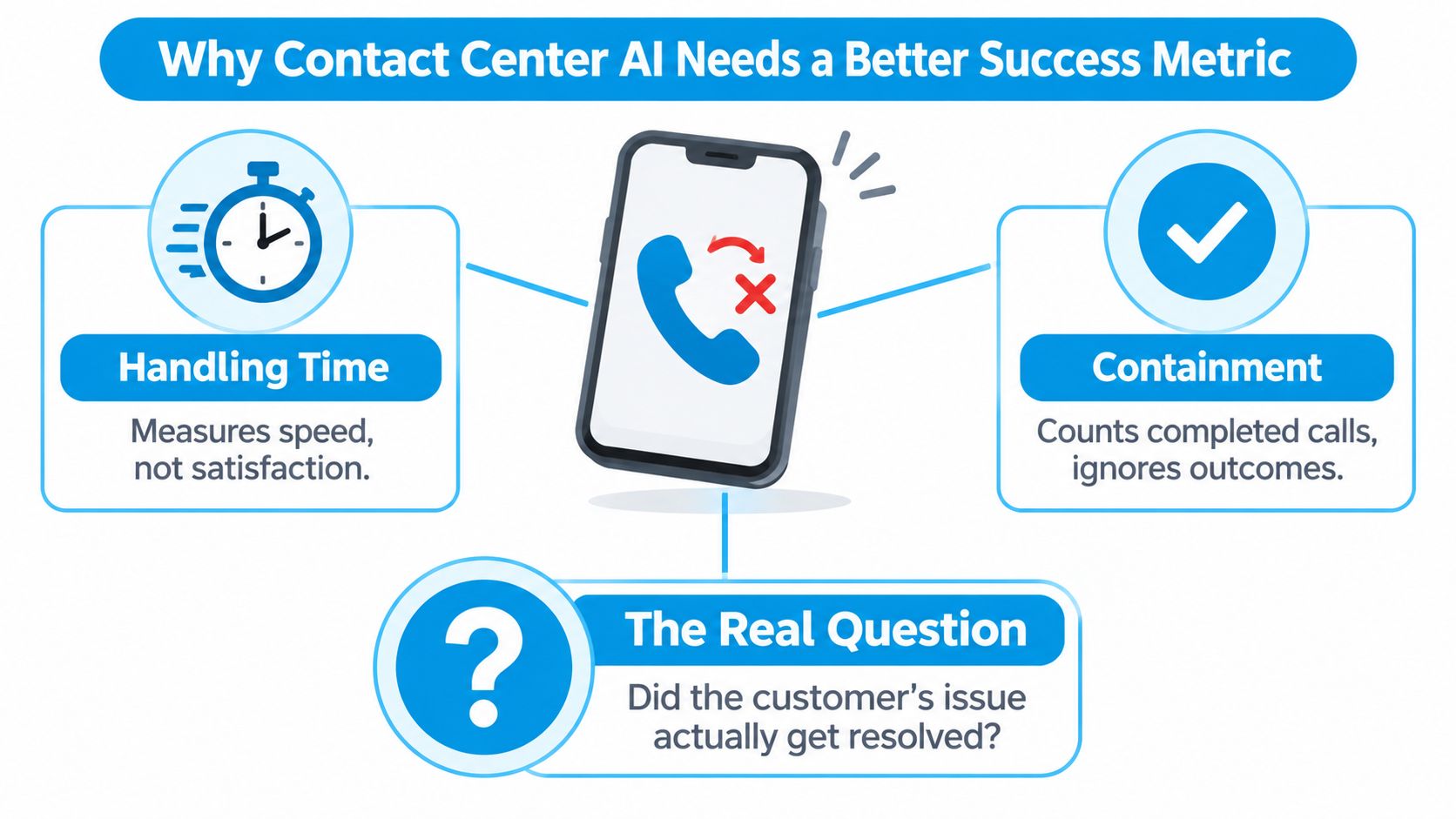
Practical rule: Count a call as successful only when the promised business action is verified or an appropriate human accepts responsibility.
Understanding AI Contact Center Solutions
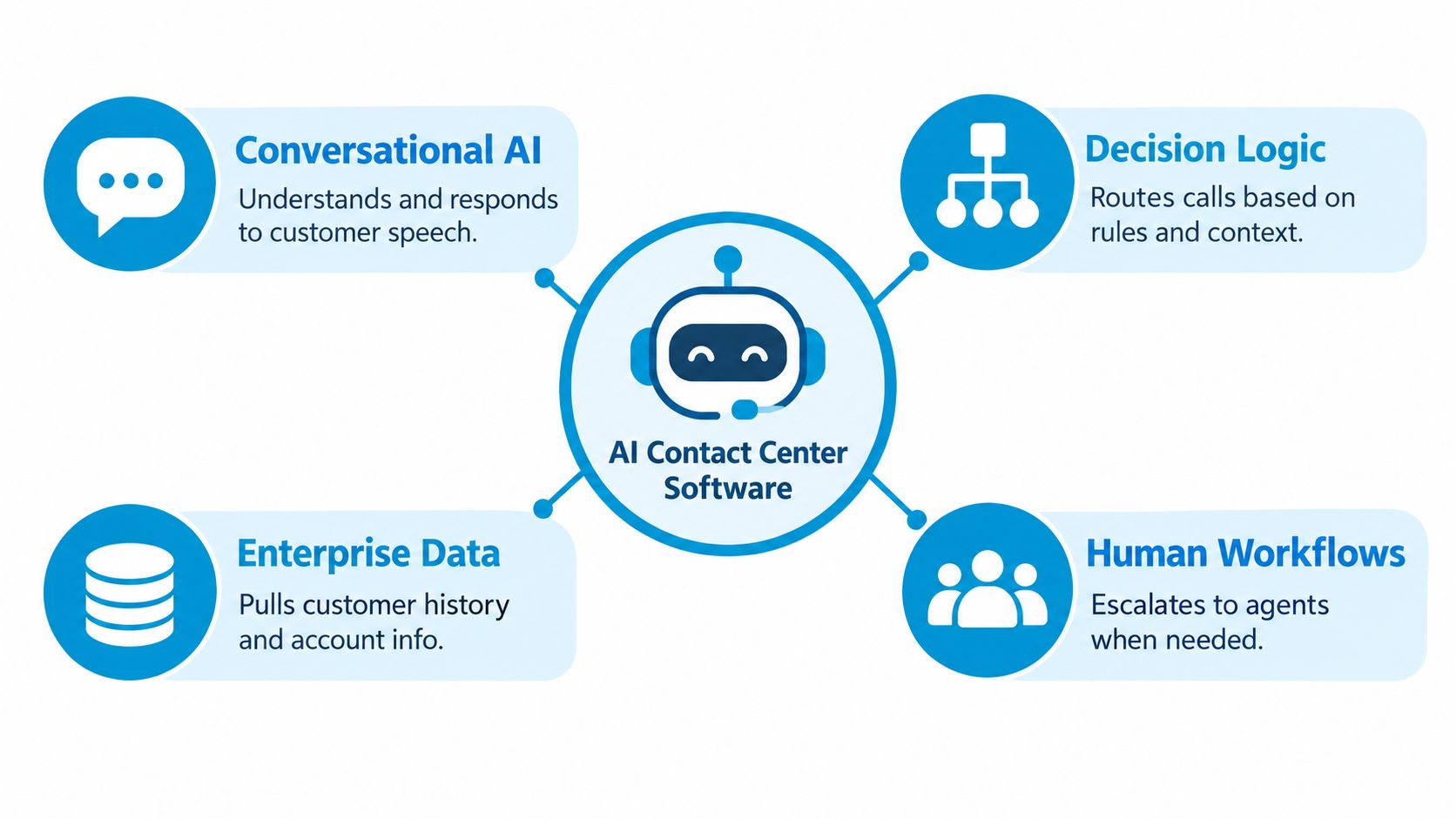
AI contact center solutions combine conversational AI, decision logic, enterprise data, and human workflows to handle or support customer interactions. Think of an office receptionist who can answer a question, check an appointment calendar, collect an inquiry, and ask a colleague to take over.
The conversation is only the visible part. To book an appointment correctly, the system also needs service definitions, location rules, current availability, permission to create the booking, and a reliable confirmation from the calendar.
Interest in voice automation doesn't mean every organization has reached that level of execution. In Gartner's 2024 customer-service survey, 44% of leaders were exploring a customer-facing generative-AI voicebot, 11% were piloting one, and 5% had deployed one; 85% expected to explore or pilot customer-facing conversational GenAI during 2025. Those were reported plans, not proof that the planned deployments succeeded.
Separate the operating models
Buyers should distinguish customer-facing automation from tools that support employees or operate behind the scenes.
| Operating model | What it does | Appropriate buying question |
|---|---|---|
| Autonomous self-service | Handles an approved customer request | Which tasks can it finish safely? |
| Agent assistance | Retrieves information or drafts responses for staff | Can employees verify and use the suggestions? |
| Background automation | Updates records, sends notifications, or prepares summaries | Can we reconcile every action with its source? |
A voicebot isn't automatically a complete contact center platform. Likewise, an agent-assistance tool shouldn't be judged by how many calls it handles independently.
For a broader perspective on organizing automated service workflows, the SigOS customer service guide is a useful companion resource. Bring a workflow map to any platform review so you can distinguish the functions you need from features you won't use.
Treat business knowledge as operating infrastructure
The system needs maintained instructions, not just a fluent model. For a dental practice, that means approved appointment categories, location-specific opening hours, and clear boundaries around clinical questions.
Assign someone to approve changes before they reach callers. If a location stops accepting a service, the receptionist's knowledge and booking permissions should change together.
These components belong in the same operating design.
Explore the Core Capabilities That Matter
Follow the caller's journey when evaluating capabilities. A polished greeting tells you little about whether the system understands a changed request, chooses the correct destination, or finishes a business action.
Established AI use already extends beyond autonomous conversations. Deloitte's 2024 Contact Center Report found routing for agent-assisted chat in 74% of contact centers and routing for phone calls in 51%. Don't let a voice demonstration distract you from the routing and support functions your team may need more.
Test understanding before execution
Start with conversational AI. Ask the vendor to demonstrate interruptions, background noise, varied accents, and callers who change their minds. A useful test is a homeowner who initially asks for maintenance, then explains that the equipment has stopped working and someone in the household is vulnerable.
Next, inspect intelligent routing. The system should consider the request, location, staff availability, and approved escalation policy. Require a visible explanation of the routing decision so supervisors can investigate mistakes.
Retrieval and agent assistance need a different test. Give the system conflicting or outdated documents and ask which policy applies. Staff should be able to identify the approved source behind a suggested answer, and supervisors should review generated summaries against the underlying conversation.
Core Capability Evaluation Matrix
| Capability | Business Outcome | Practical Test | Human Control |
|---|---|---|---|
| Conversational AI | Correctly understood requests | Interrupt, rephrase, and introduce ambiguity | Clarification and takeover rules |
| Intelligent routing | Appropriate destination | Call about an unavailable location or specialist | Supervisor-owned routing policies |
| Retrieval and assistance | Accurate, usable information | Present conflicting policy documents | Approved sources and staff review |
| Workflow automation | Confirmed business actions | Simulate a rejected calendar or CRM update | Restricted permissions and exception review |
| Analytics | Evidence of service quality | Trace a reported success to the final record | Human-reviewed outcome labels |
Workflow automation should come after those checks. Ask whether the calendar action succeeded, whether a CRM update reached the right record, and what happens when an integration times out. Sensitive actions should require explicit approval rather than relying on the model to decide that a request sounds reasonable.
For example, a scheduling assistant may propose an appointment, but it shouldn't tell the caller the booking is confirmed until the scheduling system accepts it. If execution fails, the system should describe the pending status accurately and create an owned follow-up task.
Finally, inspect analytics. A dashboard is useful only if supervisors can trace its labels to evidence. Combine automated reporting with a call monitoring software process that lets reviewers examine recordings, transcripts, actions, and outcomes together.
A vendor demonstration should include a failed action and its recovery, not just a successful conversation.
Require the vendor to show how staff correct classifications and summaries. Otherwise, your team may spend its time reviewing errors without a practical way to improve the workflow.
Apply AI Contact Center Solutions to Real Workflows
Use industry scenarios as acceptance tests, not as promises of results. In consumer wait-time research, 46.4% considered a hold unacceptable, while most respondents accepted waits of three minutes or less. Rapid answering matters, but your next question should be what happens after pickup.
For a plumbing business, the operating requirement is a clean path from answered call to dispatch decision.

Match automation to the risk
A plumbing company could use AI to capture the service address, callback number, and description of the problem. Apply a dispatcher-approved urgency policy, and transfer uncertain or urgent requests rather than letting the assistant improvise technical safety advice. Review dispatch acceptance and incorrect routine classifications.
A dental office could automate appointment requests, directions, and opening-hours questions. Symptoms, medication concerns, treatment questions, or unclear speech should move to trained personnel. Transfer the caller's request and scheduling information without presenting an automated interpretation as a diagnosis.
For a law firm, configure intake around approved administrative questions, such as the general matter type and preferred callback details. The assistant shouldn't assess legal merit, recommend legal action, or imply that representation has begun. Review whether staff receive enough accurate information to conduct their own intake.
Give each escalation an owner
- Insurance agencies: Capture a claim reference and arrange a specialist callback. Transfer disputed coverage questions with the caller's stated concern, not an invented coverage interpretation.
- Finance teams: Automate general appointment requests while keeping account-specific decisions with authorized staff. Measure misdirected requests and unauthorized disclosures.
- Real estate teams: Collect property interests and viewing preferences. Escalate negotiation, contractual, and financing questions without promising terms.
- Franchise operators: Resolve the correct branch before taking action. Pass location, service request, and any unresolved issue to that branch's named queue.
For teams translating these workflows into response commitments, the resource on how to hit SLAs with Sift AI provides additional workflow-automation context. Define ownership and completion evidence before attaching a service-level target.
Use the video below as a discussion prompt with staff: identify where your own process needs a handoff, confirmation, or exception queue.
Review abandonment after transfer, callback completion, and whether staff had to repeat intake. A transfer isn't complete merely because the system dialed another number.
Connect AI Workflows to Business Systems
An integration logo isn't proof that a workflow works. Require a demonstration using your record structure, booking rules, and failure conditions.
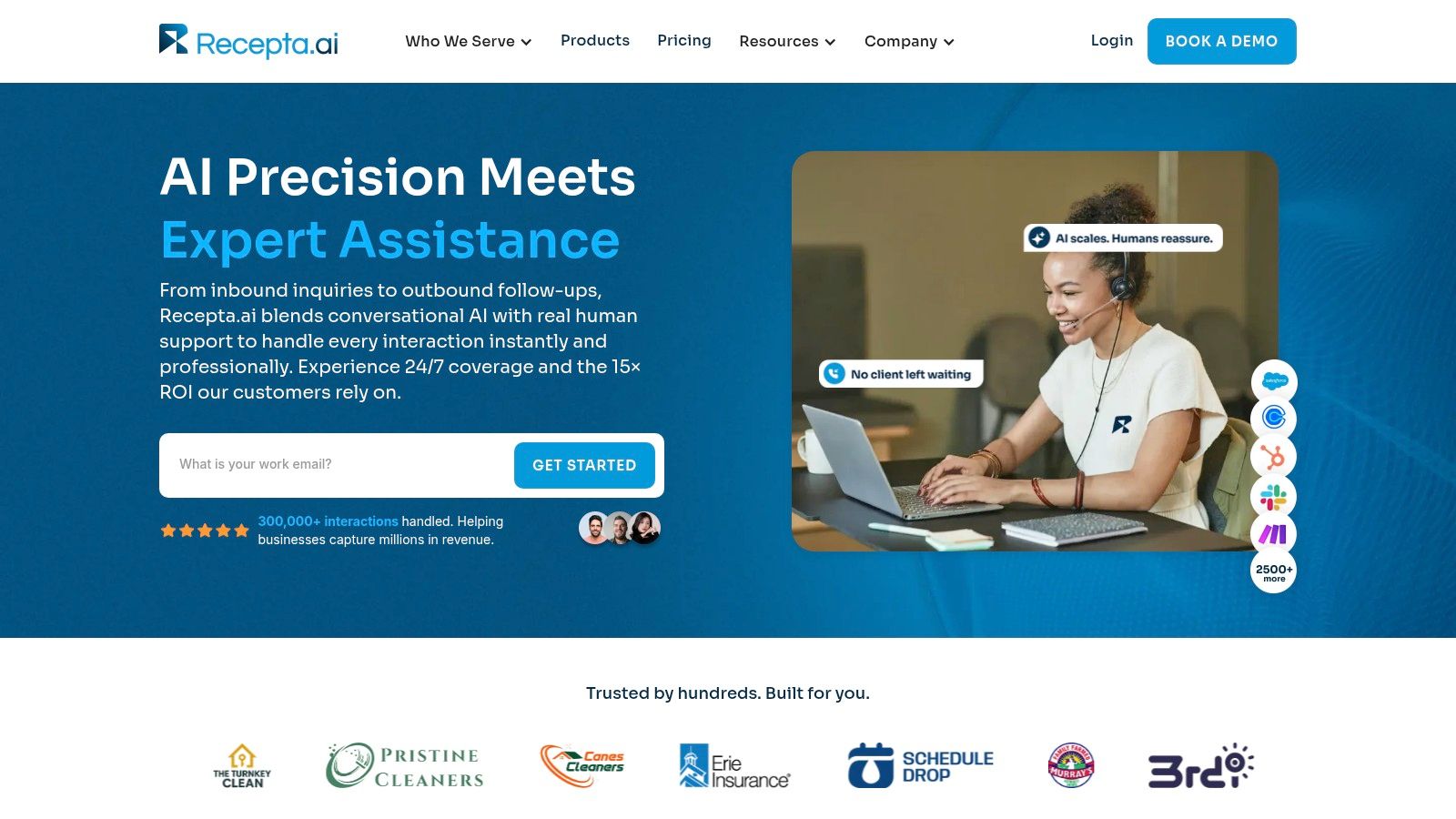
Recepta.ai is an AI receptionist option that combines inbound and outbound calls, scheduling, lead capture, follow-ups, and escalation to trained agents with connections to business tools. Evaluate that operating model alongside an assistance layer for existing staff or a broader contact center platform, depending on what you need to change.
The platform view is a starting point for an integration review, not a substitute for one.
Require evidence of consistent execution
For a multi-location HVAC business, ask the vendor to book a visit at the correct branch, write the lead into the CRM, notify the responsible team, and preserve the confirmed appointment reference. Then repeat the test with the calendar unavailable.
Your CRM telephony integration review should cover the details staff will otherwise have to repair manually.
- Calendar conflicts: What happens when availability changes during the conversation?
- Field mapping: Where do service address, location, consent status, and requested service go?
- Trigger behavior: Which event starts a reminder or follow-up, and how can staff stop it?
- Timeouts and retries: Can an interrupted request create duplicate appointments or messages?
- Record consistency: Which system is authoritative when records disagree?
- Transfer context: Can the receiving employee distinguish confirmed actions from pending ones?
Keep requested, pending, confirmed, and failed actions separate. A note saying the caller wanted an appointment isn't a booking confirmation.
Validate commercial claims against your workload
Treat vendor-reported lead improvements, savings, and returns as claims to validate, not universal forecasts. Ask how the vendor defines a qualified lead, what costs the comparison includes, and whether human exception handling is counted.
For your own business case, reconcile the call record with the calendar, CRM, and staff workload. An assistant that captures more inquiries but leaves employees fixing records may not deliver the operational value you expected.
Evaluate Security, Compliance, and Reliability Controls
Fluent speech isn't evidence of safe execution. For healthcare, legal, insurance, and finance workflows, evaluate the system's permitted actions and review process before judging its conversational style.
NIST's AI Risk Management Framework calls for documented test sets, metrics, evaluation tooling, testing under deployment-like conditions, lifecycle validation, and defined human oversight. Apply that discipline to the whole service, including integrations and staff handoffs, rather than evaluating the model in isolation.
Compare controls, not assurances
| Selection criterion | Evidence to request | Reason to pause |
|---|---|---|
| Workflow fit | Results on your approved call scenarios | Only generic demonstrations |
| Integration | Action logs and recovery tests | Unexplained missing or duplicate records |
| Human control | Permission boundaries and takeover procedures | No practical override |
| Support | Named incident and escalation responsibilities | Unclear ownership during failures |
| Security and privacy | Access, retention, deletion, and authentication procedures | Broad access without justification |
| Reliability | Peak-load tests and stage-level timing | Average response time alone |
| Total cost | Implementation and ongoing operating responsibilities | Essential work excluded from the proposal |
For an insurance agency, allow the assistant to collect a claim number and schedule a licensed-agent callback, but direct payment or identity changes to a verified customer portal. The FTC's voice-cloning guidance warns about impersonation risks and states that AI robocalls aren't exempt from the Telemarketing Sales Rule. Don't authorize sensitive changes on the strength of a convincing voice.
Document recording notice, disclosure, authentication, and retention requirements with qualified advisers. Use a call recording compliance review to identify questions that depend on the jurisdictions and workflows involved.
Inspect the slowest interactions
Measure P50, P90, and P95 latency under expected concurrent call volume. Voice-agent guidance commonly treats P95 response latency below approximately two seconds as a reliability target, as described in Deepgram's business voice-agent guidance. Treat that as an engineering target to validate, not a guarantee of customer satisfaction.
Instrument speech recognition, orchestration, retrieval, integration requests, speech synthesis, and telephony delivery separately. A fast model can't compensate for a stalled calendar request.
Test interruptions, noisy audio, ambiguous instructions, and unavailable business systems. Compare the results with human-reviewed expected outcomes, and document where performance doesn't generalize.
Deployment gate: Don't grant production permissions until someone can explain how to restrict actions, transfer callers, and restore the previous workflow.
Assign an incident owner who can act without waiting for a model specialist. Keep a record of what failed, which customers or locations were affected, and what changed before normal operation resumed.
Choose and Deploy AI Contact Center Solutions
Start with the work your team can govern. A 2025 small-business report found that 72% of AI adopters cited integration and usage as challenges, while 70% cited data and privacy concerns, according to Service Direct's small-business AI report. Budget for those operating responsibilities before expanding the assistant's scope.
Establish a credible baseline
Use a four-week baseline, then compare AI-assisted and human-only operation against the same outcome definitions, an approach consistent with the practical evaluation guidance accompanying BenchmarkPortal's contact-center benchmark report. Record answer speed, abandoned calls, bookings, lead accuracy, transfers, repeat contacts, and resolution.
Separate location and call-type results. A business-wide average can conceal a branch where the scheduling rules are wrong or a call category that needs specialist handling.
Launch narrowly and assign responsibility
Choose an initial workflow such as after-hours appointment requests or routine lead capture. Write the operating rules before configuring the assistant.
- Map the request: Specify the information needed and the evidence that proves completion.
- Map the data: Identify where each field originates, where it goes, and who can access it.
- Set permissions: Distinguish read access, record creation, updates, and prohibited actions.
- Assign ownership: Name the people responsible for knowledge, integrations, quality review, and incidents.
- Define intervention: Set conditions for restricted permissions, human takeover, and rollback.
Test in a controlled environment before exposing callers to consequential actions. Include unavailable staff, changed appointment details, caller corrections, and interrupted integration requests.
During launch, review exceptions and a sample of apparent successes. Otherwise, your team may see obvious failures while overlooking incorrect actions labeled as complete. Train receiving employees to recognize pending actions and correct inaccurate summaries.
Calculate total operational value
Include implementation, integration, knowledge maintenance, staff training, monitoring, human support, and exception handling in total cost of ownership. Compare that cost with verified completed work and staff capacity released, not an optimistic estimate of calls deflected.
Before purchase, confirm the essentials:
- Evidence: The vendor can demonstrate your workflow and its failure recovery.
- Accountability: Your team knows who maintains each operational dependency.
- Control: Staff can inspect, correct, restrict, and stop automated actions.
- Economics: The business case includes ongoing work on both sides.
Expand only when the initial workflow meets your acceptance criteria. More automated call types should be an earned decision, not a launch objective.
Make a Practical Contact Center AI Decision
Choose AI contact center solutions by call risk, integration readiness, human availability, and measurable outcomes. Don't start with the longest feature list.
For a small practice or contractor, the sensible first use case may be routine intake with staff-owned follow-up. A multi-location operator may need to fix branch routing and inconsistent records before allowing automated booking. A professional firm with sensitive inquiries may benefit more from agent assistance than autonomous handling.
Use a simple decision check:
- Suitable work: Can you identify repeatable requests with clear completion criteria?
- Reliable execution: Can the system act on current business data without creating conflicting records?
- Human readiness: Can someone accept exceptions and resolve failures?
- Measurable value: Can you compare outcomes and total cost with your baseline?
If those answers aren't clear, fix the operating gaps before broad deployment. The right solution completes valuable work accurately while preserving customer trust and human accountability.
Recepta.ai offers AI receptionist workflows for call answering, appointment scheduling, lead capture, and follow-ups, with human support for interactions that need empathy or expertise. Visit Recepta.ai to discuss a narrow pilot, and bring your call scenarios, integration requirements, and success criteria so you can evaluate the service against real work.