CRM Telephony Integration: A Practical Setup Guide
Most CRM telephony integration advice starts with the connector. That's backwards. The connector is rarely the part that ruins a deployment. Bad call definitions, duplicate contacts, ambiguous ownership, weak retry handling, and unrestricted recordings turn a technically successful connection into a CRM full of unreliable activities.
A phone system should behave like an event source, not a recording cupboard. Every ring, answer, transfer, hold, hang-up, disposition, and recording event needs a defined destination, an owner, and a rule for what happens when the event arrives twice or not at all. The operational question isn't whether calls reach the CRM. It's whether each interaction becomes a complete, correctly attributed, actionable record.
Understanding CRM Telephony Integration and Core Capabilities
Computer Telephony Integration, or CTI, connects telephone systems with business software so voice activity can inform customer records in real time. A caller's number can trigger a screen pop, display open cases and previous interactions, and help the system route the call. After the conversation, the integration can write duration, direction, disposition, notes, and a recording reference to the right contact, lead, case, appointment, or activity.
That makes CRM telephony integration an operational data layer, not just a convenience feature. Without it, a sales representative may dial from one application, record notes in another, and leave the next employee to reconstruct the conversation from memory. With it, the business can preserve context from the first ring through the follow-up task.
What the operating layer actually does
The visible features are familiar:
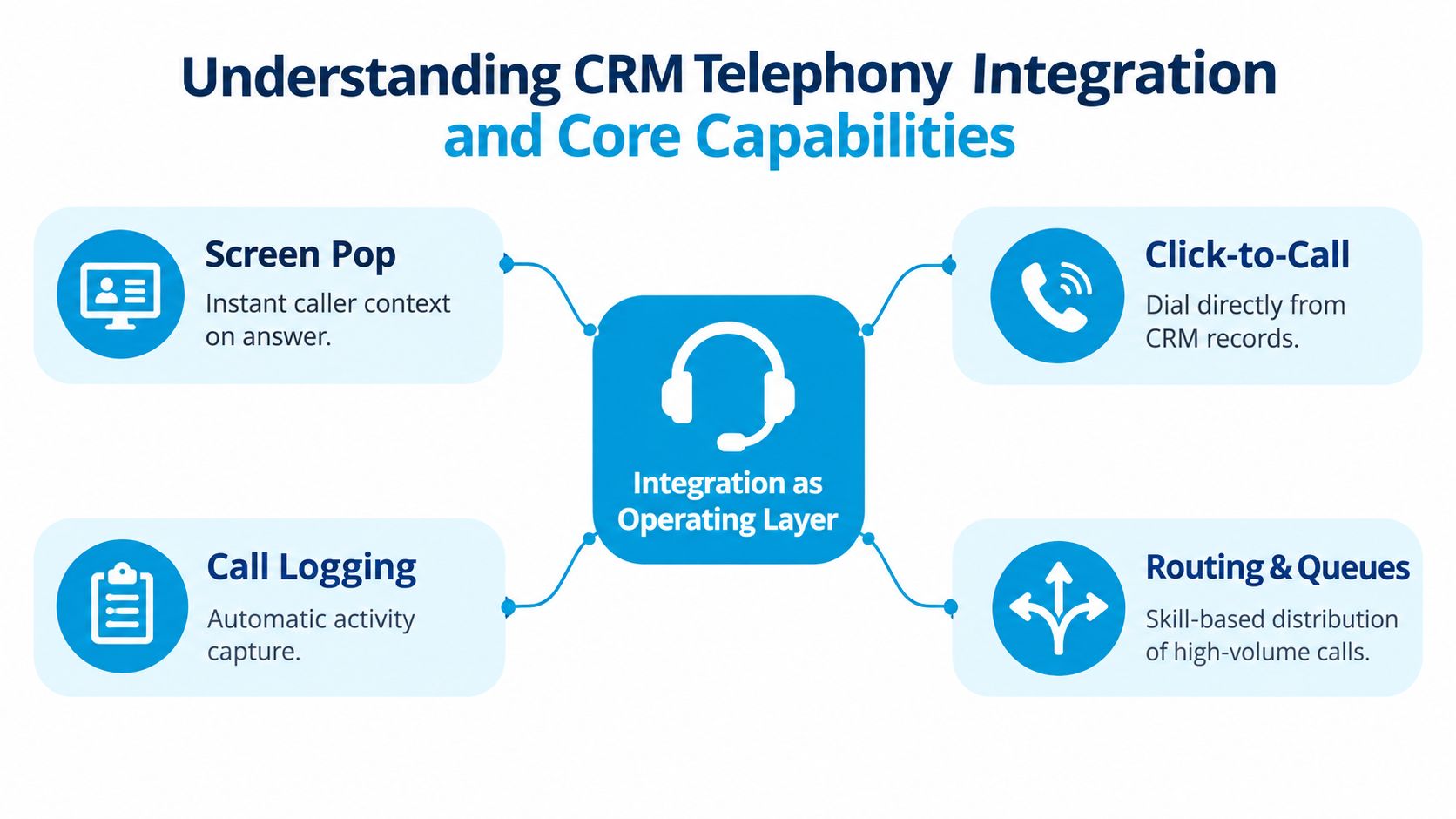
- Screen pop: Matches caller ID to a CRM record and presents relevant history when an agent answers.
- Click-to-call: Starts an outbound call from a contact, lead, opportunity, or case without rekeying the number.
- Automatic logging: Captures call metadata and attaches it to the correct CRM object.
- Routing and queues: Uses account status, service territory, open cases, or appointment information to direct the interaction.
The less visible function matters more. The integration preserves the relationship between a live conversation and the business process that follows. A missed call can create a callback task, a qualified sales conversation can update an opportunity, and a service call can attach to an open case rather than disappearing into a carrier log.
Industry estimates reported that more than 45% of modern contact centers had deployed CTI capabilities by 2024, while the global CTI software market was projected to reach $11.03 billion by 2034 at an 18.2% compound annual growth rate. These estimates are reported in market data on computer telephony integration software. The scale signals that telephony has become part of the operating infrastructure for high-volume customer teams.
For teams evaluating the fundamentals, what CRM integration means in practice provides useful context beyond phone calls. A deeper explanation of VoIP CRM integration that improves calls is also valuable when comparing screen pops, click-to-call, and activity synchronization.
Measuring the Operational Benefits of Connected Phone Systems
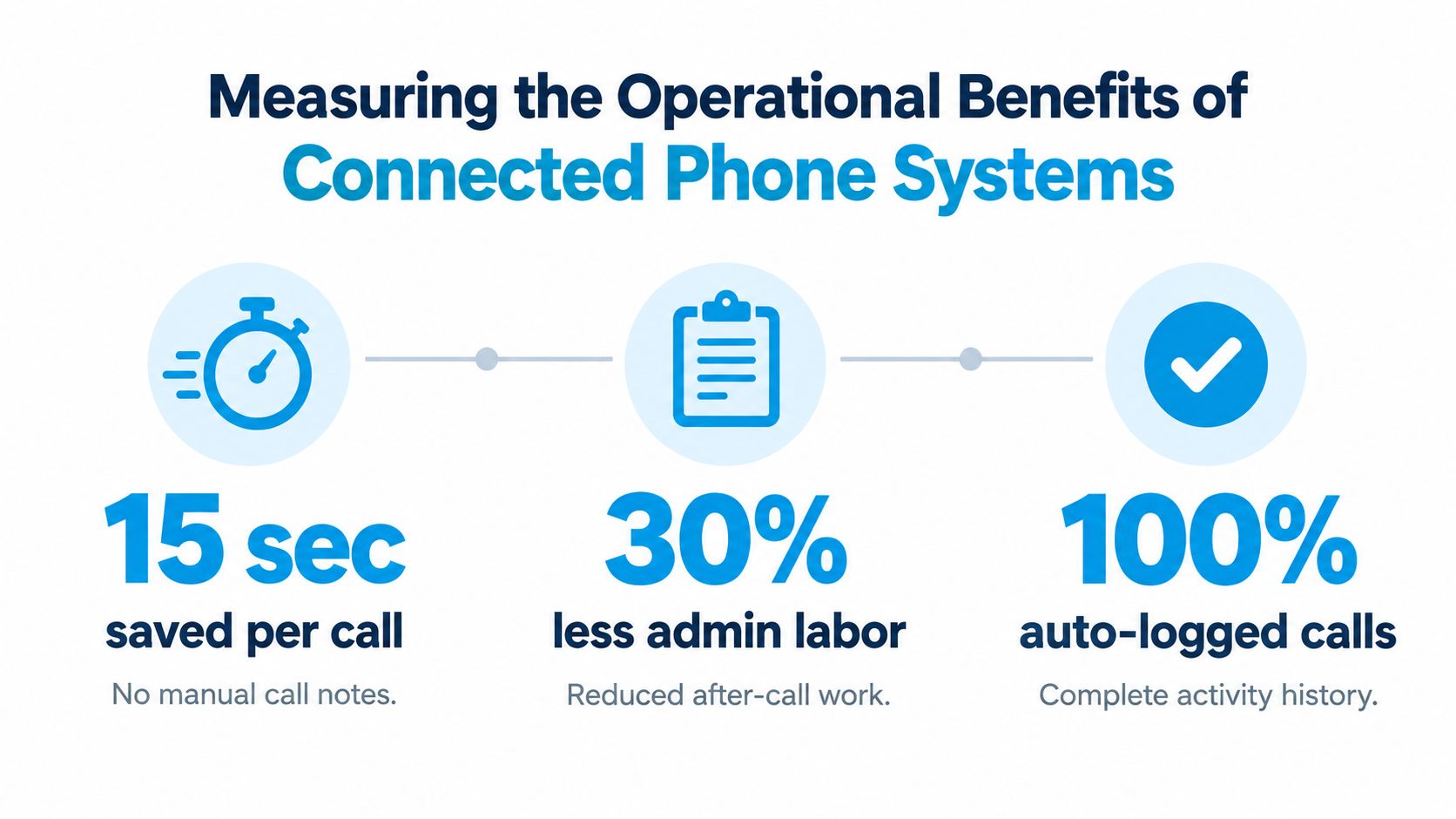
The first benefit to measure isn't call volume. It's the amount of work agents no longer perform after the call. Manual logging forces staff to remember the conversation, switch applications, find the correct record, type a summary, choose an outcome, and create the next task. Each step creates delay and another opportunity for inconsistent data.
A connected system can capture the mechanical fields automatically, then ask the employee only for the judgment that software can't safely infer. The agent might select booked, estimate requested, urgent escalation, wrong number, or follow-up required. Those structured outcomes produce better reporting than a free-text note such as “spoke to customer, needs callback.”
Use after-call work as the baseline
A cited benchmark reported that contact-center teams with full CRM telephony integration had after-call work 32% lower than teams relying on manual post-call entry. The same source described top-quartile after-call work as roughly 15% to 20% of total average handle time. These are benchmark claims, not promises for every deployment, and they should be validated against your own workflow in the reported after-call-work benchmark.
A practical measurement plan compares the same workflow before and after automation:
- Record how long agents spend documenting a completed call.
- Separate actual customer work from CRM navigation and typing.
- Track whether the activity contains an owner, outcome, next step, and related record.
- Compare the percentage of calls that produce complete records after launch.
- Review missed calls and callbacks separately from connected conversations.
This distinction prevents a common mistake. An integration may reduce typing while still losing unknown callers, transfers, or calls answered on mobile devices. A lower administrative burden is useful only if the resulting records remain trustworthy.
Design reporting around decisions
Managers rarely need a dashboard showing that calls exist. They need to know which calls require action. A disposition taxonomy should therefore connect directly to workflows:
| Call outcome | CRM action |
|---|---|
| Booked | Confirm the appointment and assign ownership |
| Estimate requested | Create a sales or service follow-up task |
| Urgent escalation | Notify the responsible manager or queue |
| Wrong number | Preserve the event without treating it as a lead |
| Follow-up required | Set a due date and named owner |
Automatic summaries can reduce note-taking, but they shouldn't replace structured outcomes. A summary explains what happened. A disposition tells the CRM what to do next. Keep both when the use case justifies them, and restrict the summary's visibility when it contains sensitive information.
The strongest return-on-investment calculation combines saved documentation time with recovered follow-up work. Review a sample of records after launch and ask whether another employee could understand the customer's situation without opening the phone platform. If the answer is no, the integration has automated entry, not improved operations.
Comparing Architecture Options for Voice and Data Sync
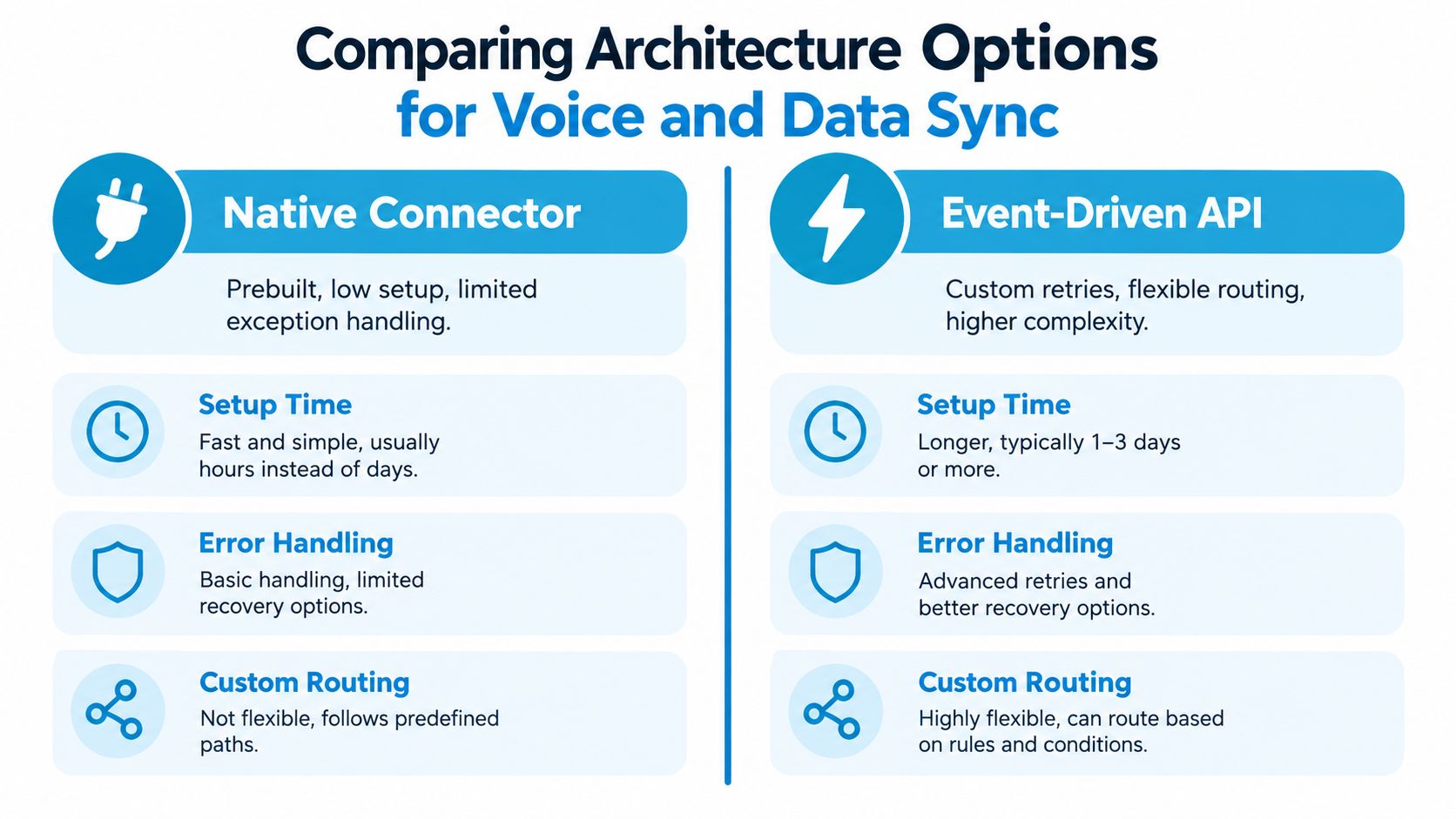
Architecture determines whether the integration survives ordinary exceptions. A native connector may connect a telephony provider to Salesforce, HubSpot, or another CRM quickly, but speed can come with limited field mapping and weak handling for transfers, duplicate events, and failed writes. An event-driven API and webhook design takes more engineering, yet it gives operations teams control over routing, retries, reconciliation, and audit trails.
Native connectors favor speed
A native connector is usually the sensible starting point when the workflow is conventional. It can provide screen pops, click-to-dial, standard call activities, and basic recording links without creating a long-term software maintenance obligation.
The trade-off appears at the edges. Ask whether the connector can:
- Handle transfers correctly: Does the final duration attach to the original interaction or create multiple incomplete activities?
- Map custom objects: Can a service call attach to a case, property, appointment, or location rather than only a contact?
- Retry failed writes: What happens when the CRM is unavailable during call completion?
- Separate machine status from business outcome: Can “no answer” remain distinct from “estimate requested”?
- Capture calls outside the CRM: Are desk-phone, mobile, and softphone events treated consistently?
If the answers are unclear, a quick deployment can create a slow data-quality problem.
Event-driven designs protect the record
In a production design, the telephony layer emits events such as inbound ringing, answer, transfer, hold, hang-up, disposition, and recording availability. Middleware then maps those events to CRM entities. For an inbound call, caller-ID matching can trigger a screen pop and use account status, open cases, service territory, or appointment metadata for routing.
For an outbound call, create a correlation ID before call initiation. The final event can then attach duration, direction, agent, disposition, notes, and recording reference to the correct activity, even if the call is transferred or bridged. A documented integration pattern should also define:
- A canonical call schema: The agreed fields and formats for every call event.
- Idempotency keys: Identifiers that prevent retries from creating duplicate activities.
- Webhook retry behavior: Rules for retry timing and maximum attempts.
- Dead-letter handling: A durable location for events that need investigation.
- Reconciliation jobs: Scheduled comparisons between telephony events and CRM activities.
This is why real-time data synchronization patterns matter. The receiving system needs more than a notification. It needs a reliable process for retrieving the authoritative record and applying changes safely.
A practical rule from CRM and telephony integration guidance is that a production integration should emit events such as inbound ringing and disposition, then map them to CRM entities using idempotency keys and webhook retries to handle events lost during network outages.
For teams assessing the difference between a connector and middleware, this video offers a useful visual introduction to the interaction between telephony events and business systems.
Choose the native path when its data model matches your operating model. Choose an event-driven API when ownership, routing, exception handling, or compliance requirements exceed the connector's controls.
Navigating Security and Compliance During Implementation
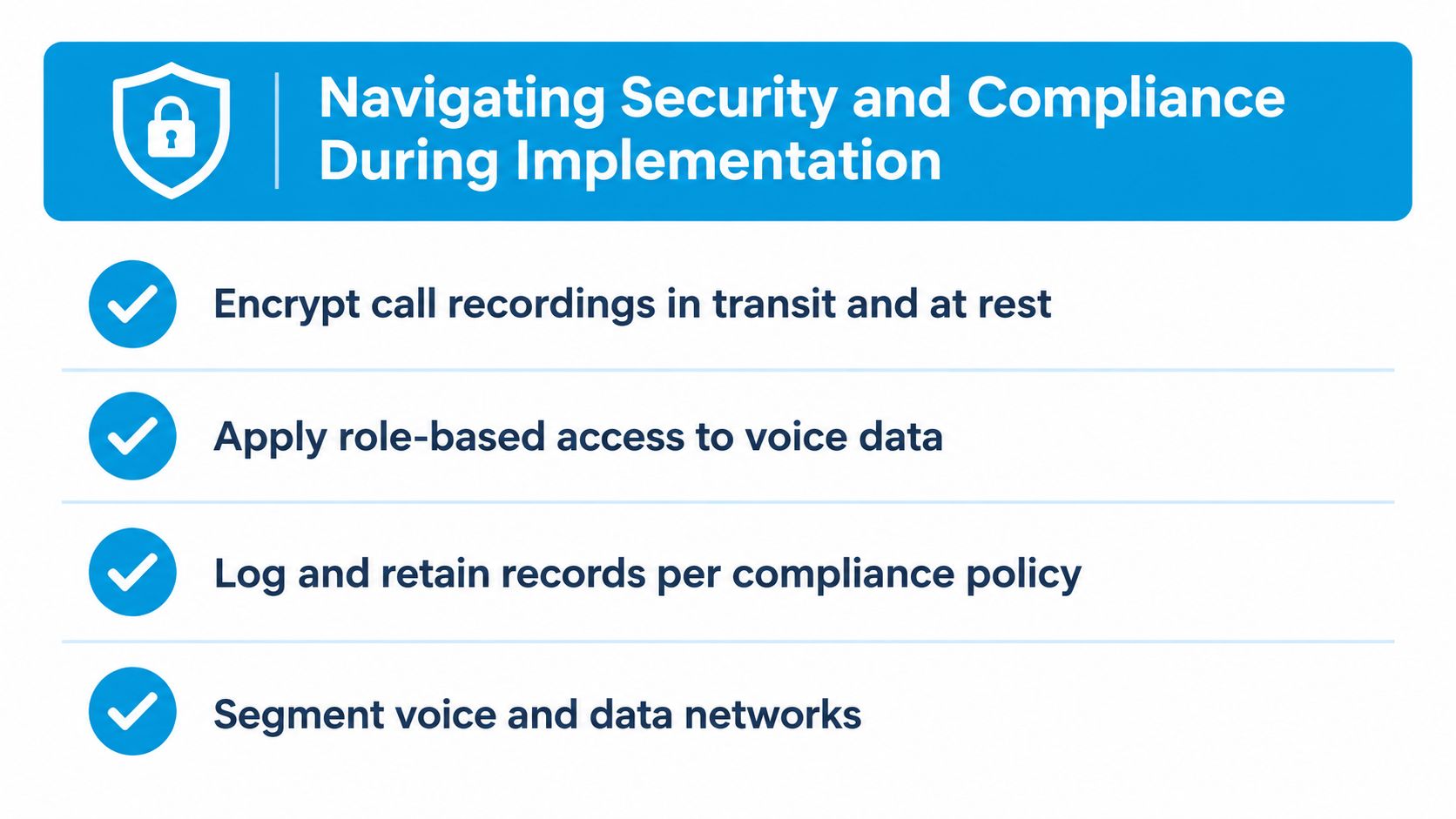
Voice data changes the security problem because the CRM and telephony system now share identities, metadata, recordings, and potentially sensitive conversation content. NIST identifies VoIP security as more complex than securing data-only networks, recommending TLS for SIP signaling, SRTP for media, and network segmentation to reduce the impact of credential theft and unauthorized disclosure. The guidance is documented in NIST's VoIP security publication.
Secure the transport and the identity
Protect signaling and media separately. SIP signaling should use TLS or SIPS, while voice media should use SRTP. Service-to-service authentication should use short-lived credentials or OAuth with least-privilege scopes, not a permanent administrative key shared across environments.
Network segmentation limits the blast radius if an account or endpoint is compromised. Session-border controls, restricted management access, and separate treatment for recording storage help reduce exposure to toll fraud, interception, and unauthorized disclosure.
The integration should also log access, not merely changes. Audit records should show who accessed call metadata, recordings, or transcripts, and when. Monitor webhook latency, event delivery, duplicate-event rates, recording-attachment failures, and CRM write errors so the security team can distinguish a policy violation from an integration outage.
Treat recording as a policy decision
Recording every call isn't automatically safer. It can preserve evidence, support training, and resolve disputes, but it also expands the volume of sensitive data that requires access controls, retention rules, residency decisions, and deletion workflows. A safer design may capture structured outcomes by default, record only justified interactions, redact payment or health information, and route exceptions to trained staff.
Build an industry-specific decision matrix before enabling recording:
- Caller disclosure: What does the caller hear before recording starts?
- Consent evidence: Where does the system store the consent outcome?
- Recording and transcript defaults: Which interactions require voice data, and which need only structured activity fields?
- Retention and deletion: Who can approve deletion, and how are copies in CRM and telephony storage handled?
- Role-based access: Can a manager see the activity without automatically hearing the recording?
- Cross-border storage: Where do recordings and transcripts reside?
- Refusal handling: What happens when a caller won't consent to recording?
For a more detailed operational checklist, review call recording compliance controls. The correct configuration depends on the industry, market, and legal advice applicable to the workflow. GDPR, CCPA-style privacy requirements, healthcare obligations, payment-security requirements, and local call-recording laws can overlap, so the integration team should document decisions rather than rely on provider defaults.
Applying Voice Integration Across Different Industry Workflows
The same event-driven foundation behaves differently depending on what the business promises to the caller. A home-service company cares about property history and dispatch ownership. A dental practice cares about appointment intent and patient privacy. A law firm cares about conflict-sensitive intake, matter ownership, and restricted access to notes and recordings.
Home services need context before dispatch
An HVAC workflow can match an incoming number to a homeowner, retrieve property and open-service history, classify the request as “no cooling,” create a follow-up task, and transfer the call to the appropriate dispatcher or technician. This pattern is described in the HVAC voice and CRM integration example.
The operational design should distinguish the property from the person. A shared household number may identify several contacts, while a property can have an open work order, service territory, warranty status, or assigned branch. If the system can't resolve the match confidently, it should present an account or property search rather than attach the call to an arbitrary individual.
After the call, the CRM should hold the intent, transfer destination, disposition, and next action. A recording can remain optional, especially when the structured activity provides enough information for dispatch and follow-up.
Healthcare needs controlled automation
A dental practice might receive a completed-call webhook containing a patient identifier, appointment intent, and outcome. If the patient asked to book but no appointment was created, the scheduling workflow can create a callback task for the appropriate team.
The event should carry only what the receiving workflow needs. A patient identifier and appointment outcome may be sufficient for scheduling. A full transcript may create unnecessary exposure, especially if it includes health details that the scheduling team doesn't need.
Teams evaluating voice automation for clinical administration can compare workflows such as AI voice agents for healthcare, while still validating consent, access, retention, and escalation requirements with their compliance and legal teams.
Legal and franchise operations require ownership rules
A law firm needs to route inquiries without exposing matter details to the wrong person. The CRM can create an intake activity, apply a practice-area or location rule, and assign a named owner. Recording and transcription should remain restricted unless the firm has documented a clear purpose and access policy.
Franchise and multi-location businesses face a different problem. A caller may use a shared number, move between branches, or contact a central office about a local appointment. The integration must decide whether the branch, the customer, the property, or the central queue owns the activity. A webhook can update the CRM, notify the assigned location, and start a follow-up workflow, but only if those ownership rules exist before launch.
Operational rule: Route the call first, but assign the record deliberately. A correct transfer with incorrect ownership still produces a broken customer history.
Avoiding Common Data and Configuration Pitfalls
More connectivity doesn't automatically create better information. An integration can synchronize every event and still make the CRM less useful if it writes short hang-ups, internal transfers, duplicate contacts, and unanswered attempts into the same activity stream as meaningful customer conversations.
The most dangerous phase is often the first week after launch. Users trust the screen pop, managers trust the dashboard, and nobody notices that unknown callers aren't creating follow-up tasks or that transferred calls are being attributed to the wrong queue.
Define the record before enabling write-back
Before the telephony platform writes to the CRM, agree on the data contract:
- Loggable calls: Decide how missed calls, abandoned calls, internal calls, callbacks, and transferred interactions appear.
- Unknown callers: Choose whether an unmatched number creates a lead, task, queue item, or nothing.
- Duplicate contacts: Define matching rules for shared numbers, alternate numbers, and repeat callers.
- Ownership: Specify who owns a record across branches, service territories, departments, and shifts.
- Authoritative systems: Decide whether the CRM, telephony platform, scheduler, payment system, or practice-management system wins when fields disagree.
- Disposition values: Separate machine statuses such as missed or busy from business outcomes such as booked or estimate requested.
A caller who hangs up immediately may belong in a missed-call queue, not as a completed sales activity. An internal transfer shouldn't inflate customer contact counts. A repeated call may need a separate event for audit purposes while rolling up into one customer-facing activity view.
Validate the carrier and the match logic
Unverified carrier or SIP configuration can cause missed events, failed transfers, and incorrect caller identity. Test inbound, outbound, busy, no-answer, transfer, bridge, voicemail, recording availability, and provider outage scenarios before expanding the rollout.
Independent research reports that 95% of IT leaders identify integration as a significant obstacle to effective AI implementation, with premature CRM write-back and unverified carrier configurations cited as common failure modes in enterprise voice integration guidance. The practical response is controlled write-back. Start with a pilot queue, inspect actual activities, and correct the taxonomy before enabling every team and number.
Data-quality test: Open a sample of customer records and read the timeline as if you weren't present for the calls. If the story is unclear, the automation needs governance before it needs more features.
Building a Reliable Integration Strategy for Long-Term Growth
A durable rollout starts with data definitions, not credentials. Normalize phone fields, resolve duplicate contacts, document ownership, and define the canonical call schema before any automated write-back. Then test the complete event path, including retries, duplicate delivery, failed CRM writes, recording attachment failures, transfers, and provider outages.
Use a phased sequence:
- Validate source data: Clean caller identity, contact ownership, account relationships, and location fields.
- Design the schema: Define required metadata for direction, duration, timestamps, agent, disposition, related record, and next action.
- Pilot one workflow: Start with one queue or business unit and review real CRM records.
- Measure event health: Monitor delivery success, webhook latency, duplicate events, failed writes, and unreconciled calls.
- Expand by exception: Add branches, departments, and automation only after the preceding workflow produces consistent records.
- Assign ongoing ownership: Give an operations owner responsibility for field definitions, dispositions, deduplication, and correction audits.
The metric that matters most is the percentage of interactions that become complete, correctly attributed, actionable CRM records. Call counts and recording totals can look impressive while missed callbacks and wrong ownership continue to cost the business.
Recepta.ai provides AI receptionist workflows that handle inbound and outbound calls, appointment scheduling, lead capture, follow-ups, summaries, and CRM synchronization, with escalation to human support when a conversation needs it. Visit Recepta.ai to assess how its voice workflows could fit your CRM governance model, then test the integration against your real call types, ownership rules, and compliance requirements.