Pest Control Business Management Software: Streamline Operations & Grow
If you're still running your pest control business with spreadsheets, whiteboards, and a mountain of paperwork, you know the daily chaos all too well. Pest control business management software is designed to replace that entire disjointed system with a single, intelligent command center for your whole operation.
What Is Pest Control Business Management Software?
Think of it this way: trying to manage your techs, customers, and scheduling with manual tools is like trying to direct traffic in a major city with just a map and a walkie-talkie. It’s a recipe for crossed wires, missed appointments, and frustrated customers.
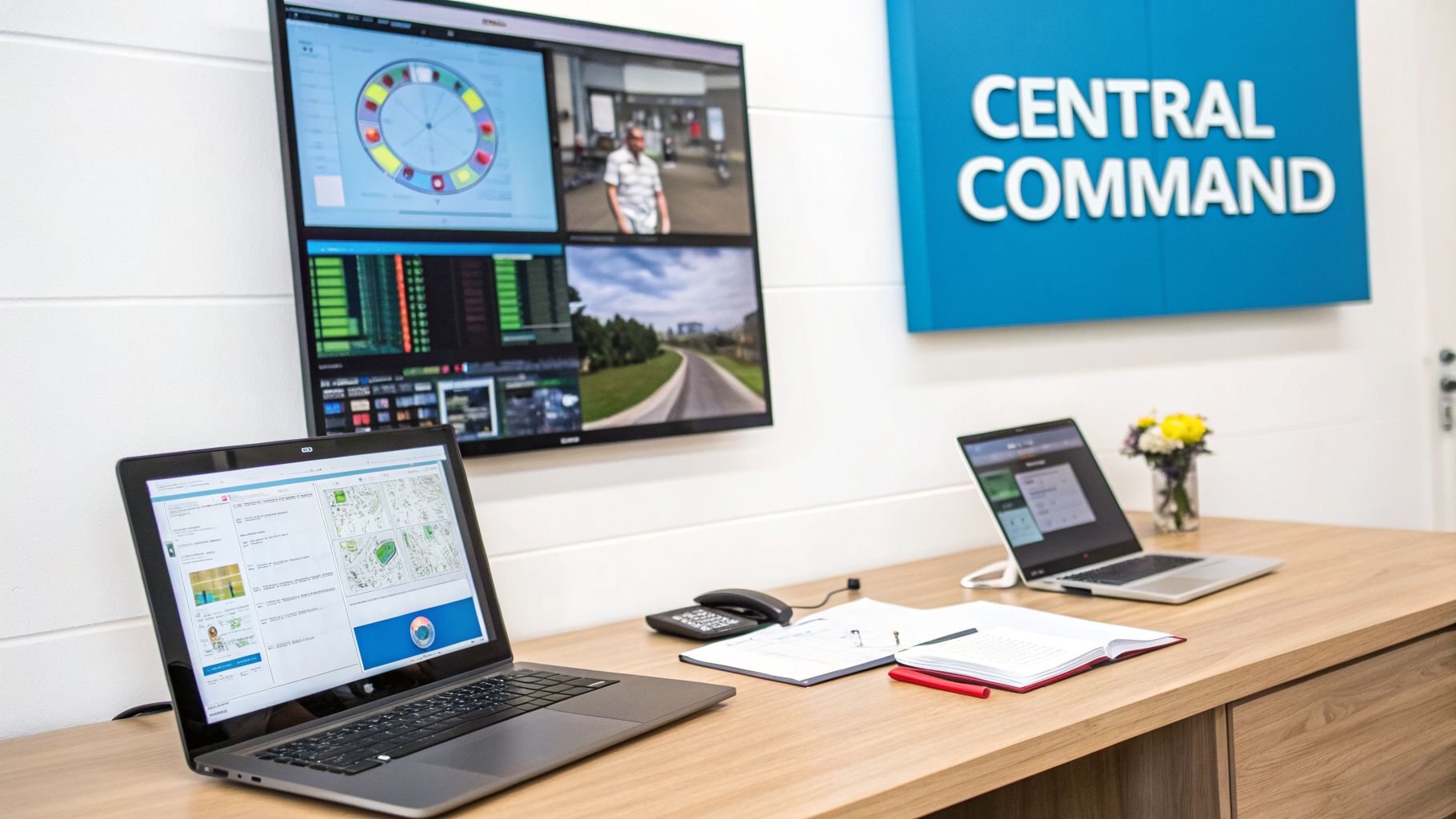
Pest control business management software acts as your digital air traffic control, bringing calm and order to your daily operations. This isn't just a fancy calendar; it's a complete operating system built specifically for the unique challenges of our industry. It connects every part of your business, giving your entire team one reliable source of information to work from.
Manual vs Automated Pest Control Operations
The difference between running a business manually and running it with dedicated software is night and day. Before these platforms existed, every day was a grind of inefficient, disconnected tasks. This constant juggling act not only slows you down but also puts a ceiling on how much your business can grow.
The table below breaks down just how stark the contrast is.
This old-school approach creates operational drag that holds your business back. It’s no wonder so many owners feel like they’re stuck working in their business instead of on it. It also explains why modern AI receptionists for pest control companies have become so popular for handling the communication bottlenecks that manual methods create.
At its core, pest control management software takes all those fragmented, manual processes and transforms them into a smooth, professional workflow. It automates the grunt work, puts critical information at your fingertips, and frees up your team to do their best work.
The Impact of Going Digital
Making the switch to a dedicated software platform isn't just a minor upgrade—it represents a fundamental shift in how successful pest control companies operate today. The numbers tell the story clearly.
The global market for pest control software was valued at $620 million in 2024 and is expected to more than double, reaching $1,450 million by 2032. This explosive growth isn't just about convenience; it's also driven by increasing regulatory pressure. With nearly 70% of industry enforcements now demanding digital records for compliance, having a robust system is no longer optional.
For today’s pest control businesses, adopting this kind of software has become a matter of survival and a key driver for future growth.
What This Software Actually Does for Your Business
Think of pest control software as the central nervous system of your company. It’s not just a fancy digital calendar—it’s a suite of powerful, interconnected tools designed to automate the tedious work and give you a clear view of your entire operation. Each feature is built to solve a real-world problem, turning daily chaos into a serious competitive advantage.
It’s these connections between the different modules that make the software so effective. You stop guessing and start making decisions based on solid data.
Smart Scheduling and Dispatching
It's time to ditch the whiteboard and the frantic phone tag. Modern software uses intelligent scheduling to perfectly match jobs with technicians based on their skills, current location, and availability. You can see your entire team’s day laid out on a simple drag-and-drop calendar, making it easy to know who is where and when.
A practical example: An urgent call for a termite inspection comes in. The system instantly filters for technicians certified in termite work, identifies who is closest to the new customer's location, and shows you an open two-hour window in their afternoon. With one click, the job is assigned and dispatched to their mobile app, complete with customer details and driving directions. That just saved an hour of travel time and secured a high-value customer with a remarkably fast response.
This kind of automation is a lifesaver for growing businesses. If your office staff is drowning in calls and booking requests, you may find our guide on appointment scheduling software for small business helpful.
An Integrated Customer Hub (CRM)
A good Customer Relationship Management (CRM) tool is the heart and soul of great service. It acts as a central file for every piece of customer information: contact details, complete service history, recurring contracts, billing notes, and even personal details. This gives everyone, from the office to the field, the context they need to make every customer feel valued.
A practical example: A tech arrives at a home for a routine ant treatment. Before knocking, they glance at the client's profile on their tablet. They see two critical notes: "Beware of Max, the friendly but escape-prone beagle," and "Client mentioned last time that the ants are worst under the kitchen sink." This information allows the tech to provide a thoughtful, personalized service—and solve the problem faster—building the kind of trust that earns you a customer for life.
Automated Invoicing and Billing
Chasing payments is a massive drain on your time and cash flow. Pest control software puts the entire billing cycle on autopilot, from creating an invoice the moment a job is done to sending out polite payment reminders. For your service agreements, you can set up recurring billing that automatically charges customers on schedule.
A practical example: Your technician completes a quarterly service for Mrs. Jones. The moment they mark the job as "Complete" in their app, the system automatically emails an invoice to her. She clicks the "Pay Now" link in the email and pays with her credit card via the online portal. The payment is processed, and the invoice is marked as "Paid" in your system. This entire process happened without your office staff lifting a finger.
Technician Mobile Apps and Route Optimization
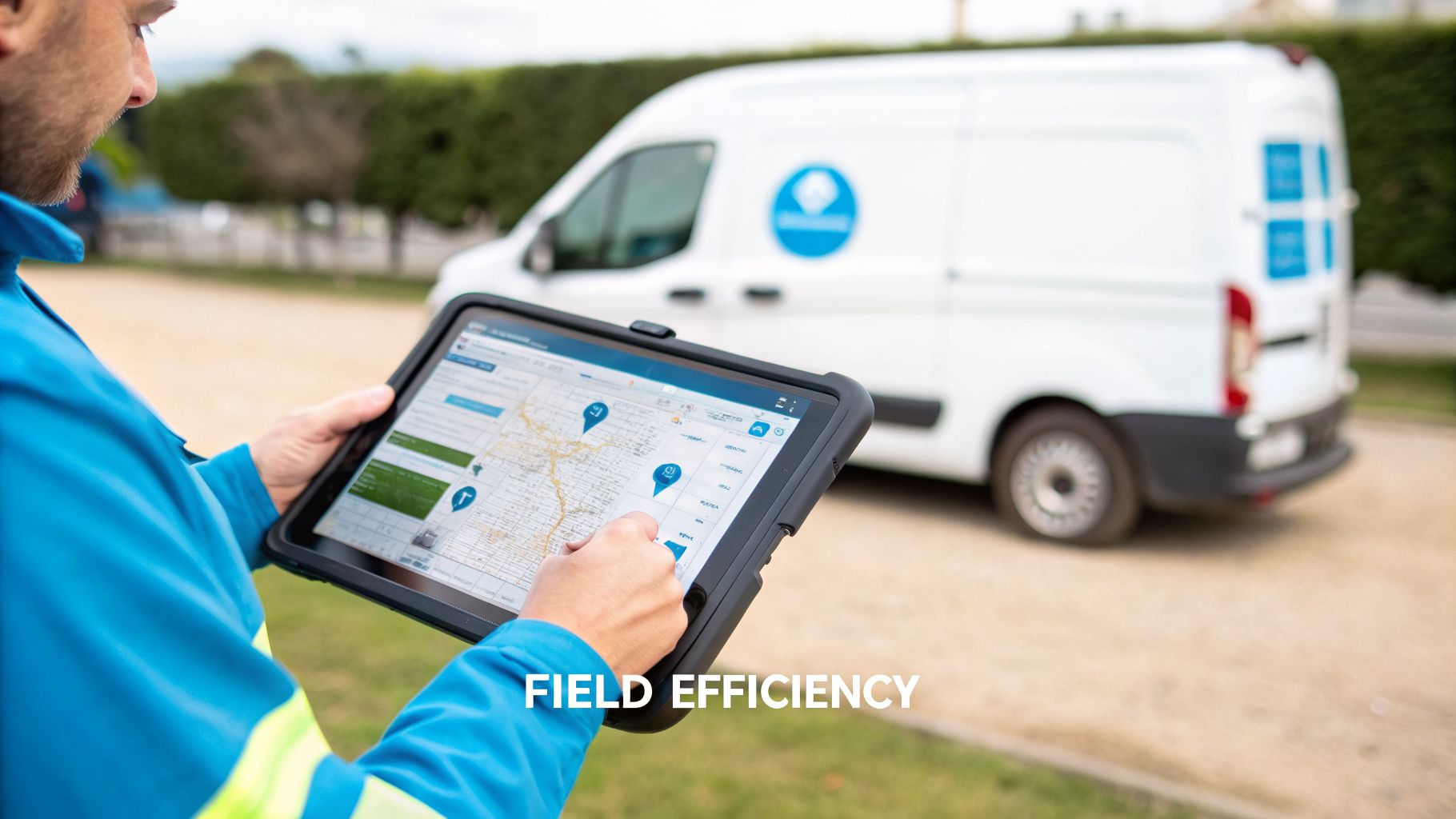
Your technicians are the face of your company, and a dedicated mobile app is their most important tool. It gives them everything they need to do their job well, right in the palm of their hand. They can access job details, pull up customer history, take payments, and create digital service reports on the spot.
Pair that with route optimization, and you have a powerhouse. The software calculates the smartest, most efficient routes for multiple stops, slashing fuel costs and wasted drive time. This lets your techs fit more paying jobs into their day without burning out. Good pest control software also provides features essential for managing complex commercial pest control operations, which often involve recurring contracts and detailed site histories.
How to Measure Your Software's Real-World ROI
Getting new pest control software should feel like more than just a digital upgrade—it should be a direct investment in your company’s growth. But how can you be sure it's actually paying for itself? The proof isn't in a gut feeling; it's in the numbers.
Think of your software's dashboard as the command center for your business. It takes all the chaos of daily operations and turns it into clear, simple data. By tracking a few key performance indicators (KPIs), you stop hoping the software is working and start knowing precisely how much value it's adding to your bottom line.
Driving Profitability Per Technician
One of the most revealing metrics you can track is Revenue Per Technician. This number simply shows you how much money each tech is bringing in per day, week, or month. It's a powerful, no-nonsense measure of field productivity.
A practical example: You run a monthly report and see that Technician A consistently generates $1,200 per day, while Technician B is closer to $850. This isn't about playing favorites. It's an opportunity. Digging into the data, you see Technician A upsells a preventative rodent plan on 20% of their calls, while Technician B rarely does. Now you have an actionable insight: provide specific upsell training to Technician B to help them boost their numbers and lift the entire company's revenue.
Tracking Revenue Per Technician transforms performance reviews from subjective conversations into data-backed coaching sessions. It helps you identify your all-stars who can mentor others and shows you exactly who needs a bit more training to get up to speed.
Reducing Callbacks with First-Time Fix Rate
Callbacks are profit killers. The First-Time Fix Rate tells you what percentage of your jobs are done right the first time, with no need for a frustrating (and unpaid) return visit. This is where good software truly shines, by arming your technicians with the information they need to solve problems permanently.
A practical example: A tech is dispatched for a persistent German cockroach issue. Instead of going in blind, they pull up the customer's full service history on their tablet. They see notes from the last two visits, what baits and growth regulators were used, and where they were applied. Armed with this context, they realize a different bait needs to be rotated in to combat resistance. They solve the problem on this visit, boosting your first-time fix rate, saving a costly callback, and creating a very happy customer.
Key Financial Metrics to Watch
Beyond the field, your software’s reporting is critical for keeping a finger on the financial pulse of your business. Three metrics, in particular, will give you a crystal-clear view of your long-term health.
Customer Acquisition Cost (CAC): How much does it really cost you to land a new customer? By tracking where your leads come from, your software can connect new jobs directly to the marketing campaigns that generated them. For example: You can see that your $500/month Facebook ad campaign generated 10 new customers, making your CAC for that channel $50. Meanwhile, your $500 Google Ads campaign only brought in 5, for a CAC of $100. This data tells you exactly where to double down on your marketing spend.
Customer Lifetime Value (LTV): This metric estimates the total amount of revenue a single customer will generate for you over time. Software helps you boost LTV by automating things like service reminders and seasonal follow-ups, which keeps customers coming back year after year. A healthy business often has an LTV that's at least 3x its CAC.
Job Profitability: This is the ultimate truth-teller. The software can automatically subtract your costs—like labor, fuel, and materials—from the revenue of each job to show you the real profit. For example: You might discover that standard residential ant treatments have a 35% profit margin, while more complex wildlife exclusion jobs consistently deliver a 55% margin. This insight can help you focus your sales and marketing efforts on your most profitable services.
Strong lead nurturing is a huge part of improving these numbers from the very start. For a deeper dive, read our guide on lead management software for small businesses. When you master these KPIs, you're no longer just running a pest control business; you're making intelligent, data-driven decisions that pave the way for real growth.
Your Essential Checklist for Choosing the Right Software
Picking a software platform for your pest control business can be a real headache. You're hit with a wall of technical jargon, flashy features, and big promises. The right choice can feel like adding a turbocharger to your operations, but the wrong one can become a daily drag on your team and your profits.
To cut through all that noise, you need a solid game plan. Think of it like buying a new work truck. You wouldn't just glance at the brochure—you’d pop the hood, take it for a spin, and make sure it has the power and the tools you need to get the job done right. Use this checklist to put potential software through its paces before you sign on the dotted line.
Field-Proof Mobile App Usability
Let's be honest: if your technicians hate using the mobile app, it’s game over. They're the ones in the trenches, and if the app is slow, confusing, or unreliable, they’ll find every excuse not to use it. The app has to be dead simple and work flawlessly, even when cell service is spotty.
When you're in a demo, push for real answers to these questions:
- Offline Functionality: What happens when a tech is out in a rural area with zero bars? Can they still pull up job notes, fill out service reports, and get a customer’s signature?
- Ease of Use: Don't just listen to the sales pitch. Ask them to show you, click-by-click, how a tech would add a photo to a report or create a new quote on the spot. Is it a three-click process or a ten-click nightmare?
- Durability and Speed: Imagine your tech trying to use the app in the pouring rain with gloves on. Is it quick and responsive, or is it bloated with features that just get in the way?
Any app that feels clunky or takes more than a few minutes to understand is a major red flag. If it’s not intuitive from the get-go, your team will resist it.
Powerful and Practical Automation
The real magic of any good pest control business management software is its power to automate the repetitive tasks that eat up your office staff's day. You’re looking for automation that quietly works in the background to make your business run like a well-oiled machine.
Good automation isn't just about sending a few emails. It’s about building a smart system that handles customer communications and daily workflows on its own, freeing up your people to focus on bigger things—like growing the business.
Here’s what that looks like in practice:
- Service Reminders: The system should automatically text or email customers a day or two before their appointment to drastically cut down on no-shows.
- Follow-Up Sequences: After a one-off job, can the software automatically send a follow-up email a few weeks later, offering a quarterly service plan? That’s how you turn single jobs into recurring revenue.
- Billing and Invoicing: Look for a system that instantly generates and sends an invoice the moment a job is marked complete, and then follows up on overdue payments without your admin lifting a finger.
A practical example: A customer's quarterly service is next week. The software automatically sends them a reminder text 72 hours in advance. After the technician finishes the job, an invoice is immediately emailed with a secure payment link. If the bill isn't paid in 14 days, a polite reminder goes out automatically. This single automated workflow can save your office manager hours of phone calls and manual emails every week.
Seamless and Smart Integrations
Your new software shouldn't be an island. It has to connect cleanly with the other tools you already use to run your business, like your accounting program and payment processor. When your systems don't talk to each other, you're stuck with manual data entry, which is not only slow but a recipe for mistakes.
Ask vendors if they connect with:
- Accounting Software: Does it have a solid, two-way sync with programs like QuickBooks or Xero? This is critical for making sure invoices and payments are logged automatically, saving you a massive headache come tax time.
- Payment Gateways: Can you easily connect to popular processors like Stripe or Square to accept credit card payments right from the invoice?
- Communication Tools: Does it integrate with your phone system or an AI receptionist? This can automatically create new customer profiles or even book jobs directly from incoming calls.
It can also be helpful to see what tools are popular across the trades industry. This guide on the Top Apps for Your Home Improvement Business offers a broader look at the software landscape.
Software Evaluation Scorecard
Comparing multiple software options can get messy fast. Use this simple scorecard during demos to keep your thoughts organized and make a data-driven decision. Rate each feature on a scale of 1 to 5 (where 1 is poor and 5 is excellent) for every vendor you evaluate.
This scorecard forces you to look beyond the sales pitch and focus on what truly matters for your day-to-day operations. After a few demos, the right choice will become much clearer.
Rock-Solid Security and Compliance
In our industry, protecting customer data and staying on top of regulations isn't optional. Your software has to be built on a secure foundation and come with features designed specifically to handle pest control compliance.
Ask direct questions about data encryption, backup procedures, and privacy policies. You're trusting them with your customer list, after all. The platform should also make it incredibly simple to track chemical usage on a per-job basis, generate the reports your state requires, and store all that documentation securely in the cloud for easy access.
A Practical Timeline for a Smooth Switch
Bringing on new pest control business management software can feel like a huge project, but it doesn't have to be a headache. When you break it down into manageable steps, it's a completely predictable process. The key isn't just to get the software installed, but to make sure your entire crew—from the office to the field—is confident and ready to roll from day one.
We've found a 60-day (8-week) timeline works best for most pest control companies. This turns what seems like a massive undertaking into a straightforward series of steps, guiding you from messy spreadsheets to a successful launch.
Weeks 1-2: Data Cleanup and Migration
First things first: you need a clean foundation. This is your chance to move all that customer data, job history, and service agreements from your old system (be it another software or a collection of spreadsheets) into its new home. Think of it as a digital spring cleaning.
Resist the urge to just copy and paste everything. This is the perfect time to get your house in order. Go through and merge duplicate customer accounts, archive clients you haven't heard from in years, and make sure your service descriptions are consistent. Getting this right from the start saves you countless headaches down the road and builds trust in the new system.
A practical example: During the export, you discover three different records for "John Smith" at the same address. One is from a web form with a typo in the street name, another is from a phone call with an old number, and the third is tied to an invoice from two years ago. Before importing, you merge them into one complete profile with the correct address and current phone number. This ensures your techs won't be fumbling for the right contact info later.
Weeks 3-4: Customizing the System and Training Your Crew
With your clean data loaded, it's time to make the software truly yours. This is where you set up your specific service types, lock in your pricing, build out templates for recurring contracts, and configure automated appointment reminders. The whole point is to bend the software to your will, not the other way around.
At the same time, you'll kick off team training. I always recommend starting with your office staff. Get them comfortable with scheduling, managing customer profiles, and handling the new invoicing process. Once they're up to speed, bring in your technicians to master the mobile app.
Getting your team on board is everything. Don't just present this as another change they have to deal with. Show them how it makes their lives easier. Point out how route optimization will cut down their drive time or how digital forms mean no more clunky paperwork at the end of the day.
This timeline visualizes the core pillars of selecting a powerful software that supports your business through its mobile app, automation, and integration capabilities.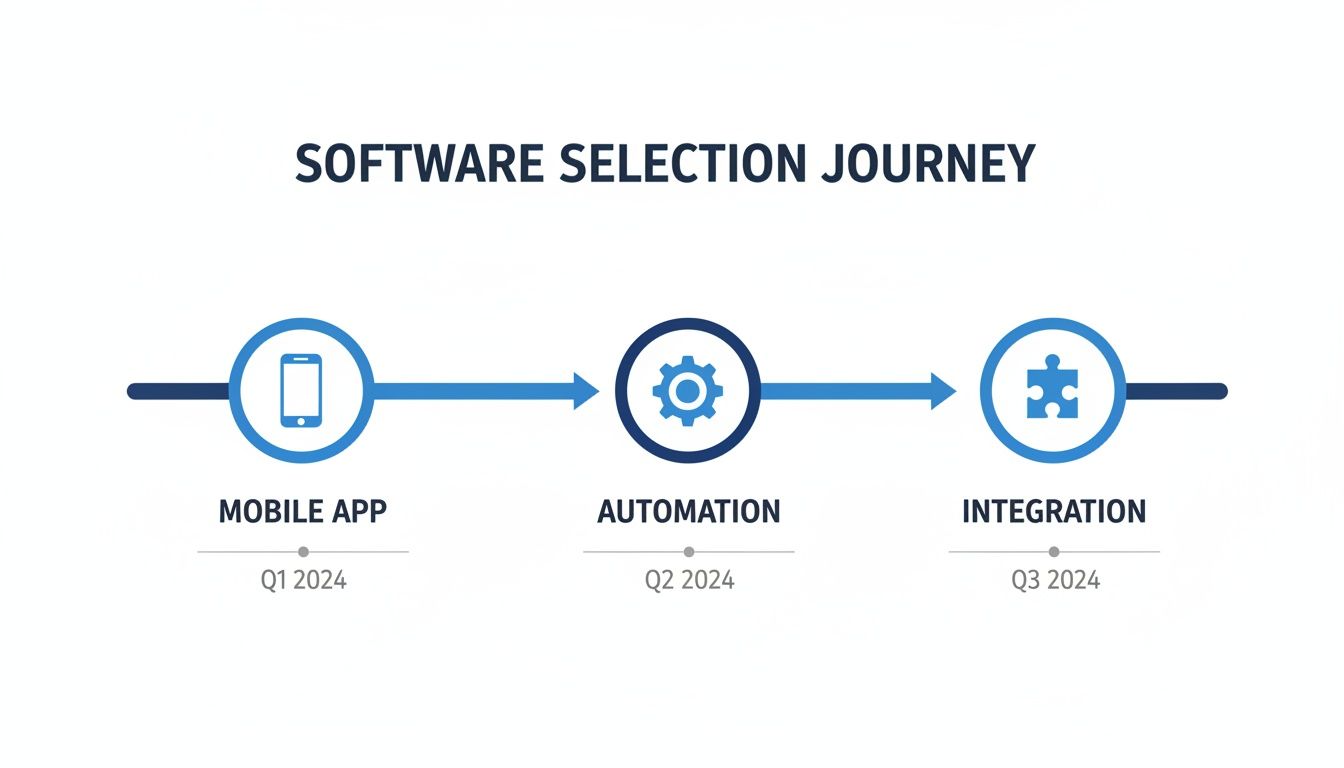
This visualization highlights that modern software selection prioritizes a powerful mobile app, robust automation, and seamless integrations as foundational elements for success.
Weeks 5-6: The "Soft Launch" and Feedback Loop
Don't flip the switch for everyone at once. That's a recipe for chaos. Instead, go for a phased rollout. Pick one or two of your most tech-friendly technicians and have them run their entire week using only the new system. This is your trial run.
This "soft launch" approach is incredibly valuable:
- Real-World Stress Test: It lets you catch any weird bugs or workflow snags in a controlled way before they affect the whole operation.
- Create Your Champions: These first users will become your go-to experts. When the full launch happens, they'll be there to help their coworkers.
- Collect Honest Feedback: Their direct experience is gold. Use it to tweak your settings and improve your training guides before everyone else dives in.
Weeks 7-8: Go-Live and Performance Check-In
Alright, it’s go-time. With the major kinks worked out and your internal champions ready to lend a hand, you can confidently transition the entire company to the new software. You should still expect a few small bumps, but the prep work you've done will make them minor speedbumps, not roadblocks.
After about a week of everyone using the system, get the team together for a performance review. Talk about what's working great and what challenges are still popping up. This is also when you can start pulling reports from the software itself. Are jobs getting done faster? Are invoices getting paid sooner? This data helps you prove the investment was worth it and shows you where to fine-tune things for even better results.
Smart Integrations: The Key to Unlocking Next-Level Growth
Your pest control management software is a fantastic tool on its own, but its real power comes alive when you connect it to the other software you use every day. Think of your core software as the central hub for your entire operation. Integrations are the spokes that connect that hub to everything else—your phone system, your accounting books, and your marketing efforts.
When these systems talk to each other, you build a fully connected business engine. This eliminates the drudgery of entering the same information in three different places, cuts down on costly mistakes, and helps you capture revenue that might otherwise slip through the cracks. The goal is simple: create a seamless flow of information from the moment a customer calls to the moment their payment hits your bank account.
Turn Every Phone Call into a Booked Job
Let's be honest, how many calls from new customers go straight to voicemail? It happens when your office manager is on another line, out to lunch, or simply after hours. Every one of those missed calls is a potential customer you just handed to a competitor.
This is where an integration with an AI-powered communication platform makes a massive difference. When a call comes in, an AI receptionist can answer instantly, 24/7. It can ask the right questions to qualify the lead—"What's the pest issue?" "What's your address?"—and then look directly at your software's schedule. If there's an open slot, the AI can book the appointment right then and there.
A practical example: A frantic homeowner finds a wasp nest by their back door at 8 PM on a Friday. They call you. Instead of getting a voicemail, an AI assistant picks up, confirms they're in your service area, and books an emergency removal for 9 AM Saturday morning. The job is automatically created in your pest control software and assigned to your on-call tech. You just won a new, high-margin customer—and the corresponding revenue—while your office was dark.
Create a Painless Financial Workflow
Manually matching up invoices and payments between your field software and a program like QuickBooks is a tedious, soul-crushing task. It's also a breeding ground for human error. Smart integrations take your entire financial process and put it on autopilot, which means you get paid faster and your books stay accurate.
Here are the key financial connections you need:
- Payment Gateways: Integrating with a service like Stripe or Square lets customers pay their invoice online with a credit card the second they receive it. The payment is processed securely and the invoice is automatically marked as paid in your system. No more chasing checks.
- Accounting Software: A two-way sync with your accounting software is a game-changer. When a tech completes a job, an invoice is generated in your pest control app and simultaneously created in QuickBooks or Xero. When that invoice gets paid, both systems are updated. Your books are always perfectly balanced without anyone lifting a finger.
Nurture Customer Relationships on Autopilot
Finally, connecting your pest control software to a marketing platform like Mailchimp is how you turn one-time jobs into loyal, long-term customers. Your software is sitting on a goldmine of data—service histories, customer locations, specific pest problems.
Hooking this data into your marketing tool lets you send incredibly relevant messages. It's helpful to first understand what CRM integration really means for a business, as this is the core concept at play.
A practical example: You can set up an automated email campaign that goes out every spring, but only to customers who had a one-time termite inspection last year but never signed up for a preventative plan. The email can reference their previous service and offer a 10% discount on an annual termite protection plan. This kind of targeted, helpful follow-up builds trust and generates recurring revenue while your team stays focused on their work.
Frequently Asked Questions
Thinking about new pest control business management software is a big step, and it's bound to bring up a lot of questions. You’re making a major investment in your company's future, so you deserve clear, straight answers. Let's tackle some of the most common questions we hear from pest control owners.
How Much Does This Software Typically Cost?
Let's get the big one out of the way: the cost. Thankfully, it's not as scary as you might think. Most modern platforms run on a subscription model, so you're looking at a monthly fee rather than a massive upfront purchase. The price tag usually hinges on how many people need to use it (your techs and office crew) and which features you really need.
For a smaller team just needing the basics like scheduling and invoicing, you can find plans starting in the $50 to $150 per month range. If you're looking for the whole package—with things like route optimization, automated marketing, and deep-dive analytics—you'll likely be in the $200 to $500+ per month ballpark.
Try to see it as an investment, not just another bill. If the route optimization feature saves each of your technicians just one tank of gas a month, the software has already paid for itself.
Will My Technicians Find The Mobile App Easy To Use?
This is a huge one, and for good reason. If your techs can't or won't use the app, the whole system falls apart. The good news is that most modern mobile apps are built specifically for use in the field. They're designed with big, easy-to-tap buttons, straightforward menus, and—critically—they work offline. That means your tech can finish up a service report in a customer's basement with zero cell signal.
A practical example: Before you sign anything, demand a live demo of the mobile app. Don't just watch a slick video. Make the salesperson walk you through a typical job: clocking in, pulling up the customer's gate code from the notes, adding a photo of an active termite tube, and processing a credit card payment on the spot. If it looks clunky or takes too many clicks, that's a serious red flag.
Can I Migrate My Existing Customer Data?
Yes, you absolutely can—and you should expect the software company to help. Any provider worth their salt will have a team dedicated to getting your existing customer data moved over. It doesn't matter if your data is in QuickBooks, another program, or even a mess of Excel spreadsheets; they should handle the heavy lifting.
Think of this as a perfect chance for a "digital spring cleaning." It’s your opportunity to merge duplicate accounts, fix outdated contact info, and clear out old, inactive customers. You'll start on the new platform with a clean, organized, and much more powerful database.
How Does This Software Help With Regulatory Compliance?
Compliance is a headache we all have to deal with, but the right software can be a massive help. These platforms are built with our industry's regulations in mind. They make it simple for technicians to digitally log the exact chemicals, amounts, and EPA registration numbers they use on every single job.
A practical example: Your technician treats a property with two different products. In the mobile app, they select the products from a pre-loaded list, enter the quantities used, and note the target pest. This data is automatically time-stamped and attached to the job record. At the end of the month, you can generate a complete pesticide usage report for your state's regulatory agency in just a few clicks, saving you hours of sifting through paper forms.
Are you ready to stop missing calls and start booking more jobs automatically? Recepta.ai integrates seamlessly with your business management software to ensure every customer interaction is captured and converted, 24/7. Discover how our AI-powered receptionists can help you grow by visiting https://recepta.ai for a risk-free trial.