The Best Scheduling Software for Massage Therapists in 2026

Are you a massage therapist who feels more like a part-time receptionist? If your days are a chaotic mix of sticky notes, phone tag, and chasing down clients for confirmations, you're not alone. But the truth is, clinging to a manual booking system is doing more than just causing headaches—it's actively holding your practice back from its full potential.
Investing in quality scheduling software for a massage therapist isn't just about getting a fancy new tool. It’s one of the smartest moves you can make to reclaim your time, professionalize your client experience, and grow your business.
Why Manual Scheduling Is Holding Your Practice Back
That paper-stuffed appointment book or messy spreadsheet is a familiar sight for so many of us. You’re constantly juggling calls between sessions, returning messages late at night, and sending out last-minute texts, just hoping your clients remember to show up. This endless administrative grind is exhausting, and it comes with real costs that eat into your income and peace of mind.
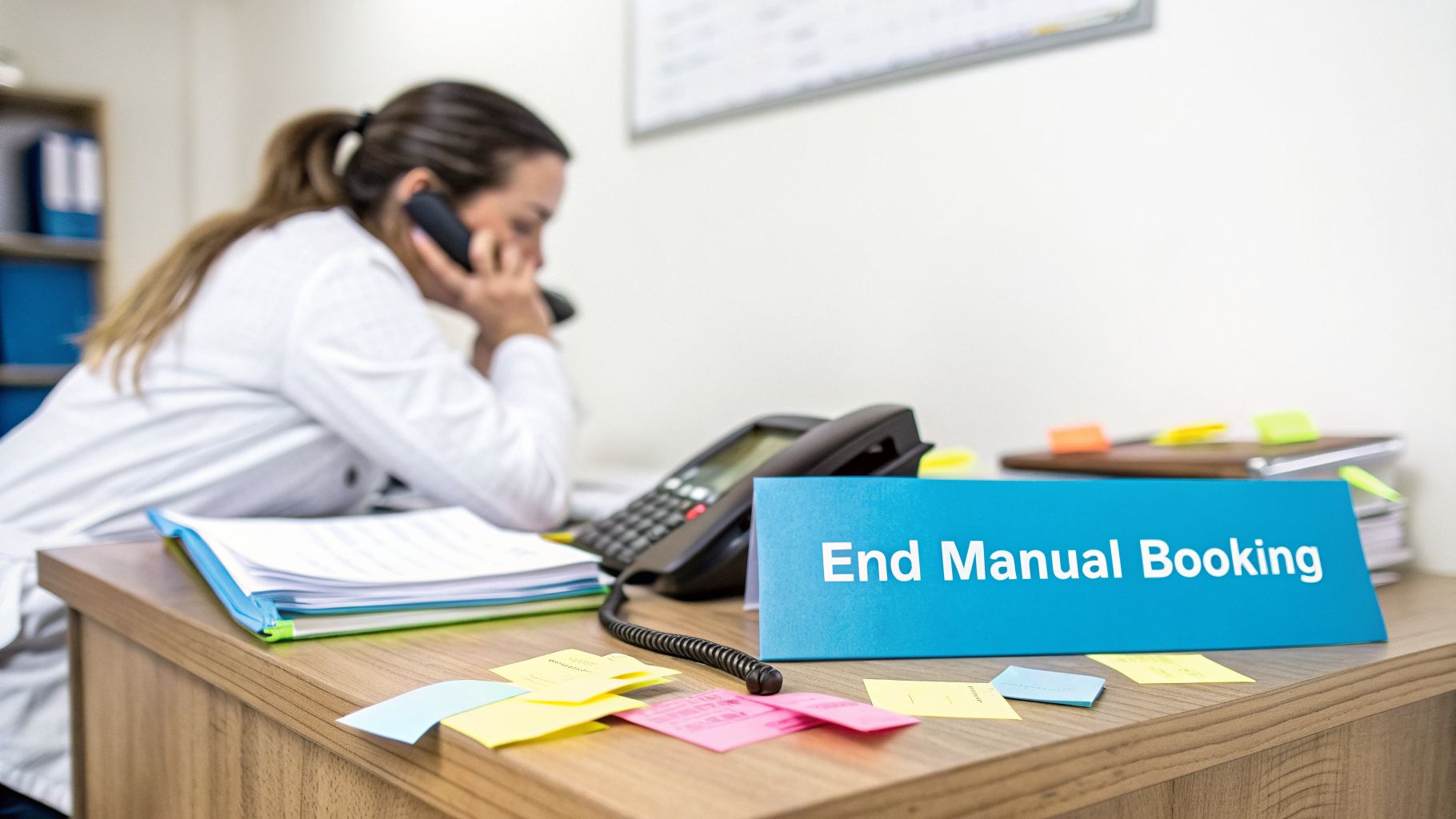
Think of modern scheduling software as the perfect front-desk manager—one who works 24/7 without ever taking a break. It handles the busywork in the background so you can stay focused on what you’re passionate about: providing incredible, hands-on care.
The True Cost of Old-School Booking
The problems with manual scheduling go much deeper than just frustration. They create serious roadblocks for your business.
- Lost Revenue from Missed Opportunities: Today's clients live online and expect to book services instantly. If someone finds your website at 10 PM and can't schedule an appointment right then and there, they’ll simply find a competitor who lets them. That's a client you never even knew you lost.
- Income Leakage from No-Shows: Industry studies have found that no-show rates can climb as high as 15%. Without automated email and text reminders, you’re essentially gambling with your income. Just one no-show a week can easily add up to thousands of dollars in lost revenue over a year.
- Administrative Burnout: Every hour you spend managing your calendar is an hour you can't spend on billable client work, marketing your practice, or simply resting. This administrative weight is a huge contributor to burnout for solo therapists, draining the energy you need for your actual craft.
When you automate the routine tasks, you get something incredibly valuable back: time. Those hours can be turned into more appointments, better marketing, or much-needed personal time to keep your passion for your work alive and well.
Imagining a Better Workflow
Now, picture this instead. A new client discovers your practice on a Saturday afternoon. They visit your site, book a 90-minute deep tissue massage online, and get an instant confirmation. The system then automatically sends them a digital intake form to fill out at their convenience. A day before the appointment, a friendly text reminder pops up on their phone.
That smooth, professional process is exactly what scheduling software for a massage therapist provides. It turns your booking system from a source of chaos into a well-oiled machine. And these benefits aren't just for massage therapists; it's a powerful way for all kinds of service providers to get organized. To learn more, see how appointment scheduling software for small business can transform operations.
This is about more than just technology. It’s about making a deliberate choice to build a more resilient, profitable, and enjoyable practice, starting with the very first time a client books with you.
The Must-Have Features in Scheduling Software for a Massage Therapist
When you're shopping for scheduling software, it’s easy to get distracted by flashy features you’ll never use. The truth is, the best platform for a massage therapist isn't the one with the most bells and whistles—it's the one that solves the real, day-to-day headaches of running a hands-on practice.
Think of it as hiring a digital receptionist. You wouldn't hire someone who couldn't handle payments or take confidential notes. Your software needs that same core set of skills to truly be an asset to your business. Let's walk through the absolute non-negotiables.
Secure Client Records and Customizable Intake Forms
As a massage therapist, you handle a constant stream of sensitive client health information. This makes data security your top priority, not just a nice-to-have. Any software you consider must be HIPAA-compliant. This ensures all your client data, especially your SOAP notes and their health history, is encrypted and stored securely, protecting you and your clients legally and ethically.
Beyond just storing data, the ability to create customizable digital intake forms will completely change your workflow. Imagine your new client arrives, and their entire health history and consent are already filled out and waiting in their digital file. You get back the first 10 minutes of the session—time you'd otherwise spend on paperwork—and can get right to addressing their needs.
Here’s a practical example:
Instead of a generic intake form, you can design one specifically for prenatal massage. You can add required questions with checkboxes or dropdown menus that show your expertise, like:
- "Which trimester are you currently in? (Select: First, Second, Third)"
- "Please check any specific discomforts you're experiencing: [ ] Sciatic Pain, [ ] Swelling in ankles/feet, [ ] Lower back pain, [ ] Round ligament pain"
- "Have you received clearance from your healthcare provider for massage therapy? (Yes/No)"
This level of detail lets you walk into the session fully prepared and instantly builds trust with your client.
Automated Reminders and No-Show Protection
No-shows are a silent killer of a massage practice's profitability. With industry rates sitting around 15%, a single missed appointment represents lost income you can never recover. This is exactly why automated reminders are one of the most valuable features you can have.
Your system should automatically send SMS and email reminders to clients, usually 24 to 48 hours before their appointment. This simple nudge is incredibly effective at preventing no-shows and last-minute cancellations.
Think of it this way: For every 100 appointments, a 15% no-show rate means 15 empty slots on your table. If your average session costs $90, that’s $1,350 in lost revenue. Cutting that rate in half with automated reminders can add thousands back to your bottom line every year.
Many platforms also offer no-show protection by letting you require a credit card to book an appointment. When you pair this with a clear cancellation policy, you can automatically charge a fee for no-shows, turning a complete loss into secured income.
Integrated Payments and Smart Scheduling
Nothing disrupts the calm, post-massage vibe faster than fumbling with a card reader or making change. Integrated payment processing smooths out this awkward moment entirely.
Look for software that connects directly with trusted payment processors like Stripe or Square. This integration allows you to:
- Securely keep a client's card on file.
- Let clients prepay for their session when they book online.
- Process payments with a single click right after the massage ends.
Just as important are the nuts and bolts of your calendar. Your scheduling software for a massage therapist has to give you control over service durations and, crucially, allow for automatic buffer times.
Here's a practical example of how it works:
You can set up your "90-Minute Hot Stone Massage" service to automatically block off 105 minutes on your calendar. Your client only sees and books the 90-minute appointment slot, but the system carves out an extra 15 minutes just for you. That’s your dedicated time to clean the room, change linens, get a glass of water, and mentally reset before the next person walks in—a simple feature that prevents burnout and keeps your day running on time. To see how these different systems talk to each other, you can learn about CRM integration in our guide.
Weaving Software Into Your Daily Workflow
It's one thing to look at a list of software features, but it's another thing entirely to see how they actually work in a real-world practice. Let's walk through a typical client's journey to see how scheduling software for a massage therapist can turn a jumble of administrative tasks into a seamless, professional experience.
It all starts at 9 PM on a Tuesday. A potential client, we'll call her Sarah, is at home scrolling on her phone, looking for relief from nagging shoulder pain. She finds your practice on Google, and instead of having to make a note to call you tomorrow, she sees a clear "Book Now" button.
She clicks it and is taken straight to your booking page. There, she can see your real-time availability for the week, selects a 90-minute deep tissue massage for Friday afternoon, and books it. The system then prompts her to put a credit card on file to hold her spot—a simple, secure step that gives both of you peace of mind.
The Automated Onboarding Experience
The moment Sarah confirms her appointment, the software gets to work for you. She instantly receives an email confirming all the details of her booking. But that’s not all.
That same email includes a link to your secure digital intake form. Sitting on her couch, Sarah can fill out her health history, note her specific concerns about her shoulder, and even sign your consent form—all from her phone. This information is automatically saved to her client profile, meaning you've just eliminated the clipboard shuffle and gained back the first ten minutes of your session.
Then, the day before her appointment, another automated touchpoint happens. Sarah gets a friendly text message: "Hi Sarah, just a reminder about your 90-minute massage tomorrow at 2:00 PM with [Your Practice Name]. We're looking forward to seeing you!" This one simple message dramatically cuts down the risk of a no-show. You can find more practical tips like this in our guide on how to reduce no-show appointments.
A Smoother In-Person and Post-Session Flow
When Sarah walks in on Friday, you can greet her by name and already be familiar with her case. You pull up her profile on your tablet, quickly review the intake form she already completed, and have your digital SOAP notes template ready to go. The whole check-in feels calm and professional, allowing you to focus entirely on her treatment from the moment she arrives.
This image shows how these crucial automated steps—reminders, intake, and payments—work together to create a smooth client experience.
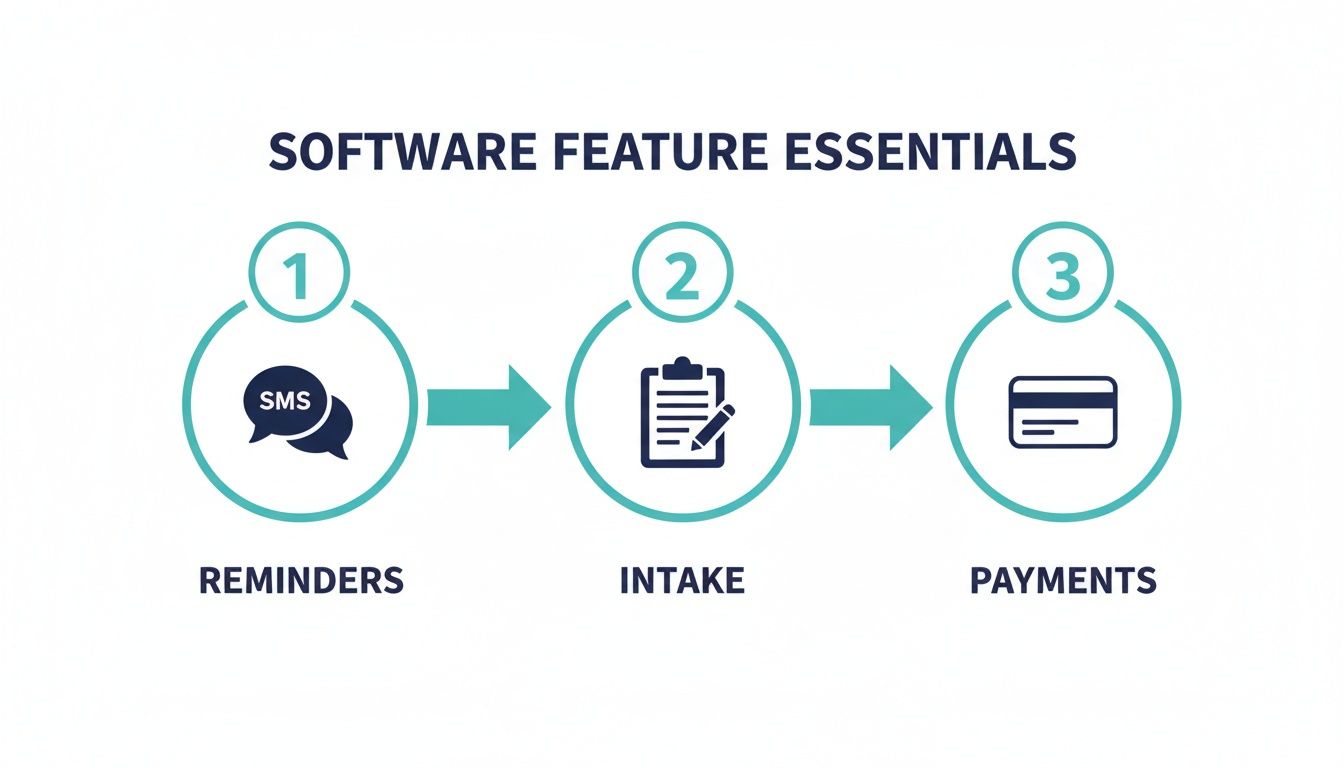
By letting the software handle these core tasks, you're free to do what you do best: provide exceptional hands-on care.
After the session, you can skip the awkward payment shuffle entirely. You simply ask, "Would you like me to use the card on file?" With her nod, you process the payment in just a few clicks, and a receipt is automatically sent to her email. This effortless checkout helps preserve the sense of calm and well-being you just worked so hard to create.
This entire journey, from discovery to checkout, is a perfect illustration of how the right software works for you. It’s not just a collection of features; it’s an interconnected system that delivers a consistent, stress-free experience for you and your clients.
Handling Everyday Scheduling Hiccups
Of course, the real world is full of changes. Good software makes handling these common scenarios just as easy.
- Client Rescheduling: If Sarah's week gets complicated, she can click a link in her confirmation email to access a client portal on your website. From there, she can reschedule her appointment herself. She'll only see your available times, and the change is made based on your predefined cancellation policy (e.g., changes not allowed within 24 hours of the appointment). Your calendar updates automatically, and you get a notification. No phone tag required.
- Recurring Appointments: Have a regular client who comes in every other Thursday for chronic pain? Instead of booking dozens of appointments by hand, you can set up a recurring series in about a minute. The system will book them for the same time slot every two weeks for the next six months, locking in future revenue and saving you a surprising amount of admin time.
When all these functions work together, scheduling software for a massage therapist becomes the central hub of your practice. It stops being just a booking tool and starts being a true business partner, freeing you to focus on the healing work you love.
Choosing and Launching Your New System
Alright, let's talk about making the leap to a proper scheduling system. I know it can feel like a massive project, but it doesn't have to be a headache. The key is to be methodical—this isn't about speed, it's about getting it right the first time so you can start seeing the benefits right away.
Think of it like you're setting up a new treatment room. You wouldn't just throw equipment in there randomly. You'd plan the layout, make sure everything is accessible, and ensure it creates a smooth experience for both you and your client. We're going to apply that same thoughtful approach here.
The Evaluation Phase: Finding Your Perfect Fit
The first job is to sift through the sea of options and find a few real contenders. It's easy to get overwhelmed by feature lists and flashy marketing, so let's cut through the noise with a focused process.
As you start comparing, you'll also need to consider the pricing models available. Some platforms have a flat monthly fee, which is simple and predictable. Others charge per practitioner, so if you plan on growing your team, that cost can scale up quickly. Finding the right fit for your budget is just as important as finding the right features.
Your goal is to get this down to a shortlist of 2-3 platforms. Here's a simple, three-step way to do it:
- Set Your Budget: Before you even start looking, know what you're willing to spend each month. This one number will instantly narrow your search and keep you from falling for a system you can't afford.
- Use Your Feature Checklist: Go back to the "must-have" features we covered. Does it have HIPAA-compliant client records? Can you take deposits? Do the reminders work the way you need them to? If a platform is missing one of your non-negotiables, cross it off the list. Simple as that.
- Take Advantage of Free Trials: This is non-negotiable. A free trial is where you get to truly "test drive" the software in a real-world setting. Don't just click around—put it through its paces.
Practical Trial Example: When you're in a free trial, live in the software as if you've already paid for it. First, try to book a "60-minute Swedish Massage" for next Tuesday. Then, try to book a "90-minute Hot Stone" for the same day. Does the system correctly block off the longer time? Now, ask a friend to try booking an appointment from their phone. Is the process intuitive for them? If the interface feels clunky or confusing for you or for them, it's not the one.
Your Step-by-Step Implementation Checklist
Once you've picked a winner, it's time to go live. Following a clear checklist will make this transition feel smooth and professional, helping you sidestep the common pitfalls that trip people up.
Practical Example:
Let's say you're moving from a paper appointment book or a simple spreadsheet to a new scheduling software for a massage therapist. The biggest task is getting your client information into the new system. Thankfully, you don't have to do it by hand. Most good platforms let you import a CSV (Comma-Separated Values) file.
You can create this file from any spreadsheet program (like Excel or Google Sheets) with columns for:
- First Name
- Last Name
- Email Address
- Phone Number
Here’s your launch-day checklist to make sure nothing gets missed:
- Move Your Client List Over: Export your contacts into that CSV file and import them directly into your new software. This one step will save you hours of tedious data entry.
- Build Out Your Services: Go through and meticulously add every service you offer. Define the name ("60-Minute Swedish Massage"), set the exact duration, price, and any buffer time you need between appointments.
- Connect Your Payment Gateway: Link your Stripe or Square account right away. This is how you'll take online deposits, enforce your no-show policy, and let clients pay when they book.
- Put Your Booking Link Everywhere: Embed the new booking tool on your website. Then, add the direct booking link to your Instagram bio, your Facebook page, and especially your Google Business Profile. Make it impossible to miss.
- Block Off Your Calendar First: Before you announce anything, go into your new calendar and block off all your personal time—vacations, appointments, days off, everything. This is the most common mistake I see, and it almost always leads to frustrating double-bookings.
- Announce the Big News: Send a friendly email to your client list letting them know about the new, easier way to book with you. Frame it as a benefit for them (e.g., "Good news! You can now book your appointments online 24/7 and even reschedule on your own. Check it out here: [Your Booking Link]"). Good communication here gets clients excited and avoids confusion.
Upgrading to an AI-Powered Receptionist
Your scheduling software for a massage therapist is a workhorse. It’s fantastic for handling online bookings, sending out reminders, and processing payments. But what about the clients who still prefer to call?
What happens when a new client wants to ask about your prenatal massage services before booking? Or when a regular needs to schedule their next session while driving? This is the blind spot for most scheduling tools: the phone. If you're in a session, that call goes to voicemail—and that lead often goes with it.
That’s where an AI-powered receptionist comes in. Think of it less as a piece of software and more as a highly trained front-desk assistant who works 24/7. It bridges the gap between your online booking page and the real-world clients who pick up the phone.

An AI receptionist gives your practice a professional, friendly voice that answers every call. It ensures no opportunity is lost, whether a client is ready to book online or just wants to talk to someone first.
How an AI Receptionist Works with Your Calendar
Unlike a basic voicemail that just takes a message, an AI receptionist takes action. It syncs directly with your existing scheduling software’s calendar, giving it real-time access to your availability.
So when a client calls and asks, "Hi, do you have any time for a 60-minute deep tissue massage this Friday afternoon?", the AI can hold an intelligent conversation.
It will check your calendar for open 60-minute slots, and respond naturally: "Yes, I have an opening at 2:00 PM or 4:30 PM on Friday. Which one works for you?" Once the client picks a time, the AI confirms the details and books the appointment right into your calendar.
That appointment shows up in your scheduling software just as if the client booked it themselves online. You never have to play phone tag, and more importantly, you capture bookings that would have otherwise vanished. After all, studies show up to 85% of callers won't leave a message or call back if they hit a machine.
Beyond Booking to Intelligent Assistance
A great AI receptionist does more than just fill your schedule. It becomes a true representative for your practice, capable of answering all those common questions that usually interrupt your day. You can "train" it with information on your services, policies, and location.
Here are a few practical examples of real-world call scenarios:
- Answering Service Questions: A caller asks, "Do you offer hot stone massage, and how much is it for 90 minutes?" The AI can respond: "Yes, we do! Our 90-minute hot stone massage is $135. I can look up available times for you now if you'd like."
- Explaining Your Policies: Someone asks, "What is your cancellation policy?" The AI can clearly explain, "We have a 24-hour cancellation policy. Any appointments cancelled with less than 24 hours' notice will be charged 50% of the service fee."
- Providing Directions: A new client on their way might call and ask, "I have an appointment soon, where should I park?" The AI can give them clear instructions: "There is free street parking available on Maple Avenue, and a paid parking garage right behind our building on Oak Street."
By fielding these routine calls, the AI frees you to stay focused on the client on your table. You can deliver the hands-on, attentive care they're paying for without constant administrative distractions. Learn more about the specific upsides by reading about the advantages of an AI receptionist for small business.
An AI receptionist ensures every call gets a professional answer, every lead gets a chance to book, and every simple question gets a quick, correct response. It’s how you provide a consistently amazing client experience, whether they reach out online, by text, or over the phone.
This creates a seamless system for your practice. Your scheduling software handles the online convenience, while your AI receptionist provides the phone accessibility. Together, they make sure you never miss another client or an opportunity to grow your business.
Frequently Asked Questions About Massage Scheduling Software
Making the jump to new software is a big decision, and it’s completely normal to have a few lingering questions. It's a major change for your practice, after all. Let's walk through some of the most common concerns I hear from other therapists to help you feel confident about your next steps.
Is This Software Secure for My Client's Health Information?
This is the big one, and the short answer is yes—as long as you choose a HIPAA-compliant platform. Any reputable scheduling software for a massage therapist is built from the ground up with data security in mind. They use powerful encryption and secure servers to protect every piece of sensitive client data you handle.
We're talking about everything from contact information and intake forms to your private SOAP notes. This isn't just a nice-to-have feature; it's a legal and ethical cornerstone for protecting your clients, your reputation, and your practice itself.
How Much Does Scheduling Software Typically Cost?
You can expect to see plans ranging anywhere from $25 to $100+ a month. The price tag usually depends on the features you need. Basic plans get the job done for scheduling, but the higher-tier plans often include game-changers like built-in payment processing or detailed client reporting.
Most therapists I know find the investment pays for itself almost immediately. Think about it: if the software prevents just one $90 no-show a month through automated reminders, the system has already covered its own cost. All the time you get back from not having to play phone tag is pure profit.
What if My Clients Are Not Tech-Savvy?
That’s a very real and common concern, especially if you have a loyal, long-standing client base. The great thing about modern booking systems is that they add a new way to book without taking the old one away. You can still manually book appointments for anyone who prefers to call or schedule their next session in person.
Practical Example: Let's say your long-time client, Brenda, calls to book her usual monthly massage. You can pull up your calendar on your phone or tablet while you're talking to her, find an open slot, and book her in yourself. The software will still send her an automated reminder, and her appointment will block off that time so no one can book it online. It’s the best of both worlds.
Part of serving our clients well is also providing recommendations for their well-being between sessions. For those looking to extend the benefits of their treatment at home, suggesting something like the best massage chair for home can be a great way to support their self-care routine.
Can I Integrate This with My Existing Website?
Absolutely. Almost every scheduling platform out there is designed to plug right into your existing website. They typically give you a small snippet of code that you or your web designer can pop onto your site in a few minutes.
This creates a seamless "Book Now" button or even a fully embedded calendar, letting clients book an appointment without ever having to leave your website. It looks professional and makes the entire process incredibly smooth for them.
Ready to capture every client, whether they book online or call? Recepta.ai acts as your 24/7 AI receptionist, answering calls, booking appointments directly into your calendar, and ensuring no lead ever goes to voicemail. See how it works at https://recepta.ai.