SMS Appointment Reminders: Complete Setup Guide for 2026
Each additional text message reduced no-shows by 7% in primary care and 11% in mental health visits, while a 2011 review found a summary attendance effect of 1.48. SMS appointment reminders work, but the results depend on consent, timing, message design, patient accessibility, and a clear escalation plan.
That combination makes text messaging more than a convenient notification. It's an operational control for protecting appointment capacity, reducing schedule disruption, and giving patients a straightforward way to confirm or change plans. The strongest deployments don't just send more messages. They use SMS as a reliable baseline, then add human outreach where text alone isn't enough.
Why SMS Appointment Reminders Actually Work
The evidence is unusually consistent for a workflow intervention this simple. A large pragmatic randomized study published in 2022 found that each additional text message reduced no-shows in primary care from 9.1% to 8.4%, with a relative risk of 0.93, and reduced no-shows in mental health visits from 20.1% to 17.9%, with a relative risk of 0.89. The same evidence is summarized in the peer-reviewed study on text messaging and missed appointments.
A 2011 review of 18 reports found a summary attendance effect of 1.48, with a 95% confidence interval of 1.23 to 1.72. A later meta-analysis reported that text reminders increased attendance compared with no reminders, with a risk ratio of 1.10 across 3,547 participants. Those findings don't describe a flashy one-off experiment. They show a durable pattern across different care settings.
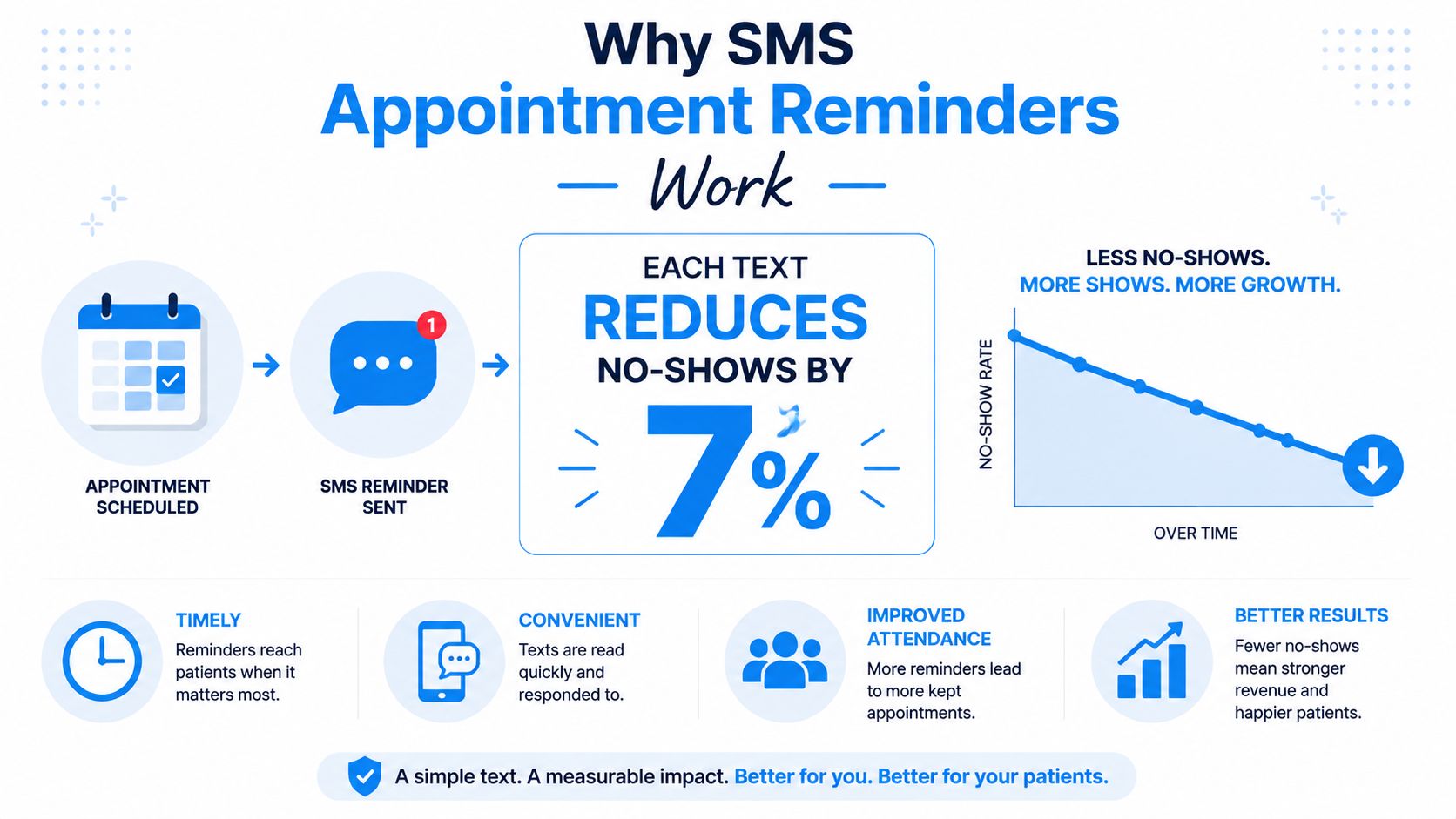
Consider a dental clinic losing three to five appointments each week. Every empty slot creates more than lost production. The front desk spends time calling patients, reshuffling the schedule, contacting waitlisted people, and explaining delays to patients who did arrive. A well-timed text can interrupt the original failure point, which is often simple forgetfulness or uncertainty about the appointment details.
Why texting fits the workflow
SMS reaches people through a channel they already use, without requiring an app login or a long phone conversation. Patients can read a reminder when it suits them, then reply with a confirmation or rescheduling request. Staff get a clearer view of the day ahead instead of waiting for the patient to appear.
Phone calls still matter. The Cochrane evidence found SMS performed similarly to phone reminders in some comparisons, with a relative risk of 0.99, so text messaging shouldn't be treated as a universal replacement for human contact. Older patients, people with complex preparation needs, and patients who repeatedly miss visits may need a call or a hybrid workflow.
Practical rule: Use SMS as the default reminder channel when a patient has consented and the phone number is reliable. Escalate when the appointment is high-risk, unconfirmed, or sensitive.
The historical evidence supports that approach. An early hospital outpatient study reported non-attendance falling from 18.1% to 11.2%, a 38% relative reduction, while a later review found pooled SMS attendance improvement with a risk ratio of 1.06. SMS moved from a convenience feature to a measurable operating tool because it consistently helps practices protect capacity.
ROI of Reducing Missed Appointments
Suppose a practice has four no-shows per week and each appointment is valued at $150. That creates $600 in weekly unrealized revenue, or approximately $31,200 per year, before considering staff time or the possibility of refilling the slot. A 10% reduction in that lost appointment volume would recover about $3,120 annually in this illustrative scenario.
The calculation is deliberately simple. It connects attendance data with scheduling economics without assuming every recovered appointment becomes billable revenue. Actual value depends on whether staff can refill cancellations, how much time goes into recovery, and whether the missed visit would have generated follow-up services.
What the evidence supports
A Cochrane review found that mobile text reminders improved attendance compared with no reminders, with a pooled risk ratio of 1.14. Observed attendance rose from 67.8% in the no-reminder group to 78.6% in the SMS group. The review also found similar performance between SMS and phone reminders, supporting a practical operating model: automate routine reminders and reserve live calls for appointments where staff judgment adds value. See the Cochrane evidence on mobile messaging reminders.
A systematic review covering 28 studies reported a pooled odds ratio of 1.62 for randomized trials and a weighted mean relative reduction in non-attendance of 34%. The same evidence found SMS less effective than manual calls in some comparisons, with reductions of 29% versus 39% of baseline non-attendance. SMS can improve attendance, but escalation remains part of a sound workflow.
ROI extends beyond recovered visits
No-show reduction affects several connected parts of the operation:
- Schedule stability: Earlier confirmations give staff time to offer open slots to patients who are waiting.
- Front-desk productivity: Automated messages reduce repetitive outbound calls and manual tracking.
- Provider utilization: Fewer empty slots make daily staffing and room planning more predictable.
- Patient experience: Clear reminders reduce uncertainty about time, location, preparation, and rescheduling.
- Management visibility: Confirmation and delivery data expose weak contact records and high-risk appointment types.
For a practice evaluating software, ask how much operational value disappears when the schedule remains uncertain, rather than looking only at the cost of texting. The guide to reducing no-show appointments provides a useful framework for reviewing the wider workflow.
Treat SMS appointment reminders as a revenue-protection system, not a marketing expense. Measure attendance before rollout, track it after launch, and separate recovered capacity from revenue the business could not realistically fill.
Legal and Compliance Requirements You Cannot Skip
TCPA exposure can include $500 to $1,500 per unsolicited message, depending on the circumstances and applicable damages. That makes consent a financial control, not paperwork to complete after a reminder system is live.
In the United States, automated texts to mobile phones can trigger requirements under the Telephone Consumer Protection Act, including prior express written consent in situations covered by the law. Use a clear opt-in process that states the person will receive appointment reminders by text and explains how to stop them. The message should identify the organization and provide a straightforward opt-out method, such as replying with the applicable unsubscribe instruction.
A pre-checked box provides weak evidence of an intentional choice. Use an unchecked option on the intake form, preserve the consent record, and store the phone number with the communication preference. Keep operational reminders separate from unrelated marketing permission.
Build the consent record
A workable process includes these controls:
- Ask directly: State that appointment reminders will arrive by SMS.
- Separate promotional consent: Do not combine operational reminders with marketing permission.
- Record the source: Keep the date, form, channel, and wording used for consent.
- Honor opt-outs promptly: Suppress future messages unless the person later provides valid permission.
- Review jurisdiction: State and local rules can add requirements, so legal counsel should review the workflow.
The record should remain usable during an audit or a complaint review. Staff need a way to see whether permission exists, update a changed number, and prevent a withdrawn preference from being overridden by a later import.
Appointment reminders should be designed as a compliance workflow, not added as an afterthought to a scheduling tool.
Healthcare organizations also need to consider HIPAA. Keep standard SMS focused on logistics, such as the appointment date, time, location, and general preparation instructions. Do not place diagnoses, test results, treatment details, or other sensitive clinical information in a message preview. Use a secure portal for information requiring stronger protection, and confirm that the messaging vendor supports the necessary contractual and security arrangements. The guide to HIPAA-compliant scheduling software offers a starting point for that vendor review.
For European audiences, GDPR adds obligations around lawful processing, transparency, data minimization, retention, and individual rights. A dental clinic might collect SMS permission during patient registration, while a home-service company may capture permission during online booking or a recorded phone interaction. Both need a documented basis for sending messages, accurate contact data, and a process for honoring preferences.
Setting Up Your First SMS Reminder System
A reliable SMS reminder system starts with the appointment workflow, not a software demo. Export recent appointment records, identify missed visits, review how staff currently contact people, and document where confirmations, cancellations, and rescheduling requests are handled. That baseline separates a real attendance improvement from a change in reporting habits.
A practical rollout sequence
First, audit the schedule. Map appointment types, booking lead times, locations, providers, and communication preferences. Check for duplicate records, landlines saved as mobile numbers, and contact details that have not been verified.
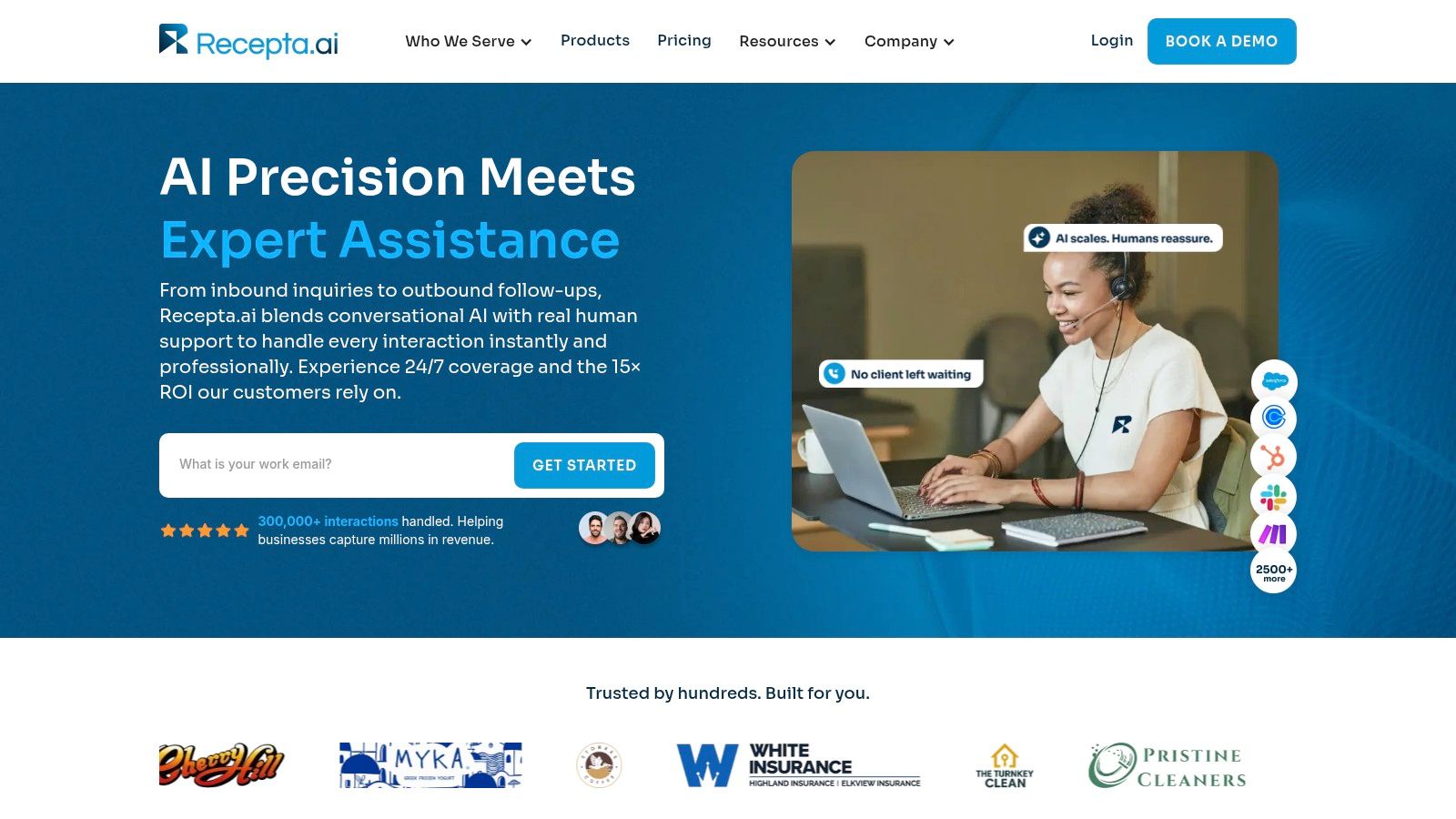
Second, evaluate integrations. The platform should connect to the calendar or CRM that holds the appointment. Check for two-way replies, editable templates, consent controls, delivery reports, rescheduling support, and staff escalation tasks. Recepta.ai is one example of an AI receptionist platform that integrates with 2,500+ tools, including CRMs and calendars, and triggers real-time outcomes, according to its official platform information. Review the calendar integration guide to assess whether your scheduling data can support automated updates.
Third, capture consent at intake. Add an unchecked SMS permission field to booking and registration forms. Give staff a clear way to update preferences when someone changes a number or requests another communication channel.
Fourth, configure separate rules. New appointments, routine visits, procedures, cancellations, and rescheduling requests may need different messages and escalation paths. Each reminder should use the correct local time, appointment details, reply options, and opt-out route.
Fifth, test before scaling. Send messages to internal test records and a small consenting segment. Confirm that replies update the appointment, cancellations create availability, and messages stay within permitted operating hours.
A representative rollout might use a 48-hour reminder for standard appointments, a second message for unconfirmed high-risk visits, and a staff call task when no response arrives. Set the escalation threshold before launch so staff know which appointments require personal follow-up.
Use this checklist during launch:
- Calendar sync: Confirm that new, changed, and canceled appointments update automatically.
- Reply handling: Test confirmation, cancellation, rescheduling, and opt-out responses.
- Consent storage: Verify that permission and withdrawal records remain searchable.
- Human escalation: Assign unconfirmed appointments to a named team or queue.
- Reporting: Track delivery, replies, cancellations, reschedules, and no-shows separately.
Avoid promising a specific lift before testing. Results depend on the population, appointment type, contact quality, and how consistently staff handle unconfirmed visits.
Crafting Messages That Get Confirmed Replies
Timing affects whether people respond. One review of reminder-response data reported average response rates of 68% at 24 hours, 69.2% at 48 hours, and 57.8% at 72 hours, making the 24-to-48-hour window a practical starting point. The reminder timing analysis supports testing that window before investing heavily in fine-grained wording changes.
A message should answer four questions quickly: who is contacting the person, what appointment is scheduled, when and where it will happen, and what action the recipient should take. Keep preparation details short, then direct the patient to a secure channel or phone line for anything sensitive or complicated.
Templates that reduce friction
Standard reminder
Hi [First Name], this is [Business Name]. Your appointment is [Day], [Date] at [Time] at [Location]. Reply C to confirm or R to reschedule. Reply STOP to opt out.
Same-day logistics reminder
Hi [First Name], your appointment with [Provider or Team] is today at [Time]. We're at [Location]. Reply R if you need help rescheduling, or call [Phone Number].
Confirmation request
[Business Name]: Can we expect you for [Date] at [Time]? Reply YES to confirm or NO to discuss another time.
Unconfirmed follow-up
We haven't received a confirmation for your [Date] appointment. Please reply YES to keep it, NO to reschedule, or call [Phone Number]. We'll follow up if we don't hear from you.
The wording should feel human without becoming conversational clutter. Include the person's name when appropriate, use a readable date and time, avoid unexplained abbreviations, and give one obvious next action. A 2026 study of personalized text reminders reported an overall attendance rate of 67.1%, supporting personalization as a useful differentiator rather than a decorative feature. The appointment reminder email template resource offers additional examples for adapting the same principles across channels.
A pilot study found 39% of patients replied to confirm while 61% didn't reply. That doesn't mean the unanswered messages failed. A reminder can prompt attendance without producing a response, but non-reply should trigger a different workflow for high-value or historically unreliable appointments. Reported SMS contact rates have reached 97% to 99% in another review, although delivery doesn't prove the recipient read or acted on the message. See the review of SMS reminder contact and response findings.
The following video can help teams think through practical reminder communication and workflow design:
Don't assume every non-reply deserves a call. Segment by appointment value, risk, prior attendance, accessibility needs, and patient preference. That's how a reminder program stays helpful instead of becoming a stream of interruptions.
Industry-Specific Implementation Examples
The same mechanics work across industries, but the operational objective changes. A pest-control company is protecting crew routes, while a dental clinic is preparing a patient for check-in. Treating both workflows as identical produces irrelevant messages and weak escalation.
Home services
A pest-control business can send a reminder with the service window, property access instructions, and a reply option for rescheduling. The CRM should update the technician's route when the customer changes the appointment, while unconfirmed jobs can enter a dispatcher's follow-up queue.
An HVAC company might connect booking data to SMS so the customer receives an appointment confirmation and arrival reminder without requiring a coordinator to make every call. The useful outcome isn't merely a sent message. It's a cleaner dispatch board and earlier visibility into jobs that may need a new time.
Dental and healthcare
A dental clinic can pair reminders with insurance verification, digital forms, and arrival instructions. The text should stay logistical, while protected information belongs in the patient portal. For patients who don't respond, staff can prioritize procedures with preparation requirements or a history of missed visits.
Healthcare practices should also treat attendance as an access issue. A patient may miss because of transportation, cost, language, caregiving responsibilities, or uncertainty about what the visit involves. SMS can surface the problem, but it can't solve every barrier by itself.
Professional services
A law firm can send a confirmation with the consultation time, office address, parking guidance, and a secure contact route. A clear rescheduling option reduces intake bottlenecks and gives the firm a more organized first impression.
An insurance agency can use reminders before policy review meetings, then route confirmed attendees into a preparation workflow. The message should support the meeting, not turn an operational reminder into an unsolicited sales pitch.
Multi-location and community programs
A franchise needs centralized rules for consent, timing, opt-outs, and reporting, with local fields for addresses, providers, phone numbers, and access instructions. That balance keeps the customer experience consistent without sending a client to the wrong branch.
The same principle applies to leagues and tournaments. Teams comparing the best notification systems for youth sports can evaluate whether reminders support location changes, two-way responses, and role-based communication. The details differ from clinic scheduling, but the requirements for accurate records and timely updates are similar.
Troubleshooting, Equity, and Where to Go Next
Most problems appear after launch. Failed deliveries usually trace back to invalid numbers, landlines, formatting errors, or stale records. Suppress bad numbers, verify contact details at the next interaction, and give staff a visible exception queue instead of dropping the appointment.
Opt-outs require a different response. A large integrated-health-system study found 2.5% of adults opted out of text messages and 1.5% opted out of IVR messages. Opt-out odds rose with message volume, and patients receiving 20 or more texts per year had higher opt-out odds than those receiving fewer than 2, with an adjusted odds ratio of 3.58. The study on message volume and opt-out behavior supports a restrained cadence.
Diagnose the failure before changing the copy
- Low replies: Check whether the call to action asks for one simple response.
- Messages outside business hours: Add send-time limits and account for local time zones.
- Repeated no-shows: Escalate to a call, transportation discussion, or scheduling review.
- Language mismatch: Offer translated templates and let patients choose a preferred language.
- Digital exclusion: Keep phone outreach and in-person options available for people without reliable mobile access.
A 2026 review of 45 studies found recurring barriers involving digital exclusion, language, confidentiality, and socioeconomic inequality, while carer-specific evidence remained limited. A 2025 pilot in Haiti and broader literature continue to support SMS in resource-constrained settings, but access depends on more than message delivery. Read the review of equity and accessibility barriers before treating SMS as an inclusive solution by default.
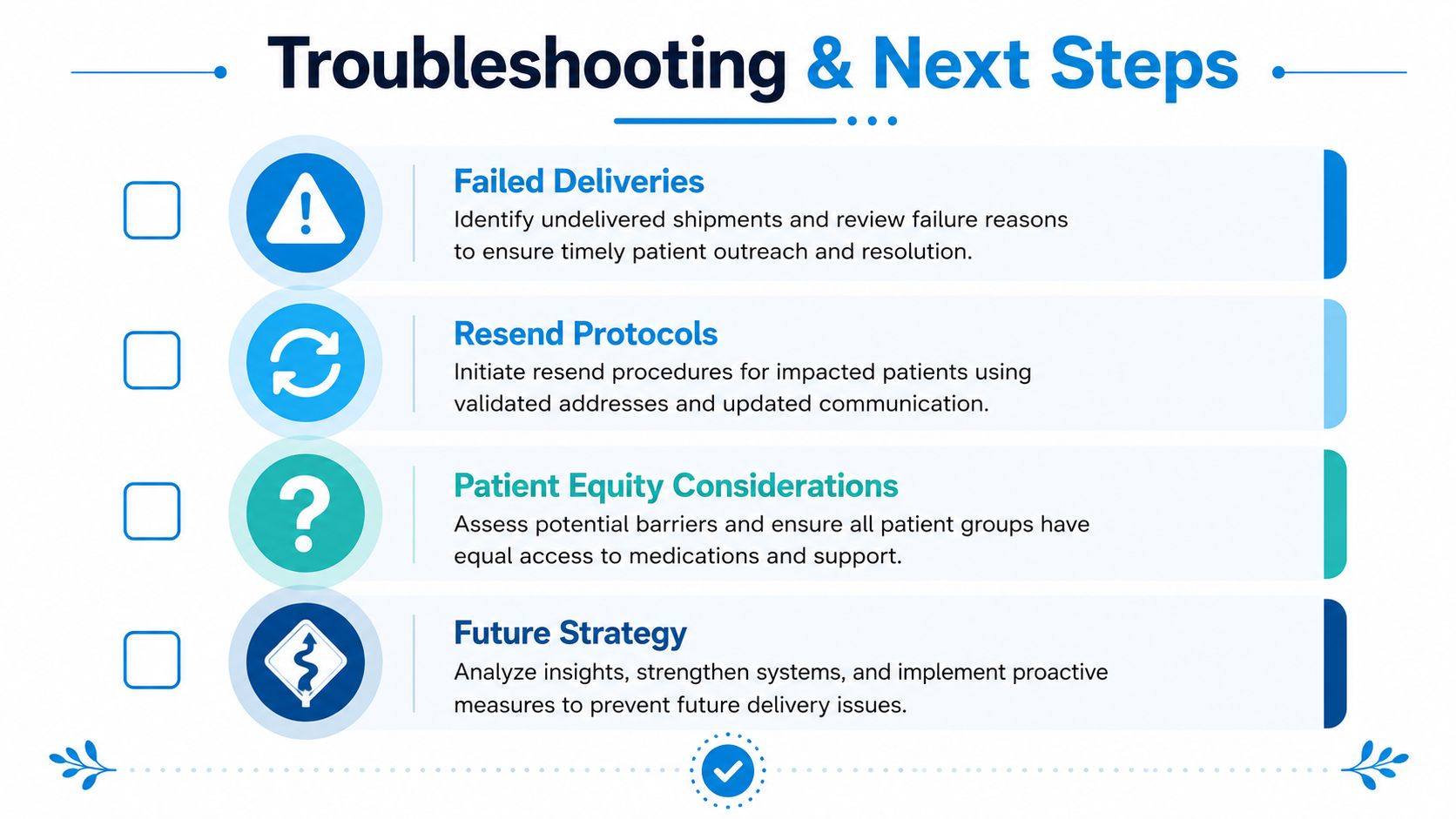
Personalization is the next practical frontier. A 2026 study reported an overall attendance rate of 67.1% for personalized reminders, while other evidence indicates phone calls may work better for some older patients. Teams exploring broader clinic automation with AI should ask which patients need SMS, which need human follow-up, and what information staff need to act quickly.
Start with clean contact data, documented consent, a 24-to-48-hour test window, two-way replies, and a defined escalation queue. Then review attendance and opt-outs by patient group, appointment type, and location so efficiency gains don't hide access gaps.
Recepta.ai combines automated SMS appointment reminders with scheduling, follow-ups, and escalation to human support when a text isn't enough. Visit Recepta.ai to review its calendar and CRM integrations, real-time workflow outcomes, and 30-day risk-free trial.