Technology Customer Service Explained for Growth
A technician is under a sink, a dentist is with a patient, or a lawyer is in a consultation when the phone rings. The caller has a real need and may be ready to book, but the call goes to voicemail. By the time someone calls back, the caller may have contacted another provider.
That moment captures the central problem in technology customer service. The purpose of automation isn't to remove people from service. It's to keep the front door open, collect useful information, complete routine actions, and bring a trained person into the conversation when judgment or empathy matters.
When Every Call Could Be Revenue
An HVAC company receives an after-hours call while its technicians are finishing an emergency repair. The caller needs a replacement system and wants to schedule an estimate. Nobody answers, no details enter the CRM, and the next morning the team has no reliable way to know whether the opportunity was urgent, local, or already lost.
This is why service technology should be treated as revenue protection and experience design, not only as a cost-cutting project. A phone system that answers but can't identify the customer, check availability, or create a follow-up task may sound responsive while leaving the underlying problem untouched.
For home services, a useful first workflow is simple:
- Answer the interaction: Accept calls, messages, or web inquiries even when the team is occupied.
- Identify the request: Separate a new lead, an existing customer, an emergency, and an administrative question.
- Capture the essentials: Record the caller's name, location, service need, urgency, and preferred next step.
- Complete or route the job: Book an appointment, send the request to dispatch, or transfer it to a person.
- Preserve the record: Write the outcome into the CRM, calendar, help desk, or billing system.
Teams evaluating broader support operations can also study how a help desk for IT support organizes intake, triage, ownership, and resolution. The same principle applies to a busy service firm: every request needs a clear owner and a visible status.
Practical rule: Automation should handle availability and predictable work. People should handle judgment, empathy, exceptions, and sensitive decisions.
An AI call answering service can be useful when the immediate gap is missed calls, but the right choice depends on what happens after the greeting. A receptionist that only takes messages solves less than one that can qualify a lead, schedule a visit, and hand over context.
The framework is straightforward. Choose tools according to the job they must perform, connect them to the systems where work already happens, define when automation must stop, and measure completed outcomes rather than activity alone. That approach works across HVAC, plumbing, healthcare, legal services, finance, and other businesses where a fast but incorrect answer can be worse than a slower human response.
How Modern Service Technology Fits Together
Customer service technology evolved from isolated records into connected platforms. Businesses used paper files and filing cabinets in the 1950s. Mainframe computers began enabling digital customer records during the 1970s, and database marketing systems emerged in the 1980s to manage customer information at larger scale. In 1987, Conductor Software launched ACT!, widely described as a digital replacement for the Rolodex.
During the 1990s, sales-force-automation systems began consolidating customer contacts, sales opportunities, and service information. Siebel Systems, founded in 1993, helped establish the modern customer-relationship-management category, and the term “customer relationship management” became widely associated with the industry by the mid-1990s. In 1999, Siebel introduced a mobile CRM product and Salesforce launched a web-based software-as-a-service model, shifting service records toward shared systems available across locations and devices. SAP's CRM history provides the background for this progression.
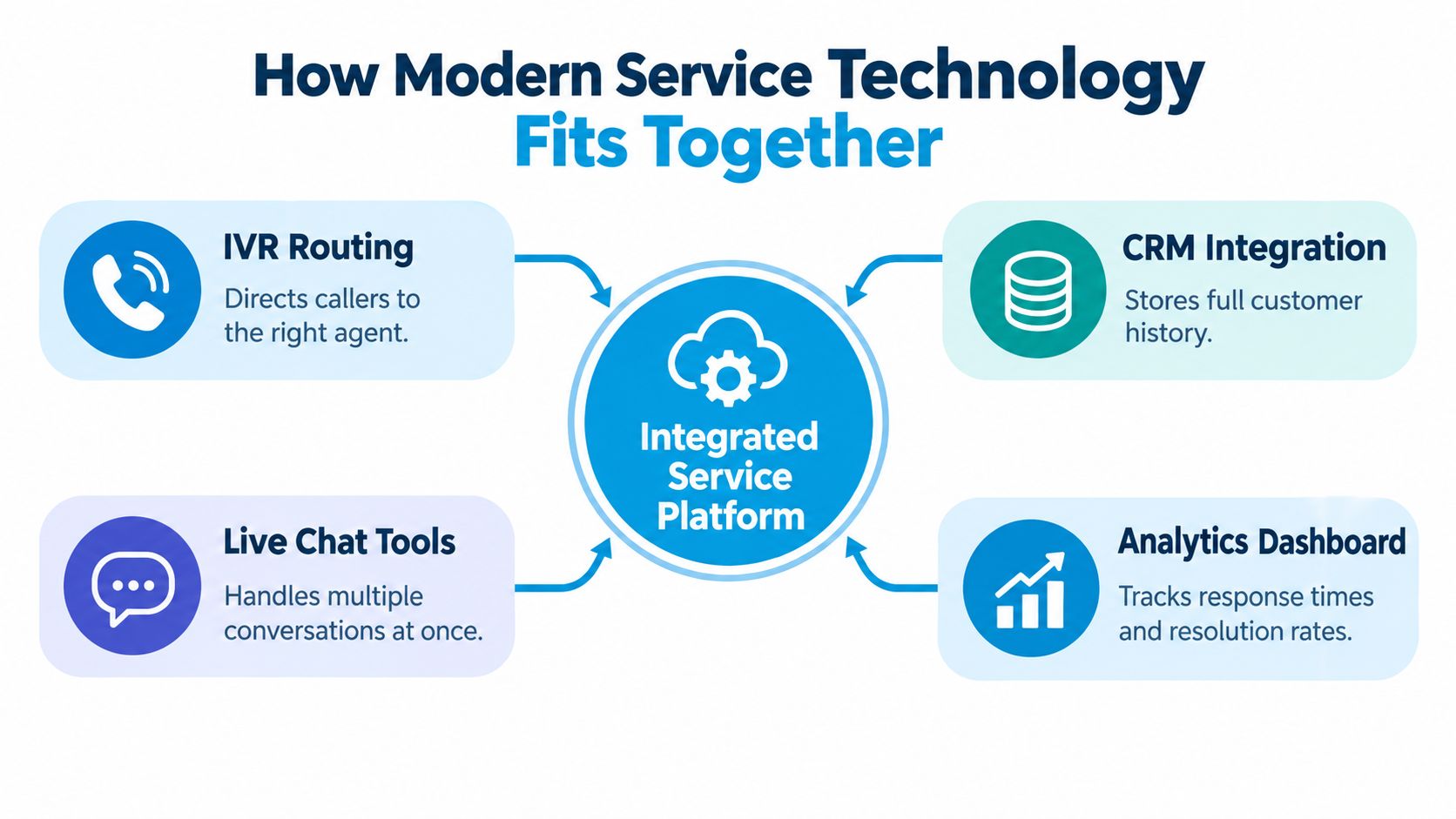
Think of the system as a digital front desk
A receptionist doesn't merely answer the phone. They identify the visitor, understand the purpose of the visit, check the calendar, find the right colleague, and record what happened. Modern service technology should perform the same sequence across phone, chat, SMS, email, and web forms.
- IVR routing is the entrance directory. It directs callers by language, department, service type, or urgency. Good routing reduces transfers. Poor routing traps callers in menus.
- Chatbots and live chat tools manage text conversations. They can answer routine questions, collect information, and keep several conversations moving, but they need a clear path to a person.
- AI receptionists combine conversational intake with actions such as lead capture, appointment requests, reminders, and follow-up tasks. Their value depends on the integrations behind the conversation.
- CRM integration is the customer record. It stores contact details, prior interactions, sales status, notes, and ownership so the next employee doesn't start from zero.
- Scheduling and operational systems turn a conversation into an outcome. A booking request isn't complete until the calendar confirms a slot, the right location is attached, and the team receives the task.
- Analytics dashboards show where the process fails. They should connect response time, resolution, transfer, booking, and repeat-contact data.
The most common weakness isn't the absence of a tool. It's a missing connection. An IVR may route a caller correctly, but if it doesn't pass the caller's identity and reason for contact to the CRM, the employee asks the same questions again. A chatbot may collect an address, but if dispatch can't see it, the customer still has to repeat the information.
For teams planning system connections, an API connectivity guide can help clarify how calls, calendars, CRMs, help desks, and industry applications exchange information. Start with the workflow, not the software list. Map the request from first contact to final outcome, then identify every point where a person currently retypes or searches for data.
In the late 2010s, CRM platforms increasingly incorporated machine learning and artificial intelligence for workflow automation, analytics, and customer engagement. That history explains today's expectation: a receptionist or contact-center platform should connect calls, appointments, leads, customer records, and follow-up activity rather than operate as a standalone phone tool.
Benefits and Trade Offs Worth Knowing
Automation gives a small team something valuable: dependable coverage when employees are busy, driving, or already serving someone else. It can provide consistent answers, create records automatically, route requests, and reduce the administrative work that follows every call.
Those benefits come with limits. A system can misunderstand a caller, repeat an unhelpful prompt, or make a sensitive conversation feel transactional. The right question isn't whether automation is good or bad. It's whether a specific task is predictable enough for automation and whether the customer can reach a person without friction when it isn't.
Coverage is useful only when trust remains visible
Human access remains central even as service expands across digital channels. A global 2025 channel-preference study found that, averaged across countries and nine common activities, 61% of consumers preferred a human-mediated channel, such as chatting with a person on a computer, speaking with someone by phone, or meeting in person. Only 8% preferred an automated system as their channel of choice. Earlier customer-experience research reported live-agent contact as the most-used channel at 81%, ahead of email at 43%, while Deloitte reported that 69% of respondents in one survey preferred talking with a live agent when seeking customer service. These figures are reported in Deloitte's contact-center technology analysis.
A practical model looks different by industry:
- An HVAC firm can use automation to answer after-hours calls, identify the property location, capture the equipment problem, and request an appointment. A person should take over when the caller needs a technical diagnosis, a price exception, or urgent safety guidance.
- A dental office can automate routine appointment requests and office information. It should route clinical concerns, complex billing disputes, distress, and unclear symptoms to trained staff.
- A finance team can collect basic account-intent information, but identity, fraud, complaints, and decisions involving financial risk need controlled human handling.
The trade-off becomes manageable when the system makes the human option obvious. Customers shouldn't have to persuade a bot that their problem matters. An efficient transfer can preserve the speed of automation while protecting the relationship that human support creates.
For a broader discussion of practical use cases, see these benefits of AI in customer service. The useful standard isn't maximum automation. It's dependable availability paired with an escalation path that customers can trust.
Industry Playbooks With Practical Examples
Different industries need different front doors. A home-services company often benefits from phone-first intake because a caller may be ready to book immediately. A healthcare practice may use phone and messaging together, with stricter escalation for clinical questions. Legal and financial firms need structured intake, careful routing, and strong boundaries around advice.
Home services
A plumbing assistant receives a call about an emergency leak. It should ask for the caller's name, service address, nature of the leak, immediate safety concerns, and availability. If the request is routine, it can create a job request or book a slot. If the caller reports flooding, electrical danger, or uncertainty about what to do next, it should escalate quickly.
Missed calls deserve their own dashboard. Invoca benchmark data reports that 38% of answered calls to home-service businesses are leads, and 45% of those phone leads convert during the call, as summarized by Carly's missed-call analysis. In the stated example, an HVAC company receiving 100 calls might receive 38 leads, with roughly 17 converting immediately if all calls are answered. Missing 20 calls risks losing approximately 3 to 4 potential customers before later callbacks.
The operational response is clear. Prioritize coverage during technician appointments and outside office hours, identify new versus existing customers, capture location and service need, then book or route the request during the first interaction.
Healthcare
A dental practice can use an automated phone flow to collect a patient's name, preferred appointment time, insurance question, and urgency. It should not treat a clinical concern like a routine scheduling request. Billing distress, clinical uncertainty, repeated misunderstanding, or a request for a staff member should trigger a transfer with the collected details attached.
That handoff lets the receptionist begin with context rather than asking the patient to start over. It also keeps the assistant in a safe role, gathering information and coordinating access without pretending to replace clinical judgment.
Legal and financial services
A law-firm intake assistant can collect the practice area, incident date, jurisdiction, opposing-party information if available, and the reason the automated flow could not complete intake. The receiving receptionist can then determine whether the inquiry fits the firm's work and whether a conflict check or attorney review is needed. Teams evaluating this model can review an answering service for law firms as one example of how intake and escalation can be organized.
A finance or insurance team should use similar discipline. Let automation collect contact details, policy or account intent, and a preferred callback time. Route complaints, identity concerns, suspected fraud, and decisions requiring regulated advice to trained staff.
Across these examples, the transferable pattern is the same: define the trigger, collect only the information needed for the next action, complete what can be completed safely, and transfer the rest with a useful record.
Knowing When Automation Should Step Aside
A reliable system needs escalation rules before it goes live. Without them, the automation will keep trying to complete conversations that have already become confusing, emotional, risky, or impossible to finish.
Use observable triggers
The following rules can be built into an IVR, chatbot, or AI receptionist:
- Two failed understandings: Escalate after the system misreads the customer twice or fails to identify the intent after two clarification attempts.
- An explicit request for a person: Transfer when the customer asks for an employee, receptionist, agent, or manager.
- Emotional or urgent language: Route distress, anger, fear, threats, safety concerns, or time-sensitive language to trained staff.
- Sensitive topics: Escalate billing disputes, complaints, clinical questions, legal uncertainty, identity concerns, and compliance-sensitive requests.
- An incomplete transaction: Hand off when the system can't confirm the booking, create the case, verify the needed information, or provide a safe next step.
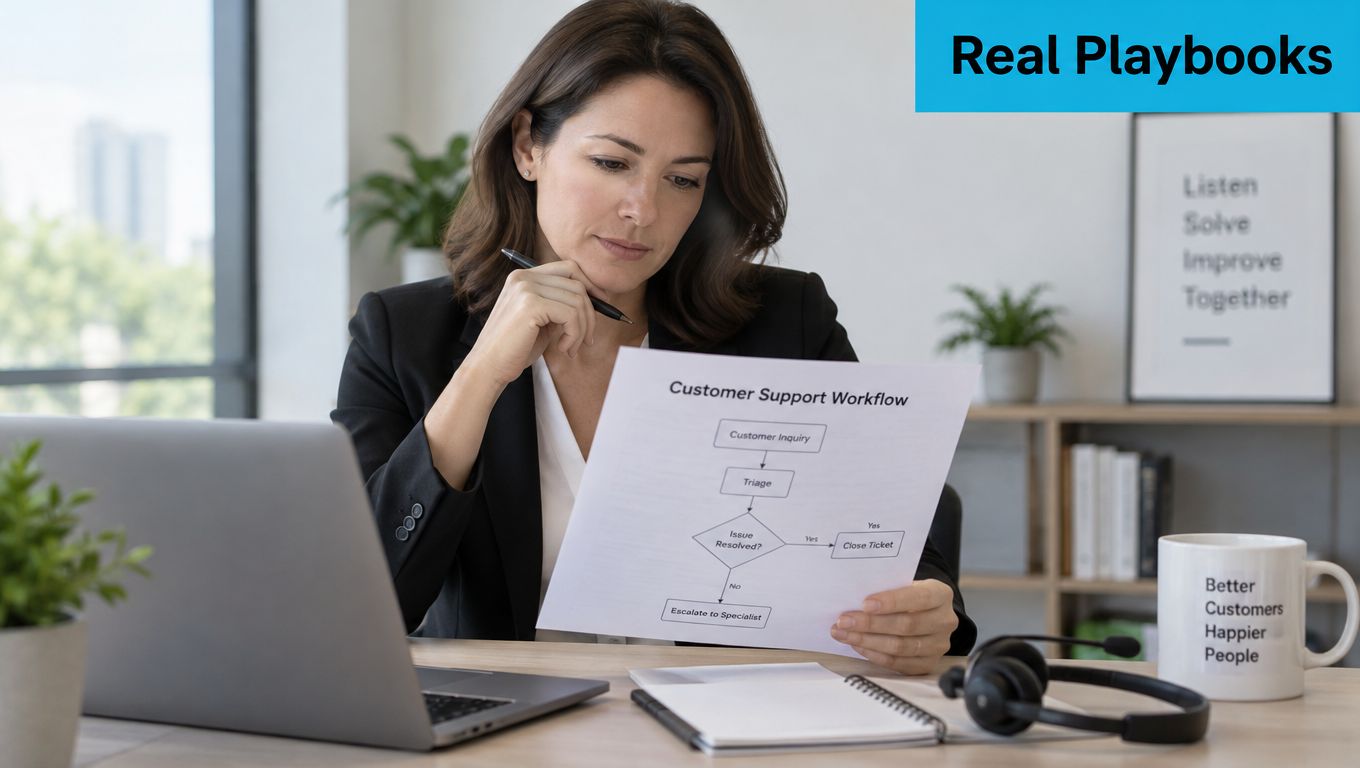
- A long, unproductive interaction: Use a time threshold, such as the five-minute rule shown in the workflow, when the conversation continues without resolution.
A global Five9 study reported that trust in AI more than doubled, from 26% to 55%, when consumers could see that a human option was available. The same research found that 92% of consumers give AI less than 10 minutes before escalating, and 46% abandon AI because it repeatedly misunderstands them. These figures are reported in Five9's consumer research coverage.
The transfer record matters as much as the trigger. Pass the caller's identity, stated problem, account or booking number, information already collected, troubleshooting attempted, urgency, and promised next step. A dental office can use this record to show the patient's preferred appointment time and insurance question. A legal intake team can see the jurisdiction and practice area before speaking.
For healthcare teams reviewing role boundaries, Medical Virtual Assistants offer useful context on how administrative support can complement, rather than replace, professional staff. The handoff should feel like a continuation, not a restart.
Measuring What Actually Matters
A greeting isn't a resolution. A chatbot answer isn't a completed booking. A transferred call isn't a successful handoff if the customer has to repeat the entire story and still waits for an outcome.
Start with first-contact resolution, or FCR. The calculation is:
FCR = resolved first-contact cases ÷ total cases
A case counts as resolved only when the customer's stated goal is complete during the first interaction. For a service firm, that might mean a confirmed appointment, a created dispatch request, an answered account question, or a documented resolution that doesn't require another contact.
A benchmark covering approximately 7,000 companies found that 71% of support tickets were resolved with one response, with cross-industry customer satisfaction at approximately 78%. Healthcare organizations reached 83% FCR, while banks recorded 55%, according to the Freshdesk customer happiness benchmark.
Build a diagnostic dashboard
| Metric | What good looks like | What a poor score reveals |
|---|---|---|
| First-contact resolution | The customer's goal is completed during the first interaction | Missing integrations, weak intent recognition, or incomplete agent access |
| Repeat-contact rate | Customers rarely return for the same issue | The system may be marking conversations resolved too early |
| Escalation rate | Transfers occur for defined risk, ambiguity, or service reasons | High rates may indicate poor automation, while very low rates may indicate unsafe containment |
| Time to first response | Customers receive a quick acknowledgement and useful next step | Model delay, queue congestion, or slow orchestration |
| Task-completion latency | Booking, qualification, or resolution completes without hidden waiting | Fast greetings may be masking slow calendar, CRM, dispatch, or billing operations |
| Post-handoff repeat-question rate | Staff receive enough context to continue naturally | Broken transfer records and customer frustration |
Track response latency at p50, p95, and p99, not only as an average. A system may feel fast for most callers while creating long delays during CRM lookups, calendar checks, API retries, or busy periods. Measure task-completion latency separately, because a quick acknowledgement that produces no booking or resolution has limited operational value.
Segment FCR by channel, issue type, location, agent or automation path, and escalation reason. Low FCR with fast first responses usually points to missing integrations, insufficient knowledge retrieval, poor intent classification, or handoffs that force customers to repeat information.
Choosing a Balanced Service Setup
Choose the first improvement according to the largest leak. If calls disappear after hours, start with coverage and lead capture. If employees retype information, connect telephony to the CRM and calendar. If transfers create frustration, fix the handoff record before adding more automation. If routine questions dominate, organize content around customer intents such as emergency leak, estimate request, rescheduling, invoice dispute, and warranty question.
Don't measure success by containment alone. Gartner research cited by CMSWire found that only 14% of customer-service issues were fully resolved through self-service, while even issues customers described as very simple reached only a 36% resolution rate. The same source reported that 43% of failures occurred because customers couldn't find relevant content, and 45% occurred because the system didn't understand what they were trying to do, as explained by CMSWire's self-service analysis.
During the first month, review completed outcomes, repeat contacts, escalation reasons, transfer context, and unresolved intents. A balanced setup keeps technology available and consistent while making trained human help easy to reach.
Recepta.ai combines conversational AI with human receptionist support for inbound and outbound calls, chat, SMS, appointment scheduling, lead capture, follow-ups, and context-preserving escalation. Visit Recepta.ai to see how its connected workflows can help your team protect missed opportunities while keeping people available for the conversations that need judgment and empathy.