10 Best Appointment Scheduling Software Tools for 2026
A prospect calls after hours, can't find an open slot, and leaves a voicemail. By morning, they've booked with a competitor who answered immediately. Your calendar may be accurate, but that doesn't mean customers can reach it when they're ready to buy.
The best appointment scheduling software depends on the workflow behind the booking. A sales team needs routing. A clinic needs privacy controls and reliable reminders. An HVAC company may need phone-led intake, calendar updates, and rescheduling without forcing customers through a form. This list compares ten tools across features, integrations, pricing structure, security considerations, and ease of use, then matches each one to a practical operating model. The limitations matter as much as the feature lists.
Online booking has also moved beyond a digital calendar. Scheduling software now connects customer demand with staff capacity, payments, reminders, records, and follow-up workflows. Some businesses need a booking page. Others need an AI receptionist that can answer questions and schedule a service call. If you're evaluating options for a service business, compare these tools with their scheduling feature as a useful reference point for customer-facing booking flows.
1. Recepta.ai Products
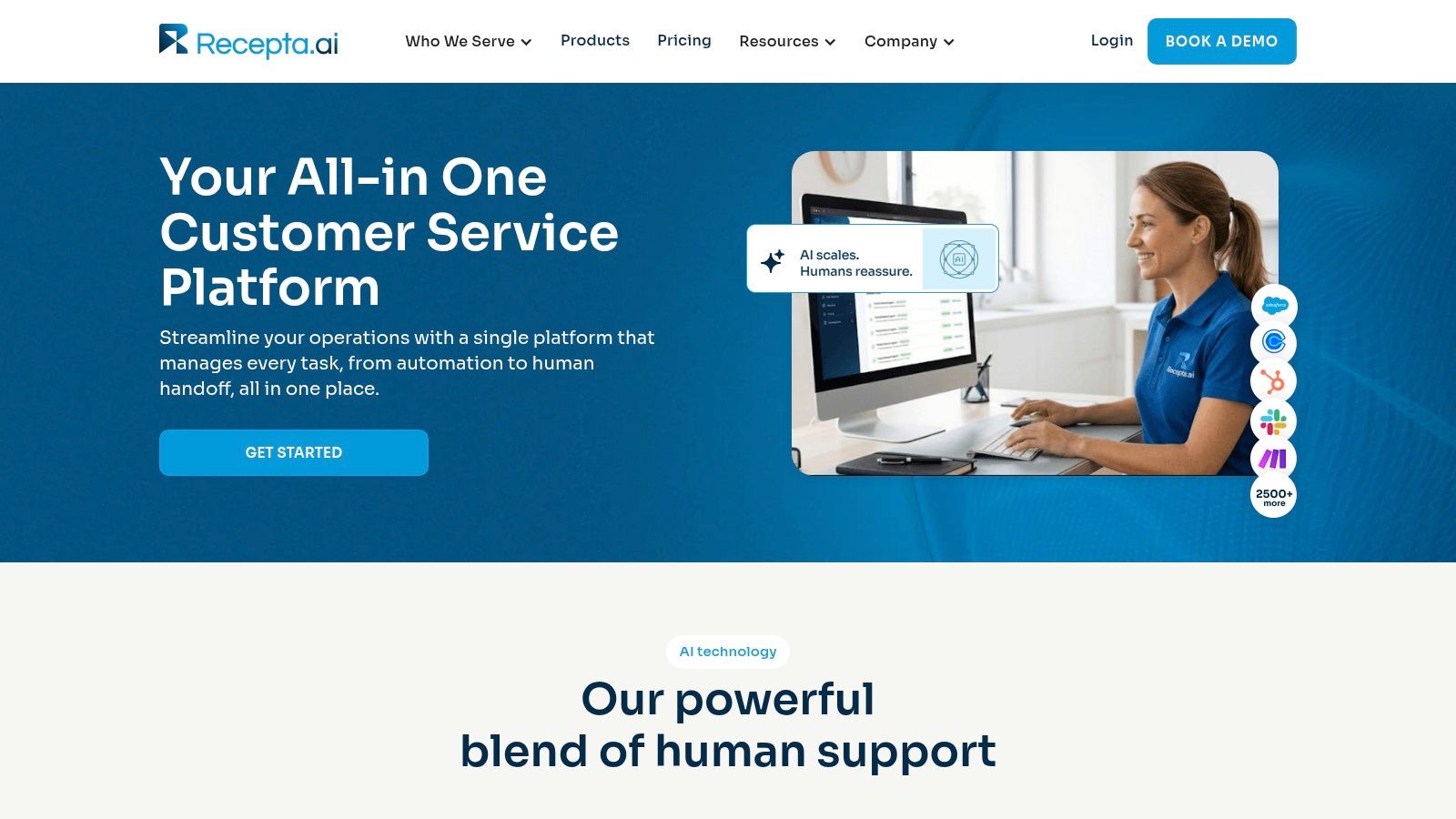
Recepta.ai Products is the strongest fit for businesses where the booking conversation starts with a phone call, not a link. Its AI receptionist handles inbound and outbound calls, captures lead details, answers routine questions, schedules appointments, and manages follow-ups. When a caller needs empathy, judgment, or specialist knowledge, the workflow can hand off to trained human agents.
That matters for an HVAC company receiving an urgent repair request, a law firm qualifying a consultation, or a dental office handling a patient who needs to reschedule. The receptionist can check connected availability, offer suitable times, confirm the appointment, and log the interaction without asking staff to re-enter the details.
Where the operational value shows up
The platform connects with 2,500+ tools, including CRMs, calendars, and industry systems. That makes it more useful than a standalone booking page when an appointment must trigger a larger workflow. A booked estimate can create or update a CRM record, notify a team, and start a follow-up sequence. Call summaries, real-time analytics, agent guidance, and automatic data logging give managers visibility into what happened.
Recepta.ai also offers security and compliance-ready practices, fast setup, and a 30-day risk-free trial. Customers report up to 30% more qualified leads, 80% cost savings versus in-house reception, and a 15× ROI, according to the publisher's product information. Those figures should be validated against your own call volume, staffing model, and conversion data before they influence a purchase.
Practical rule: If a customer can only book by navigating a page, test what happens when they call with a question, request a different service, or need help outside business hours.
The trade-off is configuration. Complex workflows and niche legacy systems may require integration work. Organizations that insist every interaction be handled by a human may also need a more customized staffing model. For a broader look at booking operations, compare it with this guide to table management tools.
Verify before buying: Call the system with a real customer scenario, request a booking and reschedule, then confirm that the calendar, CRM record, reminder, and escalation all update correctly without manual entry. Visit the Recepta.ai Products page to confirm current integrations, trial terms, pricing, and compliance documentation.
2. Calendly
Calendly remains a practical default for sales, recruiting, consulting, and professional services teams that want people to book from a link. Setup is fast, invitees don't need an account, and calendar plus video-conferencing synchronization is straightforward. A consultant can place a link in an email signature, while a sales team can route a qualified prospect to the right representative.
Its team scheduling tools support round-robin, collective, and pooled availability. Routing forms can qualify a lead before showing booking options, which works well when an inbound demo request should go to an account owner rather than the next available person.
Where Calendly fits
Calendly also supports automated email and SMS reminders, workflow automation, payment collection through Stripe or PayPal, administrative controls, SSO, SAML, and enterprise audit controls. The integrations are a major strength. A sales organization can connect a form, meeting type, CRM, and video platform without building a custom scheduling system.
The weakness is cost and scope. Per-seat pricing can become difficult to manage across a large team, especially when many employees need booking access but only a few actively schedule meetings. Calendly also isn't intended for collecting protected health information and doesn't offer a BAA, which limits its use for healthcare workflows.
A useful comparison is conversational scheduling. A booking link works when the customer already knows what they want and can choose a time. It's less effective when the prospect needs qualification, asks service questions, or prefers to call. Teams exploring that difference can review this guide to AI appointment scheduling software.
Verify before buying: Create a round-robin event with two real calendars, submit it as an external visitor, and confirm routing, reminders, video details, CRM updates, and cancellation handling. Check the Calendly website for current plan limits and enterprise controls.
3. Squarespace Scheduling, Acuity
Squarespace Scheduling, also known as Acuity, suits service businesses that need more than one-to-one meeting links. Salons, wellness practices, fitness providers, coaches, and clinics can offer appointments, classes, packages, subscriptions, and gift cards from a customizable booking page. The system works with websites built on different content management systems, so you don't have to rebuild your site around the scheduler.
A wellness studio, for example, can sell a package, let a client book a class, collect a deposit, and send automated reminders. A multi-location practice can manage provider calendars and booking rules from a central setup.
Strong customization, deeper administration
Acuity supports native payments and deposits, automated client communications, multi-calendar management, and multi-location operations. Its booking pages can reflect the brand more closely than lightweight schedulers, which helps when the booking experience is part of the customer journey rather than a plain link.
Healthcare buyers need to examine the plan carefully. HIPAA-enabled workflows and a BAA are available on Premium and Enterprise tiers, while some advanced calendar and operational features also require higher plans. That makes Acuity potentially suitable for sensitive workflows, but only after the organization confirms the exact configuration and terms directly with the vendor.
The interface can feel heavier than a simple scheduler. That's a reasonable trade-off for businesses selling packages, recurring services, classes, or gift cards. It's unnecessary complexity for a consultant who only needs a personal booking page.
Verify before buying: Build one appointment, one class, one package, and one cancellation flow. Test deposits, reminders, calendar conflicts, and the exact privacy configuration your business requires. Review the current offering at Acuity Scheduling.
4. Square Appointments
Square Appointments is built for appointment-driven local businesses that also need payments and point-of-sale operations. Salons, spas, wellness providers, and other service businesses can publish online booking pages and add booking buttons to Instagram, Facebook, or Google. Staff can manage appointments alongside Square payments, invoices, and customer records.
The important distinction is that Square handles the commercial transaction around the appointment. A salon can require a deposit, charge a late-cancellation fee, accept payment after the service, and keep the transaction connected to the client profile. A service business with both walk-ins and scheduled visits can manage both patterns without splitting operations between separate tools.
Best for local service commerce
Square supports waitlists, resource management, class booking, multiple staff members, multiple locations, Google Calendar synchronization, a bookings API, and reporting on team performance and future bookings. SMS confirmations and Square Assistant can also help customers reply to booking messages.
It's less natural for B2B meetings. A software company booking demos may find the retail and service orientation distracting, especially if it doesn't need deposits, POS workflows, or resource allocation. Pricing also depends on the plan and location, so don't assume a cost from an old review.
For smaller operators, the key question is whether Square already sits at the center of the business. If it does, adding appointments can reduce duplicate systems. If it doesn't, compare the payment and reporting benefits against the effort of moving customer data into the Square environment. This guide to appointment scheduling software for small business provides useful context for that decision.
Verify before buying: Book from Google or Instagram, apply a deposit, cancel late, join a waitlist, and complete payment. Confirm that the customer record and staff report show the full transaction. Check Square Appointments for current location-specific pricing.
5. Setmore
Setmore is a sensible choice for small businesses that need to launch quickly without building a complicated scheduling operation. It provides online booking pages, a website widget, Reserve with Google, social booking buttons, two-way calendar synchronization, recurring appointments, deposits, and payments through Square, Stripe, PayPal, and LawPay.
That payment range is useful for professional services. A law firm can connect LawPay, publish consultation availability, and collect a deposit without forcing the client through a separate payment workflow. A cleaning company can create recurring service appointments and let customers manage them online.
A practical SMB starting point
Setmore includes SMS and email reminders, team booking pages, API access on paid plans, and an optional live receptionist add-on in the United States. Setmore Health provides HIPAA-related options, but those features require the appropriate product and enablement. Don't treat the standard account as automatically suitable for healthcare data.
The free plan makes Setmore approachable for a solo operator or small team. The trade-off appears as requirements grow. Advanced automation, branding controls, and higher SMS volume can require paid tiers. Businesses with complex routing or extensive reporting may eventually outgrow the simpler setup.
A good deployment starts with only the services customers book. For example, a pest-control company might create inspection, treatment, and follow-up appointment types, each with its own duration and reminder. Adding every internal task at launch usually makes the booking page harder to use.
Verify before buying: Publish three real services, book from a mobile device, test a recurring appointment, process a deposit, and confirm two-way calendar updates. For healthcare, request the applicable agreement and configuration details directly. Visit Setmore to check current plans and add-ons.
6. SimplyBook.me
SimplyBook.me is designed for organizations that want a configurable booking operation rather than a basic calendar link. It supports appointments, classes, memberships, packages, point-of-sale workflows, coupons, gift cards, booking widgets, a website builder, and marketing tools. The custom-feature library lets a clinic, franchise, or specialist service business add capabilities as its workflow develops.
A massage practice might combine appointment types, packages, gift cards, intake forms, and reminders. A franchise can standardize the booking experience while allowing each location to manage providers and services locally. The platform's flat-plan approach, rather than purely per-user pricing, can be attractive when many providers need access.
Flexibility requires planning
SimplyBook.me connects with payment and accounting systems and offers industry-specific features such as HIPAA support, SOAP notes, SAML SSO, and a branded client app. HIPAA functionality is available through a custom feature on Standard and higher tiers, with a BAA available on request. Buyers should confirm the exact plan, feature, and agreement before entering sensitive information.
The downside is breadth. Plan limits for bookings, features, and providers require deliberate design. A small solo business may spend more time configuring options than it saves. Teams should document services, booking rules, locations, staff permissions, and notification templates before turning on every available feature.
A flexible scheduler only helps when someone owns the configuration. Assign that responsibility before launch.
For a concrete industry application, compare the workflow with this guide to scheduling software for massage therapists.
Verify before buying: Configure one location and one provider first, then add a package, payment, intake form, reminder, cancellation, and reschedule. Confirm that the plan supports the providers and features you expect. Review SimplyBook.me for current limits, pricing, and compliance options.
7. Zoho Bookings
Zoho Bookings makes the most sense when Zoho CRM, Zoho Desk, Zoho Meeting, or other Zoho applications already run the business. Its value comes from the handoff. A customer books a consultation, the system can update the relevant customer workflow, and the team can manage the interaction without exporting data between unrelated platforms.
The scheduler supports one-to-one, collective, group, and recurring bookings. Multi-workspace functionality helps organizations separate brands, departments, or service lines. Routing forms and round-robin or load-balanced assignment can distribute demand across sales or support staff.
Good team control inside the Zoho stack
Zoho Bookings integrates with Google and Microsoft calendars, Zoom, Google Meet, Microsoft Teams, Zoho CRM, and Zoho Desk. It also supports payments and provides an audit log on Premium. Premium includes a HIPAA option with masked fields and additional controls, but healthcare teams should verify the required configuration and agreements.
The main limitation is ecosystem dependence. Teams already committed to Zoho will likely find the native connections efficient. Teams using another CRM may spend more time reproducing the same workflow through integrations. Branding and HIPAA controls also become more restricted on lower tiers.
For a service team, try a routing form that asks for service type, urgency, and location. Send each response to the correct person, then inspect whether the CRM record and booking details remain consistent.
Verify before buying: Run one round-robin booking, one collective meeting, and one recurring appointment with Google or Microsoft calendars. Check the CRM activity, audit record, payment flow, and privacy controls. Visit Zoho Bookings for current edition details.
8. Microsoft Bookings
Microsoft Bookings is the natural option for organizations already standardized on Microsoft 365, Outlook, and Teams. It creates booking pages for services and locations, synchronizes staff availability with Outlook calendars, assigns employees, and supports Teams meetings for virtual appointments.
An education department can publish office-hour services for different staff members. A professional-services firm can let clients book consultations while protecting internal Outlook conflicts. A public-sector team can keep scheduling inside an existing tenant, identity system, and administrative model.
Familiar administration, narrower commerce
Bookings supports staff roles and permissions, multiple locations, automatic Outlook synchronization, and Teams integration. Organizations with eligible Microsoft 365 plans may not need a separate standalone scheduler subscription. SSO and tenant-level controls can also make internal deployment easier.
The trade-off is specialization. Microsoft Bookings has fewer marketing, payment, commerce, and client-engagement features than tools built for salons, clinics, or retail services. Access also depends on the specific Microsoft 365 edition, so the presence of Outlook alone doesn't guarantee every Bookings capability.
The most important test is calendar accuracy. If a staff member blocks time in Outlook, the public page must stop offering that time. If a customer cancels, the staff calendar and booking record must reflect it without a manual cleanup step.
Verify before buying: Ask an external person to book through a real service page, create an Outlook conflict, reschedule through the confirmation, and join a Teams appointment. Confirm your Microsoft 365 license includes the required features at Microsoft Bookings.
9. Google Calendar Appointment Scheduling
Google Calendar Appointment Scheduling is a strong lightweight choice for professionals and small businesses already working in Google Workspace. It creates public booking pages, handles time zones, applies buffer times and booking limits, checks calendar conflicts, and can generate Google Meet links.
A freelance designer can publish consultation slots from an existing calendar. A small agency can offer discovery calls without adding a separate scheduling application. Customers choose a time, receive the calendar details, and join through Meet when the appointment is virtual.
Keep the setup close to the calendar
The main advantage is low friction. There's no separate booking database to learn for basic use, and availability comes from the calendar your team already maintains. That reduces the risk of staff forgetting to update a second system.
The limitation is feature depth. Capabilities vary by Google Workspace edition, and the service doesn't offer the same commerce, marketing automation, industry workflows, or conversational intake as specialist platforms. A home-service business that needs phone booking, job qualification, deposits, or resource assignment will likely need another layer.
Use it when the booking problem is simple. Don't force it into a complex service operation just because the calendar is familiar. Start with one appointment type and clear buffers, then add paid appointments if your supported edition provides them.
Verify before buying: Book from a different time zone, create overlapping calendar events, test buffer rules, and reschedule through the customer confirmation. Confirm the features included in your Workspace edition on Google Calendar Appointment Scheduling and compare the setup with this guide to appointment scheduling with Google Calendar.
10. HubSpot Meeting Scheduler
HubSpot Meeting Scheduler is best when every appointment should become a CRM event. Sales, customer-success, and service teams can publish personal or team booking pages, distribute meetings through round-robin rules, create or update contacts, and connect the meeting to deals and activities.
A marketing team can embed a booking link in a campaign landing page. A prospect books a demo, HubSpot records the activity, and the assigned representative sees the context in the CRM. A sales sequence can include a booking link without forcing staff to reconcile spreadsheets or standalone scheduler records.
CRM handoff is the product
HubSpot supports team scheduling, round-robin distribution, website and CTA embeds, and payments with meetings in the United States. The free tier makes it accessible for testing, while Sales Hub and Service Hub expand the surrounding workflow.
The catch is value concentration. If you're already using HubSpot, the native CRM handoff can outweigh the limitations. If you aren't, buying HubSpot primarily for scheduling may create unnecessary cost and administration. Paid Hubs also provide more of the workflow, and the free tier has branding and link limitations.
Test the full lead path, not only the calendar page. Submit a real form, book a meeting, cancel it, and inspect the contact, deal, activity, owner assignment, and follow-up automation.
Verify before buying: Run a booking from a live marketing page and check that the correct contact, owner, deal, activity, reminder, and cancellation status appear in HubSpot. Review the current capabilities at the HubSpot Meeting Scheduler.
Top 10 Appointment Scheduling Software Comparison
| Product | Core features | UX / Quality (★) | Price / Value (💰) | Target audience (👥) | Unique selling points (✨ / 🏆) |
|---|---|---|---|---|---|
| Recepta.ai Products | 24/7 AI + white‑glove human calls, inbound/outbound, appt scheduling, lead capture, 2,500+ integrations, analytics, security | ★★★★★ Reliable, real‑time insights | Custom pricing · 30‑day trial 💰 High ROI (reported 15×) | 👥 Home services, healthcare, legal, finance, insurance, franchises | ✨ Hybrid AI+agents + deep integrations; 🏆 prevents missed opportunities |
| Calendly | Team routing (round‑robin/collective), reminders, payments, rich integrations | ★★★★☆ Fast, dependable | Per‑seat tiers; free basic plan 💰 Scales from solo→enterprise | 👥 Sales, recruiting, professional services, teams | ✨ Very quick setup; broad marketplace integrations |
| Squarespace Scheduling (Acuity) | Appointments, classes, packages, payments, multi‑location, HIPAA on higher tiers | ★★★★☆ Feature‑rich, customizable | Tiered pricing; HIPAA on Premium 💰 Good for service businesses | 👥 Clinics, wellness, salons, multi‑location operations | ✨ Deep booking customizations; HIPAA enablement |
| Square Appointments | Online booking + Square POS, deposits/payments, no‑show fees, multi‑staff/location | ★★★★ Good for retail & service flows | Per‑location pricing; integrated payments 💰 Strong commerce value | 👥 Salons, spas, local appointment businesses | ✨ Tight POS & payment integration; omnichannel booking |
| Setmore | Branded booking pages, 2‑way calendar sync, payments, Reserve with Google, optional 24/7 receptionist | ★★★☆ SMB‑friendly, easy launch | Generous free plan; paid add‑ons 💰 Good small‑biz value | 👥 Small businesses, solo pros, small clinics | ✨ Free tier + optional live receptionist add‑on |
| SimplyBook.me | Appointments, classes, memberships, POS, industry add‑ons, HIPAA available | ★★★★ Cost‑effective for teams | Flat‑plan pricing (not per‑user) 💰 Predictable for multi‑provider teams | 👥 Clinics, franchises, service businesses | ✨ Industry add‑ons, white‑label & HIPAA option |
| Zoho Bookings | One‑on‑one/group bookings, round‑robin, payments, native Zoho CRM/Desk integrations, HIPAA (Premium) | ★★★★ Best when on Zoho stack | User‑based pricing; good value within Zoho 💰 | 👥 SMBs using Zoho, sales & service teams | ✨ Native Zoho ecosystem integration |
| Microsoft Bookings | Booking pages, Outlook calendar sync, staff roles, Teams integration | ★★★☆ Familiar M365 UI & controls | Included with eligible M365 plans 💰 No extra standalone subscription | 👥 Education, public sector, orgs standardized on M365 | ✨ Integrated with Outlook/Teams; enterprise security |
| Google Calendar Appointment Scheduling | Native booking pages, timezone handling, Meet links, buffer times | ★★★☆ Lightweight, low friction | Included with Google Workspace 💰 Minimal additional cost | 👥 Small businesses, professionals on Workspace | ✨ Very low setup friction; native calendar experience |
| HubSpot Meeting Scheduler | Personal/team booking pages, round‑robin, auto‑create CRM records, payments (US) | ★★★★ CRM‑native, smooth handoff | Free tier; best value inside HubSpot Hubs 💰 Scales with CRM spend | 👥 Sales, success, marketing teams using HubSpot | ✨ Auto CRM record creation & reporting; marketing integration |
Shortlist Two Tools and Test Them on Real Bookings
Start with the workflow, not the logo. A home-services company that gets most requests by phone should shortlist Recepta.ai Products and a calendar-based tool only if it also needs a self-service link. A sales team that already runs HubSpot should test HubSpot Meeting Scheduler against Calendly if routing and CRM handoff are central. A clinic should compare Acuity, SimplyBook.me, or an appropriately configured healthcare workflow, then verify privacy terms instead of assuming that any scheduler is suitable for patient information.
Keep the shortlist to two or three tools. Each candidate should solve the same real booking scenario. Use the same services, availability rules, staff calendars, reminders, cancellation policy, payment requirements, and customer questions. A tool that looks polished in a demo can fail when a customer changes the appointment, books from a different time zone, or calls instead of clicking.
Run a two-week trial with real client bookings. Track manual steps rather than relying on general impressions. Record how often staff correct calendar conflicts, re-enter customer details, answer routine scheduling calls, recover cancellations, and investigate missed reminders. In healthcare or other sensitive environments, include an access review and confirm the vendor's agreement, retention, security, and escalation terms directly.
The fastest booking flow isn't automatically the best one. Keep the system that leaves the fewest tasks for staff after the customer clicks or calls.
Test failure conditions as seriously as normal bookings. Disconnect a calendar, cancel a meeting, alter staff availability, and submit an incomplete request. Check whether the customer receives a clear message, whether the team gets an alert, and whether the appointment record remains trustworthy. Calendar interoperability matters because recognized standards such as iCalendar support event exchange, availability information, modifications, responses, and cancellations across systems. A proprietary connection may still work, but you should understand what happens when it doesn't.
Confirm current pricing, integrations, plan limits, and compliance terms directly with each vendor. Pricing changes, features move between tiers, and a feature described on a comparison page may require a specific edition. Don't choose based only on a free plan if your real workflow needs reminders, payments, routing, multiple locations, or healthcare controls.
Finally, keep the tool that converts demand into a confirmed appointment with the fewest manual steps. That may be a simple Google or Microsoft calendar workflow. It may be Calendly for team routing, Square for local payments, HubSpot for CRM-led sales, or Recepta.ai for phone-led intake and human escalation. The best appointment scheduling software is the one your customers can use easily and your staff can trust when the schedule gets busy.
Recepta.ai combines conversational AI with white-glove human support for inbound calls, appointment scheduling, lead capture, rescheduling, and follow-ups. If your business needs phone-led booking that stays connected to calendars, CRMs, and industry systems, visit Recepta.ai to explore the workflow and start a 30-day risk-free trial.