Real Time Analytics Platform: A Practical Guide for 2026
A plumbing company owner opens the morning report and sees yesterday's missed calls, unbooked appointments, and unanswered leads. The numbers are accurate, but the customers have already called someone else. A real time analytics platform is useful when it closes that gap: it makes important business events visible while someone can still do something about them.
That doesn't mean every chart needs to refresh in milliseconds. The better question is whether the data is fresh, reliable, and clear enough to support a timely decision. For a service business, a prompt missed-call alert may matter far more than shaving a fraction of a second off a historical report.
What a Real Time Analytics Platform Actually Does
Consider a busy morning at a home-service company. Calls are coming in, technicians are updating job statuses, and appointments are being booked. If those events appear in a report only after an overnight refresh, the owner can't spot a missed-call pattern or redirect available staff while it still matters.
A real time analytics platform captures events as they occur, processes them, and makes useful information available for people or systems to act on. The events might come from a phone system, CRM, calendar, scheduling tool, or mobile app. The point isn't to move data quickly. It's to connect an event, such as a missed call, to a useful next step, such as assigning a callback.
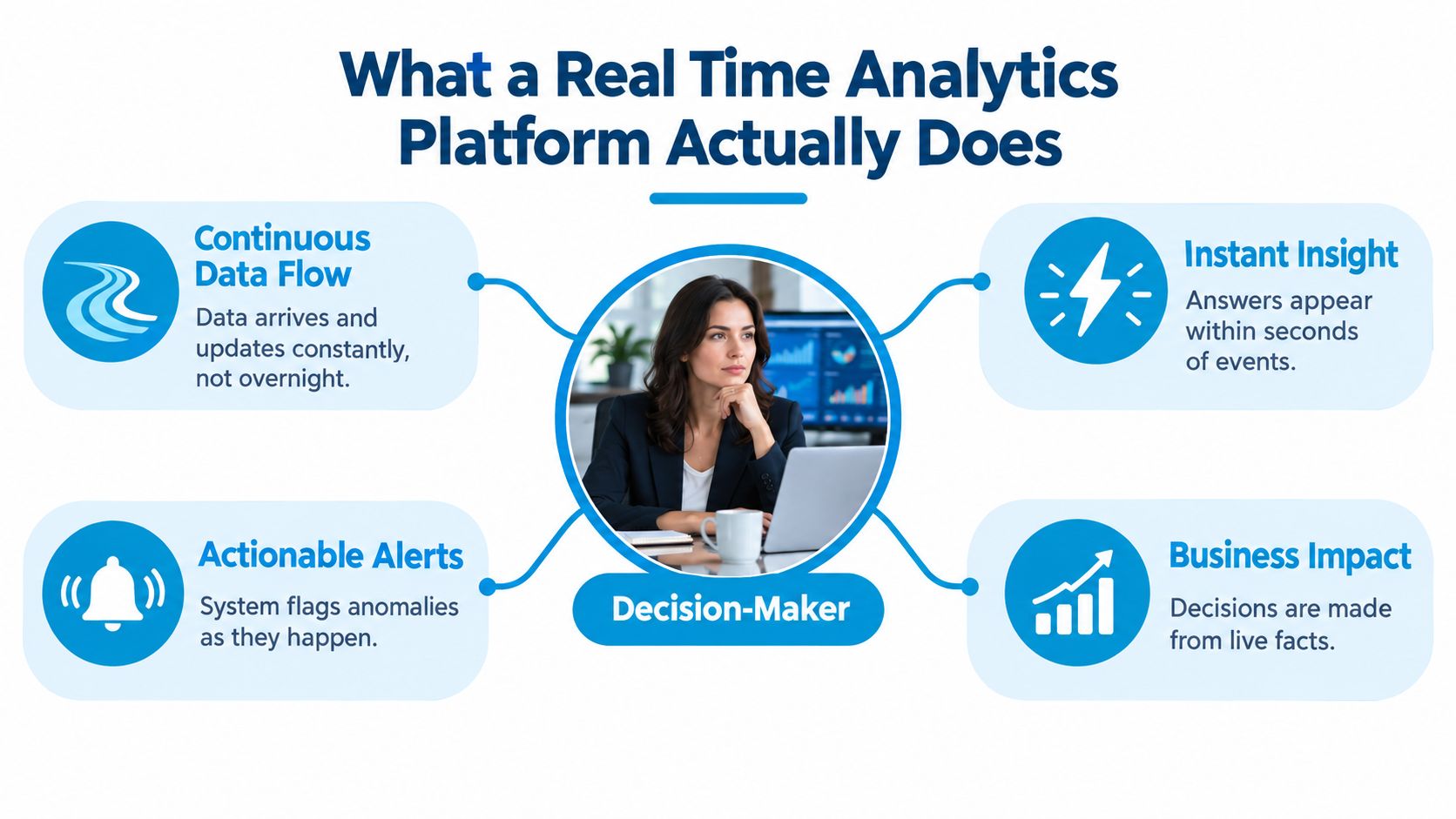
Think in decisions, not milliseconds
The practical test is whether the information arrives before the opportunity to act disappears. A missed-call notification that reaches a manager promptly can trigger a callback. A live appointment-capacity view can help a dispatcher route an urgent request to a branch with room. A report that arrives after the shift ends may still help with planning, but it won't guide that immediate decision.
A Harvard Business Review Analytic Services survey of 560 business leaders found that nearly two-thirds considered real-time customer analytics important to organizational performance at the time of the survey, and nearly 80% expected it to be important within the following two years (survey on real-time customer analytics). The results reflect a shift from retrospective reporting toward continuous visibility into customer behavior and operational workflows.
For a plain-language overview of how live data can support customer and operational decisions, see Splash Access on WiFi analytics. If you're deciding what your team should see first, start with a simple dashboard analytics framework: connect each important metric to a specific decision and an owner.
Practical rule: If a delay doesn't change the decision or its outcome, that workflow probably doesn't need to run in real time.
Capabilities That Separate Real Time From Faster Looking
A dashboard can refresh frequently and still mislead. If a CRM update arrives late, a booking appears twice, or two branches define a “qualified lead” differently, the display may be current but not decision-ready. Evaluate the data and the action path, not just the refresh animation.
Freshness is the time between an event occurring and its availability for analysis. Latency is how long a query or alert takes to respond. Concurrency is whether the system stays usable as more managers, branches, or automated processes request information at once. A missed-call alert might need to reach a manager quickly, while an appointment-volume chart can tolerate a slower refresh if it still helps with staffing.
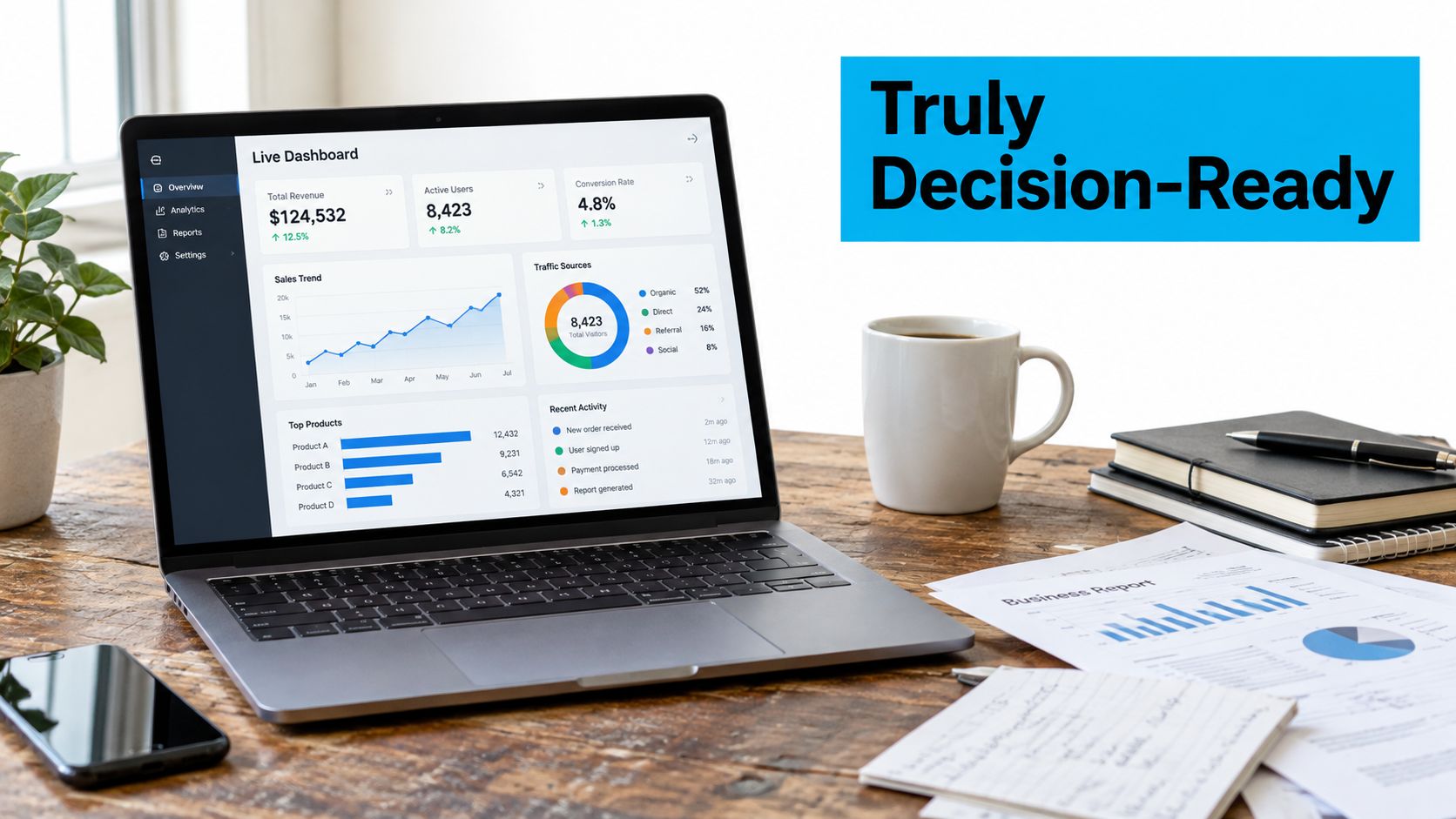
Ask what the timestamp means
An event can be recorded when it happens or when a system receives it. Those are not always the same moment. A field technician may submit a job update after reconnecting to a network, while a third-party integration may delay a booking change. Ask a vendor whether the dashboard reports event time or processing time, and how it handles late or duplicated records.
Definitions need the same discipline. If one branch counts a lead when a call begins and another counts it only after a form is completed, comparing their conversion rates won't support a fair operational decision. Require a visible definition, a traceable source, and a timestamp for important metrics.
The effort required to make data trustworthy is not incidental. One analysis reports that real-time implementations devote an average of 31% of project effort to data-quality remediation, compared with 17% for traditional analytics. It also reports reference-data synchronization problems in 61% of implementations, schema inconsistencies in 57%, and timestamp irregularities in 42% (analysis of real-time data quality challenges).
That's why a useful demo should show more than a fast chart. Ask the vendor to display a delayed event, explain how a duplicate is handled, and show what source produced an alert. If you're comparing live prices or inventory as a different example of event-driven information, price tracking for merchants and collectors illustrates a use case where fresh data matters, while still leaving teams to judge whether the information is reliable enough to act on.
How the Architecture Fits Together
A streaming system is easier to evaluate when you follow an event from its source to the person or workflow that uses it. For a service company, that path may begin with a call, continue through processing and storage, and end as a dashboard update or a callback task.
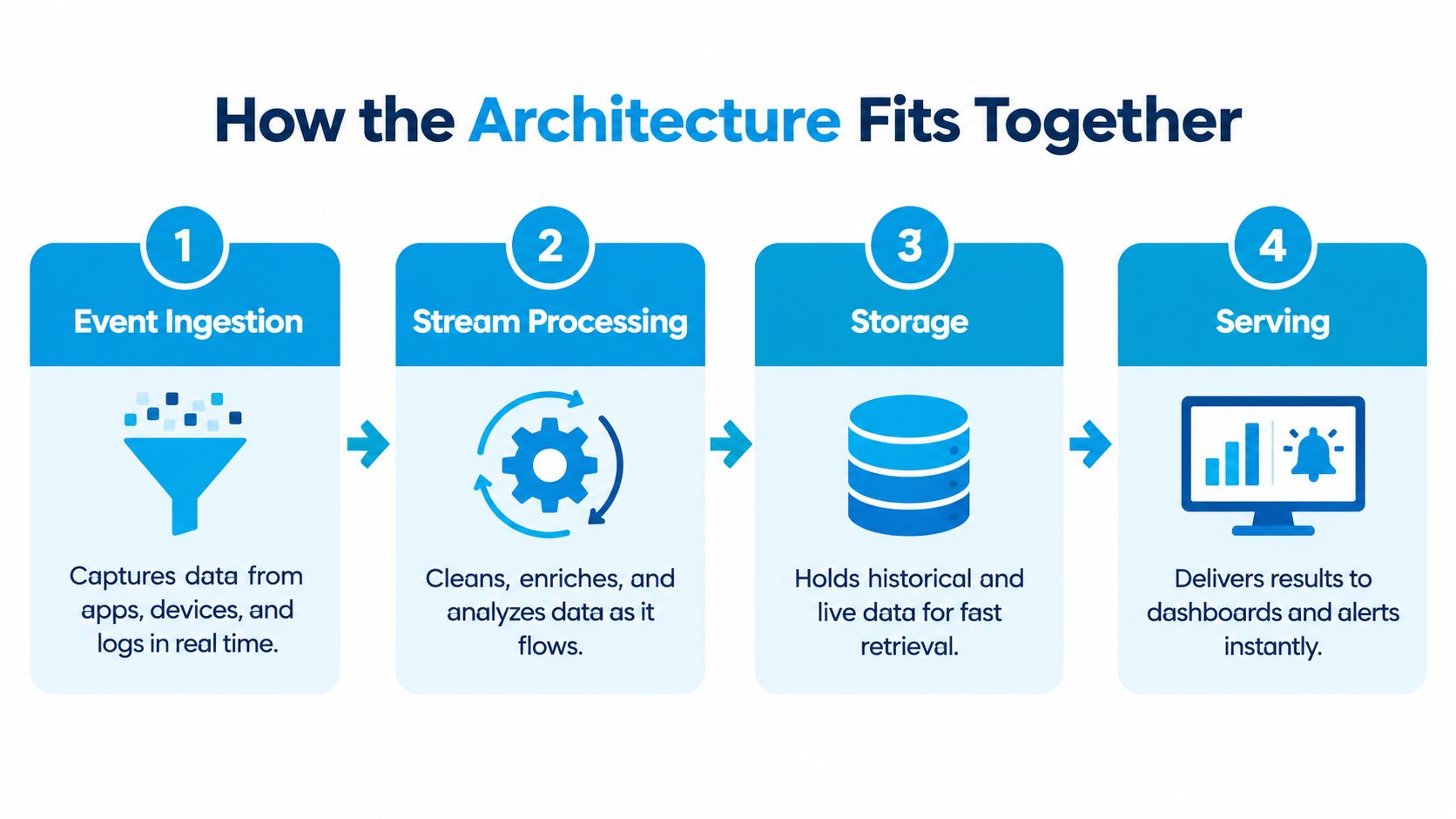
Follow the event through four layers
Ingestion collects events from systems such as telephony, CRMs, calendars, scheduling tools, and field-service apps. The key question is whether the platform captures the fields that matter, including event time, location, call outcome, and record identifier.
Processing cleans and joins those events, applies business rules, and calculates useful measures. For example, it can match a call to a contact record and flag an unanswered lead for follow-up. Partitioning helps distribute events across workers; backpressure helps prevent an overloaded part of the pipeline from overwhelming the rest. Checkpointing supports recovery, but it can affect performance, so vendors should explain how their system behaves when it restarts or catches up after a delay.
Storage keeps information available for both live views and historical analysis. Ask whether the system retains enough detail to investigate an alert later, and whether current and historical data use consistent definitions.
Serving delivers the result to dashboards, alerts, or connected operational tools. A metric that's technically available but hard for a dispatcher to find is not useful in the moment.
Test the system under realistic load
Benchmarks are useful only when their workload resembles yours. Research on Hazelcast Jet reported stateful aggregation of 10,000 messages per second with latency below 10 ms, while a single processor sustained up to 2 million events per second per CPU core. At the higher load, 99.99th-percentile latency rose from approximately 13 ms at around 500,000 events per second to as much as 98 ms (Hazelcast Jet performance research). The operational lesson is to ask what happens to slow events during bursts, not just how the system performs in a steady-state demo.
For a service operation, capacity planning should account for seasonal demand, marketing campaigns, and simultaneous call spikes across locations. Ask how the vendor handles scaling, recovery, and delayed events, and whether ingestion remains responsive when analytical queries are busy. A walkthrough of real-time data synchronization can help teams identify which systems need to share updates and where inconsistencies are likely to appear. For a different operational example, real-time vending monitoring shows how a live data flow can support timely action when inventory changes.
Real Time, Near Real Time, or Batch
Real time isn't the right setting for every metric. Choose the speed based on the cost of waiting, the reliability of the source data, and the consequence of a wrong alert. Continuous pipelines require integration and maintenance work, so building them for reports that don't change anyone's immediate action is a poor trade.
Apache Kafka describes stream processing as operating in milliseconds or seconds, compared with hours for batch pipelines, and supports event-time operations for records that arrive out of order (Kafka stream-processing concepts). That distinction matters when a technician submits a job update from an area with weak connectivity: the system can place the late-arriving update in the window when the job occurred, rather than the window when the update finally reached the platform.
Match the mode to the decision
| Workflow | Recommended Mode | Typical Latency | Example Action |
|---|---|---|---|
| Missed-call follow-up | Real time | Seconds, based on the alert target | Assign a callback while the lead is still reachable |
| Lead routing | Real time | Seconds, based on system design | Send an inquiry to the right intake team |
| Appointment capacity | Near real time | Minutes or less, depending on integration needs | Offer an open slot or shift work between branches |
| Branch-level promotion monitoring | Near real time | Minutes, if immediate intervention isn't required | Check whether locations need staffing or offer support |
| Finance close | Batch | Scheduled reporting cycle | Reconcile transactions and review totals |
| Long-term trend analysis | Batch | Scheduled reporting cycle | Compare patterns for planning |
Use real time when a delay can lose a customer, disrupt service, or prevent a timely operational response. Choose near real time when updates within minutes are useful but subsecond delivery adds needless complexity. Use batch for work that depends on complete, reconciled records and won't change because someone sees it sooner.
Decision test: If a manager can name the action they'll take when a metric changes, assess whether fresher data improves that action. If nobody can name an action, don't stream the metric just to make the dashboard look live.
Real World Examples for Operations and Customer Experience
A plumbing company gets a sudden run of emergency calls during severe weather. The owner needs to know whether demand is concentrated in one area, whether enough technicians are available, and which calls still need assignment.
The platform can combine call records, technician status, and job updates. A dashboard that groups emergency calls into 15-minute intervals can help a dispatcher see a rising queue and redirect available technicians. If a technician enters a status update offline and it arrives later, event-time processing can assign it to the interval when the work occurred. That keeps the demand picture more useful than sorting every update by arrival time.
A dental clinic faces a different problem. Calls come in while the front desk is helping patients, and unanswered callers may not try again. A missed-call alert linked to the patient-management or scheduling workflow can prompt staff to return the call, record the outcome, and offer an appointment without waiting for a daily report.
A law firm's intake manager might monitor new inquiries from calls, forms, and referral channels. The useful measures are not just lead counts, but whether an inquiry has an owner, whether anyone has responded, and whether the next step is recorded. A live queue helps the manager redistribute intake work when one channel gets busy. For a deeper view of how customers move between interactions, use customer behavior analysis to connect event patterns to the customer journey.
Here's a short visual overview of how service teams can use live operational signals:
A franchise operator running a promotion can compare incoming calls, bookings, and follow-ups across branches while the campaign is active. If one location gets more inquiries than it can handle, the operator can move support or adjust the local response. The dashboard should show comparable definitions and clear timestamps, or branch comparisons can send managers after a data mismatch instead of a real performance issue.
Why Faster Is Not Always Better
A dashboard that updates instantly can still drive a bad decision. The system may count a duplicate call twice, use an old calendar status, or trigger an alert from a record whose timestamp reflects integration delay rather than the actual customer interaction. Faster access to unreliable data makes a mistake happen sooner.
The difference between basic event transport and a more complex analysis can be substantial. In a controlled comparison of exactly-once pipelines using Apache Flink and Kafka Streams, stateless ingestion-to-output intervals were approximately 4–6 ms, while windowed workloads rose to roughly 4.3–6.2 seconds, with median p99 latency reaching 5.68–9.92 seconds (comparison of exactly-once stream-processing pipelines). Stateful windows, checkpointing, and recovery coordination can shape the experience more than a simple average-latency figure suggests.
Require decision-ready signals
Don't accept a vendor's best-case benchmark as proof that your operational workflow will stay responsive. Ask for performance under realistic event volume, concurrent dashboard use, late-arriving records, and recovery after interruption. A system should make it possible to distinguish an urgent change from a stale or incomplete record.
Require these safeguards when an alert can affect customer service:
- Freshness visibility: Show when the event happened and when the platform processed it.
- Traceable lineage: Let users see which source and business rule produced the metric.
- Duplicate handling: Explain whether repeated events are removed, merged, or counted separately.
- Confidence and context: Flag incomplete data instead of presenting every number as equally reliable.
A slightly slower, governed alert is often more useful than an immediate one that nobody trusts. For example, a callback queue that identifies the source call and shows its current follow-up status gives staff a clear next move. A flashing count with no explanation just creates noise.
How to Choose the Right Real Time Analytics Platform
Choose a platform by scoring it against the workflows you need to improve, not by counting features. A single-location business may value easy integration with its phone system and calendar. A franchise may need consistent definitions and comparable reporting across branches. A regulated practice should put auditability, access controls, and data-handling requirements near the top of its evaluation.
Score the operating fit
Use these criteria to structure a vendor review. Set the weights to reflect your own consequences and constraints, rather than accepting a vendor's standard scoring model.
| Criterion | What to test |
|---|---|
| Data freshness | How long after a call, booking, or status change does the information become usable? |
| Integration depth | Can the system connect telephony, CRM, calendar, scheduling, and industry tools in the way your staff actually works? |
| Burst behavior | What happens during campaigns, seasonal demand, or simultaneous activity across locations? |
| Auditability | Can a manager trace an alert to its source, timestamp, and rule? |
| Operating effort | Who maintains mappings, definitions, permissions, and failed integrations? |
| Compliance fit | Can the vendor support your organization's data-handling and access requirements? |
In a demo, ask the vendor to walk through a missed call from the source system to the alert and show how it's recorded after a callback. Then ask them to simulate a delayed update and explain how the dashboard identifies it. If the system relies on a workaround, ask who owns that workaround and how it's monitored.
The market is expanding, but that doesn't make every streaming project worthwhile. Persistence Market Research projects a global real-time analytics market value of approximately US$43.8 billion in 2026, rising to US$223.3 billion by 2033, with a projected compound annual growth rate of 26.2% from 2026 through 2033 (real-time analytics market projection). Treat that as a signal of growing infrastructure investment, not a reason to buy capabilities your workflow won't use. For guidance on measuring system health once a platform is in place, review these performance monitoring systems.
Putting It All Together and Getting Started
Start with one workflow where a delay costs a customer, creates avoidable work, or leaves a time-sensitive decision without useful information. Pick one metric the team can act on today, such as missed calls awaiting follow-up, and connect one integration the business already trusts.
Streaming is increasingly operational, not just analytical. ISG reports that 48% of surveyed enterprises use streaming data in operational processes, compared with 44% in analytic processes (analysis of embedded real-time analytics). That shift raises the stakes: define ownership, data quality, and the action behind each alert before expanding to more workflows.
A practical starting sequence is simple:
- Pick the workflow and name its decision owner.
- Define the event, metric, acceptable delay, and follow-up action.
- Test the integration with late or duplicate records.
- Review whether the alert changes what staff do, then expand only where it helps.
Recepta.ai combines an AI receptionist with human support, call handling, appointment scheduling, lead capture, follow-ups, and real-time analytics connected with business tools. If missed calls and fragmented follow-up are making your customer data harder to act on, visit Recepta.ai to see how its communication workflows and analytics could fit your operation.