AI Voice Agent for Small Business: A Practical Guide
A missed call can cost more than the phone interaction itself. One cited research summary says 85% of callers won't try again after reaching voicemail, making immediate answering and a reliable callback process central to revenue protection for small businesses (Bland AI's summary of missed-call behavior). An AI voice agent for small business gives that lost opportunity a structured next step, answering routine calls, collecting information, booking appointments, and transferring sensitive or complex requests to a person.
The right approach isn't to automate every call on day one. Start with the calls your team already fails to answer, measure what the agent recovers, and expand only when the workflow is accurate, affordable, and easy for staff to supervise.
Why Missed Calls Are Costing Your Business
The cost of an unanswered call begins before the caller reaches voicemail. You may have paid for that opportunity through advertising, local search, referrals, or an existing service relationship. The call is still missed because a receptionist is helping someone else, a technician is driving, or two customers call at once.
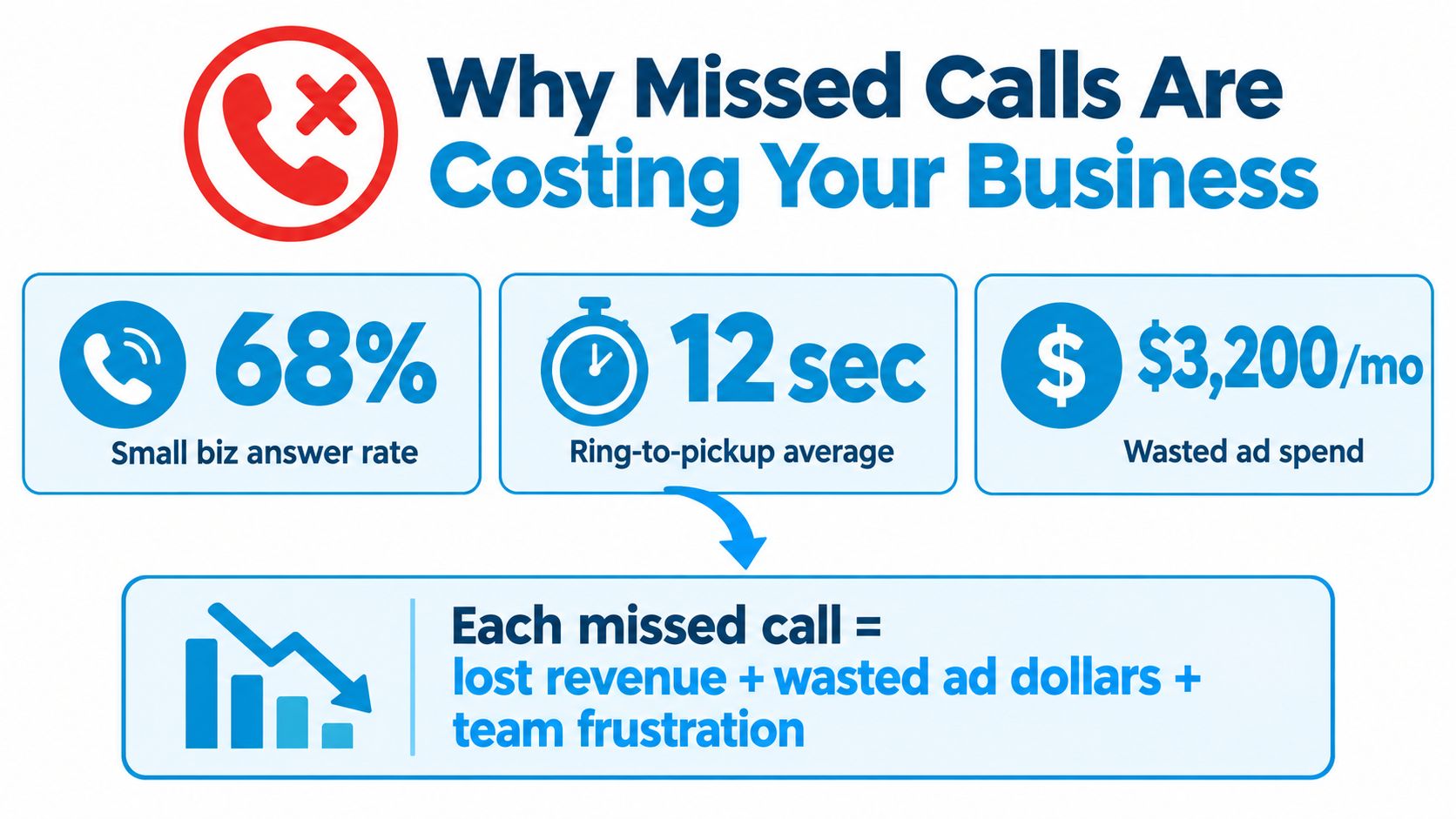
The business impact appears in ordinary operations. A plumbing company can lose an emergency job during an evening outage. A dental office can miss a new-patient request while staff checks in another patient. A small law firm can lose a consultation because the attorney is in court and no one is available to qualify the caller.
Missed calls create two separate costs: lost demand and delayed service. The first call to address is the one your team routinely misses, especially outside office hours or during predictable rushes. Review call logs by time, reason, and outcome before automating anything.
Practical rule: Treat every unanswered call as a lead or service request that needs an outcome, not merely as a phone notification.
An AI voice agent for small business can answer that first contact, identify the caller's reason, collect approved details, and create a next action. That action might be an appointment request, lead record, message, transfer, or follow-up task. A focused missed-call recovery system connects the response to a defined workflow instead of leaving the opportunity in a voicemail inbox.
Keep judgment-heavy calls with people. Emergencies, complaints, legal strategy, clinical concerns, unusual pricing requests, and callers who sound confused should reach trained staff. Automate repetitive intake first, then compare recovered calls with booked work and staff time before expanding the pilot.
For owners reviewing demand-generation processes, this manufacturing lead generation guide explains how missed-call text-back workflows support lead capture. The operating principle applies across local services: respond promptly, record the details, and make the next step obvious.
What an AI Voice Agent Actually Does
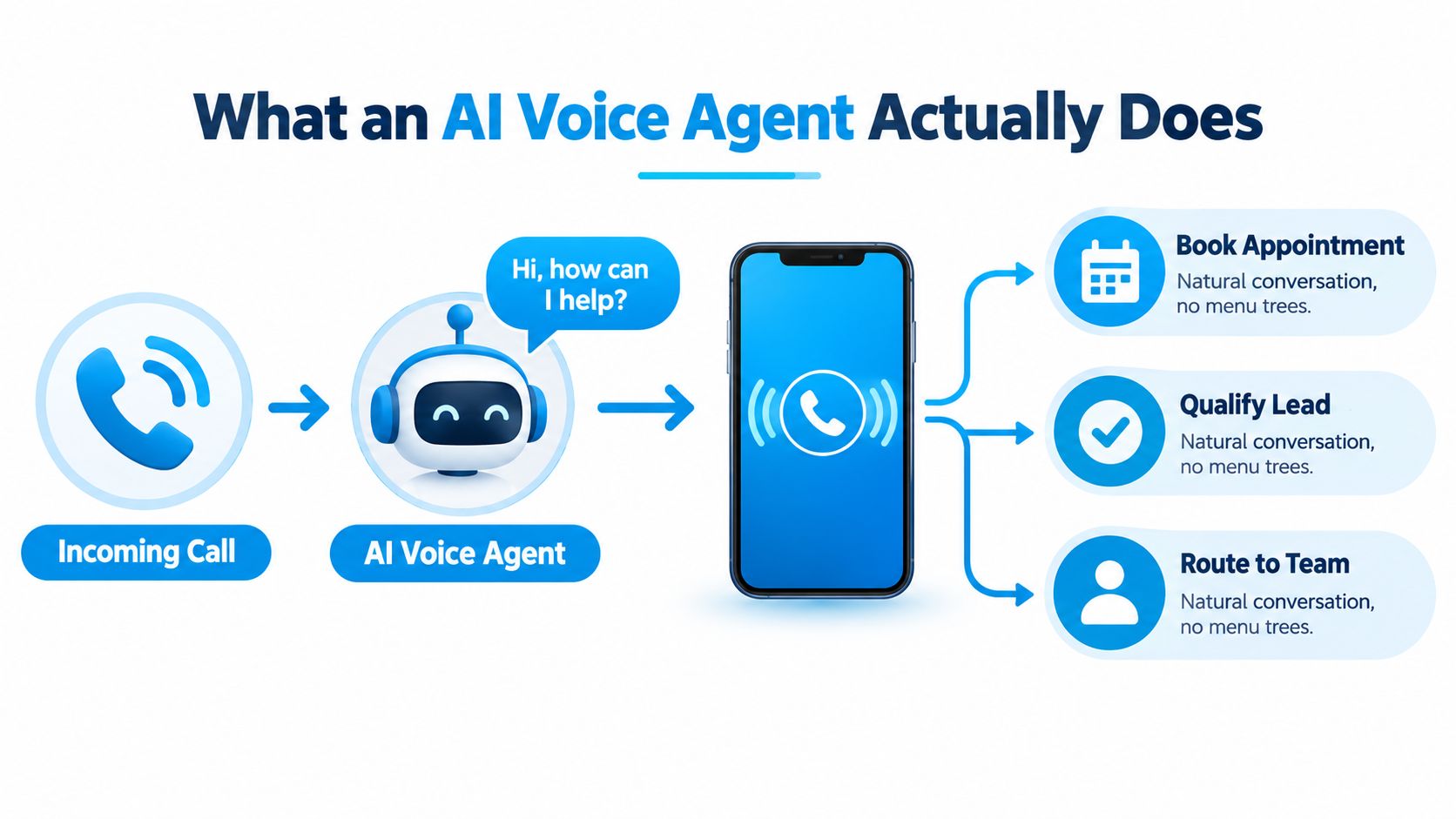
Think of an AI voice agent as a front-desk receptionist working from your scripts, calendar, CRM, and escalation rules at the same time. It isn't a traditional phone tree that asks callers to press a number. The caller can say, “I need to move my appointment,” and the agent can identify the request, check the permitted workflow, and either reschedule or hand the call to staff.
The conversation starts with speech recognition
The first layer converts spoken language into text the system can interpret. On a live call, that means the agent hears, “Can someone inspect the leak tomorrow morning?” and identifies the words, timing, and service context.
Speech recognition must handle interruptions, accents, background noise, and ordinary conversational phrasing. If the transcript is wrong, every later decision becomes less reliable, so test the system with real callers and real conditions rather than relying on a polished vendor recording.
Intent routing decides what happens next
The routing layer determines whether the caller wants an appointment, estimate, billing explanation, emergency help, status update, or human assistance. It can collect specific fields, such as name, address, service type, preferred time, insurance details, or consultation topic.
A dental patient asking for a cleaning may follow a booking path. A caller reporting severe symptoms shouldn't be pushed through the same routine script. Your rules should define what the agent may handle, what it must transfer, and what information the human receives.
Voice response turns the decision into dialogue
The final layer speaks the response back to the caller. Good systems keep answers concise, confirm important details, and avoid long pauses. Conversational quality depends heavily on latency. Guidance for voice systems places transparent one-way interactivity around 150 milliseconds and describes roughly 250 milliseconds of two-way delay as difficult for fluid conversation, while conversation can start to feel unnatural once the response gap exceeds roughly 600 milliseconds (Parloa's voice latency guidance).
That's why you should evaluate interruption handling, response timing, confirmation language, and human transfer, not just whether the voice sounds realistic. Businesses exploring how spoken queries affect local customer journeys can also use this guide to voice search for local businesses as broader context.
Real Use Cases for Small Business Teams
A home services company usually shouldn't begin by automating every customer conversation. It should begin with calls that have a clear trigger, a limited data set, and an obvious human handoff.
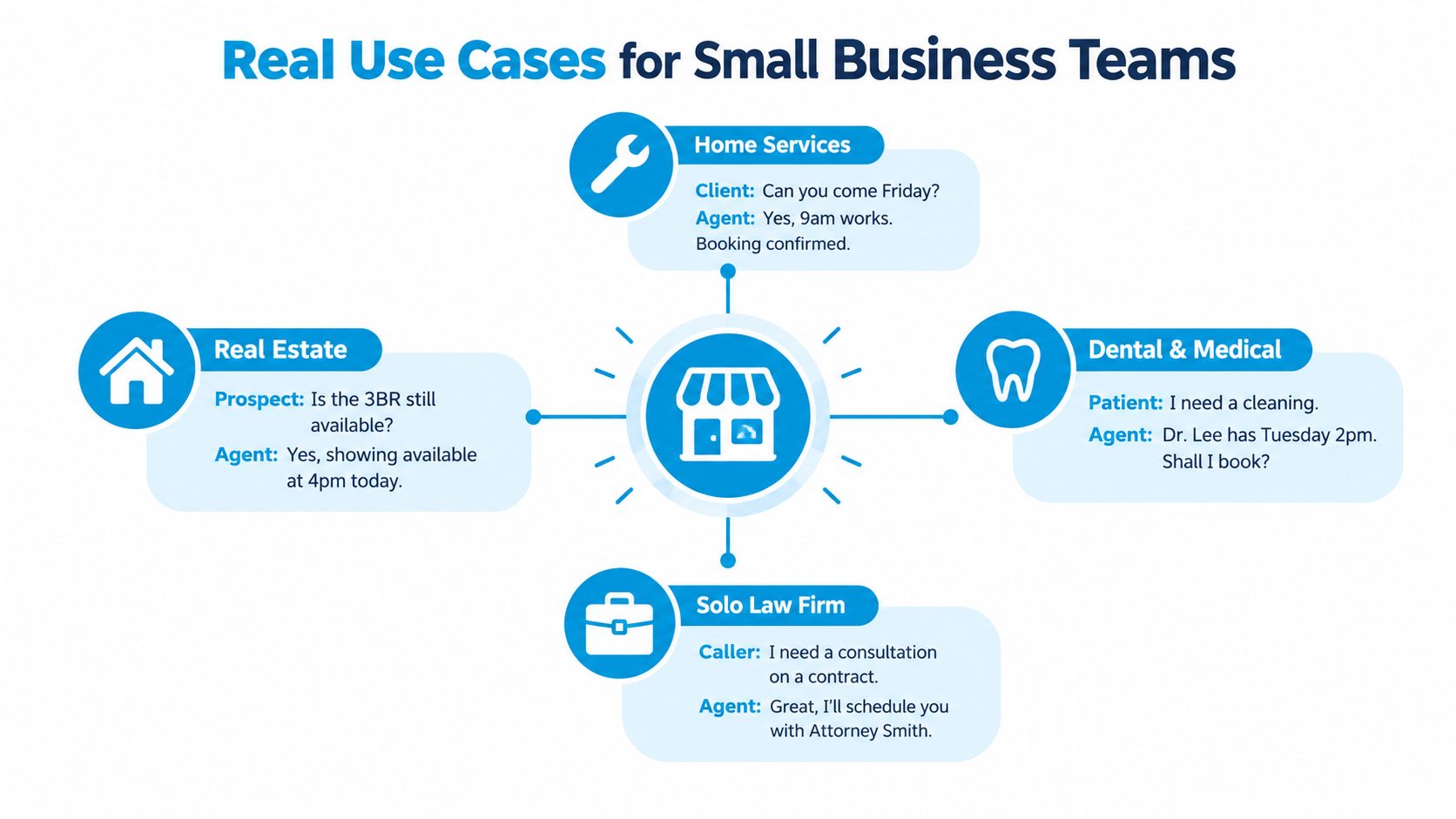
Appointment scheduling
A dental office can let the agent handle a straightforward request:
“I need a cleaning.”
“I can check the available times. What's your name and preferred day?”
The agent collects the patient's contact details, appointment type, and preferred timing, then checks the approved calendar. It should transfer requests involving clinical advice, urgent symptoms, insurance disputes, or unclear patient records.
A field service company can use the same pattern for routine jobs. The agent captures the property address, service category, access notes, and preferred window, then books only slots the dispatcher has made available. A connected AI appointment booking workflow helps turn the call into a scheduled outcome instead of a message for someone to process later.
Overflow and after-hours lead capture
When two calls arrive at once, the second caller shouldn't receive a dead end. A plumbing agent can ask whether the issue is an emergency, capture the address and problem description, and alert the on-call technician when the request meets the escalation rule.
For a non-urgent quote request, the agent can collect the project type, location, timing, and callback preference. Staff then receive a qualified lead rather than a vague voicemail.
Quote and consultation follow-up
After a home services estimate, an agent can call to ask whether the customer has questions, confirm the next step, or schedule a follow-up. A small law firm can use a similar workflow for consultation reminders, while routing questions about legal advice to the attorney or trained staff.
Triage and routing
A clinic may separate “I need to update my billing information” from “I need to book a new appointment.” A law firm may distinguish a document-status question from a new contract consultation. The agent gathers enough context to route correctly, but it shouldn't interpret legal, medical, financial, or insurance matters beyond its approved boundaries.
The safest first calls are routine scheduling, basic FAQs, lead capture, status requests, and overflow calls. Keep emergencies, disputes, clinical questions, legal advice, payment-sensitive conversations, and emotionally difficult cases human until your controls are proven.
Measurable Benefits and ROI Signals
Voice AI earns its place when it improves the operating numbers that missed calls affect. Track whether more callers receive a useful response, more qualified opportunities reach staff, and employees spend less time on repetitive triage. Compliments about the voice are secondary.
A 2025 survey found that only 22% of SMBs currently used AI voice agents, while 31% planned to invest within 12 to 24 months. Among current users, 97% reported revenue increases, 82% reported improved customer engagement, and 80% said the tools saved five or more hours per week (PR Newswire's survey report). These are reported outcomes from surveyed users, not a forecast for every deployment. Establish your own baseline before treating them as a target.
A cited customer-service analysis reports that AI support can reduce per-interaction cost from $4.60 to $1.45, a 68% reduction. A separate cited Forrester analysis reports three-year ROI of 331% to 391%, a payback period under six months, and $10.3 million in labor savings over its study period (the compiled AI customer-service statistics). Those findings describe their cited analyses. A local contractor, clinic, or law firm must validate the economics against its call volume, staffing cost, booking rate, and gross profit.
Use a simple operating comparison
| Metric | Before AI Voice Agent | After AI Voice Agent | Operating Outcome |
|---|---|---|---|
| Answered-call rate | Staff availability determines coverage | Agent answers defined calls | Fewer opportunities fall into voicemail |
| Time to first response | Caller waits for a person or callback | Agent engages immediately | Leads receive an earlier next step |
| Routine triage workload | Front desk handles every basic request | Agent collects and routes standard information | Staff focus on complex conversations |
| Booking completion | Staff manually checks availability | Agent books through approved calendar rules | Less phone tag and fewer unfinished requests |
| Cost per interaction | Human time and overhead | Subscription, telephony, and usage costs | Compare actual cost with recovered opportunities |
Use this payback formula:
Monthly subscription and telephony cost ÷ recovered gross profit from booked opportunities plus verified labor savings.
Start with a narrow pilot, such as overflow calls or routine scheduling. Measure answered-call rate, completed transfers, booking accuracy, fallback rate, and staff hours recovered. Revenue can take longer to close for legal consultations, high-value construction work, and medical treatment plans, so review leading indicators before waiting for closed revenue.
Do not count every automated call as a success. A contained call that gives the wrong answer creates rework and weakens trust. Review transcripts, listen to failed calls, and compare booked appointments with completed appointments. Expand only after the agent performs reliably on the first call category.
Integrating With CRM, Calendar, and Operations
An AI receptionist that only answers the phone is a feature. An agent that creates a contact, books a valid appointment, sends confirmation, and alerts the right employee is an operating workflow.
Start with the CRM
Every qualified call should create or update a contact without producing duplicates. Save the caller's name, phone number, intent, service category, urgency, summary, and consent status. If the caller is a new sales opportunity, move the record to the correct deal stage and assign an owner.
Connect the calendar carefully
The agent should read only the availability it's allowed to use and write appointments into the system your team manages. That may be Google Calendar, Microsoft Bookings, or an industry scheduler. Include appointment type, duration, location, provider, buffer rules, and rescheduling permissions.
A calendar connection that ignores provider availability can create double bookings. Test cancellations, time-zone handling, staff absences, and two callers requesting the same slot before launch. Guidance on the operational details is available in this resource on calendar integration for AI workflows.
Trigger the next action
After a call, send an SMS or email confirmation with the agreed details. For intake-heavy businesses, the workflow can send a Jotform or Square link after the caller confirms the next step. The agent should tell the caller what will happen, who owns it, and when to expect contact.
Deploy in controlled stages
A practical deployment sequence looks like this:
- Connect credentials: Add approved CRM, calendar, messaging, and telephony access.
- Map events: Define what creates a contact, books an appointment, sends a notification, or triggers a transfer.
- Test recorded scenarios: Use ordinary calls, interruptions, cancellations, duplicates, and failed integrations.
- Enable one live flow: Start with overflow or after-hours calls, then inspect records every day.
Watch for duplicate contacts, double bookings, missing notifications, incomplete summaries, and transfers without context. Those errors usually indicate a mapping or permission problem, not a reason to automate more aggressively.
Security and Compliance You Should Not Skip
“Compliant” isn't a deployment plan. A small business still owns the decisions about what the agent records, what it stores, who can access it, and when a human must intervene.
Call recording consent
Recording rules vary by jurisdiction. Configure a clear disclosure before recording begins, document consent where required, and retain the consent event with the call record. If your business serves callers across different locations, ask qualified counsel how your policy should handle the strictest applicable rule.
Payment data
Don't let the agent collect card details casually. Keep payment interactions outside the agent's permitted scope unless the vendor and workflow have been specifically designed for the relevant payment requirements. A safer pattern is to send a secure payment link after the call or transfer the caller to a controlled payment process.
Healthcare information
A clinic should assume that intake calls may contain protected health information. Verify the vendor's data handling, access controls, retention settings, transcript redaction, and Business Associate Agreement before callers share sensitive details. Use a narrow script that collects only what the scheduling or routing task requires.
Automated outreach
Outbound calls, prerecorded messages, and follow-up texts can trigger communications rules. Maintain opt-out handling, suppress callers who withdraw permission, and separate service reminders from promotional outreach. Your CRM should store the caller's communication preference and make it visible to every staff member.
Use a written governance playbook:
- Define the boundary: List the requests the agent may answer, book, collect, or transfer.
- Version the script: Record changes to opening disclosures, prompts, escalation rules, and retention settings.
- Sample calls monthly: Review successful, failed, transferred, and abandoned interactions.
- Train staff: Show employees how to correct records, report unsafe answers, and receive escalated callers.
- Set an escalation path: Route medical, legal, financial, emergency, abusive, or uncertain requests to a named human owner.
For a practical framework on protecting conversation records, review these data security best practices for AI receptionist workflows.
A Phased Adoption Checklist for Small Businesses
The correct rollout starts smaller than most vendor demos suggest. Begin where the business already has a visible failure, then expand after the data supports it.
Phase one, overflow-only pilot
Route calls to the agent only when staff don't answer during business hours. Use a narrow script for name, reason for calling, contact details, booking requests, and urgent-call escalation.
Monitor call volume, containment rate, booking success, fallback rate, transfers, and transcript errors. Move forward only when staff can review the records, callers receive accurate next steps, and the agent doesn't interfere with the existing phone process.
Phase two, after-hours coverage
Add nights, weekends, holidays, or other periods when calls routinely reach voicemail. A home services company can capture emergency details and notify an on-call person, while a clinic can provide approved scheduling information and request forms.
The exit test is operational reliability. Staff must know who receives alerts, how quickly they respond, and what happens when nobody is available.
Phase three, full inbound automation
Expand to standard appointment booking, lead qualification, FAQs, rescheduling, and status requests. Keep complex cases human, and require warm transfer or callback scheduling when the agent reaches a boundary.
Review the agent by call type, not just overall averages. A system can perform well on appointment requests while failing on billing or insurance questions.
Phase four, outbound follow-ups
Only after inbound handling is stable should you add quote follow-ups, consultation reminders, renewal prompts, or feedback calls. Add consent and opt-out rules before launching any campaign.
Pricing requires its own model. A 2026 market review places typical SMB plans around $49 to $300 per month or roughly $0.07 to $0.31 per minute, depending on the provider and usage structure (the 2026 SMB pricing review). The same review warns that included minute pools and long calls can make apparent entry pricing misleading.
Build a spreadsheet with:
- Expected minutes: Use call logs and peak-season demand.
- Average handle time: Separate routine calls from transferred calls.
- Transfer rate: Include any human-escalation cost.
- Recovered opportunity value: Use verified booked work, not raw call count.
- Staff time saved: Count only hours the team can redeploy.
Independent rollout advice recommends starting with overflow handling, such as sending calls to the agent after staff miss several rings, before expanding coverage (Mazed's SMB voice-agent guidance). Your decision should depend on missed calls per week, call complexity, and CRM readiness, not on how impressive the demo sounds.
Putting It All Together and Next Steps
An AI voice agent for small business works best as a controlled revenue-recovery system. Start with missed-call economics, select one narrow overflow or after-hours workflow, connect the necessary calendar and CRM actions, and review every important failure before increasing automation.
Watch three numbers every week: answered-call rate, cost per booked appointment, and hours recovered. Add booking accuracy and fallback rate to the review so staff don't mistake more automation for better service.
The adoption signal is strong. A 2026 dataset reports that about 34% of U.S. businesses with 10 to 500 employees had deployed or were piloting voice AI by Q1 2026, while production deployments grew roughly 340% year over year in 2025 (the 2026 SMB voice-AI dataset). That growth doesn't remove the need for discipline. It makes disciplined deployment more important because a poor workflow can scale errors as quickly as it scales coverage.
Your first-week action is straightforward. Pull 30 days of missed-call logs, separate business-hours overflow from after-hours calls, estimate the value of recoverable opportunities, and book a 30-minute vendor demo focused on one real call flow. Ask the vendor to show the transfer, CRM record, calendar booking, transcript, and failure path, not just a friendly greeting.
Recepta.ai provides an AI receptionist that can answer inbound and outbound calls, capture leads, schedule appointments, send follow-ups, and escalate conversations to human support when needed. Visit Recepta.ai to scope a missed-call recovery workflow around your CRM, calendar, and first pilot.

.webp)