10 Data Security Best Practices for Service Businesses
More clients means more records, more systems, and more places sensitive information can leak. A plumbing company now has gate codes and home addresses in its scheduling tool. A dental office has patient messages and appointment notes flowing through phones, calendars, and billing software. A law firm has intake calls that may include privileged details before anyone has even signed an engagement letter.
That growth is good news. It also changes your responsibility. You're no longer just answering phones or booking jobs. You're handling information that clients assume you'll protect without being asked.
Many small businesses get into trouble. They buy a few cloud tools, connect everything to everything else, and assume the vendor has security covered. Sometimes the platform is solid, but the weak point is the way the business configured access, retention, forwarding, exports, or third-party integrations. Security failures often start with ordinary convenience.
Modern guidance now treats core controls like encryption at rest and in transit, least-privilege access, data classification, retention limits, and audit trails as baseline practices, not optional upgrades. That shift happened for a reason. Reported breaches hit a widely cited peak in 2020, when nearly 125 million data sets were exposed. Once data leaves a controlled environment, a small mistake can scale fast.
For service businesses, data security best practices aren't just an IT issue. They're part of professionalism, compliance, and client trust. If you run a healthcare clinic, legal practice, insurance office, or home service company, the same principle applies. Know what data you collect, limit who can touch it, protect it in motion and at rest, and delete it when you no longer need it.
1. End-to-End Encryption for Voice Communications
If your staff handles sensitive calls, start with the call path itself. Voice conversations often contain the exact details you'd never want exposed: symptoms, account information, legal facts, access instructions, and payment discussions. If those calls move across insecure channels, everything else you do later is cleanup.
For service businesses using an AI receptionist or answering platform, ask a direct question: where is audio encrypted, and at what stages? Encryption in transit is baseline security now. That includes the handoff between the caller, the voice platform, connected apps, and any stored transcripts or summaries that move downstream.

What good implementation looks like
Consumer tools such as Signal and WhatsApp made encrypted voice calls familiar to the public. In business settings, products like Cisco Jabber and healthcare communication platforms use encrypted communications because call content can be regulated or highly sensitive.
For a small business, the practical version is simpler than the jargon makes it sound:
- Verify transport security: Confirm your provider uses current transport encryption for calls, web sessions, and integrations.
- Check connected systems: Your CRM, calendar, intake forms, and scheduling tools should also exchange data over encrypted connections.
- Document the setup: Healthcare and legal teams should keep a short record of how calls, recordings, and transcripts are protected for internal reviews and compliance discussions.
Practical rule: Encryption only counts if the full workflow is protected, not just the app login page.
Common mistake
Businesses often secure the phone platform but ignore what happens next. A receptionist forwards summaries into a shared inbox. A manager exports call notes to a spreadsheet. A recording link gets pasted into chat. At that point, the secure call channel no longer matters much.
If you use a platform like Recepta.ai in healthcare, legal, or financial workflows, make sure the voice layer and the integration layer match each other. HIPAA and PCI conversations don't stay safe just because one vendor says it uses encryption. The whole chain has to support it.
2. Role-Based Access Control
Most small businesses don't need more security software first. They need fewer people with broad access.
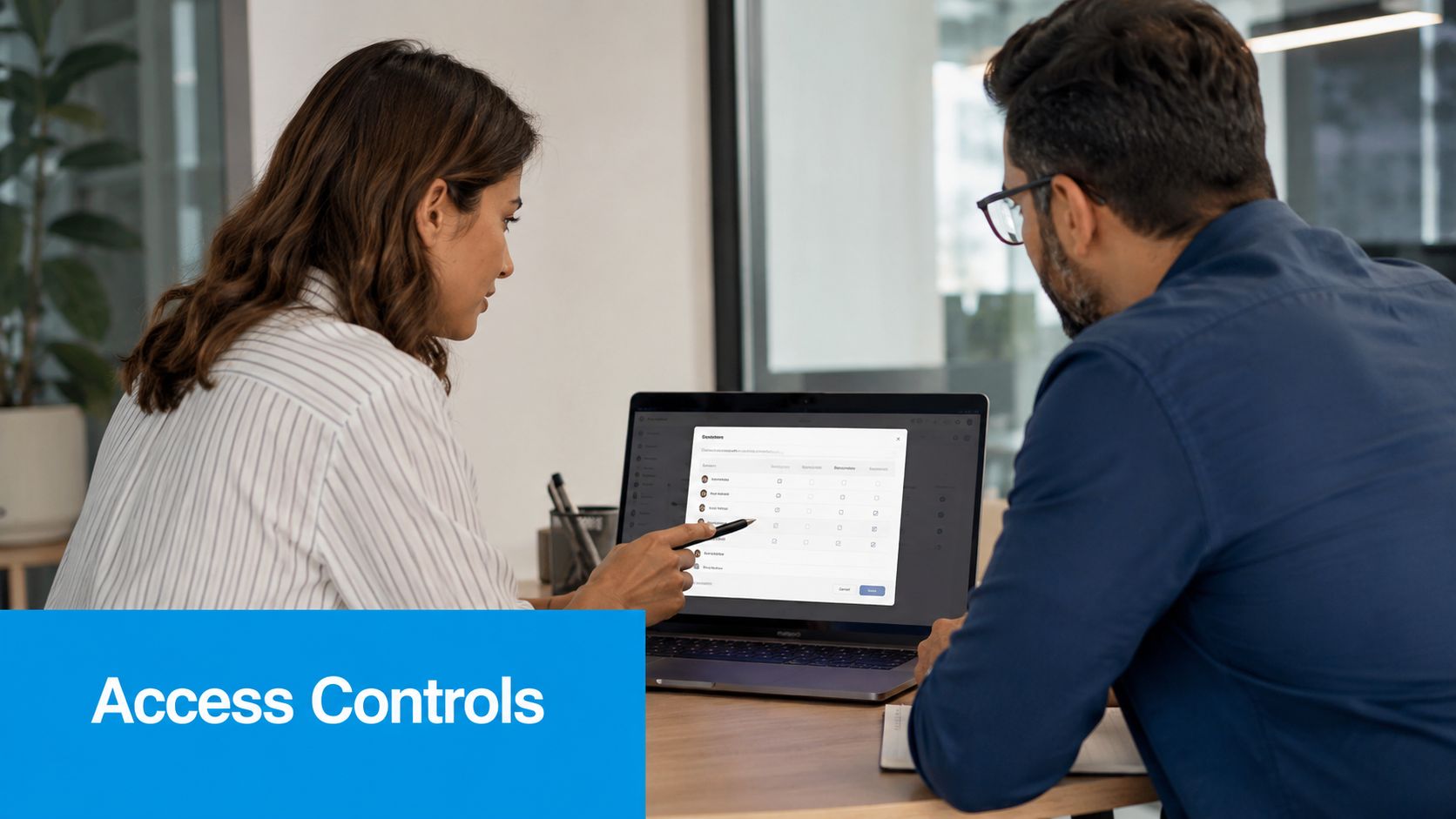
Role-based access control, or RBAC, means each person gets access based on job duties. The receptionist may need caller details and appointments. The office manager may need reporting and user administration. The owner may need billing and audit information. Those aren't the same role, and they shouldn't see the same data.
How this works in real service firms
A dental office can separate front-desk scheduling from clinical records. A law firm can restrict matter access to the assigned attorney and paralegal. A multi-location HVAC business can let each branch manager see only that branch's jobs, recordings, and staff activity.
That approach lines up with current security guidance. Least privilege, role-based access, periodic permission reviews, and MFA are treated as core protections because credential abuse and overbroad access are such common problems, as summarized by Palo Alto Networks on data security best practices.
What usually goes wrong
The failure point isn't setting up roles. It's failing to revisit them when people change jobs, cover for another employee, or leave. Temporary access has a way of becoming permanent.
Use a simple operating rhythm:
- Map roles to tasks: Start with business functions, not software menus.
- Review permissions quarterly: Remove access that isn't needed anymore.
- Deactivate dormant accounts: Old logins are easy to forget and dangerous to leave active.
- Test promotions and transfers: When someone becomes a manager, confirm they gained only the new permissions they need.
A small team can manage this in a spreadsheet if needed. What matters is discipline, not fancy tooling.
3. Regular Security Audits and Penetration Testing
A secure-looking system can still be fragile. I've seen businesses with strong passwords, MFA, and encrypted apps fail basic security tests because an old integration was still active, a test account never got removed, or exported data sat in an open storage bucket.
That's why audits and penetration testing matter. Audits check whether your controls exist and are being followed. Pen tests try to break things the way an attacker would.
What to ask for from vendors and partners
If you rely on an answering platform, booking system, or intake workflow, ask for evidence of ongoing review. That can include independent assessments, control reports, and remediation practices. If a vendor can't clearly explain how it handles findings, that's not a technical gap. It's a governance gap.
For businesses that depend on phone and intake reliability, answering service considerations for IT companies are a useful reminder that communications systems often sit closer to core operations than owners realize.
You should also understand why pen testing helps your business, especially if your stack includes client portals, call recordings, APIs, and remote admin accounts.
A vendor questionnaire is helpful. An independent test is better.
Practical scope for an SMB
You don't need a huge enterprise program to benefit from testing. Start with the systems that store or move the most sensitive data:
- Voice and intake platforms: Review recordings, transcripts, summaries, and permissions.
- Client-facing forms: Test scheduling pages, payment pages, and contact forms.
- Admin accounts: Validate MFA, session controls, and offboarding.
- Connected systems: Include CRM, calendar, billing, and storage integrations.
The biggest mistake is treating audit reports like paperwork. If a finding doesn't get an owner and a deadline, it's just documentation of unresolved risk.
4. Data Encryption at Rest
Encryption in transit protects moving data. Encryption at rest protects what's already stored. That includes call recordings, transcripts, customer records, backups, exports, archived messages, and any synced copy sitting in a database or cloud bucket.
For service businesses, this matters because stored data tends to spread. One call recording might exist in the voice platform, a backup system, a CRM note, and a staff download folder. If storage gets compromised, encryption at rest can keep that stolen data unreadable without the keys.
Where to look beyond the obvious database
Many owners check whether the main platform says “encrypted,” then stop. That's not enough. Ask where data lives after normal use. If your team downloads recordings, receives emailed summaries, or syncs notes to another app, those copies need the same protection.
Platforms built for regulated scheduling workflows often emphasize the importance of secure storage. If you're reviewing vendors in healthcare, HIPAA-compliant scheduling software considerations can help frame the right questions around stored patient-related data and operational access.
A practical storage checklist
Use this when reviewing a vendor or your own setup:
- Identify stored data types: Recordings, transcripts, appointment history, attachments, and backups.
- Separate sensitive repositories: Don't keep everything in one broadly accessible location.
- Review key management: Ask who controls encryption keys and how rotation is handled.
- Test recovery: An encrypted backup that can't be restored is operationally useless.
Healthcare practices, legal teams, and insurance agencies should also write down where data is stored by category. That supports compliance reviews and makes future cleanup much easier. If you don't know where the copies are, you can't protect or delete them properly.
5. Multi-Factor Authentication
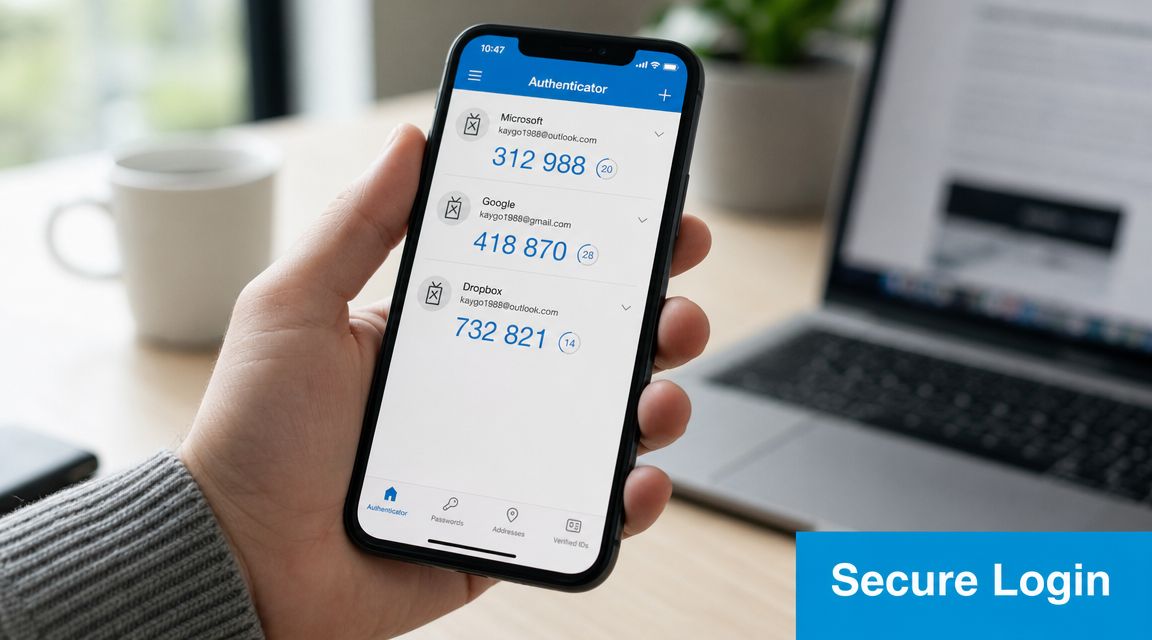
MFA is one of the few controls that gives immediate value with relatively little effort. If a password is stolen, guessed, reused, or phished, the second factor can still block the login.
That's why security guidance keeps stressing it. MFA and access control are now standard recommendations because credential abuse is so common, and the broader protection model is increasingly treated as a lifecycle process that includes inventory, classification, retention limits, encryption, backups, and monitoring, as noted in this overview of sensitive data protection practices.
Start with the accounts that can do damage
Don't wait for perfect rollout. Turn on MFA first for admin accounts, managers, billing users, and anyone who can export data or change integrations. Then cover the rest of the staff.
Google Workspace, Slack, and Okta all make this practical for business teams. The key decision is method. Authenticator apps and hardware keys are generally stronger than SMS because text messages can be intercepted or redirected more easily.
Rollout advice that actually works
I've found that staff resist MFA less when the instructions are short and the support path is clear.
- Use app-based MFA first: It's usually the best balance of security and usability.
- Issue backup codes: Keep recovery practical for lost phones and after-hours lockouts.
- Train on real prompts: Show employees what a legitimate MFA request looks like and what a suspicious one looks like.
- Apply it to vendors too: Shared admin portals and outsourced support accounts need the same standard.
The worst setup is selective MFA based on convenience. If only some critical accounts use it, attackers will target the exceptions.
6. Data Minimization and Purpose Limitation
Many businesses collect too much because storage is cheap and “maybe useful later” feels harmless. It isn't. Extra data increases breach impact, complicates compliance, and creates cleanup work every time a client asks what you hold.
Data minimization means collecting only what you need. Purpose limitation means using it only for the reason you collected it.
Service-business examples
A cleaning company usually needs contact details, service address, scheduling preferences, entry instructions, and billing data. It probably doesn't need open-ended intake fields that invite staff to record unnecessary personal details.
A law firm may need detailed intake notes, but not every employee needs to see them. A wellness practice may need appointment communications, but not indefinite storage of every nonessential call recording.
Collect because you have a defined use for it, not because your form had room for another field.
Where minimization breaks down
The common problem isn't the main platform. It's the downstream sync. A receptionist captures a note in one tool, then an integration pushes the full record into a CRM, email sequence, spreadsheet, and reporting dashboard. Suddenly the same sensitive detail exists in five places.
Tighten that flow with a few simple rules:
- Trim intake forms: Remove fields that don't support scheduling, service delivery, billing, or compliance.
- Limit sync fields: Send only the needed data into downstream systems.
- Set retention by purpose: Keep what law or operations require, then delete the rest.
- Separate marketing from operations: Don't feed sensitive service notes into general marketing tools.
This practice is especially important for healthcare, legal, and finance. But home services benefit too. Gate codes, alarm instructions, and access notes are sensitive, even if they're not regulated the same way as health records.
7. Secure API Integration and Third-Party Management
Most security problems in modern small businesses don't come from a dramatic Hollywood-style breach. They come from a connected app with too much access.
That matters even more now because best-practice guidance is expanding beyond human users. Least-privilege controls also need to apply to AI agents and machine identities, including service accounts, API keys, copilots, and automated workflows, as explained in Wiz guidance on data security best practices. An over-permissioned integration can read, copy, or move sensitive data without anyone noticing for a long time.
Review every integration like a new employee
If Recepta.ai, your CRM, your calendar, and your billing system all talk to each other, each connection needs a purpose, an owner, and limited permissions. The same is true for Zapier-style automation, embedded forms, and AI note-taking tools.
For businesses evaluating outsourced communication workflows, outsourced call center solution planning is a good moment to also ask how third-party integrations are authenticated, scoped, and monitored.
Vendor and API controls that matter
Use a repeatable checklist:
- Prefer tokens over passwords: Never connect apps with shared user credentials if token-based access is available.
- Scope permissions tightly: Read-only should mean read-only. Calendar access doesn't also need file storage access.
- Inventory machine identities: Know every API key, webhook, bot, and service account in use.
- Review vendors before connecting: Ask how they log access, revoke keys, and handle incidents.
A useful rule for SMBs is simple. If you can't explain why an integration has access to a data set, remove it until you can.
8. Comprehensive Data Access Logging and Monitoring
You can't investigate what you never recorded. Logging tells you who accessed data, when they did it, what they touched, and sometimes from where or through which integration.
For a service business, that can answer questions that matter fast. Did a former employee still log in after termination? Did someone export call records after hours? Did an integration suddenly start pulling far more data than normal?
What to monitor first
Begin with high-risk actions, not every possible event. Bulk exports, deletions, privilege changes, recording access, and failed login bursts matter more than routine page views.
If your operation depends on call handling and performance reporting, call detail reporting practices can be useful operationally, but the security value comes from treating logs as evidence, not just analytics.
For larger vendor ecosystems and outsourced development or operations, it also helps to study how top outsourcing IT companies for Web3 frame partner capability and technical oversight. The lesson for SMBs is straightforward: outsourced access still needs visibility and review.
Keep the review process simple
Small teams often fail here because they imagine they need a full security operations center. They don't. They need a short, repeatable review habit.
- Set alerts for sensitive events: Focus on exports, admin changes, and access outside expected hours.
- Review logs weekly: A short manager review is far better than never looking.
- Retain logs long enough to investigate: Especially where compliance or client disputes may arise.
- Tie alerts to action: Decide who checks, who escalates, and who can disable access.
If nobody owns the alert inbox, you don't have monitoring. You have noise.
9. Secure Data Retention and Deletion Policies
A lot of small service businesses spend time securing data they should have deleted months or years ago. Old call recordings, intake forms, dispatch notes, and exported spreadsheets create quiet risk. If a breach, subpoena, or client dispute hits, that forgotten data becomes part of the problem.
Retention and deletion policies decide three practical things. What you keep, how long you keep it, and what happens when the retention period ends. For legal, healthcare, and home services firms, those decisions need to reflect actual operations, client expectations, and rules such as HIPAA or PCI where they apply.
Shorter retention usually reduces exposure. It also creates trade-offs. Delete too aggressively and you may lose service history, billing support, or records needed for a complaint or claim. Keep everything and storage turns into liability.
Start with a retention map by data type, not one blanket rule for all information. The categories below are usually enough for an SMB to get control quickly:
- Call recordings: Set a default retention period. For sensitive workflows, avoid recording or limit recording to defined use cases.
- Messages and transcripts: Separate routine communication from records that may fall under legal or healthcare retention obligations.
- Client contact and scheduling data: Keep what supports active service delivery and remove stale records on a schedule.
- Attachments, exports, and backups: Include them in the same policy. If deleted data still lives in exports or long-term backups, the policy is incomplete.
The details matter here. A clinic may need to retain parts of the patient record for care and compliance, while deleting voicemail recordings or chat transcripts much sooner. A law office may need a documented litigation hold process so routine deletion stops when a matter requires preservation. A home services company may only need enough history to handle repeat visits, warranties, and billing questions.
If you use platforms such as Recepta.ai, check how retention settings apply across recordings, transcripts, synced CRM records, exports, and backup processes. Integration gaps are a common failure point. A business deletes data in one system, but the same record remains in another app, a shared drive, or an admin export.
Good policy needs an owner and a schedule. Someone should review retention rules at least annually, confirm they still match contracts and regulations, and test whether deletion happens. Teams that want a clearer model for classification and lifecycle control can review enterprise data governance insights and adapt the same discipline to a smaller operation.
One practical rule works well. If nobody can explain why a category of sensitive data is still being kept, set a deadline to archive it properly or delete it.
10. Employee Security Training and Access Control Culture
The strongest settings in the world won't help much if your staff shares logins, approves suspicious MFA prompts, or stores client data in the wrong place. Security culture sounds soft. In practice, it decides whether the technical controls hold.
For service businesses, the front desk is often a high-risk point. Receptionists, coordinators, dispatchers, and office managers handle urgent requests, emotional callers, and constant interruptions. That's exactly when people click fast, copy data into the wrong tool, or bypass process to be helpful.
Train by role, not by generic slideshow
A receptionist needs to know how to verify a caller before discussing appointment details. A manager needs to know how to review access changes and respond to suspicious exports. An owner needs to know what to ask vendors and what to do after an incident.
Keep training short and operational:
- Use role-specific examples: Legal intake isn't the same as HVAC dispatch.
- Teach reporting early: Staff should know where to send concerns without fear of blame.
- Reinforce access discipline: No shared accounts, no casual credential reuse, no “temporary” broad permissions.
- Practice common scenarios: Phishing emails, fake invoice requests, unusual password-reset prompts, and suspicious client-data requests.
A short training video can help introduce the basics before you tailor procedures internally.
Culture shows up in daily habits
I've found that teams follow security rules better when managers explain the business reason behind them. “Use MFA because policy says so” gets weak compliance. “Use MFA because this account can expose patient messages or client intake notes” gets attention.
Security culture is also visible in offboarding, access approvals, and escalation habits. If employees see managers taking shortcuts, they will too. If they see access reviewed, old accounts disabled, and incidents handled calmly, they'll treat data protection as part of the job instead of an interruption.
10-Point Data Security Best Practices Comparison
| Control / Practice | Implementation Complexity 🔄 | Resource Requirements ⚡ | Expected Outcomes ⭐ | Ideal Use Cases 📊 | Key Advantages ⭐ | Practical Tips 💡 |
|---|---|---|---|---|---|---|
| End-to-End Encryption for Voice Communications | Moderate, implement crypto protocols and key exchange with minimal latency trade-offs | Modern infrastructure, TLS 1.2+, crypto libraries, testing | Strong in-transit confidentiality and regulatory alignment | Healthcare, legal, finance, sensitive voice calls | Prevents interception; supports HIPAA/GDPR/PCI compliance | Verify TLS≥1.2, audit certs, ensure integrations honor encryption |
| Role-Based Access Control (RBAC) | Moderate, requires role mapping and ongoing maintenance | Directory/SSO integration, admin overhead, audit tools | Least-privilege enforcement and reduced insider risk | Multi-location franchises, healthcare networks, law firms | Granular permissions; simplifies compliance and user management | Map roles before rollout, run quarterly access reviews, test transitions |
| Regular Security Audits & Penetration Testing | High, schedules external testing and remediation workflows | Third-party testers, internal response teams, potential service windows | Discover vulnerabilities proactively; evidence for auditors | High-risk/regulated orgs (healthcare, finance, legal) | Proactive risk reduction; improved security posture | Use independent firms, request SOC 2, set clear remediation timelines |
| Data Encryption at Rest | Moderate, apply AES-256 and key management across storage layers | HSMs or KMS, key rotation procedures, compute overhead | Stored data unreadable if breached; regulatory compliance | Systems storing recordings, EHRs, archived customer data | Protects backups/archives; limits impact of server compromise | Use AES-256, separate keys per data type, regularly rotate and test keys |
| Multi-Factor Authentication (MFA) | Low–Moderate, integrate factors and enroll users | Auth apps/hardware keys, helpdesk support, identity integration | Dramatic reduction in account takeovers | Admin/manager accounts, enterprise user access | Prevents credential-based breaches; meets access control standards | Prefer authenticator apps or security keys over SMS; provide recovery codes |
| Data Minimization & Purpose Limitation | Moderate, policy design and automated enforcement needed | Data cataloging tools, deletion workflows, governance effort | Reduced exposure, lower storage costs, privacy compliance | Consumer services, GDPR/CCPA-regulated organizations | Limits attack surface and simplifies compliance | Perform data audits, automate deletions, document retention policies |
| Secure API Integration & Third-Party Management | High, vetting, token management, and continuous monitoring required | Vendor assessments, API security tooling, monitoring resources | Safer integrations and reduced supply-chain risk | Platforms with many CRM/calendar/billing integrations | Controls data flows; prevents exfiltration via third parties | Use OAuth2/tokens, rotate API keys, require SOC2/ISO for vendors |
| Comprehensive Data Access Logging & Monitoring | Moderate–High, log pipelines and analytics (SIEM) integration | Log storage, SIEM, analysts to investigate alerts | Faster detection and forensic evidence for incidents | Legal, healthcare, other audit-heavy environments | Accountability, breach detection, supports investigations | Alert on bulk exports/unusual access, integrate with SIEM, retain logs per policy |
| Secure Data Retention & Deletion Policies | Moderate, align legal, business, and technical controls | Deletion automation, verification tooling, legal-hold controls | Reduced liability and compliance with deletion rights | Services handling regulated PII and retention rules | Limits long-term exposure; supports data subject rights | Automate deletion, implement litigation holds, verify deletions periodically |
| Employee Security Training & Access Culture | Low–Moderate, recurring program and cultural reinforcement | Training materials, phishing simulation tools, time investment | Fewer human-error incidents and stronger security behavior | All organizations, especially multi-location franchises | Reduces phishing/insider risk; creates security-aware staff | Provide role-specific training, run phishing simulations, enable safe reporting |
Security Is a Process, Not a Project
Most small businesses don't fail at security because they ignored it completely. They fail because they assumed a few tools were enough. They bought cloud software, set strong passwords, maybe turned on MFA for one account, and moved on. Meanwhile, sensitive data kept spreading across calls, transcripts, exports, inboxes, calendars, CRMs, and third-party automations.
That's why the best data security best practices are operational, not decorative. Encryption matters. MFA matters. Logging matters. But true protection comes from how those controls work together in daily business. A receptionist should only see the data needed to do the job. A manager should know when unusual access happens. Old recordings should disappear on schedule. Integrations should be scoped tightly. Vendors should be questioned, not trusted by default.
If you own a healthcare practice, your lens includes HIPAA and patient trust. If you run a law firm, you're thinking about confidentiality and matter access. If you manage a home services business, your data may be less regulated but still highly sensitive. Home addresses, gate codes, scheduling patterns, and payment details all deserve disciplined handling. The principle is the same across industries. Know what you collect, limit who can access it, protect it in storage and transit, monitor use, and delete what no longer serves a clear purpose.
Don't try to do everything at once. Start with the highest-impact changes. Enforce MFA on every critical account. Review roles and remove access your team doesn't need. Ask your core vendors how they encrypt stored and transmitted data. Turn on logging for exports, admin changes, and after-hours access. Then create a retention schedule that matches how your business operates.
This work also gets easier when your vendors support secure-by-design operations. If you use an AI receptionist or answering workflow, ask hard questions about encryption, access controls, machine identities, audit trails, and deletion practices before you connect it to the rest of your stack. Recepta.ai is one option that's relevant in this context because it supports business communication workflows and states that its medical office answering service includes HIPAA-compliant messaging and security. That doesn't replace your own governance, but it does mean platform selection can either reduce friction or create more of it.
Security isn't a one-time setup. Staff changes. tools change. Integrations change. Client expectations change. The businesses that handle this well build a repeatable habit: review access, revisit retention, test vendors, train employees, and treat sensitive information like a business asset that can also become a liability if handled casually.
Do that consistently, and security stops being a cost center in disguise. It becomes part of why clients trust you with the next call, the next appointment, and the next contract.
If you want an AI receptionist that fits into a security-conscious workflow, Recepta.ai is worth reviewing. Ask about encryption, access controls, integrations, logging, and compliance support for your industry before rollout, then configure it to match your retention and least-privilege policies from day one.