Your Guide to an Automotive Answering Service
The phone problem in auto service isn't a staffing nuisance. It's a revenue leak. Nearly one in four calls, about 25%, to auto repair shops goes unanswered during business hours, and with 85% of those callers not calling back, a small shop missing 15 calls per week could lose up to $16,000 a month according to auto repair phone statistics compiled here.
That number changes how you should think about an automotive answering service. This isn't just coverage for lunch breaks, sick days, or after-hours calls. It's part of the sales process, the service lane, and the customer experience. If your advisors are tied up with write-ups, your front desk is juggling walk-ins, and voicemail is catching overflow, the issue isn't only missed communication. You're paying to generate demand and then failing to capture it.
The shops that handle this well don't treat call answering like a cheap utility. They treat it like the first step in appointment conversion, lead qualification, and retention.
Stop Losing Customers to Your Voicemail
Shops do not lose calls because the team is lazy. They lose calls because the front counter gets overloaded at the exact moments demand shows up.
A service advisor is checking in a tow-in. A technician needs parts approval. Someone at the desk is answering a warranty question. While that happens, a new customer calls about brakes, a check engine light, or same-day availability. If that call rolls to voicemail, the shop has already made the caller work too hard. In this business, the next shop that answers usually gets the appointment.
Response speed is a critical issue. Auto repair calls are high-intent calls. Many of them are not research. They are buying signals. The caller wants to know whether you can help, how soon you can see the vehicle, and what the next step looks like. Voicemail delays that decision, and delays cost booked work.
Why missed calls hit both sales and operations
Missed calls usually fall into two groups:
- Revenue calls: first-time customers asking about service, availability, or whether you work on their vehicle.
- Active customer calls: people approving repairs, checking status, changing pickup plans, or asking what happens next.
Both matter, but they fail in different ways. Miss a revenue call and your marketing dollars stop at the phone line. Miss an active customer call and the day gets messier. Advisors spend more time on callbacks, authorizations slow down, and customers start feeling ignored.
I see owners underestimate that second category all the time. They focus on lead capture, which matters, but the bigger operational drag often comes from poor call flow inside the day. A missed authorization at 10:30 can turn into a delayed parts order, a stalled bay, and a vehicle that does not leave on time.
If unanswered calls are routine while your staff is helping walk-ins, the shop needs more than voicemail coverage. It needs front-end capacity that can qualify the caller, capture the right details, and move the conversation toward an appointment or a clean handoff.
That same discipline shows up in other parts of the business. Shops that already care about inventory accuracy and use a solid vehicle stock control system understand how small breakdowns in information flow create bigger delays later. Phone handling works the same way. Good intake reduces rework.
The improvement is not just "answer every call." The stronger model is to answer every call well. AI can pick up immediately, collect the basics, identify intent, and handle routine booking requests. Human staff should step in when the situation needs judgment, reassurance, or exception handling. That hybrid approach turns call coverage from a cost center into a revenue engine.
For examples of how that model is being applied in service departments, review these AI communication tools for auto businesses.
What a Modern Answering Service Actually Does
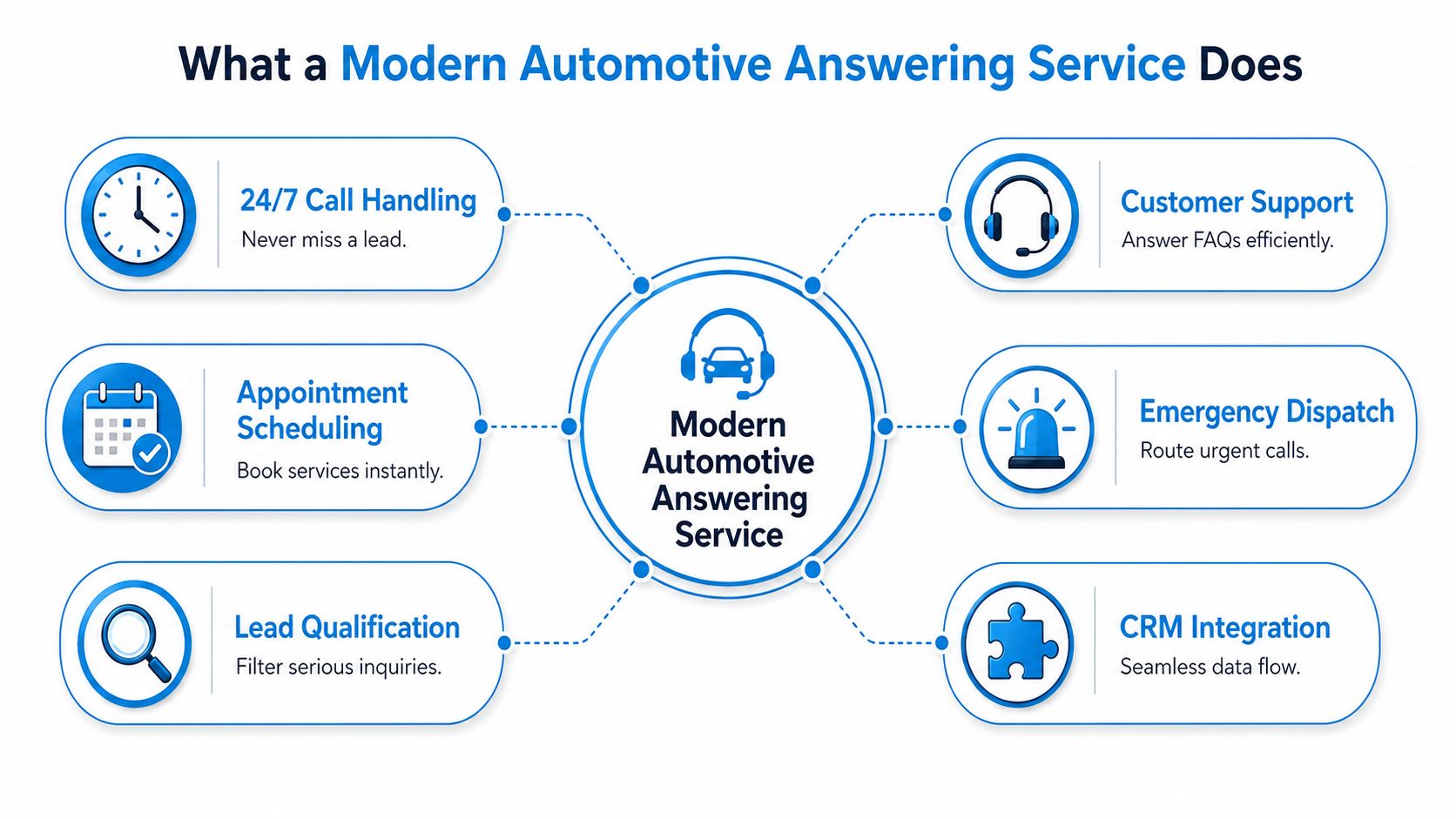
A lot of shop owners still picture an answering service as a basic operator who takes a name, phone number, and message. That's old-world call coverage. A modern automotive answering service does much more.
A true automotive answering service uses a voice-AI system with conversational AI and NLP to not only answer calls 24/7 but also to schedule appointments, capture leads, and integrate directly with CRMs like Mitchell 1 or Tekmetric, often going live within 24 to 48 hours, as described in this overview of AI automotive answering systems.
Think front desk, not switchboard
The easiest way to explain the difference is this:
| Model | What it does | Where it breaks |
|---|---|---|
| Traditional answering service | Takes messages and forwards calls | Loses context, creates callback delays |
| Basic auto attendant | Sends callers through menu options | Frustrates callers who need fast answers |
| Modern automotive answering service | Understands intent, captures details, books appointments, hands off when needed | Depends on setup quality and integration depth |
If a customer calls and says, "I need someone to look at my F-150. The check engine light came on and I need it back before Friday," a modern system shouldn't just park the call in voicemail. It should identify the request, gather the essential details, check scheduling rules, and move the customer toward a booked appointment or a clean handoff.
What good systems handle every day
In a real shop environment, the service should be able to manage tasks like these:
- Book routine work: oil changes, tire rotations, inspections, brake checks, battery service.
- Capture repair leads: make, model, year, issue summary, preferred appointment time, callback number.
- Answer common questions: hours, shuttle availability, towing instructions, drop-off process.
- Route urgent calls: roadside situations, tow-ins, same-day breakdowns, or escalations to the service desk.
- Sync records: push notes and appointments into the systems your team already uses.
A practical example: a caller asks whether you can fit them in for a noisy brake concern tomorrow morning. A weak service takes a message. A strong one confirms the symptom, collects vehicle details, offers available times, books the slot, and logs the call so the advisor sees the context before the vehicle arrives.
Good call handling doesn't stop at "hello." It ends when the next operational step is completed correctly.
Key Benefits and KPIs Your Shop Should Track
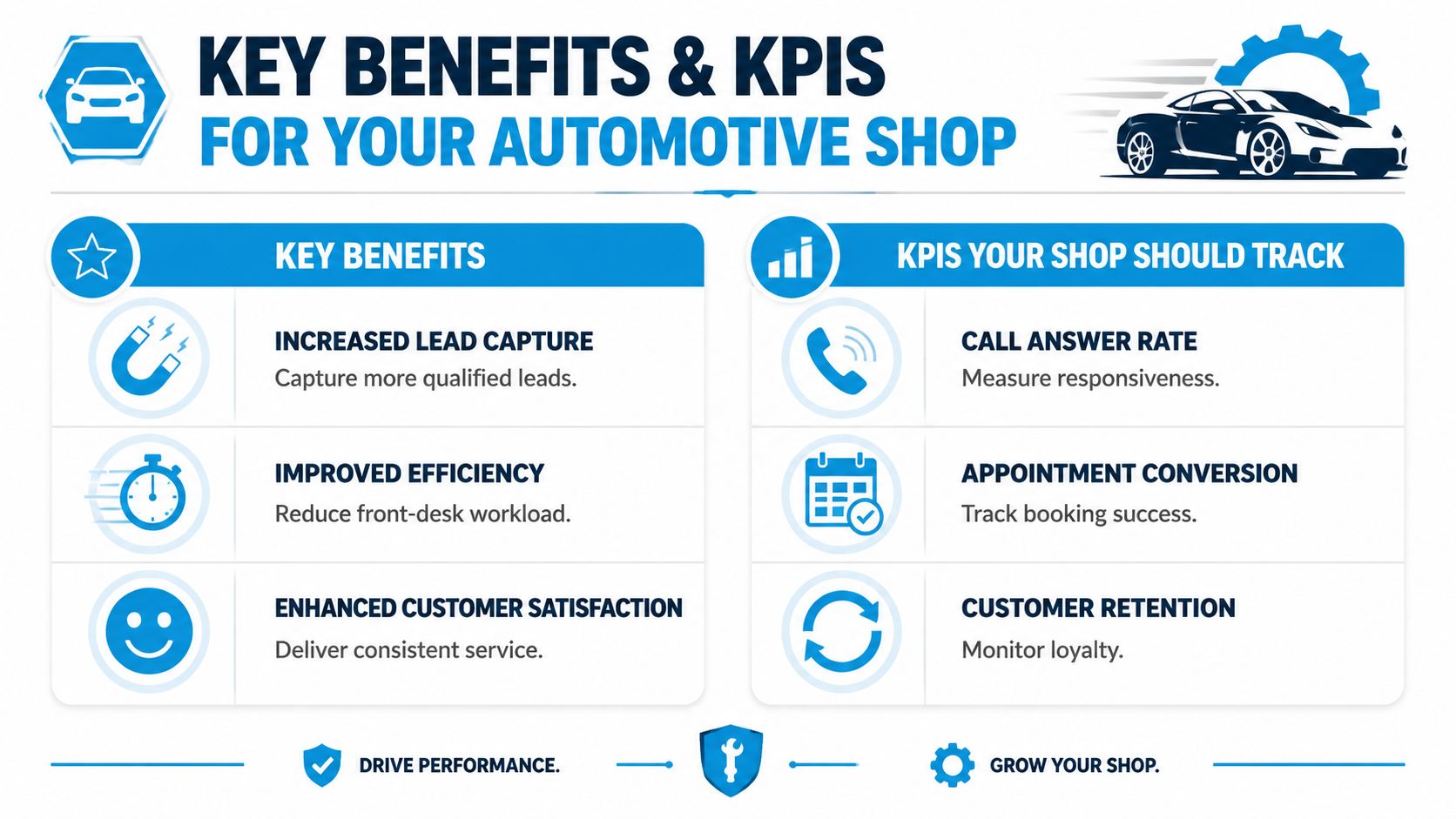
If you can't measure the impact, you'll end up judging the service on monthly cost instead of business result. That's a mistake. The right way to evaluate an automotive answering service is to tie it to lead capture, appointment conversion, and service revenue protection.
The average dealership connects with only 65% of inbound callers, meaning one in three opportunities are lost. Top performers reach 80% to 85%, and a single missed service call can carry a lifetime value of up to $1,500, according to this review of dealership customer experience statistics.
Start with the visual below, then map each KPI to one person on your team who owns it.
The KPIs that actually matter
A shop doesn't need a giant dashboard. It needs a short list reviewed consistently.
- Call answer rate: This tells you how many inbound callers reached a live workflow instead of dropping, abandoning, or hitting dead air.
- Appointment booking rate: Track how many service-related calls turn into confirmed appointments.
- Lead qualification rate: Separate weak inquiries from callers who gave usable details and fit your service mix.
- Overflow capture quality: Review whether overflow calls were merely logged or moved toward a business outcome.
- Customer retention signals: Look for repeat bookings, fewer complaints about responsiveness, and cleaner follow-up handling.
For many teams, the fastest operational win comes from reporting discipline. If your current phone setup can't tell you what happened after each call, you're managing blind. Strong call detail reporting tools make it easier to spot patterns like missed lunch-hour demand, poor handoff timing, or appointment requests that stall after the first conversation.
This walkthrough adds useful context on how teams think about phone performance in practice:
Connect each benefit to a business outcome
Here's how I usually frame it for operators:
| Benefit | Operational effect | KPI to watch |
|---|---|---|
| Better responsiveness | Fewer callers lost before contact | Call answer rate |
| Stronger booking flow | More conversations become appointments | Appointment booking rate |
| Less advisor interruption | Front desk spends less time on repetitive questions | Overflow call volume and transfer quality |
| Better customer experience | Fewer complaints about hold times and callbacks | Retention and review themes |
Bench test for value: If the service answers more calls but doesn't improve bookings, handoffs, or record quality, it's not doing enough.
Must-Have Features and Critical Integrations
A generic answering setup won't hold up in an automotive environment. Service departments deal with urgency, vehicle-specific questions, scheduling constraints, and a constant mix of new and returning customers. The feature list has to reflect that reality.
AI-powered services can perform advanced functions like lead scoring to identify high-value prospects and handle routine inquiries like repair status updates. This frees up service advisors and can lead to 30% more qualified leads and 80% cost savings compared to in-house reception, according to this article on AI-powered automotive answering services.
Features that belong on the non-negotiable list
Some capabilities are nice to have. Others determine whether the system reduces friction.
- 24/7 response coverage: After-hours calls, early drop-off questions, weekend inquiries, and overflow during lunch should all be handled without changing the customer experience.
- Intent recognition: The system should tell the difference between appointment requests, service status calls, parts questions, roadside situations, and sales inquiries.
- Appointment scheduling logic: It needs to work inside real shop rules, not generic calendar logic. That includes service categories, timing windows, and escalation rules.
- Vehicle data capture: Make, model, year, issue, drivability concern, and preferred contact method should be collected cleanly.
- Smart routing: Some calls need an advisor. Others need a manager, dispatcher, sales desk, or parts counter.
Integrations decide whether the system saves time or creates admin
Many buying decisions go awry when a vendor, despite a good demo, dumps notes into email for your team to retype later. That creates duplicate work and delays.
A useful automotive answering service should connect into your CRM, scheduling tools, and shop systems so information moves once and lands where staff already work. If you need a primer on why that matters operationally, this explanation of CRM integration in business workflows is worth reviewing.
A practical example: a returning customer calls asking about a repair status update. The system recognizes the caller, surfaces the right customer record, answers the routine part of the request, and only transfers the call if a human needs to discuss diagnosis, pricing, or approval. That protects advisor time.
Another example: a new caller wants to know whether you work on European vehicles and whether you can inspect a vibration issue this week. A strong system captures the vehicle details, identifies the inquiry as a qualified service lead, offers the right slot type, and logs the request in the right record. No sticky notes. No callback lottery.
The Power of AI with a Human Touch
An AI-only model sounds efficient until a call gets messy. A human-only model sounds reassuring until call volume spikes and response times slip. Most shops need both.
Here's the practical comparison.
AI only versus human only versus hybrid
| Model | Strengths | Weak spots |
|---|---|---|
| AI only | Instant response, consistent capture, always on | Can struggle with emotional nuance or unusual edge cases |
| Human only | Empathy, judgment, flexible conversation | Harder to scale, more expensive, uneven after-hours coverage |
| Hybrid AI plus human | Speed at the front end, human escalation when needed | Requires good workflow design |
A hybrid setup works because each side does the part it's best at. AI handles the repetitive, time-sensitive, structured part of the conversation. Human agents step in when the caller is frustrated, the request is unusual, or the situation affects trust.
A good handoff shouldn't make the customer repeat the whole story.
Where the hybrid model wins in real shop scenarios
Take a common after-hours call. A customer says their vehicle was towed in and they need to know what to do next. AI can answer immediately, gather the vehicle information, explain the drop-off process, and log the concern. If the caller is anxious and starts asking detailed questions about timing, warranty, or transportation, the system can escalate with the collected context attached.
Or take a daytime overflow case. The service drive is slammed, two advisors are with customers, and the phone queue is building. AI can absorb the initial wave, answer routine questions, and book straightforward appointments. Calls that involve upset customers, high-value repair decisions, or multi-step diagnostic concerns can move to a trained person without creating confusion.
This is also where a modern AI call answering service should be judged. Not by whether it replaces people, but by whether it protects your people from low-value interruption while preserving a human experience where it matters most.
What doesn't work
Three approaches usually disappoint:
- Script-only live agents: They sound polite but often can't gather useful vehicle detail or qualify the lead properly.
- Menu-heavy phone trees: Callers abandon when they need help, not options.
- AI with no escalation path: It works until the first emotionally charged or complex call.
Shops don't need novelty. They need a system that books work, captures context, and knows when to bring in a person.
Your Evaluation Checklist for Choosing a Service
Vendors sell coverage. Shop owners need booked work, clean handoffs, and fewer lost leads. A service is worth buying if it improves revenue capture, not just if it answers the phone at 8:30 p.m.
A lot of shops still evaluate providers like they are buying a backup receptionist. That misses the bigger decision. The better question is whether the service can qualify callers, set appointments correctly, follow up on open opportunities, and route complex conversations to a person without dropping context. That is the shift from cost center to revenue engine.
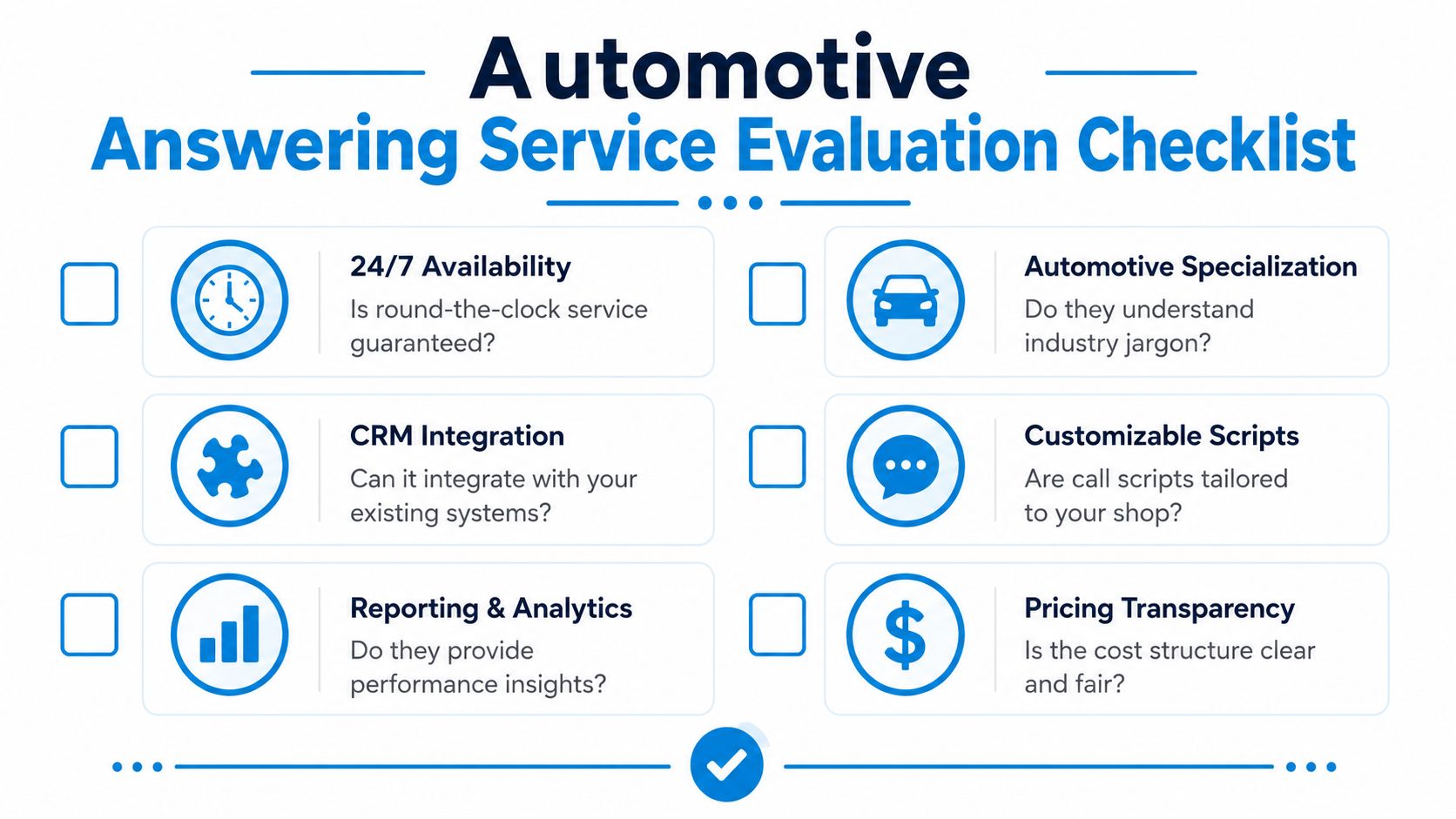
Questions worth asking before you sign
Use these in demos and sales calls. Specific answers matter more than polished scripts.
How does the service handle real shop scenarios?
Ask for a live walkthrough of an appointment request, a tow-in after hours, a repair-status call, and an upset customer. You are looking for accuracy, speed, and whether the system collects usable details instead of generic notes.What can AI complete on its own, and where does a human step in?
The strongest setups use AI for the repeatable part of the call and trained staff for edge cases, emotional calls, and higher-stakes conversations. If the vendor cannot define that line clearly, handoffs usually get messy.Which systems does it integrate with?
Emailing your team a message is not the same as writing into your scheduler, CRM, or shop management workflow. Ask what data syncs automatically, what requires manual entry, and where errors usually happen.Can it support outbound revenue work?
Ask about missed-call text back, estimate follow-up, declined-work recovery, reminder campaigns, and reactivation. Many providers can answer inbound calls. Fewer can help your shop recover demand you already paid to generate.How are handoffs documented?
If a live agent or advisor takes over, they should see the caller's name, reason for calling, vehicle details, and what has already been said. Repeating the same information frustrates customers and wastes advisor time.How much control does your team have after launch?
Shops change hours, promos, staffing, and appointment rules all the time. Ask who can update call flows, how long changes take, and whether you have to wait on a support ticket for simple edits.
Compare cost models carefully
Pricing gets distorted fast if you only compare the monthly quote.
- Per-minute billing: Can work for low volume, but long diagnostic calls, status questions, and after-hours conversations can push costs up fast.
- Per-call pricing: Easier to read at first glance, but ask what counts as a billable call, whether transfers count again, and how short abandons are treated.
- Flat-rate models: Easier to budget, but test what happens during peak periods. Some vendors hold quality until call volume spikes, then fallback behavior gets ugly.
I usually tell shop owners to do one simple exercise. Price the service against outcomes, not activity. If one provider costs more but books more qualified appointments, captures vehicle data correctly, and helps recover unsold work, that provider is often cheaper in practice.
Also ask for sample reports, launch timelines, call review access, script customization, and support during the first two weeks. Demos are controlled environments. The ultimate test is whether the service performs on a busy Monday, after hours, and during advisor overflow.
Getting Started and Measuring Your Success
Implementation is usually simpler than owners expect. The best rollouts don't start with a massive process overhaul. They start by protecting the calls you're already getting.
A practical setup looks like this:
- Forward the right lines: Start with the main service number, overflow routing, or after-hours coverage.
- Define business rules: Hours, appointment types, emergency handling, service areas, and escalation paths.
- Build call scripts around real shop language: Include makes you service, drop-off process, towing instructions, and common repair categories.
- Connect your calendar and customer systems: That keeps appointments and notes from living in separate places.
- Review call transcripts and outcomes early: Fine-tune within the first week, not after a month of bad handoffs.
A realistic first win
A common early success is after-hours capture. A shop that used to send evening callers to voicemail switches to an automotive answering service. That night, a stranded customer calls about a tow-in and next-morning diagnosis. Instead of leaving a message and moving on to a competitor, the caller gets instructions, shares vehicle details, and lands on the next available workflow. The shop opens the next day with a documented lead instead of a lost opportunity.
Another fast win comes during peak daytime traffic. The advisors stay focused on check-ins and approvals while the system handles routine scheduling and basic questions. Fewer interruptions usually lead to cleaner write-ups and better front-counter conversations.
Measure from day one
Track a short scorecard each week:
| What to monitor | Why it matters |
|---|---|
| Answered versus missed calls | Confirms coverage is working |
| Booked appointments from inbound calls | Shows whether conversations become revenue |
| Quality of captured notes | Reveals whether advisors are getting useful context |
| Escalation patterns | Identifies where human support is needed most |
If those numbers move in the right direction and your staff says the phones feel more manageable, the system is doing its job.
If you're looking for a platform that combines conversational AI with trained human support for automotive calls, Recepta.ai is built for that hybrid model. It handles inbound and outbound conversations, appointment scheduling, lead capture, and escalations while syncing with the tools your team already uses, so you can stop sending revenue to voicemail and start turning more calls into booked work.