How to Calculate Operating Expenses: A 2026 Guide

Revenue is up. The calendar looks full. The phones ring all day. Yet profit feels thinner than it should.
That usually means the work isn't the problem. The overhead is. A plumbing company can stay busy and still leak cash through dispatch costs, admin payroll, software sprawl, trucks, rent, and marketing that nobody reviews. A dental clinic can book out weeks in advance and still wonder why owner pay feels squeezed. A law firm can bill well and still watch margins disappear into office, staffing, and intake friction.
If you want better control of profit, you need to know how to calculate operating expenses with precision, not guesswork. Once you do, you can see which costs are necessary, which are bloated, and which can be replaced with a smarter operating model.
What Are Operating Expenses and Why They Matter
Operating expenses are the costs of running your business day to day, excluding the direct costs required to produce the service or deliver the job. They sit in the background, but they shape whether growth turns into profit.
Think about a residential plumber. The company may close plenty of jobs in a month, but if office payroll grows faster than booked revenue, the owner feels pressure immediately. The same pattern shows up in healthcare and legal. A strong top line can hide weak operating discipline for a long time, until cash gets tight.
That’s why operating expenses, often shortened to OpEx or OPEX, matter so much. They show what it costs to keep the business functioning. Rent, admin salaries, insurance, utilities, software, marketing, accounting fees, and travel all fit here. These aren’t glamorous numbers, but they tell you whether the business model is carrying extra weight.
You can't fix a profit problem if all your overhead is lumped into one blurry category called "general expenses."
The practical value is simple. Once you break OPEX into clean categories, you can ask better questions. Are you paying for duplicate tools? Did payroll rise because volume grew, or because inefficiency did? Are missed calls forcing you to spend more on marketing just to replace leads you already paid to generate? If you’re comparing staffing options, this kind of business answering service cost breakdown gives a useful lens for evaluating overhead, not just coverage.
Business owners often focus on sales first because sales are visible. OPEX is less visible, but it’s usually where the easiest margin gains live. A business that tracks operating expenses consistently makes cleaner hiring decisions, budgets with fewer surprises, and grows without adding unnecessary drag.
Distinguishing Operating Expenses from COGS
Owners get into trouble here fast. A plumbing company books dispatcher payroll as a job cost, a dental clinic pushes front-desk software into treatment costs, or a law firm buries intake labor inside matter expenses. The result is the same every time. Gross margin looks worse than it is, overhead looks smaller than it is, and the numbers stop helping you decide where to cut.
The working rule is simple. COGS covers costs tied directly to delivering the service the customer bought. OPEX covers the costs of running the business around that service.
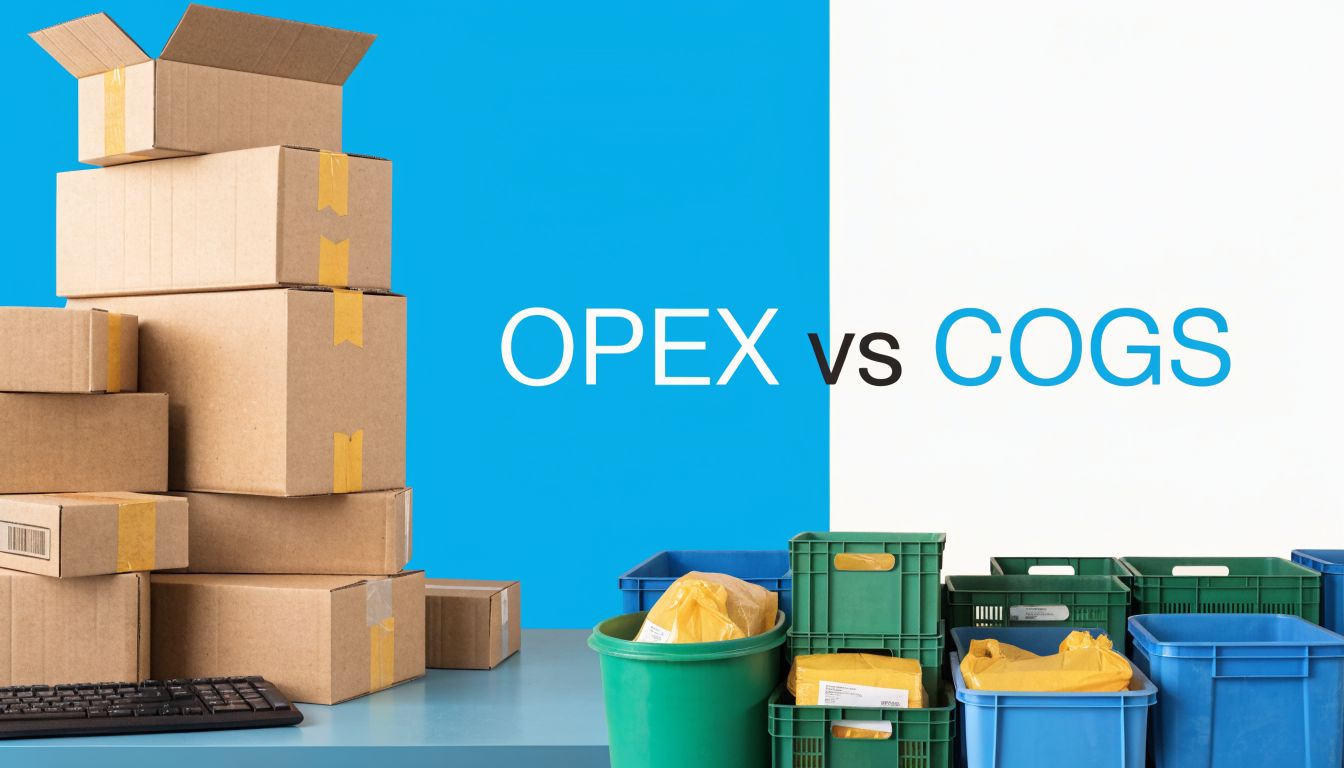
A useful test is traceability. If you can tie the cost to one install, one procedure, or one legal matter, start by testing it as COGS. If the business would still pay it even if that specific job never happened, it usually belongs in OPEX.
Home services example
For an HVAC or plumbing company, equipment and materials installed at the customer site are direct job costs. Technician labor billed to that job is usually direct as well. Those belong with COGS because they rise and fall with the work sold.
The office lease, dispatcher wages, phones, scheduling software, CRM, general liability insurance, and marketing spend belong in OPEX. Those costs support the whole shop, not one furnace install or drain call.
This distinction matters more than it sounds. If a contractor loads too much overhead into COGS, every job looks less profitable, and the owner may start cutting field investment when the actual problem is bloated admin cost or weak call handling.
Dental clinic example
A dental practice has the same split, just with different line items. Procedure-specific supplies, lab fees, and materials used for a crown or implant are closer to direct service cost. Front-desk payroll, rent, utilities, patient communication software, billing support, and general admin costs sit in OPEX.
For many practices, the front desk is where classification and savings opportunities meet. Reception and scheduling are operating functions. If a clinic replaces part of that workload with an AI receptionist, the subscription usually stays in OPEX because it is an ongoing operating tool, not a treatment input. Recepta.ai reports cost savings of up to 80% versus in-house reception in its own customer results, which is why owners should evaluate these tools as overhead reduction, not clinical cost reduction.
Law firm example
Law firms often blur the line because so many costs can be passed through to the client. Filing fees, expert witness fees, court reporter charges, and matter-specific contract support are usually direct case costs. The office manager, intake staff, practice management software, rent, phones, and brand marketing are OPEX.
That distinction affects pricing discipline. If intake and receptionist costs are buried inside matter delivery, the firm can miss how expensive new client acquisition and screening really are. Pairing OPEX review with cost per lead calculations for service businesses gives a clearer picture of what it costs to turn inquiries into retained clients.
Where AI tools usually fit
Recurring software for intake, scheduling, call answering, follow-up, and admin automation usually belongs in OPEX. It works like rent, phones, or your CRM. It keeps the operation running.
That creates a practical trade-off. A monthly AI receptionist fee raises software OPEX, but it can lower payroll OPEX, reduce missed-call waste, and improve conversion from the leads you already paid for. For a plumber, that can mean fewer after-hours leaks lost to voicemail. For a dental office, fewer new-patient calls missed at lunch. For a law firm, more consultations booked without adding another full-time receptionist.
Practical rule: If the cost can be traced to one customer job, one patient procedure, or one legal matter, test it as COGS. If it supports the business across all work, classify it as OPEX.
Get this line right and your margins become usable again. Get it wrong and every decision built on those margins gets weaker.
The Operating Expense Formula and Common Categories
A plumbing owner closes the month with solid sales, then looks at profit and gets a surprise. Revenue felt strong, jobs stayed busy, but cash still ran tight. The usual cause is not the formula. It is the category mix inside OPEX.
Operating expenses are the recurring costs of running the business that are not tied to one specific job, procedure, or client matter. To calculate them, total the operating costs for the period you are reviewing.
Operating Expenses = Total recurring business overhead for the period
That sounds simple because it is. The hard part is building a list you can trust, month after month, so you can spot where money is leaking.
A practical way to do it is to pull one month or one quarter of records from your income statement, general ledger, and bank feeds. Then group the costs that keep the business running across all work, not the costs consumed by one sale.
Common OPEX categories
Most service businesses will find their operating expenses inside a handful of buckets:
- Payroll for support roles: Receptionists, dispatchers, office managers, intake staff, billing staff, non-billable admin support
- Occupancy: Rent, utilities, internet, phones, janitorial, common area charges
- Insurance: General liability, workers' compensation, business owner policies, malpractice where it covers the practice generally
- Sales and marketing: Ads, agency fees, lead generation, signage, print, local sponsorships, website hosting
- Software and subscriptions: Practice management tools, CRMs, scheduling tools, call answering platforms, accounting software
- Professional services: Bookkeeping, payroll processing, accounting, compliance support, outside legal help
- Office and admin: Supplies, postage, printing, payment processing support tools
- Vehicle overhead not assigned to jobs: Fleet insurance, GPS subscriptions, admin-use fuel, registration
- Taxes tied to operations: Property taxes and similar location-based overhead
The exact labels matter less than consistency. If rent sits in occupancy this month, keep it there next month. If AI phone coverage sits in software, do not move it into marketing later just because leads improved.
What usually stays out
Owners get into trouble when they mix operating costs with direct delivery costs or capital spending. Keep these out of OPEX:
| Exclude from OPEX | Why it doesn't belong |
|---|---|
| Direct job materials | They are consumed delivering a specific service and usually belong in COGS |
| Procedure-specific clinical supplies | They attach to patient treatment, not general operations |
| Matter-specific filing, research, or contract labor | They support one client matter directly |
| New equipment purchases | These are capital expenditures |
| New vans, chairs, servers, or other long-term assets | They provide value over multiple periods |
The distinction is practical. A dental chair purchase is not OPEX. The monthly software subscription used to confirm appointments and fill hygiene gaps usually is.
Why detailed categories save money
A single OPEX total tells you what happened. Category detail tells you what to fix.
For a plumbing company, payroll and missed-call handling often sit at the center of overhead creep. For a dental clinic, scheduling friction, front-desk coverage gaps, and reactivation follow-up are common cost centers. For a law firm, intake and admin time can swell because partner attention gets pulled into tasks that should have been systemized.
That is why software deserves a closer look than it used to. A monthly AI receptionist or call automation tool increases software OPEX, but it may lower payroll pressure, cut after-hours lead loss, and improve conversion on marketing spend you are already paying for. The right way to judge it is not “does software cost more this month?” The right question is “did this subscription replace labor, extend coverage, or recover revenue?” If you are reviewing that trade-off, this guide to conversational AI for customer support is useful because it frames AI as an operating decision, not a novelty purchase.
A simple working rule
If the cost supports the whole business, include it in OPEX. If it can be traced to one customer job, one patient procedure, or one client matter, test it as a direct cost instead.
If you want a second reference point for setting up the calculation, Steingard Financial has a clear walkthrough on how to calculate operating expenses. Use that framework, then adapt the categories to your own chart of accounts so the result is usable, not just technically correct.
Good OPEX tracking helps owners do more than total expenses. It shows where to cut, where to automate, and where a higher monthly cost buys back margin.
OPEX Calculation in Action Worked Examples
The formula is easy. The hard part is applying it to a real service business without muddying the categories. These three examples show the method in a way most owners can use immediately.
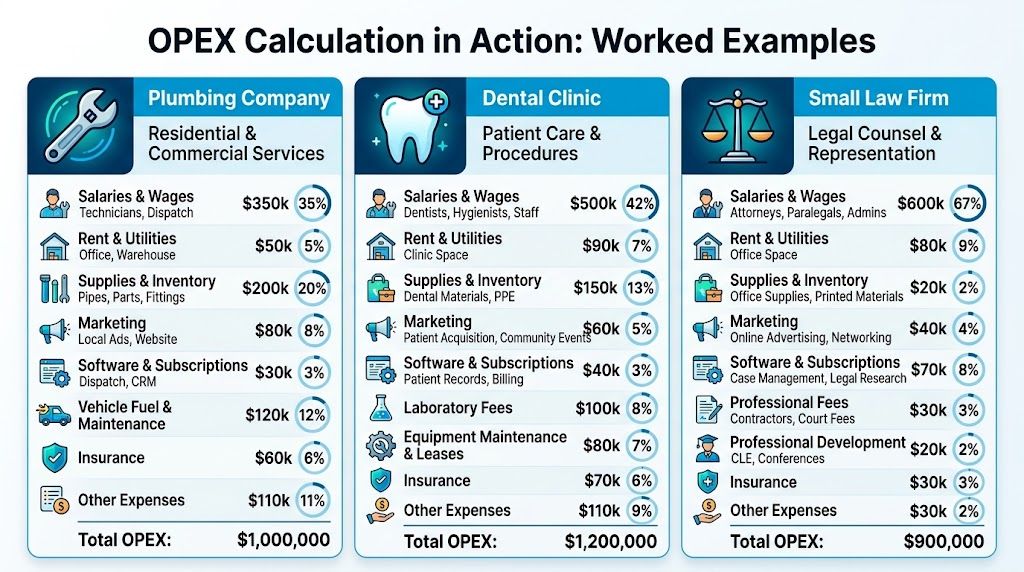
Plumbing company example
A plumbing company owner reviews one month of expenses. Materials used on customer jobs are kept separate as direct costs. The owner is only trying to total operating expenses.
The OPEX lines for the month might include office payroll, dispatcher wages, rent for the small office, utilities, insurance, marketing, accounting, scheduling software, and general vehicle overhead not assigned to specific jobs.
The process is straightforward:
- Pick one reporting period and stay consistent.
- Keep direct job costs out of the list.
- Add only the costs required to run the business itself.
If that company wants a second way to validate the result, there’s a useful walkthrough on how to calculate operating expenses from Steingard Financial that matches the same practical logic. The point isn't to memorize formulas. It's to build a repeatable habit inside your own books.
For home service companies, the most common distortion is mixing field delivery costs with office support costs. Once those are separated, overhead gets much easier to manage.
The owner should also isolate intake-related overhead. If the company uses a call handling service, after-hours answering support, or recurring scheduling software, those costs belong in operating expenses. If missed calls force the business to buy more leads just to hit the same booking target, that isn't a sales problem alone. It's an operating model problem.
Dental clinic example
A dental clinic's books usually contain more line items, but the process is the same. Chairside materials and treatment-specific costs don't belong in OPEX. Front office, administration, occupancy, utilities, insurance, marketing, and software do.
One practical way to do this is to review the profit and loss statement line by line and ask one question for each item: Does this support the clinic's operation broadly, or was it consumed in delivering care to a patient?
That distinction keeps the clinic from overstating overhead. It also reveals whether the front desk is carrying too much manual work. Scheduling gaps, reminder calls, rescheduling, and intake follow-up often sit inside admin payroll without anyone measuring them as a separate cost center.
Industry guidance from QuickBooks on operating costs lays out a clean sequence: choose a reporting period, identify COGS, aggregate pure OPEX, and use Operating Costs = COGS + OPEX or Total Revenue – Operating Income – COGS as a cross-check. That same source gives a sample OPEX total of $2.02M and notes a marketing agency example with a 65% OER based on $52K OpEx / $80K revenue.
Small law firm example
A small law firm often struggles because many expenses feel client-related even when they aren't. The attorney's time may produce revenue, but not every office cost should be treated as a direct matter expense.
Reception, intake, case management software, office rent, utilities, malpractice-related administration, accounting support, and general marketing are operating expenses. Filing fees, expert witness costs, and matter-specific outsourced support are different. Keep them out of OPEX if they are directly tied to client work.
A law firm owner looking at overhead should pay close attention to intake. If prospective clients call and hit voicemail, the marketing budget starts working harder just to replace lost opportunities. That's why operating expense reviews in legal often expose a hidden issue. The firm isn't just paying for admin. It's paying for slow response.
A fast way to do your own calculation
Use this short workflow at month end:
- Choose one period: Monthly is usually easiest for small businesses because it catches problems early.
- Pull your records: Use your income statement, accounting software, payroll reports, and bank data.
- Mark direct costs first: Remove job materials, treatment-specific supplies, or matter-specific costs.
- Add the support costs: Total salaries, rent, utilities, insurance, marketing, subscriptions, travel, taxes, and professional fees.
- Compare month to month: Don't stop at one total. Look for categories that keep rising without a clear return.
This is how operating expenses are calculated in practice. It’s less about finance jargon and more about giving every recurring cost a proper home.
Go Beyond Calculation with the Operating Expense Ratio
Knowing total OPEX is useful. Knowing whether that total is healthy is more useful. That’s where the Operating Expense Ratio, or OER, comes in.
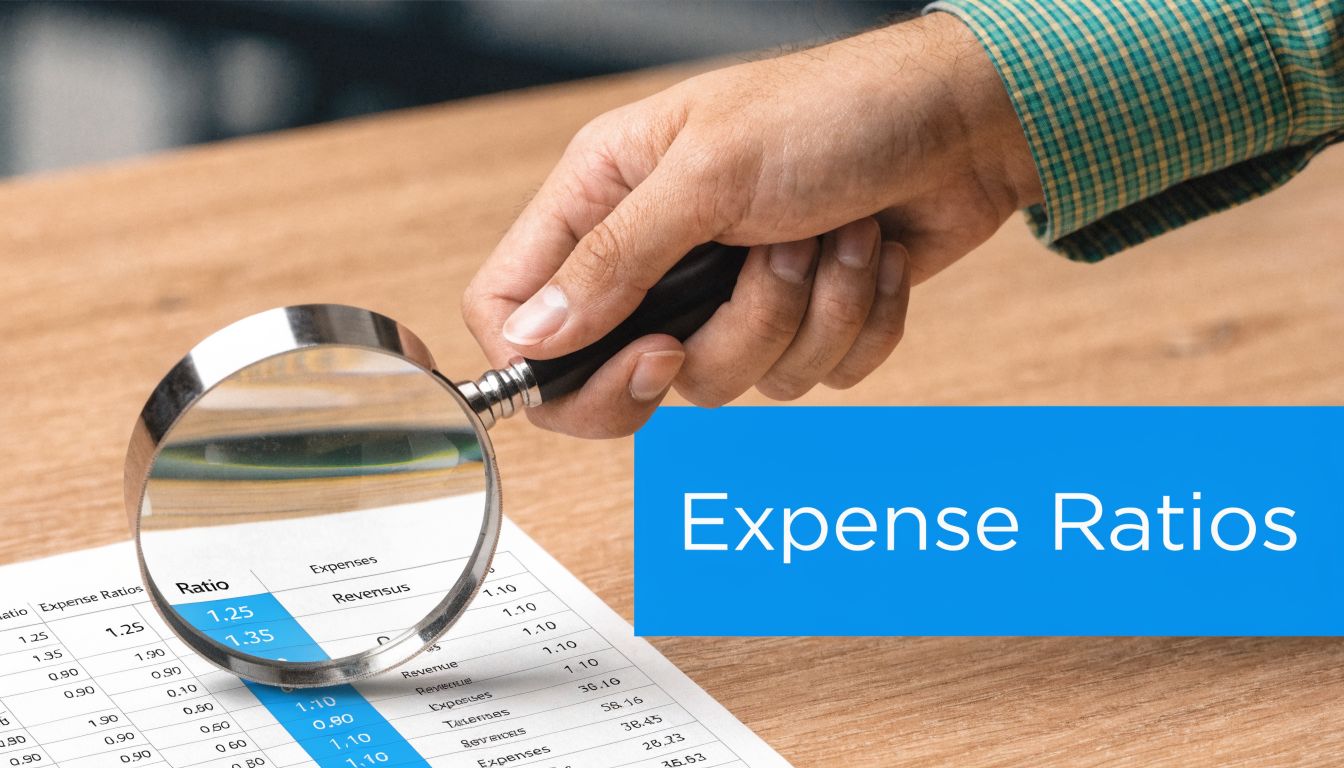
The formula is simple: OER = Operating Expenses / Total Revenue. One source example shows a company with $500,000 in operating expenses and $2,000,000 in total revenue, producing an OER of 0.25 or 25%. That means the business spends $0.25 of every revenue dollar on operating expenses, according to Chargebee’s explanation of the operating expense ratio.
Why the ratio matters more than the raw total
A raw OPEX number has no context by itself. A law firm with higher operating expenses than a solo practice might still be healthier if revenue supports the overhead. A plumbing company can cut expenses and still get worse if revenue falls faster.
OER fixes that by turning cost into a proportion. It answers a blunt question: How much of each dollar earned gets consumed by operating overhead?
A lower ratio indicates greater efficiency. But lower isn't always the only goal. Service businesses often carry heavier labor costs than other models, so the comparison has to fit the industry. High-touch businesses don't operate like software-only companies.
Use OER in two ways: compare against your own past performance, and compare against businesses that operate like yours.
How to use OER in practice
Take the worked examples from the previous section. Once you've calculated monthly OPEX, divide it by total revenue for that same month. Do this every month, not once a year when the memory is cold and the issue has already spread.
That trend line is what matters. If OER rises for several months, ask why. Did salaries increase before systems improved? Did marketing climb while intake stayed weak? Did admin costs rise because someone hired around a broken process instead of fixing it?
A useful companion metric is operating profit margin. If you want a plain-English walkthrough for that side of the picture, this guide on calculate Operating Profit Margin from Stewart Accounting Services is worth reviewing alongside your OER.
What smart owners look for
Use OER as a management tool, not just a reporting metric.
- Watch stability: A steady ratio usually signals controlled growth.
- Investigate spikes: One unusual month may be timing. Repeated spikes usually mean a structural issue.
- Segment by location or department: Multi-location operators get better answers when overhead is broken out by office, team, or function.
- Tie spending to outcomes: If overhead rises, what improved with it. Response time, bookings, collections, capacity, retention?
The ratio keeps owners from making the classic mistake of cutting the wrong expense. Some costs are waste. Some are the infrastructure that makes revenue possible. OER helps you tell the difference.
How to Reduce and Automate Your Operating Expenses
Once you know your operating expenses, the next job is reduction without self-sabotage. Cutting randomly is how owners save money in one quarter and create service problems in the next.

Start with the boring stuff
The first pass is rarely dramatic, but it works.
- Audit subscriptions: Cancel tools nobody uses, or tools that overlap.
- Review vendor contracts: Renegotiate recurring services before they auto-renew.
- Separate fixed from variable overhead: That makes spikes easier to explain.
- Stop double-counting: Some businesses distort OER by mixing COGS and OPEX in the same bucket.
For larger or multi-location operators, the finance discipline matters even more. One source notes that advanced OER management often uses SG&A + Depreciation + Amortization + Other Costs, then divides by revenue, and that 70% of CFOs prefer the indirect cash flow reconciliation method for precise operating cash flow, according to Ramp’s operating expense guide. The same source notes that businesses maintaining OER below 60% see 20 to 25% higher profitability, and healthcare and legal sectors average 55 to 65% OER globally, with tool integrations helping push performance lower.
The biggest lever is admin overhead
For most service businesses, the largest practical savings don't come from buying cheaper pens or cutting coffee. They come from reducing repetitive labor.
Phones, scheduling, intake, reminders, reschedules, lead capture, and follow-up often sit inside salary costs. Those tasks matter, but they don't always require a fully manual process. When owners ignore that, they keep hiring around preventable admin load.
A good automation review asks:
Which tasks require judgment, and which ones are repetitive enough to standardize?
That’s where process automation starts making financial sense. If you're mapping those opportunities, this overview of business process automation is a solid place to start because it frames automation as an operations decision, not just a software purchase.
A short demo can help make that idea concrete:
What actually works
The best reductions protect service while lowering overhead. That usually means automating repetitive front-desk work, tightening intake, and using integrations so data flows into the systems your team already uses. It also means leaving high-empathy or complex interactions to people.
What doesn't work is blanket cutting. If a dental office stops answering calls promptly, new-patient acquisition suffers. If a law firm delays intake, qualified leads go elsewhere. If a plumbing company sends every missed call to voicemail, marketing dollars lose value before the office even sees the lead.
If you want to lower overhead without sacrificing responsiveness, Recepta.ai helps service businesses automate call answering, scheduling, lead capture, and follow-up with AI plus human escalation when needed. It integrates with 2,500+ tools, supports home services, healthcare, legal, and franchises, and is built to reduce admin drag while improving intake consistency.