Infrastructure Security: A Practical Guide for 2026
Over 420 million cyberattacks hit global critical infrastructure between January 2023 and January 2024, about 13 attacks per second according to the report cited by Anapaya. That scale changes the conversation. Infrastructure security is no longer a project you finish and file away, it's an operating discipline for keeping essential services, customer systems, and internal tooling alive under constant pressure.
For small businesses and SaaS operators, the hard part isn't understanding that risk exists. It's building a defensible environment when the rules often require you to report incidents, but don't always tell you what baseline controls you're supposed to have in place. That gap is where many teams get into trouble.
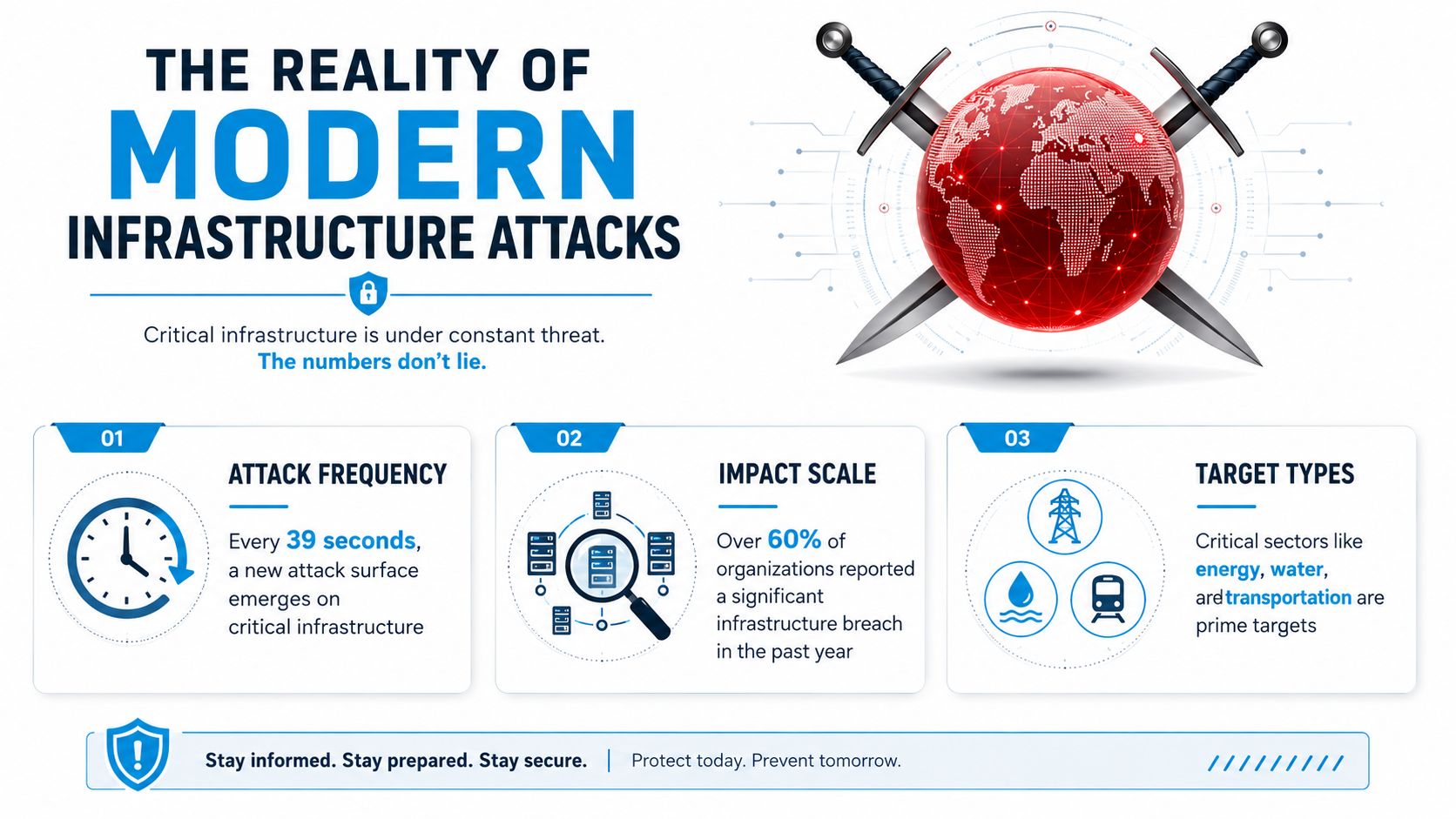
The Reality of Modern Infrastructure Attacks
The first mistake most owners make is treating infrastructure attacks like rare headline events. They're not rare anymore. The attack surface moves constantly, and the systems that keep a business running, from network gear to cloud workloads, are probed all the time by attackers looking for weak identity, exposed management interfaces, or a stale configuration that nobody reviewed this quarter.
The sector mix matters too. The same Anapaya-cited report identifies energy and power grids as the most frequently targeted sector, followed by healthcare, transportation, water and wastewater, and financial services. That tells you what attackers value most, not what compliance teams tend to talk about most.
Cloud changed the blast radius
Modern infrastructure doesn't sit neatly behind one firewall anymore. It stretches across cloud services, vendors, remote access tooling, identity systems, and the operational systems that run the business. That's why cloud security now sits inside the infrastructure conversation instead of beside it. SentinelOne's 2026 cloud-security data, as referenced in the verified data, says 45% of data breaches occur in the cloud, 80% of organizations experienced a cloud security breach in the past year, and public-cloud incidents average $5.17 million each. Those numbers make one thing obvious, cloud compromise is now infrastructure compromise.
A practical way to think about this is to compare your environment to a building with too many doors. The front entrance matters, but so do the loading dock, the side entrance, the badge reader, and the contractor portal. Attackers don't need to smash every door, they just need one that nobody checked.
For a useful external angle on how attackers monetize weak visibility and exposed systems, the guide to dark web defense is worth reading alongside your internal exposure review. It's not a replacement for hardening, but it does reinforce how often attackers work from leaked credentials and known access paths rather than new exploits.
Practical rule: if a service can be reached remotely, assume it will be probed, logged, and eventually tested for misuse.
The operational takeaway is simple. Treat infrastructure security as a live control surface, not a quarterly audit artifact. That mindset fits better with a tool like performance monitoring systems, because performance and security now overlap at the point where overload, latency, and failure all start to look the same from the outside.
What Infrastructure Security Actually Means Today
The modern definition starts with CISA, which frames critical infrastructure security and resilience as a national priority and ties it directly to public health, safety, and economic security. That's a useful reminder for small operators too. If your platform handles calls, schedules appointments, moves money, routes work orders, or stores customer records, then your infrastructure choices affect business continuity, not just IT hygiene.
Historically, a major marker was the U.S. Critical Infrastructure Information Act of 2002, enacted on November 25, 2002, which created a legal framework for sharing sensitive infrastructure-related information with the government to improve protection of essential systems. Since then, the field has moved far beyond isolated physical assets. Today you're protecting a mix of cloud services, SaaS platforms, operational technology, identity stores, and the people who connect them.
The perimeter is no longer the center
Old-school infrastructure security assumed the network edge was the main wall. That model breaks down when work happens across APIs, remote admins, vendor portals, and cloud dashboards. Security now has to follow the asset, the identity, and the workflow. If a receptionist platform, help desk, or scheduling system is exposed through a bad integration, the risk isn't limited to one server. It can spill into customer records, workflow data, and downstream systems.
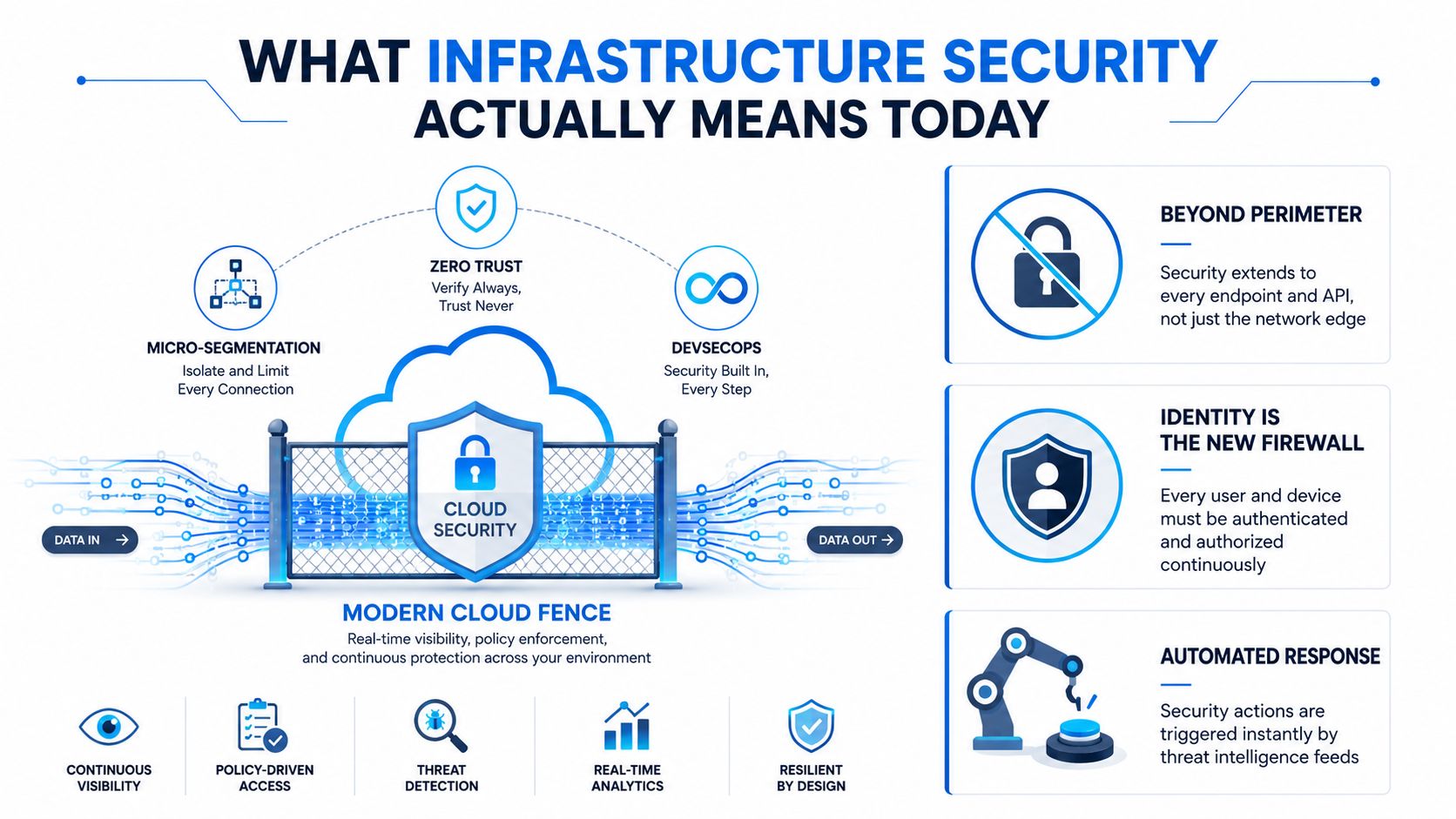
Identity is the new control plane
In practice, identity now does a lot of the work the firewall used to do. If the wrong account can reach the wrong workload, the architecture is weak even if the perimeter is locked down. That's why MFA, role separation, and access reviews matter so much. They keep a compromised password from becoming a full environment compromise.
CISA's framing also matters because it pushes security beyond a pure technology conversation. A hospital, dispatch center, or SaaS company with customer-facing operations needs people who can restore service, make decisions under pressure, and understand what must stay online. Infrastructure security is the discipline of making those decisions before an incident forces them.
If you run a small environment, the simplest test is this. Can you explain who can access each critical system, what happens if that system fails, and how you'd restore it without rebuilding everything from scratch? If the answer is fuzzy, your infrastructure security is still immature.
Core Security Controls and Architecture Patterns
The strongest setups aren't the fanciest ones. They're the ones that keep a breach from turning into a full outage. The NSA's Network Infrastructure Security Guide recommends multiple layers of next-generation firewalls from different vendors plus DMZ subnets for public-facing systems. That advice isn't about buying more boxes for the sake of it. It's about reducing lateral movement and limiting the blast radius when one control fails.
A single-vendor stack can be easier to manage, but it also creates a cleaner failure path. If the same product family protects every layer, one missed patch, one configuration error, or one product flaw can matter across the whole environment. Diversity adds friction, but it also adds resilience.
Where layered defense pays off
A practical small-business pattern looks like this.
- Edge firewall first: put a strong policy boundary in front of internet-facing services, and keep the rules tight.
- DMZ for public systems: place web apps, portals, or remote access endpoints in a separate zone so they aren't sitting directly next to internal systems.
- Internal segmentation next: split admin networks, user networks, and sensitive app tiers so one compromised account can't roam freely.
- Identity controls everywhere: use MFA, role-based access, and privileged access controls where admin actions matter most.
That structure is especially useful for SaaS operators and AI receptionist platforms that handle customer interactions, scheduling, or handoffs to human staff. If the call-handling app is compromised, it should not automatically expose billing data, CRM credentials, or backend integrations. Segmentation keeps a service failure from becoming a platform failure.
Practical rule: if you can describe your environment as one flat network, it's probably too flat.
The layered security IT Cloud Global discussion is a useful companion if you want a different vendor's framing of defense in depth. The main point is consistent, security should fail in stages, not all at once.
Access control has to be boring and strict
Identity and access management often gives the best return for the least complexity. MFA is now table stakes for admin accounts, and least privilege should extend to cloud consoles, ticketing tools, and third-party integrations. A small team doesn't need every advanced platform feature. It does need a clear list of who can change what, and a habit of removing access that no longer has a business purpose.
For service providers, this matters in vendor portals too. A technician account that can deploy or reset services should not also be able to read all client records. The rule sounds basic. In practice, it's one of the most common failures.
If you want to understand where loose integrations create hidden risk, real-time data sync is a helpful lens. Sync speed is useful, but only when the permissions model stays disciplined.
The Compliance and Security Gap You Need to Understand
A lot of teams assume compliance means safety. It doesn't. Compliance can prove that you reported the incident, documented the process, or met a sector rule. It doesn't automatically mean you prevented the attack in the first place. That gap is where many smaller operators get blindsided.
The clearest example in the verified data is CIRCIA. It requires critical infrastructure entities to report cyber incidents to CISA within 72 hours, but it does not impose minimum-security requirements. In other words, the law tells you when to tell the government you were hit, while much of the actual control baseline still comes from voluntary standards and sector-specific rules. That's a real problem for owners who think the existence of reporting rules means there's also a clear, universal defense standard.
Reporting is not prevention
If your entire security program is built around reporting timelines, you've already accepted too much risk. Mandatory disclosure matters, because response coordination matters. But the absence of a baseline control mandate means each business still has to decide what “defensible” means in practice. That usually comes down to the basics: MFA, segmented access, tested backups, and monitoring that someone reviews.
The market is filling part of the gap. As noted in the verified data, insurers increasingly demand MFA and IAM as coverage conditions. That's not the same as regulation, but it has teeth. If coverage depends on controls, then some enforcement is moving from law to underwriting.
A useful comparison is your accounting system. Filing taxes doesn't mean the books were accurate all year. Reporting an incident doesn't mean the environment was well defended. Those are related tasks, not the same task.
The third-party integrations angle matters here because many incidents now ride through vendors, sync tools, and connected SaaS services. Compliance checklists often focus on your own perimeter and miss how much trust you've extended outward.
Bottom line: if a framework only helps you document the breach, it's not enough on its own.
The practical response is to define an internal minimum baseline that's stricter than the reporting requirement. For many small businesses, that baseline should start with identity controls, asset visibility, patch discipline, and recovery testing. Those controls won't make you invulnerable, but they do make you harder to exploit and easier to recover.
Your Infrastructure Security Assessment Checklist
A useful assessment starts with what you can measure, not with a theoretical maturity model. The simplest checks are often the most revealing: what's connected, what's overloaded, what's unpatched, and what would happen if you had to restore service today. In practice, those four questions expose more risk than a shelf full of policy documents.
Start with asset and load visibility
The UN Office for Disarmament Affairs guidance emphasizes an effective inventory of assets and strong perimeter surveillance with vulnerability management tools. That's not abstract advice. If you don't know what's attached to your environment, you can't defend it, patch it, or restore it confidently. The same guidance also calls out regularly backing up important data, which matters because a tested backup lets you recover instead of rebuilding from scratch after ransomware or destructive loss.
The checklist below is where most small teams should begin.
- Inventory all assets: list hardware, software, cloud services, integrations, and remote access tools.
- Review utilization trends: look at bandwidth and CPU over 30 to 90 days so you see whether a system is steadily getting crowded.
- Check for patch gaps: identify systems that are behind on updates, especially externally reachable ones.
- Verify backup retention: confirm you can keep the copies you need long enough to matter.
- Test restore procedures: don't assume backups work, prove they meet your stated RTO/RPO targets.
Know what thresholds actually mean
A practical audit should treat chronic utilization above 70 to 80% as a warning sign, because it makes outages more likely and recovery slower when an incident lands. That's not just about performance. Tight resource headroom means your systems have less room to absorb a surge, a malformed job, or a noisy failure.
The other mistake is treating backups as a checkbox. A backup that can't be restored under pressure is just stored anxiety. Recovery testing is where teams learn whether their recovery plans work with real credentials, real permissions, and real time pressure.
Practical rule: a backup strategy is only real after someone has restored a system from it while the clock was running.
A good external reference point for audit discipline is the office relocation compliance by Constructive-IT checklist. Different use case, same lesson, if you don't verify the environment you're about to trust, you're guessing.
For small teams, the highest-value cadence is monthly for visibility checks, quarterly for restore tests, and immediately after any major change to the environment. That rhythm gives you enough signal without turning the process into a full-time job.
Real-World Implementation for Small Businesses and Service Providers
A home services company doesn't need the same architecture as a bank, but it still needs disciplined infrastructure. The jobs look different on the surface. Underneath, the same failure modes keep showing up: exposed admin portals, loose integrations, unattended devices, and backups that nobody has restored. That's why implementation has to fit the business instead of following a generic enterprise template.
Take a multi-location service business with a shared phone system, scheduling software, and field technician portal. If one account gets compromised, segmentation and role-based access should stop that compromise from jumping into the customer database or payment workflow. If a ransomware event knocks out a scheduling server, the business should be able to restore call handling and appointment access quickly enough to keep operations moving.
What the practical version looks like
For a healthcare practice, a law firm, or a franchise operator, the best approach is usually simple and repetitive.
- Keep a clean asset list: know which devices, SaaS apps, and integrations matter.
- Protect the inbox and login layer: require MFA everywhere that carries admin or client data.
- Back up the records that keep work moving: patient data, case notes, schedules, and call logs.
- Train the front line: teach staff how to spot suspicious requests, login prompts, or unusual handoff behavior.
- Review vendors on a schedule: if a connected platform can reach sensitive systems, it needs the same seriousness you'd give an internal server.
A practical example is an AI receptionist platform handling inbound calls and appointment scheduling. The security question isn't just whether the platform is available. It's whether it can safely log interactions, hand off sensitive conversations, and keep records consistent without exposing downstream systems. That's where tested backups, tight permissions, and human escalation paths matter.
The verified guidance from the U.S. National Critical Infrastructure study also points to the human side. It emphasizes training and awareness focused on risk management, vulnerabilities, performance testing, and cybersecurity. That matches what works in real environments. Staff don't need to become analysts, but they do need to recognize when something is off before the business takes the hit.
Data security best practices fit naturally into this operational view, especially when customer data, call transcripts, and service workflows move across multiple tools.
For under-resourced operators, the winning pattern is not perfection. It's repetition. Inventory, limit access, back up, test recovery, and keep staff alert to abnormal behavior. That sequence protects more businesses than expensive tools bought without a plan.
Building Your Infrastructure Security Roadmap
The fastest gains usually come from closing obvious gaps, not from chasing elaborate tooling. Start with identity, because compromised credentials are still one of the easiest ways into a system. Then move to segmentation, because one flat network gives attackers too much freedom. After that, make backups real by testing recovery, not just storing copies.
A practical 30-day plan looks like this. First, inventory your critical systems and remove any access that no longer has a clear owner. Second, enforce MFA on admin accounts and anything that touches customer data. Third, confirm your backups restore cleanly and that your team knows who does what during an incident.
After that, shift into a quarterly rhythm. Review logs, patch gaps, restore tests, and vendor access. If a service provider or SaaS platform can trigger changes in your core environment, it needs the same scrutiny as an internal admin account. Keep the process simple enough that a small team can follow it.
The best metric isn't how many tools you bought, it's how quickly you can answer three questions. What do we have, who can reach it, and how do we get it back if it fails? If those answers are clear, your infrastructure security is becoming defensible.
A CTA for Recepta.ai.