10 Lead Capture Examples That Convert
A ready-to-buy prospect calls your business after hours and reaches voicemail. Another starts a quote form, sees too many questions, and leaves. A third asks a question in chat, waits for an answer, and moves on to a competitor. None of these prospects had to be persuaded to care. The capture system failed to make the next step easy.
Effective lead capture isn't just collecting a name, email address, or phone number. It means reducing friction, asking the right qualifying question, recording useful context, and creating an immediate next step for the prospect and the team. The best email list capture terms also fit the customer's situation, whether that customer is calling from a mobile phone, replying to an SMS, comparing providers, or trying to book an appointment.
The following 10 lead capture examples cover real customer touchpoints, from phone and SMS to landing pages, chat, booking, video, and retargeting. Each includes a practical template, best-fit industries, trade-offs, handoff rules, and an implementation detail your team can put into production.
1. Conversational AI Phone Systems for Inbound Lead Qualification
A phone call often signals stronger intent than a casual page visit, but only if somebody answers. A conversational AI phone system can greet callers, identify their need, ask a small number of useful questions, and pass qualified opportunities to the right person instead of sending every caller to voicemail.
For an HVAC company, the opening might be: “Thanks for calling. Are you dealing with an emergency repair, a no-heat problem, or routine maintenance?” The system can then ask for the service address, equipment issue, and preferred response time. A dental practice might ask whether the caller is a new or existing patient and whether they need a cleaning, urgent visit, or consultation.
Practical rule: Ask only what changes the next action. If an answer won't affect routing, scheduling, urgency, or follow-up, leave it out of the first conversation.
Use a separate flow for new leads and existing customers. Emergency plumbing calls should trigger immediate escalation, while a routine cleaning request can enter a booking workflow. A pest-control company can capture pest type, severity, and property location before dispatch. A home-cleaning service can ask about the service area and property requirements before sending an estimate request.
Train the system with real conversations from your industry, review recordings regularly, and give callers a clear route to a human. The AI call answering service approach works best when the AI captures context for the employee who receives the handoff, rather than making the prospect repeat everything.
2. Web Form Pop-Ups With Exit-Intent Technology
Exit-intent pop-ups are useful when a visitor has viewed a relevant page but hasn't taken the next step. The prompt should give the visitor a specific reason to continue, not just ask them to “contact us.”
A home-service version could say:
Before you go, request your free inspection.
“Tell us what needs attention and we'll help you choose the next step.”
Fields: name, phone or email, service type.
CTA: Request my inspection
Law firms can offer a consultation request, while healthcare practices can invite visitors to request an appointment. Insurance agencies can use a short quote form, and dental clinics can ask whether the visitor is a new patient. The offer should match the page. A visitor reading about emergency leak detection shouldn't receive a generic newsletter invitation.
Keep the mobile version easy to dismiss. A pop-up that blocks the page, hides the close button, or appears repeatedly can damage the experience and reduce trust. Use frequency controls so the same visitor isn't interrupted on every page.
The form benchmark cited by lead capture form conversion research reports that forms with one to three fields convert at 8% to 12% in SaaS and IT, 6% to 10% in professional services, and 10% to 15% in e-commerce. The same source reports that forms with seven or more fields often fall to 1% to 3%, with some financial-services and industrial B2B forms dropping below 2%. Treat those figures as directional benchmarks, then test your own audience.
Use testimonials, licences, or certification badges beside the form. Don't add urgency unless the offer is time-sensitive.
3. SMS Text Message Lead Capture Campaigns
SMS works well when the prospect needs a fast answer and already has a reason to contact the business. Promote a simple keyword in local ads, vehicle signage, invoices, appointment reminders, or a service page.
Examples include:
- “Text FURNACE for emergency repair help.”
- “Text PEST to book a free inspection.”
- “Text LEAK for immediate plumbing assistance.”
- “Text CLEAN for a cleaning estimate.”
- “Reply APPT to confirm your dental appointment.”
The first response should acknowledge the request and ask one question at a time. For example: “What type of heating problem are you experiencing?” After the answer, ask for the service postcode or address, then offer a callback or appointment window. Don't send a dense questionnaire in one message. Short exchanges feel more like assistance and less like an application form.
Use a recognizable local number where appropriate, explain who is texting, and include a clear opt-out instruction such as “Reply STOP to unsubscribe.” Keep records of consent and monitor delivery and carrier-compliance issues. A confirmation message should follow a booked appointment or scheduled callback so the lead knows what happens next.
For a plumbing company, routing can be simple: emergency issue goes to the on-call team, service-area match goes to scheduling, and an out-of-area request receives a polite explanation with an alternative next step. The VoIP text messaging guide is relevant for teams that want voice and text interactions managed in a connected workflow.
SMS is less suitable for long explanations, sensitive information, or complicated diagnosis. Use it to capture intent and move the person to a call, booking page, or human conversation.
4. Live Chat With AI Pre-Qualification and Human Handoff
Website chat gives visitors a direct path to an answer while they're already evaluating the business. AI can handle routine questions and collect initial details, but the system should hand off quickly when the visitor is qualified, confused, distressed, or asking for advice that requires human judgment.
A legal firm might ask, “What type of matter do you need help with, and is there a time-sensitive deadline?” A real estate team can ask whether the visitor is buying, selling, or researching, followed by location and timeframe. A healthcare practice might collect appointment intent and insurance details, then route the conversation to the appropriate intake team.
A useful opening is specific to the page:
On a service page: “Would you like to check availability in your area?”
On a legal page: “Would you like to share the type of case so we can direct you correctly?”
On a pricing page: “Are you comparing plans or ready to speak with someone?”
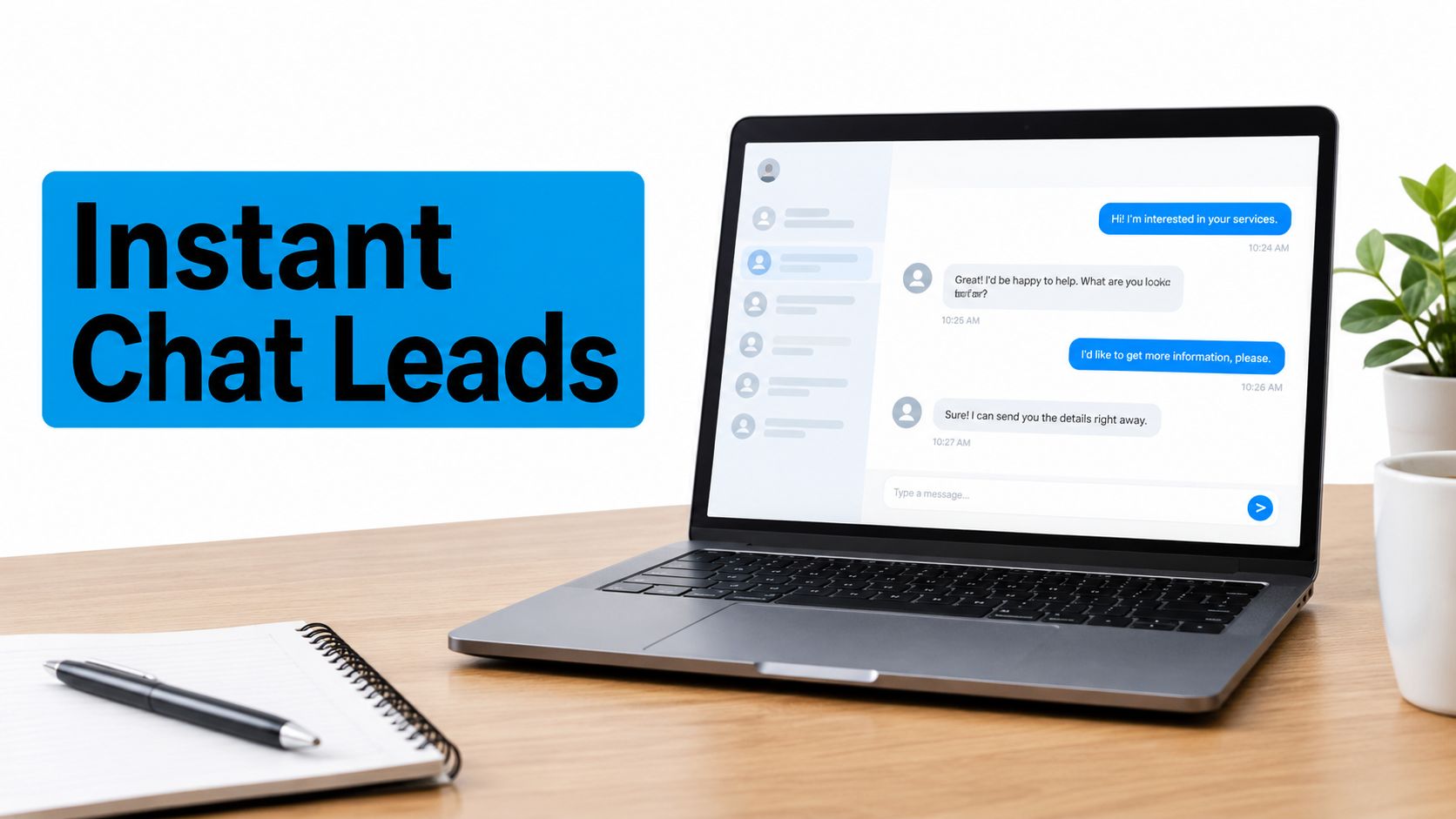
Don't use chat as a disguised sales pitch. Let it answer the immediate question, capture contact details after value has been provided, and explain the next step. The live chat support resource reflects this blended model of automated response and human assistance.
Set routing rules before launch. A qualified lead with a clear need and contact permission should go to a salesperson or intake specialist. A visitor asking a general question can receive a helpful answer and an optional resource. If the AI can't answer confidently, it should say so and offer a human handoff rather than inventing one.
5. Lead Capture Landing Pages With Minimal-Friction Forms
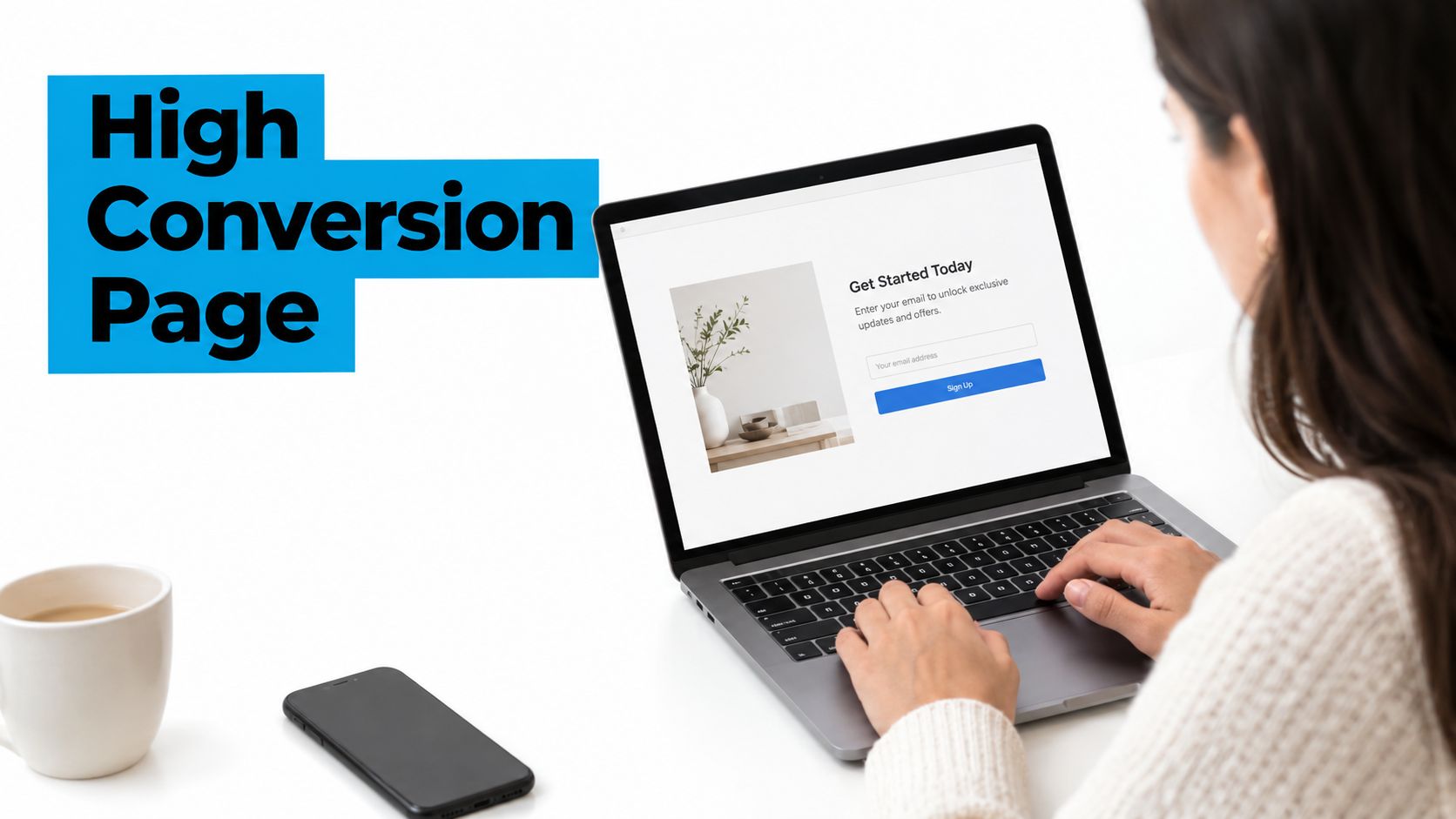
A dedicated landing page should make one promise to one audience. Remove navigation, unrelated offers, and competing calls to action. If someone clicks an emergency leak-detection ad, the page should confirm that intent immediately and offer a direct way to request help.
A practical layout for a plumbing page is:
Headline: Get your free emergency leak assessment
Support copy: Share the problem and we'll help you choose the fastest next step.
Fields: name, phone or email, service issue
CTA: Request my assessment
The form benchmark cited by landing-page conversion research places the median landing-page conversion rate at 6.6% across 41,000 landing pages. The same source reports that simple form language raised conversion to 11.1%, described as 56% higher than complex copy. These figures reinforce a practical principle: visitors should understand what they receive and what happens after submission.
Match the headline and offer to the traffic source. Put one contrasting CTA above the fold, make the phone number clickable on mobile, and show relevant trust signals such as licences, certifications, or client logos. Use progressive profiling rather than asking for every detail at the first interaction.
The first form should qualify the opportunity, not complete the entire intake process.
A dental practice might ask whether the visitor is a new patient and what type of appointment they need. An HVAC business might ask whether the request is repair, replacement, or maintenance. Test a short form against a longer version only when the additional fields have a clear operational purpose.
6. Outbound Calling With AI Dialing and Lead Qualification
Outbound calling is most effective when the list already contains some evidence of interest. Start with previous quote requests, referral leads, abandoned booking requests, or customers who asked to be contacted. Calling a warm list gives the conversation context that a cold script lacks.
An insurance follow-up might begin: “You requested information about coverage. Are you still comparing options, or has your situation changed?” The caller can then confirm the type of coverage, preferred contact time, and whether the prospect wants an advisor to follow up. A real estate team can use a similar flow for expired listings or owners who previously requested a valuation.
Keep the script conversational. The AI should identify itself, state why it's calling, ask permission to continue, and provide an easy callback route. It shouldn't pretend to be a human or pressure somebody who isn't interested.
A practical qualification sequence is:
- Reason for the call: Confirm the original enquiry or relationship.
- Current need: Ask whether the problem or buying intention still exists.
- Fit: Capture location, service type, or relevant eligibility detail.
- Next action: Offer a callback, appointment, estimate, or human conversation.
Route interested prospects promptly while the conversation is still fresh. Remove people who opt out, maintain Do-Not-Call controls, and review recordings for unnatural wording, poor timing, and missed escalation signals.
Healthcare practices can use outbound calls to help no-shows reschedule. Franchise teams can follow up on local enquiries, while home-service companies can reconnect with people who requested a quote but never booked. The strength of this lead capture example is speed and persistence. Its limitation is trust. Poor targeting or an aggressive script can turn a previous enquiry into a complaint.
7. Appointment Scheduling Forms With Instant Confirmation
A booking form captures a lead and converts intent into a scheduled event. That removes the email exchange that often causes prospects to disappear between “I'd like to book” and an actual appointment.
A dental form can begin with appointment type, then show suitable times for a new-patient consultation, cleaning, or urgent visit. A home-inspection business can ask for the property address and inspection type before displaying availability. A cleaning service can collect service preferences and use the address to confirm that the location is within its operating area.
Show realistic availability and make the service duration clear. If no suitable slot exists, offer a callback option instead of ending the flow. Confirmation should include the appointment details, location, preparation instructions, rescheduling link, and the preferred contact method.
Collect only information that improves fulfilment. Relevant fields may include:
- Service type: Determines the correct provider or appointment length.
- Address: Confirms service area and supports dispatch.
- Primary contact details: Enables confirmation and follow-up.
- Notes or preferences: Gives the team useful context before the appointment.
- Consent and communication choice: Documents how the business may follow up.
For high-value services, a deposit option can reduce avoidable cancellations, but it may also add friction before the prospect has spoken to anyone. Use it where the operational cost justifies the extra step.
The AI appointment booking workflow is a relevant model for connecting conversational qualification with calendar availability. The handoff should create a CRM record with the source, answers, appointment status, and any notes, not just a calendar event with a name.
8. Video Lead Capture With Interactive CTAs
Video can qualify a prospect before the form appears. A before-and-after project video helps a home-service customer judge quality. A practice tour can reduce uncertainty for a new dental patient. A legal explainer can help a visitor decide whether a consultation is relevant.
Keep the CTA tied to the moment in the video. A home-cleaning video might display “Request a move-in cleaning estimate” after showing the finished property. A dental video can offer “Book a new-patient visit” after the practice tour. A property-tour video can invite the viewer to request a viewing or ask a question.
Use benefit-led copy rather than “Submit.” Good options include Request my estimate, Check appointment availability, and Speak with an advisor. The form can ask for contact details and one qualifier, such as property type, appointment reason, or service area.
Optimize the player for mobile, use captions, and avoid depending on audio to communicate the offer. Test whether the CTA performs better during the video or at the end. Track video completion and CTA engagement, then compare lead quality, not just clicks.
The following video illustrates a lead-capture environment where an interactive call to action can connect engaged viewers with a relevant next step.
For teams producing educational or service-led content, long-form AI video generation can support the creation of audience-specific versions. The trade-off is production complexity. Video earns attention, but a slow player, generic script, or poorly timed form can create more friction than a clear static page.
9. Retargeting Ads With Simplified Lead Capture
Retargeting gives a second chance to visitors who showed interest but didn't complete a form or booking. The message should reflect the page they visited and the objection they may have encountered.
Someone who abandoned an HVAC quote page might see financing information or a clearer explanation of the estimate process. A pest-control visitor might respond to reviews and service guarantees. A dental visitor who viewed the scheduling page may need a simpler appointment CTA. An insurance visitor who left during a quote process might need reassurance about what information is required.
Build separate audiences for meaningful behaviours. A visitor who read a blog post shouldn't receive the same message as someone who reached the booking page. Keep the landing page consistent with the ad, use a short form, and remove questions already answered by the campaign context.
Test different objection-focused messages:
- Price concern: Explain what the first conversation or assessment includes.
- Trust concern: Show relevant reviews, credentials, or process details.
- Timing concern: Offer a callback or appointment option.
- Complexity concern: Replace a long form with a guided question.
Set frequency limits so the same person isn't repeatedly exposed to the same creative. Rotate messages when they stop feeling relevant, and exclude people who already booked or asked not to be contacted.
AdManage.ai performance marketing is a useful reference point for teams considering lead-form advertising. The main limitation of retargeting is that it depends on audience availability and consent. It also can't fix a confusing offer. Improve the original capture path before spending more to bring people back.
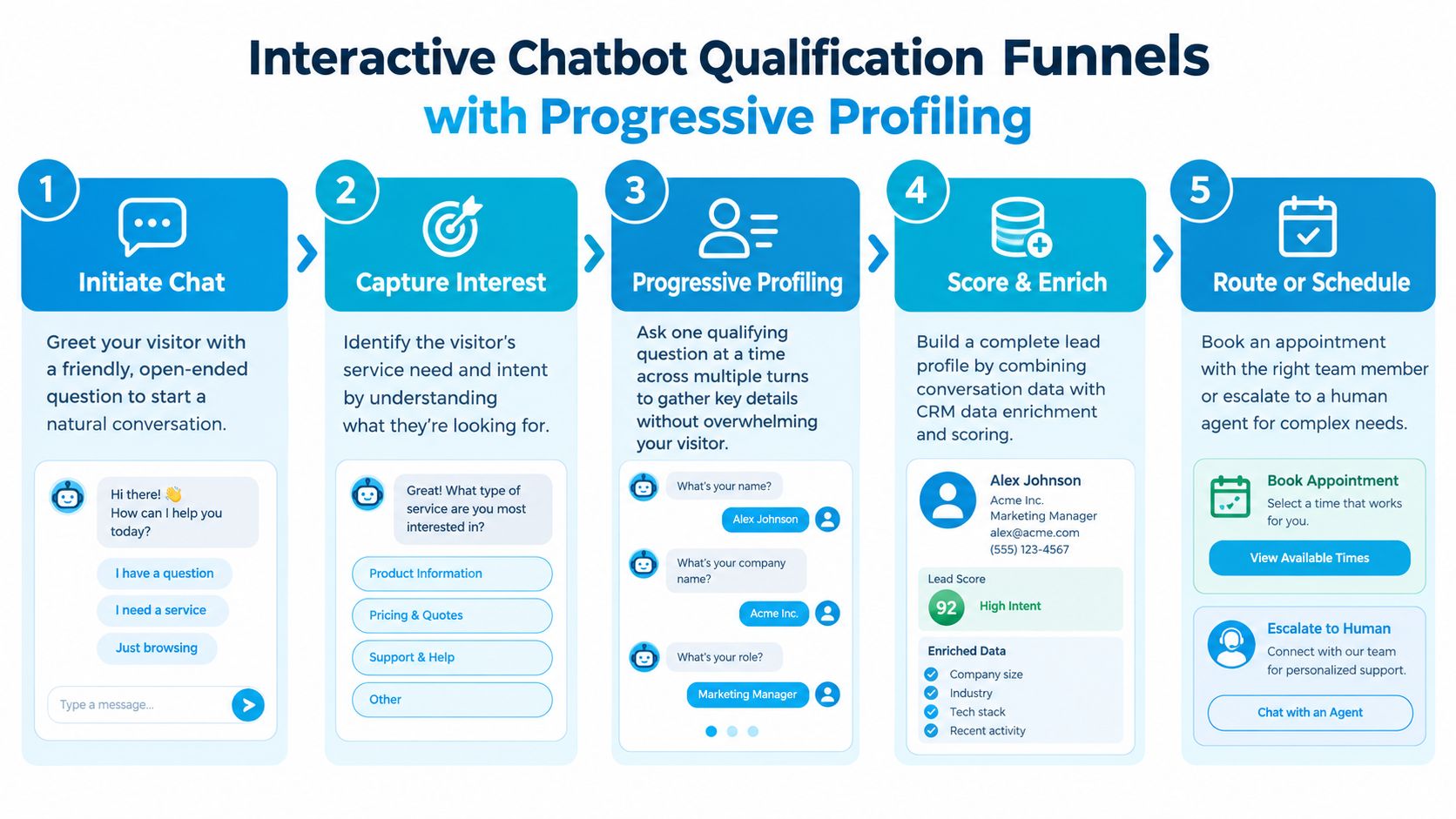
10. Interactive Chatbot Qualification Funnels With Progressive Profiling
Progressive profiling replaces a long intake form with a conversation that gathers information over time. The chatbot starts with the visitor's immediate need, acknowledges the answer, and asks the next question only when that question will improve the recommendation or routing.
A legal funnel might begin, “What type of legal issue can we help with?” It can then ask about urgency, location, and whether the visitor wants a consultation. A healthcare workflow may collect symptoms, insurance information, and appointment preferences in separate steps. A real estate chatbot can ask whether the visitor is buying or selling, the preferred area, and the expected timeline.
Don't bundle questions. “Tell us your budget, location, timeline, property type, and financing status” feels like paperwork. Ask one question, explain why it matters when necessary, and use earlier answers to make later prompts more specific.
A progressive funnel should feel like useful guidance, not a form broken into smaller pieces.
Store every answer in one customer profile and pass the conversation history to the human agent or CRM. If the visitor stops responding, provide a clear route to leave contact details or request a callback. Escalate when the visitor asks for a human, gives an urgent answer, or fails to understand the automated flow.
Mobile performance matters particularly here. Benchmark-style research from mobile lead capture analysis reports an average form completion rate of about 21.5%, with mobile completion at 12.7% compared with 17.1% on desktop. The same source cites an 18% improvement when forms used two to three fields per step. These figures support short, progressive interactions, but your CRM should still measure qualified outcomes rather than completion alone.
10-Point Lead Capture Comparison
| Solution | 🔄 Implementation Complexity | ⚡ Resource Requirements & Speed | 📊 Expected Outcomes | 💡 Ideal Use Cases | ⭐ Key Advantages |
|---|---|---|---|---|---|
| Conversational AI Phone Systems for Inbound Lead Qualification | Medium, flow design & CRM integration (30 min–2 hr basic) | Moderate tech + low ongoing staffing; 24/7 real-time responses (seconds) | ~25–30% more qualified leads captured; instant routing & call summaries | Emergency services, appointment-driven practices, high call volume businesses | Captures all calls; real-time qualification; CRM sync |
| Web Form Pop-ups with Exit-Intent Technology | Low, 1–3 hrs setup and design | Low cost; quick setup; may be less effective on some mobile contexts | 3–10% conversion of exiting visitors; improves capture rate 10–25% | E‑commerce, quote/consult offers, lead magnets | Last-chance capture; low CPL; A/B testable |
| SMS Text Message Lead Capture Campaigns | Low–Medium, 2–4 hrs; must implement TCPA compliance | Low platform setup; per-message costs; fastest channel (98% open ~3min) | 15–30% of SMS responders → qualified leads; very high engagement | Time-sensitive services, emergency repairs, appointment confirmations | Highest open/response rates; immediate engagement |
| Live Chat with AI Pre-qualification and Human Handoff | Medium, 2–6 hrs including AI training & CRM integration | Requires AI tooling + human staffing during peaks; instant replies | 8–15% of chat visitors → qualified leads; reduces bounce rate | Websites needing instant answers, service availability checks | Real-time qualification; seamless AI→human handoff; transcripts |
| Lead Capture Landing Pages with Minimal Friction Forms | Medium, 4–8 hrs design, copy, and setup | Design/copy resource investment; fast hosting required | 10–30% conversion (varies by offer); clear ROI tracking | Paid campaigns, seasonal offers, single-offer funnels | High conversion; clear attribution; highly optimizable |
| Outbound Calling with AI Dialing and Lead Qualification | High, 1–2 weeks (compliance, list prep, dialer setup) | Higher upfront cost; compliance overhead; scales agent productivity | 8–15% of contacted leads → appointments; 3–4x agent productivity gains | Warm follow-ups, franchise/local outreach, lead nurturing | Scales outbound outreach; detailed analytics; saves agent time |
| Appointment Scheduling Forms with Instant Confirmation | Low–Medium, 3–6 hrs (calendar & form integration) | Calendar integrations; moderate setup; 24/7 self-service booking | 40–60% booking completion from booking page; fewer no-shows | Healthcare, dental, HVAC, any appointment-driven service | Eliminates scheduling friction; instant confirmations & reminders |
| Video Lead Capture with Interactive CTAs | Medium, 4–12 hrs (production + player setup) | Video production and hosting cost; optimize for load speed | 5–15% of viewers click CTAs; typically higher-quality leads | Portfolio showcases, testimonials, property tours, demos | Highly engaging; richer viewer analytics; better lead quality |
| Retargeting Ads with Simplified Lead Capture | Low–Medium, 2–4 hrs (pixel + audience setup) | Ad spend and creative refresh; requires audience data | 3–5x ROI vs cold traffic; higher conversion vs first-time visitors | Abandoned visitors, pricing shoppers, objection follow-ups | Cost-effective recapture; measurable attribution; scalable |
| Interactive Chatbot Qualification Funnels with Progressive Profiling | High, 1–2 weeks (conversation design & testing) | Sophisticated AI training and ongoing maintenance; CRM enrichment | 12–25% of interactions → qualified leads; richer lead profiles | Complex qualification flows, high-value services, multi-step intake | Comprehensive profiles; lower abandonment; personalized follow-up |
Turn the Best Example Into a Working Flow
The right lead capture example depends on the customer's intent and the team's ability to respond. A phone system suits urgent, high-intent enquiries. SMS works when the prospect wants a quick exchange. A landing page fits a focused campaign, while live chat helps visitors who still have questions. Booking forms work when the customer is ready to choose a time. Video and retargeting support consideration, and progressive chatbots help when qualification requires context.
Start with five decisions:
- Buyer intent: Is the visitor researching, comparing, requesting a quote, or ready to book?
- Urgency: Does the opportunity need a response immediately, during business hours, or later?
- Traffic source: Did the prospect arrive through search, an ad, a referral, a phone number, or a previous enquiry?
- Staff availability: Can a human answer, call back, or take over the conversation?
- Qualification depth: Do you need one useful detail or a fuller profile before routing?
Every strong flow follows the same pattern. Give the prospect a clear reason to respond. Keep the first interaction short. Ask questions that change the next action. Save the source, answers, consent, and conversation context in the CRM. Define what triggers human escalation, what happens when nobody is available, and who owns the next step.
Measure the funnel beyond raw submissions. Track completed conversations, booked appointments, qualified leads, response time, sales acceptance, and eventual revenue. A large number of unqualified forms can consume more staff time than a smaller stream of well-routed opportunities. In B2B, the benchmark data at B2B lead conversion analysis reports an average visitor-to-lead rate of 1.4%, with SEO at 2.1% and PPC at 0.7% in the cited dataset. It also reports closed-won conversion of 18.7% for intent-sourced leads, compared with 5.5% for cold ICP-match leads. The operational lesson is to improve intent capture and qualification, not increase form volume.
Choose one test first. Build a focused landing-page form, add an after-hours phone flow, or place an appointment CTA on the page with the strongest buying intent. Run it long enough to collect meaningful lead-quality feedback, review where prospects drop out, and ask the receiving team whether the handoff contains enough context.
Businesses that need 24/7 inbound or outbound call handling, appointment scheduling, lead capture, follow-up, human escalation, and CRM-connected records can evaluate Recepta.ai at recepta.ai. The platform is designed for businesses such as home services, healthcare, legal, insurance, finance, real estate, franchises, and other small-business teams that need conversations to create an actionable record instead of ending in voicemail.
Recepta.ai combines conversational AI with human support for inbound and outbound calls, SMS-related lead capture, appointment scheduling, follow-up, escalation, and CRM-connected records. Visit Recepta.ai to see how a responsive capture and handoff workflow could fit your business.