Patient Appointment Reminders: The Complete Setup Guide
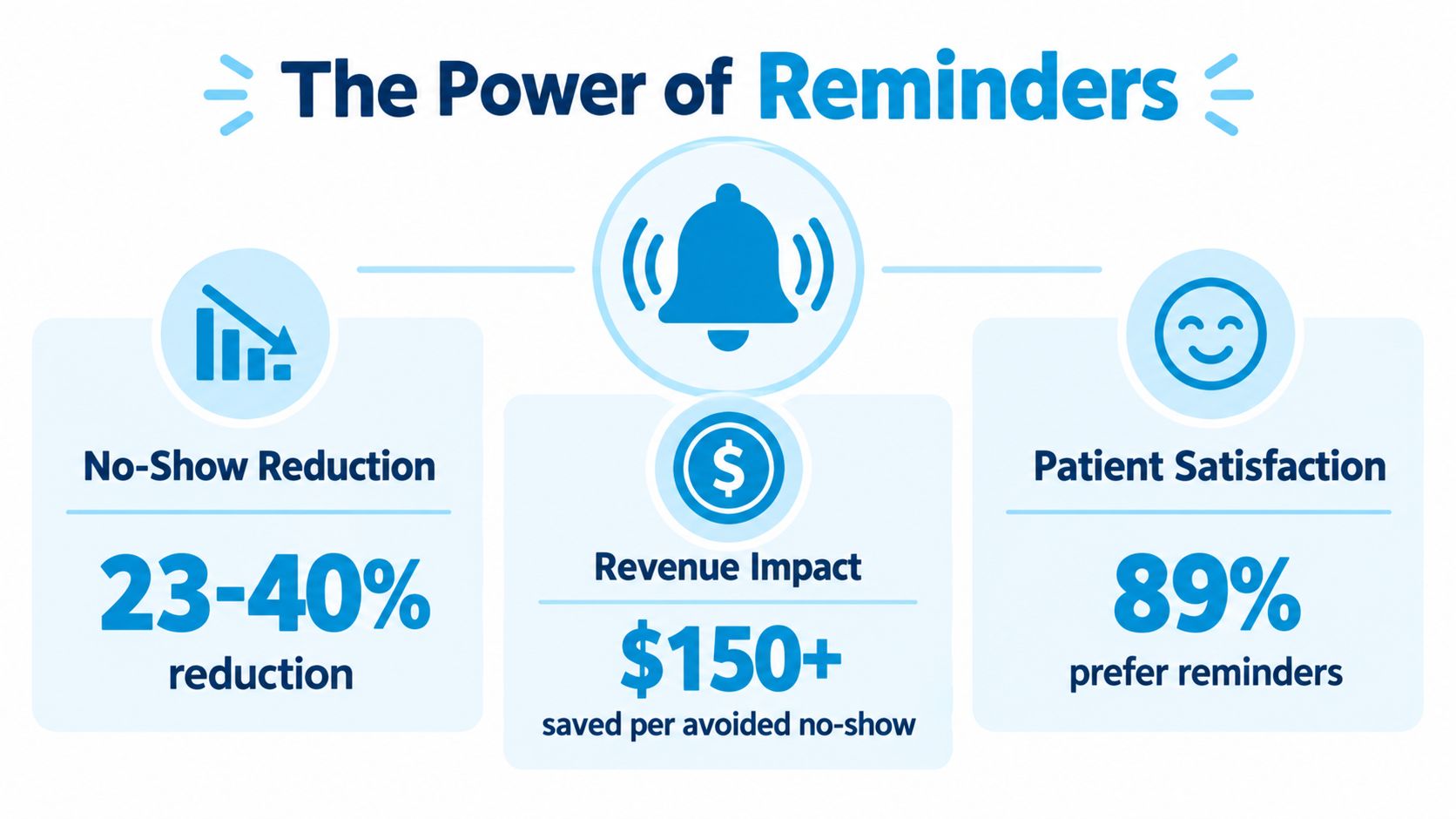
A systematic review found that 28 of 29 studies, or 97%, reported better attendance after appointment reminders were introduced. The same evidence base found a 34% weighted mean relative reduction in non-attendance, while the median did-not-attend rate fell from 23% to 13%. (Dialog Health's evidence summary)
That result doesn't mean every automated text will rescue a weak scheduling process. In practice, reminders work when they arrive early enough for patients to act, use a channel they monitor, and connect directly to cancellation and rescheduling workflows. The operational details matter more than a polished vendor demo.
Why Patient Appointment Reminders Actually Work
Patients miss appointments for ordinary reasons. They forget, discover a transportation problem, lose track of preparation instructions, or realize too late that the scheduled time no longer works. A well-designed reminder gives them a prompt and a practical way to respond before the slot is lost.
The evidence is unusually consistent. The systematic review cited above found improved attendance in 28 of 29 studies, with the median DNA rate moving from 23% to 13% after reminder systems were implemented. That's why patient appointment reminders became standard in many healthcare markets rather than remaining an optional convenience.
Automation also changes the economics of the task. Independent studies summarized by Dialog Health found automated reminders cost about €0.14 per contacted patient, compared with €0.90 for manual telephone reminders. Manual calls still have a role, especially for patients who need personal support, but using staff for every routine reminder is difficult to justify when software can handle predictable logistics consistently.
Why deployment quality changes the outcome
A reminder system can still underperform if it sends every patient the same message at the same time. A routine follow-up doesn't need the same workflow as a lengthy procedure, and a patient with repeated missed visits may need a different channel or an earlier human follow-up.
The historical evidence illustrates the difference between channels. A randomized study involving 9,835 patients found no-show rates of 23.1% without a reminder, 17.3% with automated reminders, and 13.6% with live staff calls. (American Journal of Medicine study00108-7/fulltext)) Automated reminders produced a meaningful improvement, while live calls performed better in that comparison, at a higher operational cost.
Practical rule: Use automation for consistency, then reserve staff time for patients and situations that need judgment.
The strongest setup treats a reminder as part of the scheduling process, not as a disconnected message. Patients should be able to confirm, cancel, or request another time without forcing the front desk to reconstruct the conversation manually. A clinic can also make the booking experience clearer by using a dedicated resource such as Lynkro.io's appointment booking, provided the booking flow passes accurate appointment data into the reminder system.
Review your current workflow against this guide to reducing no-show appointments. If staff still have to check multiple systems, chase non-responders by hand, or re-enter cancellations, the practice probably hasn't captured the full value of reminders.
Choosing the Right Reminder Channels for Your Practice
A reminder channel should match the patient's likelihood of missing the visit, the complexity of the appointment, and the response your team needs. SMS is usually the most practical default for routine visits, email handles detailed preparation, and voice calls remain useful for patients who prefer them or repeatedly fail to respond.
The randomized comparison cited earlier found no-show rates of 23.1% without a reminder, 17.3% with automated reminders, and 13.6% with live staff calls. Channel selection should reflect risk, cost, and the kind of response you need, not a one-size-fits-all default.
Reminder Channel Comparison
| Channel | Best For | No-Show Reduction | Cost per Contact | Limitations |
|---|---|---|---|---|
| SMS | Routine visits, confirmations, quick rescheduling | Improved attendance versus no reminder in systematic reviews | About €0.14 for automated contact | Limited space, consent required, patients may have inactive numbers |
| Preparation instructions, forms, directions, policy details | Mobile messaging has improved attendance versus no reminder or postal reminders, according to a systematic review | Typically staff time only, with no per-message fee | Messages can be overlooked, filtered, or routed to spam | |
| Live phone call | High-risk patients, complex visits, patients who prefer calls | 13.6% no-show rate in the cited randomized comparison | The manual-call cost cited above | Staff-intensive, inconsistent, difficult to scale |
| Automated voice call | Patients who prefer voice communication or do not respond to texts | Effect depends on answer and workflow design | Cost varies by system and call volume | Voicemail and unanswered calls may be less effective than direct contact |
SMS suits a short operational prompt containing the date, time, location, and a confirmation or rescheduling option. Practices using text workflows can review these SMS appointment reminders for implementation ideas. Email should carry information that would make a text unwieldy, such as preparation instructions or several forms. Before relying on email, check your email for spam words and test how the message renders on common devices.
Phone escalation needs a defined workflow. A review found that direct telephone reminders can outperform voicemail or unanswered calls substantially, with one hospital study reporting 3% missed appointments for direct calls, 24% when only voicemail was left, and 39% when there was a call but no answer. (Systematic review indexed by PubMed) A failed call should therefore trigger another action, such as a second attempt, a text asking the patient to respond, or staff review. It should not be recorded as a completed reminder.
Use a simple risk-based operating rule:
- Routine, low-risk visit: Send SMS first, with email for supporting details.
- Complex preparation or transportation needs: Send an earlier SMS and a detailed email.
- Repeated non-response or missed visits: Escalate to an automated voice attempt or live staff call.
- Known channel preference: Follow the patient's preference unless the visit requires a different communication method.
The scheduling system should record delivery, response, and escalation status. Otherwise, staff cannot tell whether a patient ignored the message, never received it, or needs a human follow-up.
Timing Cadences and Message Templates That Reduce No-Shows
Timing gives patients room to act. A reminder sent shortly before a visit may jog memory, but it won't give someone enough time to arrange transportation, complete laboratory work, or move a conflicting commitment. For most practices, the right cadence combines an early confirmation with a closer operational prompt.
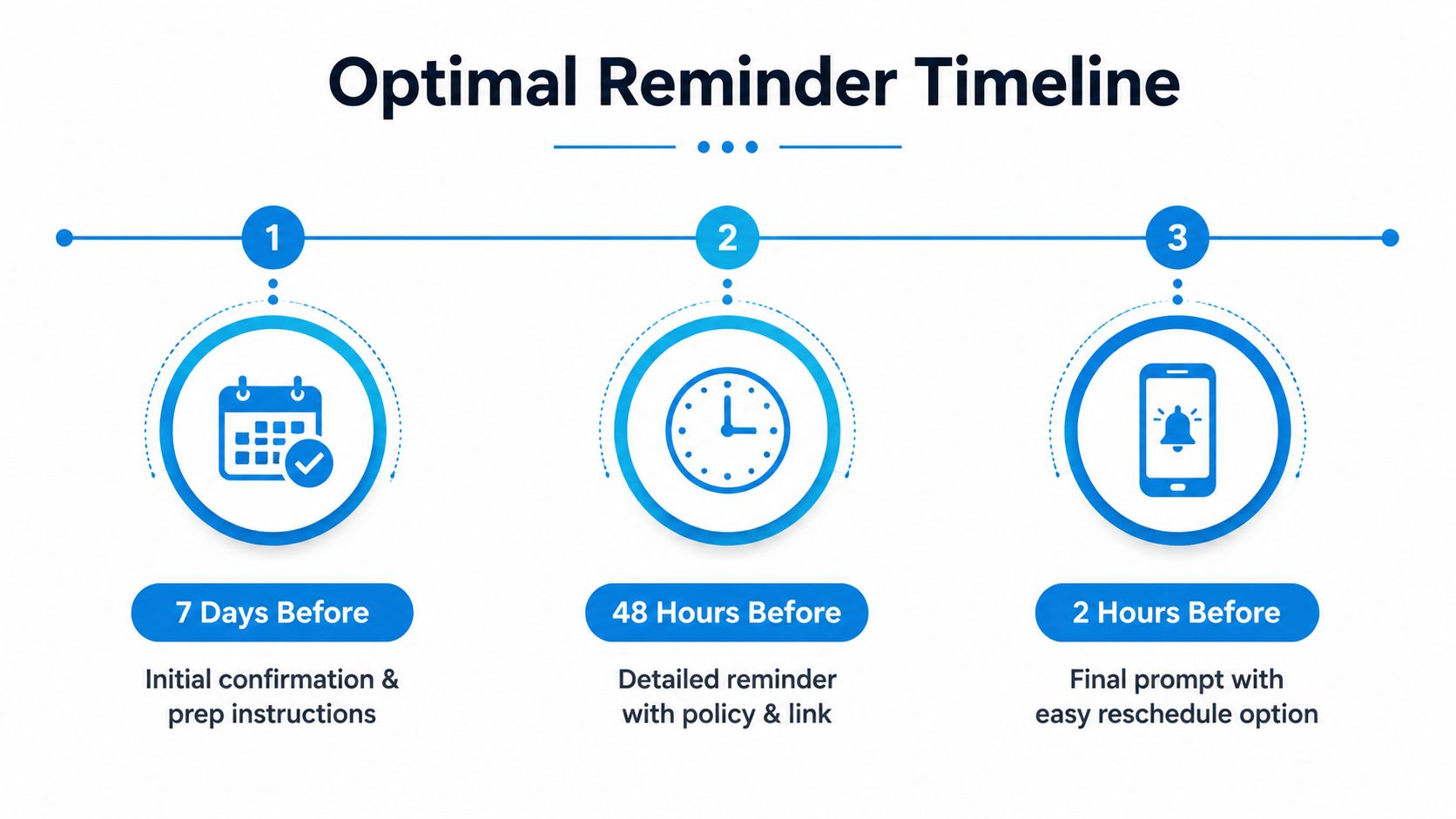
A practical starting sequence looks like this:
- At booking: Confirm the appointment immediately and capture the preferred communication channel.
- Several days before the visit: Repeat the date, time, location, and any preparation requirements.
- Closer to the appointment: Make confirmation, cancellation, and rescheduling easy.
The evidence supports using more than one timely touchpoint. One large study found that two automated reminders sent 3 days and 1 day before the visit reduced missed appointments more than one reminder, without reducing visit satisfaction. (Review in PMC) A 2026 clinic study reported no-shows falling from 29% to 21% after phone reminders moved from 1 day to 3 days before the appointment, also reported in that review source.
Templates for common appointment types
Keep the message operational rather than promotional. Patients need to know what is happening and what action to take.
Routine SMS
Hi [First Name], this is a reminder of your appointment with [Provider] on [Date] at [Time] at [Location]. Reply CONFIRM to keep this time or RESCHEDULE if you need another appointment.
New-patient email
Subject: Your appointment with [Practice] on [Date]
Hello [First Name], your appointment with [Provider] is scheduled for [Date] at [Time]. Please bring the requested identification and complete your intake forms before arrival. If you can't attend, use [Rescheduling Link] or contact [Practice Phone].
Procedure reminder
Hi [First Name], your [Visit Type] is scheduled for [Date] at [Time]. Please follow the preparation instructions provided by the care team. Reply with a rescheduling request if you can't attend, and contact the office directly with clinical questions.
Phone script for a non-responder
Hello, this is [Staff Name] calling from [Practice]. I'm confirming your appointment with [Provider] on [Date] at [Time]. Please call us back if you need to cancel or choose another time.
Don't overload the first text with every policy and instruction. Put longer content in email or a secure patient portal, then make the SMS a clear prompt to review it. Your system should also stop later reminders after a confirmed cancellation or rescheduling event, otherwise patients receive contradictory messages.
The following video can help teams visualize how reminder timing fits into a broader scheduling workflow.
HIPAA and TCPA Compliance for Appointment Reminders
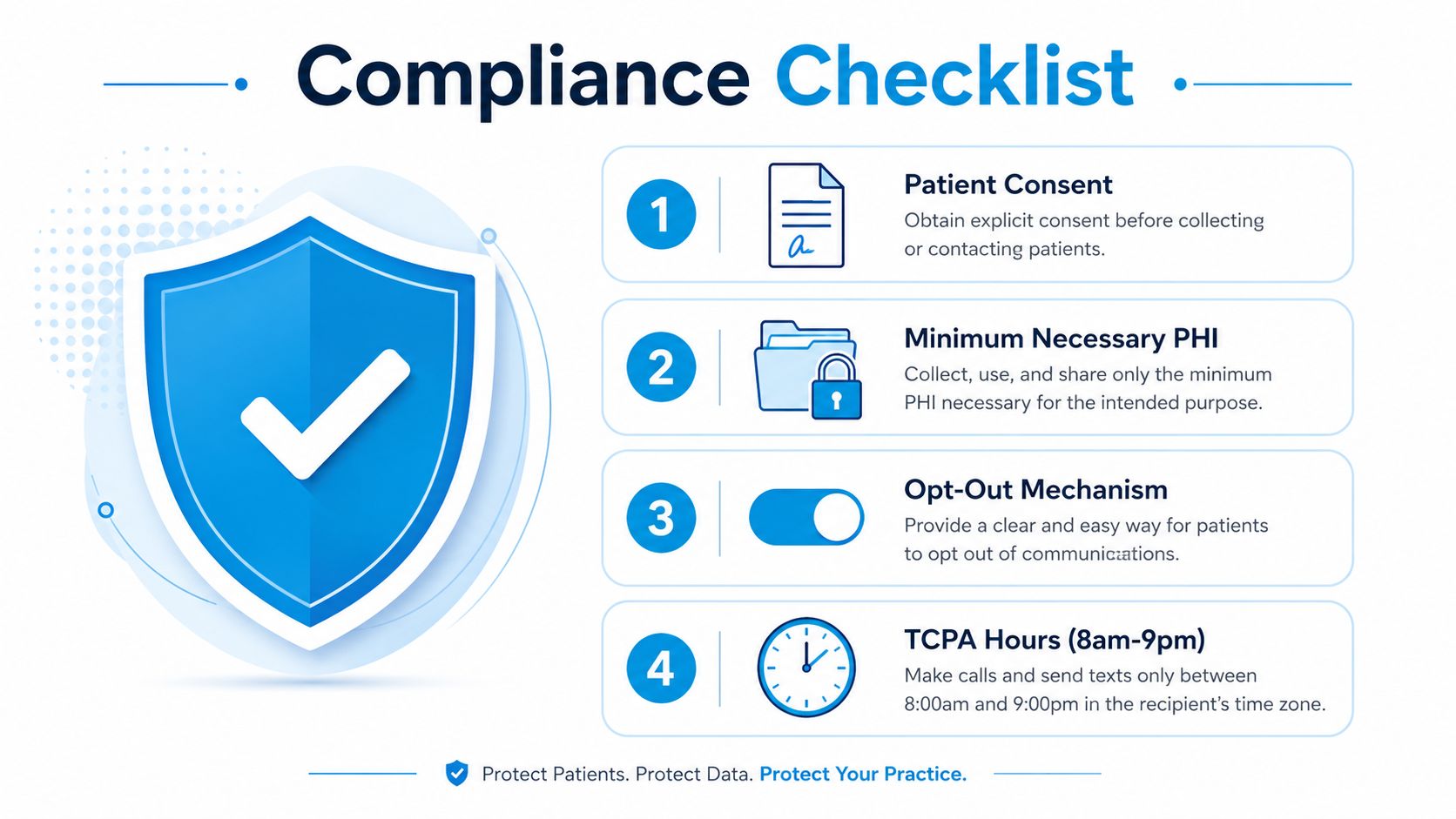
Compliance starts with data minimization. A reminder usually needs the patient's name, appointment date, time, location, and a way to confirm or change the booking. It generally doesn't need a diagnosis, detailed treatment description, or sensitive clinical information.
The patient communication compliance guidance notes that appointment reminder texts to cell phones generally require prior express consent under TCPA rules. Marketing or promotional content raises the standard to prior express written consent, so a logistics reminder and a promotional campaign shouldn't share the same consent assumption.
Build consent into intake
Collect the mobile number during registration and record whether the patient agreed to appointment-related texts. Explain the purpose in plain language, identify the practice, and provide a way to withdraw consent. Don't assume that having a phone number in the chart automatically authorizes every type of message.
A compliant operational example is:
You'll receive appointment-related texts from [Practice] about scheduling, confirmations, cancellations, and rescheduling. Message and data rates may apply. Reply STOP to opt out.
Keep the content limited to appointment logistics. “Your appointment is tomorrow at 10 AM at our Main Street location. Reply RESCHEDULE if needed” is materially safer than “Your diabetes consultation is tomorrow,” because the latter reveals more health information.
Control access and message content
Use the minimum necessary information in templates and restrict who can edit or export reminder data. Confirm that the reminder provider supports appropriate healthcare security and contractual requirements before sending patient information through it.
Set quiet-hour rules and test opt-out behavior before launch. Staff should know what happens when a patient replies STOP, asks a clinical question, or reports that the number belongs to someone else. For broader call handling, practices can review a HIPAA-compliant answering service as part of their vendor evaluation, while still confirming that the specific workflow meets their own compliance obligations.
Integrating Reminders with Scheduling Systems and AI Receptionists
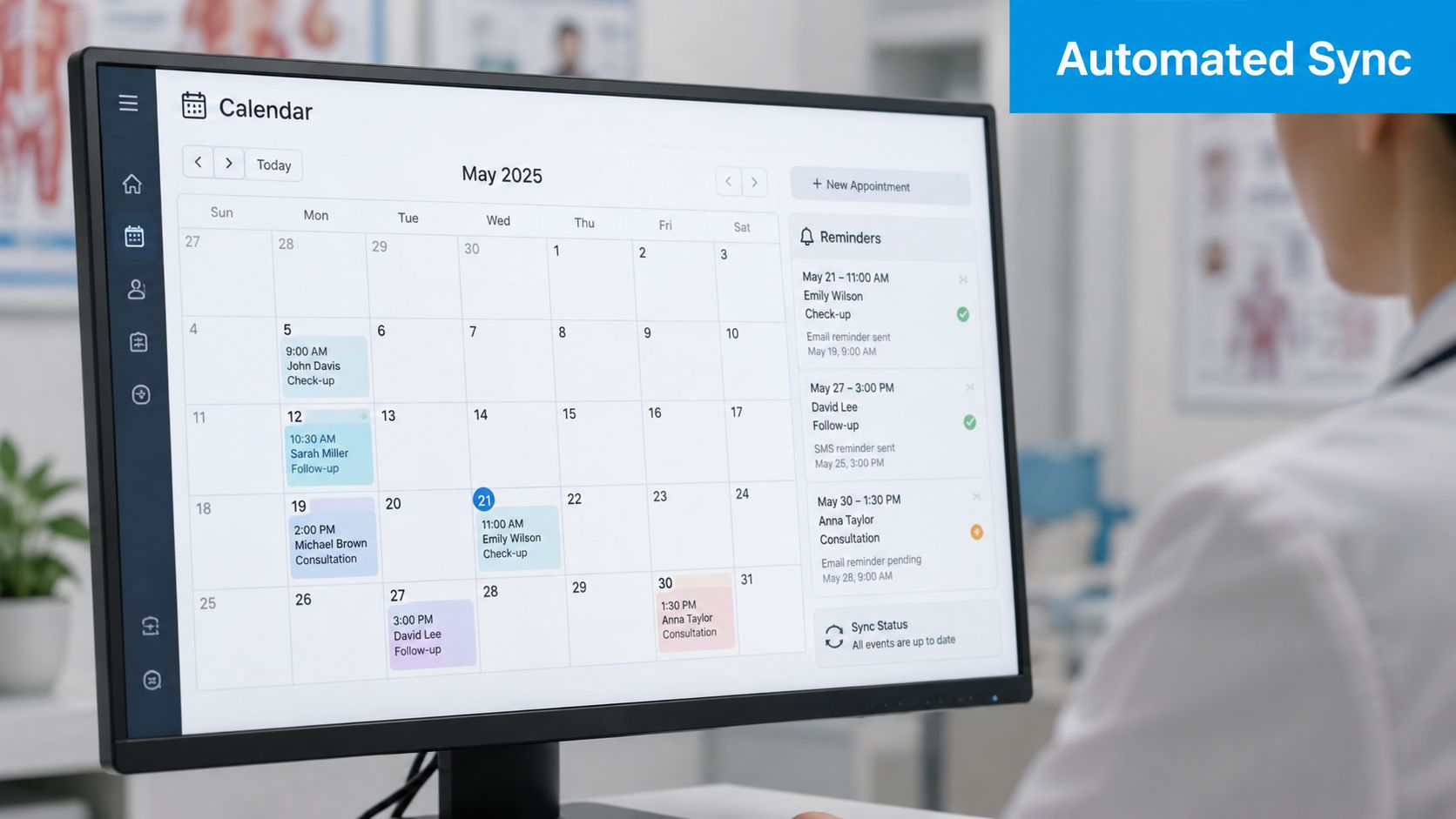
The reminder engine should read from the scheduling system rather than from a manually maintained spreadsheet. When an appointment changes, the reminder workflow needs the new status quickly, or patients may receive a confirmation for a visit that no longer exists.
Start by mapping the data fields:
- Appointment identity: Patient, provider, visit type, date, time, and location.
- Patient preferences: Mobile number, email address, preferred channel, language, and consent status.
- Workflow status: Confirmed, canceled, rescheduling requested, failed delivery, or staff escalation.
- Operational instructions: Forms, arrival guidance, preparation details, and contact routes.
Then create triggers based on events. A booking can generate an immediate confirmation. A high-risk appointment can receive an additional reminder. A cancellation can open a rescheduling path and notify the relevant staff queue. The important point is that each response should update the scheduling record, not merely sit in a messaging inbox.
Where an AI receptionist fits
An AI receptionist can handle predictable inbound questions and outbound reminder calls, but it shouldn't pretend to provide clinical advice. A safe workflow routes questions about preparation, symptoms, medication, or treatment to the appropriate clinical team.
For example, a patient replies, “I need to move this appointment.” The system can identify the intent, offer available scheduling options, and update the calendar. If the patient asks a question outside the approved workflow, the system can create a staff task with the conversation summary rather than improvising an answer.
Recepta.ai is one platform that combines conversational AI with human support for inbound and outbound calls, appointment scheduling, follow-ups, escalation, call summaries, and analytics. Its publisher states that it integrates with 2,500+ tools, including calendars, CRMs, and industry systems. Practices evaluating this type of workflow can also review AI appointment booking for a related scheduling use case.
Test synchronization before rollout
Use test appointments to verify that a booking triggers the correct message, a cancellation stops future reminders, and a rescheduling request updates both systems. Check time zones, provider names, location fields, duplicate records, and failed delivery handling.
Integration test: Create, change, cancel, and reschedule the same test appointment. Don't approve the workflow until every event produces the expected patient and staff record.
Testing, Optimization, and KPIs to Track
A reminder program should be managed like an operational process, not set and forgotten. Track whether patients attend, cancel early enough to reuse the slot, reschedule successfully, and report a satisfactory communication experience.
The core dashboard should include:
- No-show rate: The primary attendance measure, segmented by visit type, provider, channel, and patient risk.
- Cancellation rate: A rise can be useful if patients cancel early enough for the practice to reuse the slot.
- Rescheduling rate: Measure whether the system turns an unwanted appointment into a future booking.
- Delivery and response status: Identify bad contact details, blocked messages, and non-responders.
- Patient satisfaction: Check whether reminder frequency and tone create friction.
The goal isn't to drive confirmations. A reminder that produces more cancellations may still improve schedule utilization if those cancellations happen early and the practice can fill the openings. The review literature notes that reminders can increase cancellation and rescheduling of unwanted appointments, which is often a beneficial operational outcome rather than a failure. (Review in PMC)
Test one meaningful variable
Change one element at a time, such as message wording, timing, channel, or escalation rule. Keep the appointment type and audience comparable, then compare attendance and schedule recovery rather than relying only on response rates.
A hospital outpatient A/B test found that carefully designed SMS reminders reduced no-shows by more than 30%. In that test, the emotional-guilt message arm had a 14.2% no-show rate, compared with 21.1% in the control group. (PLOS ONE study) That doesn't mean guilt is automatically appropriate for every patient population. It does show that wording can affect behavior, so clinics should test tone rather than assuming generic copy is sufficient.
A separate randomized quality-improvement study found that adding a second text reduced primary-care no-shows from 9.1% to 8.4%, and same-day cancellations from 4.9% to 4.6%. (Kaiser Permanente Washington study) Use this kind of result as a reason to test a second touchpoint for patients who need it, not as a promise that every clinic will see the same outcome.
Review the dashboard on a fixed schedule. Escalate patients based on observed risk, failed delivery, and communication preference, then remove steps that add work without improving attendance or schedule recovery.
Implementation Checklist and Common Mistakes to Avoid
Launch the workflow in this order:
- Collect consent: Record mobile consent, email preference, opt-out status, and preferred channel during intake.
- Segment appointments: Separate routine visits, new-patient visits, procedures, and patients who need additional support.
- Set the cadence: Use an early confirmation and later prompts that leave time for cancellation or rescheduling.
- Write minimum-necessary templates: Include logistics, not unnecessary clinical detail.
- Connect the systems: Sync booking, confirmation, cancellation, rescheduling, and escalation statuses.
- Test safely: Run sample appointments through every response path before broad deployment.
- Review outcomes: Track no-shows, cancellations, rescheduling, delivery failures, and satisfaction.
The common failures are predictable. Practices rely on one channel, send the first reminder too late, leave no easy rescheduling option, or treat every patient as equally likely to miss. Others measure confirmations but ignore whether cancellations happen early enough to recover the slot.
Start with a small workflow, inspect the records personally, and adjust based on attendance and schedule utilization. Patient appointment reminders work best when they give patients a useful choice and give staff a clear escalation path.
Recepta.ai can support appointment confirmations, reminders, rescheduling, cancellation handling, outbound calls, and escalation to human support while keeping scheduling records aligned. Visit Recepta.ai to evaluate whether its AI receptionist workflows fit your practice's reminder and scheduling operations.