Resource Allocation Optimization a Guide for SMB Growth

Monday starts with three missed calls, two technicians texting that they're running late, one scheduler asking who should take an emergency job, and a pile of estimates still waiting to go out. By lunch, you're answering the phone yourself. By evening, you're wondering why revenue can grow faster than your capacity to handle it.
That's the daily reality in a lot of service businesses. The constraint usually isn't demand. It's how work gets assigned, when people get pulled off one task for another, and whether your limited hours are going toward the right things.
Resource allocation optimization sounds like something built for large enterprises and complex project offices. In practice, it's far more useful to a small business owner who has to decide which jobs get booked first, which employee handles what, how much admin work should stay manual, and where cash should go this month. It's the discipline of making better choices with the assets you already have, especially your time, team, tools, and money.
The End of Juggling Everything Yourself
A plumbing company owner I've advised had a common problem. The business looked busy from the outside. Trucks were moving, calls were coming in, and the calendar stayed full. But profit felt uneven, the staff felt stretched, and every urgent request seemed to knock the whole week off course.
The issue wasn't effort. It was allocation.
Two senior technicians were spending chunks of their day on lower-value callbacks and loosely scheduled maintenance visits. Office staff kept interrupting field work with phone questions that should have been handled upfront. New quote requests sat too long because the owner insisted on reviewing each one personally. Nothing was broken in isolation. Everything was competing for the same limited capacity.
That's where resource allocation optimization becomes useful for an SMB. It gives you a way to stop treating every task, customer, and fire drill as equally important. You start asking better questions. Which work drives margin? Which customer interactions require your strongest people? Which tasks can wait, be delegated, or be automated?
Practical rule: If everything feels urgent, your business doesn't have a workload problem. It has a prioritization problem.
This isn't only about efficiency. The objective can be broader. In other fields, optimization models are used to balance throughput with fairness, including reducing access disparities rather than only maximizing volume, as shown in research on equity-aware allocation decisions. Small businesses face a similar trade-off in a simpler form. You may want to maximize revenue, but you also need to distribute work fairly, protect employee stamina, and serve long-term customers well.
What this looks like in a small business
For a service-based SMB, your resources usually include:
- People: technicians, front desk staff, account managers, assistants, and your own time
- Time slots: appointment windows, callback hours, estimate visits, and admin blocks
- Cash: payroll, marketing spend, software subscriptions, contractor costs
- Operational attention: the finite focus available to solve problems each day
If you're still handling most of this manually, start by tightening the basics before adding complexity. Practical ideas like these solutions for small business operations often matter more than fancy software at the beginning.
The goal isn't perfection. It's to stop running the business like every decision has to pass through you.
What Resource Allocation Optimization Really Means
A restaurant kitchen is a good way to understand this. During dinner service, the chef has limited burners, a fixed team, specific ingredients, and a line of incoming orders. The kitchen can't cook everything at once. It has to decide what gets attention first, who handles each station, and how to avoid waste.
That's resource allocation optimization in plain English.
Your business works the same way. You have a limited number of employees, hours, dollars, vehicles, software seats, and customer requests. The question isn't whether you have constraints. You do. The question is whether you're assigning those resources deliberately or reacting to whatever shouts the loudest.

The three moving parts
At the small business level, optimization comes down to three parts.
| Part | What it means in practice | SMB example |
|---|---|---|
| Resources | What you can use | Two admin staff, four technicians, one service van, one ad budget |
| Objective | What outcome matters most | Faster response time, higher-margin jobs, fewer no-shows |
| Constraints | What limits your options | Budget, schedule, skill gaps, geography, customer deadlines |
If you skip one of those parts, your plan usually falls apart. Owners often know their resources and feel their constraints, but they haven't chosen a clear objective. That's why teams stay busy without moving the business forward.
Optimization is not just cost-cutting
A lot of owners hear the word optimization and think layoffs, tighter scheduling, or squeezing more output from the same people. That's the wrong frame.
Good resource allocation optimization is about getting more value from every hour and every role. Sometimes that means reducing waste. Other times it means spending more in the right place. Hiring a part-time dispatcher can be an optimization move if it frees a revenue producer from admin work. Paying for scheduling software can be an optimization move if it prevents double-booking and dead time.
The best allocation decisions usually feel simple after you make them. Before that, they feel uncomfortable because you're finally saying no to low-value work.
Here's a practical test. If a task can be delayed, delegated, standardized, or automated without hurting the customer experience, it probably shouldn't consume your top talent.
For many service businesses, that also means tightening handoffs between intake, scheduling, fulfillment, and follow-up. If those workflows are still loose, a review of workflow optimization for growing teams can help you spot where your real bottlenecks are.
Common Optimization Methods Explained Simply
You don't need a data science team to improve resource allocation. Most SMBs get results from a handful of simple methods applied consistently.
One of the earliest formal methods was the Critical Path Method, developed in the 1950s for DuPont. It focused attention on the longest sequence of dependent tasks so managers could put resources where delays would affect the finish date most, according to IBM's overview of the Critical Path Method. That idea still matters. Not every task deserves equal attention.
The priority matrix
If you run a home service business, the easiest starting point is a priority matrix. Divide work into four groups:
- Urgent and important: emergency service calls, payroll issues, same-day customer escalations
- Important but not urgent: hiring, training, follow-up systems, estimate process improvements
- Urgent but less important: routine approvals, minor scheduling tweaks, internal interruptions
- Neither urgent nor important: duplicate reporting, low-value errands, unnecessary meetings
A roofing company can use this daily. Storm-related leak calls may be urgent and important. Updating an old brochure may be important but not urgent. A supplier call that another team member can answer may be urgent but not important for the owner.
The matrix works because it separates true priority from emotional pressure.
Timeboxing for focused capacity
Timeboxing means assigning specific blocks of time to specific categories of work. This is useful when your team loses hours to context switching.
A small law office might block the morning for client work, a midday block for internal review, and a late afternoon block for callbacks and admin. A dental practice might reserve one block for treatment planning and another for insurance verification, instead of bouncing between both all day.
What doesn't work is pretending people can do deep work while also serving as on-demand responders.
The Pareto lens
The Pareto Principle is often oversimplified, but the practical takeaway is solid. A minority of customers, services, or problems usually drive a majority of the operational strain or value.
In a construction business, a small set of tasks may cause most schedule slippage. In a bookkeeping firm, a few clients may create most of the revision loops. In a med spa, a few service lines may drive most repeat bookings.
Use that lens to ask:
- Which services produce the healthiest margins?
- Which requests create the most rework?
- Which customer segments generate the most interruptions?
- Which tasks consume senior staff time without needing senior skill?
What small teams should use first
You don't need every method at once. Start with the one that fits your pain.
| Problem | Method to try first | Why it helps |
|---|---|---|
| Constant interruptions | Priority matrix | Separates real urgency from noise |
| Staff losing focus | Timeboxing | Protects blocks for concentrated work |
| Too many low-value tasks | Pareto review | Exposes what to trim or redesign |
| Project delays from one bottleneck | Critical path thinking | Shows where extra attention matters most |
If repetitive approvals, routing, and handoffs are clogging operations, this is often where business process automation starts to make sense.
An Actionable Framework for Your Business
A practical allocation plan should help by next week's schedule, not sit in a spreadsheet no one uses. For most service businesses, four steps are enough.
Audit what you actually have
Start with the business you run on a normal week, not the one you wish you had. Map your real capacity across people, hours, tools, budget, rooms, vehicles, and recurring commitments.
For a cleaning company, that means technician hours after drive time, supply runs, late arrivals, and rework. For an accounting firm, it means separating partner review time from staff prep time and admin support. For a clinic, it means provider hours, room turnover, and front-desk coverage at peak times.
Then look for the friction:
- Where is senior staff spending time on work someone else could handle?
- Where do jobs stall between handoffs?
- Which days or time blocks stay overloaded while others go half-used?
This step usually exposes the underlying problem. Many owners assume they need more people when they require cleaner role definition, better scheduling rules, or fewer exceptions.
Set one operating objective at a time
Choose one objective for the next 30 days. That keeps trade-offs visible and makes decisions easier when demand spikes.
Good examples include:
- Reduce open gaps in the schedule
- Respond to new leads within a set time window
- Protect high-margin service blocks
- Reduce overload on one key role
- Shorten quoting, intake, or dispatch time
Look ahead before you commit capacity. A service business that books too aggressively this week often pays for it next week with callbacks, rushed work, and staff burnout. Simple forecasting helps. Review booked work, pending estimates, seasonal patterns, and known absences before you promise time you do not really have.
Prioritize before you assign
Once the objective is clear, decide what gets protected first. That sounds obvious, but many small teams fill the calendar in the order requests arrive.
That approach creates avoidable waste.
A landscaping company might protect maintenance routes that produce steady recurring revenue, then fit in enhancement jobs around them. A law office might reserve partner time for client strategy and court preparation, while routing document collection and first-pass drafting elsewhere. A med spa might hold peak-hour slots for services with stronger margins and repeat demand instead of letting low-value appointments crowd them out.
I see the same pattern often. Teams call it a capacity issue, but the first fix is usually sequencing.
Allocate, execute, and review
Assign work based on skill, margin, and timing. Match complex work to the right people. Shift repeatable admin tasks to lower-cost roles or simple automation where possible. If demand still exceeds capacity after that, decide whether to delay, outsource, or raise prices. Those are management choices, not scheduling failures.
Review the plan every week. Small businesses change fast. One sick employee, one large client request, or one broken vehicle can throw off the whole week if no one adjusts early.
A simple KPI table keeps the review grounded.
| KPI | What It Measures | Why It Matters for an SMB |
|---|---|---|
| Utilization by role | How fully each role is being used | Shows overload and idle capacity |
| Schedule fill rate | How much bookable time is actually booked | Helps service businesses reduce wasted slots |
| Lead response consistency | Whether inquiries are handled promptly and reliably | Protects revenue from missed opportunities |
| Rework or callback volume | How often jobs must be corrected or repeated | Reveals poor task fit or rushed execution |
| Admin time vs service time | How much effort goes to non-revenue tasks | Highlights where delegation or automation can help |
| Budget vs actual operational spend | Whether resource decisions stay financially disciplined | Prevents hidden margin erosion |
If these numbers are scattered across calendars, inboxes, and spreadsheets, a performance monitoring system for service operations can give you one place to review what is slipping and what needs to change.
Putting Optimization into Practice with Examples
The easiest way to understand this is to see how it changes day-to-day decisions.
Home services example
A small HVAC company had two competing realities. Installation jobs produced stronger revenue, but urgent repair calls protected customer trust and online reviews. The owner kept trying to fit both into the same schedule by force.
The result was predictable. Install crews got interrupted. Repair windows drifted. The office staff overpromised because they had no clear scheduling rule.
They fixed it with a simple priority matrix and a better split of labor. Certain technician blocks were reserved for higher-value installations. A smaller protected set of time slots stayed open for urgent repairs. Intake staff were given a decision tree so not every call became an immediate dispatch request.
The important change wasn't the tool. It was the rule set behind it.
After that, the owner stopped manually reshuffling every appointment. Senior technicians spent more time on technical work. Lower-value interruptions got filtered earlier. The schedule became more stable because the business accepted a trade-off: not every customer would get the exact slot they wanted, but the business would handle urgent work without wrecking profitable jobs.
Professional services example
A small law practice had a different version of the same problem. Junior associates and paralegals were available, but partners kept getting pulled into document review, status updates, and back-and-forth client communication that didn't require partner-level judgment.
That meant high-value legal analysis got squeezed into evenings.
The firm didn't need a complex staffing model. It needed cleaner task allocation. Matter intake was reviewed by the partner once, then broken into task categories. Routine filing prep, evidence organization, and draft assembly moved to support staff. Client communication was split by type. Sensitive strategy questions stayed with the attorney. Process questions moved to the paralegal or office manager.
Good optimization doesn't remove human judgment. It protects it for the moments where it matters most.
The practical effect was immediate. Work stopped piling up at the top of the org chart. Clients still got responses, but not every response came from the most expensive person in the building. That's what better allocation looks like in a service business. Less heroics, more system.
Leveraging AI and Automation to Reduce Strain
It's 4:45 p.m. A new lead calls while your office manager is chasing down tomorrow's confirmations, a technician is running late, and two after-hours web inquiries are still sitting untouched from the night before. In a service business, that kind of pileup usually isn't a headcount problem. It's a handoff problem.
AI and automation help by taking repeatable work off your team's plate at the moment it appears. The goal is not to replace judgment. The goal is to stop spending skilled labor on tasks that follow the same rules every day.
For service-based SMBs, that usually means four pressure points:
- Inbound call handling: capture demand when nobody is free to answer
- Scheduling: offer available slots based on calendar rules and job type
- Lead intake: collect scope, urgency, location, or budget before a staff member steps in
- Reminders and follow-ups: keep appointments moving without constant manual outreach
That matters because service operations rarely fail in one big dramatic way. They get chipped apart by small interruptions. A five-minute call here, a reschedule there, a voicemail that turns into three callbacks. By the end of the week, the owner is still involved in work the system should have absorbed.
As noted earlier, adaptive allocation matters when demand shifts during the day, not just during quarterly planning. Meegle's discussion of adaptive allocation approaches explains that broader point well. For a small business, the practical takeaway is simple. Build a process that can absorb incoming work without pulling your best people off current jobs.
Inbound communication is a good example. A missed call during lunch and a missed call at 9 p.m. create the same operational issue. Demand came in, and your business did not route it. If every inquiry has to wait for a person to become available, your schedule stays reactive.
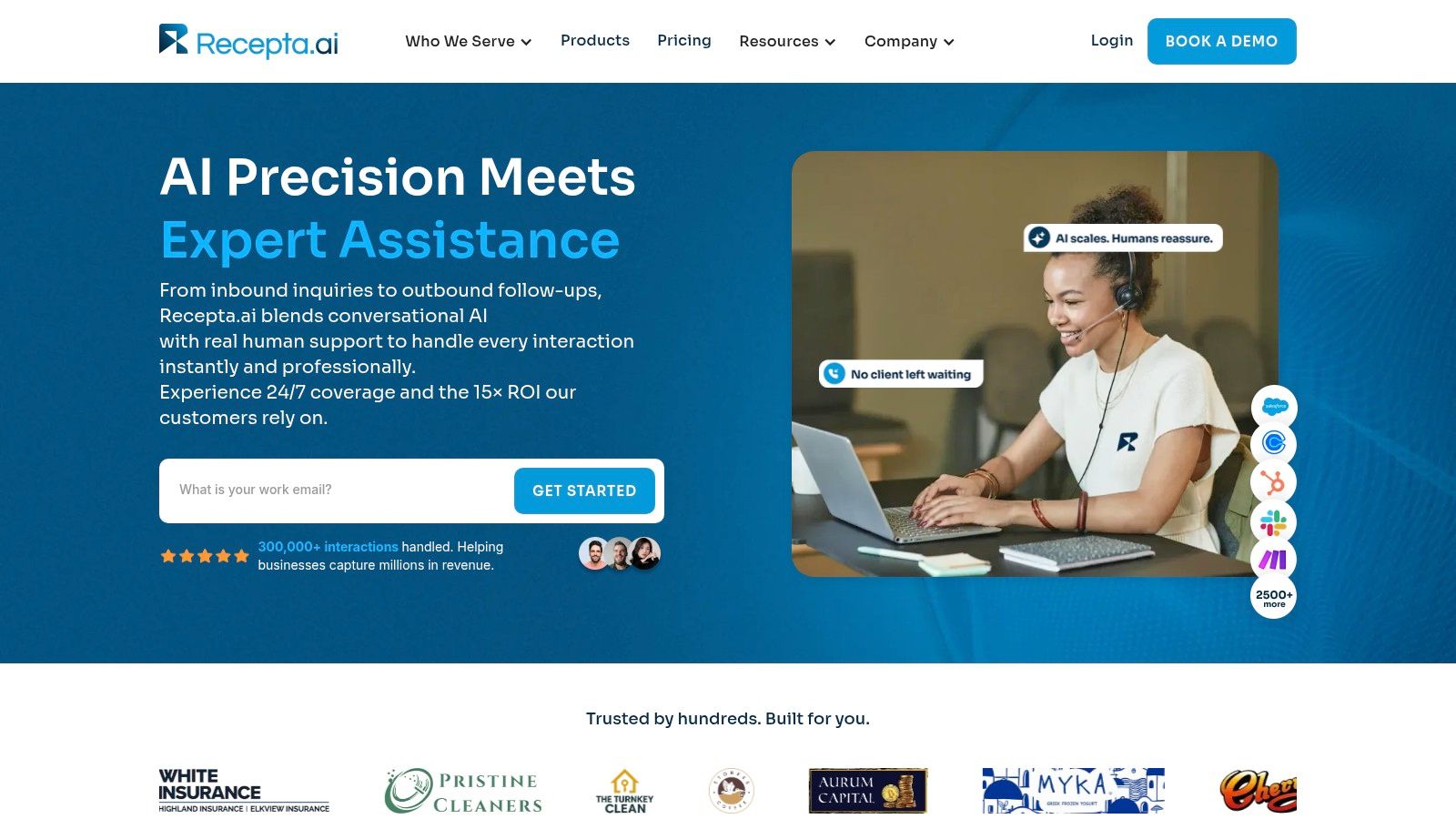
Tools in this category can handle the first layer. Recepta.ai, for example, manages inbound and outbound calls, appointment booking, lead capture, follow-ups, and escalation when a live person is needed. That changes the allocation equation. Your front desk spends less time repeating basic information, and your service team gets longer stretches of uninterrupted work.
Keep people on high-value work
The best automation setups are narrow and clear. They answer common questions, gather standard details, confirm appointments, and escalate edge cases fast.
That boundary matters.
A front desk coordinator should handle exceptions, upset customers, and scheduling conflicts. A technician should stay focused on the job in front of them. An attorney should review legal strategy, not sort routine intake questions. Automation improves operations when it protects those higher-value minutes.
This short demo shows the category well in practice.
One caution. Automating a sloppy process usually speeds up the mess. Set the rules first. Define which requests can be handled automatically, which ones need staff review, and which ones always go straight to a human. That is where small businesses usually get the payoff. Fewer interruptions, faster response times, and less expensive labor wasted on routine traffic.
Monitoring KPIs and Driving Continuous Improvement
The first allocation plan you make won't be the last one you need. Schedules change, staff availability shifts, and customer demand rarely stays polite. That's why resource allocation optimization works as a loop, not a one-time setup.

Use a simple review rhythm
You don't need a heavy reporting culture. You need a consistent one.
Review your core KPIs weekly if scheduling changes often. Review them monthly if your work is steadier. Look for three conditions:
- Overload: one role or person keeps becoming the bottleneck
- Underuse: capacity exists, but it isn't directed to useful work
- Mismatch: the wrong level of skill is handling the wrong level of task
Modern optimization depends on continuous feedback loops. By monitoring performance metrics and resource usage in real time, organizations can prevent both underusage and overallocation and move from static planning to dynamic adjustments, as outlined in Simon-Kucher's introduction to resource allocation.
What to do when the numbers move
If utilization is high but customer satisfaction drops, your team may be overloaded or rushed. If the schedule looks full but margins stay weak, your capacity may be going to the wrong services. If admin time keeps expanding, your business probably has a routing or handoff problem.
Measure, then decide. Don't reshuffle staff because the week feels chaotic. Reshuffle because the pattern is visible.
A good owner doesn't just ask, “Are people busy?” The better question is, “Are the right resources spending time on the right work?”
That shift is leadership. It's also growth. Businesses that learn to allocate well don't just become more efficient. They become easier to run, easier to scale, and harder to knock off course when demand spikes.
If your team is losing time to missed calls, manual scheduling, and constant front-desk interruptions, Recepta.ai is worth a look. It helps service businesses route inbound demand, capture leads, book appointments, and hand off complex conversations to people when human judgment is needed, which makes resource allocation a lot easier without adding more pressure to your staff.