Text Scheduler App: Grow Your Business in 2026
A patient cancels by voicemail at 6:12 a.m. The front desk opens at 8. By 9:15, the slot is still empty because nobody saw the message in time to fill it.
The same thing happens in home services. An HVAC lead comes in after hours, gets no reply, and books with the company that texted back first. In a small law firm, staff spend half the afternoon confirming consults manually, then still lose appointments to no-shows and scheduling confusion.
That is the point where a text scheduler app stops being a convenience and starts becoming an operations tool.
Used well, it does more than send reminders. It confirms appointments, catches replies, routes changes, logs communication, and gives staff back time for work that needs a person. Used poorly, it becomes another disconnected app that sends generic messages, creates compliance risk, and forces your team to clean up the mess later.
From Communication Chaos to Automated Control
The pattern is usually obvious once you look for it. Staff are answering the phone, checking voicemail, updating the calendar, sending one-off reminder texts, and trying to remember who still needs a confirmation.
In a dental office, that chaos shows up as holes in the schedule. One hygienist has a cancellation, another patient forgot the appointment, and the receptionist is toggling between the practice management system and a personal phone. In HVAC, the breakdown happens on dispatch day. A technician is on the way, but the customer wants a later window and replies to an old number nobody is monitoring. In legal, the intake coordinator sends consultation reminders manually, then misses a reschedule request buried in a text thread.
A good text scheduler app fixes that by putting timing and follow-up on a system. The message is written once, scheduled at the right point in the appointment cycle, and tied to the calendar or CRM so the communication reflects what is happening.
The strongest operators treat texting as part of the service workflow, not as an add-on. If a prospect asks about availability, the system should guide them toward booking. If a client confirms, the record should update. If someone replies with a problem, the conversation should move to a human fast.
Practical takeaway: If your team still relies on memory to send reminders, confirmations, and follow-ups, you do not have a process. You have a person carrying the process.
That distinction matters because manual communication fails at the busiest times. Automation is what keeps service quality stable when the phones are ringing, the schedule changes, and staff are stretched thin.
Choosing the Right Text Scheduler App for Your Business
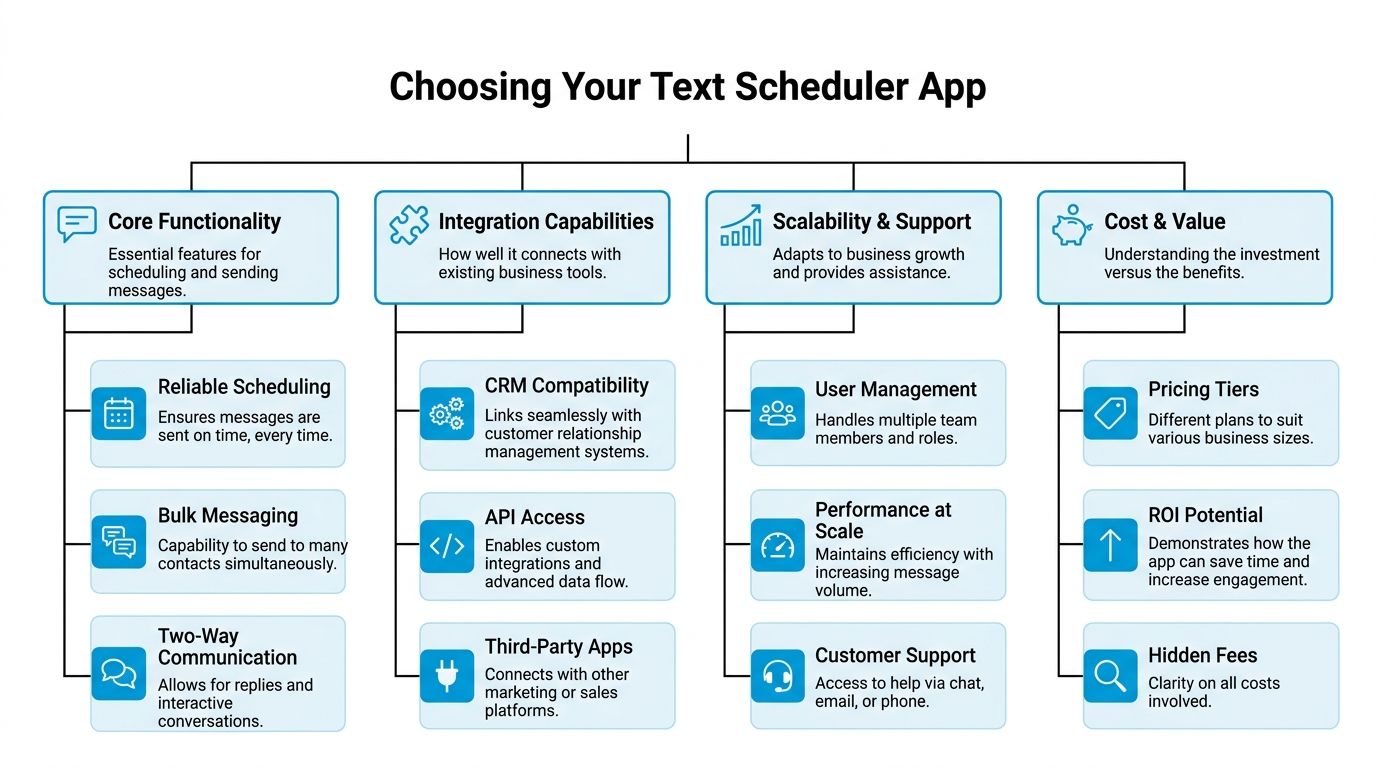
Most buyers compare apps by looking at scheduling screens and template libraries. That is too shallow. A more fundamental question is whether the app can support how your business books, confirms, reschedules, and documents communication.
The need is not small. In the 2025 State of Business Texting Report, 70% of businesses using text messaging employ it for appointment scheduling, 25% identify scheduling as their most successful texting use case, and 83% of recipients read texts within 30 minutes according to MarTech Edge's coverage of the 2025 State of Business Texting Report.
Start with the business model
A dental clinic, an HVAC company, and a family law practice may all need reminders, but they do not need the same system.
A dental office usually needs tighter patient communication, cleaner consent records, and reliable appointment reminders tied directly to the schedule. An HVAC company often needs field updates, route-dependent timing, and the ability to handle “running late” or “can you come sooner?” replies. A legal office may care less about bulk outreach and more about privacy, intake coordination, and preserving communication history.
That is why I usually break selection into three layers.
Core essentials you should not compromise on
At the base level, the app must handle the obvious work without friction.
- Reliable message scheduling: Staff should be able to set one-time and recurring messages without guesswork.
- Templates that save time: You want reusable reminders, confirmation texts, and follow-up messages.
- Bulk or grouped sends: Useful for service updates, weather-related scheduling changes, and recall campaigns.
- Reply handling: If clients text back, the system must make those replies visible and actionable.
If an app can schedule a text but cannot support a real conversation, it creates blind spots. That matters in service businesses where a simple “Need to move this to Friday” should not get lost.
Business accelerators that create operational value
The difference between a basic app and a strong business tool becomes obvious at this point.
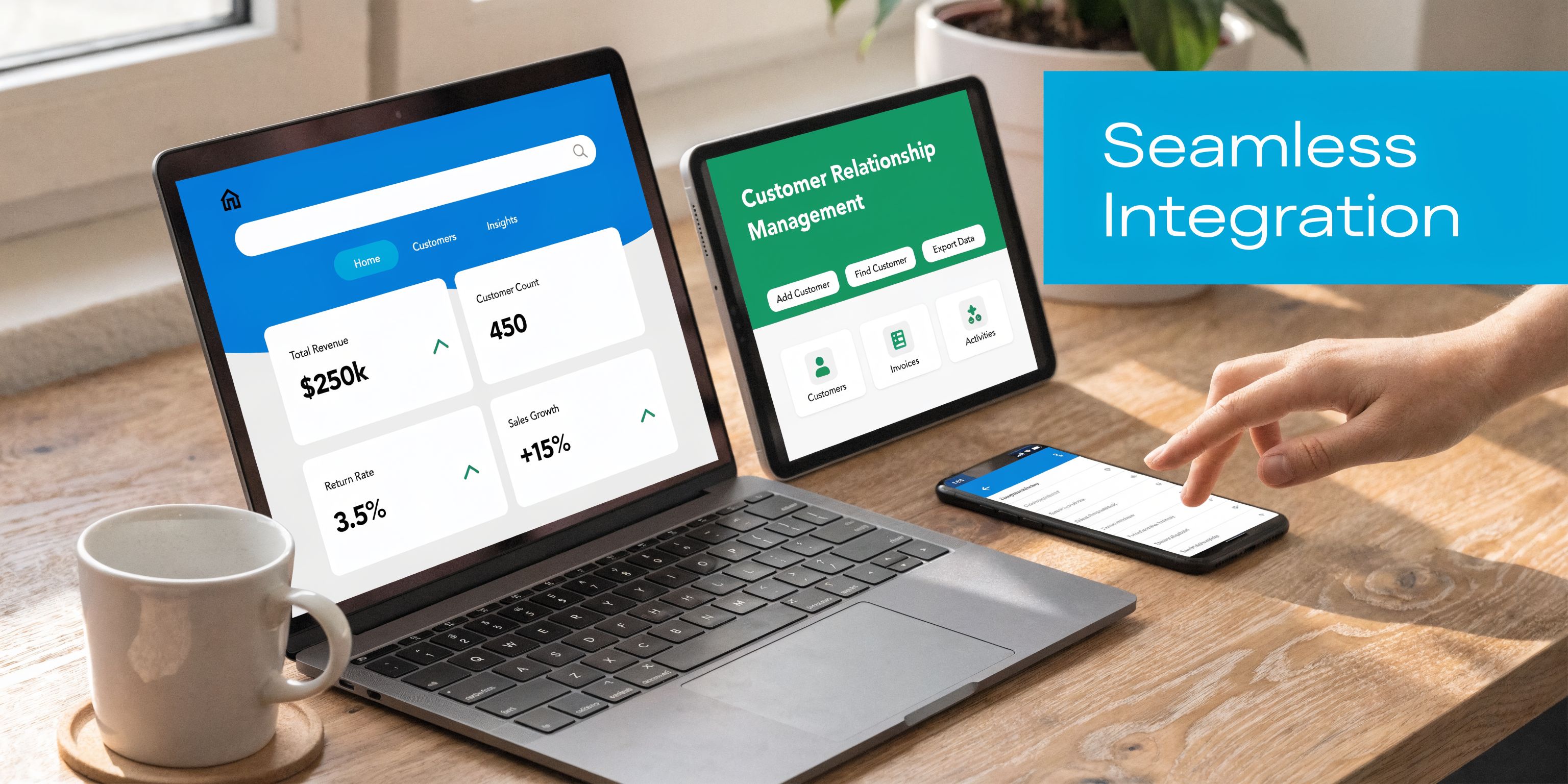
A text scheduler app becomes more useful when it connects to the systems your team already uses. Calendar sync matters. CRM sync matters more. API access matters when your workflows are more complex or spread across several tools.
For teams comparing platforms, this roundup of best SMS marketing platforms is useful because it shows how broader messaging tools differ from simple reminder apps. That distinction matters if you expect the tool to grow with your operation.
Look closely at these capabilities:
- Calendar integration: Messages should reflect live appointment changes.
- CRM compatibility: Contact records, notes, and message history should stay centralized.
- Two-way messaging: Staff need one thread, not scattered personal inboxes.
- Automation triggers: New booking, cancellation, no response, and follow-up events should launch the right next step.
- API or middleware support: If you use multiple systems, this becomes important fast.
If your team is not clear on the CRM side, this overview of what CRM integration means in practice is worth reviewing before you buy.
Compliance and security decide whether the app is usable
For healthcare, legal, finance, and insurance, this is not optional. If the platform cannot document consent, manage opt-outs, and keep message records clean, it is not enterprise-ready no matter how polished the interface looks.
Ask hard questions:
| Business type | Must-have compliance features | Nice-to-have extras |
|---|---|---|
| Dental and medical | Consent tracking, secure access controls, audit trail | Escalation rules for sensitive replies |
| Legal | Message logging, role-based access, shared inbox | Intake tagging and matter-based routing |
| HVAC and plumbing | Consent capture, opt-out handling, team visibility | Dispatch and route-triggered texting |
| Franchise operations | Location-level controls, admin permissions, centralized oversight | Shared reporting across locations |
Tip: Do not let a vendor demo only the happy path. Ask them to show a reschedule, an opt-out, a staff handoff, and a missed reply.
One practical note. Native phone scheduling features can be handy for solo use, but they are rarely enough for teams. Once multiple staff members need visibility, accountability, and shared records, you need a business-grade system.
Essential Setup and CRM Integration
Most implementation problems start with a bad first week. The app gets connected loosely, templates are loaded too quickly, and nobody decides what should happen when a customer replies.
A better rollout is slower and cleaner. Set up the operational spine first. Then automate.
Connect the calendar before you write a single campaign
If availability is wrong, every downstream text becomes suspect.
Start by syncing the text scheduler app to the calendar your team trusts, whether that is Google Calendar, Outlook, or an industry scheduling system. Then test the basics. Create an appointment, move it, cancel it, and confirm that the text rules follow the change.
For a dental clinic, this means a hygiene reminder should disappear if the appointment is cancelled. For HVAC, the arrival-window text should update if dispatch shifts the route. For legal, a consultation reminder should not go out after the consult has already been moved by staff.
Map what should happen to every reply
Do this before launch. Not after customers start texting back.
A practical reply map usually includes:
- Confirmation replies: Mark confirmed and stop extra reminders.
- Reschedule requests: Send to the scheduler or intake team.
- Questions: Route to a human if context matters.
- No response: Trigger the next reminder or alternate outreach.
- Opt-out requests: Stop future sends immediately.
That sounds basic, but it is the difference between automation helping staff and creating rework.
CRM integration is where the value compounds
A scheduler without CRM integration sends messages. A scheduler with CRM integration supports operations.
According to Apptoto's scheduling workflow notes, integrating a text scheduler with a CRM via tools like Zapier can lead to 40% higher engagement, help reduce no-shows by 25% in healthcare and home services, and drive an 85% response rate for personalized scheduled follow-ups.
Here is what that looks like in practice:
- New lead comes in: The contact record is created automatically.
- Appointment gets booked: A confirmation text is scheduled without staff retyping anything.
- Customer replies: The conversation is logged to the record.
- Reschedule request appears: A task is created for the right team member.
- Appointment completes: A follow-up or review request can trigger automatically.
For teams that still pass information between inboxes manually, that setup removes a lot of friction. If you need texting and inbox coordination to work together, this guide on connecting text messaging to email workflows is useful.
Keep the first rollout narrow
Do not automate every message type on day one. Pick one high-friction workflow.
For most small practices and service businesses, the best starting point is appointment confirmation plus one reminder. That is easy to test, easy for staff to understand, and easy to measure.
Best first use case: Start with messages that protect booked revenue. Reminder and confirmation flows usually produce clearer operational gains than promotional blasts.
Once the booking flow is stable, add post-visit follow-ups, lead nurturing, or recall campaigns.
Crafting Messages and Templates That Get a Response
The fastest way to make a text scheduler app underperform is to load it with robotic templates. Timing matters, but wording matters too.
Customers respond to messages that are clear, specific, and easy to act on. They ignore vague reminders, and they get annoyed when the text gives them no obvious next step.
Good better best for appointment reminders
Here is the difference between a serviceable text and one that helps operations.
| Version | Example | What happens |
|---|---|---|
| Good | Appointment reminder for tomorrow at 2 PM. | Clear, but easy to ignore |
| Better | Hi Maria, this is Oak Street Dental reminding you of your appointment tomorrow at 2 PM. | More personal and less ambiguous |
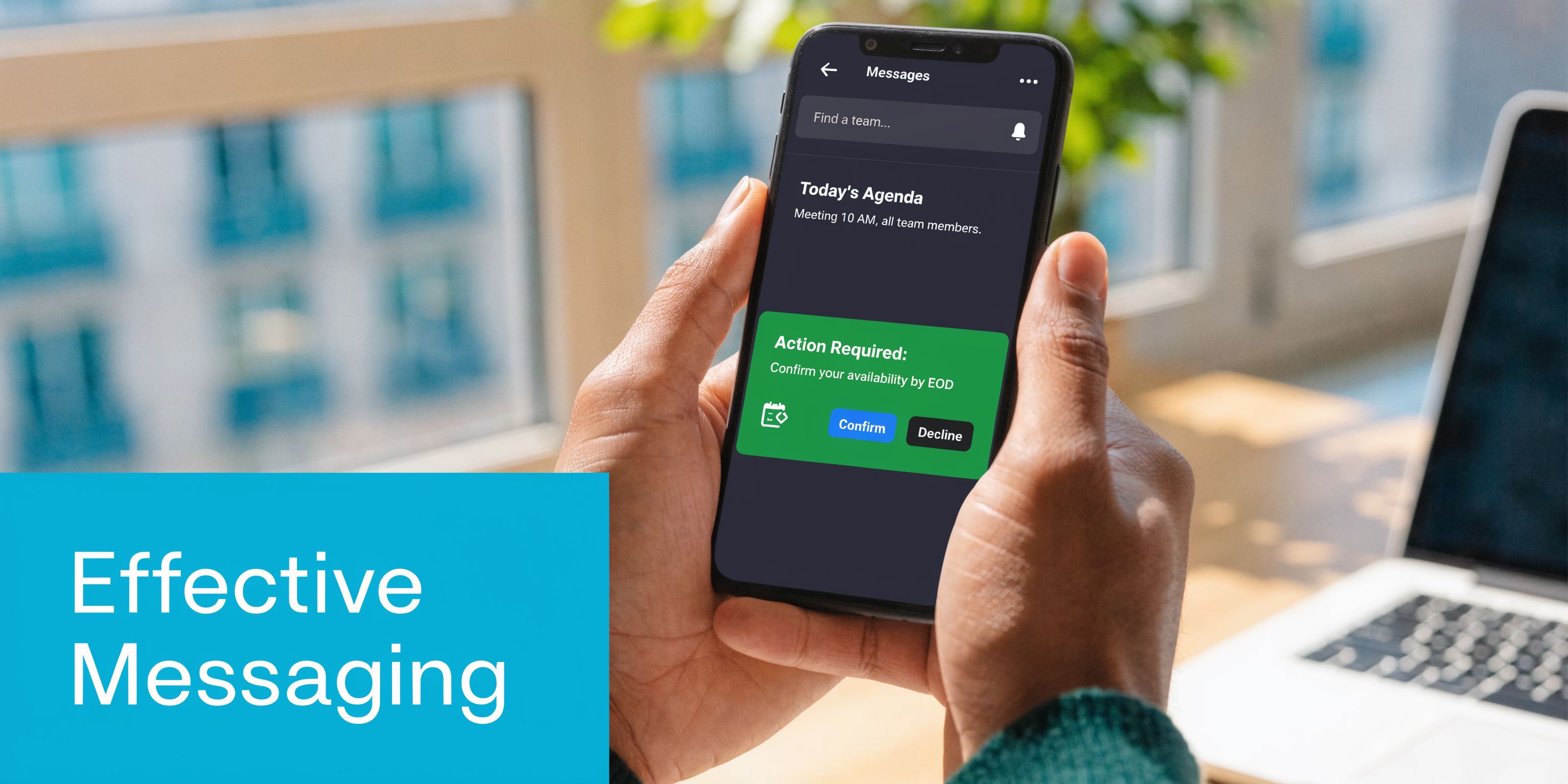
| Best | Hi Maria, this is Oak Street Dental reminding you of your appointment tomorrow at 2 PM. Reply C to confirm or text us here if you need to reschedule. | Gives the customer a simple action and opens the door to a real reply |
The best version does three jobs. It reminds, it asks for a lightweight action, and it keeps the conversation in one thread.
That same pattern works in other industries.
- HVAC example: “Your technician is scheduled for today between 1 and 3. Reply Y to confirm someone will be home, or text us if you need a different window.”
- Legal example: “This is a reminder of your consultation tomorrow at 10. Reply C to confirm. If you need to update anything before the meeting, text us here.”
- Insurance example: “Your policy review call is booked for Thursday at 4. Reply C to confirm or text any questions ahead of time.”
Timing changes response quality
Well-timed texts move people to act. According to SimpleTexting's 2025 SMS statistics, 65% of consumers report that well-timed texts accelerate purchasing decisions, 90% of texts are read within 3 minutes, and businesses that optimize sending schedules see 25-30% higher engagement.
That does not mean every business should send the same cadence. Timing should match the service.
For example:
- Dental: Day-before reminder plus a same-day nudge for early morning appointments.
- HVAC: Booking confirmation, then an “on my way” text when the route firms up.
- Legal consults: Reminder the day before, then a shorter confirmation the morning of if the consultation was booked recently.
If your phone system and texting setup need to work together across channels, this overview of VoIP text messaging for business workflows is a practical next read.
Write like a real business, not a bot
A few rules usually improve performance quickly:
- Use the customer's name when appropriate: It signals the text is tied to a real appointment.
- Include one action: Confirm, reschedule, upload, call, or reply.
- Keep the request simple: “Reply C” beats a paragraph of instructions.
- Leave room for conversation: “Questions? Text us here” often prevents a missed appointment.
- Avoid stuffing too much into one message: Reminder texts are not newsletters.
Message test: If a customer can read the text once and know exactly what to do next, the template is probably strong enough to automate.
Building Automated Workflows and Human Escalations
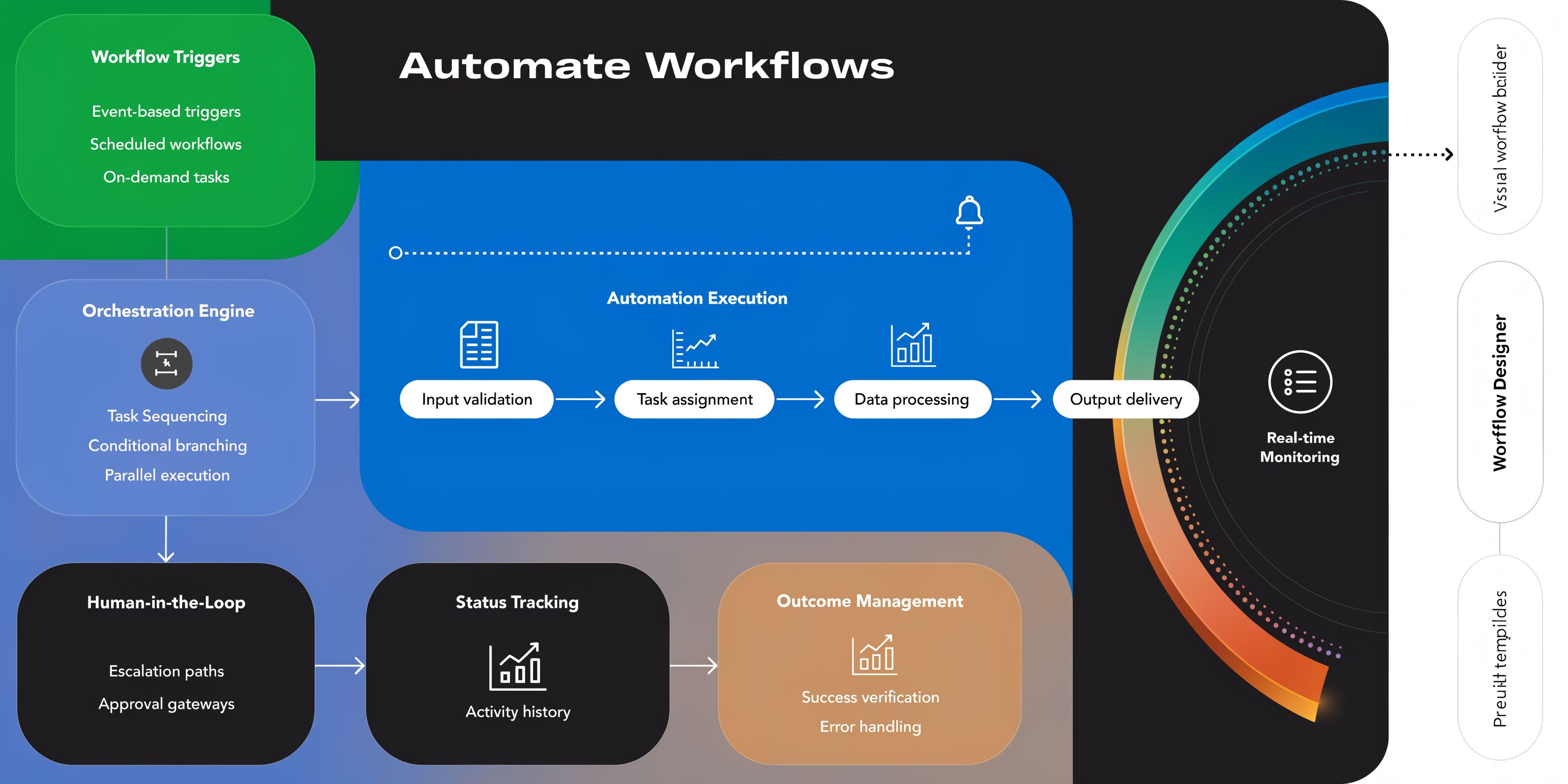
A text scheduler app creates the most value when it handles the whole customer path, not just isolated reminders. That means trigger-based workflows, decision points, and clear handoffs when automation should stop.
The mistake I see most often is over-automation. Businesses try to make every interaction fully self-serve. Customers end up trapped in rigid sequences when they need a real answer.
Build around the customer journey
A smart workflow follows what the customer is trying to do.
In HVAC, a common sequence looks like this:
- Web form submission triggers an immediate acknowledgment text.
- The lead gets a booking prompt or callback option.
- Once booked, the system sends a confirmation.
- Before the visit, the customer gets a reminder.
- On service day, dispatch sends an arrival update.
- After the job, the system requests feedback or review.
In dental, the journey may include first-visit forms, confirmation requests, and recall reminders later. In legal, the intake path may include consultation scheduling, document prompts, and a staff handoff when a matter is urgent or sensitive.
Know where automation should end
Some replies can stay automated. Others should move to a person immediately.
Good candidates for automation:
- Simple confirmations: “C”
- Basic reschedule intent: “Need another time”
- Routine reminders: Day-before and day-of notices
- Standard follow-ups: Feedback requests and appointment prompts
Bad candidates for full automation:
- Urgent service issues
- Medical or legal concerns
- Pricing disputes
- Emotionally charged interactions
- Multi-part scheduling exceptions
Hybrid systems outperform simple schedulers in these scenarios. According to the cited hybrid AI-text system data, they can generate 30% more qualified leads than pure automation because 40% of scheduled service reminders require human nuance, while also delivering 80% cost savings versus fully manual processes.
That tracks with what operators see in the field. The most profitable workflow is rarely “automate everything.” It is “automate the repetitive parts and escalate the judgment calls.”
Put rules behind the handoff
Human escalation works only when the rule set is explicit.
A few examples:
| Trigger | System action | Human action |
|---|---|---|
| Customer replies “confirm” | Mark confirmed and stop duplicate reminders | None |
| Customer asks for a different day | Offer alternate slots if rules allow | Scheduler steps in if options are limited |
| Customer mentions urgency or emergency | Flag high priority | Dispatch or intake responds |
| Customer asks a complex legal or billing question | Pause automation | Assigned staff member replies |
One option in this category is Recepta.ai's automated appointment scheduling software, which combines automated scheduling and follow-up with human escalation when the conversation needs judgment rather than a canned response.
Operational rule: If the reply changes the scope, urgency, or sensitivity of the interaction, a human should take over.
That rule alone prevents a lot of poor customer experiences.
Measuring ROI and Staying Compliant
If you cannot measure whether texting is reducing no-shows, improving response speed, or capturing more booked work, it will eventually be treated as a nice-to-have. It should not be.
Start with a simple business calculation. Compare the cost of the platform and staff oversight against the value of appointments saved, admin time reduced, and leads that would have gone cold without fast follow-up.
The ROI numbers to track
Do not build a huge dashboard at first. Track a small set of operational metrics consistently.
- Confirmation rate: Are more people actively confirming appointments?
- No-show rate: Are missed visits or consults dropping?
- Lead response time: How fast does a new inquiry receive a first text?
- Reschedule recovery: How often does a text save an appointment that would otherwise be lost?
- Admin hours removed: How much manual reminder and follow-up work left the front desk or intake team?
For a dental office, the KPI might be fewer hygiene gaps. For HVAC, it may be faster booking from inbound leads. For legal, it could be more consults attended after intake.
Compliance is not a settings page
Many teams assume compliance means adding “Reply STOP to opt out” and moving on. That is not enough.
A 2025 report noted that 70% of mass texting violations stem from poor compliance in automated sends, and fines can range from $500 to $1,500 per message, according to Quo's review of text scheduler app compliance gaps. That risk is higher in healthcare and legal, where documented consent and stronger controls are not optional.
What compliant setup looks like
At a practical level, your text scheduler app should support these basics:
- Documented opt-in: Web forms, intake forms, keywords, or other explicit consent methods.
- Consent records: You should be able to show when and how permission was captured.
- Opt-out handling: Stop requests must be honored quickly and consistently.
- Shared visibility: Staff should not be texting from unmanaged personal devices.
- Auditability: You need records of what was sent and what changed.
Healthcare practices also need to think beyond marketing consent. If messages involve protected health information, privacy and access controls matter. Law firms should treat text records as business communication, not casual side-channel messaging.
Compliance shortcut to avoid: If a team member says, “We already have the client's mobile number,” that is not the same as documented consent to send automated texts.
A compliant system usually feels a bit stricter. That is a good thing. Friction up front is better than liability later.
Your Path to Smarter Business Communication
Most businesses do not need more messages. They need a cleaner system for sending the right message at the right time, then catching the reply without dropping the ball.
That is what a strong text scheduler app does when it is chosen and configured properly. It supports the booking cycle, reduces manual follow-up, keeps staff aligned, and creates a clearer path from inquiry to confirmed appointment. The biggest gains usually come from boring operational fixes. Confirmations that go out on time. Replies that route correctly. Reschedules that do not disappear. Consent that is documented from the start.
If you are deciding where to begin, pick one communication bottleneck. A no-show problem. Slow lead follow-up. Missed after-hours inquiries. Build one workflow around that issue and make it reliable before adding anything else.
That approach works better than trying to automate your whole front office in a week.
If you want a system that combines scheduled texts, appointment workflows, CRM and calendar syncing, and human escalation when a conversation needs nuance, Recepta.ai is built for that operating model. It is a practical fit for service businesses and practices that want fewer missed interactions without pushing every customer into a rigid automation loop.