United States Call Centers: 2026 Market Guide
The most common advice about call centers is still wrong. It treats the decision as a simple staffing problem. Hire a receptionist, add a few agents, or send calls to an outsourcer and the issue is solved.
That view is outdated. Missed calls are rarely caused by headcount alone. They usually come from a broken operating model: poor routing, limited coverage, weak escalation rules, bad scheduling, or a system that can't absorb spikes when customers all call at once.
For most small and midsize businesses, the question isn't whether to have a call center. It's how to design a call handling system that fits your volume, your margins, your compliance burden, and the moments when customers need a human instead of a script.
What a US Call Center Really Is in 2026
A U.S. call center in 2026 is not just a room full of agents with headsets. It can be an in-house front desk team, a domestic outsourced provider, a remote workforce spread across time zones, or an AI-first system that handles routine interactions and sends harder calls to trained people.
That matters because buyers often shop for labor when they should be shopping for outcomes. If your plumbing company misses weekend emergency calls, if your dental office loses new-patient inquiries after lunch, or if your law firm sends intake to voicemail after hours, the problem isn't “we need more people.” The problem is that your call path breaks at predictable points.
The function matters more than the org chart
A modern call center does several jobs at once:
- Capture demand: answer inbound calls before they drop to voicemail or ring out
- Route correctly: send billing, scheduling, emergencies, and sales to the right queue
- Document accurately: log details into a CRM, scheduler, or case system
- Escalate at the right moment: hand off emotional, urgent, or regulated conversations to a person
- Create continuity: make sure the customer doesn't have to repeat everything on the next call
For a small business owner, this means the best setup might not look like a traditional call center at all. It may be a blended model with AI answering first, appointment booking automated, and a human backup for edge cases. Businesses evaluating that kind of setup usually benefit from reading about small business contact center options before they compare vendors.
Practical rule: Buy the system that protects revenue during peak demand, not the one that sounds cheapest in a calm week.
A practical example
Take a multi-location HVAC operator. During mild weather, a small live team may be enough. During the first heat wave or freeze, call volume bunches up fast. If the business relies only on a receptionist pool, callers wait, abandon, or book with a competitor. If it relies only on automation, urgent service calls may get mishandled.
The workable answer is usually mixed. Let software capture the basics fast. Let people handle urgency, exceptions, and reassurance. That's what a U.S. call center really is now: not a place, but a service design.
The US Call Center Market at a Glance
The United States call center market is still large. It's also changing in ways that matter to buyers.
IBISWorld estimates there were 45,130 businesses in the U.S. Telemarketing & Call Centers industry in 2026, with $28.5 billion in industry revenue. Over the 2021 to 2026 period, industry revenue declined at a 2.1% CAGR, while business count grew at a 2.9% CAGR, according to IBISWorld's U.S. telemarketing and call centers industry data.
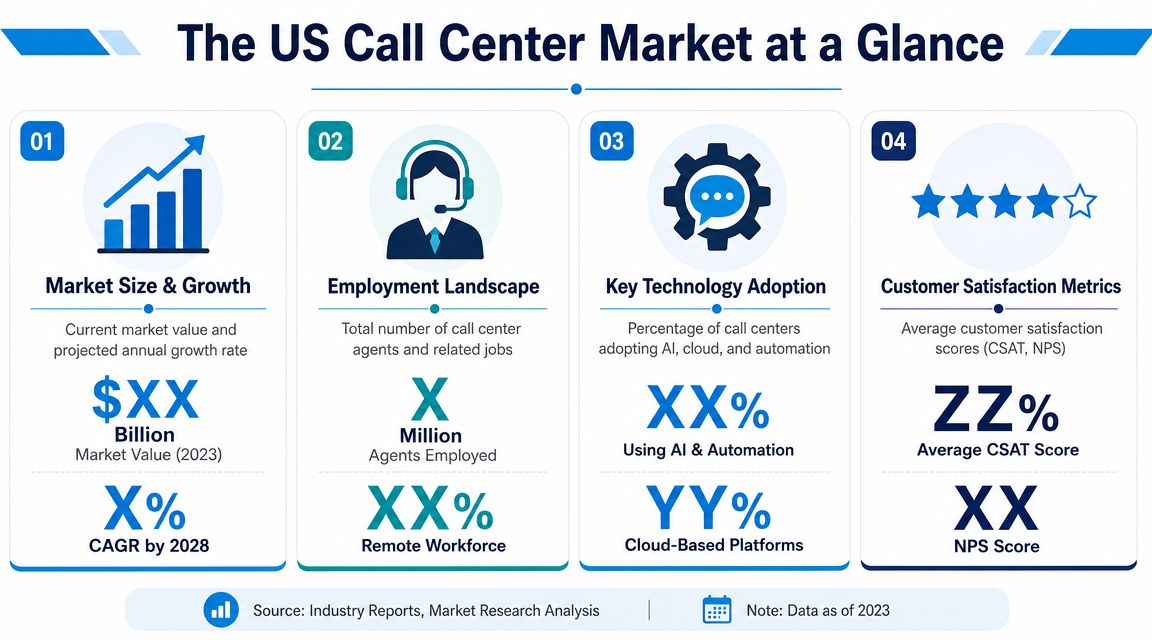
Those numbers tell you two important things at once. First, this is not a niche industry. Second, the market isn't consolidating around one standard model. It's fragmenting into smaller, more specialized providers.
What those numbers mean for a business owner
If revenue in the traditional category is soft while the number of providers is rising, buyers should expect more specialization. You'll see firms built around appointment setting, overflow answering, regulated sectors, after-hours support, multilingual service, franchise routing, and AI-assisted workflows.
That's good news if you know what you need. It's bad news if you shop generically.
A home services company with heavy inbound booking needs should not evaluate vendors the same way as a law office handling confidential intake or a healthcare practice managing appointment changes and sensitive information. The label “call center” hides very different capabilities.
Scale is still high, but the labor picture has shifted
The broader market context also points to structural change rather than simple decline. The industry remains a major employer and revenue-generating service category, but the labor model is under pressure. Openings and expansions have slowed, and employment trends have weakened, as noted in the verified market summary above.
For buyers, that translates into a more important operational question: who is building a durable service model when hiring and retaining agents is harder than it used to be?
The market didn't disappear. Operators changed the way they deliver service.
How to use this market reality in procurement
When owners review U.S. call center options, they should assume the market is mature but uneven. That means asking sharper questions up front:
- Specialization: Does this provider handle your type of call, or just “customer service” in general?
- Delivery model: Are they relying on traditional seat-based staffing, remote agents, AI support, or a mix?
- Operational depth: Can they show routing logic, escalation design, and reporting discipline?
- Business fit: Do they sound like a vendor for enterprise help desks, or for businesses that need bookings, lead capture, and fast issue triage?
A large market gives you options. A changing market forces you to choose carefully.
Technology and Operational Trends to Watch
The biggest shift in United States call centers isn't that voice disappeared. It's that voice is now surrounded by software.
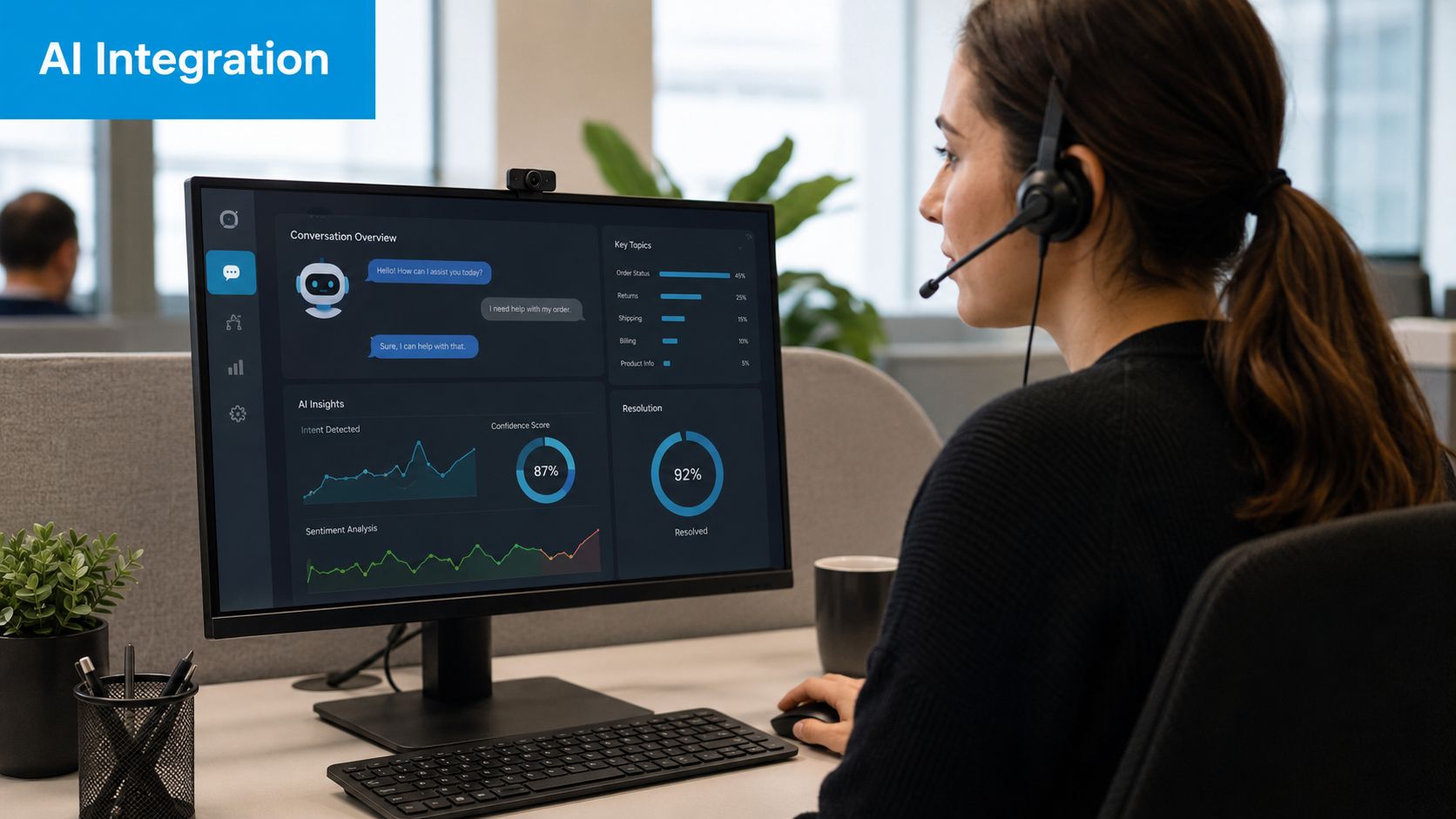
A buyer who still thinks in terms of “phones plus agents” will miss the key sources of efficiency. Modern operations increasingly depend on software for routing, summarization, CRM updates, scheduling, QA workflows, and after-hours continuity. That software layer matters because labor is expensive to replace and hard to stabilize.
Ringly.io summarizes a key pressure point: Gartner predicts conversational AI could cut contact center labor costs by $80 billion in 2026, while annual agent turnover is commonly estimated at 30% to 45%, with some centers reaching 60%, as compiled in Ringly.io's 2026 call center statistics roundup.
AI is useful when it removes repetitive work
Good buyers shouldn't ask, “Do you use AI?” That question is too broad to be useful. Ask where AI sits in the workflow.
The strongest use cases are usually practical:
- Lead capture after hours: gather name, issue, location, and urgency before routing
- Appointment handling: book, reschedule, and confirm routine visits
- Call summarization: reduce agent admin after the conversation
- Smart triage: identify whether a caller needs sales, support, dispatch, billing, or emergency response
A contractor, for example, may not need a large call center at all. They may need an automated receptionist for contractors that can qualify calls, catch after-hours jobs, and push only the right conversations to staff.
If AI saves time but creates confusion during handoff, it's not helping operations. It's just moving the work downstream.
Remote teams and software-first operations
The second trend is staffing flexibility. Remote agent models make it easier to extend hours, cover lunch gaps, and support multi-location businesses without forcing every location to hire separately. That can help franchises, regional service businesses, and clinics with uneven call patterns across the day.
The third trend is the shift from hardware-heavy systems to software-driven platforms. Businesses comparing systems should look at cloud call center software options because routing, reporting, and integration now do as much work as the phone line itself.
Recepta.ai fits this newer category of tool. It combines AI call handling with human escalation, appointment workflows, analytics, and integrations for businesses that need coverage without building a full in-house reception operation.
A short demo of the broader shift toward AI-assisted call handling is worth watching before you buy:
What works and what doesn't
What works is narrow automation attached to clear business rules. “If this, then route there” is useful. Automatic capture of basic information is useful. Summaries are useful. Immediate escalation for billing disputes, legal intake, urgent care issues, or angry customers is useful.
What fails is over-automation. If callers get trapped in loops, repeat themselves, or can't reach a human when the issue gets emotional or complex, the system saves labor on paper while hurting conversion and retention in practice.
Choosing Your Sourcing Model
Most businesses frame the buying decision the wrong way. They ask whether to keep calls in-house or outsource them. That's too simplistic.
The better question is where your business should sit on the sourcing spectrum: domestic outsourcing, nearshore or offshore support, or a hybrid AI-plus-human model. The right answer depends on call complexity, brand sensitivity, compliance exposure, and how much volatility you have in call volume.
The comparison that actually matters
| Factor | Domestic Outsourcing | Nearshore/Offshore | Hybrid AI + Human |
|---|---|---|---|
| Cost pressure | Usually higher labor cost, but more predictable brand alignment | Often attractive on labor cost, but savings disappear if quality slips | Often strongest when routine calls are high-volume and repetitive |
| Customer experience | Usually easier to align tone, accents, and local expectations | Can work well with strong training, but quality varies sharply by vendor | Fast for simple requests, strong if handoff to humans is clean |
| Compliance fit | Often easier for regulated sectors to vet and govern | Requires tighter vendor oversight, process control, and data review | Strong when automation is limited to low-risk tasks and regulated matters go to trained staff |
| Scalability | Good, but capacity depends on vendor staffing depth | Often strong for larger coverage needs | Strong for overflow, after-hours, and demand spikes |
| Best fit | Firms that need U.S.-based service and tight brand control | Businesses focused on cost and standardized interactions | SMBs that need coverage without paying for people to handle every simple call |
Process beats geography
A lot of buyers over-focus on location. That's a mistake.
The main outsourcing risks are weak planning, unclear expectations, and poor due diligence. Those failure points can increase handle times and hurt customer satisfaction even when the vendor is domestic, according to CustomerServ's guidance on outsourcing risk.
That means a bad U.S. partner can still underperform a well-managed nearshore team. Location affects cost and customer perception. It does not fix broken governance.
A practical example for an SMB
Take a home services franchise that needs 24/7 appointment booking, overflow support during storms, and basic dispatch triage.
A domestic outsourcer may fit if the brand promise depends on a highly local tone and if the owner wants straightforward oversight. A nearshore team may fit if call types are standardized and scripts are disciplined. If the business mostly needs fast answer speed, lead capture, and escalation only for emergencies or upset customers, a hybrid model is often the better operating choice.
For companies exploring international staffing support beyond voice operations, services that help you Hire LATAM talent can be useful for adjacent roles like scheduling, back-office follow-up, or customer support administration.
How to decide without overcomplicating it
Use these filters in order:
- Start with risk. If calls involve legal, medical, financial, or sensitive personal data, tighten your sourcing criteria first.
- Map call types. Separate routine, repeatable calls from emotional or high-judgment conversations.
- Identify peaks. If volume swings wildly, a fixed staffing model will usually feel expensive or brittle.
- Test the handoff. Ask the vendor to show exactly how AI, frontline agents, and supervisors transfer context.
If a provider can't explain routing logic, escalation ownership, QA review, and reporting cadence in plain language, don't buy the service.
For more examples of vendor structures and operating models, compare outsourced call center solutions with your actual call mix rather than with generic industry labels.
Navigating Compliance and Labor Rules
Compliance questions usually show up too late in the buying process. By then, the owner has already fallen in love with the demo.
That's backwards. If your calls touch regulated data, use recorded disclosures, or involve outbound outreach, compliance should shape vendor selection from day one.
What buyers need to verify
Start with the obvious operational areas:
- Outbound calling controls: If a provider handles outbound campaigns, ask how they manage consent, dialing practices, and suppression workflows under telemarketing rules.
- Protected information: Healthcare, legal, and financial conversations need clear data handling standards, access controls, and retention rules.
- State privacy obligations: If calls are recorded, transcribed, or summarized, ask how the platform handles notice, storage, and deletion requests across the states where you operate.
A law firm is a good example. Intake sounds simple until a caller shares highly sensitive facts, names, dates, and documents over the phone. If the vendor can't explain who can access recordings, how transcripts are stored, and how data moves into downstream systems, the relationship is too risky.
Transparency rules are becoming more important
Recent bipartisan legislation introduced in Congress would require call center workers to disclose their physical location and whether AI is being used, and to offer a transfer to a U.S. agent upon request, as reported by Customer Experience Dive on the proposed call center legislation.
Even though buyers should track the legislative process carefully, the business signal is already clear. Customers and regulators are paying closer attention to transparency. They want to know where service is being delivered and whether they're speaking with a person or a machine.
Compliance shortcut: If a vendor treats disclosure, recording consent, or escalation rights as minor details, assume other controls are weak too.
The vetting questions worth asking
Use direct questions, not vague requests for reassurance:
- Where are calls answered, and can that vary by shift or overflow condition?
- When is AI used, and when is a human required?
- How are recordings, transcripts, and summaries stored and accessed?
- What happens when a caller requests a live U.S.-based agent?
- Who reviews scripts, disclosures, and QA findings when regulations change?
A compliant operating model is not just about avoiding penalties. It also protects trust. Customers forgive a hold time more easily than they forgive feeling misled about who handled the conversation.
Measuring What Matters with Key KPIs
Most call center reports bury owners in data and still fail to answer the only important question: are we handling calls in a way that protects revenue and customer trust?
You don't need a dashboard full of vanity metrics. You need a small set of KPIs that show whether callers are getting through, getting helped, and staying on track.
Four KPIs that deserve your attention
- First Call Resolution: If customers have to call back for the same issue, your operation is spending twice and frustrating the caller at the same time.
- Customer Satisfaction: This tells you whether the interaction felt useful, clear, and professional.
- Service Level: Answer speed matters because intent drops when people wait too long.
- Abandonment Rate: If callers hang up before reaching help, you're leaking demand.
These metrics should be reviewed together. Fast answer times mean little if callers still need repeat contacts. High satisfaction scores can also hide problems if only a small slice of customers responds to surveys.
Don't ignore technical bottlenecks
One of the least understood performance problems is capacity. Digital.gov notes that a standard T-1 line can handle only 23 to 24 simultaneous calls, and if volume exceeds capacity, customers can get busy signals or long waits even when agents are available, as explained in Digital.gov's contact center technology guidance.
That's why abandonment isn't always a staffing problem. Sometimes the issue is telephony design, routing setup, or infrastructure that can't flex when call arrivals spike.
Buyers often blame agents for poor answer rates when the real culprit is queue design or call-path capacity.
A simple reporting habit for SMBs
Ask your provider for one weekly view that answers three things:
- Did calls get answered quickly enough?
- Did customers get resolution without repeat effort?
- Did feedback reveal friction in scripts, routing, or handoff?
For teams that also want a clearer process for collecting and using voice-of-customer input outside the phone channel, this guide to managing agency client feedback offers a useful framework.
If you want to pressure-test call reviews, calibration, and scoring methods, it helps to understand quality assurance in call centers before you accept a vendor's dashboard at face value.
A Practical Buyer's Checklist for Your Business
The safest way to buy a call handling solution is to assume the sales demo hid something important. Good vendors won't mind detailed questions. Weak ones will try to move you back to pricing before you finish asking them.
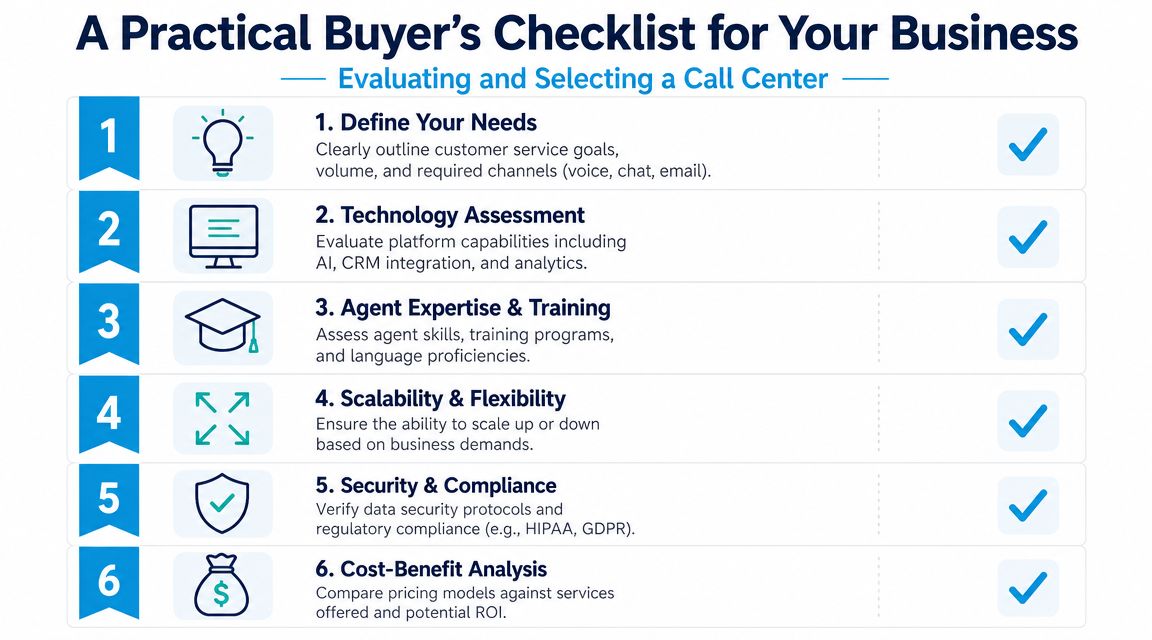
Technology and integration
Ask what systems the platform connects to today, not what is “possible” with future setup work.
- CRM sync: Does caller data write back automatically, or will staff re-enter it?
- Scheduling workflows: Can it book, reschedule, and confirm appointments correctly?
- Escalation logic: What exactly triggers transfer to a human?
- Reporting access: Will your team get raw visibility into calls, outcomes, and missed opportunities?
Service design and people
A polished demo voice means very little if the operational layer is sloppy.
Ask:
- Who writes and updates scripts?
- How are location-specific rules handled for franchises or multi-office businesses?
- How are urgent calls identified and prioritized?
- Who owns after-hours coverage?
- How are new agents or supervisors trained on your account?
Security and compliance
Don't settle for “we take security seriously.”
Ask for plain answers on recording consent, transcript handling, access control, retention, escalation rights, and how regulated conversations are separated from low-risk ones. If the provider uses AI, ask exactly what the AI can and cannot do.
Pricing and commercial terms
Cheap call handling gets expensive when billing is confusing.
Press on these points:
- Unit economics: Are you paying by minute, interaction, seat, usage band, or outcome?
- Hidden fees: Are there extra charges for transfers, after-hours, integrations, or reporting?
- Volume swings: What happens during seasonal spikes?
- Exit terms: Can you export data and move cleanly if the service doesn't fit?
The final test
Before you sign, run a scenario test. Give the vendor three real call types from your business. One simple. One urgent. One emotionally difficult.
Then ask them to walk you through what happens from first ring to final disposition.
If the answer is vague, the implementation will be worse than the demo.
If your business needs a call handling model that blends AI with live support instead of forcing an all-or-nothing choice, Recepta.ai is one option to evaluate. It handles inbound and outbound conversations, lead capture, appointment scheduling, follow-ups, and human escalation, which makes it relevant for SMBs that want coverage, continuity, and cleaner workflows without building a full traditional call center.